-
-
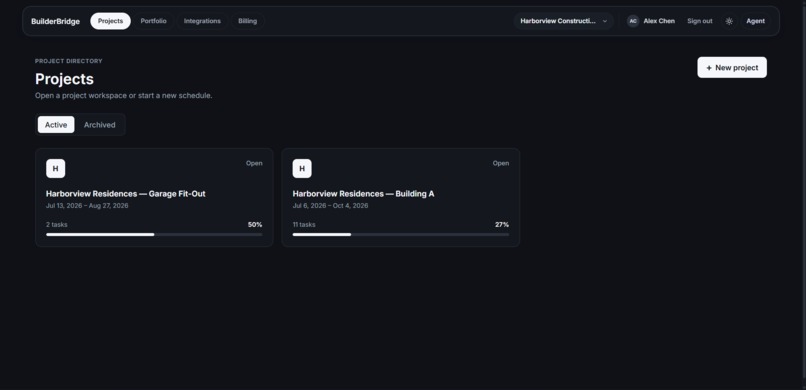
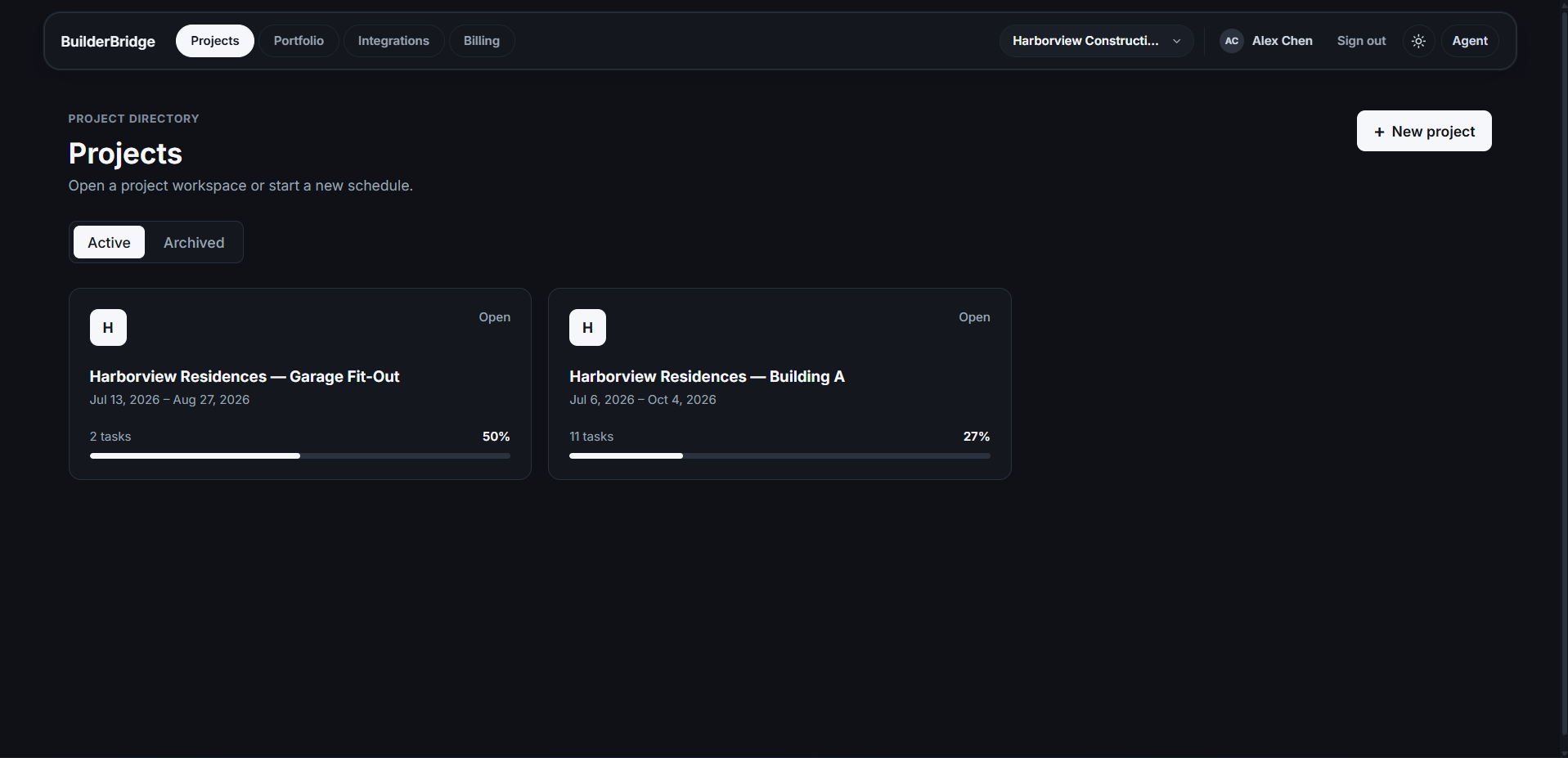
Open a project workspace or start a new schedule.
-
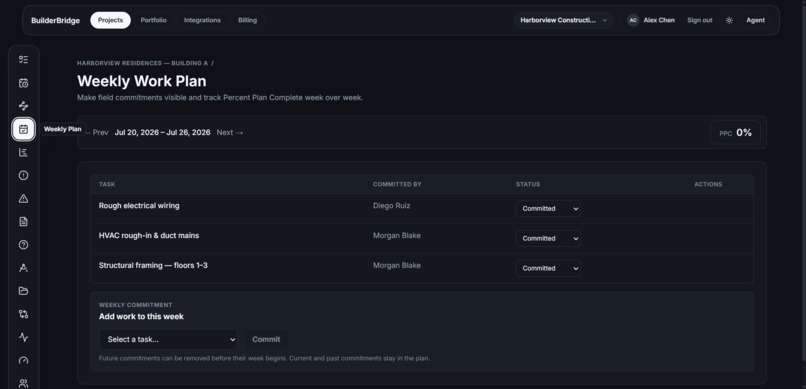
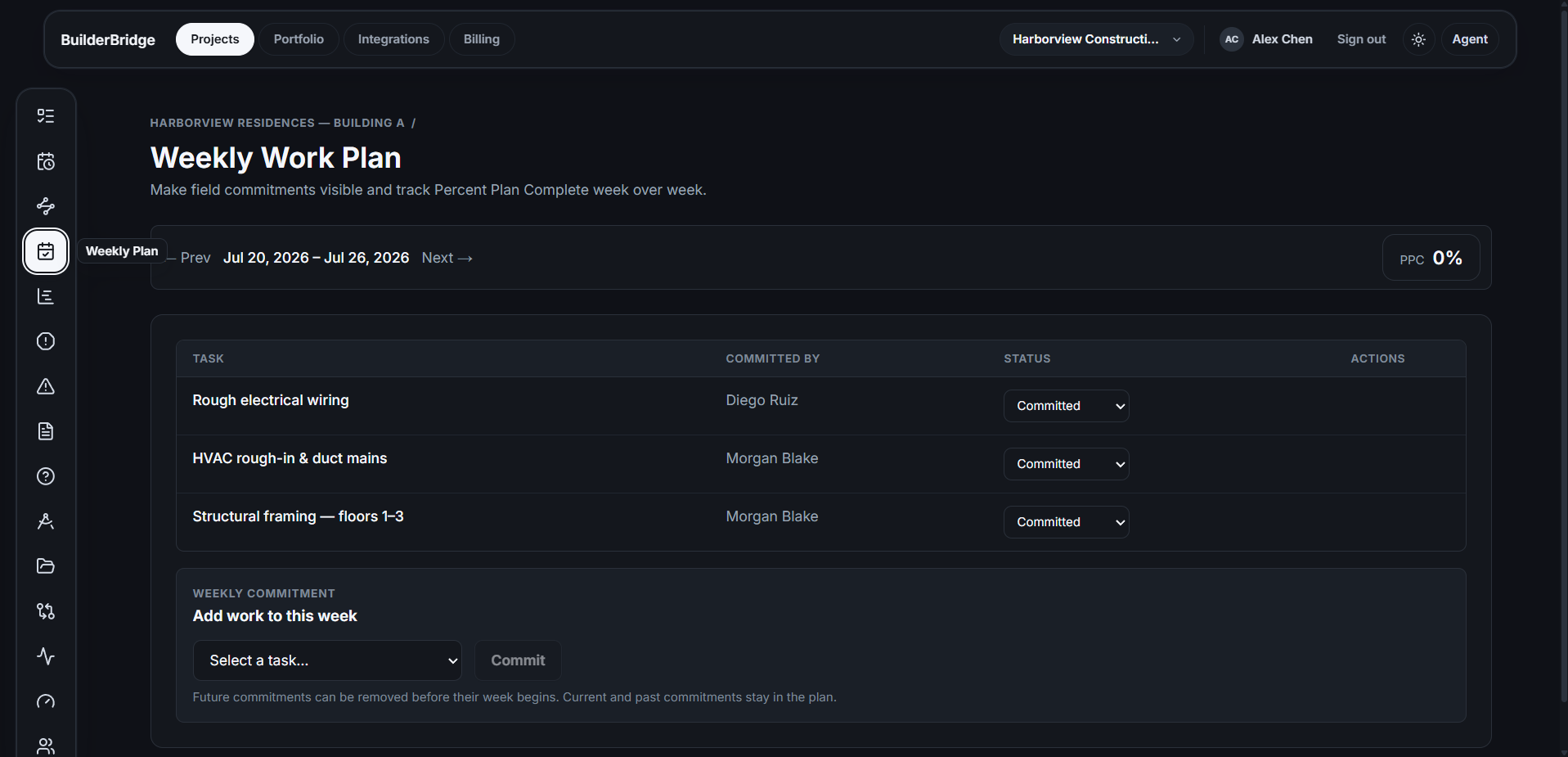
Weekly Work Plan: Make field commitments visible and track Percent Plan Complete week over week.
-
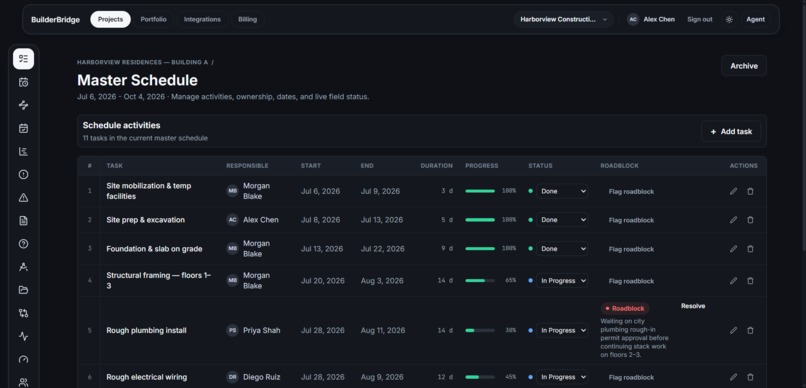
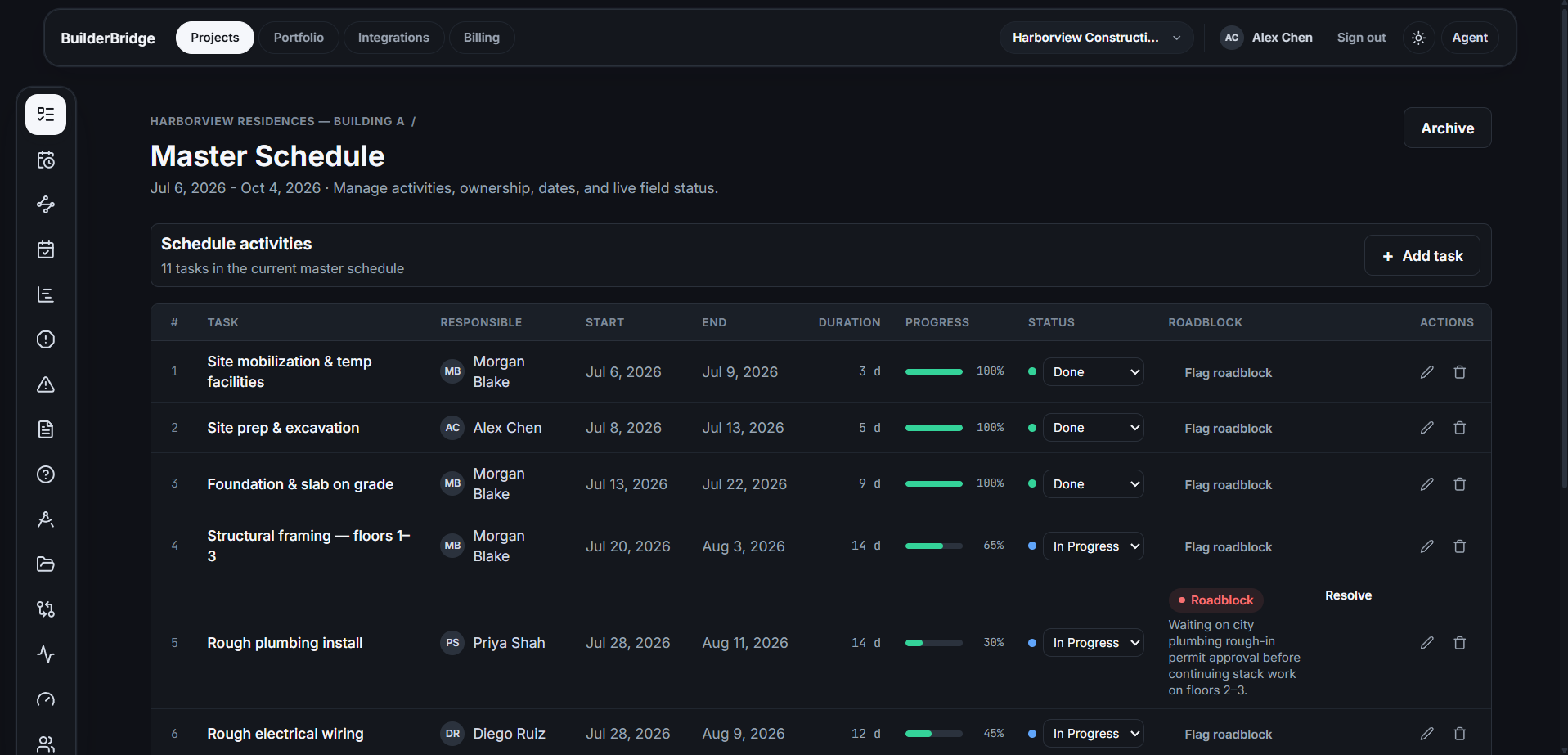
Master Schedule: Manage activities, ownership, dates, and live field status.
-
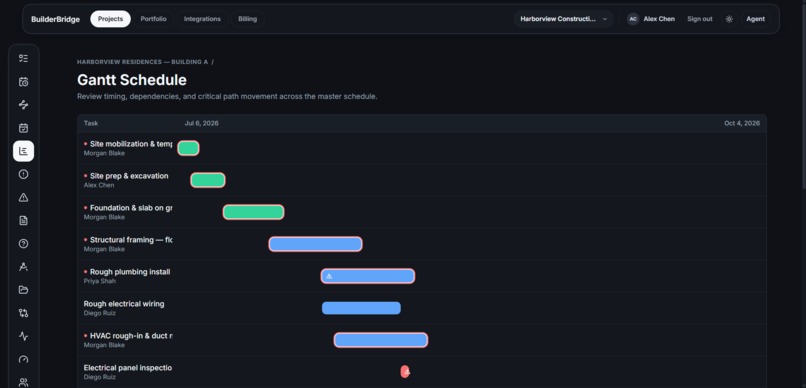
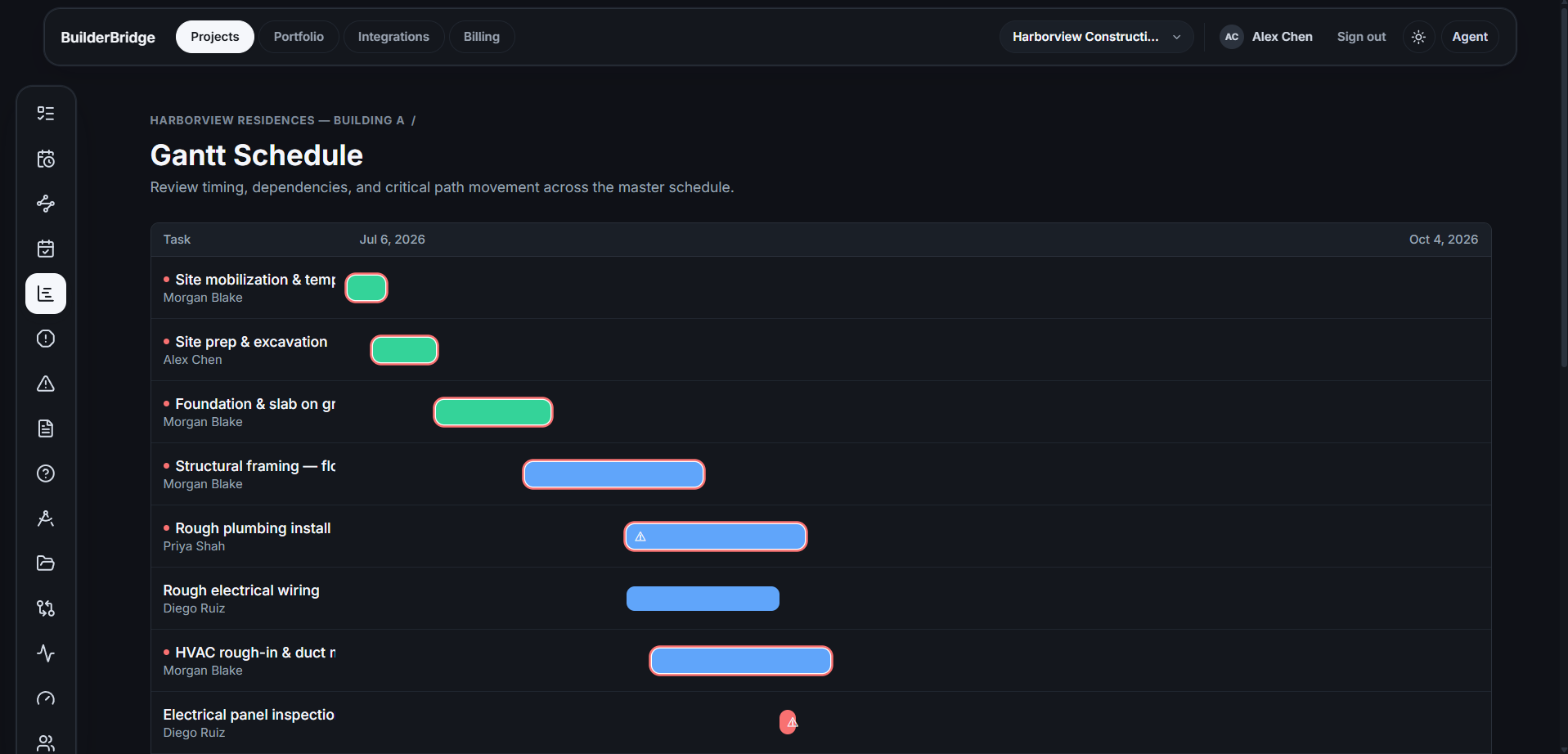
Gantt Schedule: Review timing, dependencies, and critical path movement across the master schedule.
-
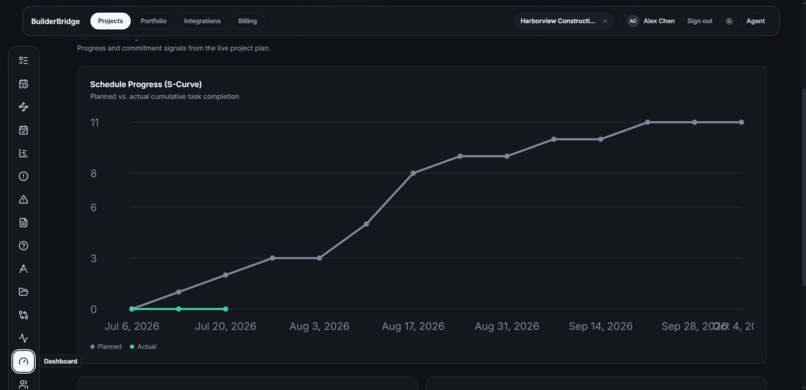
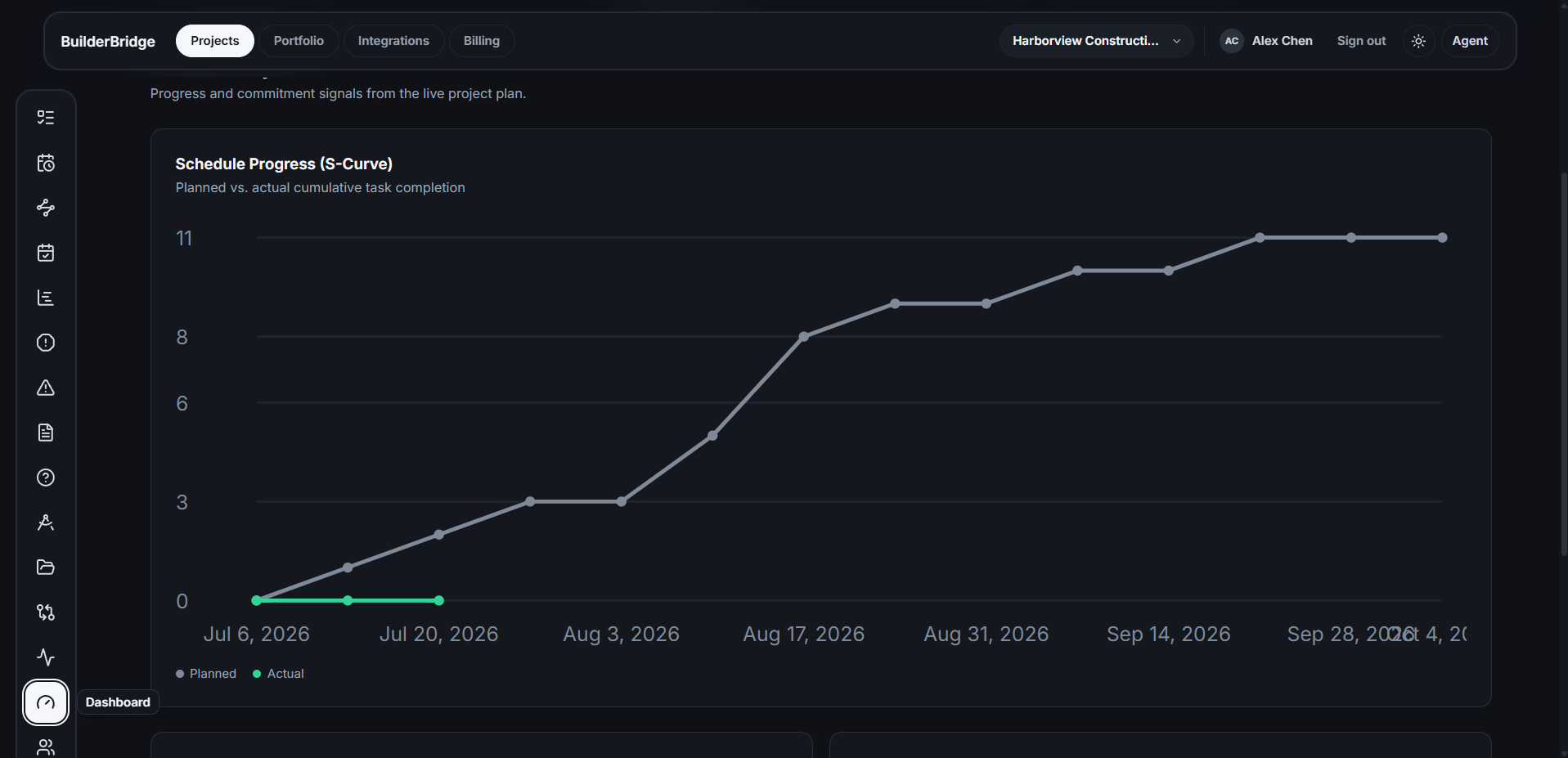
Project Dashboard Monitor schedule progress, commitment reliability, and current delivery risk.
-
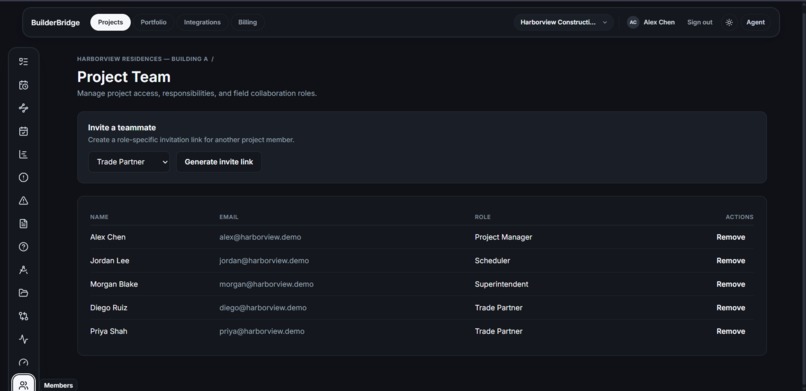
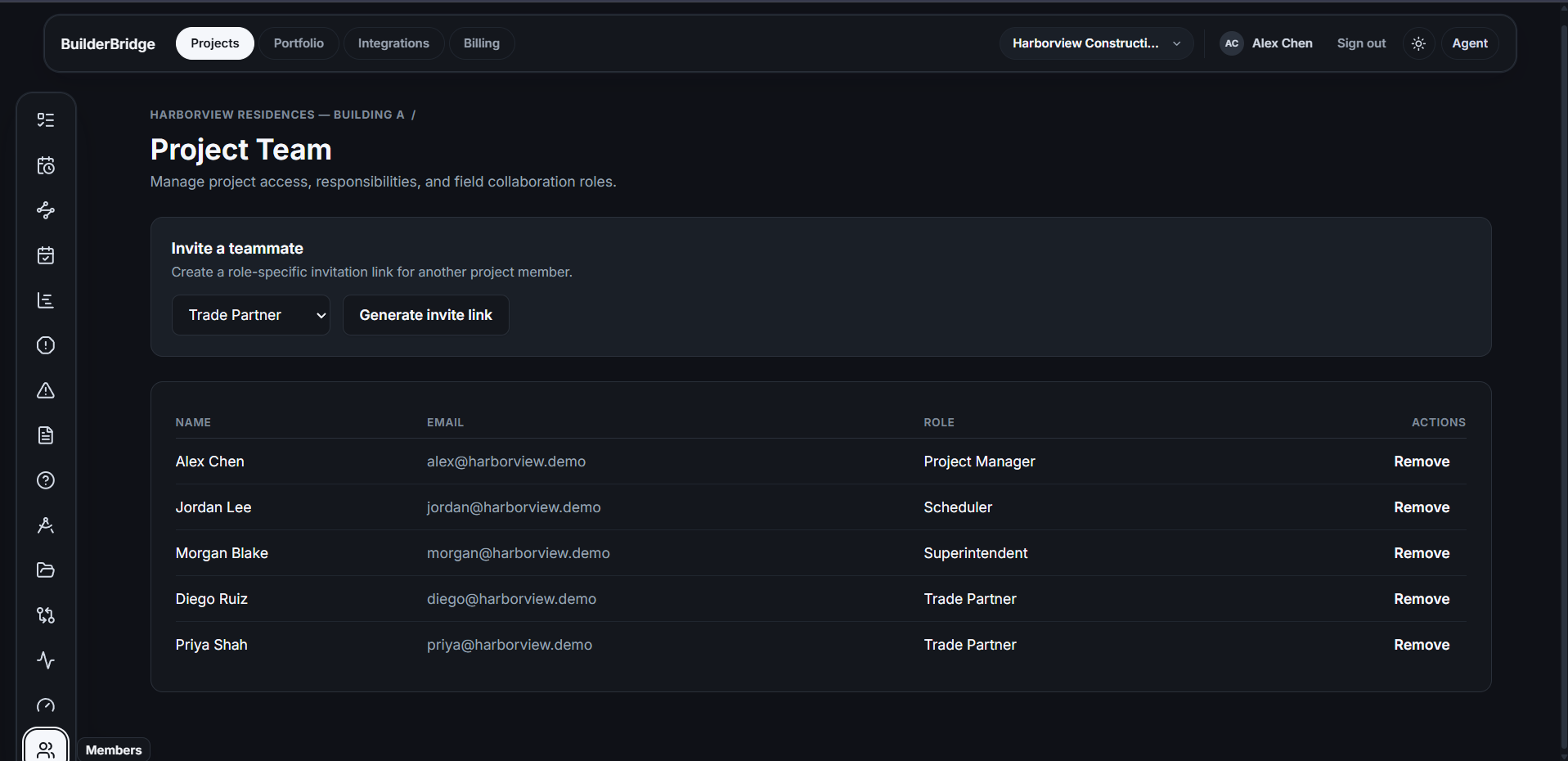
Project Team Manage project access, responsibilities, and field collaboration roles.
-
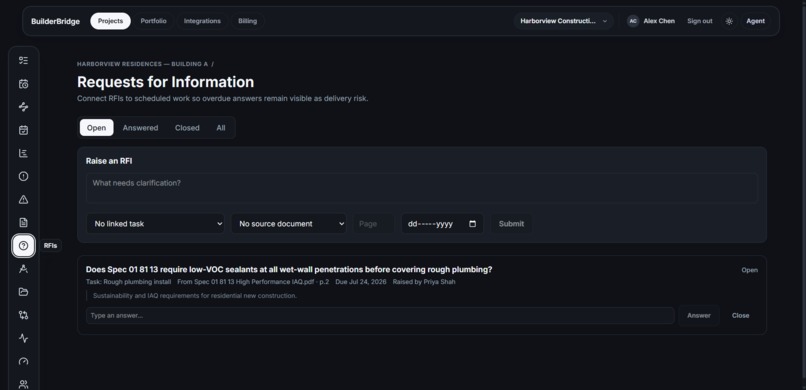
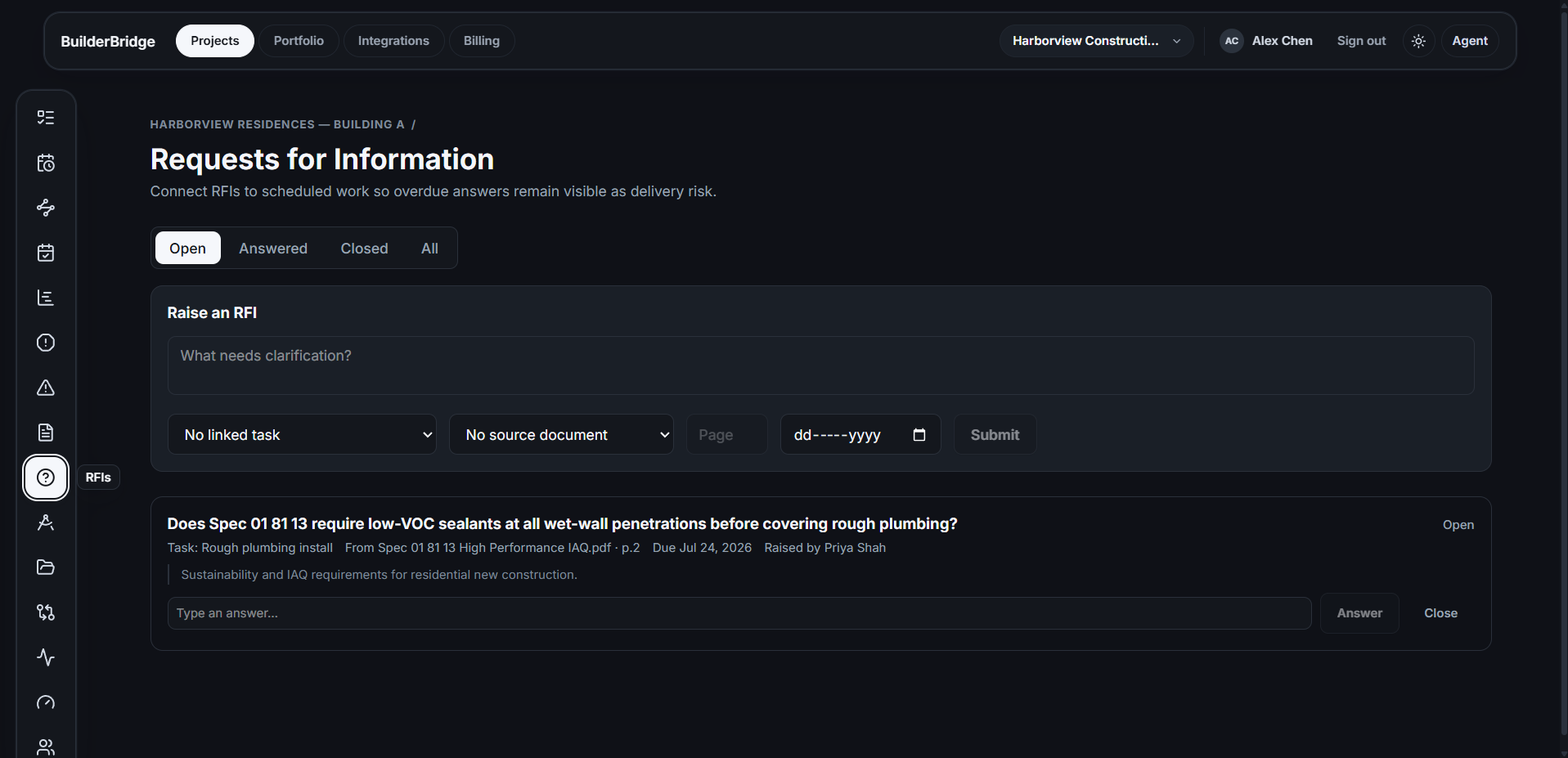
Requests for Information: Connect RFIs to scheduled work so overdue answers remain visible as delivery risk.
-
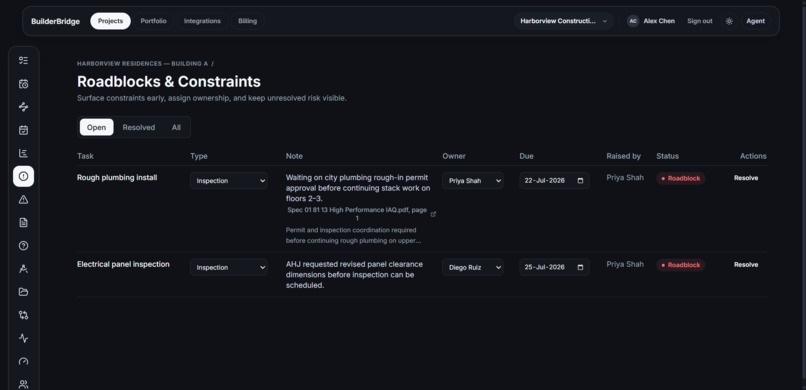
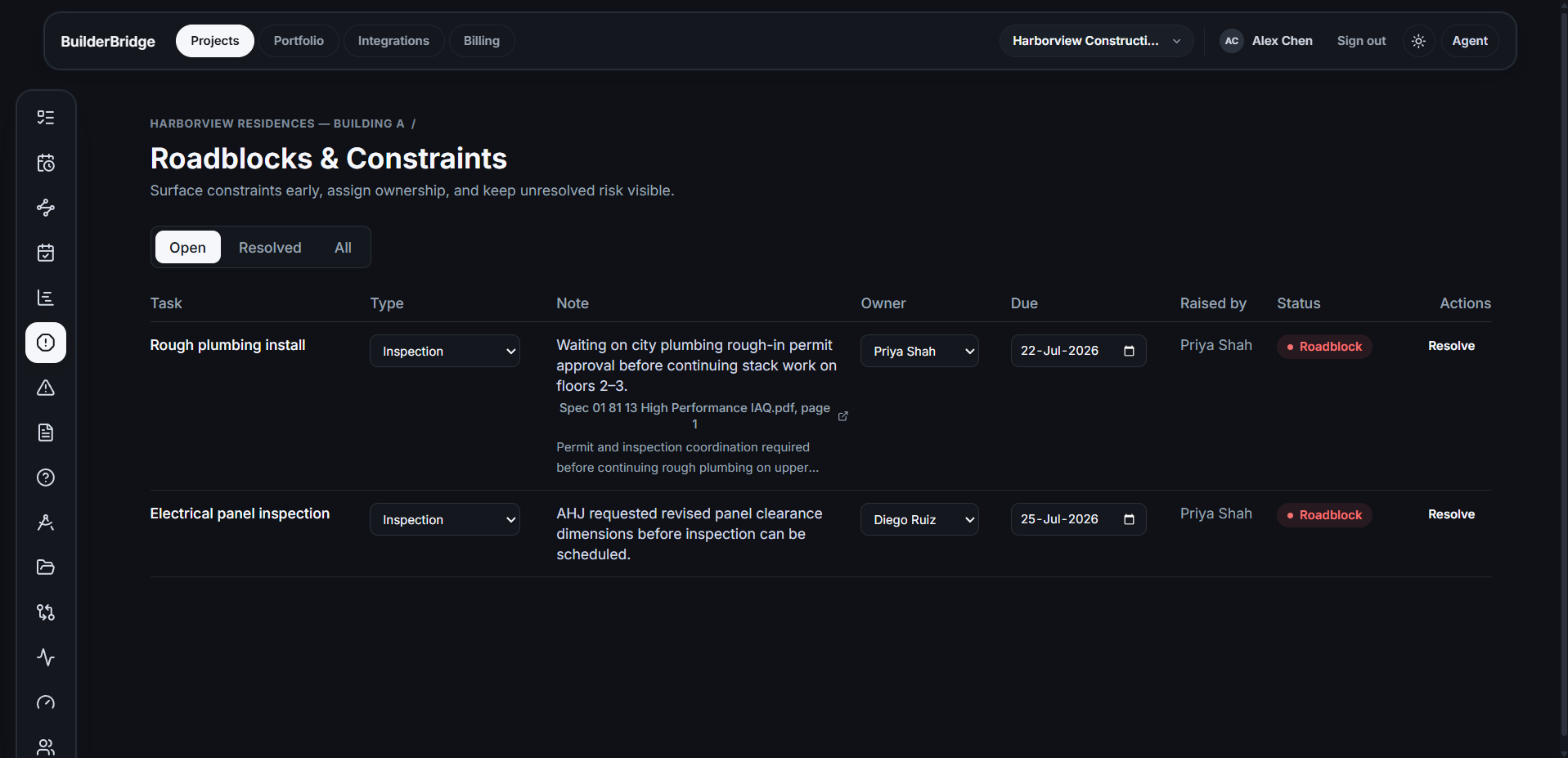
Roadblocks & Constraints: Surface constraints early, assign ownership, and keep unresolved risk visible.
-
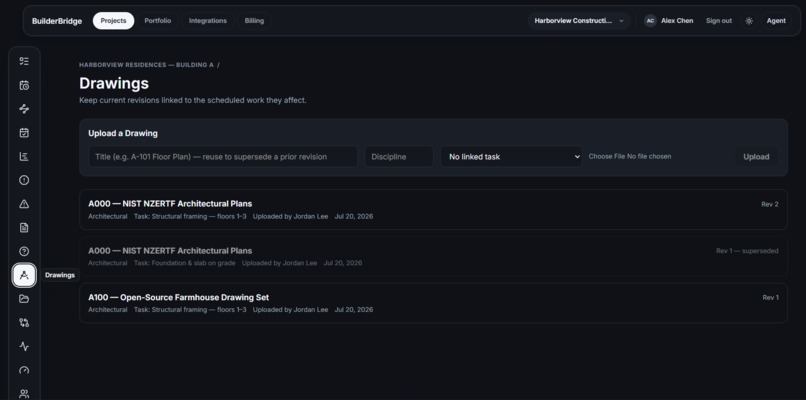
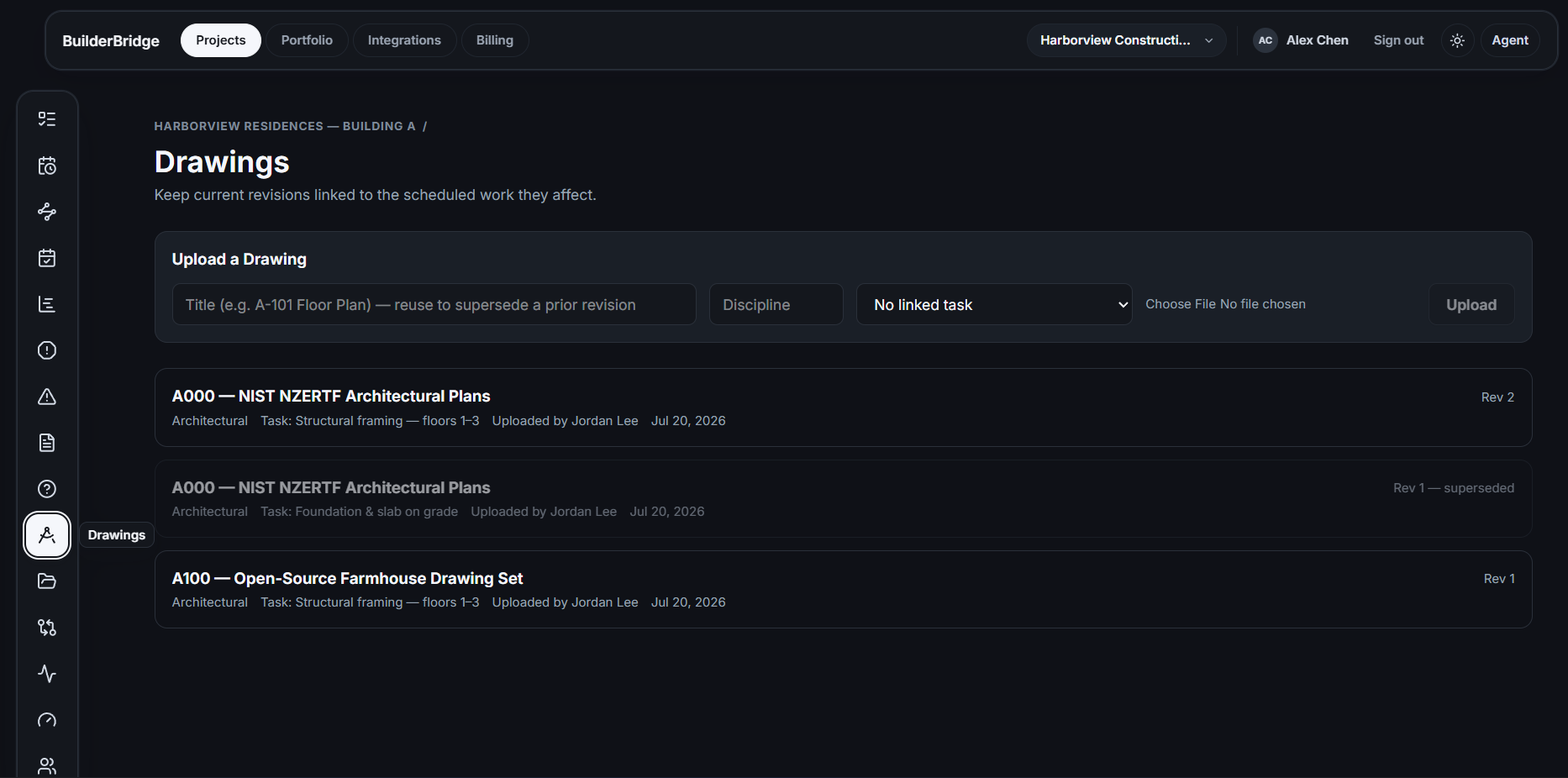
Drawings: Keep current revisions linked to the scheduled work they affect.
-
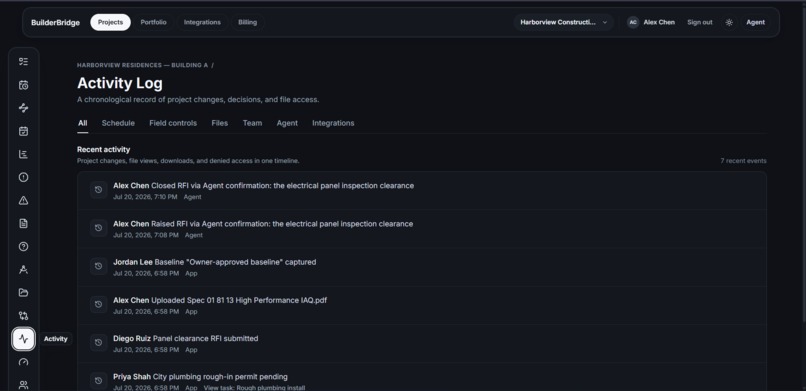
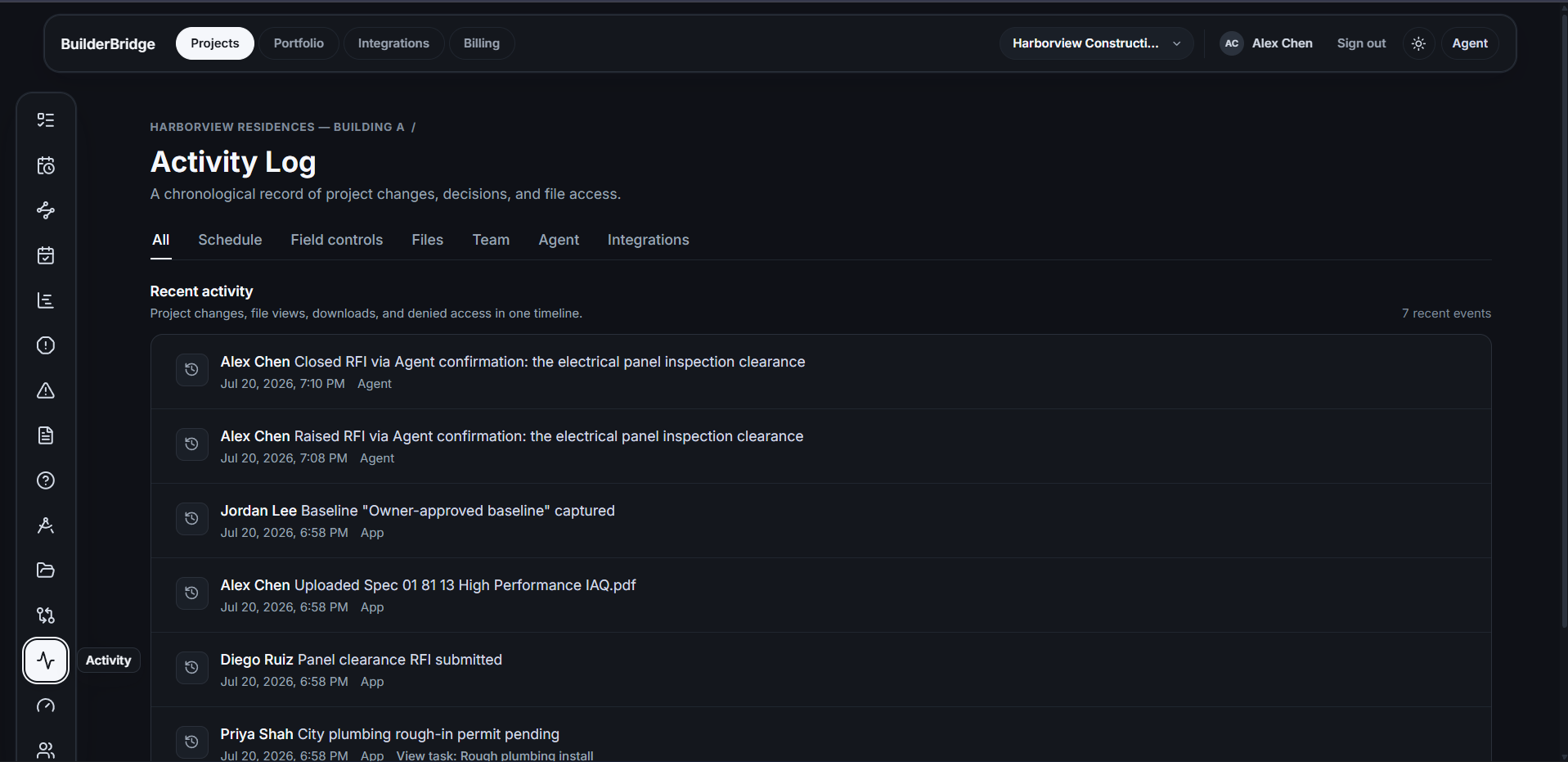
Activity Log A chronological record of project changes, decisions, and file access.
-
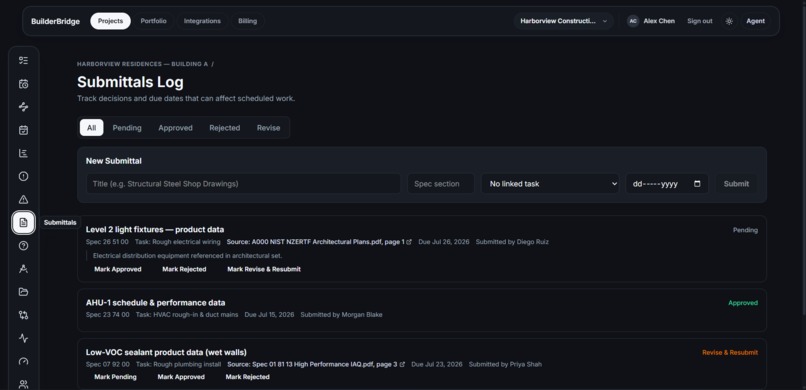
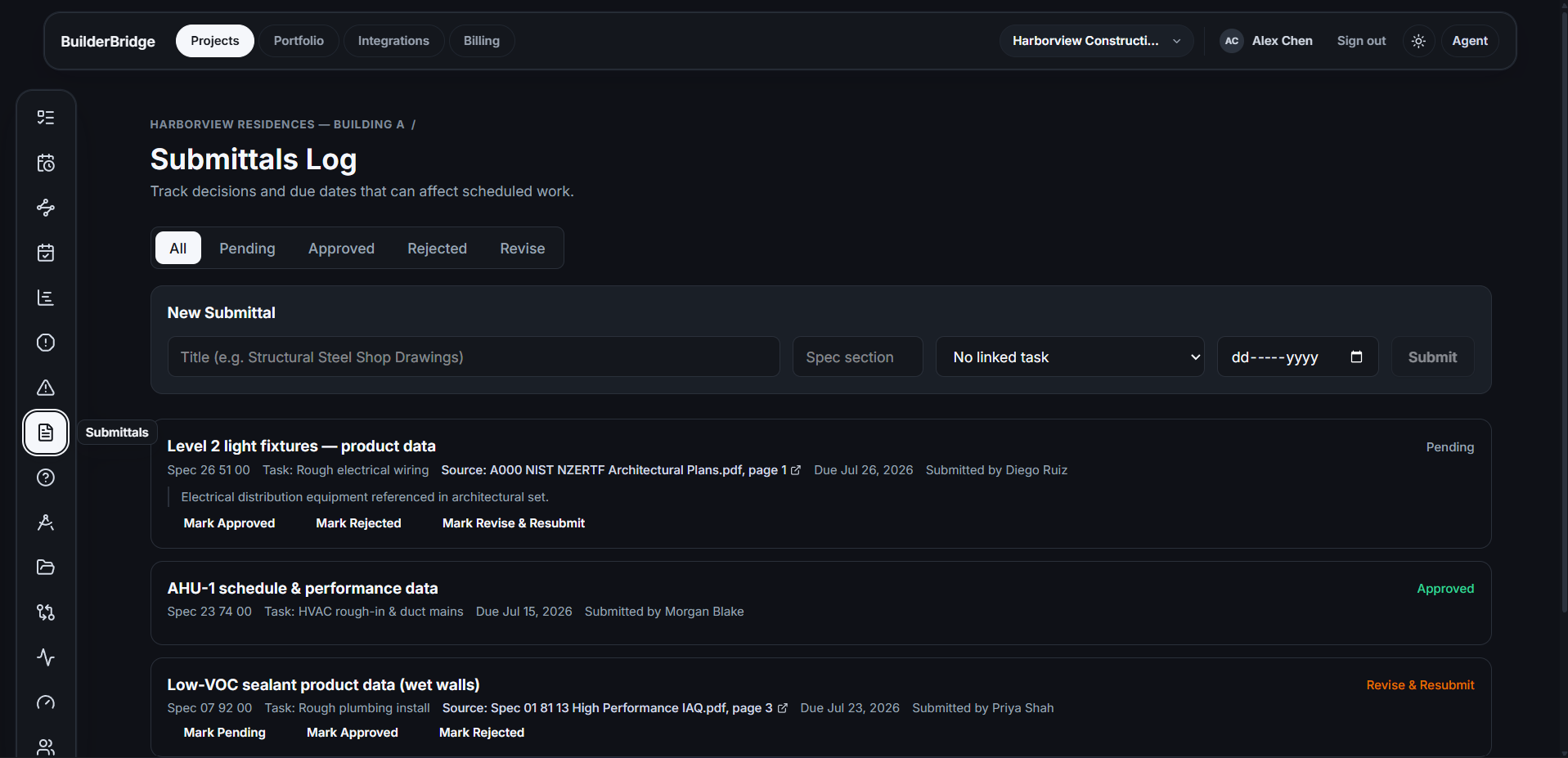
Submittals Log: Track decisions and due dates that can affect scheduled work.
-
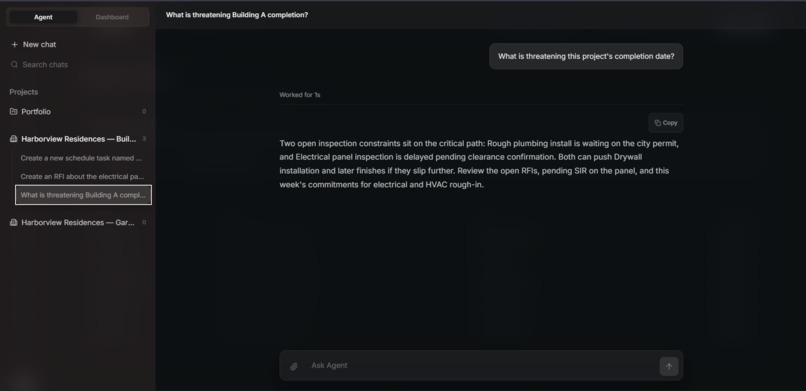
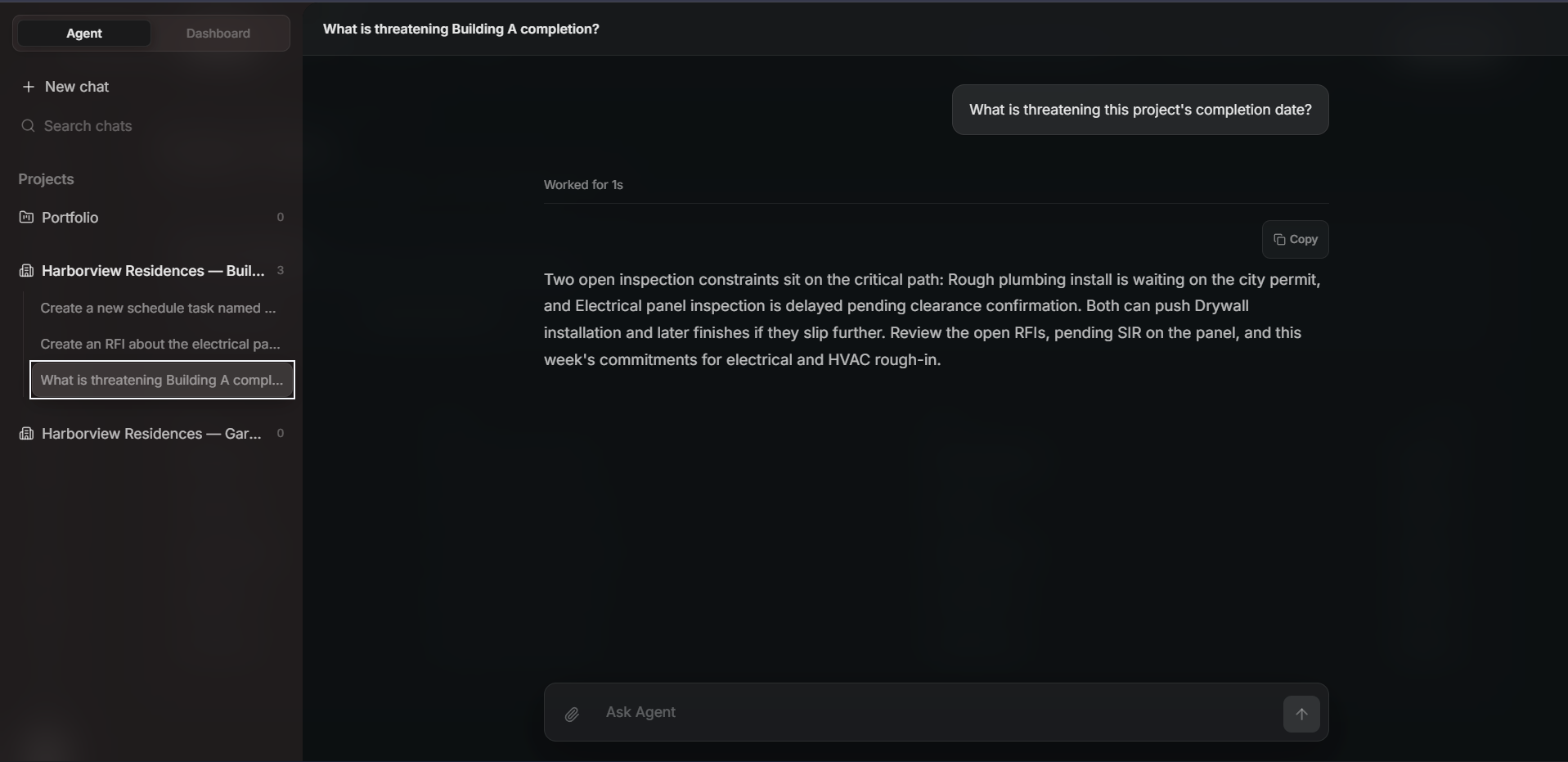
agent project context answers
-
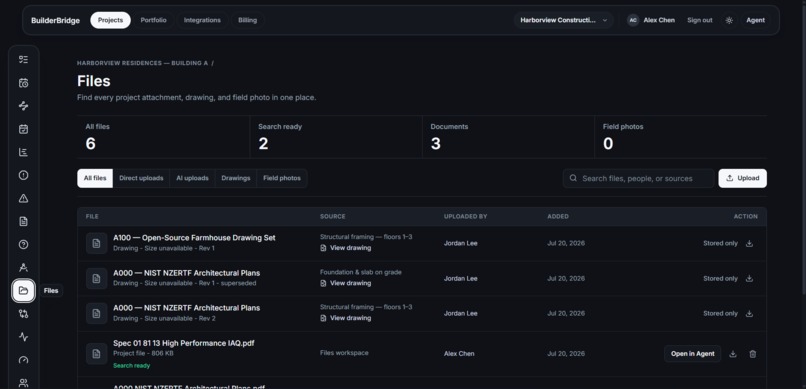
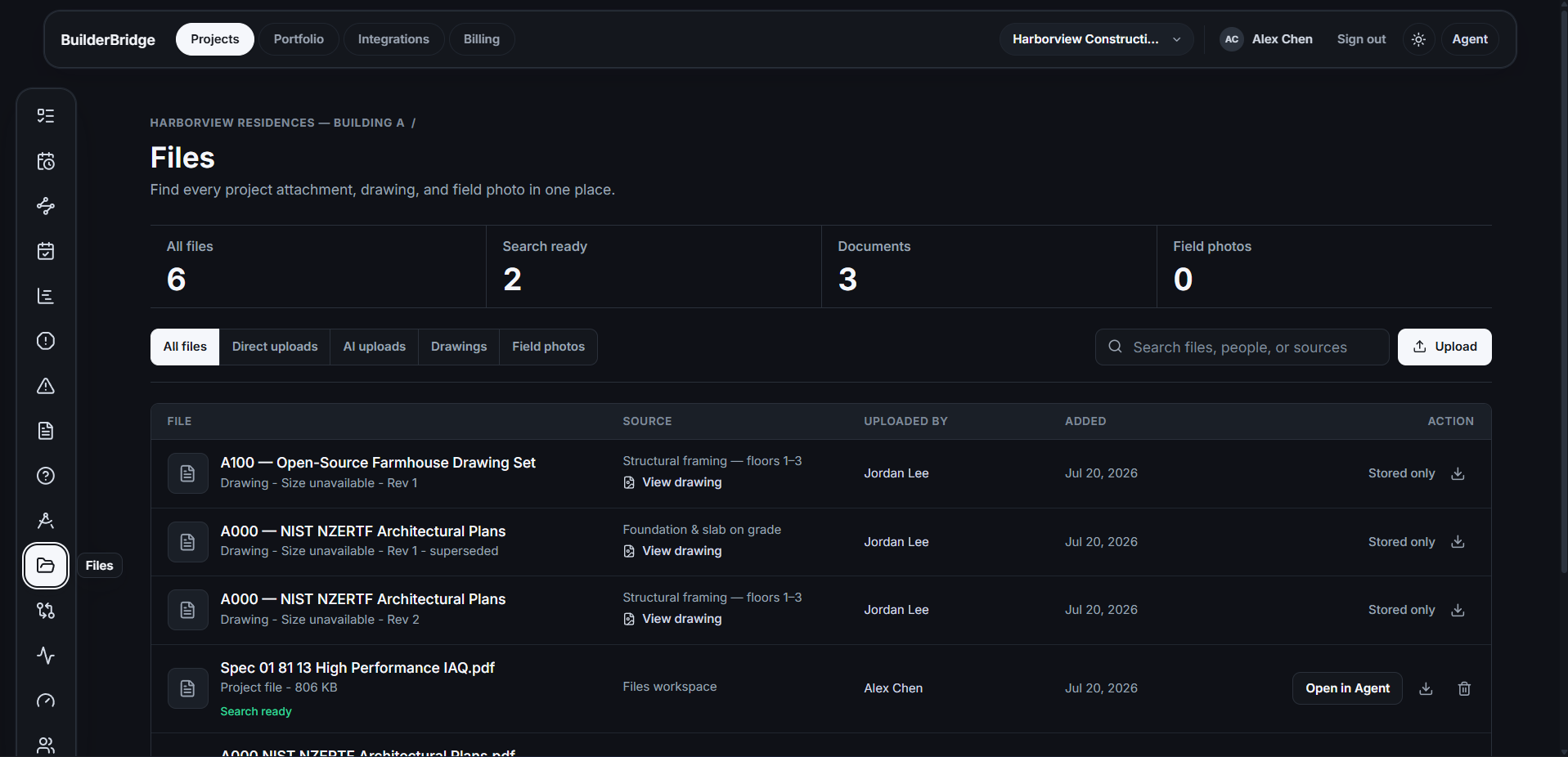
Files Find every project attachment, drawing, and field photo in one place.
-
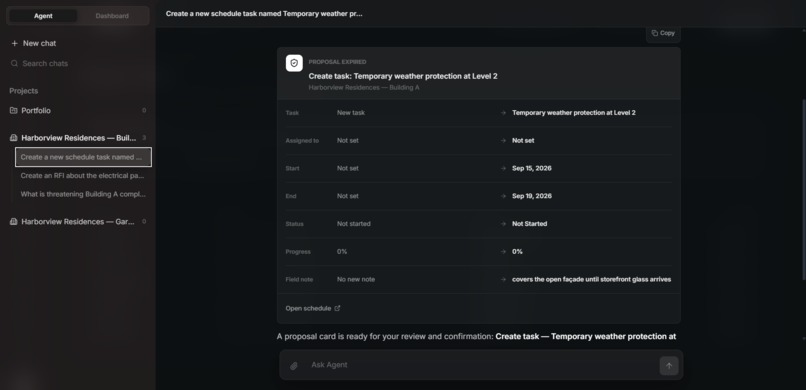
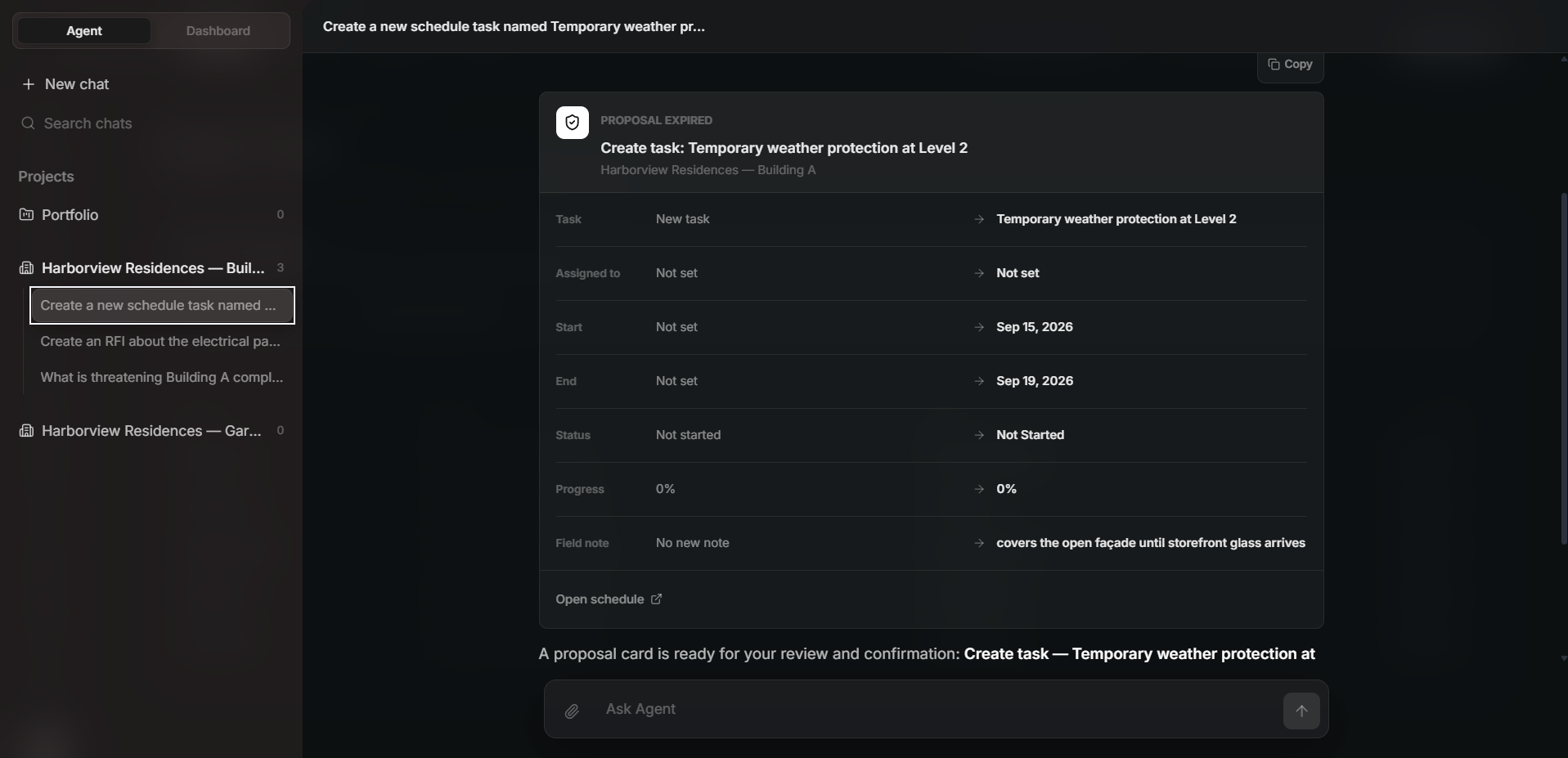
Proposal created by agent to create a task
-
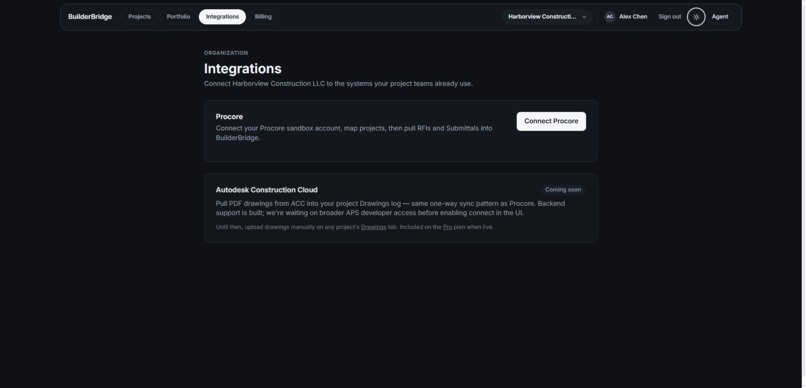
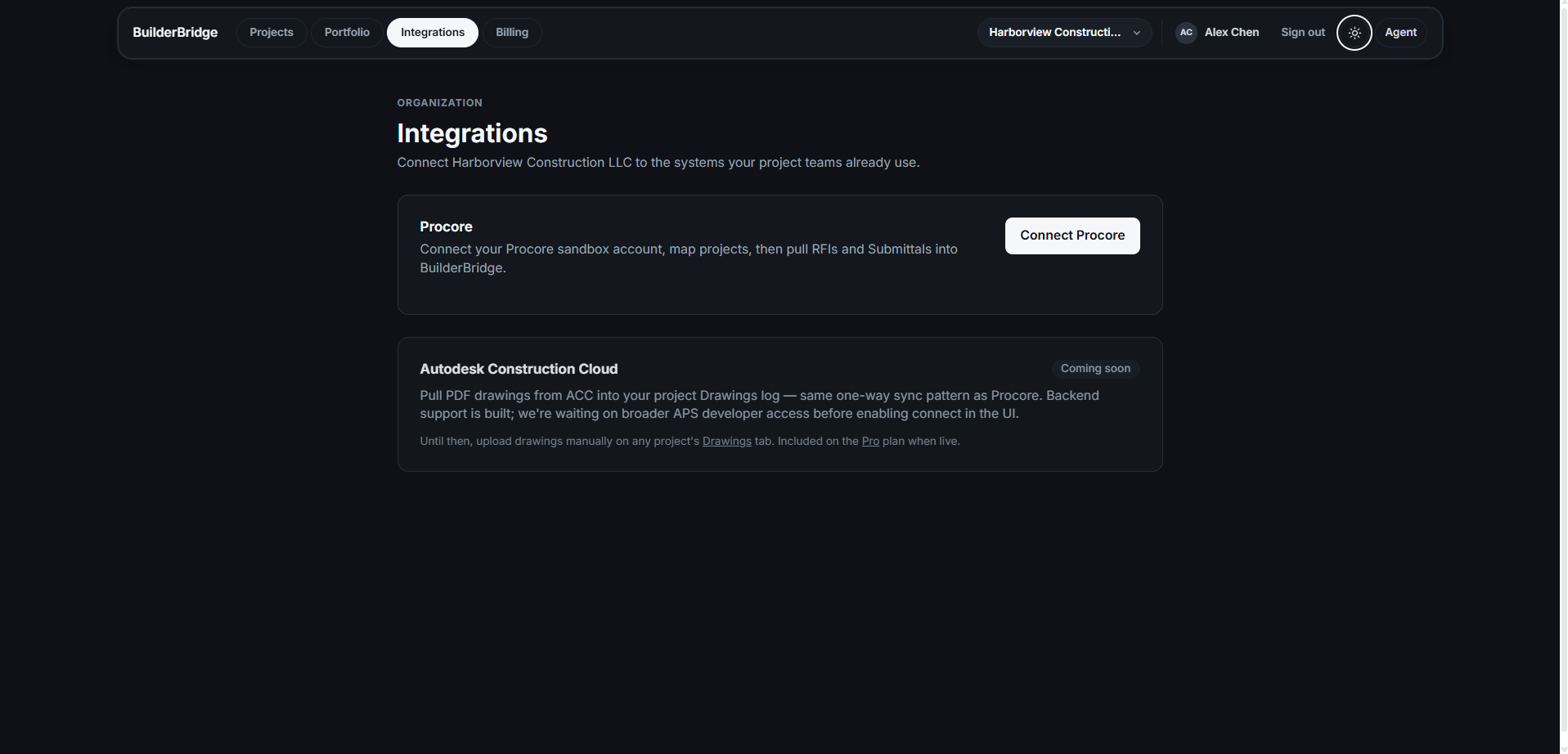
Procore Integraion
Inspiration
BuilderBridge started with a problem I kept noticing in construction software every part of a project seems to live somewhere different. The schedule might be in one system, weekly commitments in a spreadsheet, RFIs somewhere else, and the answer to an important question buried inside a PDF that nobody has time to search. That fragmentation creates more than inconvenience. It makes it harder for the office and field teams to understand the same version of what is happening. I wanted to see whether AI could help connect those pieces. I was not interested in adding a general chatbot to a dashboard. I wanted the assistant to understand the actual project, including its tasks, schedule, commitments, roadblocks, RFIs, and documents. At the same time, I did not want AI making important construction decisions by itself. BuilderBridge grew from that tension: how can an assistant be genuinely useful without taking control away from the people responsible for the project?
What It Does
BuilderBridge is a OS for construction sites which helps in scheduling and project-controls workspace for office and field teams. It brings schedules, tasks, weekly plans, roadblocks, RFIs, submittals, drawings, and project documents into one place. Instead of checking several systems to understand the status of a project, a user can open BuilderBridge and see the information together.
The project aware agent can answer questions using live project data. It can also search uploaded documents and point the user to the source page behind an answer. I wanted this because an answer is much more useful when someone can verify where it came from.
The assistant can help prepare actions too. For example, it helps in updating a task or creating a schedule-impact item. It does not apply that change immediately. It creates a proposal, explains what it wants to change, and waits for the user to approve or reject it.
Every approved action is checked against the user's permissions and added to an activity logs.
BuilderBridge also supports integrations such as Procore , making it easier to connect existing construction information with the rest of the workspace.
How I Built It
I built BuilderBridge as a full-stack web application using Next.js, React, TypeScript, Prisma, PostgreSQL, and Neon.
I used Better Auth with Google OAuth for authentication. Because BuilderBridge supports organizations and multiple projects, signing in was only the first part of the problem. I also had to make sure users could only access the organizations and projects they belonged to.
The application includes:
- Construction schedules and task dependencies
- Weekly Work Plans and commitments
- Progress updates and roadblocks
- RFIs and submittals
- Drawings and project files
- Project and portfolio analytics
- Procore integrations
- Organization roles and project level permissions
- Subscription billing through Stripe
- Transactional emails through Resend
- Monitoring and error reporting through Sentry
The assistant uses an OpenRouter compatible AI gateway and structured actions. I choose structured actions because plain text is not reliable enough when the assistant needs to work with real project records. The model needs to return something the application can validate before anything happens.
For project documents, I built an upload and extraction pipeline. Text-based PDFs can be processed directly, while scanned documents can go through OCR. The extracted text is divided into searchable sections so the assistant can find relevant information and connect its answer to the original document.
I used Codex as my main implementation partner during the build. It helped me work through the assistant architecture, proposal handlers, permissions, and debugging. GPT-5.6 and other OpenAI models also helped with planning and testing different approaches.
Challenges I Faced
The biggest challenge was trust.
My first version allowed the assistant to update project data too directly. It worked in the demo, but I realized I would not trust it on a real construction schedule. A small incorrect change could affect dates, dependencies, or the work expected from several people.
That pushed me to rebuild the flow around proposals. Now the assistant prepares a change, shows it to the user, and waits for approval.
Even after adding approval, another problem remained: project information can change while a proposal is waiting. A task may be edited by someone else, which means an older proposal could overwrite newer information. I added stale-data checks so the backend can verify that the proposal is still based on the current record before applying it.
Permissions were another difficult part. It was not enough to hide a button in the interface. Every action needed to be checked again on the server. Manual edits and AI proposed edits also had to follow the same rules.
Document processing created a different set of problems. Construction PDFs are not consistent. Some contain clean text, some are scanned images, and others have layouts that make extraction difficult. Supporting direct extraction and OCR helped, but connecting the result to accurate page references required additional work.
I also spent time working through the assistant's natural language behavior. People do not describe project issues using perfect database field names. The assistant needed to understand an ordinary request, find the right project context, and turn it into a predictable action without guessing too much.
Accomplishments I Am Proud Of
I am most proud that BuilderBridge does not feel like a chatbot added at the end of the project. The assistant is connected to the same schedules, tasks, documents, RFIs, commitments, and permission rules as the rest of the application.
The proposal workflow is probably the part I care about most. It gives the assistant a useful role without giving it unlimited authority. Users can see what will change before it happens, reject it if it looks wrong, and review approved actions later.
I am also proud of the document experience. A user can upload a project file, ask a question about it, receive an answer, and return to the relevant source. That is much more valuable than getting an answer with no way to check it.
Other parts I am proud of include:
- Connecting scheduling and weekly planning in one workspace
- Supporting both searchable PDFs and scanned documents
- Adding project-scoped roles and permission checks
- Protecting approved proposals from stale data
- Recording important actions for accountability
- Building working authentication, onboarding, billing, and integrations
BuilderBridge became a complete project workflow rather than a collection of disconnected features.
What I Learned
The main thing I learned is that building an AI feature is not only about choosing a capable model.
The surrounding process matters just as much. The model needs accurate context. The user needs evidence. Actions need permission checks. Important changes need approval. The system also needs a record of what happened.
I started thinking about it with this relationship: $$\text{Safe Automation} = \text{Proposal Quality} \times \text{Evidence Strength} \times \text{Approval Authority} \times \text{Auditability}$$
The multiplication is intentional. If one part is missing, the entire workflow becomes less trustworthy.
I also learned that a convincing demo and a dependable product are very different things. A demo only needs the correct path to work once. A real product has to handle outdated records, missing permissions, failed uploads, unusual PDFs, retries, and users changing data at the same time.
Many of the most important improvements in BuilderBridge came from asking a simple question: "Would I trust this on a real project?" Whenever the answer was no, I tried to understand what was missing.
What's Next for BuilderBridge
The next step is to make BuilderBridge more useful in day-to-day field work.
I want to improve the mobile experience so site teams can update progress, review commitments, and report roadblocks without needing to return to a desktop. I also want to make schedule and document imports easier because many teams already have years of information in other systems.
Other areas I plan to explore include:
- Better project and portfolio analytics
- Deeper Procore and Autodesk synchronization
- Clearer proposal impact reviews
- More reliable schedule-risk detection
- Stronger organization and usage controls
- Faster workflows for field updates
- Better reporting across multiple projects
I do not want BuilderBridge to replace the people managing a construction project. I want it to reduce the time they spend searching for information, copying updates between systems, and trying to understand what changed.
The goal is to help teams reach better decisions sooner, while keeping those decisions in human hands.
Built With
- better-auth
- codex
- google-cloud
- google-oauth
- gpt
- neon
- next.js
- ocr
- openai
- openrouter
- pdf.js
- postgresql
- prisma
- procore-api
- resend
- sentry
- stripe
- supabase
- tailwind-css
- typescript


Log in or sign up for Devpost to join the conversation.