Inspiration
We were all interested in building PCs, especially our teammate Zayd, who previously founded a computer building company. Through that experience, we saw firsthand how intimidating and error-prone the process can be, especially for beginners. Even with YouTube tutorials, it’s easy to get stuck, make mistakes, or have to rewind and rewatch steps. We wanted to make building feel guided, intuitive, and accessible to anyone.
What it does
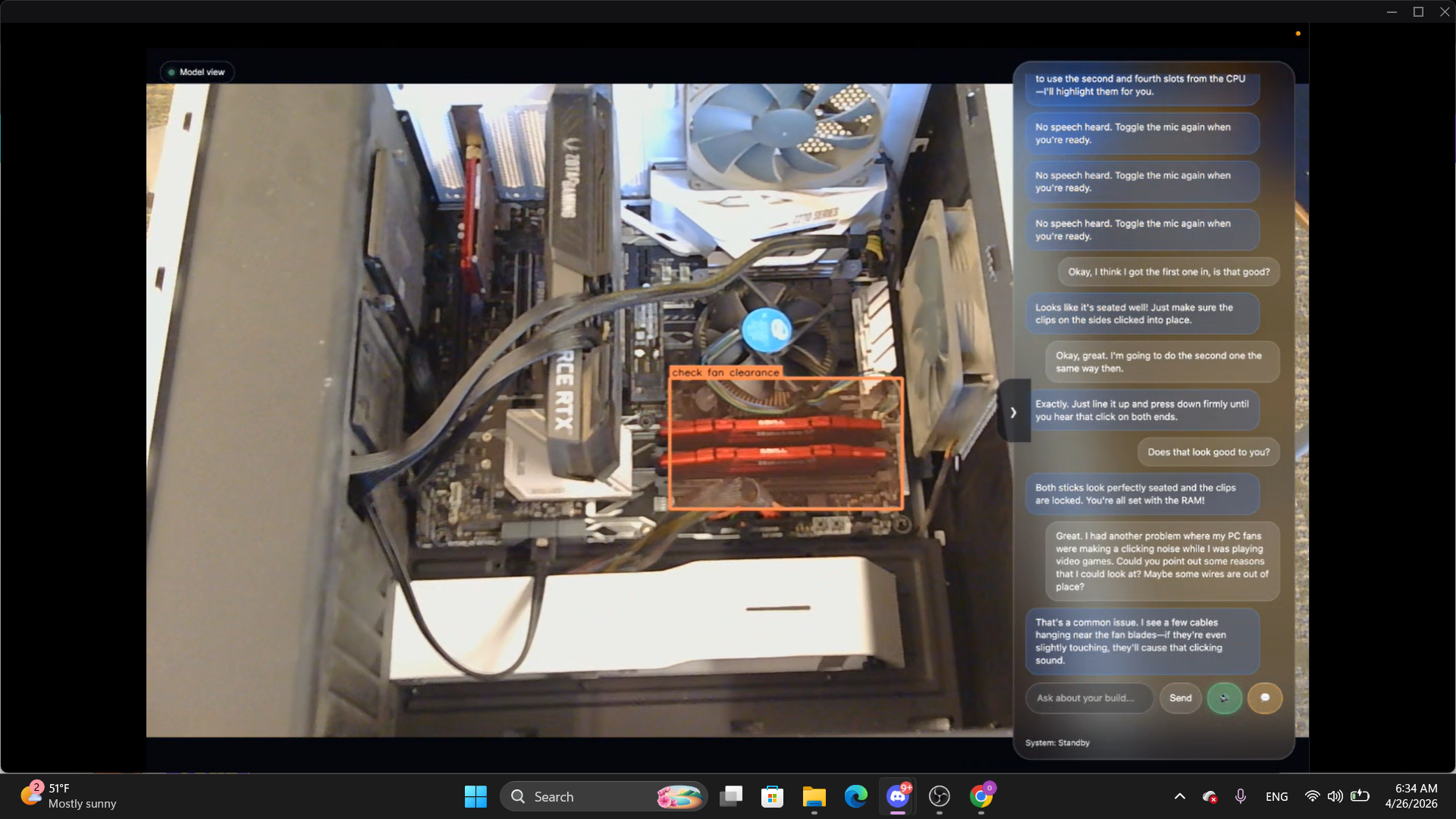
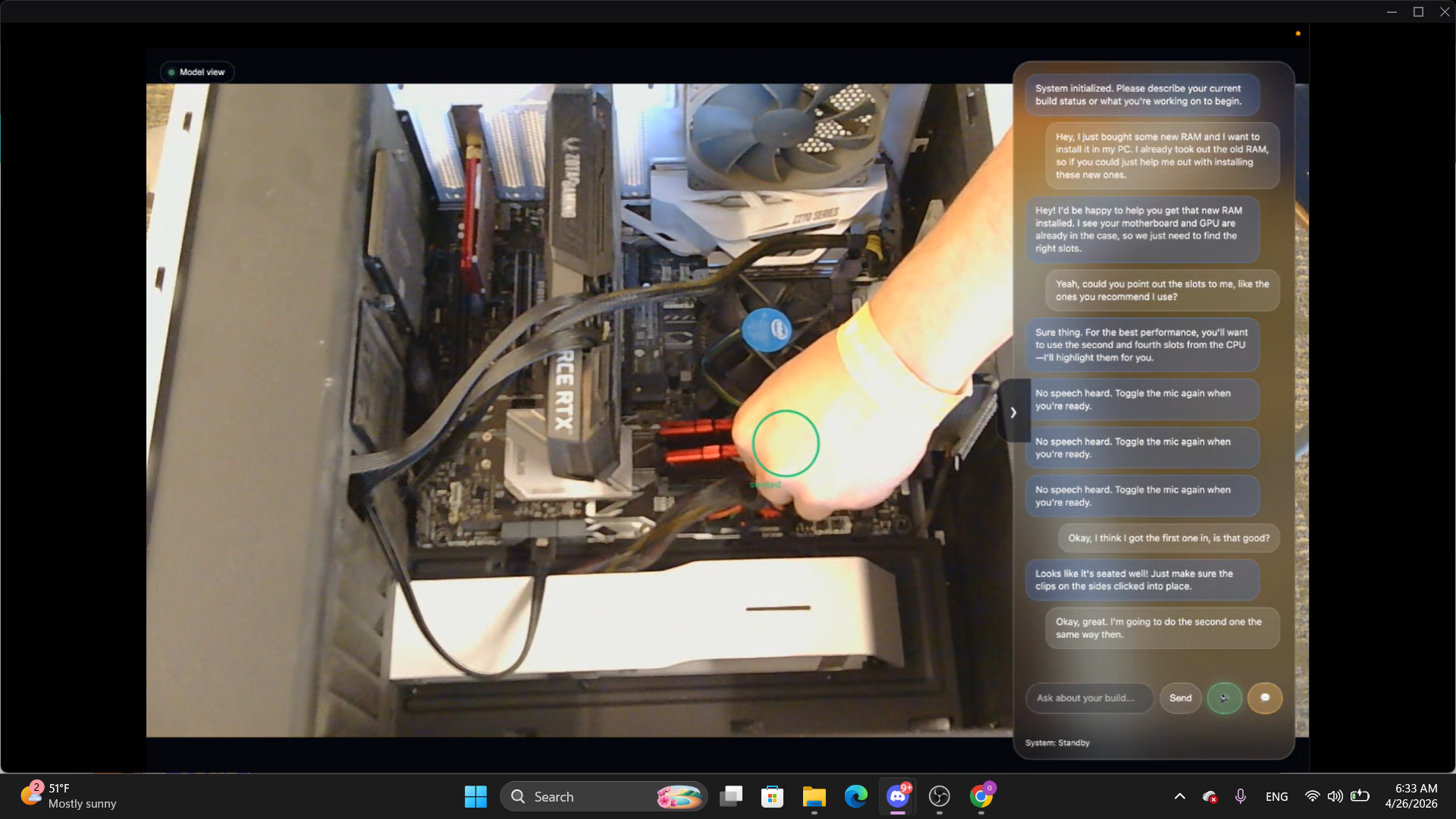
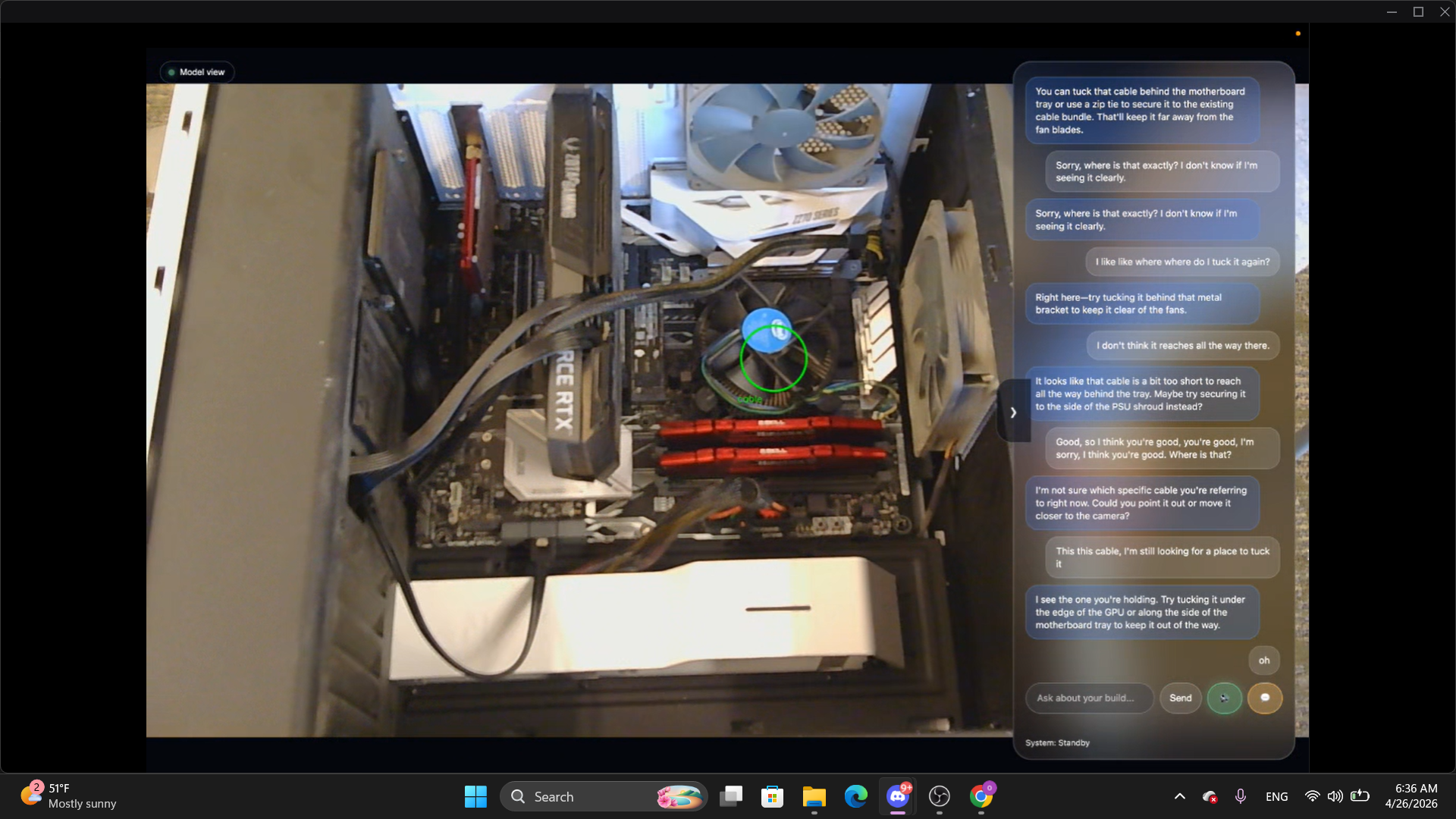
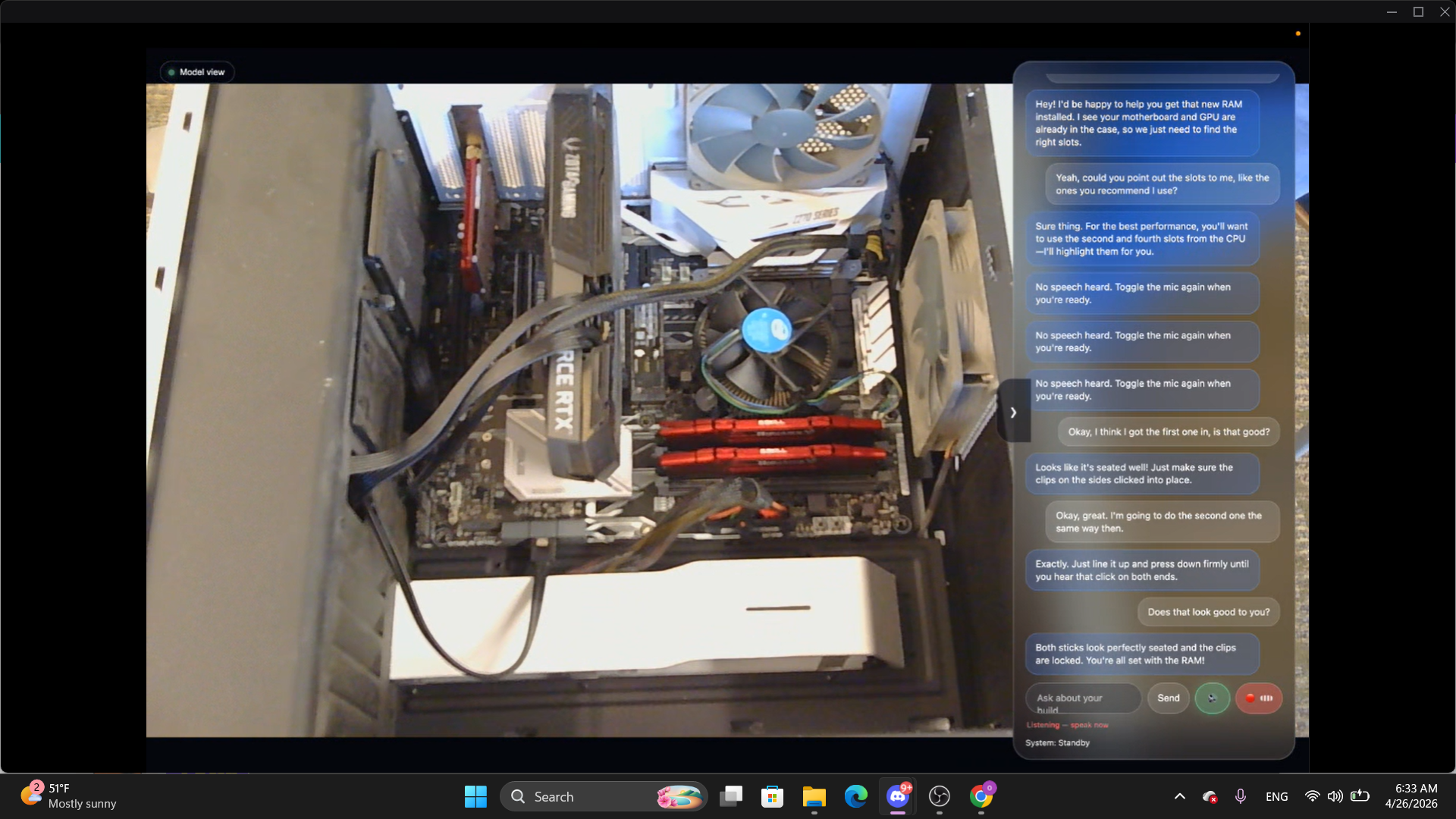
BuildBuddy uses your camera and an AI agent powered by Gemma to guide you through building a PC in real time. It understands what you’re doing, provides step-by-step instructions, answers questions, and helps prevent mistakes. Instead of following scattered tutorials, users get a personalized, interactive experience tailored to their exact build.
How we built it
We built BuildBuddy using a Python backend and an Electron-based desktop frontend. The system captures live camera input, processes frames, and sends them to a multimodal AI model (Gemma) for reasoning. We implemented real-time prompting, chat interaction, and voice input, allowing users to communicate naturally with the system while building.
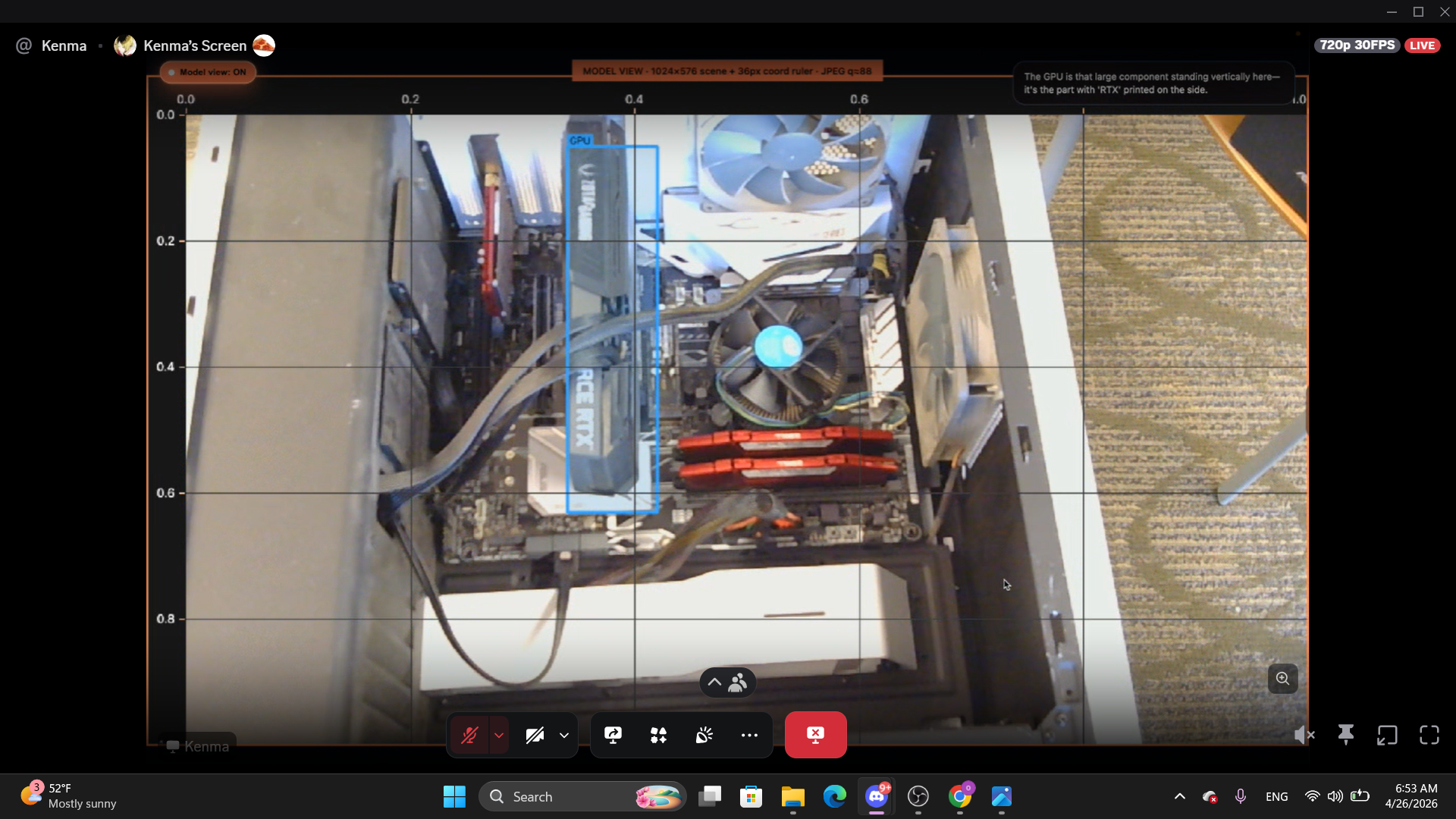
The backend is a local Gemma model run on a ASUS GX-10. We implemented a flow similar to tools like Claude Code that tracks session context to allow for fast response times that are still useful to the user, as well as a dynamic diagram over video feed.
Challenges we ran into
One of the biggest challenges was making the system feel truly real-time. Balancing performance with accurate AI responses required optimizing when and how often we processed frames. We also had to carefully design prompts so the AI would give precise, actionable guidance instead of generic responses. To solve this, we contemplated manual solutions before eventually deciding to allow Claude to take an iterative, research-like approach, trying many different solutions and quickly chipping away at the problem.
Accomplishments that we're proud of
We built a fully interactive system that combines vision, voice, and AI reasoning into one seamless experience. Our app can understand what the user is doing through the camera, automatically generate guidance, and respond to questions in context. We also implemented a clean, modern interface with voice input and a locally-run, chat-based assistant that makes the experience feel natural, responsive, and intuitive.
What we learned
We learned how powerful multimodal AI can be when combined with real-time interaction, particularly surrounding fuzzy logic related to vision. We were surprised how important prompt design turned out to be; it just as important as the underlying models. We also gained experience building a full-stack system that integrates computer vision, AI reasoning, and frontend UX into one cohesive product.
What's next for BuildBuddy
Next, we want to add full voice interaction with real-time text-to-speech so the assistant can guide users hands-free. We also plan to improve visual guidance by highlighting components and showing exactly where parts should go. Long term, we want to expand beyond PC building and create a system that can guide users through any hands-on task.

Log in or sign up for Devpost to join the conversation.