-
-
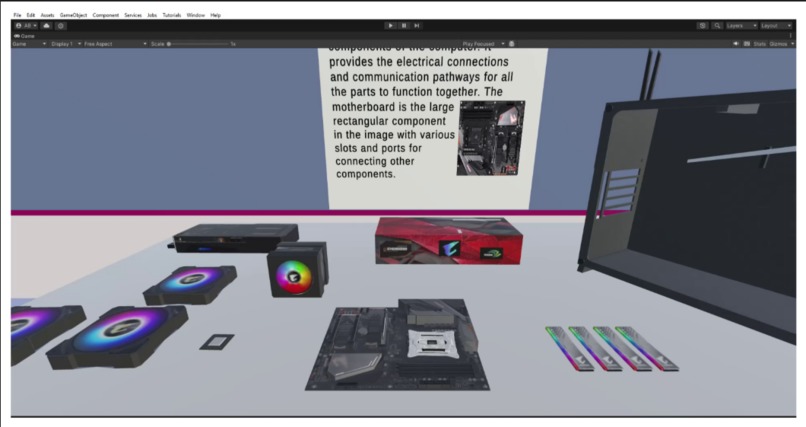
Assemble PC parts while learning their functions on screen.
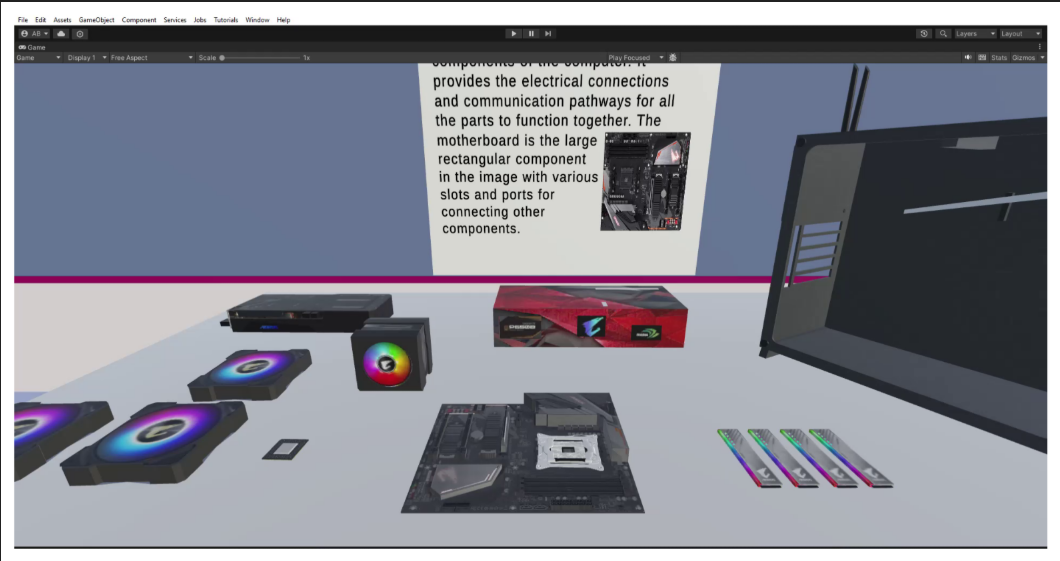
“Build PC VR Simulator” began as a personal curiosity project rooted in my own experience of learning computer hardware. When I built my first PC years ago, I struggled with identifying components, understanding compatibility, and overcoming the fear of damaging something expensive. That memory stayed with me. Over time, I realized that many students, beginners, and even tech enthusiasts face the same challenges. This inspired me to create a space where people could learn PC assembly safely, naturally, and interactively — without needing to buy real hardware or worry about breaking anything. That simple idea eventually grew into a full VR learning experience.
I developed the application using the Unity Engine combined with the XR Interaction Toolkit, which allowed me to design realistic grab mechanics, component placement, and intuitive hand interactions. Every element, from the layout of the virtual workspace to the feel of picking up a GPU or a RAM stick, was designed to mimic real-world behavior as closely as possible. I tested the project extensively on the Meta Quest 3 to make sure it ran smoothly and offered an immersive and comfortable user experience. The process involved a great deal of optimization because VR demands careful balancing of visual quality and performance. I spent time refining models, adjusting shaders, improving collision behavior, and ensuring the assembly steps were both educational and enjoyable.
Throughout the development, I learned how powerful VR can be as a teaching tool. The ability to physically interact with components makes learning more intuitive than reading a guide or watching a video. I also learned the importance of designing interactions that feel natural, even for users who may be new to VR. Finding the right balance between realism and accessibility became an important part of the project. One of the biggest challenges I faced was achieving stable physics interactions. Components would sometimes collide awkwardly, slip through surfaces, or snap too rigidly into place. These issues forced me to rethink my interaction logic multiple times until everything behaved consistently. Another challenge was keeping the UI readable and helpful inside VR without overwhelming the user. Creating clear instructional sequences that guide learning step by step took significant testing and iteration.
Although this version of the simulator introduces the core idea, I have ambitious plans for future development. I want to integrate an AI-powered 3D assistant who can speak, guide users through each step, explain hardware, and answer questions in real time. I also plan to expand the library of components so users can experiment with different CPUs, GPUs, motherboards, and cooling systems. My long-term vision is to make the experience more realistic through better lighting, sound feedback, and detailed animations, eventually turning it into a complete PC-building education platform. This project represents the first step toward making learning hardware accessible and enjoyable for everyone, and I am excited to continue improving it.
Demo Video: https://drive.google.com/file/d/1PmI1BDksh_dDiNCNiwJXaN0xGel0_L1d/view?usp=drive_link


Log in or sign up for Devpost to join the conversation.