-
-
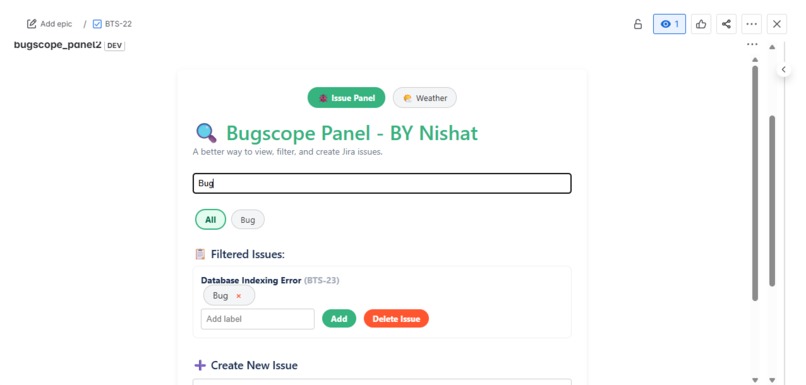
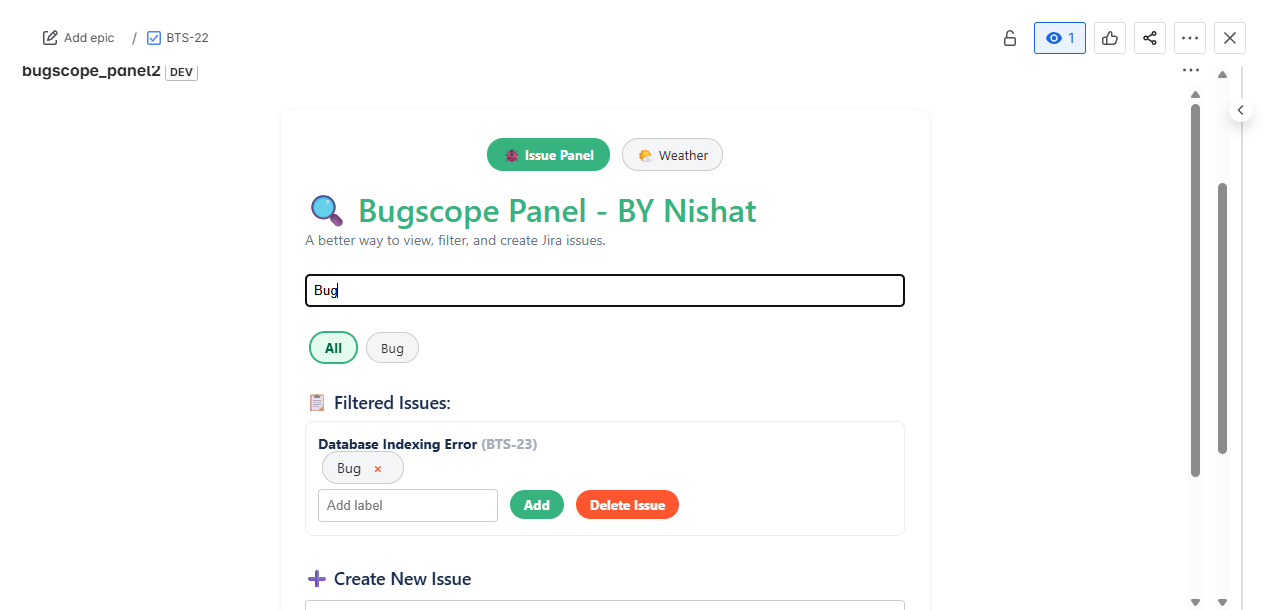
We can search any issues and labels and also there is filter option to filter out issues with label eg, bug priority etc
-
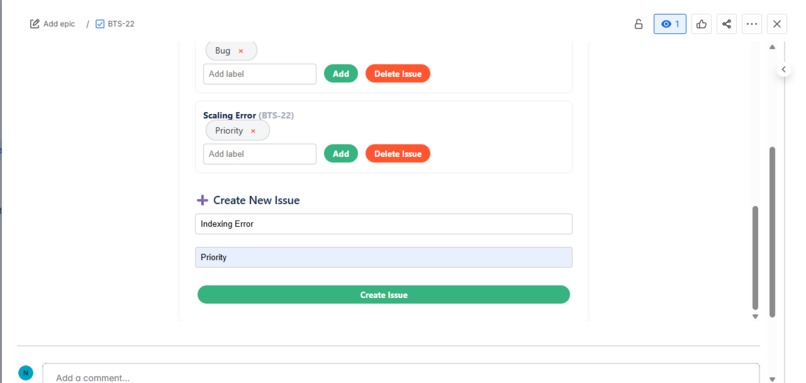
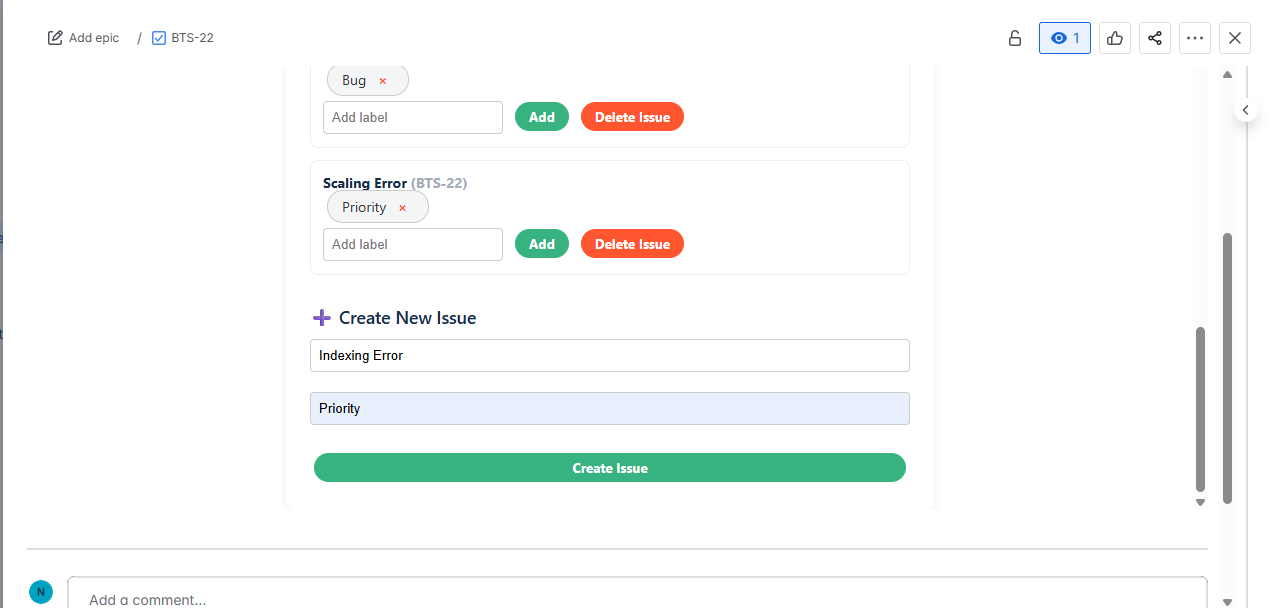
We can create issues and assign labels.
-
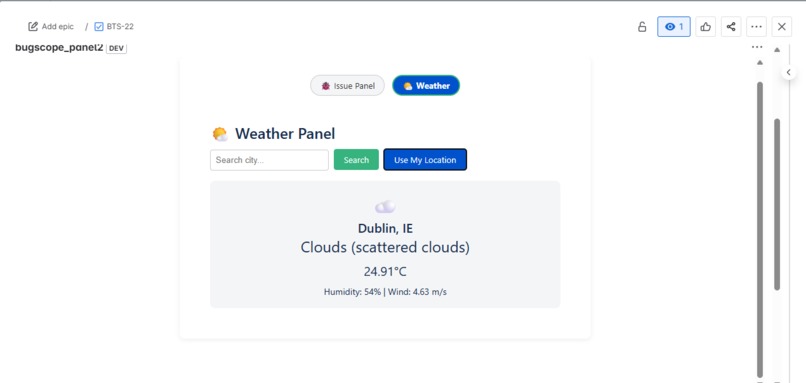
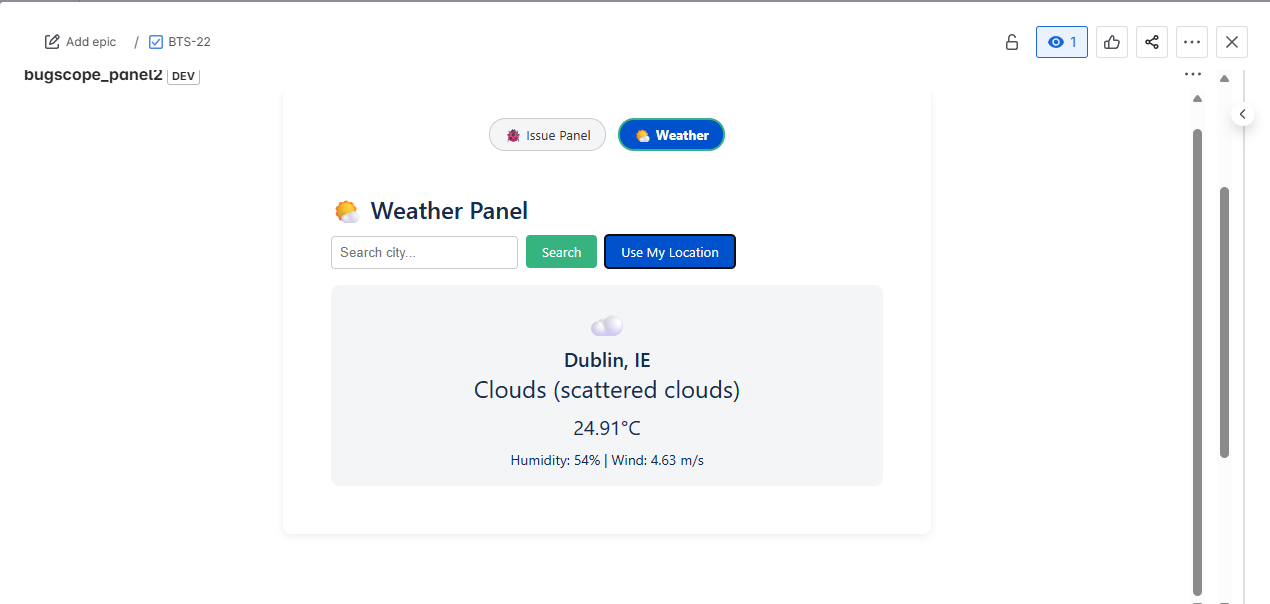
we can search live weather of ip location
-
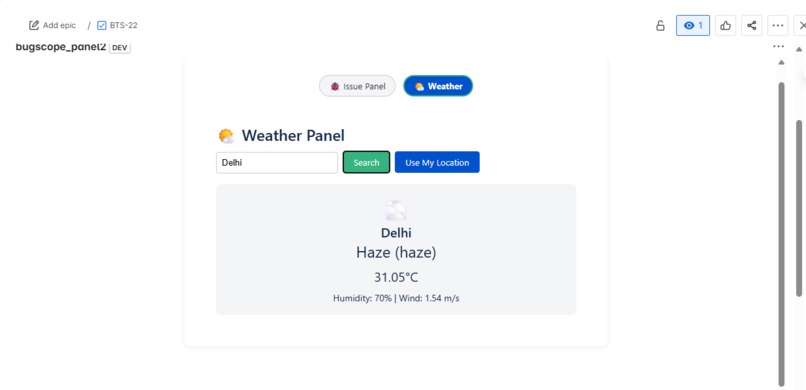
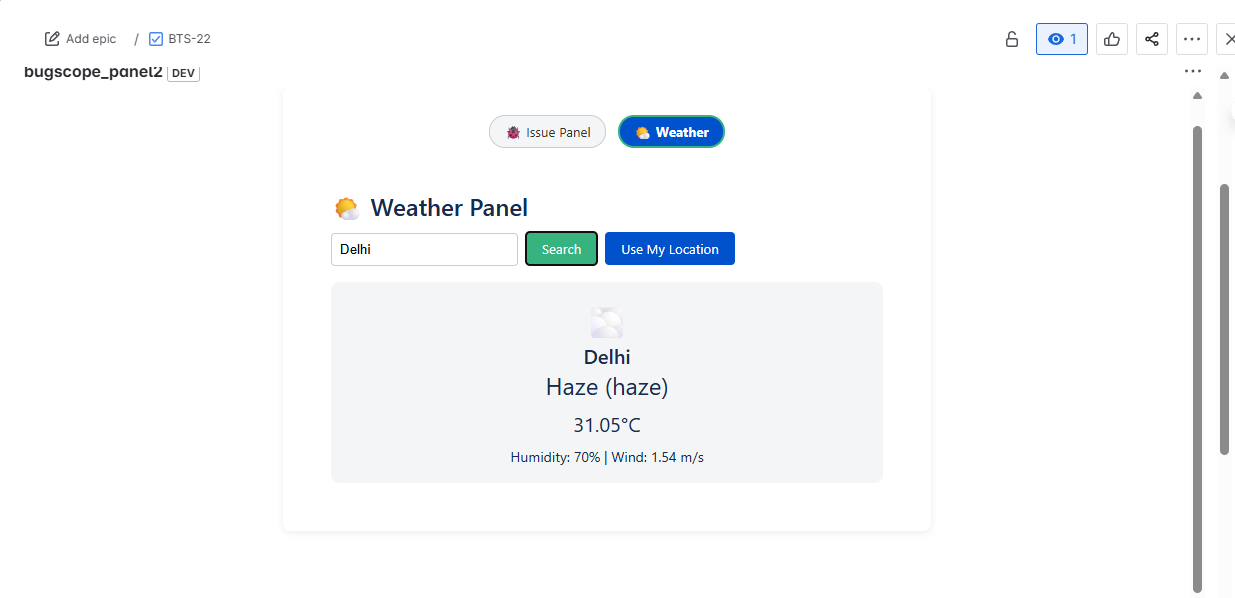
we can search location
- Inspiration Wanted to enhance Jira usability for teams dealing with issue clutter and label chaos
Aimed to build a lightweight but powerful issue manager directly inside Jira
Added a weather widget as a fun, contextual feature to personalize the workspace
- What it does Displays all issues from a Jira project in a scrollable list
Supports real-time filtering of issues by labels (e.g. bug, priority)
Allows users to add or remove labels from the current issue
Enables creating and deleting issues directly from the panel
Includes a toggleable weather widget using the OpenWeather API with city search and fallback geolocation
- How we built it Frontend: Built using Forge Custom UI with React and Forge Bridge for communicating with the backend
Backend: Implemented with Forge resolvers (serverless functions) using @forge/api
Key commands: Used Forge CLI commands like forge deploy, forge install, forge uninstall, and forge logs
Permissions: Configured scopes like read:jira-work, write:jira-work, and allowed external fetch domains via manifest.yml
- Challenges we ran into UI Kit does not support or forms, requiring a shift to Custom UI
Browser geolocation is blocked by Forge iframe sandbox, so IP-based location was used instead
Handling external API calls (CORS, fallback, domain whitelisting, errors) was tricky
Filtering issues by dynamic labels and maintaining a smooth UX took careful state management
- Accomplishments that we're proud of Built a responsive, interactive Jira issue panel from scratch
Successfully integrated external weather APIs alongside core issue features
Understood and applied Forge app structure (frontend, resolver, permissions)
Delivered a polished UI that feels native inside Jira
- What we learned How Forge architecture works, including scopes and manifest configurations
Working with Custom UI in Forge to overcome UI Kit limitations
Connecting Jira REST APIs securely through Forge resolvers
Using forge logs and async patterns to debug and trace functionality
Building efficient UI for real-time updates and filtered views
- What's next for Bugscope Panel Add sorting by priority, date, or assignee
Display issue status and assignee in the list view
Enable bulk label editing and multi-issue actions
Package and submit to Atlassian Marketplace
Explore Confluence integration or a standalone dashboard version


Log in or sign up for Devpost to join the conversation.