-
-
-
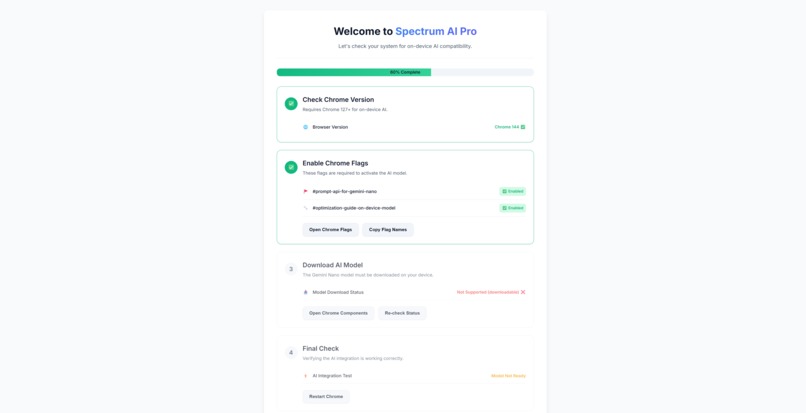
Setup
-
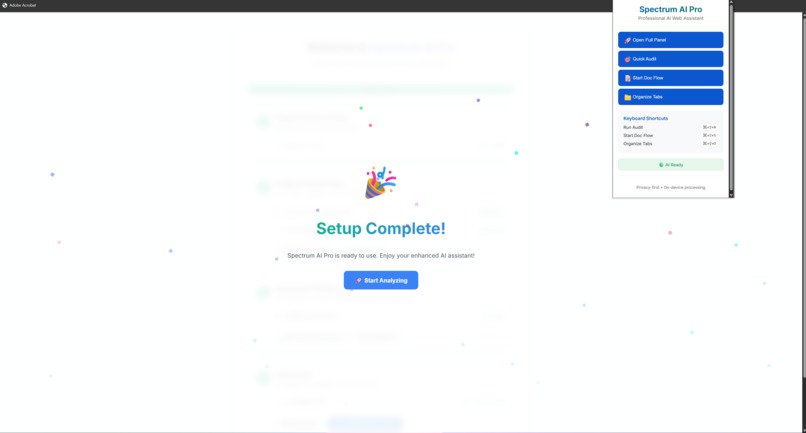
Popup
-
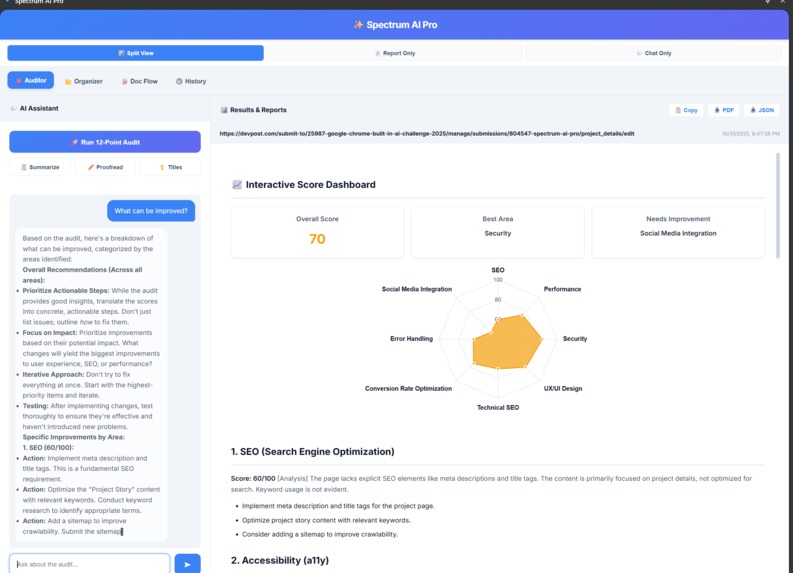
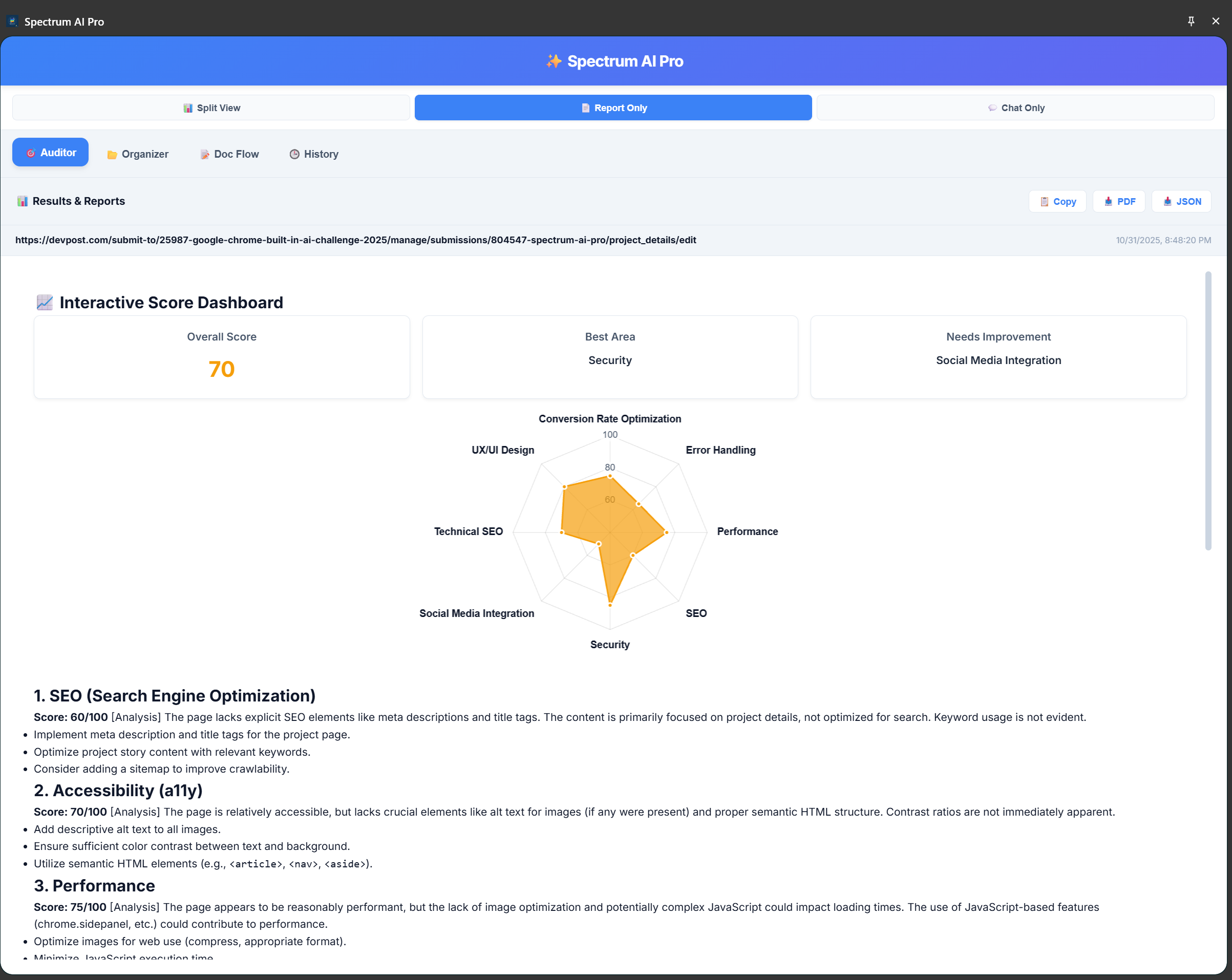
Auditor
-
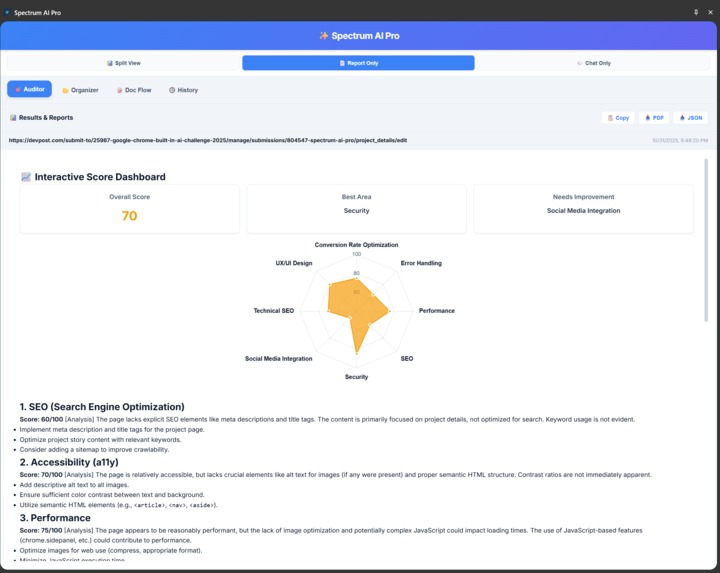
Report Only View
-
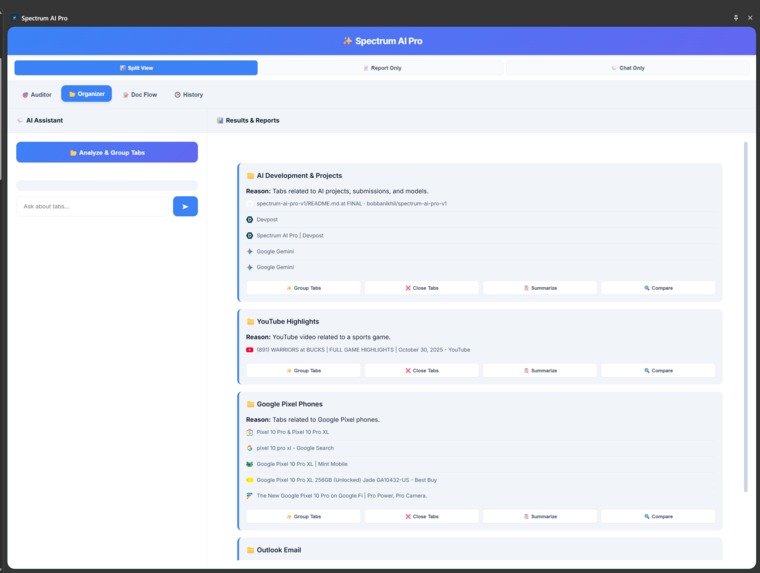
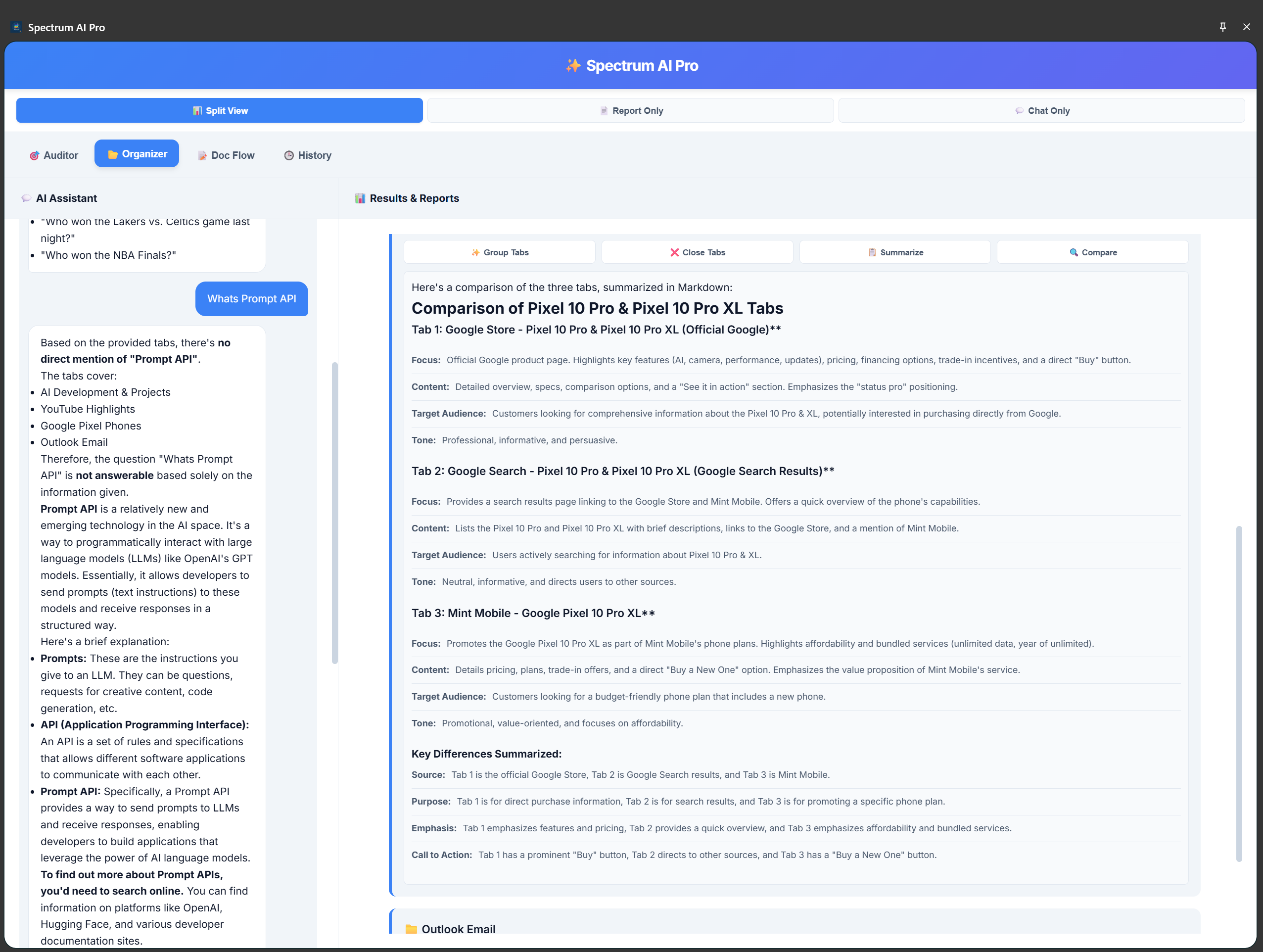
Organizer
-
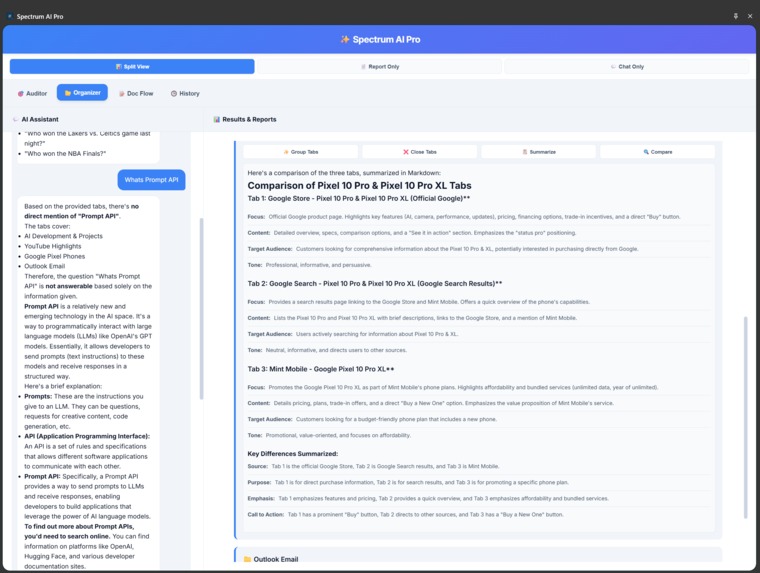
Organizer - Compare
-
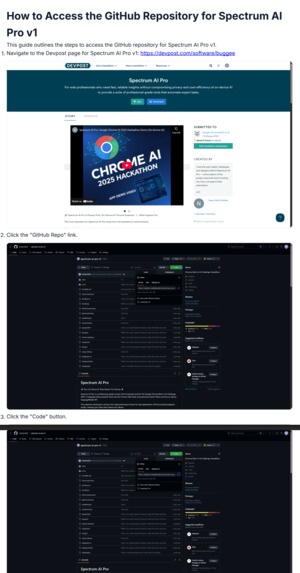
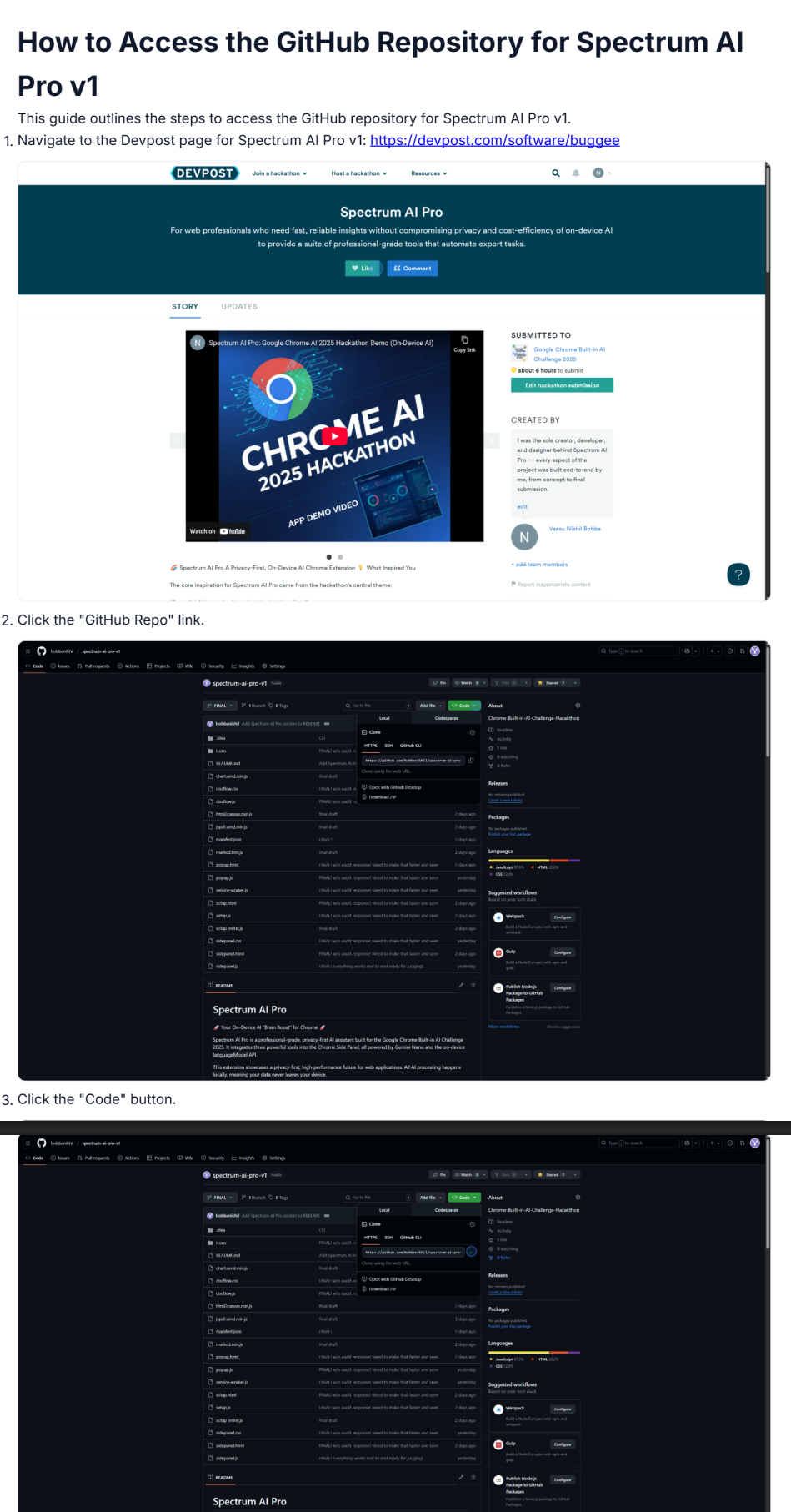
Doc Flow - Guide PDF
-
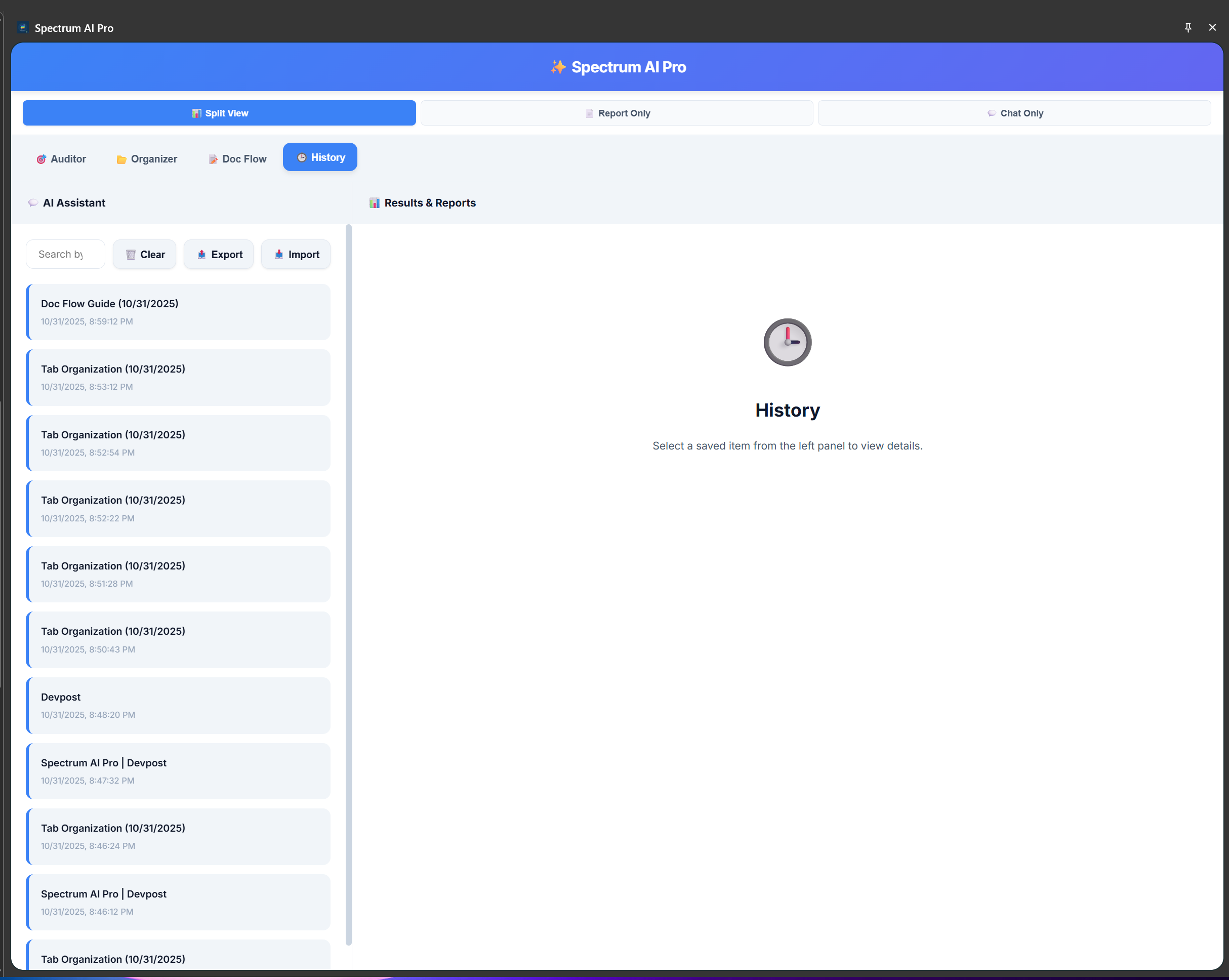
History


Spectrum AI Pro – A Privacy-First, On-Device AI Chrome Extension
🚀 Inspiration
The inspiration for Spectrum AI Pro came directly from the hackathon’s theme: “Powerful AI is moving from the cloud to the client.”
As a developer, I’ve experienced firsthand the power of cloud-based AI, but also its critical limitations: network dependency, recurring API costs, and the biggest one—user privacy.
People are understandably hesitant to send sensitive data like internal documents, emails, or confidential webpages to remote servers. This creates a privacy gap that limits AI adoption.
I built Spectrum AI Pro to close that gap. It's a professional-grade, on-device AI assistant that runs entirely within Chrome, powered by Gemini Nano and the Prompt API. The goal: a truly private, network-resilient, and cost-free browser companion that enhances productivity without ever sending a single byte to external servers.
💡 What It Does
Spectrum AI Pro is a multi-tool Chrome extension in the sidePanel that transforms the browser into a private AI workspace. It runs fully on-device, offering professional-grade AI capabilities with zero data leakage.
🧩 Key Features
🧠 AI Auditor
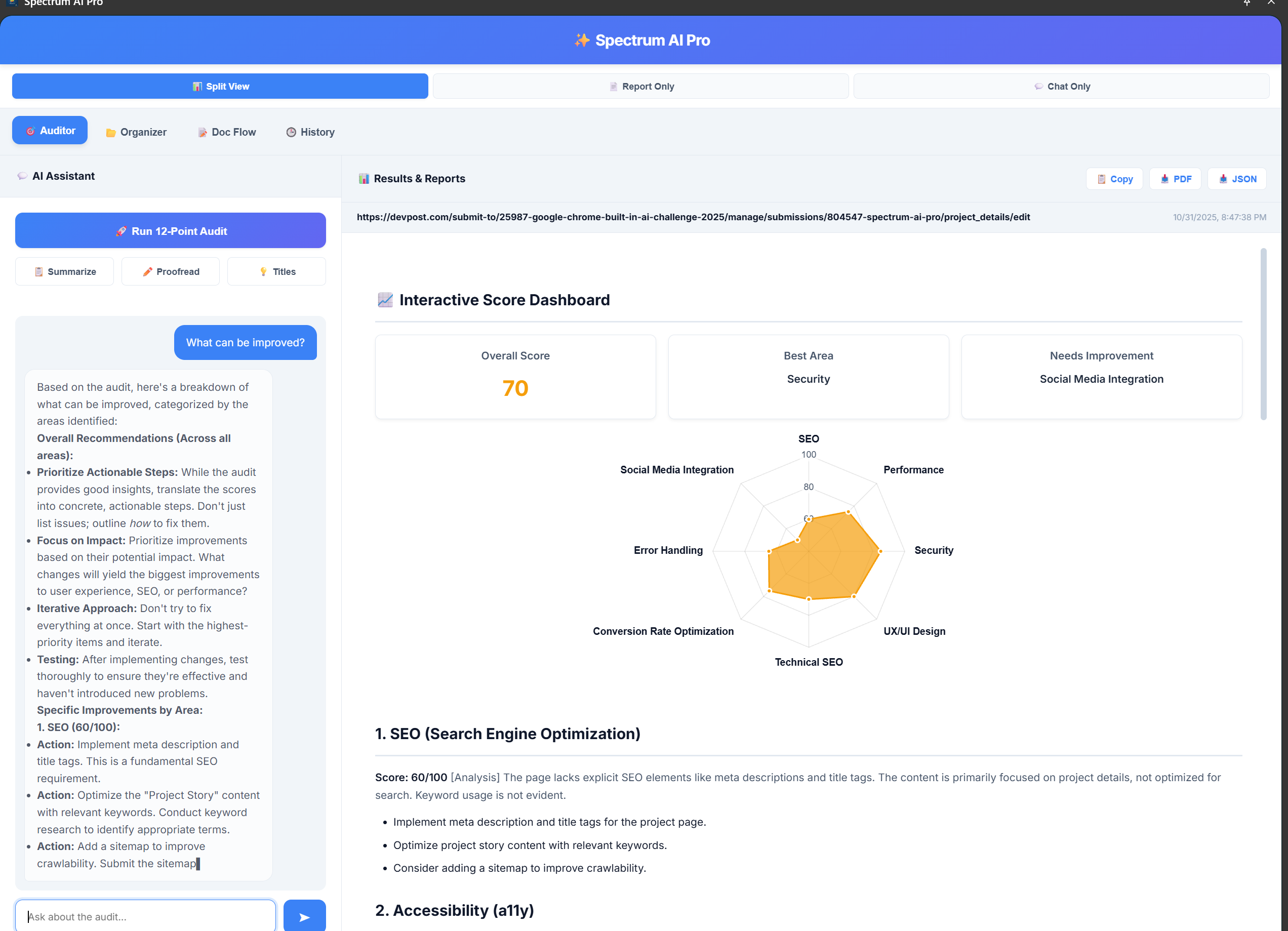
Analyzes any webpage using a custom-engineered 12-point audit system (SEO, Accessibility, Performance, etc.), streamed live in Markdown. It also features a new Key Metrics dashboard and Executive Summary (v3.3) for at-a-glance insights.
🗂️ Intelligent Tab Organizer
Automatically classifies all open tabs into topic-based groups using AI-powered clustering. It then uses the chrome.tabGroups API to create these groups with one click.
🧾 Doc Flow (AI Workflow Recorder)
Tracks user actions on webpages (clicks, inputs, navigations) and automatically converts them into clear, AI-generated step-by-step guides, complete with screenshots. Users can then export the guide as a PDF for training or documentation.
🗓️ History & Insights
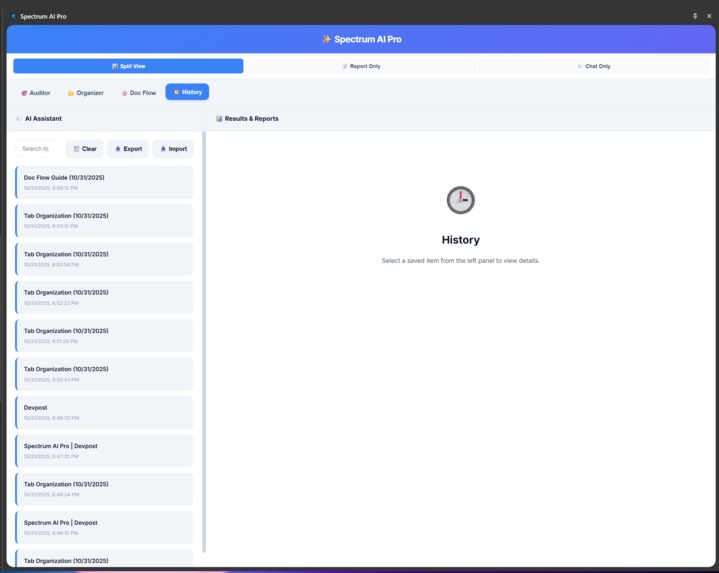
A persistent dashboard that locally stores all past AI interactions—audits, guides, and tab organizations—using chrome.storage.local. All history is searchable, exportable, and importable, reinforcing the privacy-first, offline-first architecture.
🛠️ How I Built It
Spectrum AI Pro was built from the ground up with Vanilla JavaScript (ES6+), HTML5, and CSS3 to be lightweight and performant.
- AI Core: The
sidePanelUI (sidepanel.js) acts as the central controller, managing AI sessions using theself.LanguageModelAPI. All features use a unified streaming API layer to talk to Gemini Nano. - Auditor: Uses
chrome.scriptingto inject a content script, extract DOM text, and feed it to a custom 12-point "system prompt." Results are streamed back and rendered withmarked.min.js. The dashboard is powered bychart.umd.min.js. - Organizer: Uses
chrome.tabs.queryto get all tab data, then uses the Prompt API to classify them into a JSON structure, which is then used to create groups via thechrome.tabGroupsAPI. - Doc Flow: The
service-worker.jslistens for the "start" message and injectsdocflow.jsanddocflow.cssinto the active tab. User actions are sent back to the service worker, which also captures screenshots usingchrome.tabs.captureVisibleTab. The final guide is generated by AI and exported usingjspdf.umd.min.jsandhtml2canvas.min.js. - Setup & History: A custom
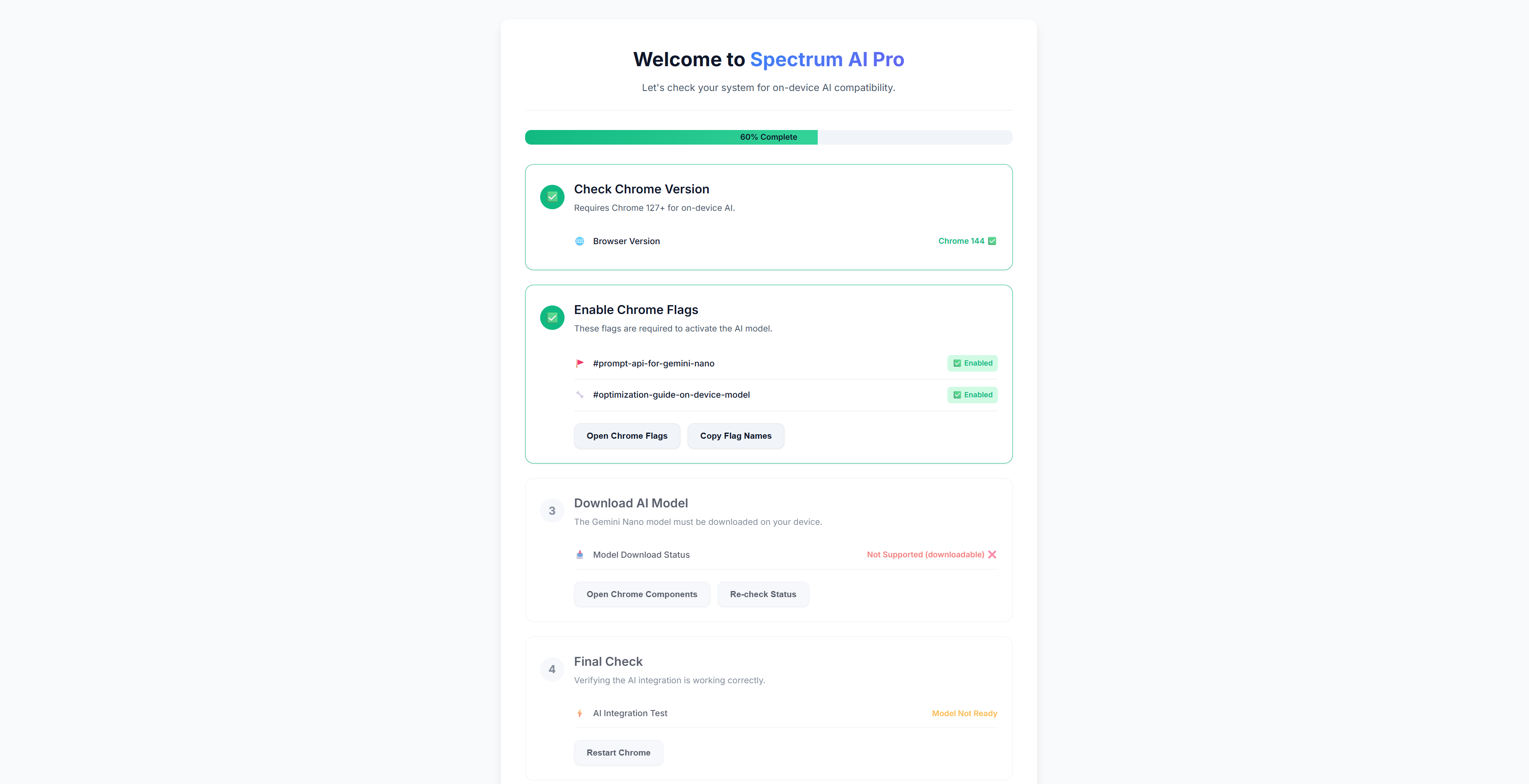
setup.htmlpage (setup.js) verifies the user's Chrome flags and model download status. All user-generated reports are stored securely and privately usingchrome.storage.local.
🧗 Challenges I Faced & Iterations
Building a multi-tool AI app on-device revealed several technical challenges that required specific fixes (as seen in the sidepanel.js v3.3 changelog):
Challenge: AI Reliability & Correctness.
- Solution: Initial AI calls were unreliable. I fixed this by standardizing all
self.LanguageModel.create()sessions to includeoutputLanguage: 'en', ensuring consistent and correct output across all modules.
- Solution: Initial AI calls were unreliable. I fixed this by standardizing all
Challenge: Faulty Workflow Logic.
- Solution: The Doc Flow recorder was buggy. I rewrote
generateWorkflowGuide()to use a single, reliable streaming AI call. I also fixed bugs in theservice-worker.jsto correctly handletabIds and prevent duplicate navigation steps from being recorded.
- Solution: The Doc Flow recorder was buggy. I rewrote
Challenge: State Management in Side Panel.
- Solution: Switching between tabs (Auditor, Organizer) was wiping the results panel. I re-architected the
switchTabfunction to cache the rendered HTML for each module (e.g.,currentAuditReportHTML) and restore it perfectly, creating a seamless, stateful UI.
- Solution: Switching between tabs (Auditor, Organizer) was wiping the results panel. I re-architected the
Challenge: Brittle AI JSON Parsing.
- Solution: The Tab Organizer would fail if the AI returned JSON inside a Markdown block. I improved the parsing logic to first try a direct
JSON.parse(), and if that fails, then use a regex to extract it from a code block, making the feature far more robust.
- Solution: The Tab Organizer would fail if the AI returned JSON inside a Markdown block. I improved the parsing logic to first try a direct
🏆 Meeting the Judging Criteria
I designed Spectrum AI Pro specifically to meet the hackathon's goals:
- Technological Execution: This extension is a pure showcase of the Prompt API. It uses
self.LanguageModelfor multiple, distinct tasks: 12-point analysis (generation), classification (Organizer), step-by-step conversion (Doc Flow), and contextual chat (Summarizer/Rewriter actions). It is 100% on-device. - Purpose: It unlocks new capabilities previously blocked by privacy. Users can now audit confidential internal sites, document proprietary app workflows, and organize sensitive research tabs without data ever leaving their machine.
- Functionality: The app is highly scalable. It works on any webpage, manages dozens of tabs, and provides tangible, exportable outputs (PDFs, JSON), making it a practical tool for developers, QA testers, and content writers.
- User Experience: By using the
sidePaneland streaming results withmarked.js, the UI feels fast, responsive, and fully integrated into the Chrome experience. Thesetup.htmlpage provides clear guidance to the user.
🔮 What’s Next
- 📊 AI-powered analytics: Add AI-driven analytics to the History tab for usage trends and efficiency scoring.
- 🧠 Custom Prompt Studio: Build a "prompt studio" where users can define their own automation tasks and save them as custom tools.
🧱 Built With
- Languages: JavaScript (ES6+), HTML5, CSS3
- Core AI API: Chrome Prompt API (
self.LanguageModel) - Core Chrome APIs:
sidePanel,scripting,tabs,tabGroups,storage,runtime - Libraries:
marked.js,html2canvas.min.js,jspdf.umd.min.js,chart.umd.min.js - Platform: Chrome 129+ with Gemini Nano

Log in or sign up for Devpost to join the conversation.