Bug Bebop Chrome Extension
What it does
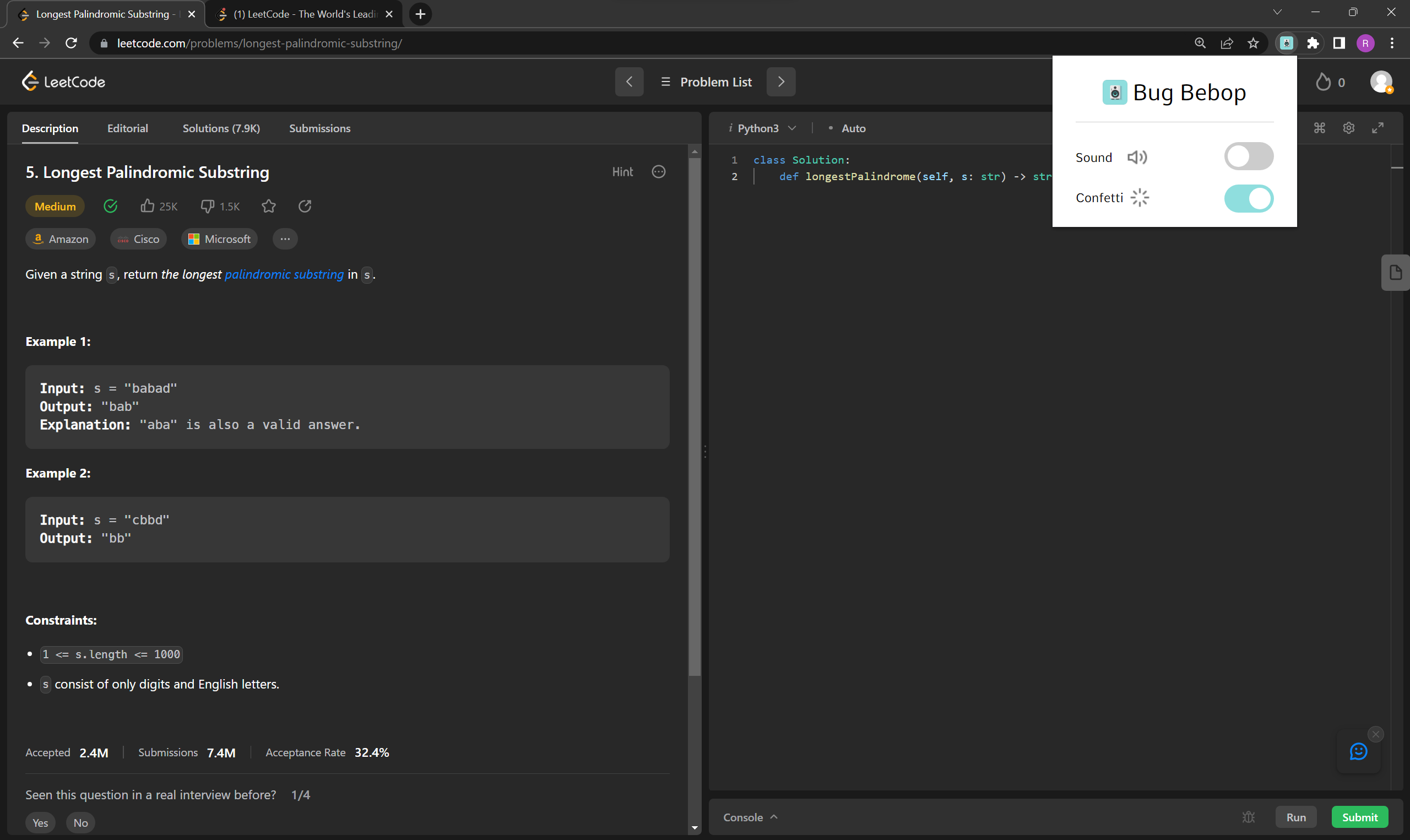
Bug Bebop is a Google Chrome extension that plays sound effects whenever a compilation error is detected on coding platforms like LeetCode. It seamlessly integrates into the coding workflow, adding a touch of humor to the debugging process. The extension detects changes in the code compilation status and triggers a sound effect when an error occurs, providing instant feedback to the developer.
Try it out!
- Clone or download the repository to your local machine (https://github.com/sheros21/bug-bebop).
- Open Google Chrome and go to the Extensions page (enter chrome://extensions in the address bar).
- Enable the Developer mode toggle at the top right corner of the Extensions page.
- Click on the Load unpacked button.
- Select the root folder of the Bug Bebop extension that you cloned or downloaded.
- The extension will be installed and ready to use.
Inspiration
The inspiration for Bug Bebop came from our own experiences as developers and the common frustration of encountering compilation errors. We wanted to create a fun and interactive solution to make the debugging process more enjoyable and lighthearted.
How we built it
We built Bug Bebop using JavaScript and the Google Chrome extension framework. The extension consists of a content script that monitors the coding platform's webpage for changes in the compilation status. When an error is detected, it triggers a sound effect using HTML5 audio capabilities. We also created a popup UI for the extension that allows users to toggle the sound effects on or off.
Challenges we Faced
As relatively inexperienced developers in JavaScript and DOM manipulation, we faced challenges while building Bug Bebop. Our main hurdles included efficiently monitoring webpage changes, detecting compilation errors, and integrating sound effects seamlessly into the coding workflow. However, by leveraging our perseverance and fostering collaboration, we were able to overcome these challenges and significantly improve our JavaScript and DOM manipulation skills along the way.
What we're proud of
We're proud of creating an extension that adds a touch of fun and humor to the often frustrating process of debugging code. We successfully integrated the sound effects and made them trigger accurately when a compilation error occurs. The seamless integration into the coding workflow and the intuitive user interface make Bug Bebop a delightful and engaging tool for developers.
What we learned
During the development of Bug Bebop, we gained valuable experience working with the Google Chrome extension framework and exploring the capabilities of content scripts and popup UIs. We enhanced our understanding of DOM manipulation, event handling, and integrating external libraries. Additionally, we learned about the challenges of synchronizing extension components and storing user preferences using Chrome storage.
What's next for Bug Bebop
Moving forward, we plan to enhance Bug Bebop with more customization options for sound effects, allowing users to select from a wider range of entertaining audio clips. We also aim to expand the extension's compatibility to other popular coding platforms, enabling developers to enjoy the benefits of Bug Bebop across various environments. Additionally, we will continue to refine the user experience and gather feedback to make Bug Bebop an indispensable companion for developers worldwide.
Built With
- chrome
- css
- dom
- html
- html5
- javascript
- observers


Log in or sign up for Devpost to join the conversation.