-
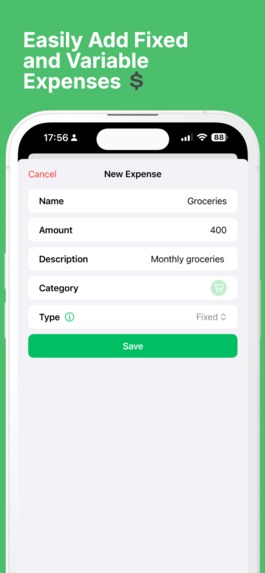
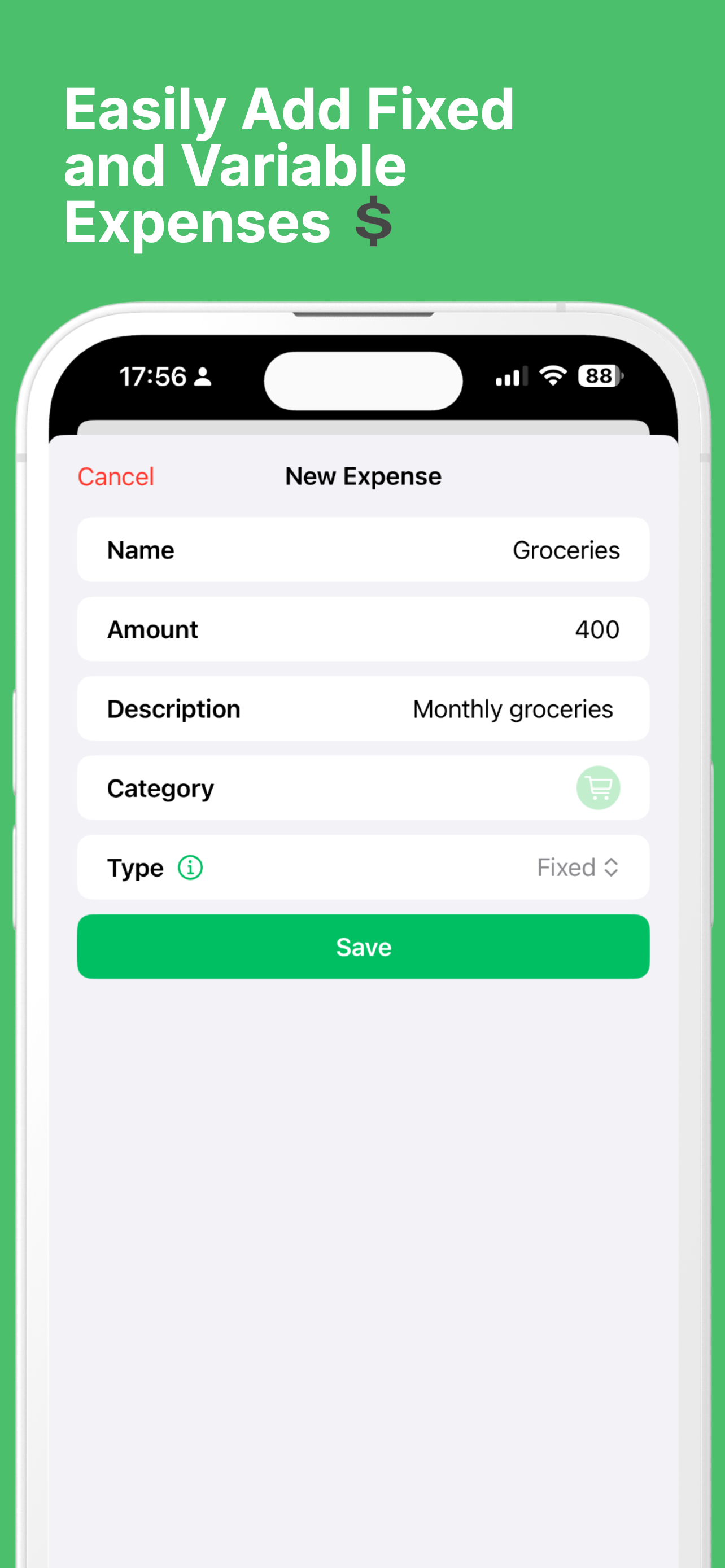
Create Expense
-
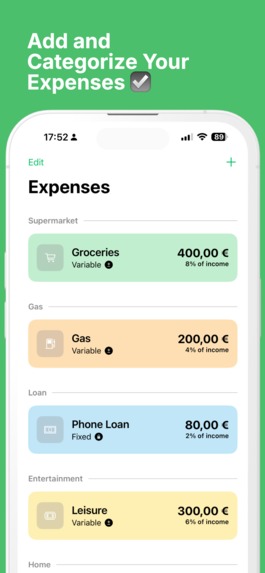
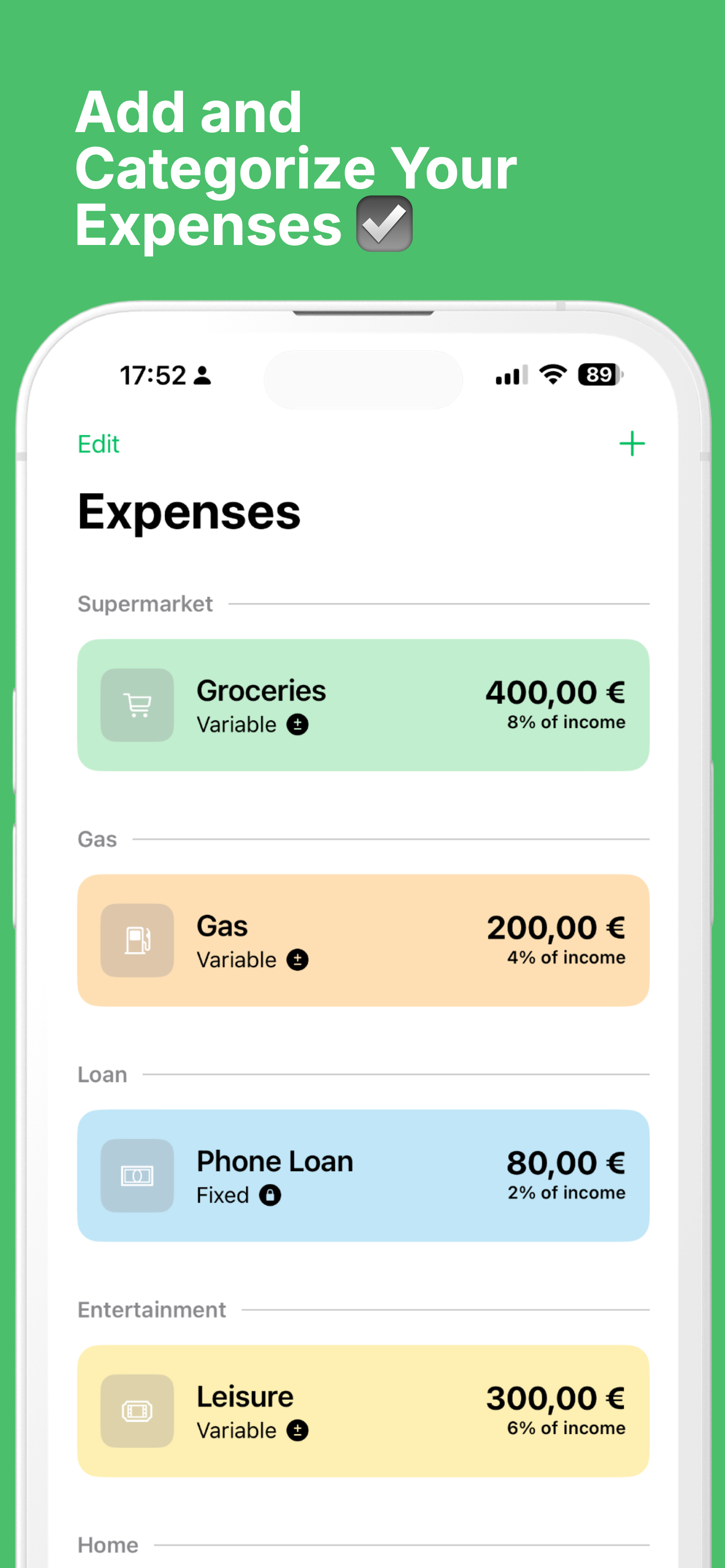
Expenses
-
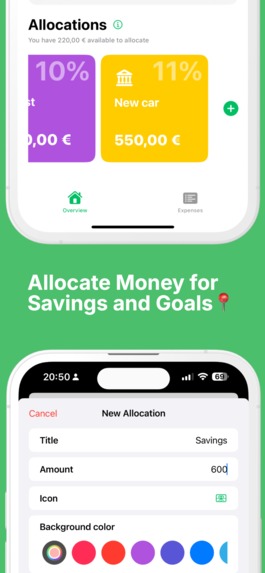
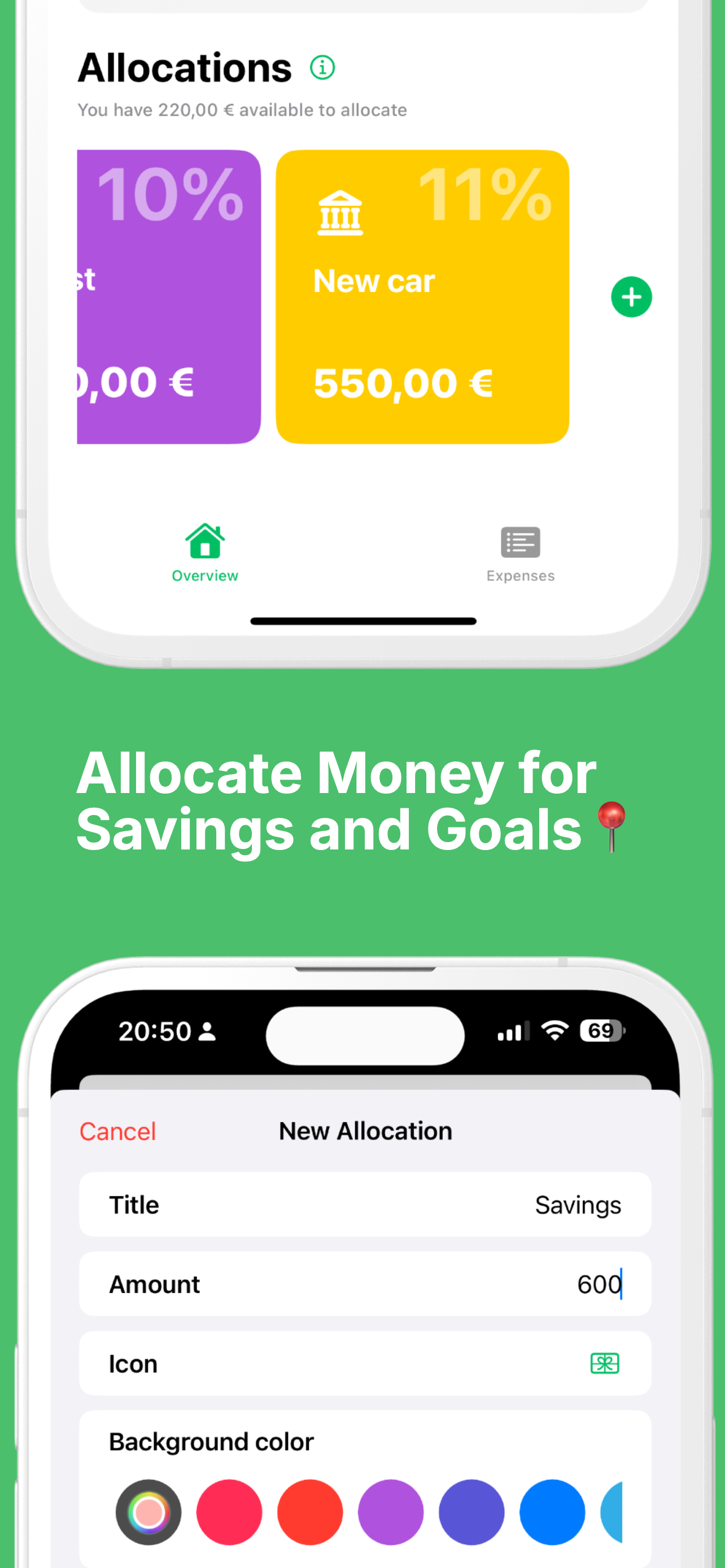
Allocations
-
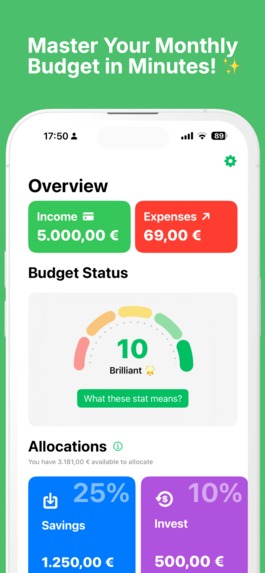
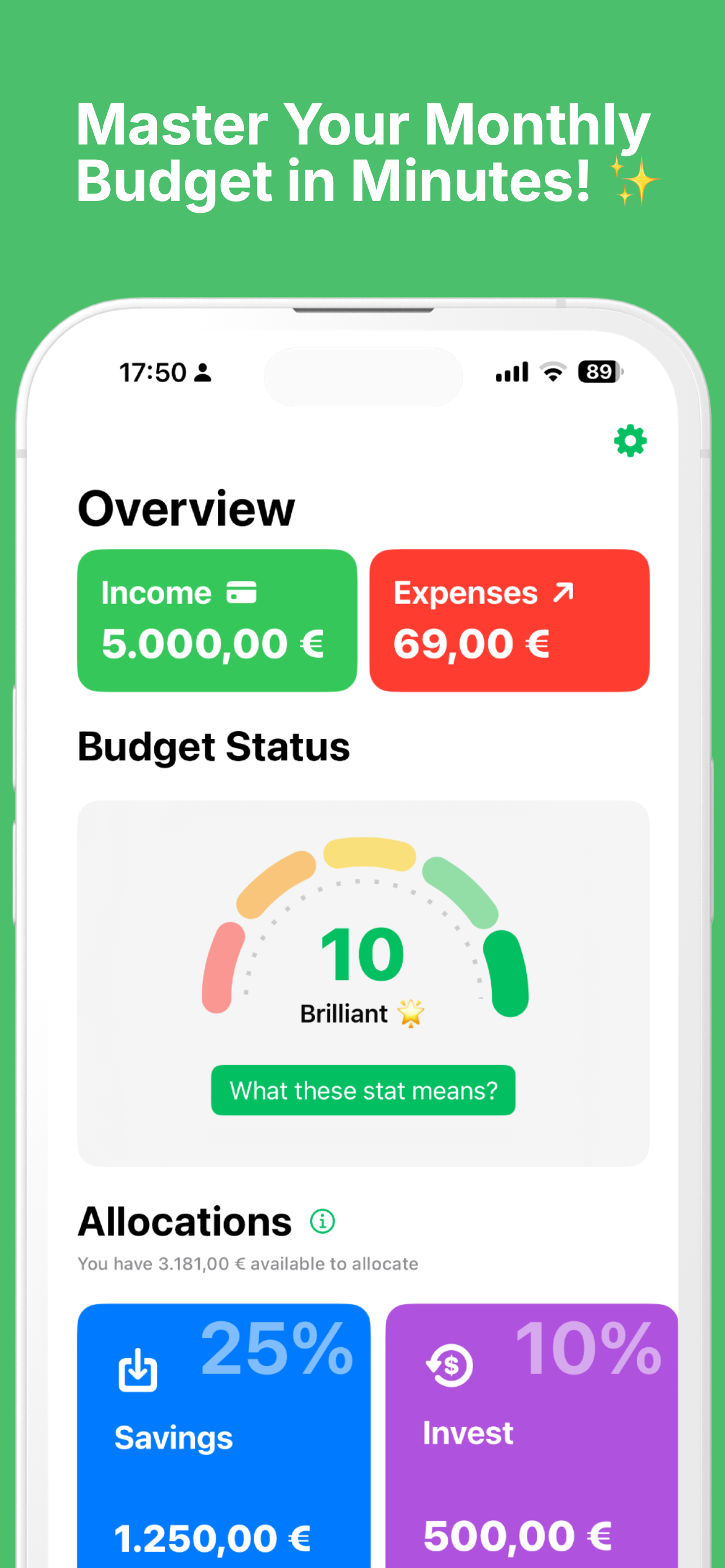
Dashboard
Inspiration
I'm a well-organized person, and one of the things I do is keep track of my money through pockets, savings, etc. I was looking for an app that could show my monthly income and expenses, so I could know where my money is going and how much I can save, invest, or allocate to other things.
I made my first attempt with the app Wealti (my first app on the store). The main focus of the app was to be a hub for tracking wealth. One part of the app had a "Budget" section, which was somewhat like this new app. But in the end, Wealti became a super app, which I didn’t want. So, let’s say this new approach is version 2, but with a much simpler UI, following Apple’s Human Interface Guidelines.
What it does
The app asks the user for their income and then provides a screen to add monthly expenses. It works like a log where the user adds expected monthly expenses (not daily ones, it's not an expense tracker). For example, rent, car loan, groceries, streaming bills, and some money for entertainment — basically, the budget for the month.
After adding the expenses, the user can go to the overview tab to see their income, total expenses, and a "health bar" that evaluates income versus expenses.
Then there’s the "Allocations" section, where users can see how much money they have left after expenses and can allocate it to savings, investments, or whatever else they want.
How we built it
I built the app with SwiftUI, used Xcode Cloud for continuous builds and to send new TestFlight versions, and CloudKit to save user data.
Challenges we ran into
Apple Review Team :| Trying to test the app before first accepting the IAPs.... and asking to fix the app.
Accomplishments that we're proud of
The health bar turned out really nice. I thought I could use SwiftChart to build it, but it wasn’t possible, so I had to do it manually. I'm really happy with how it came out.
What we learned
One of the things I love most about creating apps is the opportunity to learn new things. This time, I dove deep into SwiftData. My other apps use CoreData (I know they’re essentially the same), but SwiftData makes it more SwiftUI-friendly.
What's next for Budget: Monthly Planner
After releasing the MVP, I’m looking forward to updating the app with new ideas. As I usually do with my apps, I also plan to localize it into many languages so more people can use it.
Disclaimer: I wrote this text myself, but since English is not my first language, I asked GPT to help with corrections. (:
Built With
- cloudkit
- swifdata
- swiftui

Log in or sign up for Devpost to join the conversation.