-
-
Logo
-
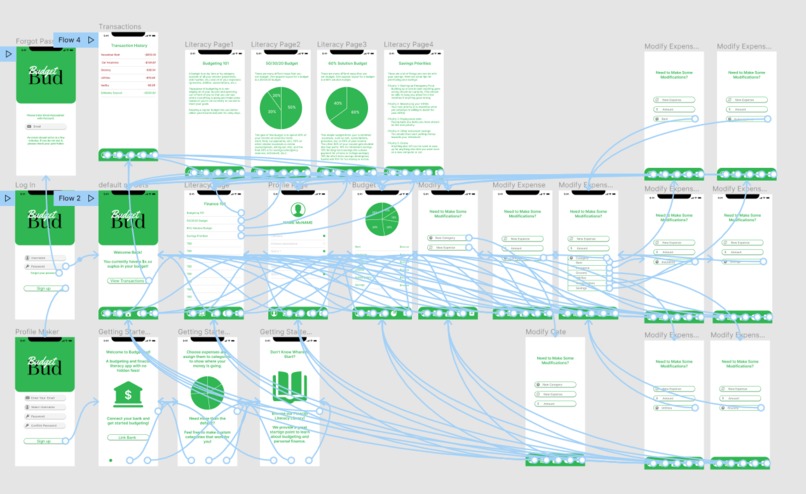
App Artboard
Inspiration
The inspiration for BudgetBud was our own struggles. One of our teammates had been looking for a good and free budgeting app, but the two seemed mutually exclusive. If the app was good, it seemed hidden behind a paywall. At that point, the budgeting app seems to cost more than it saves. On the other hand, if the app was free it often lacked the necessary functionality. It wouldn't link to a bank (so you have no idea about your current account amounts), let you create custom categories, monitor transactions, or remember expense preferences. Although there are some good website options, the ability to work with your budget on mobile seems necessary in this day and age.
We thought that providing a financial literacy resource would also be good for new budgeters. This app will also remain free so that people who could benefit from it the most will not be blocked by a financial barrier.
What it does
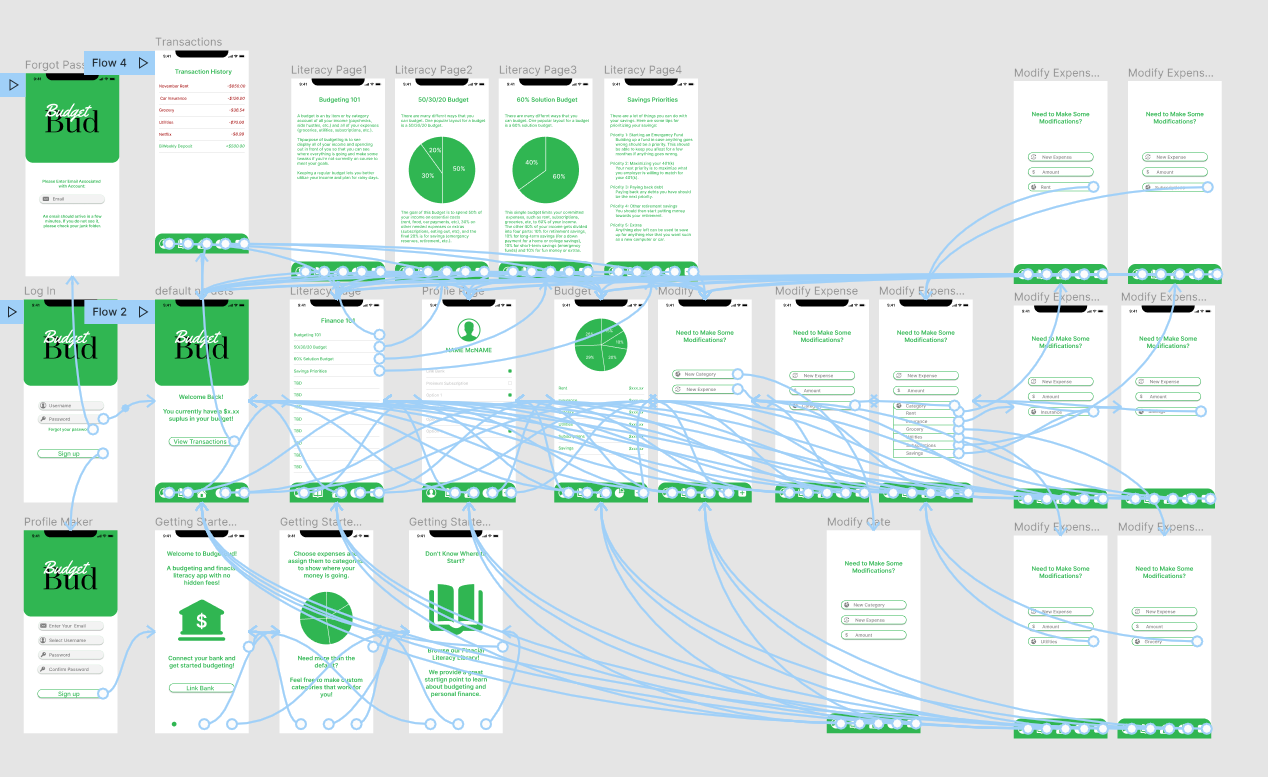
BudgetBud allows for user sign-up, log-in, and password recovery. It provides a financial literacy library for those new to budgeting. It also displays a visual budget breakdown with a display of spending amounts for each category. It has a display of transactions with color-coded expenses and incomes. It also allows for profile customization, custom category creation, and expense modifications. It also uses Twilio for one-time passwords for password recovery and for push authorization during sign up.
How we built it
We built this project with Figma to create the artboard and plan flow. We then used React to start bringing the Figma design to life. We used Twilio's documentation to begin working on push authentications and one-time password emails for password recovery.
Challenges we ran into
Our biggest challenge was time. All of us are either in the middle of finals or about to enter finals week, so we couldn't dedicate every minute to the project.
Another big challenge was that everything we worked on was something new to us. We had never used Figma before to develop an artboard, started learning how to use Twilio's API, and expanded our FrontEnd skills.
Accomplishments that we're proud of
Although we are far from done, we are really happy with the prototype that can be displayed and the progress we made so far.
What we learned
Going through Twilio documentation increased our API experience. We also learned more about React and learned a lot about collaborative design planning with Figma.
What's next for BudgetBud
The next steps are to find an API that helps link bank information as well as develop a good database system to store this information. Converting this app to Objective-C or Swift so that it can go on to the app store will also be necessary.

Log in or sign up for Devpost to join the conversation.