Inspiration
We found sending files to people just next to you was more complicated than it needed to be! We realised that physical proximity didn't mean digital proximity - two people standing side-by-side might find it easy to talk verbally to one another, but their devices certainly wouldn't. Differing networks and differing operating systems make it difficult for devices that have had no prior communication to exchange data with one another.
We wanted file-sharing between devices close to each other to be as seamless as two people talking to each other. This meant no messing around with email, or Google Drive, or anything that required the user to perform multiple steps.
What it does
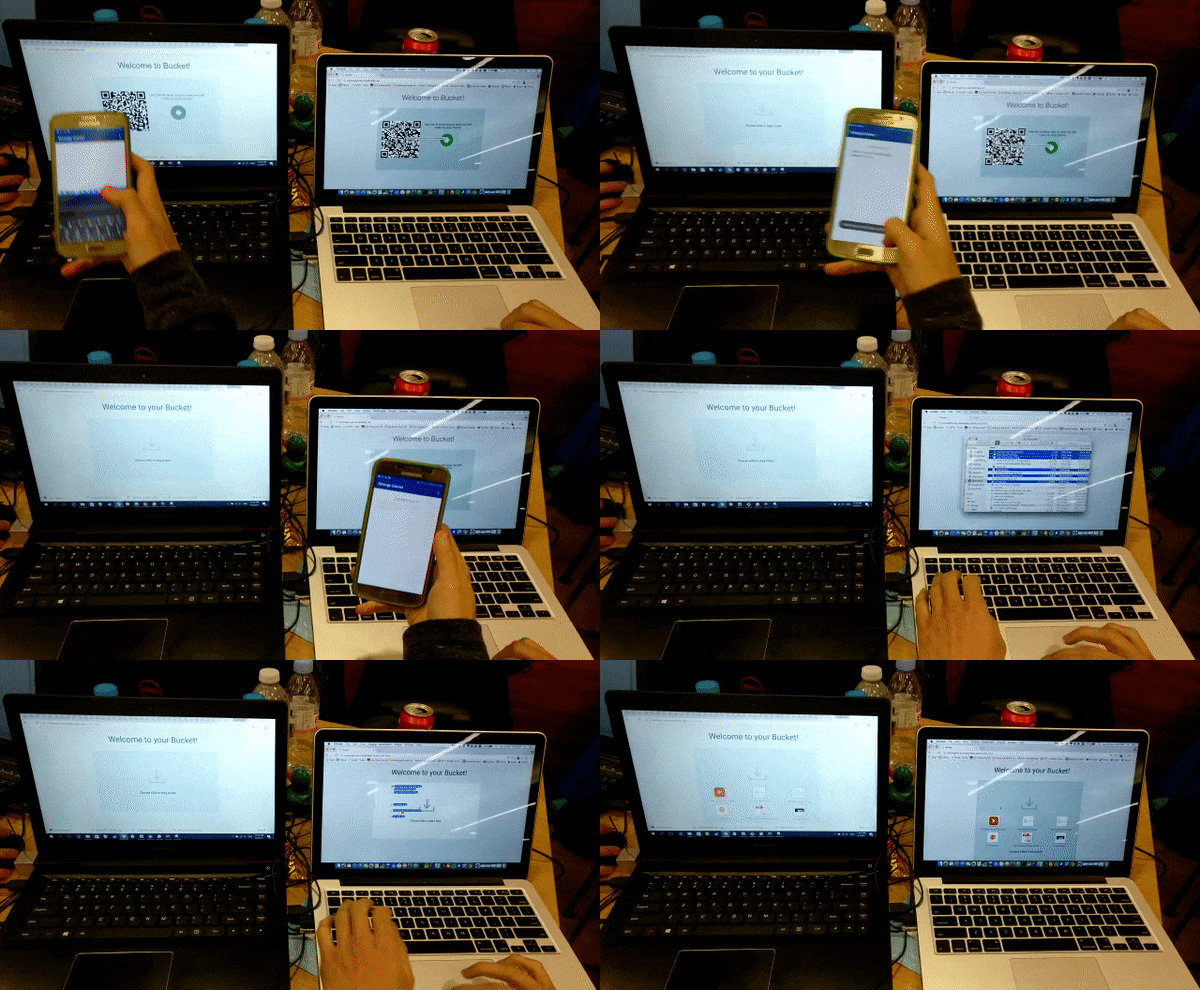
With FileBucket, file sharing is as easy as visiting the web-app online. The host, using his mobile phone, scans a QR code on each of the users' screens to form a group for file sharing. Each participant is automatically joined into the same group and is able to upload files to a shared 'bucket', accessible to everyone in the group.
Once a sharing session is started, every participant gets access to the files until the host ends the session. Once ended, all files are emptied from the bucket.
All without the need of any passwords or prior registration!
How we built it
HTML5 and JavaScript was used for the front-facing portion of the web-app, including QR code generation and drag-and-drop file upload. Ajax was used to exchange data between the client and the server asynchronously. We also used jQuery and Bootstrap.
The server was built with Node.js, Express and with MySQL as a backing database. The server manages active connections between clients, and negotiates the establishment of connections to new clients when their unique QR code is scanned. Apart from Ajax requests, we also made use of the Pusher API to provide realtime notifications to the client on the state of the bucket, including whether new files have been delivered or when the bucket has been closed.
The scanner application was written in Java, for the Android platform. With the app, we are able to initiate connections between users, remove members and monitor the number of members in the group.
Challenges we ran into
We deliberated for some time on the best way to make the experience seamless for the user. We experimented with passphrases, QR codes and even NFC tags to identify the two endpoints of a file transfer.
Accomplishments that we're proud of
We made file sharing much more effortless and seamless! (We hope!)
What we learned
We learned to use the Pusher API and some members of the team picked up Node.js and Express for server-side development.
What's next for FileBucket
We want to explore ways to make transferring information even easier for users who use FileBucket often to share files with other people or even across their own devices. We think NFC tags could provide a one-tap way to seamlessly identify devices.

Log in or sign up for Devpost to join the conversation.