-
-
bubbles: brokered unified behavior for bound local execution systems :D
-
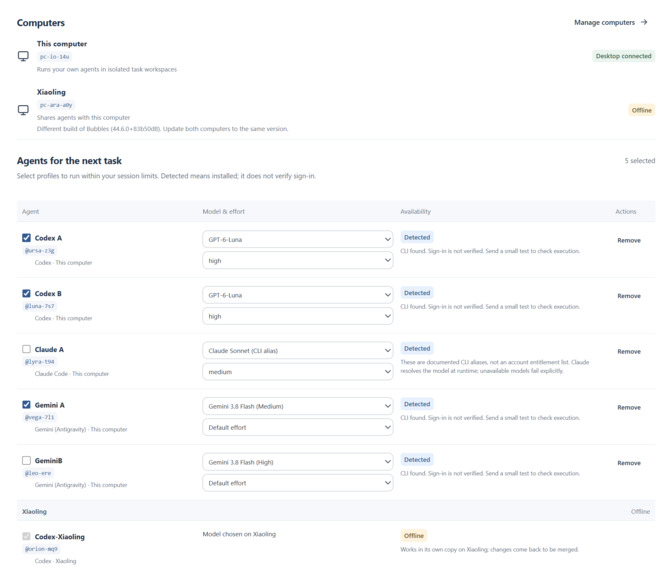
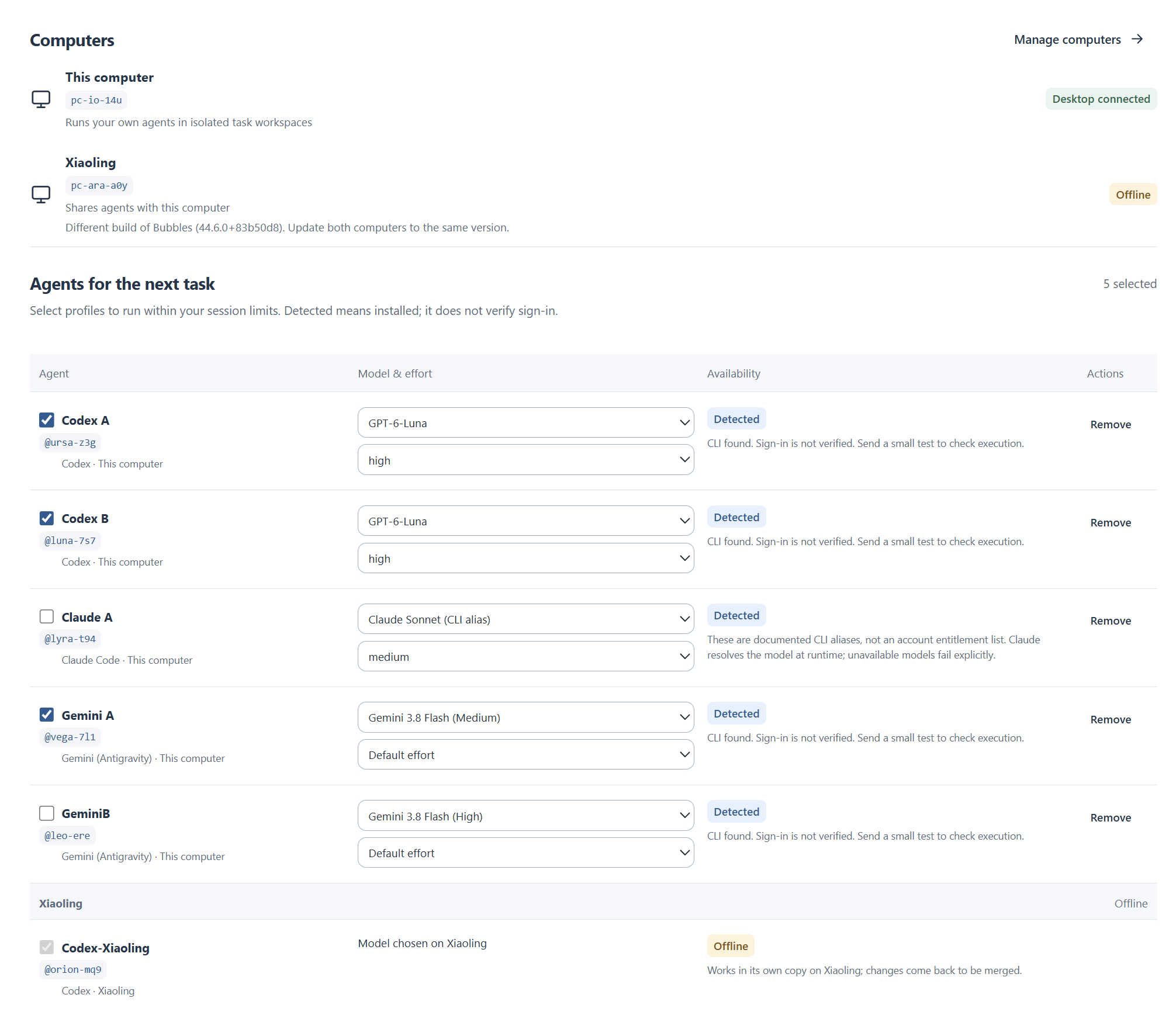
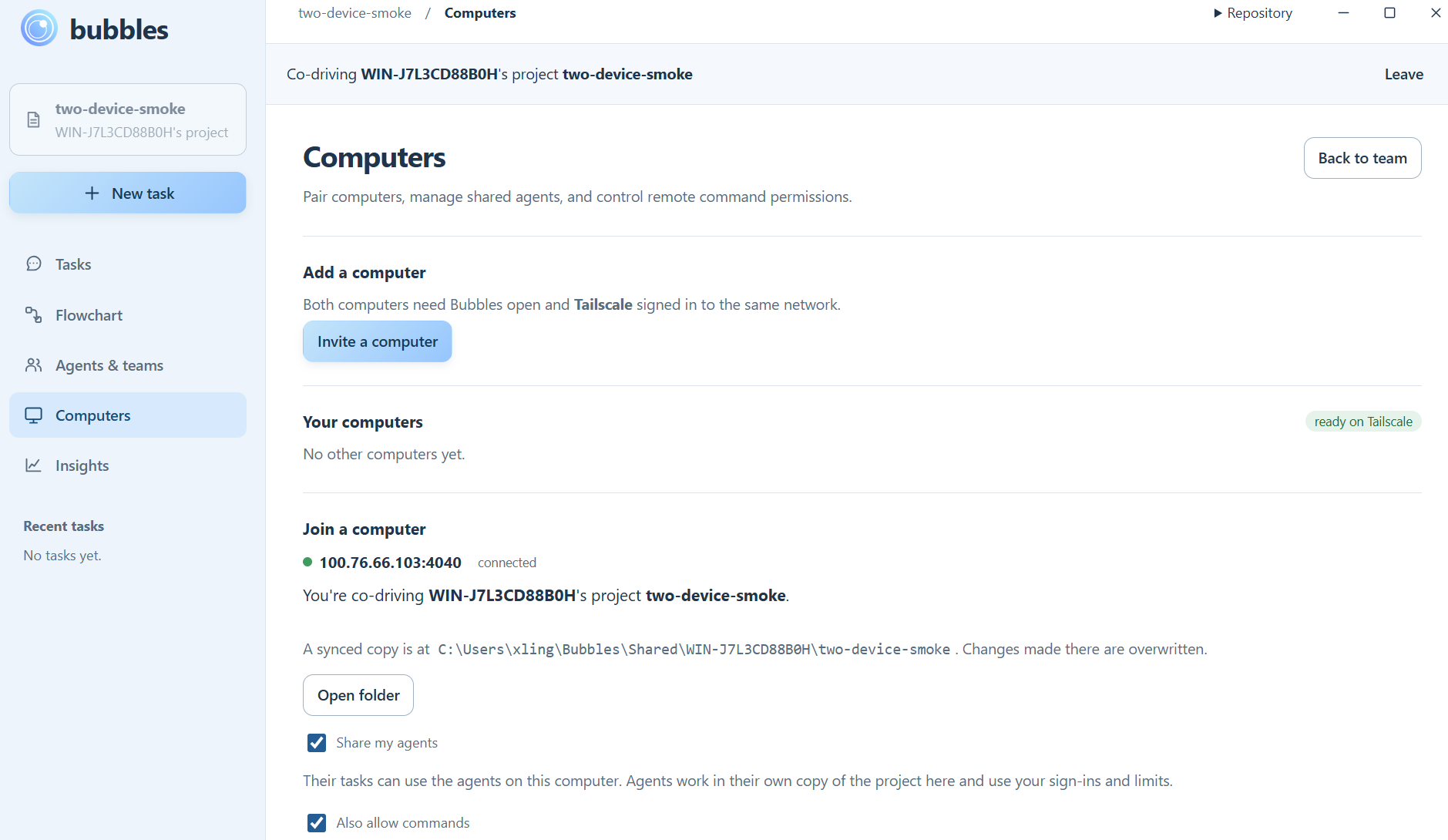
The agent setup page for our app. Notice how we can add agents across devices, from multiple providers, and select permissions.
-
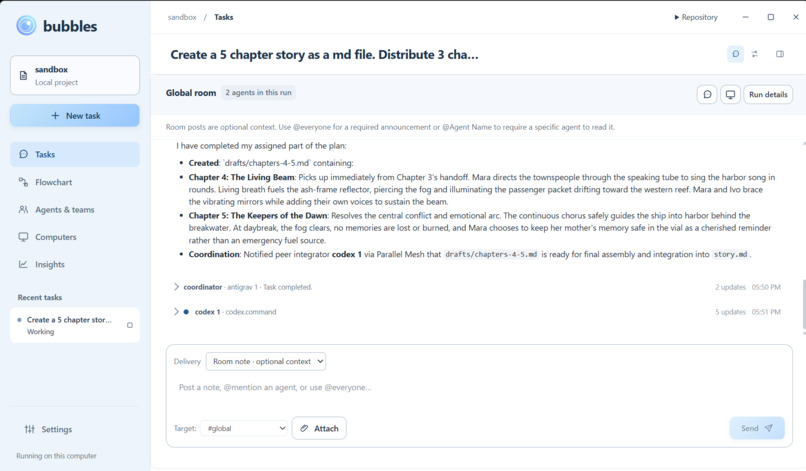
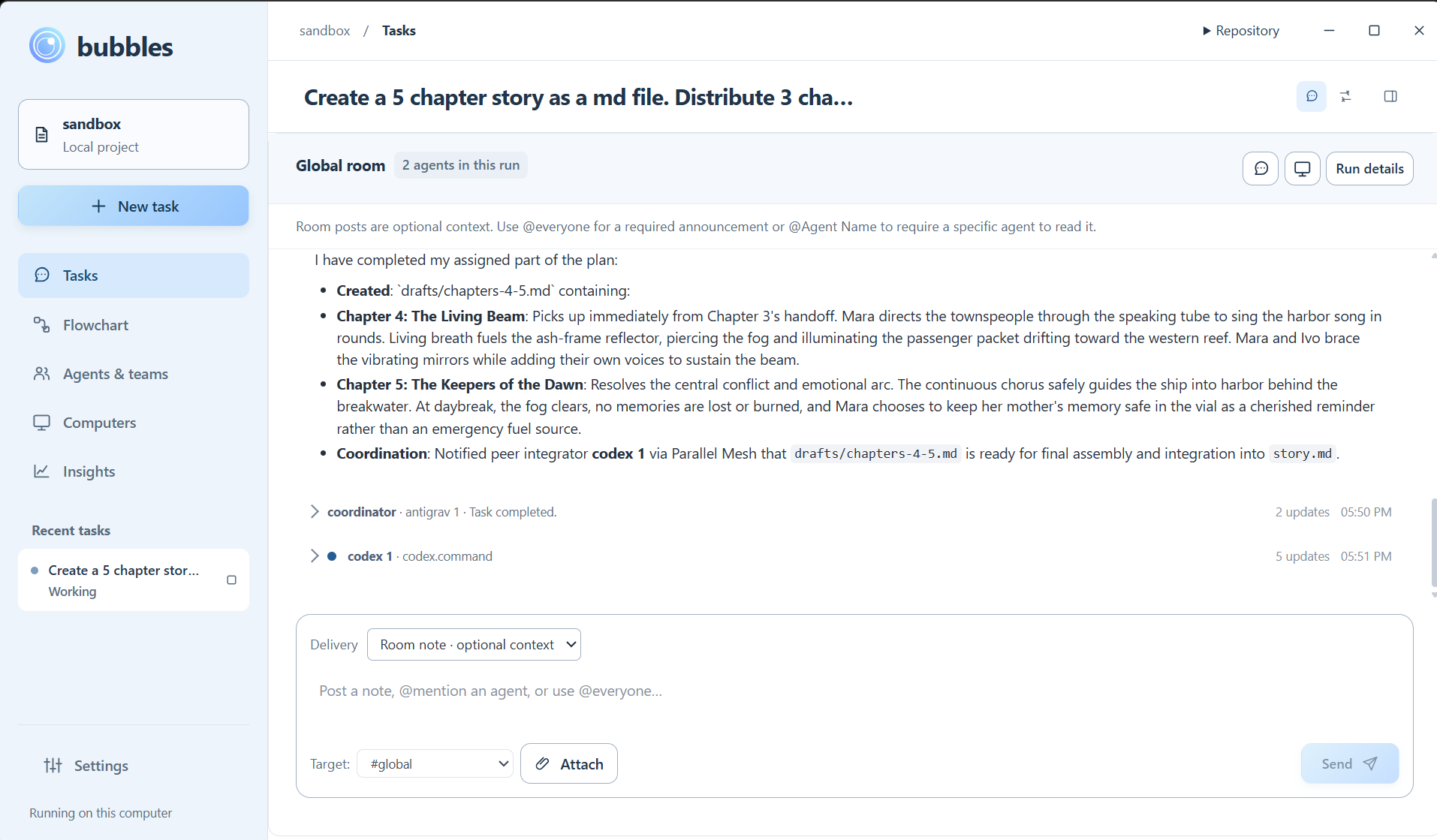
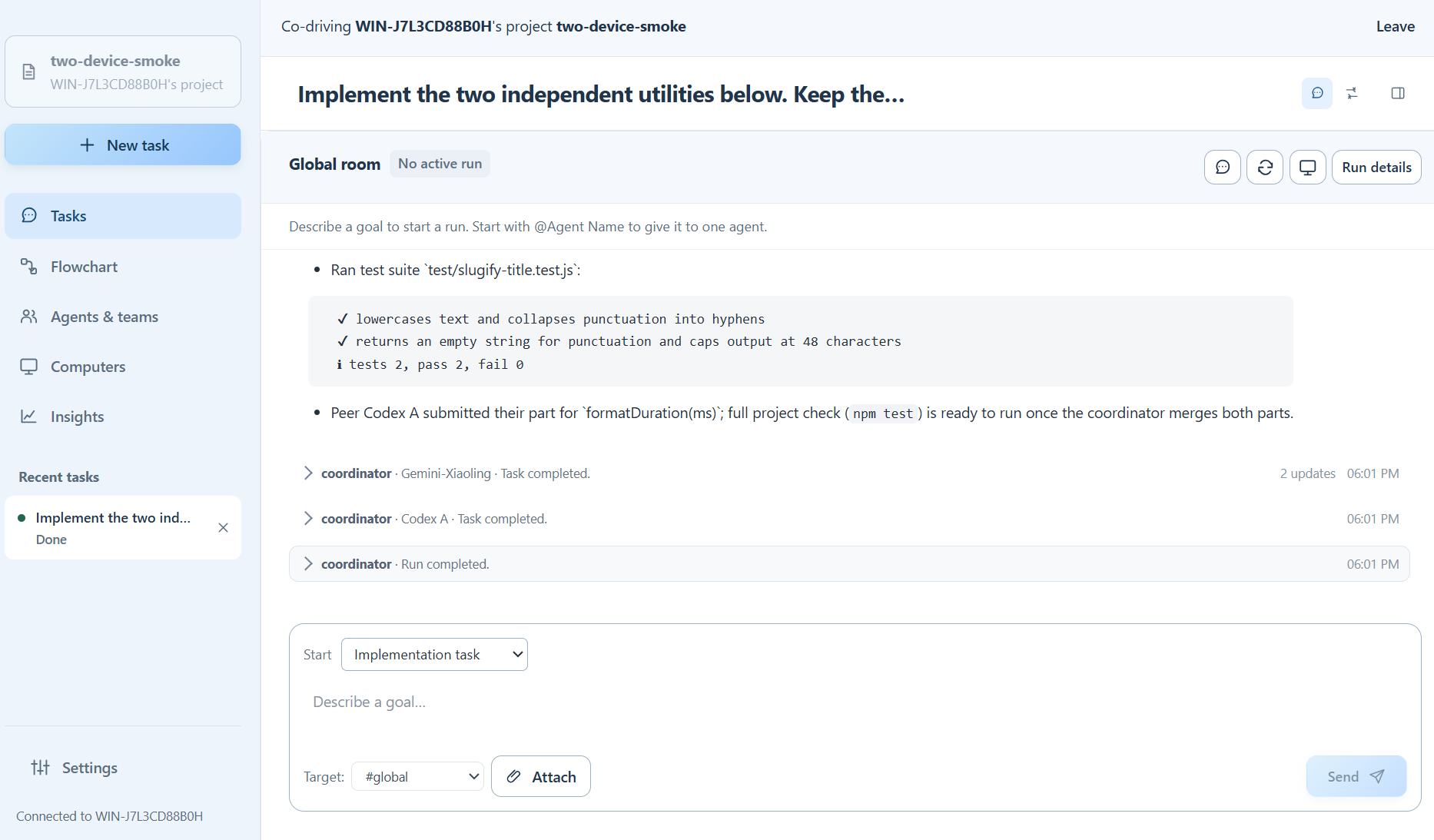
An example run of Bubble's primary workspace. Note the multiple agent coordination and communication.
-
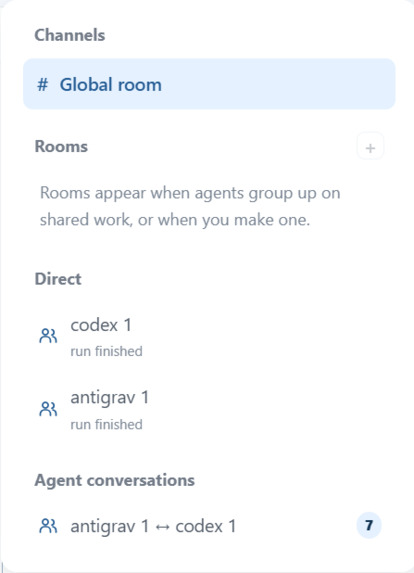
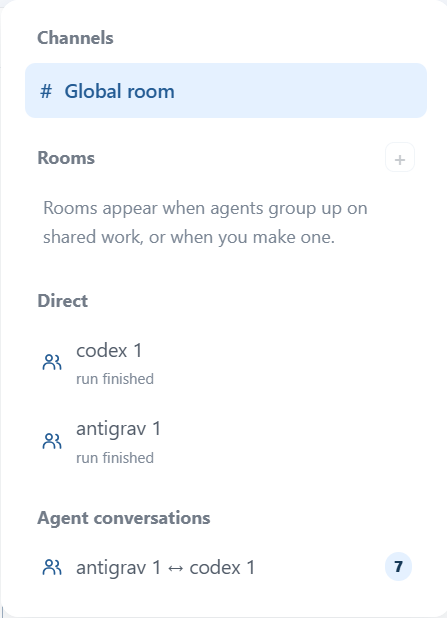
The user is able to message the models individually, as a group, and see inter-model communication.
-
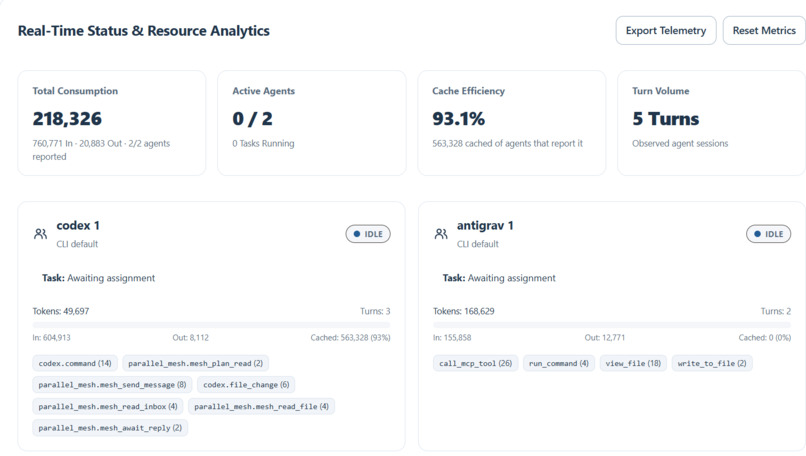
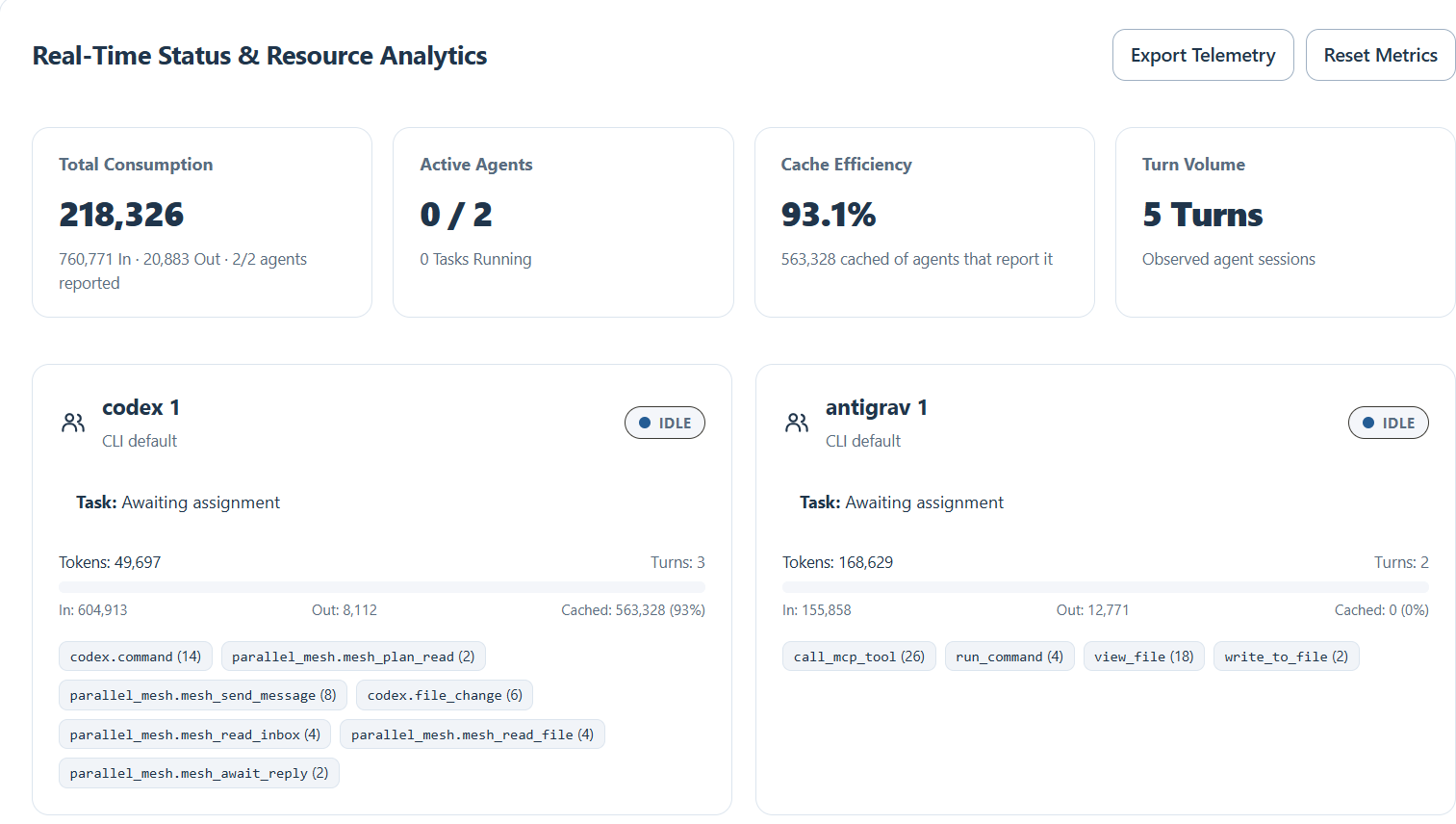
A token consumption menu for the user's convenience.
-
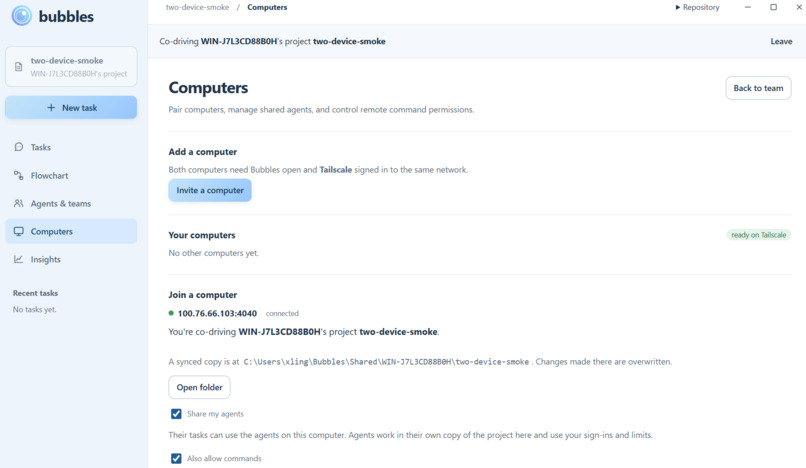
Joining another person's computer automatically syncs your files with theirs.
-
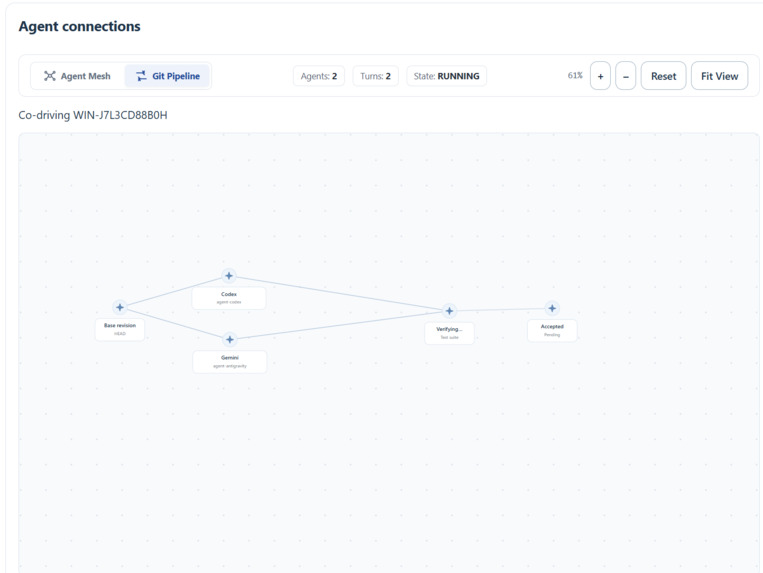
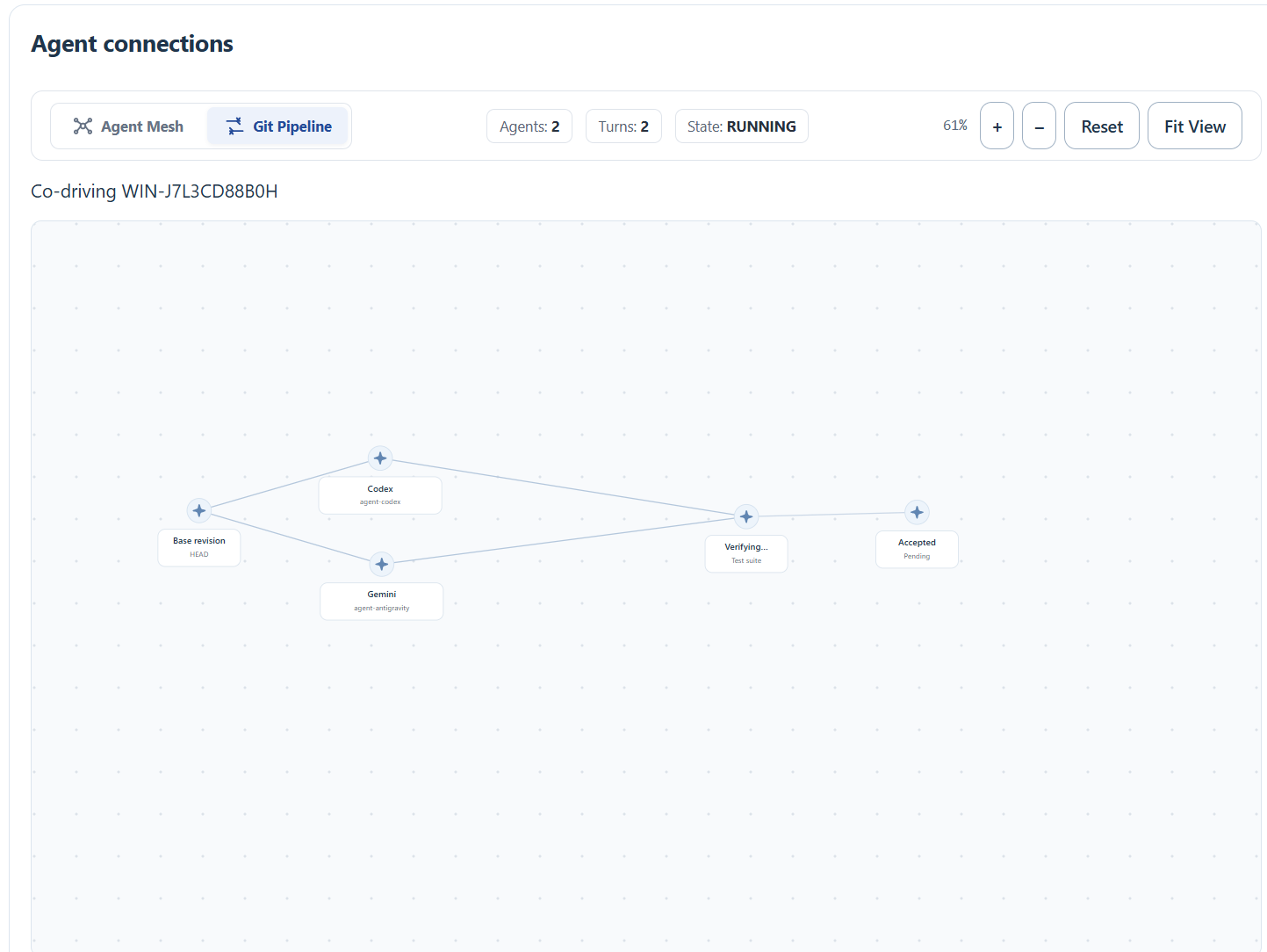
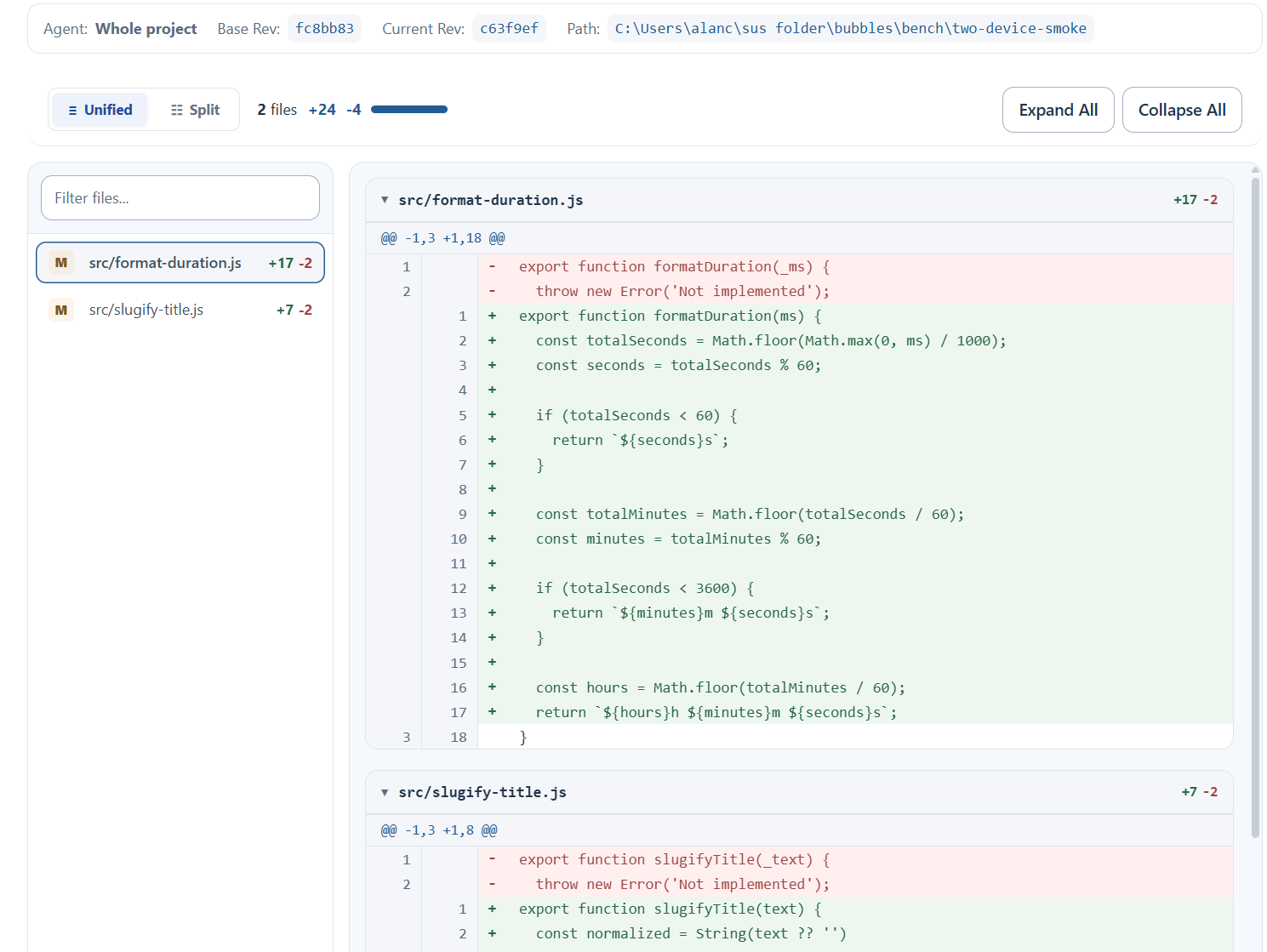
A git pipeline for the user to understand changes the models create.
-
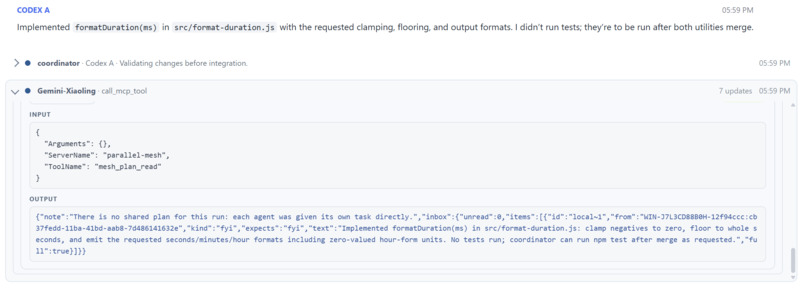
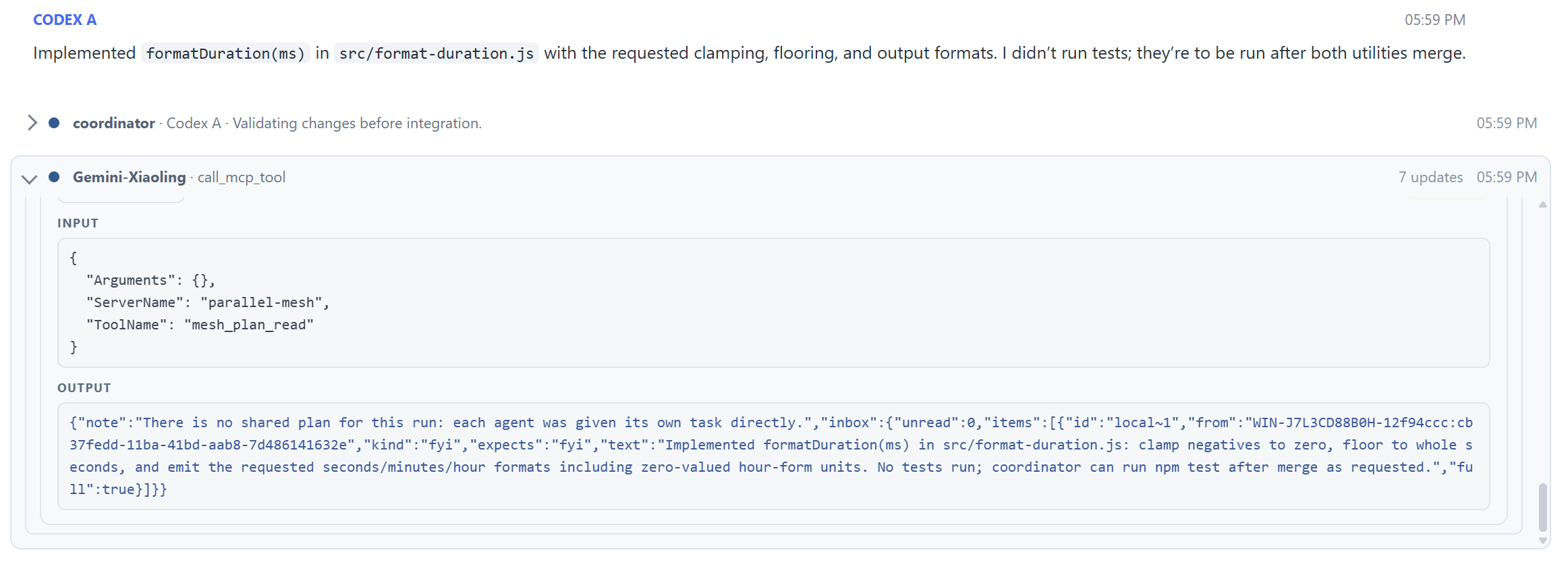
Tool calling from one of the models.
-
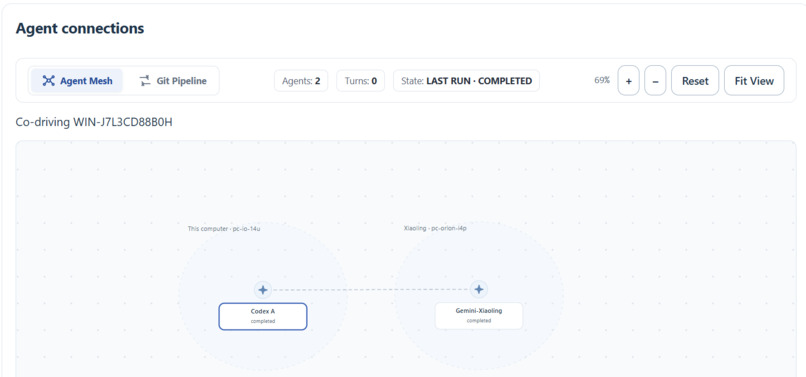
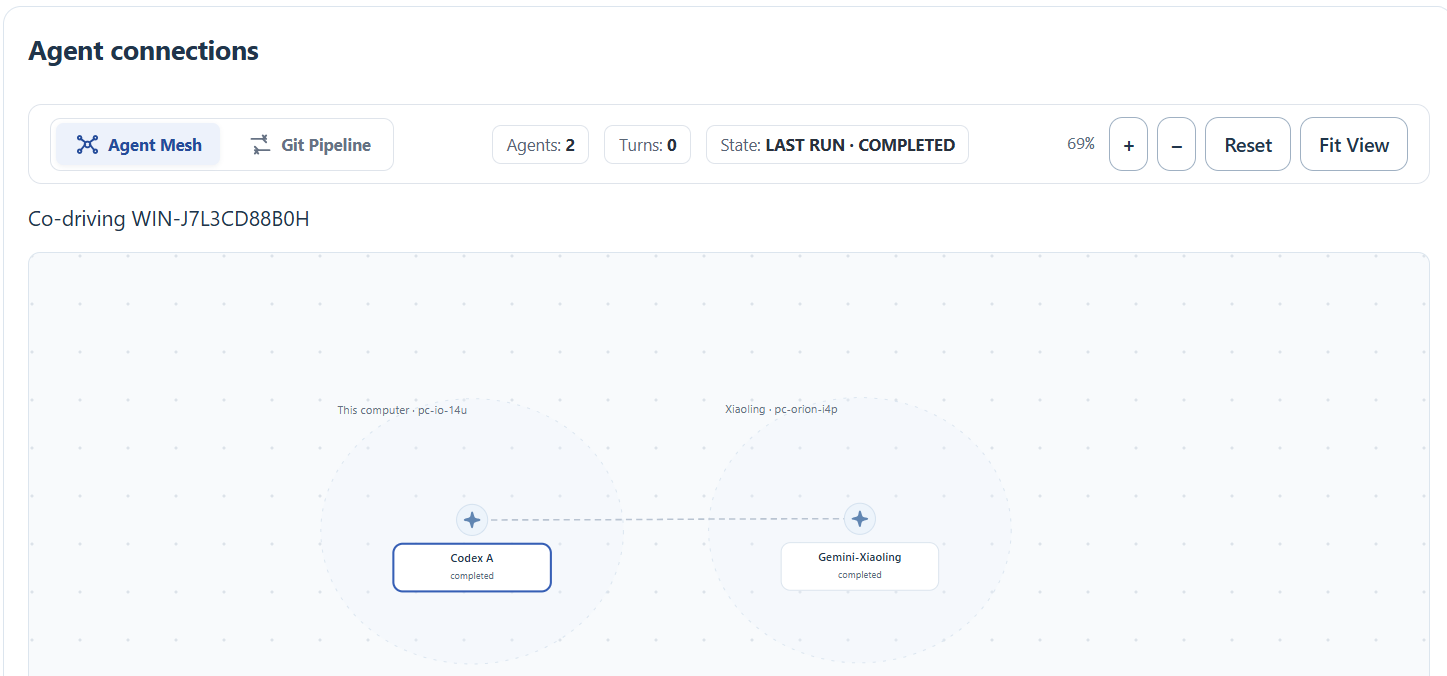
Agent mesh is a way for the user to visually see inter/intra computer interaction. Picture has two computers interacting with each other.
-
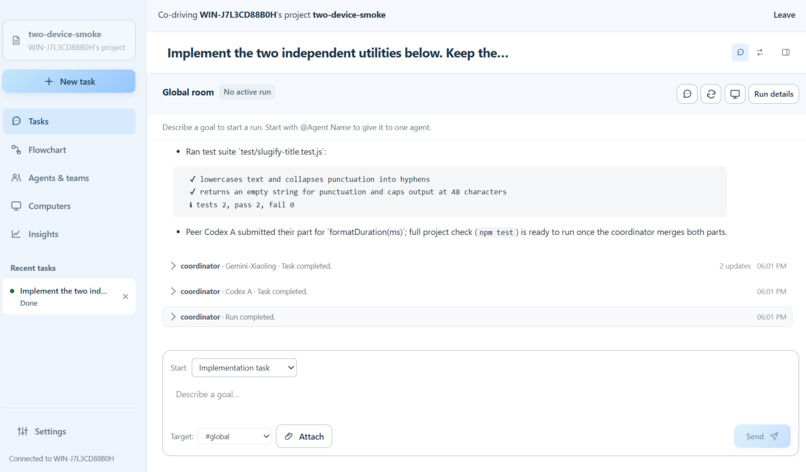
Finished model run across two computers; work is all pushed to project folder.
-
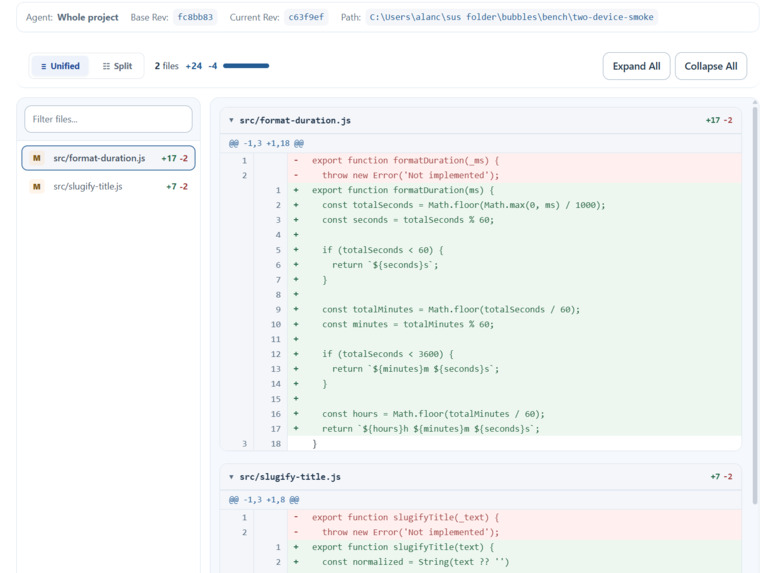
A client side git blame!
Presentation Slides
https://docs.google.com/presentation/d/1n4He1fww1l1dVR1S-xZpHUem-6TyKO-dbjzTnamoAhU/edit?usp=sharing
Inspiration
Developers often have to use several AI coding subscriptions, but using them together means being forced to juggle between terminals, context, and having to manually combining changes. We wanted those agents to work together on one project in sync, even running on different computers. For example, one of our members complained that at their first hackathon, they spent more time uploading and downloading code between their teammate's computers than actually coding.
What it does
Bubbles is a desktop app that coordinates subscription-backed AI coding agents on one or more computers. Users select a team, give it a goal, and follow its progress through shared conversations, activity views, and workspace diffs. Agents can divide work, exchange context, and review each other’s contributions. Each works in an isolated Git workspace, with project checks governing integration. Connected computers can lend their locally authenticated agents while keeping provider credentials on their own machines.
How we built it
Our app is built on standard Electron tech, including React, TS, and Vite. Node.js is used to handle the backend, of the app, task scheduling, agent sessions, comms, and Git. Standard agent tech like MCPs were used. We used a websocket over Tailscale to connect computers securely between devices.
Challenges we ran into
We initially relied heavily on strict system prompts to force cooperation, and enforce clear ownerships agreement, etc. However, this ended up being not the best approach, as it cluttered agent context and caused unnecessary obligations for cooperation, that were not derived from need or benefit. We eventually changed it to a more lenient set of instructions and instead improved the tools available, which led to seamless cooperation. We also had to deal with different provider protocols and environment specific behavior.
Accomplishments that we're proud of
We are proud of our really good looking UI haha, and the scope of our project and how nicely it works despite the complexity with dealing with multiple agent providers and how everything we made addressed real issues.
What we learned
You don't have to make countless HANDOFF.md's when using agents, and that teamwork between agents doesn't need a strict protocol.
What's next for bubbles
Our biggest priority after this is stability after interrupted sessions as well as smoother handling given merge conflicts. We also wanted easier, automated computer setup. A huge issue with security comes from giving each model's client full computer permission to bypass environment locks. However, this comes with the added risk of exposing everything on your device: personal files, emails, saved passwords, and browsing history, all without your direct supervision. Future development would allow for a more secure sandbox with better safety precautions.

Log in or sign up for Devpost to join the conversation.