Inspiration
Every day, thousands of people have genuinely good app ideas. They sketch them on napkins, describe them to friends, maybe even open Figma — and then stop. Not because the idea is bad, but because there's an invisible wall between having an idea and shipping an app.
Tools like Lovable and Bolt made huge progress on the web side — but mobile is different. Mobile has its own grammar: thumb zones, bottom navigation, safe areas, Apple HIG constraints, Material Design patterns. The AI tools that exist today either skip mobile entirely or generate screens that look mobile but feel wrong the moment you hold them in your hand. Web-brained layouts crammed into a phone frame.
And even if you clear the design wall, there's a second one right behind it — actually building the thing. Freelancers are unreliable. Agencies quote $15K–$30K for an MVP. No-code tools lock you out of the App Store or charge you forever.
We built Gus because we've seen this problem firsthand through our work at MergeFund. Talented people with real ideas who just needed someone to bridge the gap — affordably, reliably, and fast.
What it does
Gus is an end-to-end platform that takes you from app idea to live App Store product in three steps.
You describe your app to Gus's AI design agent in plain English. Within seconds, fully-formed mobile screens appear — rendered inside a real iPhone frame, following Apple HIG, proper color theory, 8-point spacing grids, and mobile-native navigation patterns. The AI has genuine taste. It knows that a fintech app should use navy and gold, not the same palette as a fitness app. It defaults to bottom navigation because that's where thumbs live. It builds complete color systems, not just random hex codes.
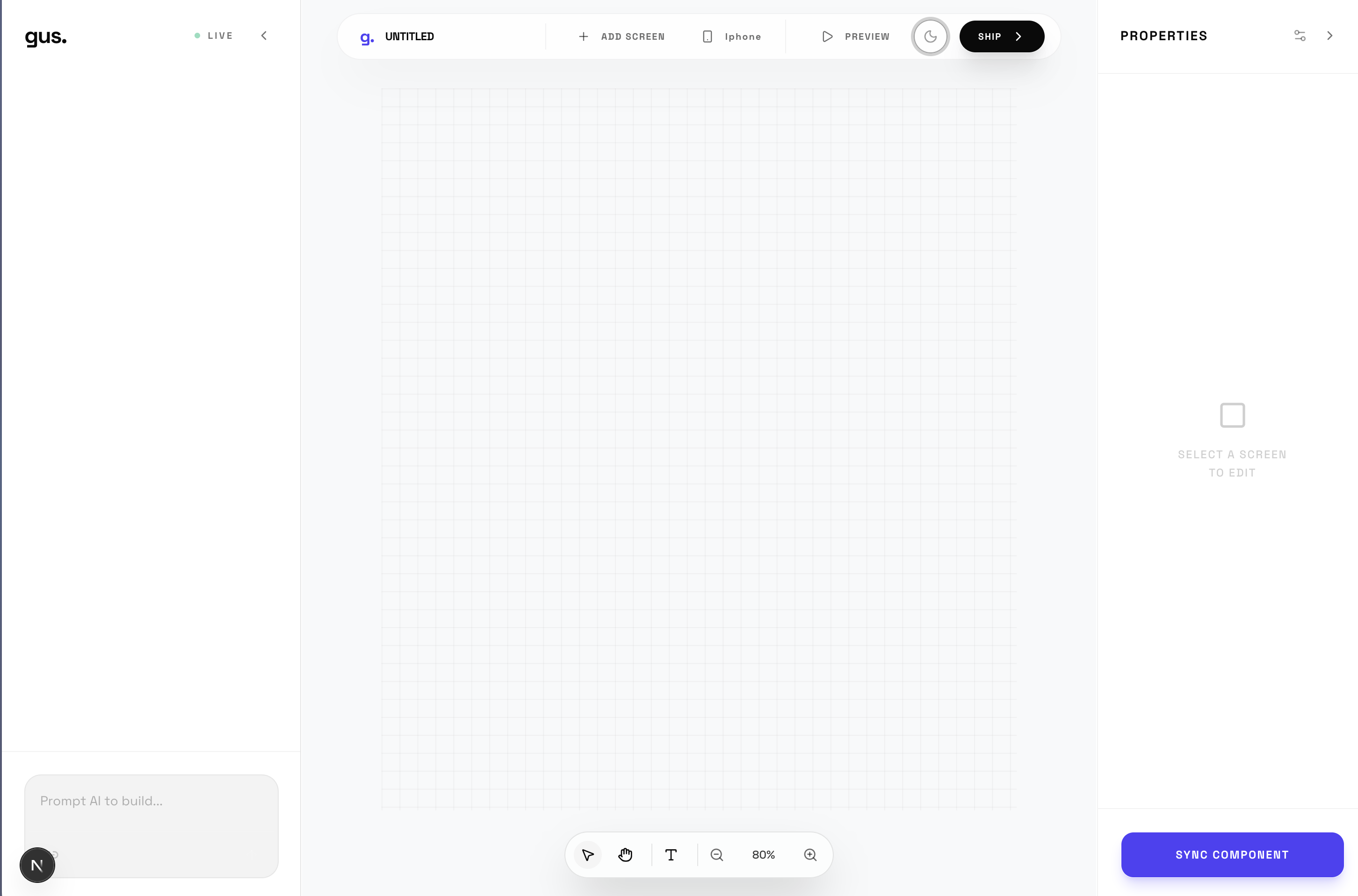
Once your screens are generated, a Figma-style editor lets you fine-tune any element directly — click a button to change its color, adjust typography, tweak spacing. No more typing descriptions into a chat and hoping the AI gets it right. When you're happy, you lock the screens.
One click triggers our AI scoping engine, which reads your locked screens and outputs a transparent price quote. You pay via Stripe. A vetted engineer from our MergeFund network claims the job — pre-scoped, pre-priced, pre-paid, no proposals needed. They build it. They submit it to the App Store. You own the code. Starting from $150.
How we built it
The frontend is Next.js with Tailwind CSS and Framer Motion. The chat interface streams screen generation in real time — each screen appears progressively as the model generates it. The screen renderer converts structured JSON output from the AI into real React components wrapped in an iPhone device frame, with accurate dynamic island, status bar, and home indicator.
The Figma-style editor sits on top of the renderer. Every component is selectable, property changes update the underlying JSON and re-render instantly. When screens are locked, the exact spec is sent to the engineer — no ambiguity, no interpretation.
The core AI design agent is a LoRA fine-tuned model running on an NVIDIA DGX Spark. We trained on a purpose-built dataset covering Apple Human Interface Guidelines, Material Design 3, top App Store app screens, Dribbble mobile UI (1,000+ likes only), Mobbin design patterns, and Xcode and React Native component documentation. Over 5,700 training pairs total, all formatted as natural language prompts mapped to structured JSON screen specifications. The result is a model that thinks natively in mobile design — not because we wrote a clever prompt, but because it was trained on thousands of examples of what great mobile apps actually look like.
The AI scoping engine reads locked screens and conversation history to produce a cost estimate using our pricing rubric — screen count, auth complexity, backend requirements, third-party integrations, and platform target all factor in. The backend is Supabase for auth and database, Stripe for payments and escrow, and FastAPI on the DGX Spark to serve the fine-tuned model.
The engineer side works like Uber. Jobs appear in a board with all relevant details. An engineer claims a job, builds it, marks it ready for review. The user approves, funds release, App Store submission happens. A PM layer handles disputes.
Challenges we ran into
The PyTorch install. The DGX Spark runs aarch64 (ARM64) with CUDA 13.0 — a very new combination. The standard PyTorch wheel index doesn't have aarch64 builds, which caused our first setup attempt to fail completely. We had to find the correct installation path for this specific hardware configuration.
Making the AI have taste. This sounds abstract but it's the hardest problem. Generic LLMs generate screens that are technically correct but aesthetically mediocre — the kind of thing that gets shipped but never gets featured. Getting the training data quality high enough, and encoding design rules as deeply as possible into the model, was time-intensive but made the difference.
The screen renderer. Getting the AI to produce consistent, renderable JSON that maps correctly to a React component library required significant prompt engineering and schema design. The model needs to output exactly the right structure every time, not just a plausible-looking response.
Pricing accuracy. An AI scoping engine that produces wildly inaccurate quotes destroys user trust fast. Calibrating the rubric to reflect AI-compressed development times in 2026 — where a simple 4-screen app genuinely takes 1–4 hours — required rethinking what development costs from the ground up.
Accomplishments that we're proud of
Training a purpose-built mobile design model on the DGX Spark — not prompting a general LLM, but actually fine-tuning one on domain-specific data. The side-by-side comparison between the base Llama model and our fine-tuned model on the same design prompt shows the difference clearly.
Building the full end-to-end flow: from chat → generated screens → Figma editor → AI scope → Stripe payment → engineer job board → App Store submission. Each piece connects to the next. Most tools stop at design generation. Gus closes the whole loop.
The pricing model. At $150 minimum with AI-assisted development, we're offering something that genuinely didn't exist before — a trusted, vetted path from design to live app at a price accessible to first-time founders and indie makers.
What we learned
Training a LoRA on domain-specific data produces dramatically better results than prompt engineering alone — but data quality matters far more than volume. 5,700 high-quality design-focused training pairs outperform 50,000 scraped generic ones.
The real insight about the market: the problem isn't that people can't design apps. It's that there's no trusted, affordable path from design to shipping. Everyone stops at the design stage not because they're satisfied — but because the next step is too hard and too expensive. The moment you make that step trivially easy, the entire funnel changes.
AI hasn't just made development faster. It's changed the economics entirely. At $30/hr with AI tooling, an engineer can deliver a polished 6-screen app in a day. That's a $180 job. We price it at $225 and everyone wins — the user gets a live app for the price of a dinner out, and the engineer makes meaningful side income with zero sales work.
What's next for Gus.
The data flywheel is just getting started. Every screen generated, every scope estimate, every completed build becomes training data. The model gets better taste over time. The scoping engine gets more accurate. That's a compounding advantage no competitor can replicate by prompting GPT-4.
Next up: a Level 2 screen editor with drag-and-drop, layer panel, and resize handles. Self-serve engineer onboarding with a full vetting pipeline. Android and Play Store support. A benchmark dashboard showing Gus's model quality against GPT-4o, Claude, and Gemini on mobile-native design tasks.
And for users who need more after launch — v2 features, scaling, a real dev team — a warm handoff to MergeFund. Gus is the entry point. MergeFund is the growth partner. The relationship is already warm because trust was built on the first project.
Built With
- cuda
- nextjs
- tailwind

Log in or sign up for Devpost to join the conversation.