Inspiration
We live in an era of perpetual digital distraction—where our phones have evolved from communication tools into attention vampires. Every notification is a dopamine hit, every app a rabbit hole, every swipe a gamble for something worth our time. My inspiration came from a simple realization: what if your phone understood you like a friend would?
Not just another minimalist launcher with zen aesthetics, but a true companion with emotional intelligence—one that doesn't just respond to your commands, but genuinely cares about your digital well-being. A companion that feels your stress when you're doom-scrolling at 2 AM, celebrates when you achieve your screen time goals, and proactively helps you reclaim your attention.
What It Does
DeskBubby is not just an app—it's a complete home screen replacement powered by emotional AI. It transforms your Android device into an intelligent companion that combines cutting-edge AI with genuine personality.
✨ Core Features
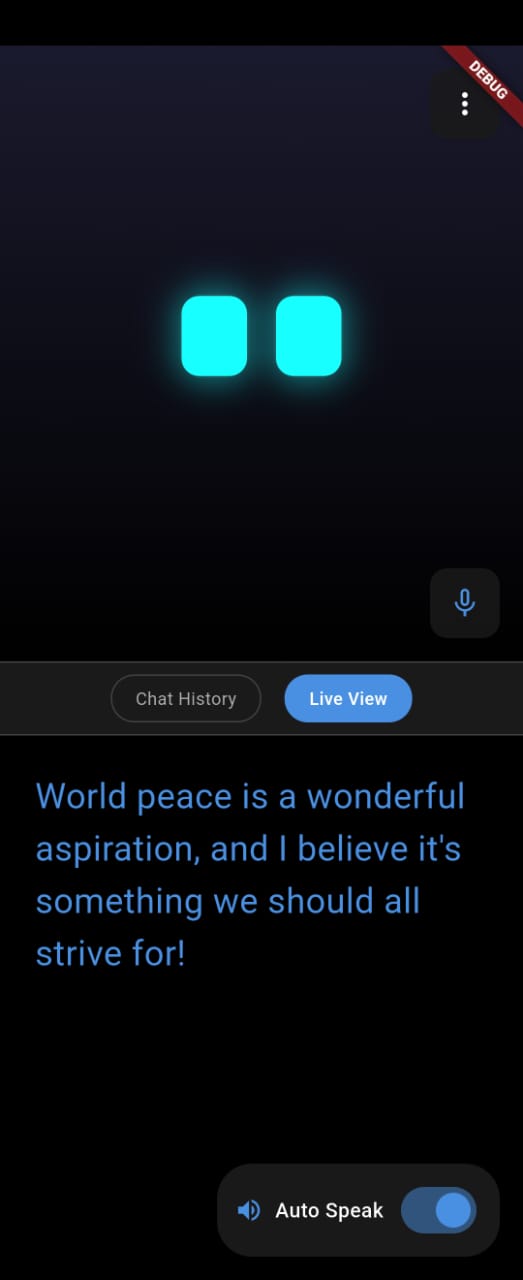
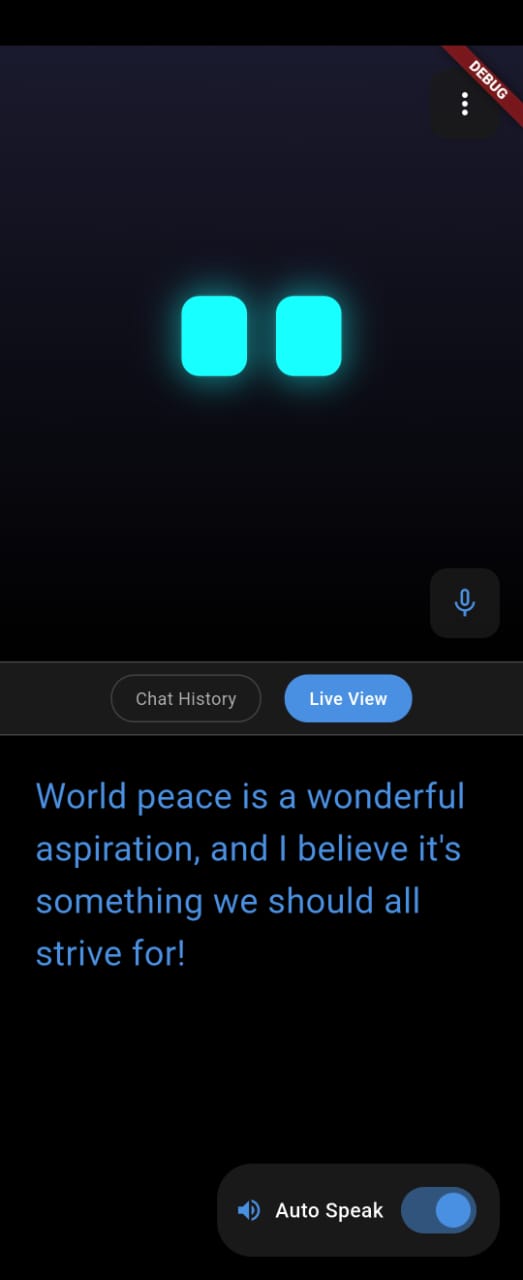
Emotional Avatar with Sentience Your Buddy doesn't just talk—it feels. With 10+ emotion states (happy, sad, thinking, connected, listening), it reacts in real-time to your interactions. Watch it transition from "thinking" when processing a command, to "connected" when successfully executing an action, to "sad" when you've been idle too long. After 30 seconds of inactivity, it looks around curiously. After 40 seconds, it gets lonely and sad—just like a real companion.
Revolutionary Smart Intent System The game-changer: 40+ natural language commands that actually control your device. Say "turn on WiFi" and WiFi settings open. Say "set an alarm for 7 AM" and it's done. Say "make the screen brighter" and watch your brightness increase—all through conversational AI that maps natural language to Android OS intents.
Supported Intents:
- Connectivity: WiFi, Bluetooth, Airplane Mode, NFC, Data Roaming
- Settings: Display, Sound, Do Not Disturb, Notification Policy
- Actions: Alarms, Timers, Dialer, Calendar
- Apps: Launch any installed app by name
- Device Control: Flashlight, Volume, Brightness, Ringer modes
- Communications: Calls, SMS, Web URLs, Content sharing
System: Clipboard, Vibration, Device info queries
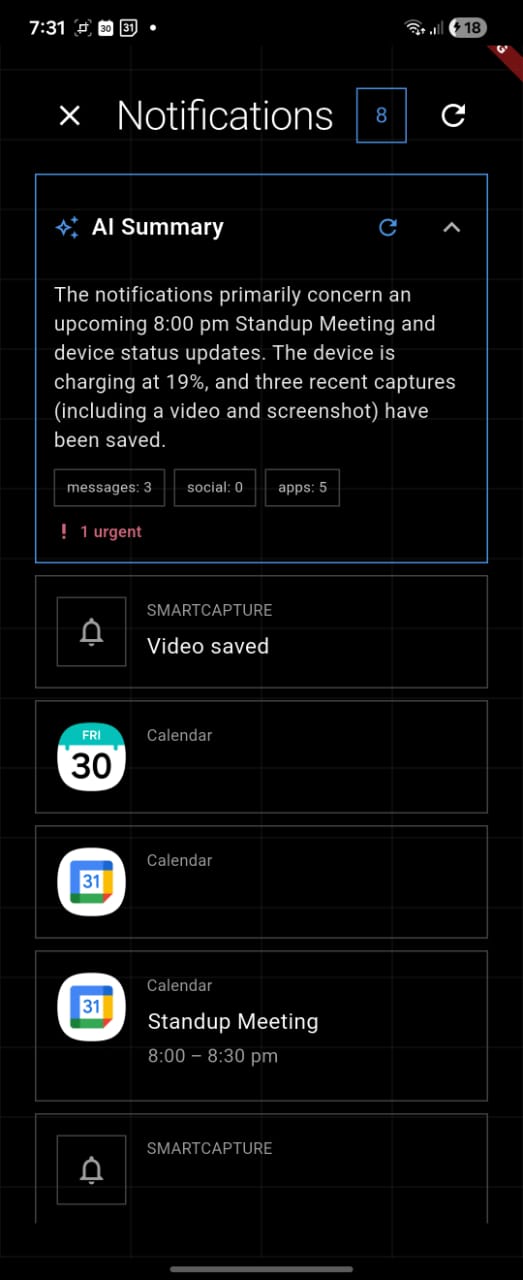
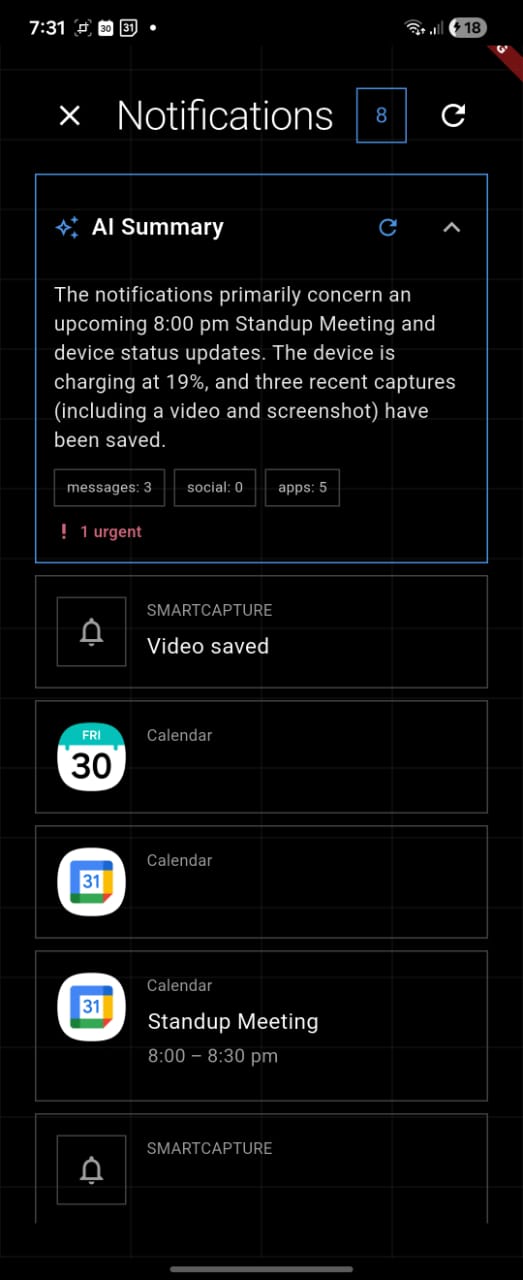
- AI-Powered Notification Intelligence Stop drowning in notification chaos. DeskBubby uses Google Gemini AI to analyze all your notifications and provide:
Overall Summary: What happened while you were away (1-2 sentences)
Highlights: The actually important stuff
Action Items: What needs your attention right now
Smart Grouping: Organized by app and priority
No more notification fatigue—just intelligent triage.
- Screen Time Analytics & Insights
Comprehensive usage tracking with:
- Daily Pie Charts: Visual breakdown of app usage
- Weekly Trends: Bar charts showing daily totals and patterns
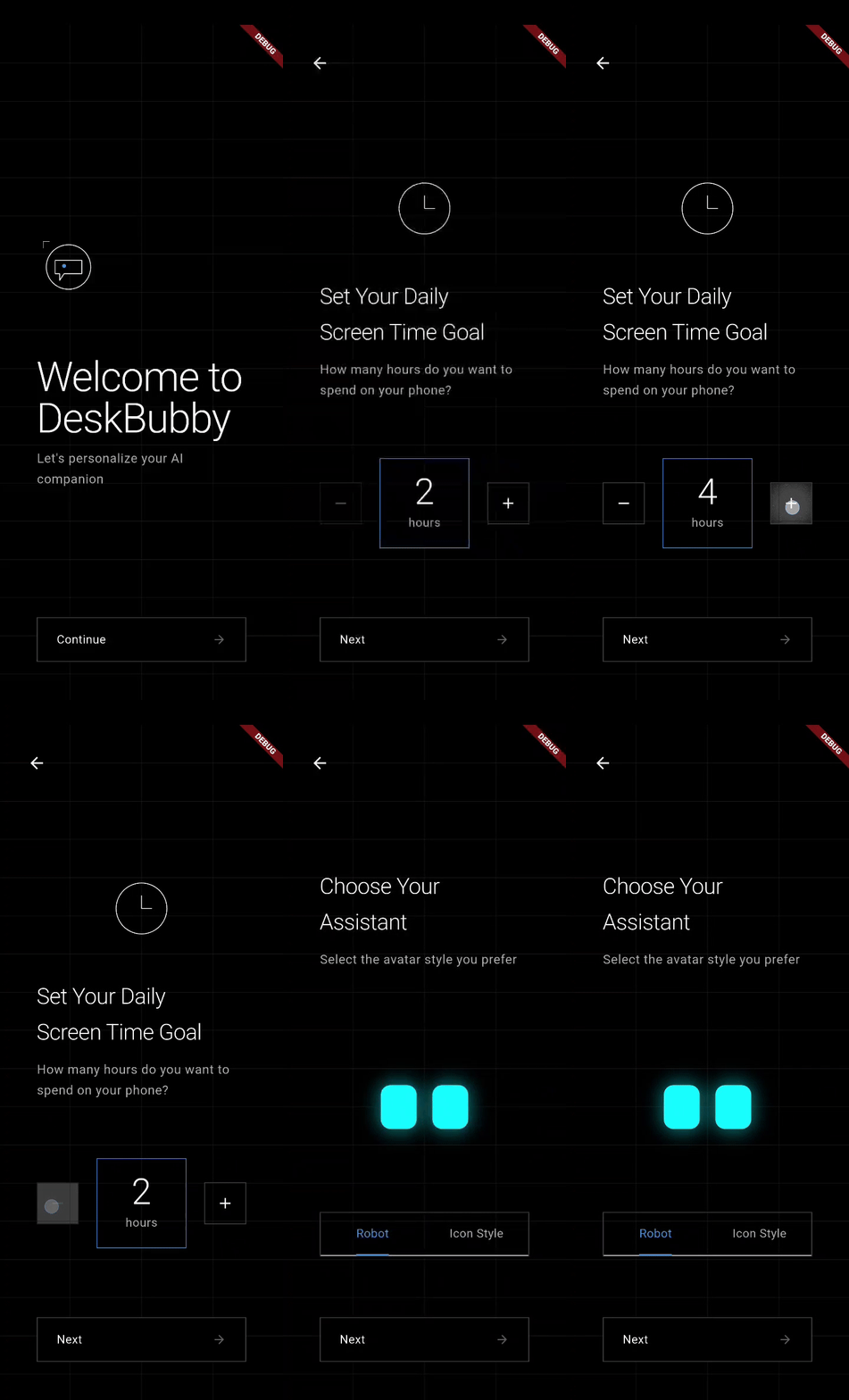
- Goal Tracking: Set screen time goals (1-24 hours) and monitor progress
- Pattern Analysis: Hour-of-day and day-of-week usage insights
- Context-Aware Logging: Tracks when and where you use apps
Your Buddy knows your habits and helps you build better ones.
Intelligent App Management
- Frequency Tracking: Local SQLite database tracks how often you open each app
- Smart Dock: Top 5 most-used apps automatically surface on your home screen
- Predictive Suggestions: AI-powered app recommendations based on usage patterns, time of day, and context
- Quick App Drawer: Grid/List views with search, sorting, drag-and-drop reordering
- Haptic Feedback: Satisfying tactile response to interactions
Voice-First Interaction
- Real-time Speech Recognition: Talk to your Buddy naturally
- Robotic TTS Voice: Responses in a unique robotic voice (customizable pitch, rate, volume)
- Voice Customization: Choose from multiple voices and locales
- Auto-Speak Toggle: Buddy can read responses aloud automatically
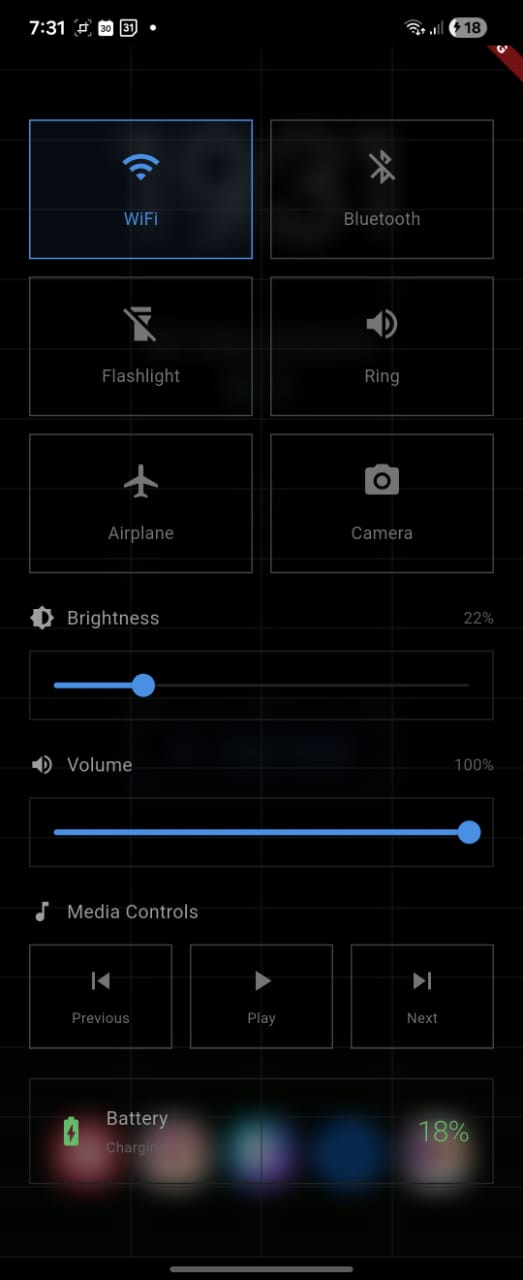
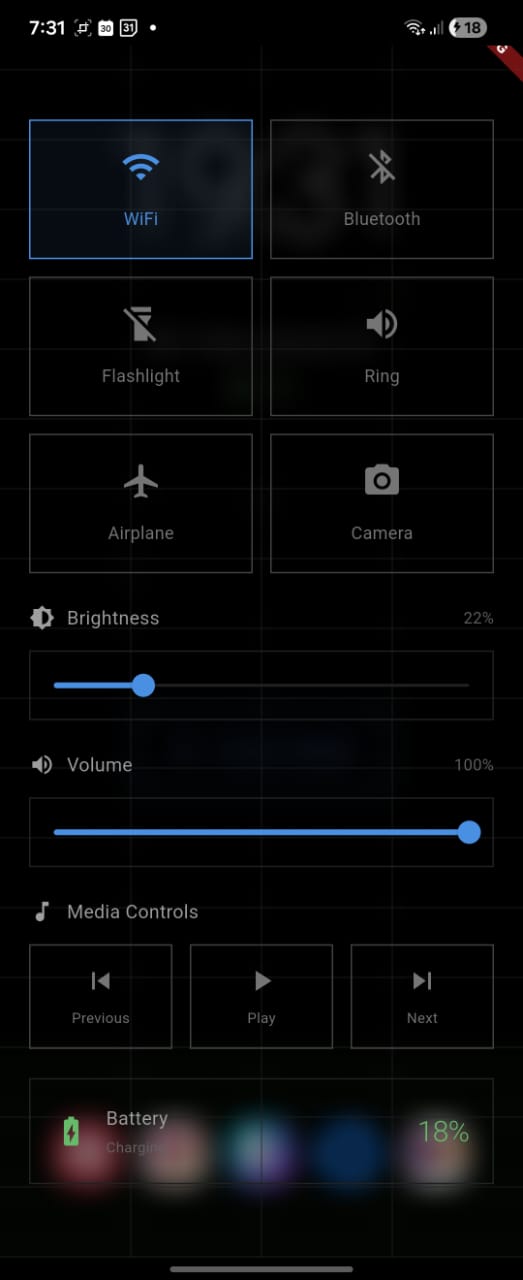
Control Panel for Quick Actions Swipe down for instant access to:
- Quick Toggles: WiFi, Bluetooth, Flashlight, Ringer modes
- Visual Sliders: Brightness (0-100%), Volume (0-100%)
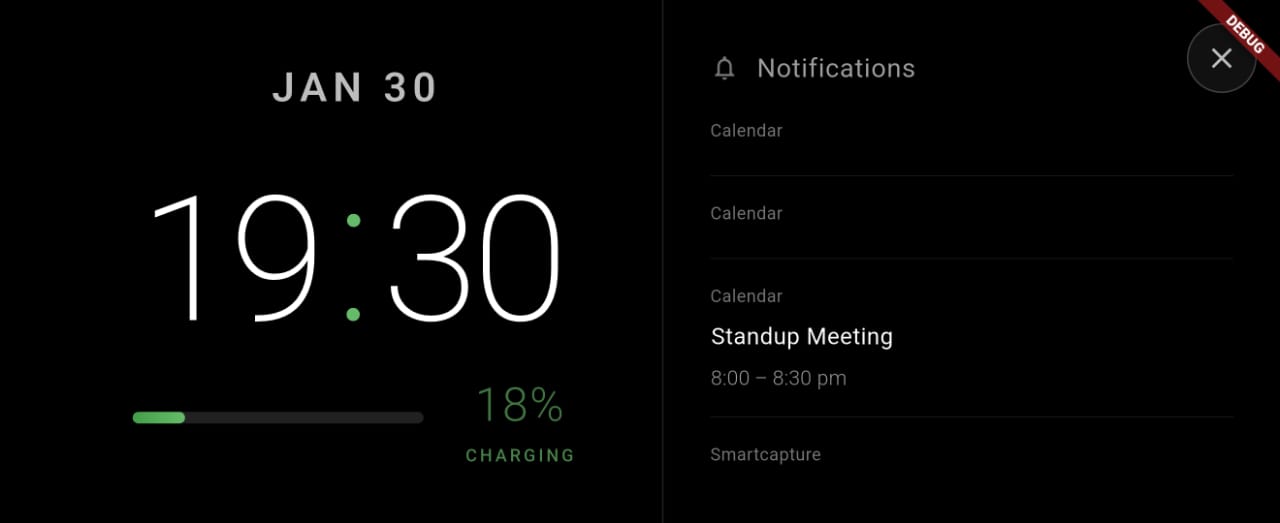
- Status Display: Battery level, charging state, connectivity
- Swiss Grid Design: Beautiful 4-column minimalist layout
Three-Page Navigation System
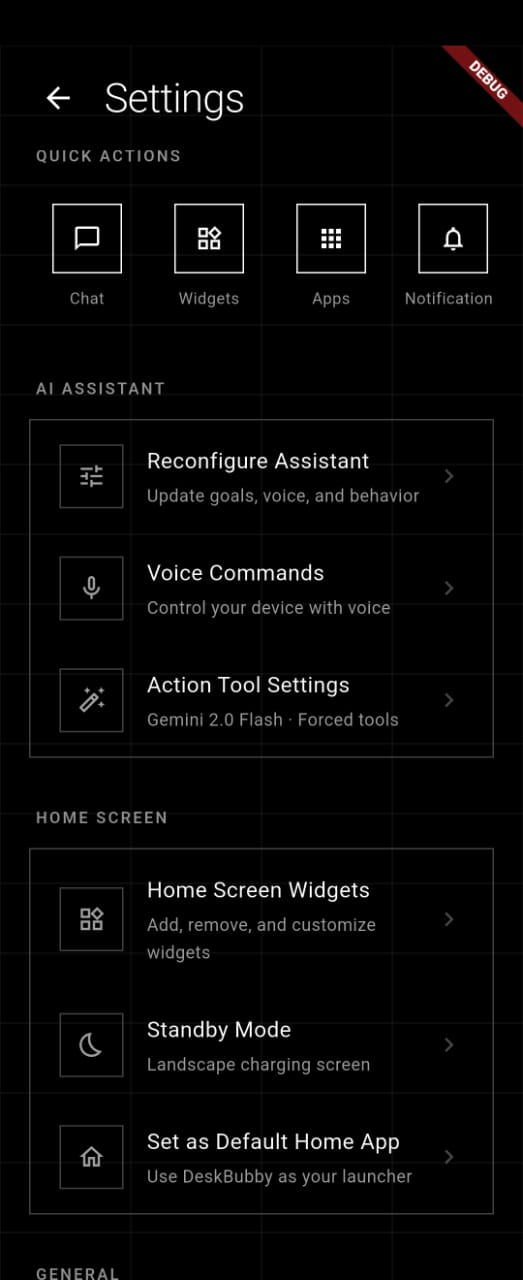
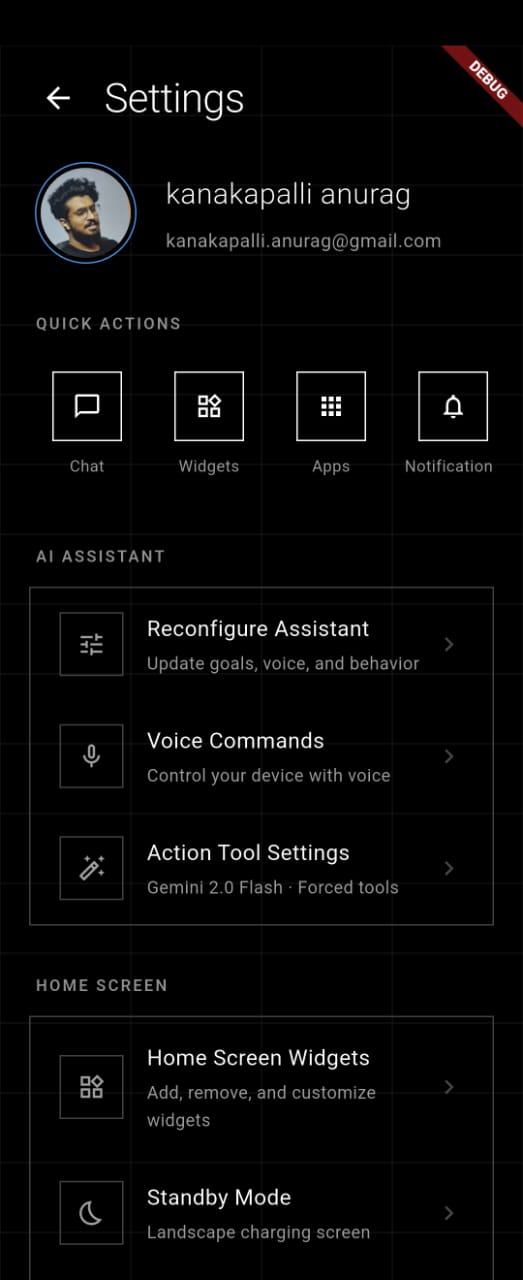
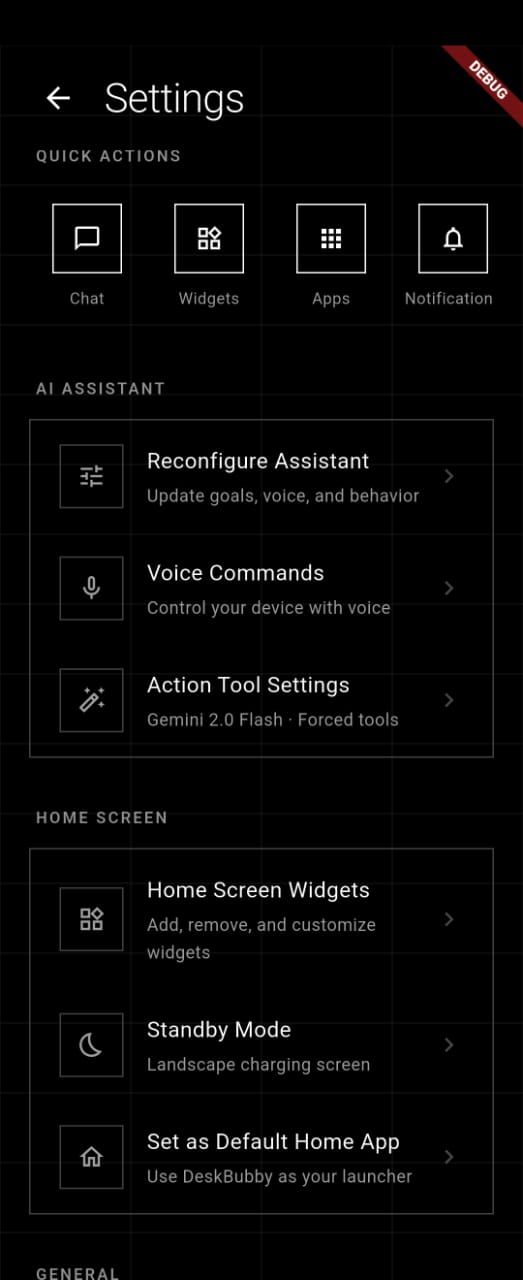
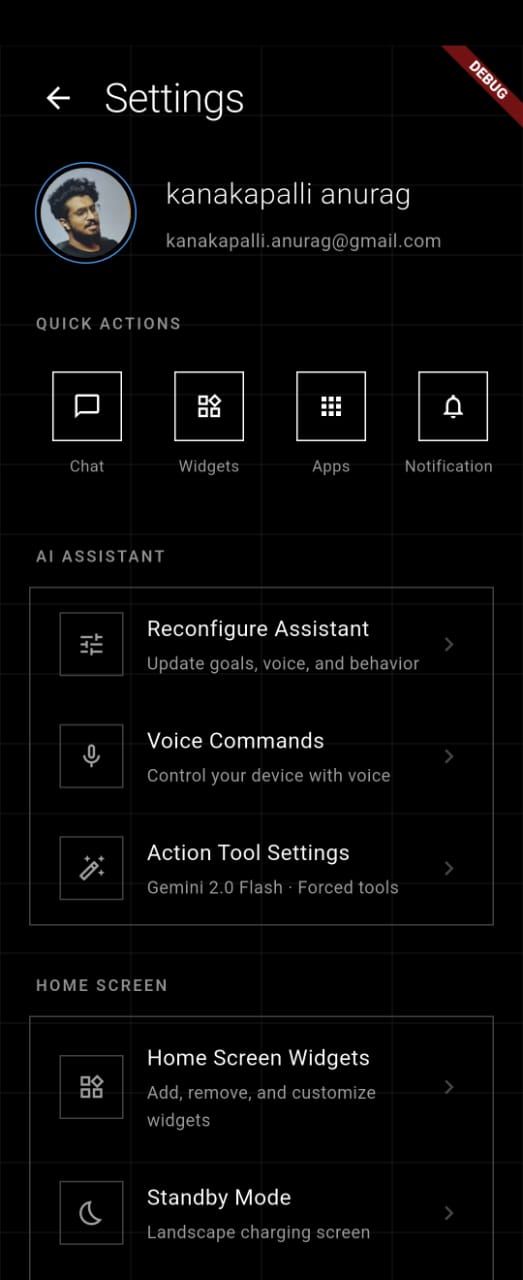
- Swipe Left: Settings (profile, voice config, AI parameters, behavior customization)
- Swipe Right: Notifications (AI summaries, notification list, app icons)
- Swipe Up: App Drawer (all installed apps with search and sorting)
- Swipe Down: Control Panel (quick toggles and sliders)
Immersive Full-Screen Experience
- AMOLED-optimized pure black theme for battery efficiency
- Sticky immersive mode hides status and navigation bars
- Gesture-based navigation throughout
- Real-time clock and battery display
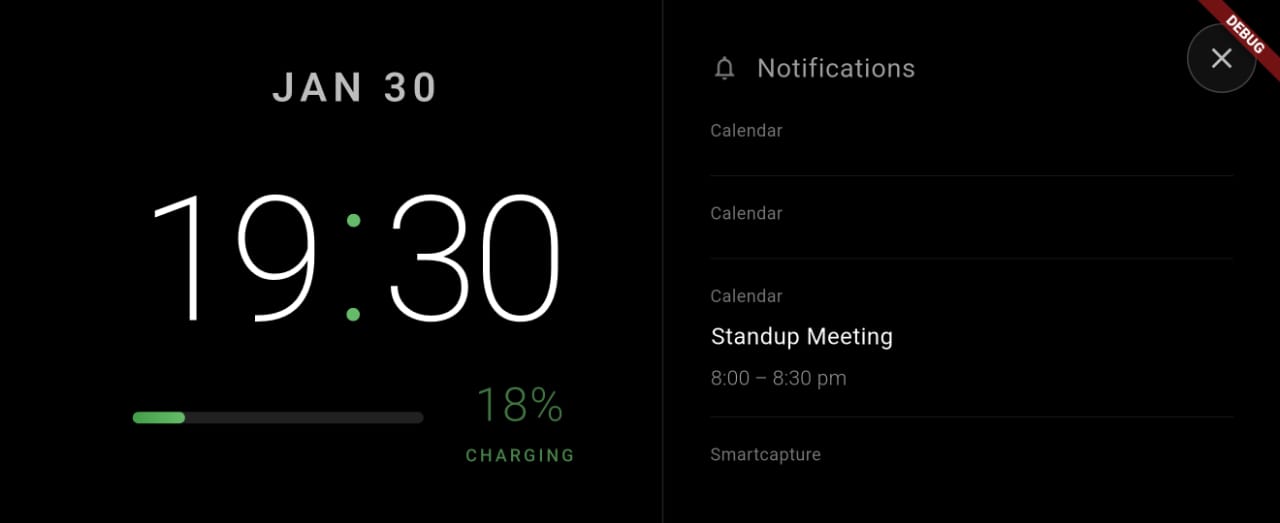
- Charging animations with mesmerizing water drop effects
- Landscape standby mode for bedside charging
Deep Personalization
- Custom Behavior Instructions: Teach your Buddy how to talk to you
- Avatar Selection: Robot face or icon-based animations
- System Prompt Customization: Advanced users can modify the AI's core personality
- AI Model Selection: Choose between Gemini 2.0 Flash, 1.5 Pro, or 1.5 Flash
- Fine-Tuned Parameters: Adjust temperature, top-P, top-K, max tokens for response style
How We Built It
DeskBubby is a full-stack Dart monorepo—a unified ecosystem where backend and frontend share the same language, enabling type-safe communication and rapid iteration.
🏗️ Architecture
Frontend: Flutter 3.32.0
- Riverpod Code Generation: Type-safe state management with 20+ auto-generated providers
- Platform Channels: Kotlin integration for native Android features (flashlight, Bluetooth, WiFi, volume, system controls)
- LLM Emotions Package: Powers the avatar's emotional animations with Flux controller for smooth transitions
- Material Design 3: Custom neo-minimalist theme with Swiss grid system
- Custom Widgets: Line art icons, grid backgrounds, minimalist number selectors, frequent apps carousel
- Real-time Streaming: WebSocket-like streaming for live AI responses
Backend: Serverpod 3.1.1 The rising star of Dart backends—chosen for its:
- Auto-Generated Endpoints: Define endpoints once, client code generates automatically
- Type-Safe Protocols:
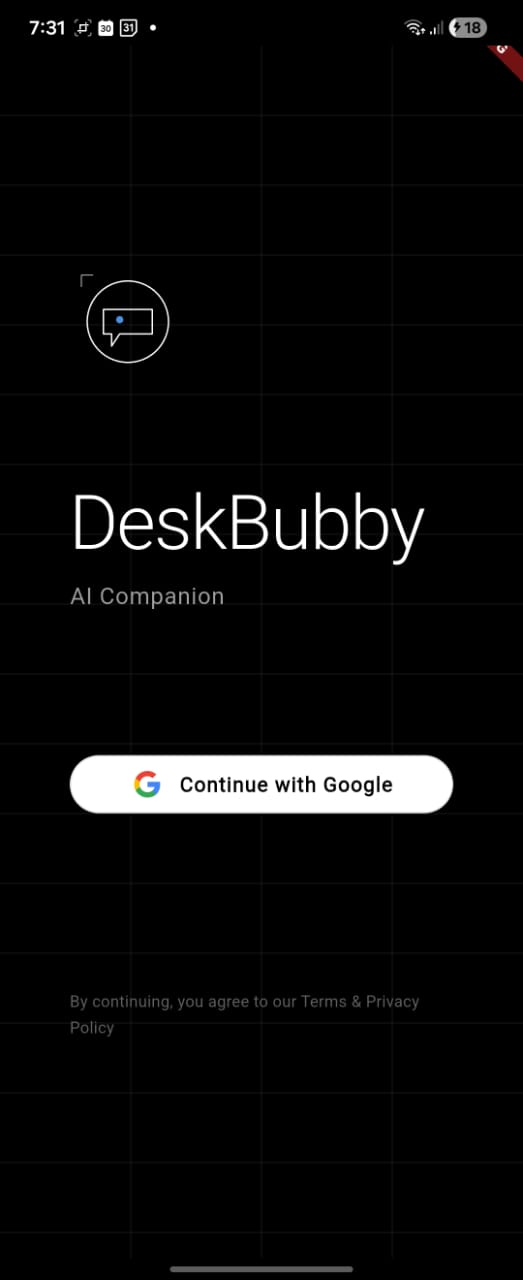
.spy.yamlfiles become Dart classes on both client and server - Built-in Auth: JWT tokens + Google OAuth integration out-of-the-box
- Database Migrations: PostgreSQL schema management handled seamlessly
- Streaming Support: Server-sent events for real-time AI chat
- Serverpod Insights: Admin dashboard on port 8081 for monitoring
Database: PostgreSQL with pgvector
- User Profiles: Screen time goals, voice preferences, custom behaviors
- App Usage Tracking: Server-side logging with pattern analysis indexes
- Auth Tables: Managed by
serverpod_auth_idp_server - Migration System: Schema versioning with automatic migration application
Cache: Redis
- Session storage for JWT tokens
- High-performance caching layer
- Reduces database load for frequent queries
AI Integration: Google Gemini
- Gemini 2.0 Flash Experimental: Primary model for real-time responses
- Gemini 1.5 Pro: Available for complex reasoning tasks
- Gemini 1.5 Flash: Fallback for faster, lighter responses
- JSON Mode Enforcement:
responseMimeType: 'application/json'guarantees structured output - System Instructions: Extensive prompt engineering teaches Gemini device control
- Streaming Responses: Chunk-by-chunk delivery for instant feedback
- Configurable Parameters: Temperature, top-P, top-K, max tokens all adjustable
🔧 Key Technologies
State Management:
riverpod+riverpod_annotation- Code generation for providersflutter_riverpod- Widget integration- AsyncValue pattern for loading/error/data states
- Family modifiers for parameterized providers
Authentication:
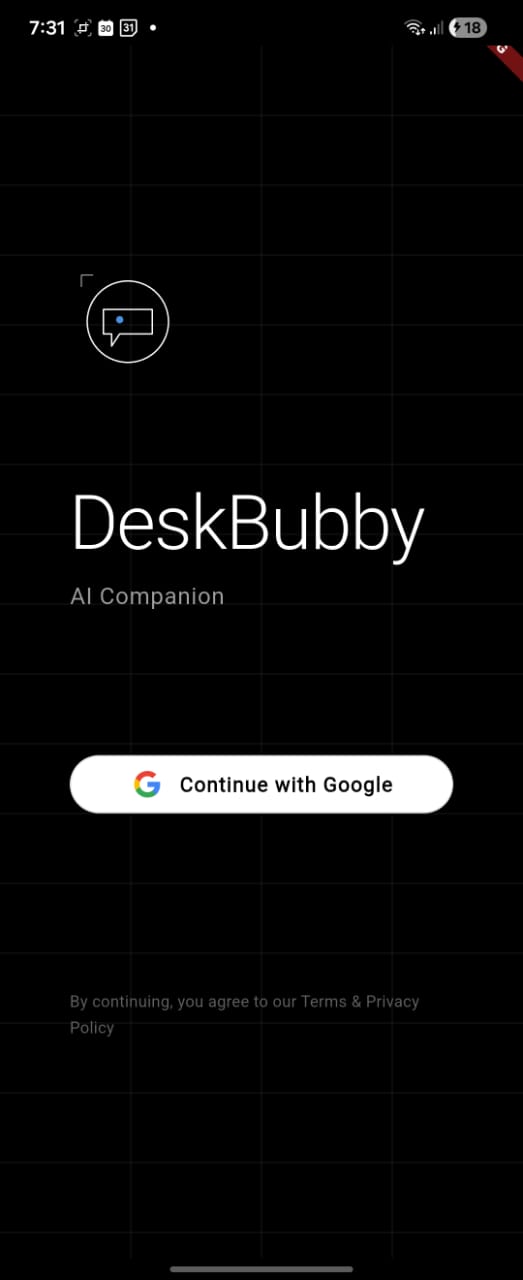
firebase+google_sign_in- Google OAuth 2.0flutter_secure_storage- Encrypted credential storage- JWT tokens with automatic refresh
- Session restoration on app launch
Platform Integration:
android_intent_plus- Intent executionnotification_listener_service- System notification accessapp_usage- Screen time statistics (PACKAGE_USAGE_STATS)battery_plus- Battery monitoringconnectivity_plus- Network state trackingscreen_brightness+volume_controller- Device control
Voice & Speech:
speech_to_text- Real-time voice inputflutter_tts- Text-to-speech with voice customization- Platform-specific audio routing
Local Storage:
shared_preferences- Config and frequency datasqflite- App frequency tracking databaseflutter_secure_storage- Sensitive credentials
Code Generation:
serverpod_cli- Server endpoint and protocol generationbuild_runner- Riverpod provider generationserverpod_serialization- JSON serialization
🎨 Design System
Neo-Minimalist Philosophy:
- Swiss Grid Layout: 4-column vertical grid with 48px baseline
- AMOLED Dark Theme: Pure black (#000000) background for battery savings
- Single Accent Color: Blue (#4A90E2) for focused attention
- Line Art Aesthetic: Minimal vector icons and UI elements
- Typography: Monochromatic scale from white to grey
- CustomPaint Grid: Rendered grid lines for visual structure
- Negative Space: Generous padding and spacing for breathing room
Challenges We Ran Into
1. Teaching an AI to Control a Phone
The biggest challenge was prompt engineering the Smart Intent System. Getting Gemini to consistently return valid JSON with the correct intent structure required:
- Hundreds of examples in the system prompt
- Clear rules: "OUTPUT EXACTLY ONE JSON OBJECT PER RESPONSE"
- Trial-and-error with temperature settings (0.5-0.7 optimal)
- Extensive testing of edge cases ("turn on wifi" vs "enable wifi" vs "wifi on")
We also had to handle intent execution failures gracefully—permissions denied, apps not installed, invalid settings on certain Android versions. The IntentExecutor grew to 15+ specialized handler methods.
2. Background Processes Without Battery Drain
Keeping the AI Buddy "alive" (idle animations, notification listening, usage tracking) while maintaining battery efficiency was an intricate balancing act:
- Implemented idle state timers (30s look-around, 40s sad)
- Used
NotificationListenerServiceefficiently with max 500 notification limit - Optimized app frequency tracking with debouncing
- Cached installed apps list to avoid constant platform channel calls
3. Real-Time Streaming UI
Building a chat interface that handles streaming AI responses while parsing JSON and updating emotional states required:
- Accumulating chunks until complete response received
- Parsing JSON while handling potential malformed chunks
- Coordinating avatar emotion transitions with intent execution
- Managing three view modes (Chat List, Live View, Log View) with shared state
4. Cross-Device Server Communication
Getting Flutter apps on physical Android devices to talk to localhost servers was initially confusing:
- Android can't reach
localhostor127.0.0.1 - Solution: Use PC's local IP (
192.168.1.x) with--dart-define=SERVER_URL - Both devices must be on same WiFi network
- Firewall/VPN issues needed documentation
5. Platform Channel Complexity
Integrating Kotlin platform channels for native Android features required learning:
- MethodChannel communication patterns
- Permission request flows (runtime vs manifest)
- Activity result handling
- Hardware capability detection (does device have flash?)
6. Code Generation Synchronization
With three layers of code generation (Serverpod server, Serverpod client, Riverpod providers), keeping everything in sync was challenging:
- Created clear workflow:
.spy.yaml→serverpod generate→flutter pub get→build_runner build - Documented the auto-generated directories to avoid editing them
- Set up CI/CD to catch generation mismatches
Accomplishments We're Proud Of
🏆 The Smart Intent System That Actually Works
We didn't just build a chatbot—we built a natural language OS interface. The fact that you can say "turn on my flashlight" and it just works is magical. Watching users realize they can control their entire phone through conversation is a genuine wow moment.
🎭 Avatar Sentience
The avatar isn't decoration—it's genuinely expressive. The transition choreography (thinking → connected → final emotion) creates the illusion of a living entity processing your request. When it looks around after 30 seconds of inactivity, users report feeling like they're neglecting a pet. That's emotional design done right.
🧠 AI Notification Summaries
Turning 47 chaotic notifications into a 2-sentence summary with action items is genuinely useful AI. This isn't a gimmick—it's a feature that saves users real time and mental energy every single day.
🚀 Full-Stack Dart Architecture
Building the entire stack in Dart—from database models to UI widgets—creates incredible developer velocity. Type-safe protocols mean we catch bugs at compile time, not runtime. Serverpod's auto-generation means adding a new endpoint takes minutes, not hours.
📊 Screen Time Insights That Change Behavior
The combination of usage tracking, goal setting, and AI-powered suggestions creates a behavior change loop. Users report genuinely reducing screen time after seeing their usage patterns visualized.
🎨 Neo-Minimalist Design System
The Swiss grid aesthetic isn't just beautiful—it's functional. The 4-column layout creates visual harmony, the AMOLED black saves battery, and the line art keeps cognitive load low. Design and engineering working in perfect harmony.
What We Learned
RAG in Mobile is the Future
Integrating Retrieval-Augmented Generation in a mobile context revealed new possibilities:
- Using installed app lists as retrieval context for app launches
- Incorporating notification history for smarter summaries
- Leveraging usage patterns for predictive suggestions
- Combining device state (battery, connectivity) with AI decision-making
Emotional AI Changes UX Fundamentals
Traditional UI design is about reducing friction. Emotional AI introduces intentional friction through personality:
- A sad avatar makes you reconsider opening TikTok
- A happy avatar reinforces positive behaviors
- A thinking avatar creates anticipation and trust
- Emotional states communicate system status better than loading spinners
Voice-First is More Natural Than We Expected
Users gravitate toward voice input even when typing is faster. There's something psychologically satisfying about talking to your device like a person and having it understand context, tone, and intent.
Serverpod is Production-Ready
We validated that Serverpod 3.x is absolutely production-grade:
- Auto-generated code is clean and maintainable
- Built-in auth handles real-world edge cases
- Database migrations work seamlessly
- Streaming support enables real-time features
- Developer experience is exceptional
Type Safety Across the Stack is a Superpower
Having the same .spy.yaml file generate both client and server code means:
- Breaking changes are caught immediately
- No API contract drift
- Refactoring is safe and fast
- Documentation is the code itself
Battery Optimization Requires Constant Vigilance
Background services on Android are a privilege, not a right. We learned:
- Idle state management is critical
- Cache aggressively, query sparingly
- Platform channels have overhead—batch calls when possible
- Users will uninstall if battery drain is noticeable
What's Next for DeskBubby — AI Launcher
The vision is just beginning to unfold.
🔮 Planned Features
Advanced AI Capabilities:
- Offline AI with Local Models: Integration with on-device LLMs (Gemma, Phi) for privacy-first operation
- Multi-Turn Intent Chains: "Set an alarm for 7 AM, then turn on DND" → execute multiple intents sequentially
- Context Memory: Remember previous conversations and user preferences across sessions
- Proactive Suggestions: "You usually open Spotify at 8 AM. Play your morning playlist?"
Deeper Personalization:
- Custom Avatar Creation: Upload your own avatar or create one with AI art generation
- Personality Profiles: Choose from predefined personalities (Professional, Casual, Witty, Zen)
- Behavioral Automation: "When I arrive at work, silence social media apps automatically"
- Adaptive Learning: The more you use it, the better it predicts your needs
Enhanced Physical Presence:
- 3D Holographic Avatar: Depth-based rendering for true 3D appearance
- Advanced Animations: More expressive gestures and reactions
- Sound Design: Unique audio cues for different emotions and actions
- Haptic Language: Custom vibration patterns that communicate meaning
Smart Home Integration:
- IoT Control: "Turn off my bedroom lights" via Home Assistant, Google Home, Alexa
- Routine Automation: "Good morning" routine turns on lights, reads news, starts coffee maker
- Cross-Device Sync: Your Buddy's state syncs across phone, tablet, smart display
Social & Gamification:
- Screen Time Challenges: Compete with friends to reduce usage
- Achievement System: Unlock new avatar expressions by hitting goals
- Shared Intents: Share custom intent commands with the community
- Buddy Marketplace: Download community-created avatar skins and behaviors
Developer Platform:
- Plugin System: Third-party developers can add custom intents
- SDK for Intent Creation: Visual builder for non-developers
- Intent Repository: Community-contributed intent library
- Webhook Integration: Trigger external services via natural language
Platform Expansion:
- iOS Support: When Apple allows launcher replacements (or via widget-based approach)
- Desktop Widget Mode: DeskBubby on Windows/Mac as a desktop companion
- Web Dashboard: Manage settings and view analytics from any browser
- Wear OS Integration: Buddy on your wrist for quick voice commands
Enterprise Edition:
- Team Screen Time Goals: Help organizations promote digital wellness
- Analytics Dashboard: Aggregate insights for workplace productivity
- Custom Branding: White-label for corporate wellness programs
- Compliance Features: HIPAA/GDPR-compliant usage tracking
🌐 Multi-Language Support
- Expand system prompts for 20+ languages
- Localized intent parsing (e.g., "打开WiFi" in Mandarin)
- Cultural adaptation of avatar emotions
- Regional app name recognition
📱 Advanced Usage Analytics
- Addiction Patterns: Identify doom-scrolling triggers
- Productivity Insights: Correlate app usage with time of day, location, calendar events
- Social Comparison: Anonymous benchmarking against similar users
- Export & API: Download your data, integrate with health tracking apps
Technical Roadmap
Q2 2025:
- [ ] Multi-turn intent chain execution
- [ ] Offline AI with Gemma Nano integration
- [ ] Custom avatar upload and editor
- [ ] Smart home integration (Home Assistant)
- [ ] Plugin SDK alpha release
Q3 2025:
- [ ] iOS widget-based version
- [ ] Web dashboard for settings management
- [ ] Intent marketplace launch
- [ ] Behavioral automation engine
- [ ] 3D holographic avatar rendering
Q4 2025:
- [ ] Desktop companion apps (Windows, Mac, Linux)
- [ ] Wear OS version
- [ ] Multi-language support (10+ languages)
- [ ] Enterprise edition beta
- [ ] Advanced ML usage prediction
2026 and Beyond:
- [ ] Full iOS launcher (pending Apple policy changes)
- [ ] AR/VR avatar integration
- [ ] Brain-computer interface exploration (voice-free control)
- [ ] Federated learning for privacy-preserving personalization
- [ ] DeskBubby OS (custom Android ROM?)
Why DeskBubby Matters
In a world where attention is the new currency, DeskBubby is a rebellion.
It's not about making you more productive so you can work harder. It's not about optimizing your dopamine hits for maximum engagement.
It's about reclaiming agency over your digital life.
Your phone should be a tool that serves you, not a slot machine designed to exploit your psychology. DeskBubby gives you a companion that's genuinely on your side—one that helps you use your device less, not more.
When your Buddy looks sad because you've been scrolling for an hour, it's not judgment. It's empathy. When it celebrates you hitting your screen time goal, it's genuine joy. When it executes your commands flawlessly, it's respect for your time and attention.
DeskBubby isn't just a launcher. It's a companion for a calmer, more intentional digital life.
**Built with ❤️ using Flutter, Serverpod, and Google Gemini AI** *Join us in reimagining what our devices can be.*


Log in or sign up for Devpost to join the conversation.