-
-
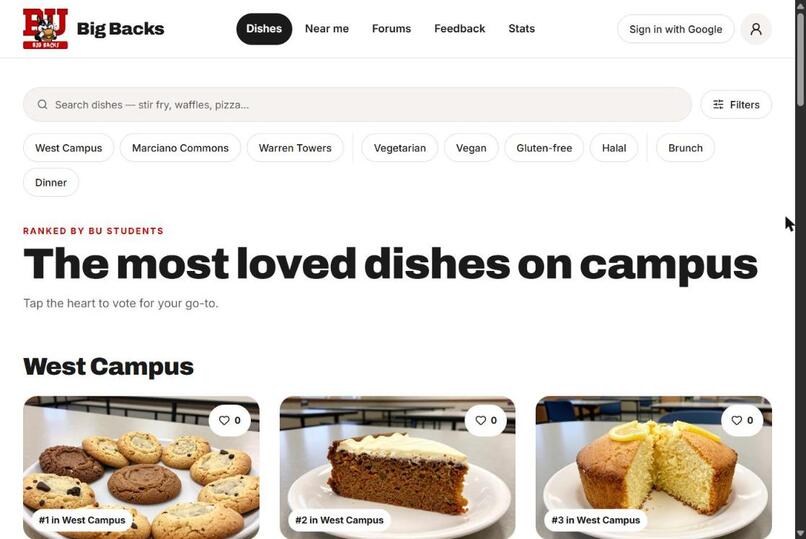
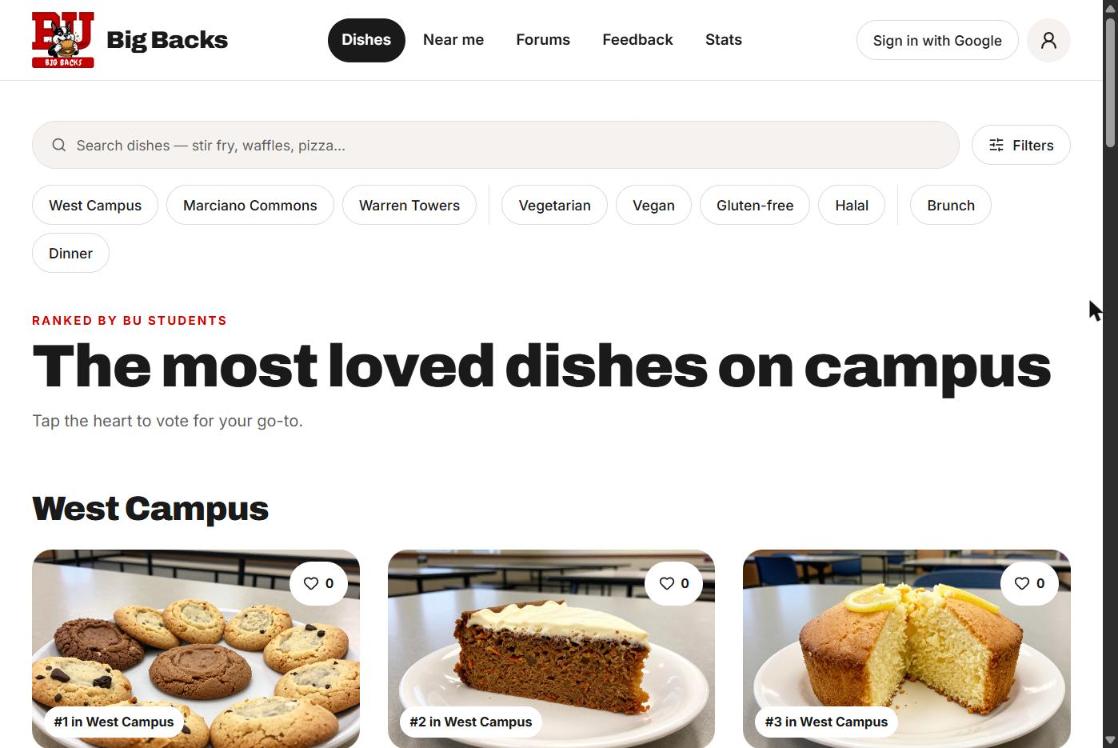
Home: the most loved dishes at each dining hall, with search and diet filters
-
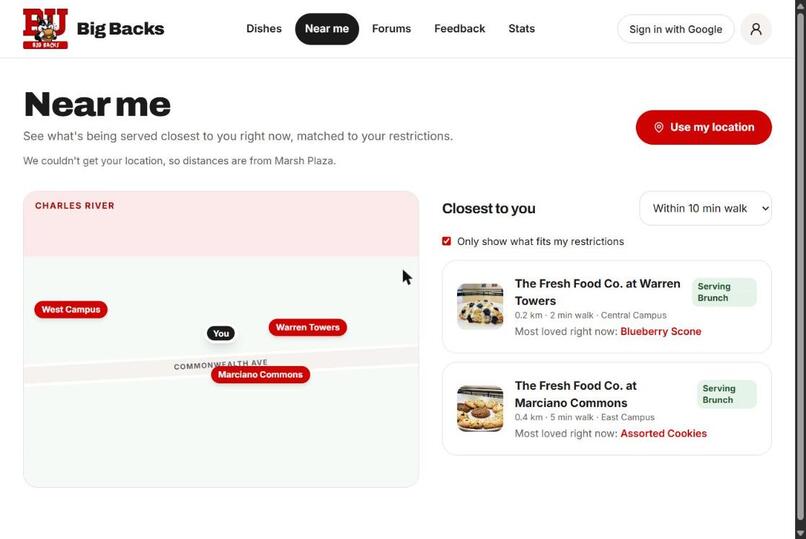
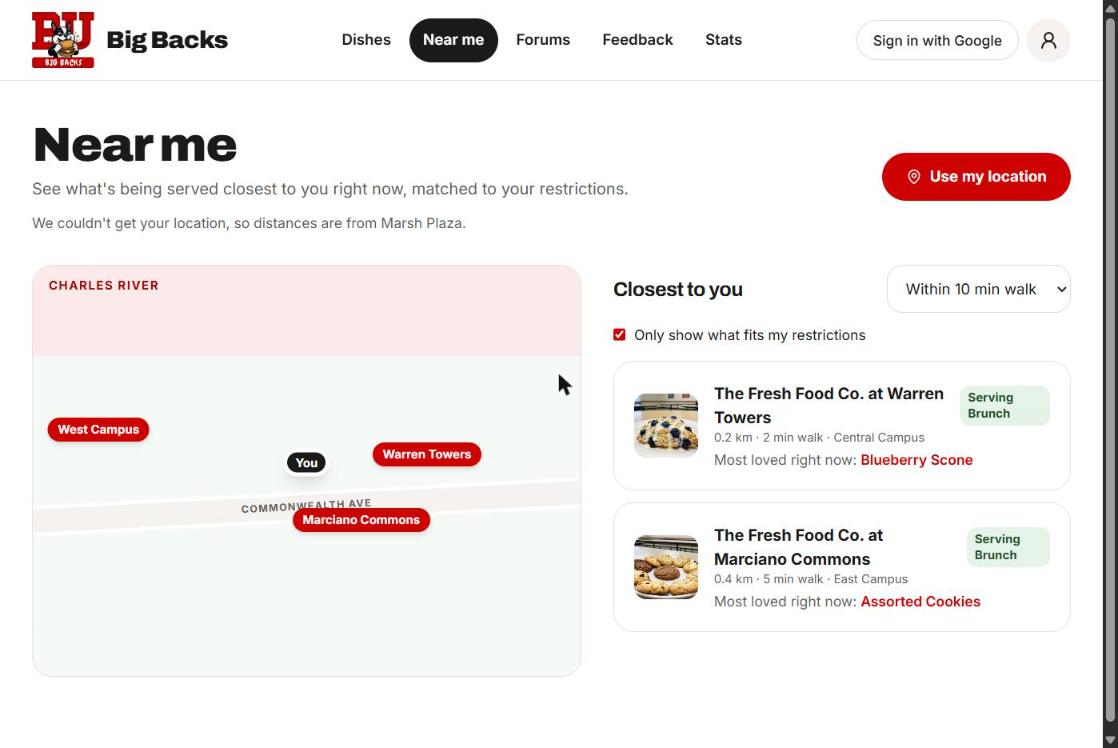
Near me: what's being served at the closest halls, matched to your restrictions
-
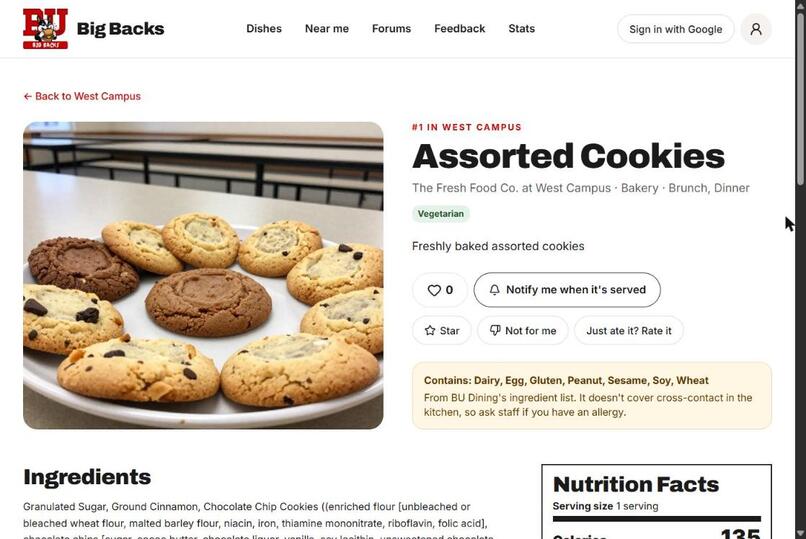
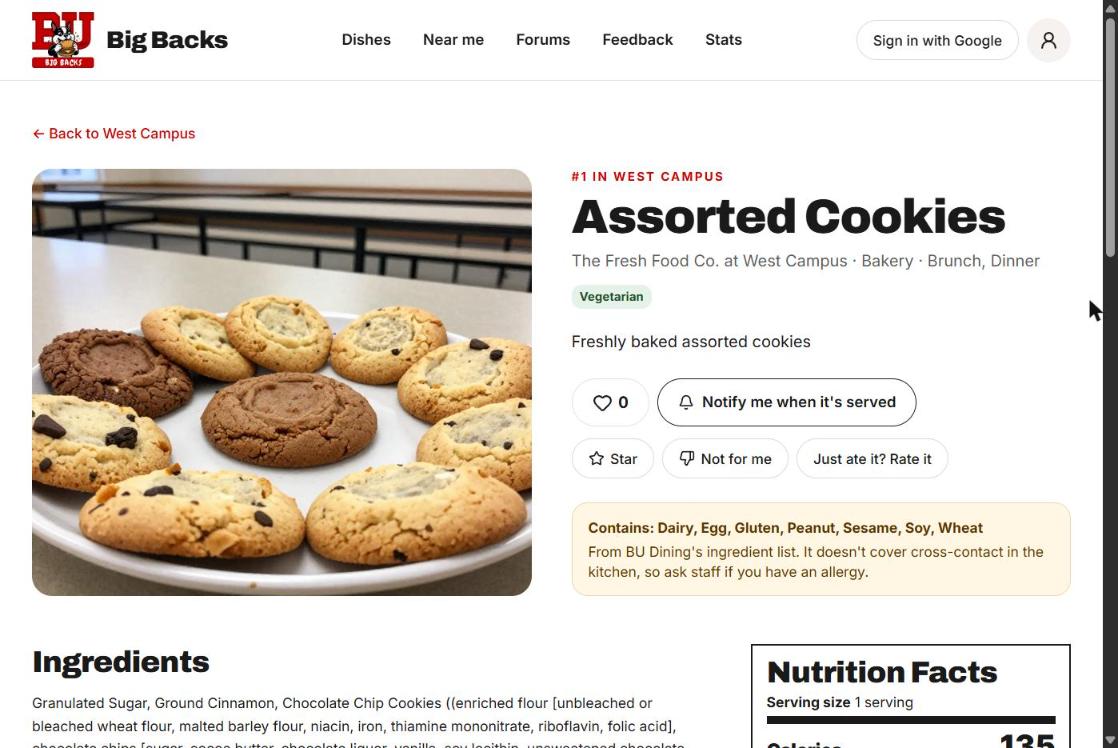
Dish page: description, allergens, ingredients and nutrition facts
-
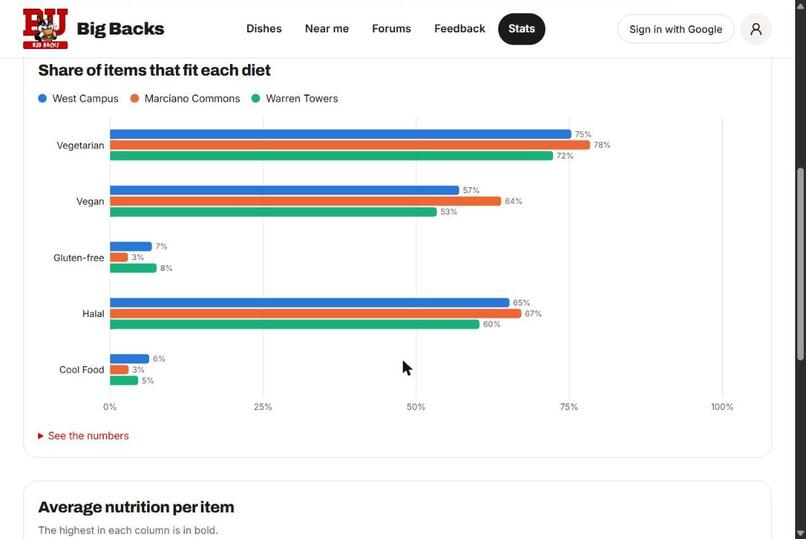
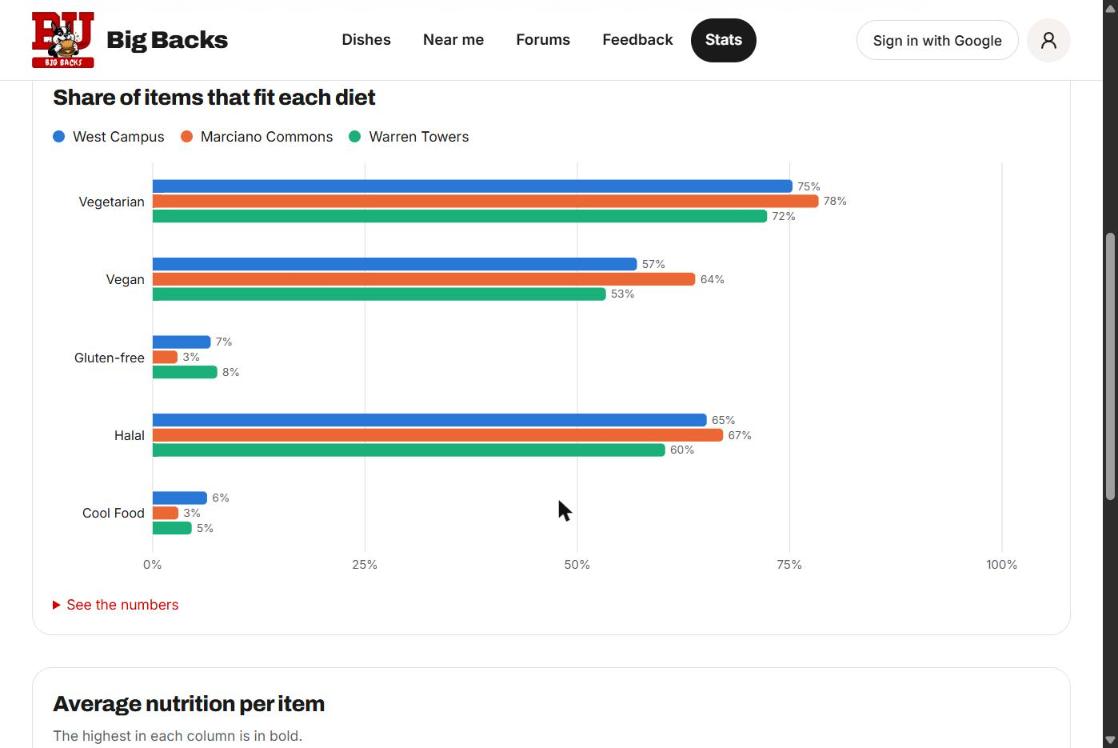
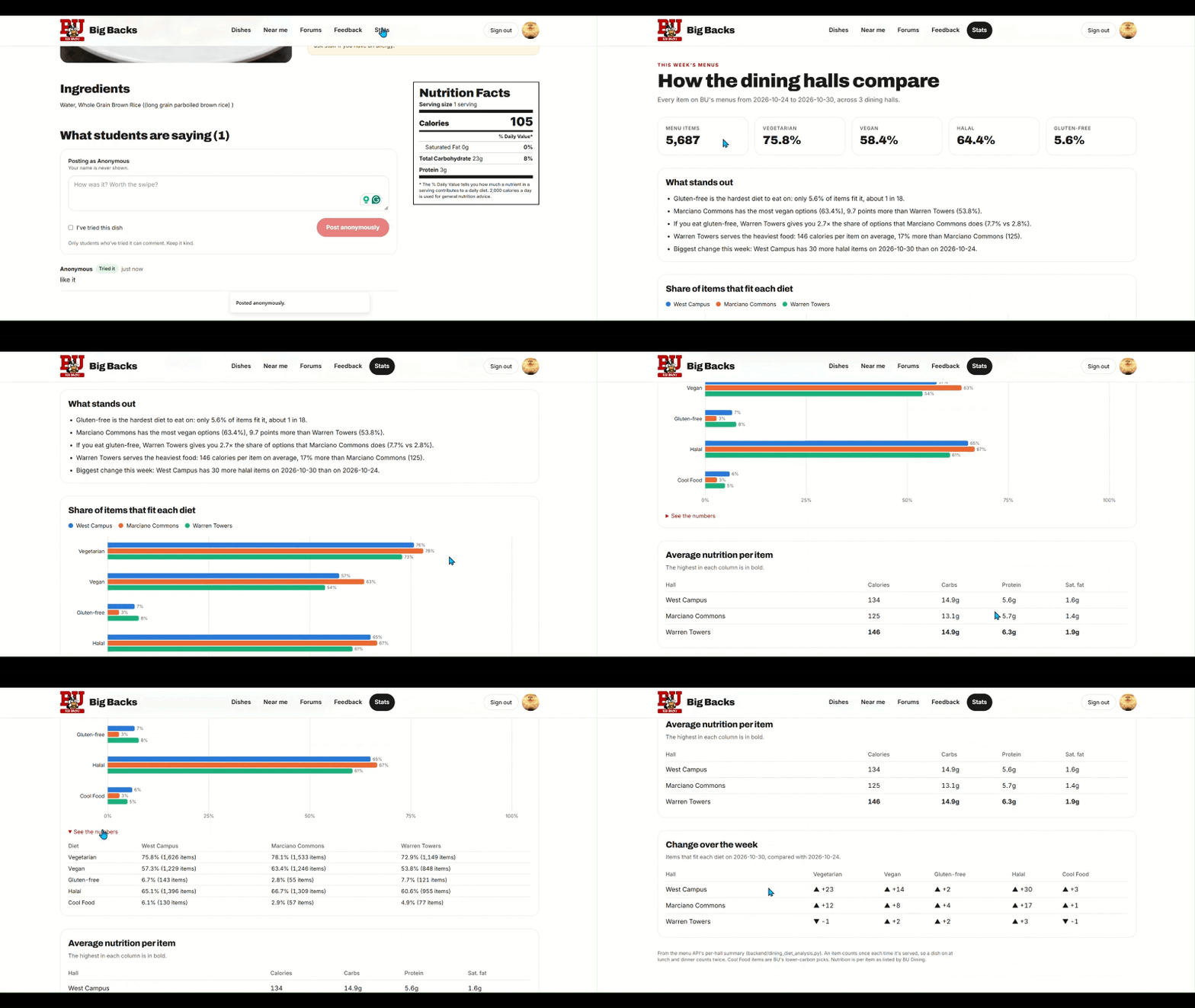
Share of items that fit each diet, by dining hall
-
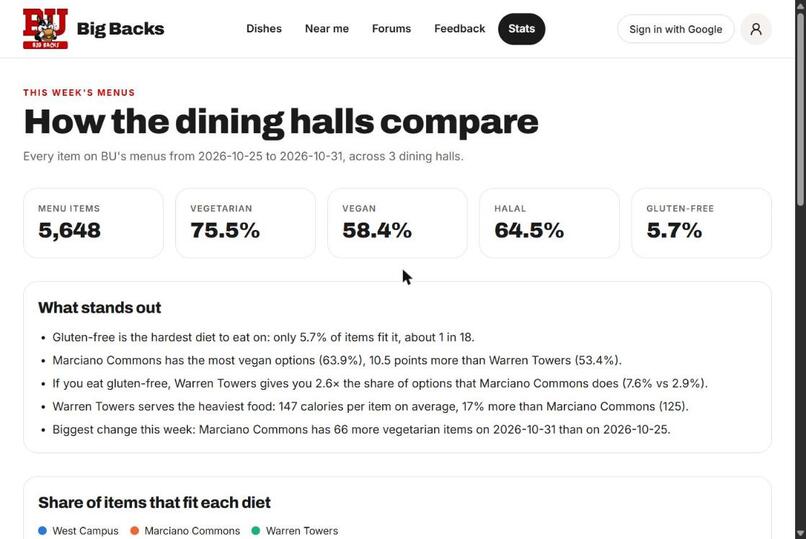
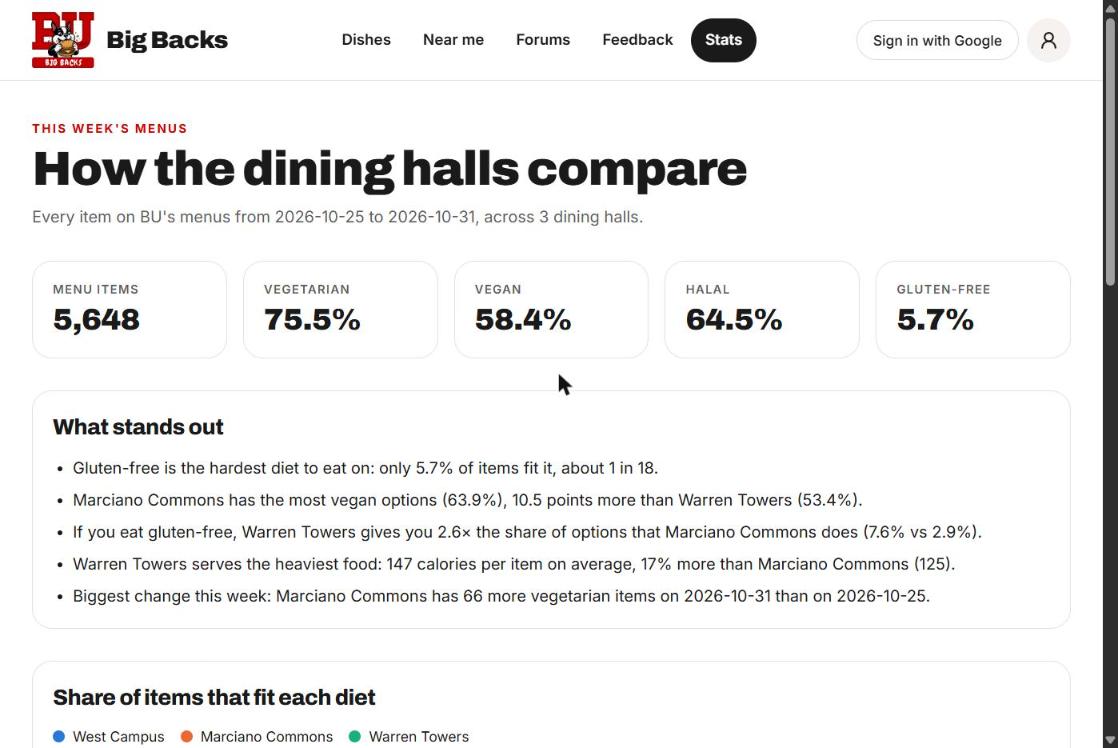
Stats: how the dining halls compare on dietary coverage this week
-
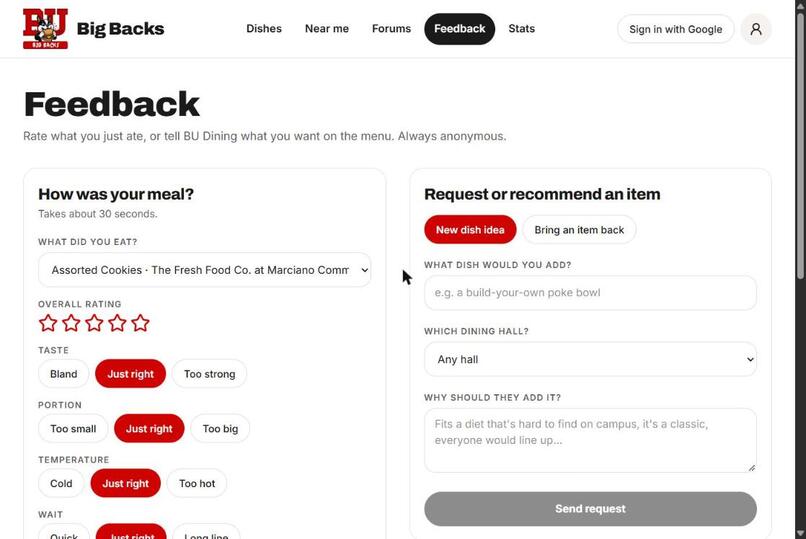
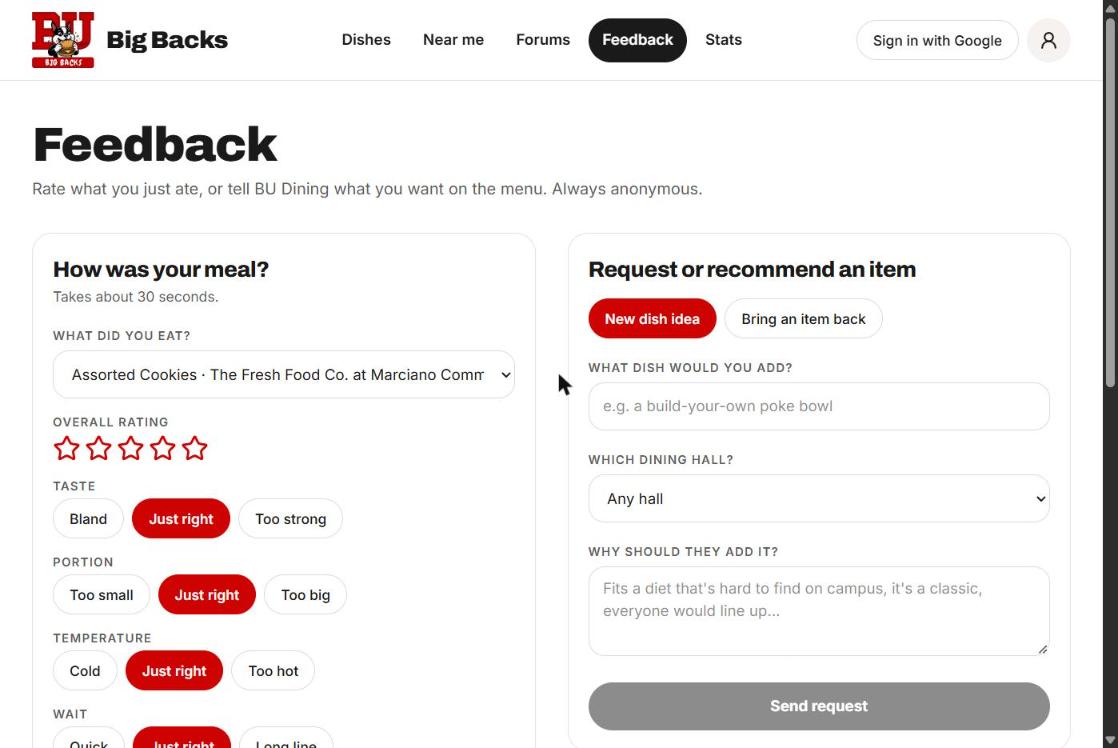
Anonymous feedback: rate a meal or request a new dish
-
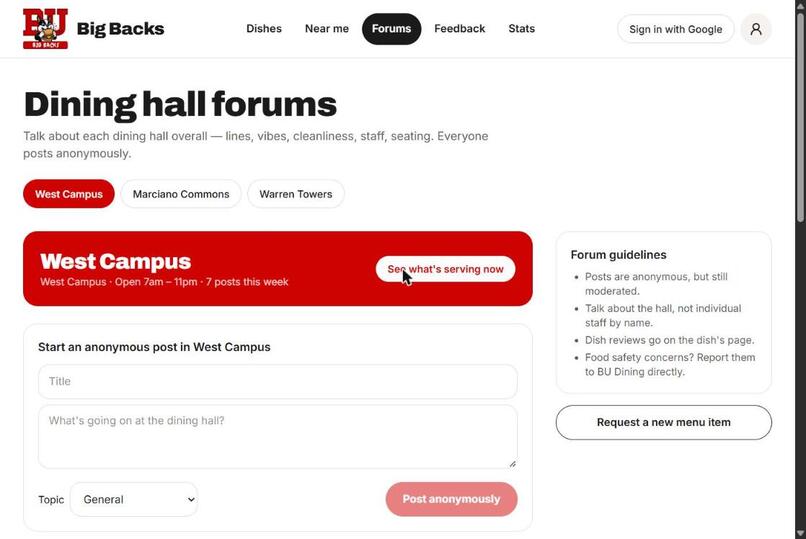
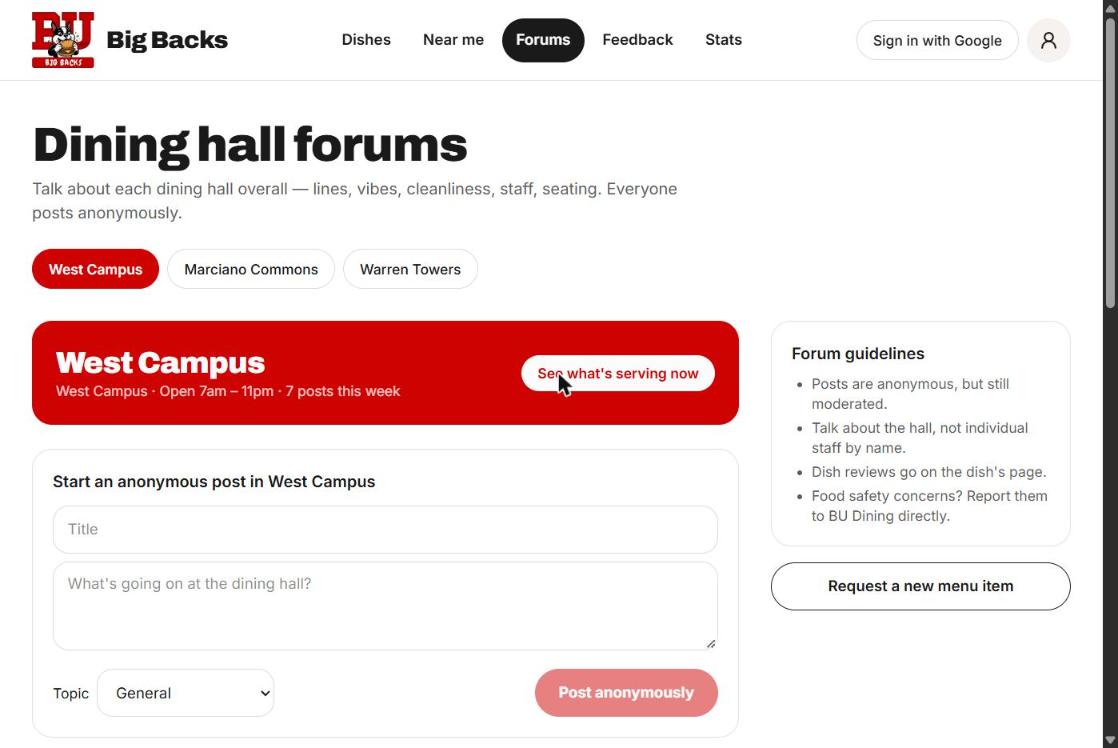
Dining hall forums: anonymous threads for each hall
-
 GIF
GIF
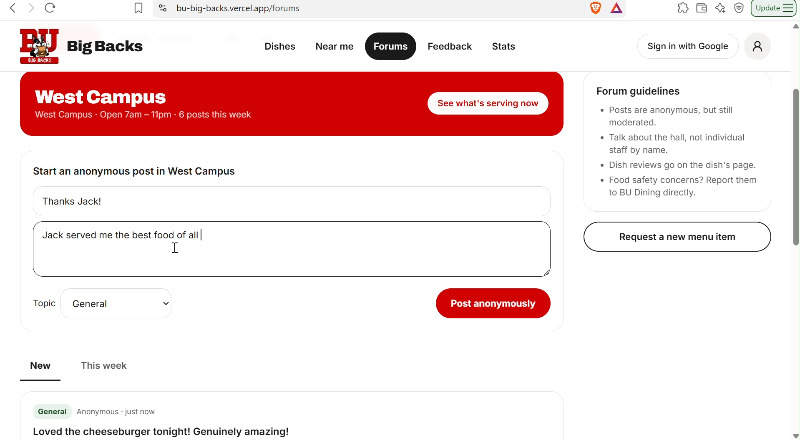
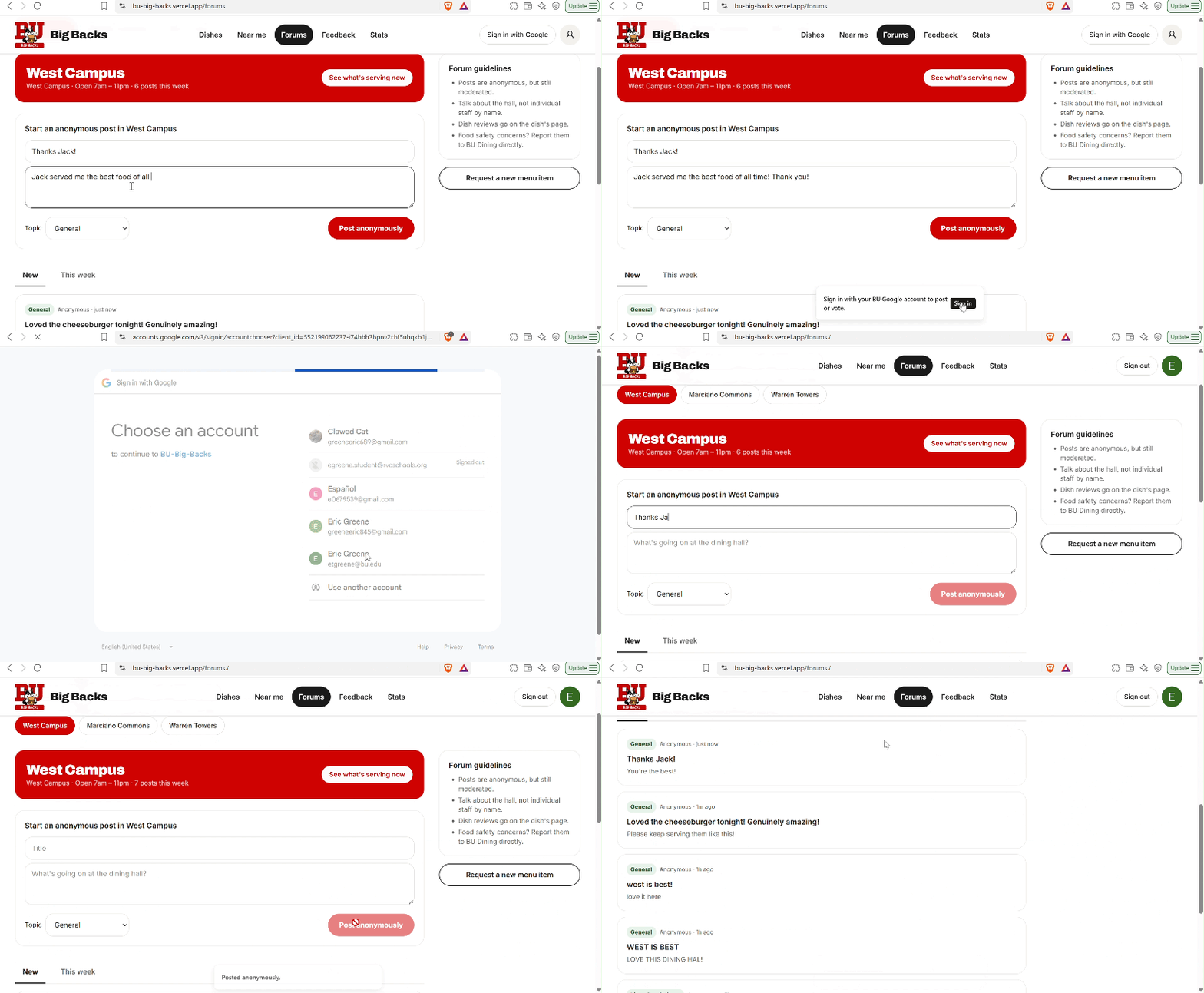
Posting anonymously in a dining hall forum
-
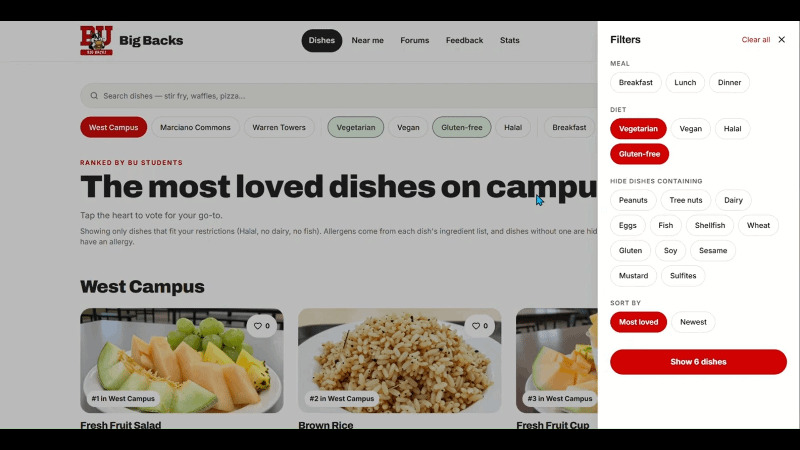 GIF
GIF
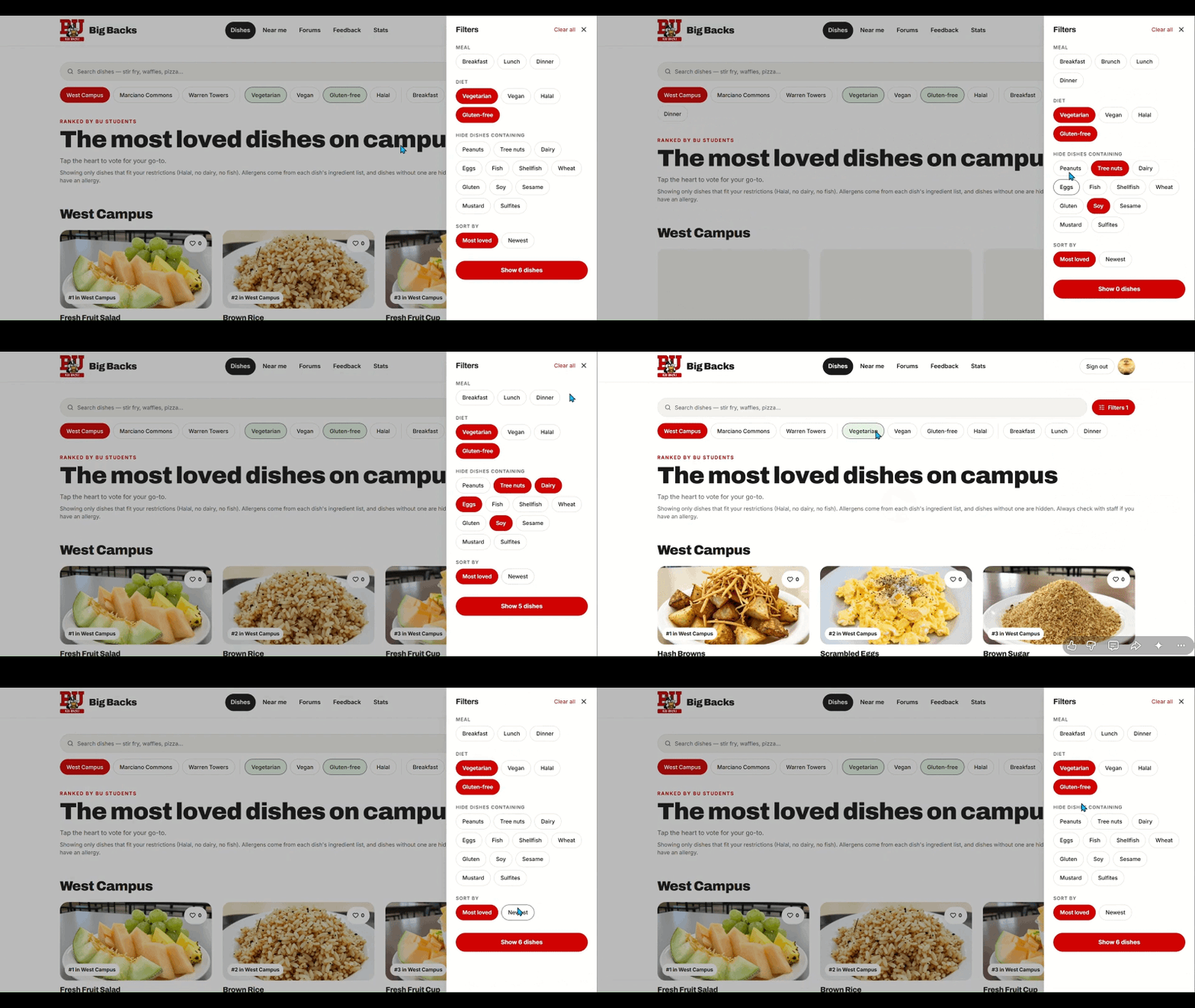
Filtering dishes by dining hall, meal, diet and allergen
-
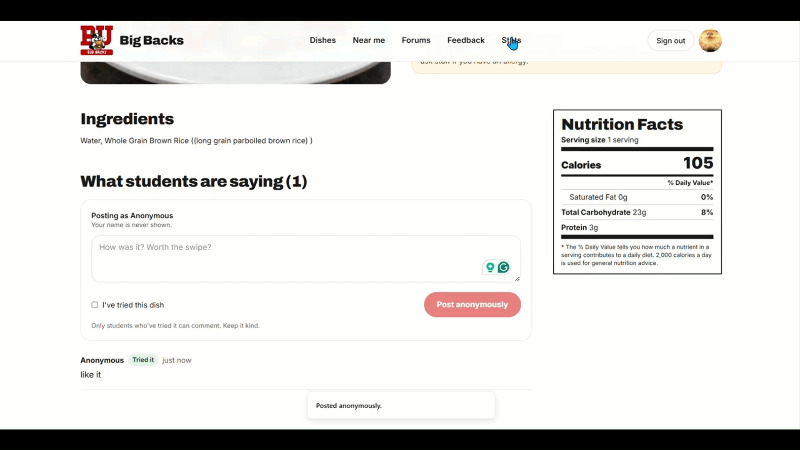 GIF
GIF
Leaving a comment on a dish
-

The BU Big Backs logo. Big eats, big backs!

Inspiration
BU's dining hall menus live on separate sites in different formats. That makes it hard to find a meal that fits your diet, especially if you have allergies or dietary restrictions. We wanted one place where students could see everything being served, filter it to what they can actually eat, and find out what other students love. Big eats, big backs!
What it does
BU Big Backs pulls the menus from the three Fresh Food Co. halls (West Campus, Marciano Commons and Warren Towers) into one app.
- Search and filter every dish on campus by name, hall, meal, station, diet (vegetarian, vegan, gluten-free, halal, Cool Food) or allergen
- Dish details: description, ingredients, nutrition facts, allergens and student comments
- Most loved dishes: tap the heart to like a dish, and the home page ranks the favorites
- Near me: what's being served at the closest halls, matched to your restrictions
- Dining hall stats: compares halls on dietary coverage and nutrition over time, so dining staff can spot gaps
- Anonymous feedback and forums: rate a meal, comment on a dish, request a new one, or post in each hall's thread
- Profile: save your dietary restrictions, allergies, home hall and meal plan, with optional Google sign-in
How we built it
- Frontend: TanStack Start, React 19, TypeScript, Tailwind CSS and shadcn/ui, with file-based routing (one file per page)
- Database and auth: Supabase (Postgres + Google OAuth), with migrations managed in Drizzle
- Backend: a Python standard-library HTTP server that serves a JSON API (
/api/menu,/api/items,/api/stats,/api/metadata) - Data: BU's public Dining API. A poller pulls a 7-day menu window on startup and once a day after that. We turn the menu snapshots into pandas dataframes and use pandas and numpy to build the per-hall diet and nutrition summary behind the stats page.
- Dish photos: generated with a script so every dish has an image
Challenges we ran into
- Each hall's menu data comes in a different shape, so we had to normalize it into one format before we could search or filter across halls.
- Keeping menus fresh without hammering the API meant building a daily poller and caching a week of menus locally.
- Wiring together a TypeScript frontend, a Python backend and Supabase auth, and getting them to talk cleanly in development.
What we learned
- How to clean and analyze real-world data with pandas and numpy
- How to design a small JSON API and connect it to a modern React frontend
- How to set up OAuth and a hosted Postgres database with Supabase
- That good data can help both sides: students find meals that fit their needs, and dining staff see where halls fall short
What's next
- Cover more dining locations for other colleges
- Use ratings and feedback over time to recommend dishes to each student by adding admin and moderation
Built With
- bun
- drizzle
- google-oauth
- numpy
- pandas
- postgresql
- python
- react
- shadcn-ui
- supabase
- tailwindcss
- tanstack
- typescript
- vite
- vitest


Log in or sign up for Devpost to join the conversation.