-
-
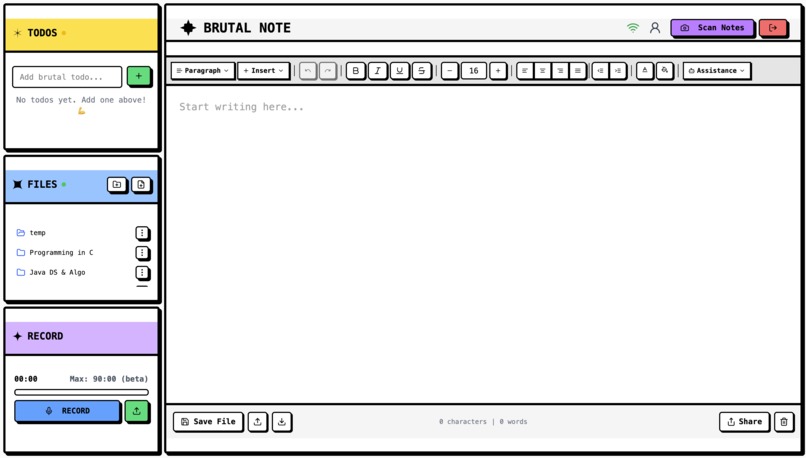
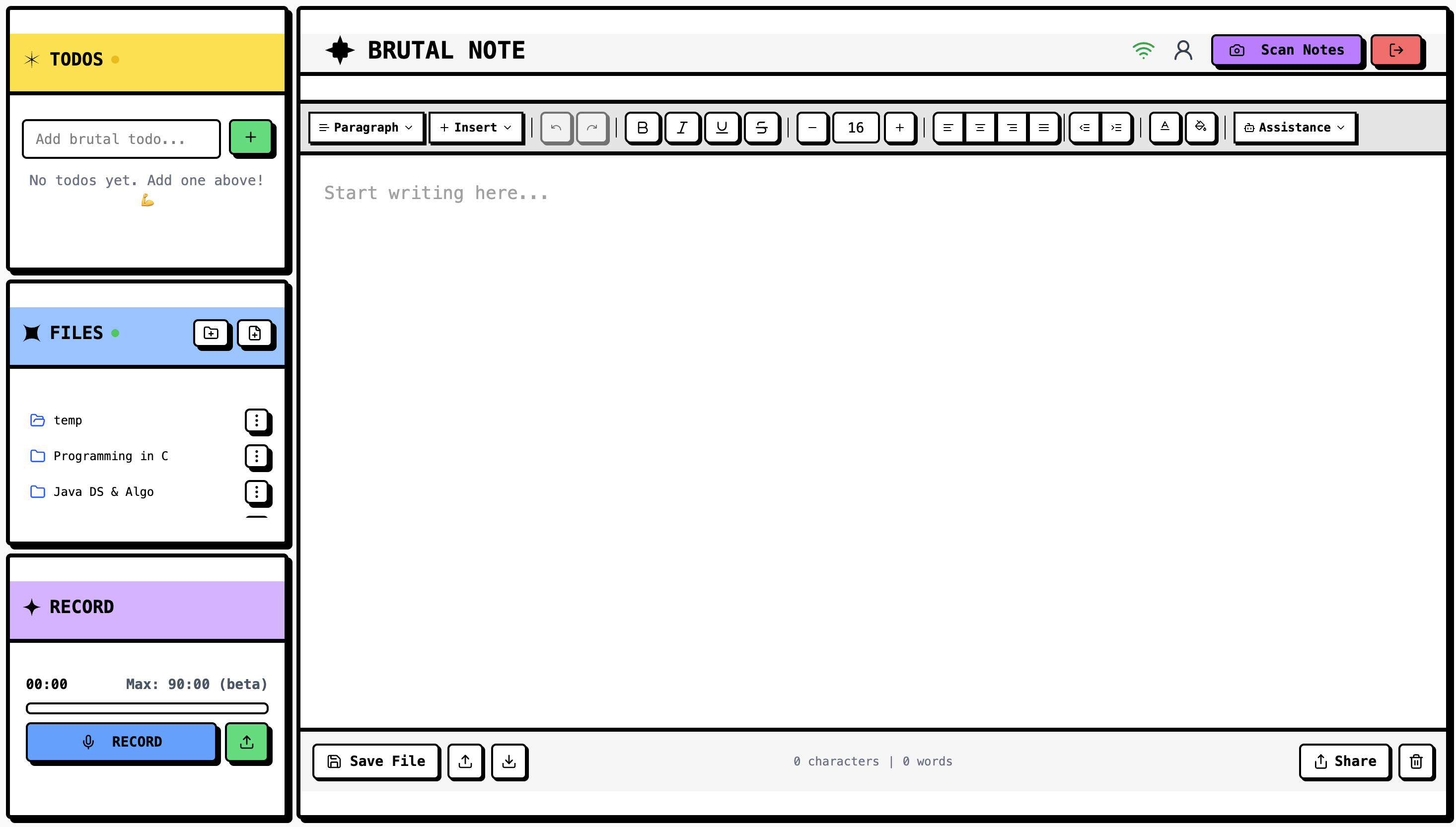
BrutalNote main editor, ToDo panel, Files panel, and Recording panel
-
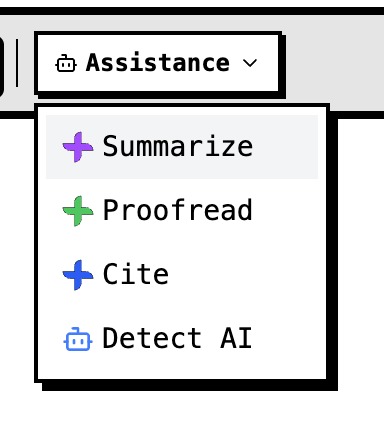
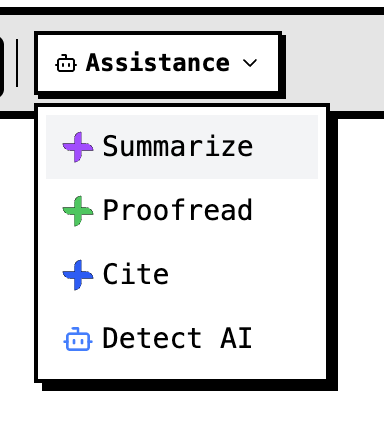
Assistance Toolbar
-
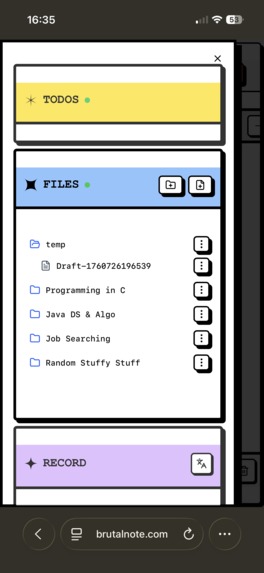
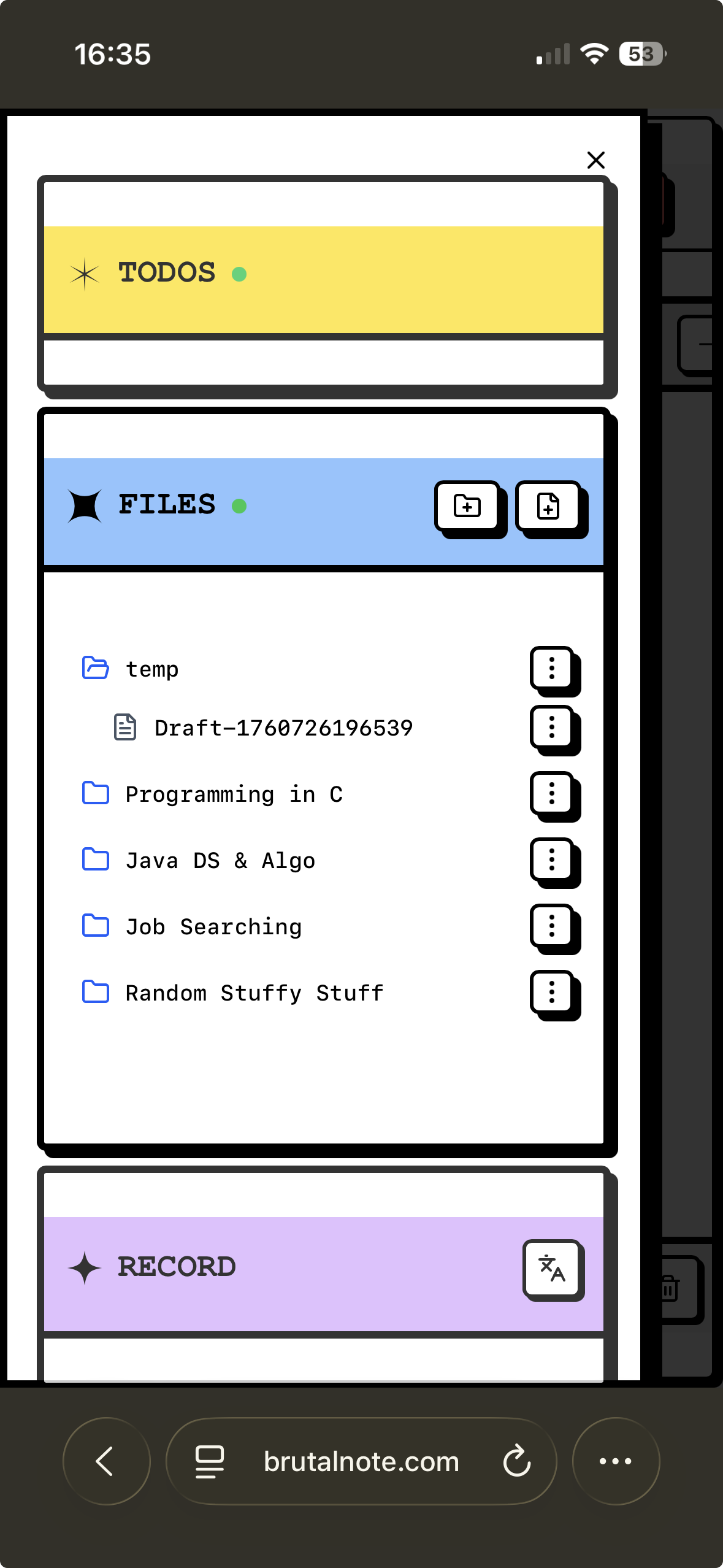
Panel view on mobile devices
-
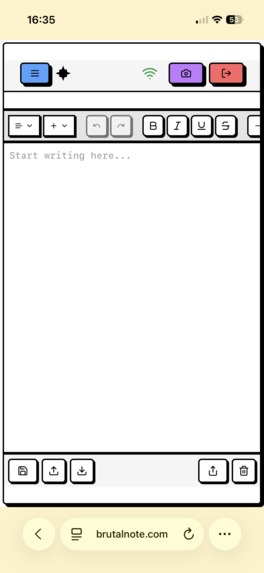
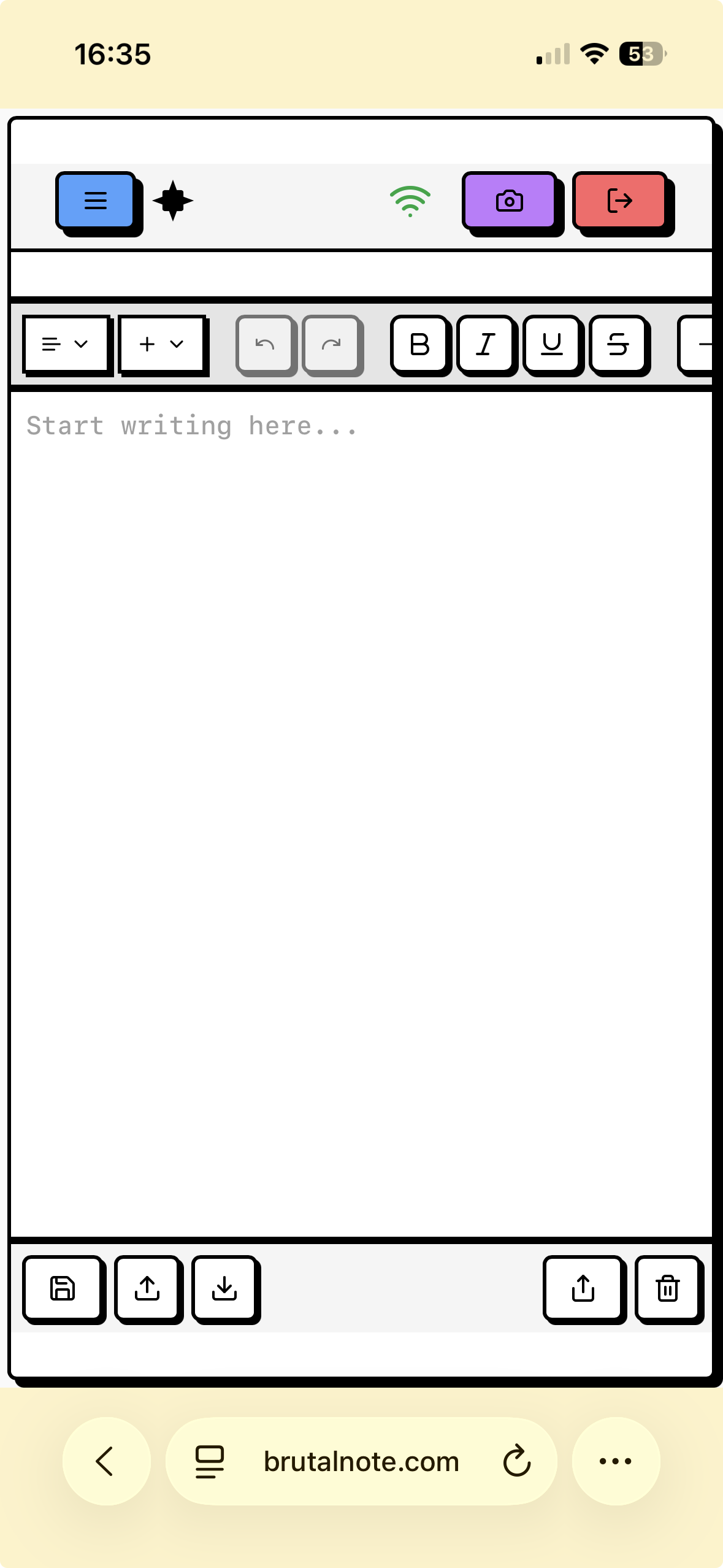
Main editor view on mobile devices
Inspiration ✨
We kept coming back to an interview where Sam Altman mentioned that his favorite productivity tool is a plain notepad, something fast enough to capture sparks before they fade. Most productivity suites feel like disguised procrastination: endless tabs, dopamine-heavy dashboards, and sync spinners that remind you you are waiting on the cloud. We wanted the opposite: an offline-first space that feels as immediate as jotting on paper, but smart enough to help you polish ideas the moment you need them. An app where we can open and immediately start taking notes.
What it does 🚀
So, we decided to do just that. Brutal Note stays helpful even when the network drops:
- Local IndexedDB storage keeps notes, todos, and folders editable instantly while offline.
- Background sync stitches local changes to Supabase as soon as a connection returns.
- Chrome Proofreader and Summarizer APIs provide one-click polish and quick executive summaries or grammar corrections.
- Firebase Hybrid AI logic helps you transcribe long audio-recorded lectures into understandable notes or scan your paper notes with your phone and make them markdown.
- FastAPI endpoints handle citation generation and AI content detection without breaking focus.
- A distraction-free interface keeps the core note-taking loop fast and calm with a nice style touch.
- For users that like to take notes on their tablets, we added excalidraw support, so that they can use epencils and insert them into their notes :)
- This is a simple feature, but I really like it. Its hidden commands. Like if you hold on 'cntrl' key on your keyboard and hover over the utility panels on the left, you can click any panel to 'focus' it. Which will make it bigger. Also, if you press 'cntrl' + 'alt' + 's' it will save any progress on the current note.
- Emoji typeahead - : trigger with friendly shortcodes and intelligent alias matching
How we built it 🛠️
We engineered the stack around an offline-first logic:
- React 19 with TypeScript and Vite using ShadCN gives us a fast, modern frontend foundation.
- Dexie-backed IndexedDB keeps local data authoritative and versioned for conflict awareness.
SyncServicedirects push and pull cycles, applies version checks, and maintains parent-child relationships for nested note trees.- FastAPI with Supabase auth powers secure APIs for citations, AI detection, and health monitoring.
- Chrome Proofreader, Summarizer and Prompt API integrations live in Lexical toolbar plugins so AI features load progressively.
- Firebase AI Logic converts recorded audio into structured lecture notes directly in the browser.
Challenges we ran into 🧗
Syncing was the big knot we had to untangle:
- IndexedDB had to remain authoritative offline while reconciling gracefully when Supabase reappeared.
SyncServiceneeded batching, version tracking, and last-write-wins logic to avoid collisions.- Rebuilding folder hierarchies required mapping server parent IDs back to local Dexie IDs in real time.
- Network hiccups surfaced duplicate runs, zombie notes, and stale merges, so we layered in event listeners, retry queues, and a conflict counter to keep user changes safe.
- Honestly, we spent most of our time here, trying to decide between libraries like electricSQL, watermelonDB, etc. But we decided to keep it simple with indexedDB and complicated with our sync service, haha.
From the Chrome AI API side of things, the main challenge we had was the hybrid ai logic, since audio processing is not available offline or on-device, so sadly this feature had to fallback on the cloud.
Accomplishments that we're proud of 🏆
- The sync loop now feels invisible even after hours offline, and every run still delivers that magic moment when notes reconcile.
- Chrome built-in AI features blend into the editor without clutter, with proofreading and summaries landing exactly where they should. We were impressed by how well the prompt api processed images, since the paper notes, once transcribed into markdown, were perfect. The same thing goes with our lecture transcriber and summarizer.
- Backend citation and AI detection endpoints round out the assistant features while keeping the UI lean and fast.
What we learned 📚
The project rewired our brains in the best way:
- Offline-first design makes local storage the true source of data while the cloud plays support.
- Conflict resolution, schema evolution, and status transparency only work when you plan for them from day one.
- Chrome AI runtime features reward capability checks, streaming downloads, and robust fallbacks.
- Simplicity remains the premium feature because the fastest note is still the one that is already open.
- We also learned a lot about video production. Daria spent a lot of time editing the app demo; we had hundreds of scenes in Jitter.
What's next for Brutal Note 🔮
We are already lining up the next set of experiments:
- A richer sync dashboard that surfaces status, retries failed items, and enables manual conflict resolution. Like giving the user control over their file history. Currently, I am learning about how to build my own git, so I can understand this logic better.
- A mobile-first PWA wrapper with offline OCR capture so Brutal Note can be the pocket notebook we reach for every day. This would make it more competitive, since other tablet-native applications give that option.
- Collaborative spaces, smarter templates, and AI-generated project breakdowns that respect the spirit of a simple notepad while quietly leveling it up. We enjoy having "it just works" features, like under the hood. Having utilities like auto-organizing todos based on priority, pulling up notes into other LLMs via a BrutalNote MCP, etc.
- During our development, we created different types of panels. For example, a panel that didn't make it to production was the Pomodoro timer panel. That helped users keep track of their study sessions. Thus, for all these different utility panels, we were thinking of adding an extensions page. Where users can select what utility matches work best with them.
- Another feature that I would like to implement would be to automatically pick up 'todos' from scanned notes. Like if the user scanned a note, and in the paper they had signaled or highlighted a sentece as a 'todo' would typically be highlighted, our scanning system with the Prompt API would add those todos to the todo utility panel.
Built With
- chromeproofreadapi
- chromesummarizeapi
- fastapi
- firebaseai
- indexeddb
- python
- react
- supabase
- typescript


Log in or sign up for Devpost to join the conversation.