-
-
Mobile support
-
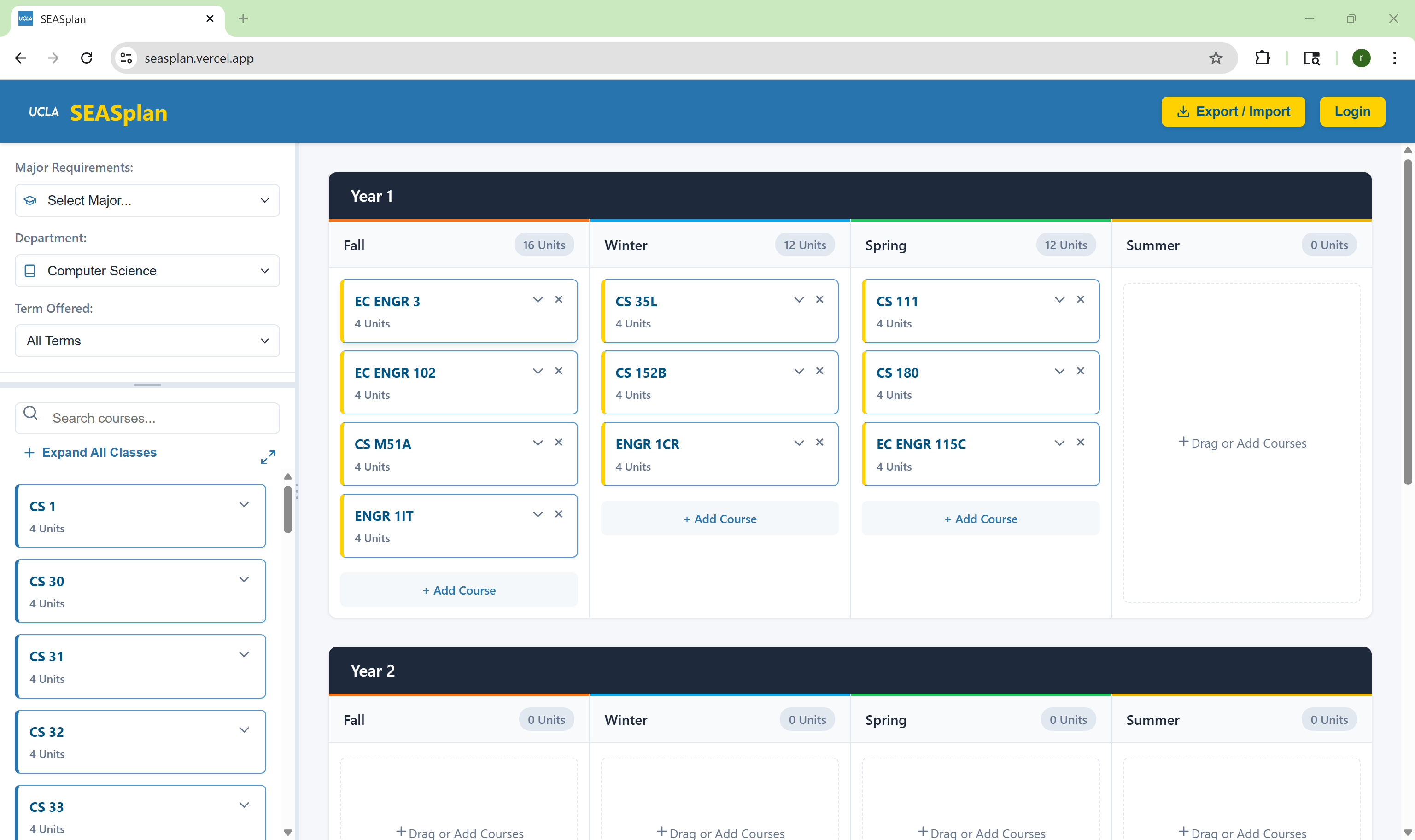
A filled in planner
-
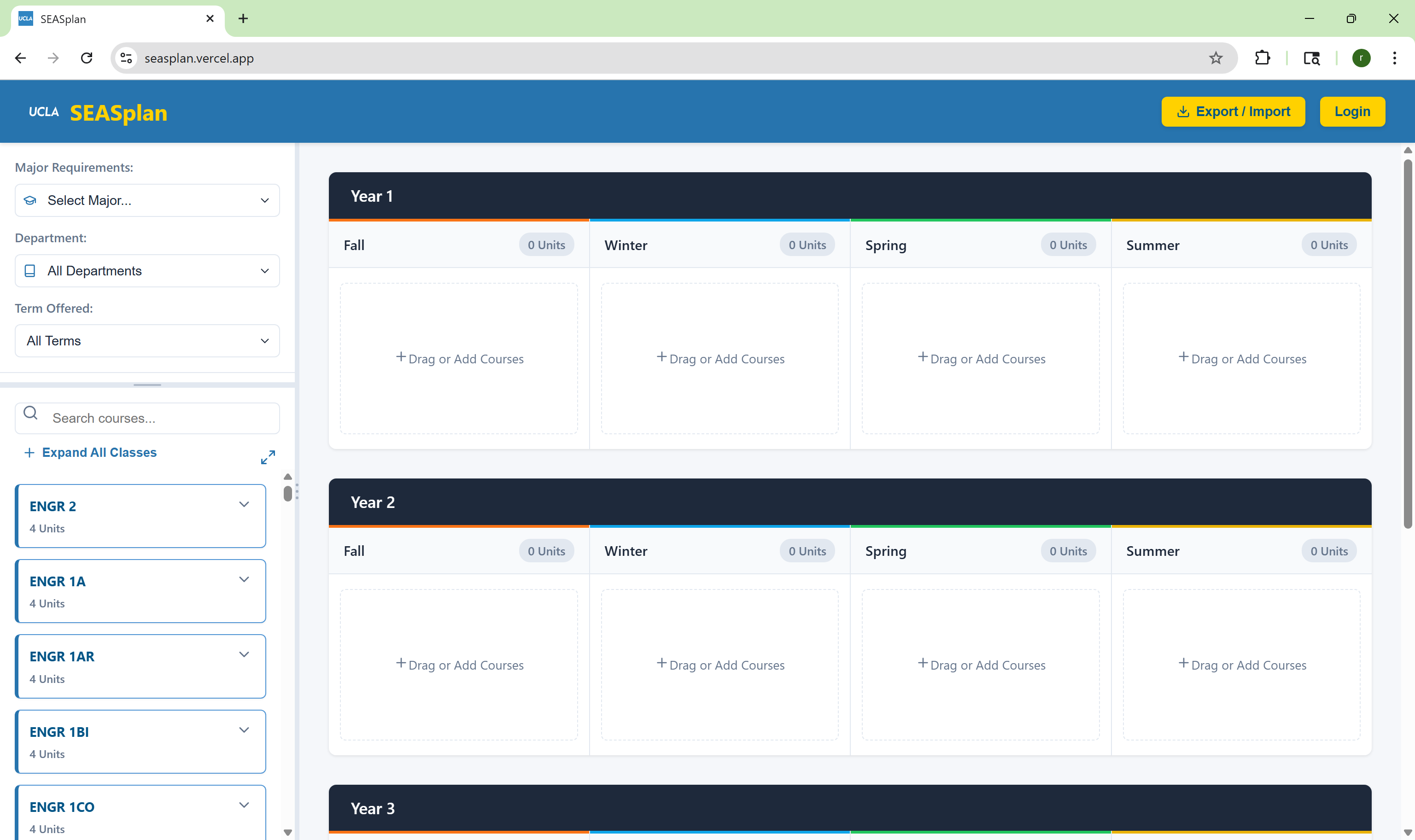
First impression
Inspiration
Planning a degree at UCLA has never been a straightforward task. Not only are the graduation requirements scattered all over the different departments' websites, but so are the course lists. Additionally, the primary way of seeing your progress officially, DARS, is an outdated piece of software with a poor UI and no form of degree planning and is at most a transcript. SEASPlan was made from a desire to break from the hours of fiddling with spreadsheets and third-party apps into a intuitive, cohesive, and no-nonsense website starting from the School of Engineering and Applied Sciences.
What it does
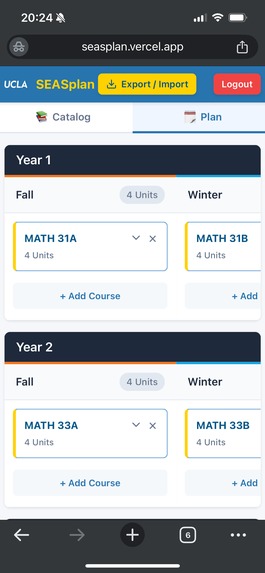
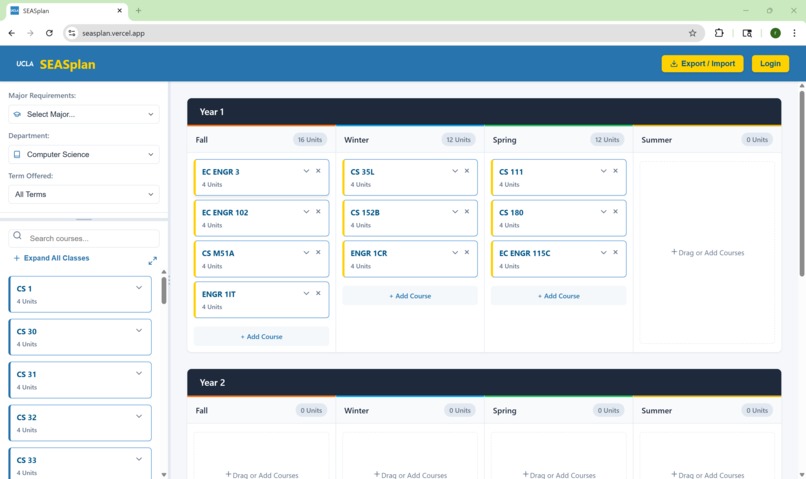
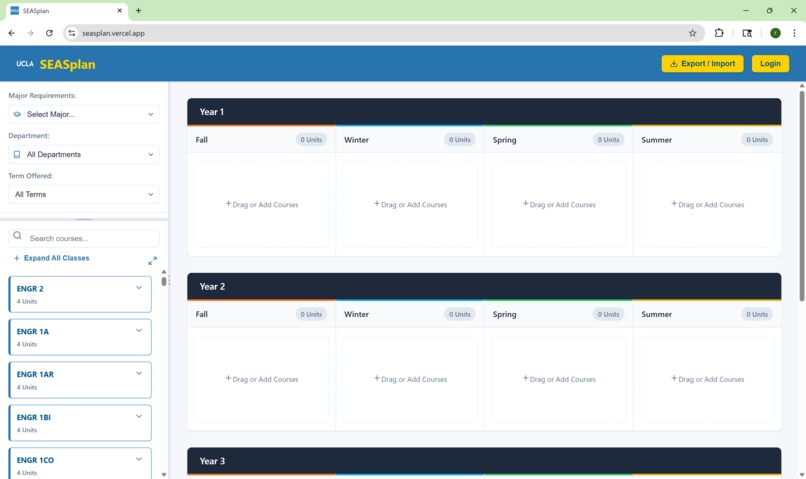
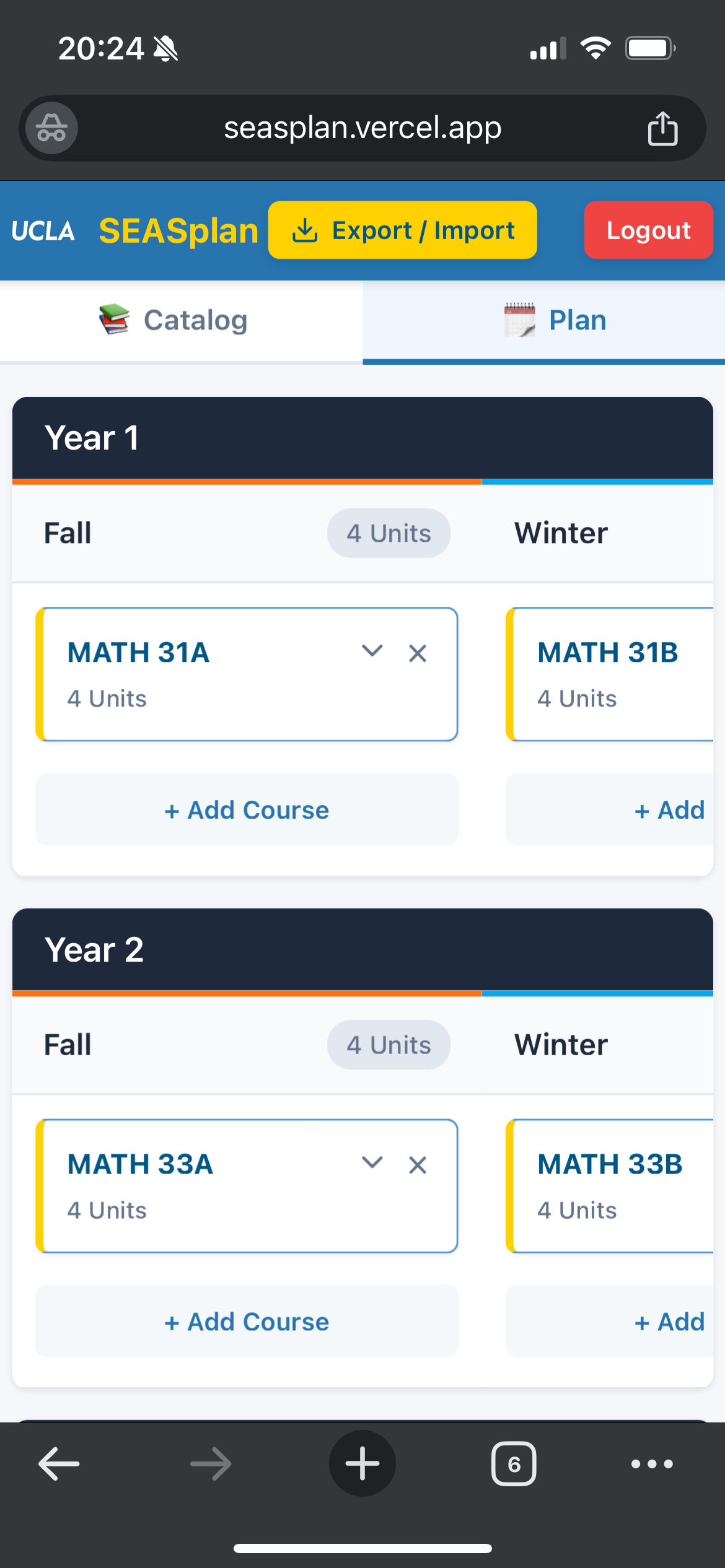
Planning a SEAS degree with SEASPlan is so easy, it needs no explanation. But if you really want one, there's a sidebar on the left with every course available this year from a SEAS department and a 4-year planner on the right. Simply drag a course over to the planner or search for the course within a quarter to enter it in. If logged in, the plan is saved to your account for easy access. Otherwise a single button allows you to export your plan as a file that anyone can import and view just by going to the website and uploading it.
How we built it
Our website is built with React and Vite with MongoDB for databases, Supabase for handling login, and Vercel for deployment and hosting. Starting with the React + Vite template, we started by scraping the course offerings and storing them on the site. Next, we built a template for a complete degree planner before loading in the list of courses and allowing them to be put into the planner. Then, we implemented the login system, using MongoDB to store user accounts and credentials and Supabase to handle the login. The latest features were the planner saving system and filters for required courses for selected majors.
Challenges we ran into
Trying to figure out how to scrape and format the data in a way useful to our website, we quickly realized how difficult it would be to merge the course listings of several different departments into a single usable list. Because all the departments displayed their courses with their own ways, the content of each column, the arrangement of columns, and even the table itself varied between different departments. To get a usable list of courses, a significant amount of configuration was needed to handle each of the ways the tables were displayed. Another significant challenge was finding the degree requirements. There weren't any pages that provided a complete list of majors so we ran a DARS audit and manually entered in the required courses for the degrees for easy user access.
Accomplishments that we're proud of
From when we first started working on scraping and handling the course lists, it was clear that this would be a difficult task with all the different formats and tables they were listed, so it was a great relief that we were able to combine all the course data together for our website. Additionally, getting the login system to succeed on saving the planner to the account and loading it back by logging in was another great accomplishment of ours.
What we learned
As we we're all first-time hackathoners, building and deploying a full stack web app was very difficult, yet very exciting. Learning how multiple different pieces of software work together to produce a complete app is a huge turn from the single file programs that CS is often focused on. This all on top of doing practical applications of scripting, such as web scraping and maintaining databases.
What's next for SEASPlan
Of course it wouldn't be fair to make the degree planner exclusive to just SEAS students. Future expansions could include expanding SEASPlan to BruinPlan and making it for all majors, automatic checking for prerequisite and corequisite classes, and integration with Bruinwalk and UCLA Grades to allow students to better decide what classes they want to take and which quarters to take them.

Log in or sign up for Devpost to join the conversation.