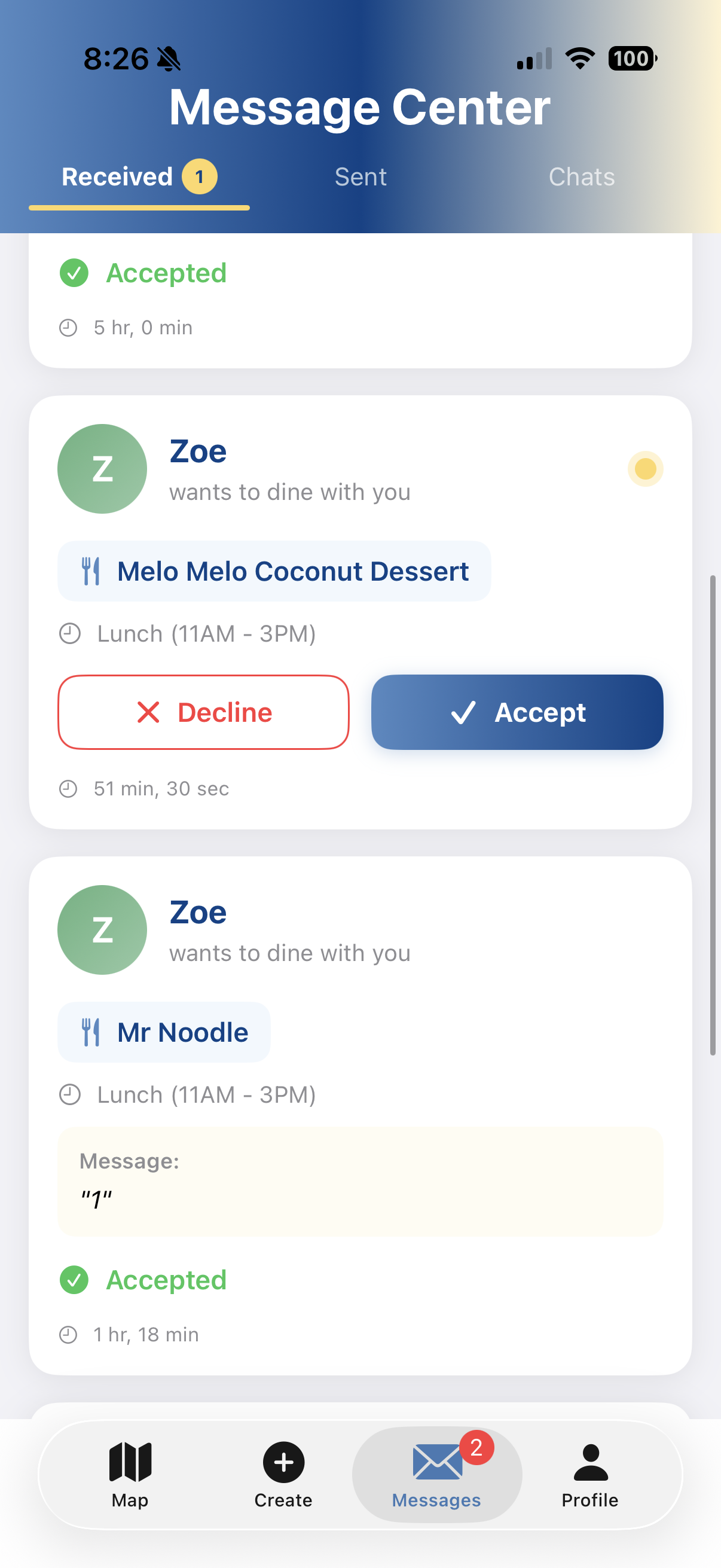
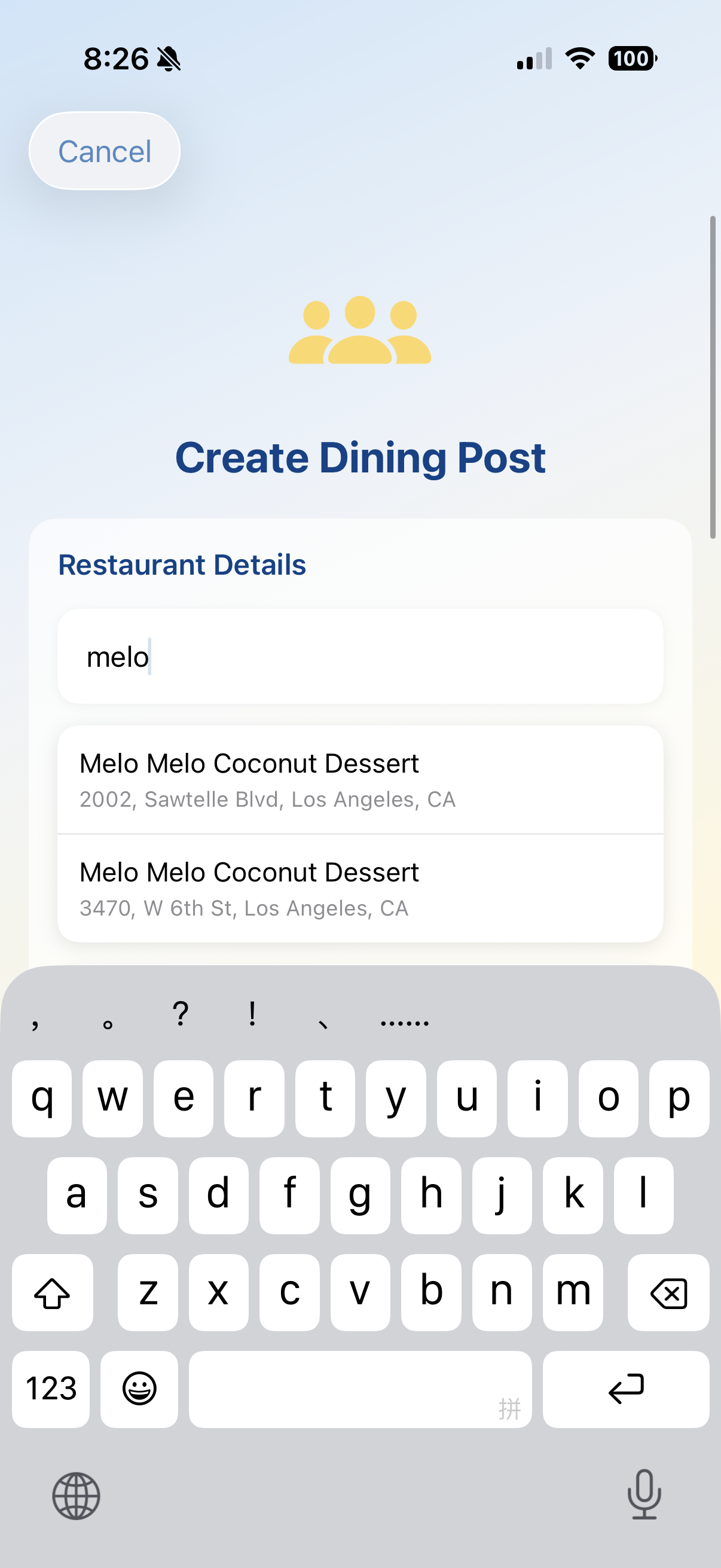
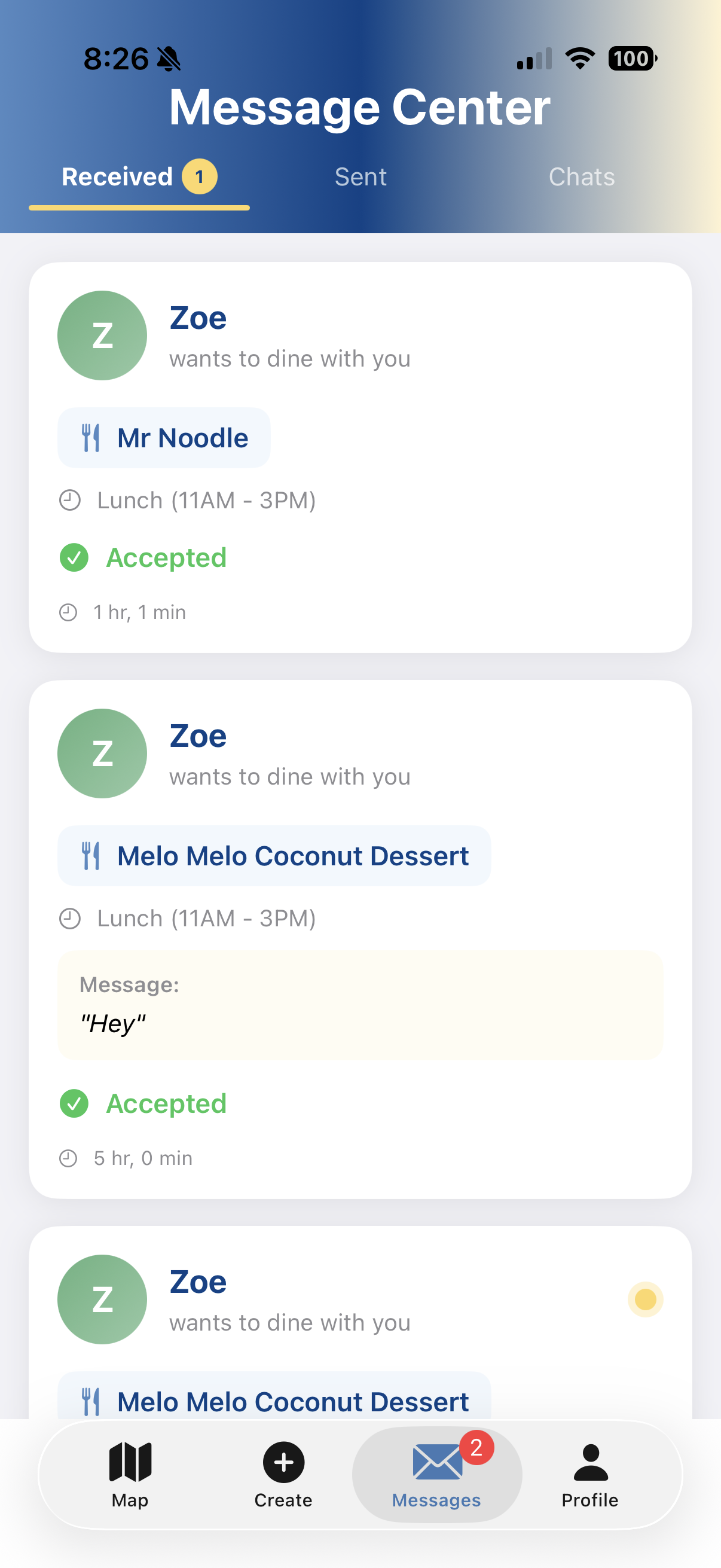
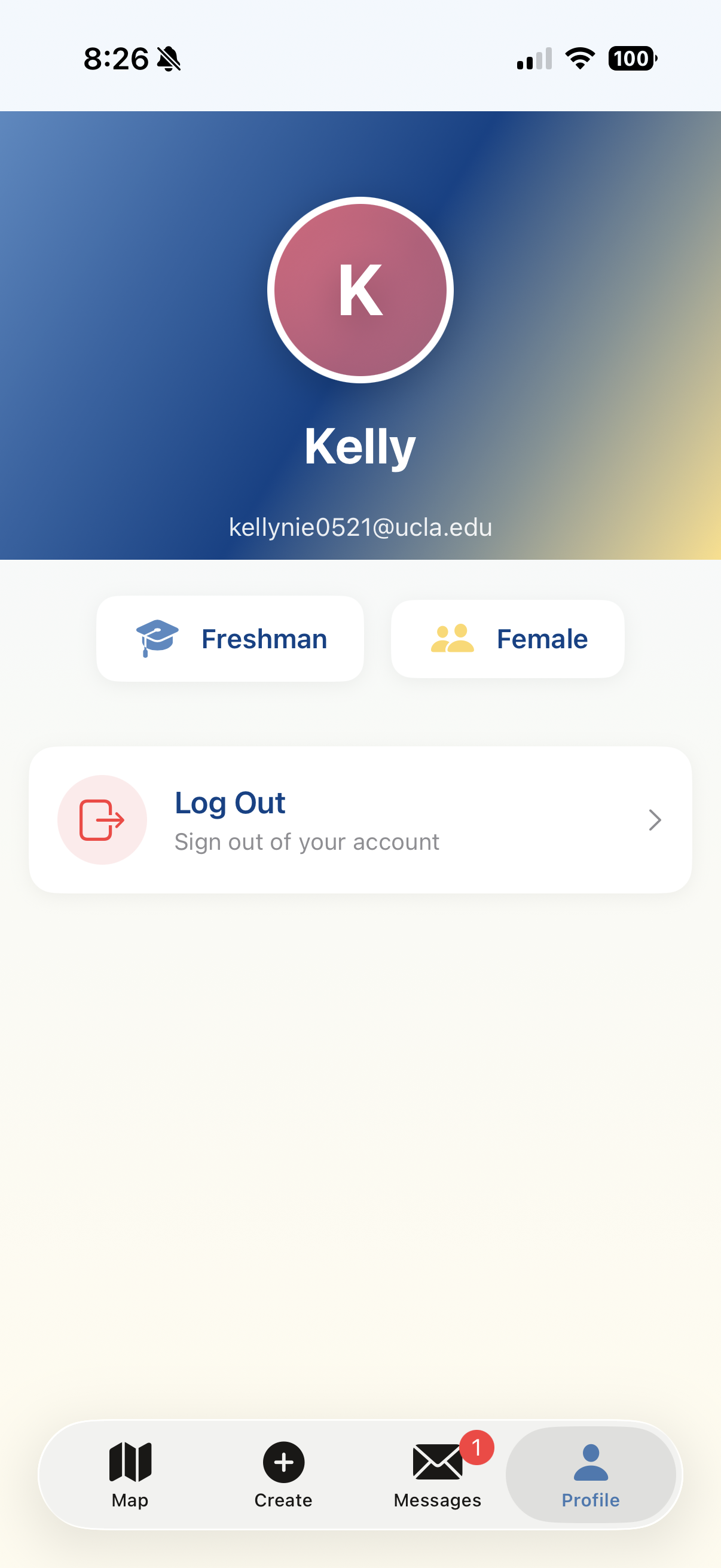
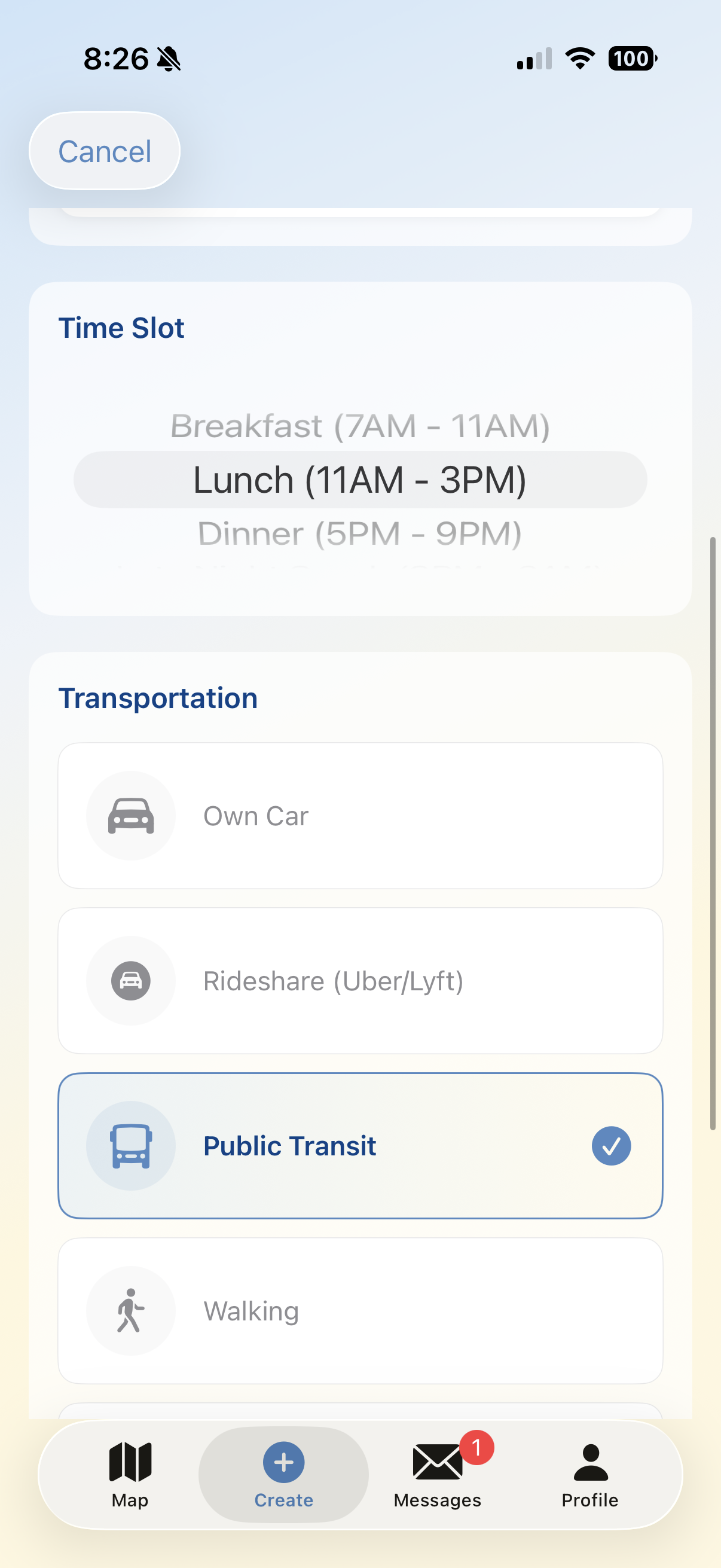
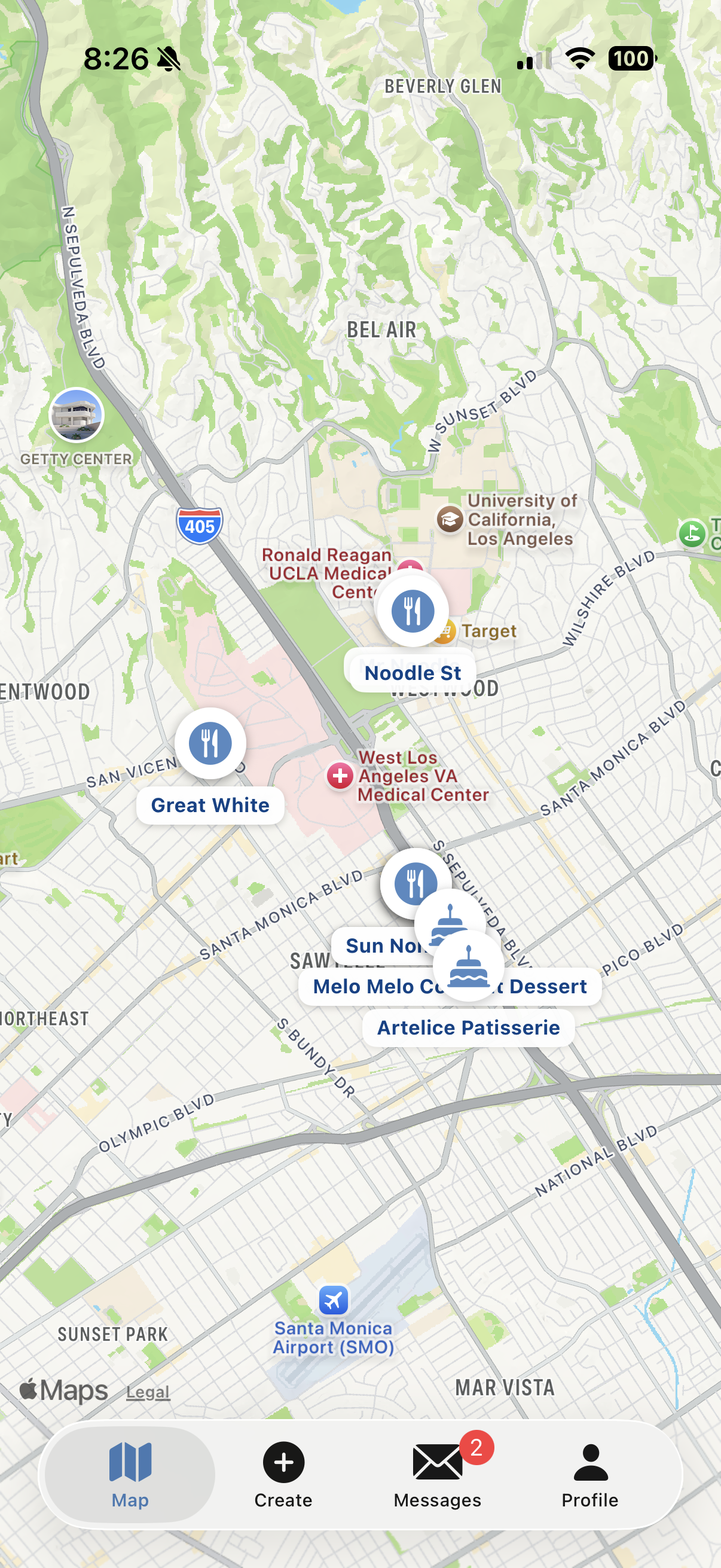
Bruin Bites - Project Story 🎯 Inspiration The inspiration for Bruin Bites came from a simple observation: some of the best friendships at UCLA start over meals, yet finding dining companions at the right time and place is often left to chance. As students ourselves, we noticed how many people eat alone—not by choice, but because coordinating schedules and discovering mutual interests is surprisingly difficult. We asked ourselves: What if there was an app that made it as easy to find a lunch buddy as it is to order food? That question sparked Bruin Bites—a social dining platform exclusively for UCLA students that transforms every meal into an opportunity to connect. 💡 What We Learned Building Bruin Bites was an intensive learning journey across multiple technical and design domains: Technical Skills SwiftUI & MVVM Architecture: Mastered Apple's declarative UI framework and learned how to structure complex apps using the Model-View-ViewModel pattern Firebase Integration: Implemented real-time database operations with Cloud Firestore, user authentication with Firebase Auth, and learned the critical importance of security rules Asynchronous Programming: Gained deep experience with Swift's modern concurrency model (async/await, @MainActor, Task) MapKit & Core Location: Learned to integrate interactive maps, handle location permissions gracefully, calculate distances using the haversine formula ($d = 2r \arcsin(\sqrt{\sin^2(\frac{\Delta\phi}{2}) + \cos\phi_1 \cos\phi_2 \sin^2(\frac{\Delta\lambda}{2})})$), and geocode addresses Design & UX User-Centered Design: Learned to design for real user needs—creating a request/accept flow rather than automatic matching, because people want agency in their social connections Visual Hierarchy: Implemented UCLA's brand colors consistently, created a custom avatar system based on user initials, and designed clear information architecture with badges and visual indicators State Management: Mastered SwiftUI's reactive programming model with @Published, @State, @ObservedObject, and understood when UI updates need MainActor.run System Design Real-time Communication: Built a complete messaging system with conversation threading, unread status tracking, and proper synchronization Scalable Data Models: Designed Firestore schemas that balance read/write efficiency (e.g., denormalizing user names in posts to avoid extra lookups) Permission Flows: Created a thoughtful location permission system with custom pre-prompt screens instead of jarring system dialogs 🛠 How We Built It Architecture Overview Bruin Bites follows a clean MVVM architecture: ┌─────────────────┐│ SwiftUI Views │ ← User Interface Layer└────────┬────────┘ │┌────────▼────────┐│ ViewModels │ ← Business Logic Layer└────────┬────────┘ │┌────────▼────────┐│ Firebase/Models │ ← Data Layer└─────────────────┘ Core Components
- Authentication System (AuthViewModel) Email/password authentication with Firebase Auth UCLA email validation (regex: @ucla.edu$) Persistent login state using @Published var isAuthenticated
- Map & Location (MapViewModel) Interactive MapKit integration with custom annotations CLLocationManager for GPS tracking with privacy-first permission handling Distance calculations displayed as: $d_{\text{miles}} = \frac{d_{\text{meters}}}{1609.34}$ MKLocalSearch API for restaurant autocomplete and website discovery
- Dining Posts (DiningPost model) Geospatial data with coordinate pairs: $(lat, long)$ Category-based icon system (café → ☕, restaurant → 🍽️) Real-time Firestore listener: addSnapshotListener for instant updates
- Request System (RequestViewModel) Three-state flow: pending → accepted/rejected Automatic conversation creation upon acceptance Firestore queries: whereField("toUserId", isEqualTo: currentUser)
- Messaging (ChatViewModel) Real-time chat with Firestore subcollections: conversations/{id}/messages Unread tracking logic: hasUnread = (lastSenderId != currentUserId) Automatic scroll-to-bottom on new messages using ScrollViewReader
- UI Components Custom AvatarView: Hash-based color selection using username.hashValue % colors.count UCLA-themed gradients: LinearGradient(colors: [.uclaBlue, .uclaGold]) Badge system with conditional rendering: Show badge only when count > 0 Technology Stack Layer Technology Frontend SwiftUI, Combine Backend Firebase (Auth, Firestore, Security Rules) Maps MapKit, Core Location, CLGeocoder State Management ObservableObject, @Published Concurrency async/await, Task, MainActor UI Components Custom views with MVVM 🚧 Challenges We Faced Challenge 1: SwiftUI Navigation in Sheets Problem: NavigationLink wouldn't work inside a .sheet presentation, causing blank screens when navigating to user profiles from post details. Solution: Switched to .fullScreenCover(item:) with direct data passing: .fullScreenCover(item: $userToShow) { user in NavigationView { UserProfileFullView(user: user, ...) }} Lesson: SwiftUI's navigation is context-sensitive—sheets reset navigation stacks. Challenge 2: Firebase Security Rules Hell Problem: Getting "Missing or insufficient permissions" errors despite proper authentication. Solution: Realized Firestore security rules were too restrictive. Updated to: match /diningRequests/{requestId} { allow read, write: if request.auth != null && (request.auth.uid == resource.data.fromUserId || request.auth.uid == resource.data.toUserId);} Lesson: Security rules are as important as code—always test with authenticated users. Challenge 3: Publishing Changes from View Updates Problem: Console warning: "Publishing changes from within view updates is not allowed" Root Cause: Calling @Published property updates directly inside MainActor.run blocks after async operations. Solution: Removed explicit refresh calls, letting Firestore's addSnapshotListener handle state updates automatically: // ❌ Bad: Manually triggering fetchesawait MainActor.run { fetchSentRequests() fetchReceivedRequests()}// ✅ Good: Let listeners handle itdb.collection("diningRequests").addSnapshotListener { ... } Lesson: Embrace reactive programming—don't fight SwiftUI's data flow. Challenge 4: Location Services in Simulator Problem: Location always returned CLError.Code=1, and permissions wouldn't persist. Solution: Reset simulator's location settings: Device → Erase All Content and Settings Added custom LocationPermissionView with friendly UI before system dialog For testing, used Xcode's Debug → Simulate Location → Custom Location Lesson: Simulator has quirks—always test critical features on real devices. Challenge 5: Unread Message State Management Problem: How to track unread messages without adding a read/unread field to every message (inefficient)? Mathematical Approach: Store minimal metadata at conversation level: lastMessageSenderId: ID of who sent the last message hasUnreadMessages: Boolean flag Unread logic: $\text{isUnread} = (\text{hasUnread} = \text{true}) \land (\text{lastSenderId} \neq \text{currentUserId})$ Implementation: var isUnread: Bool { guard let hasUnread = conversation.hasUnreadMessages, hasUnread, let lastSenderId = conversation.lastMessageSenderId else { return false } return lastSenderId != currentUserId} Lesson: Smart data modeling prevents over-querying—store computed state at write time. Challenge 6: Dynamic Badge Counts Problem: iOS TabView's .badge() modifier doesn't accept nil in some contexts (type mismatch error). Solution: Use conditional view groups: Group { if unreadCount > 0 { InboxView().badge(unreadCount) } else { InboxView() }} Lesson: SwiftUI is strongly typed—sometimes conditional rendering beats ternary operators. Challenge 7: Black Bars on iPhone 16/17 Problem: App displayed with black borders on newer iPhones, indicating incorrect screen adaptation. Root Cause: Missing or incorrect LaunchScreen.storyboard configuration. Solution: Created proper LaunchScreen.storyboard Set UIRequiresFullScreen = false in Info.plist Added UILaunchScreen dictionary with UIImageRespectsSafeAreaInsets = true Lesson: Modern iOS requires explicit launch screen configuration for full-screen display. 📊 Statistics Lines of Code: ~8,000+ lines of Swift Files: 30+ SwiftUI views, 5 ViewModels, 6 data models Firebase Collections: 5 (users, diningPosts, diningRequests, conversations, messages) Features: Map browsing, post creation, request system, real-time chat, unread tracking, location services Time Invested: 40+ hours of coding, debugging, and learning 🎨 Design Decisions Why Request-Based (Not Auto-Matching)? We chose a request/accept flow over automatic matching because: User Agency: People want control over who they meet Context Matters: Seeing the post details helps users decide compatibility Reduces Awkwardness: Both parties opt in, creating mutual interest Why UCLA-Only? Safety: Verified .edu emails create trust Shared Context: UCLA students have common ground (locations, culture, schedules) Network Effects: Critical mass within one campus is better than sparse global coverage Why Avatar Initials (Not Profile Photos)? No Storage Costs: No Firebase Storage needed Instant Setup: No upload friction during onboarding Consistent UX: Every user has a colorful, recognizable avatar from day one Privacy: Some users prefer not uploading photos immediately 🚀 What's Next If we continue developing Bruin Bites, our roadmap includes: Group Dining: Support $n > 2$ participants with group chat Smart Matching: ML-based recommendations using collaborative filtering: $\text{similarity}(u_1, u_2) = \frac{\sum_{i} r_{1i} \cdot r_{2i}}{\sqrt{\sum_i r_{1i}^2} \cdot \sqrt{\sum_i r_{2i}^2}}$ Push Notifications: Real-time alerts for new requests and messages Dining History: Track past meetups and build social graphs Restaurant Ratings: Crowdsourced reviews from the UCLA community 💭 Reflections Building Bruin Bites taught us that great apps solve real problems with thoughtful design. Every technical decision—from our unread badge algorithm to our custom permission flow—stemmed from putting ourselves in users' shoes. We learned that Firebase is powerful but requires careful security design. We learned that SwiftUI is elegant but has sharp edges (especially navigation). Most importantly, we learned that building something people actually want to use is harder and more rewarding than any technical challenge. Bruin Bites started as an idea to solve a simple problem: eating alone. Along the way, it became a complete social platform that showcases modern iOS development, real-time systems, and user-centered design. And who knows? Maybe one day, it'll help two Bruins become lifelong friends over a meal at Diddy Riese. 🐻💙💛 Built with ❤️ (and lots of debugging) by UCLA students, for UCLA students.

Log in or sign up for Devpost to join the conversation.