BrowserSentinel: Privacy-First AI Security for Chrome
Inspiration
Our inspiration came from a growing concern about online privacy. Most security tools today require sending user data to remote servers for analysis, creating an unnecessary privacy risk. We envisioned a different approach: what if we could provide robust security while keeping sensitive data entirely local? Chrome's new built-in AI capabilities made this vision possible, allowing us to create a security tool that protects users without compromising their privacy.
What it does
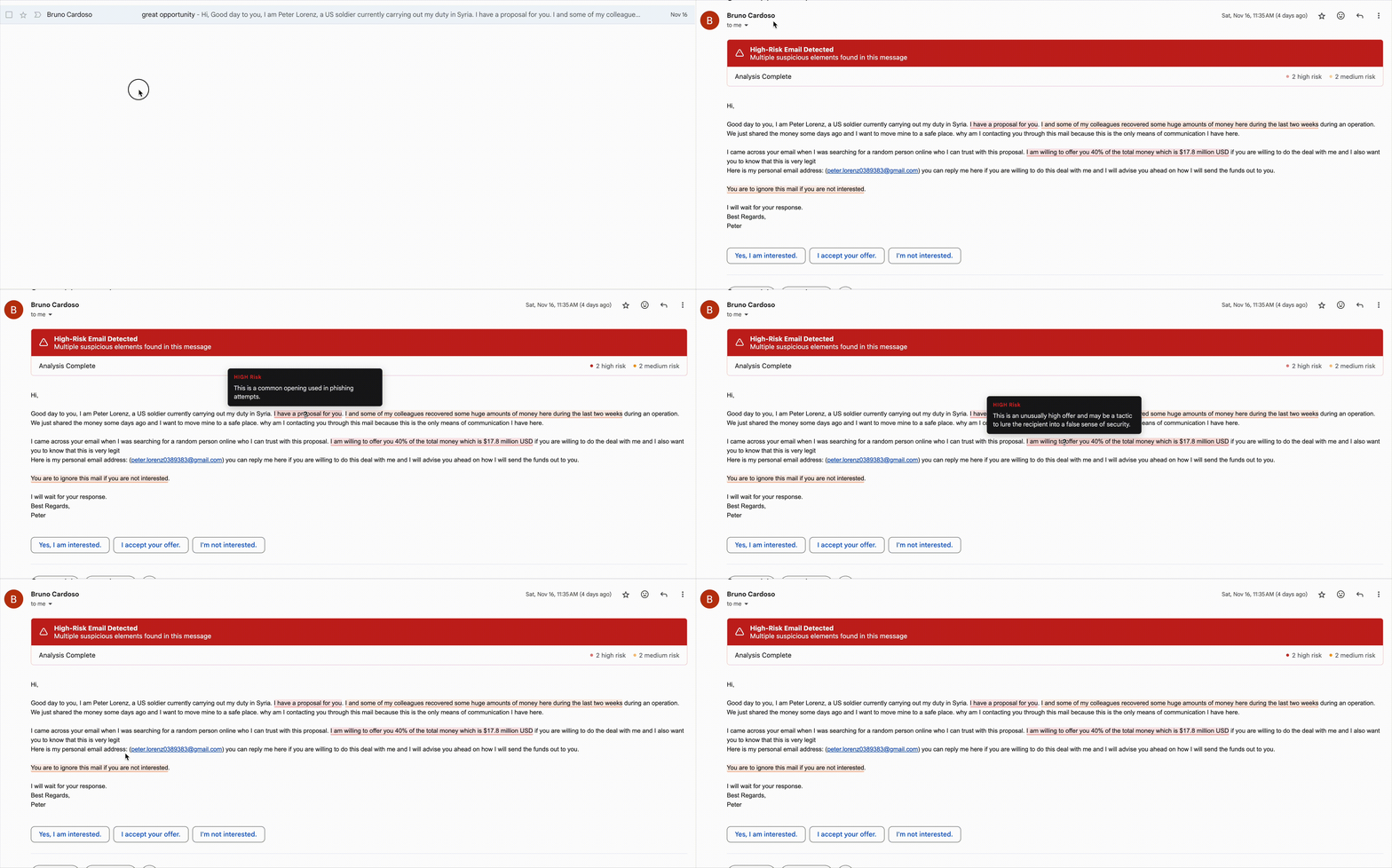
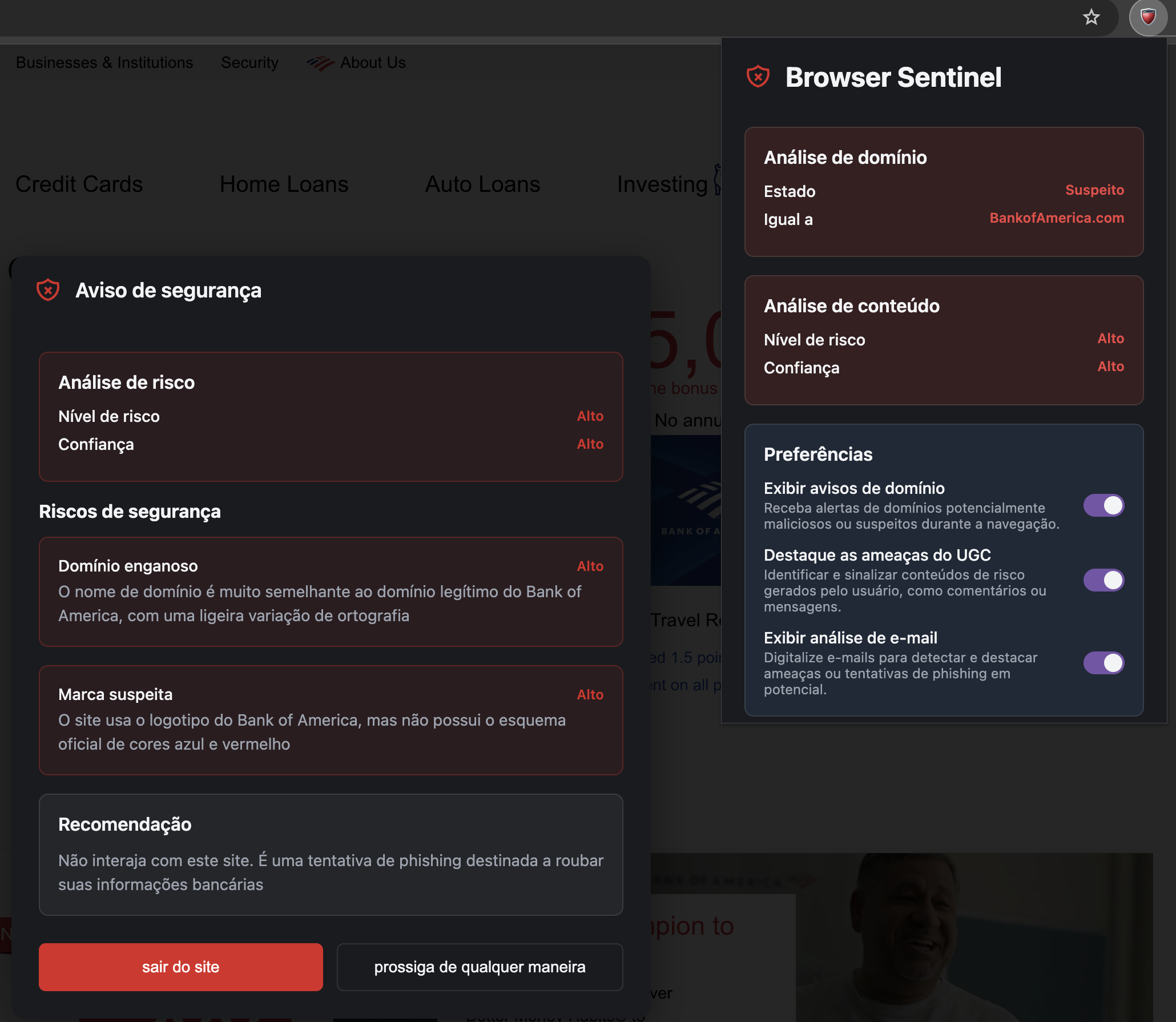
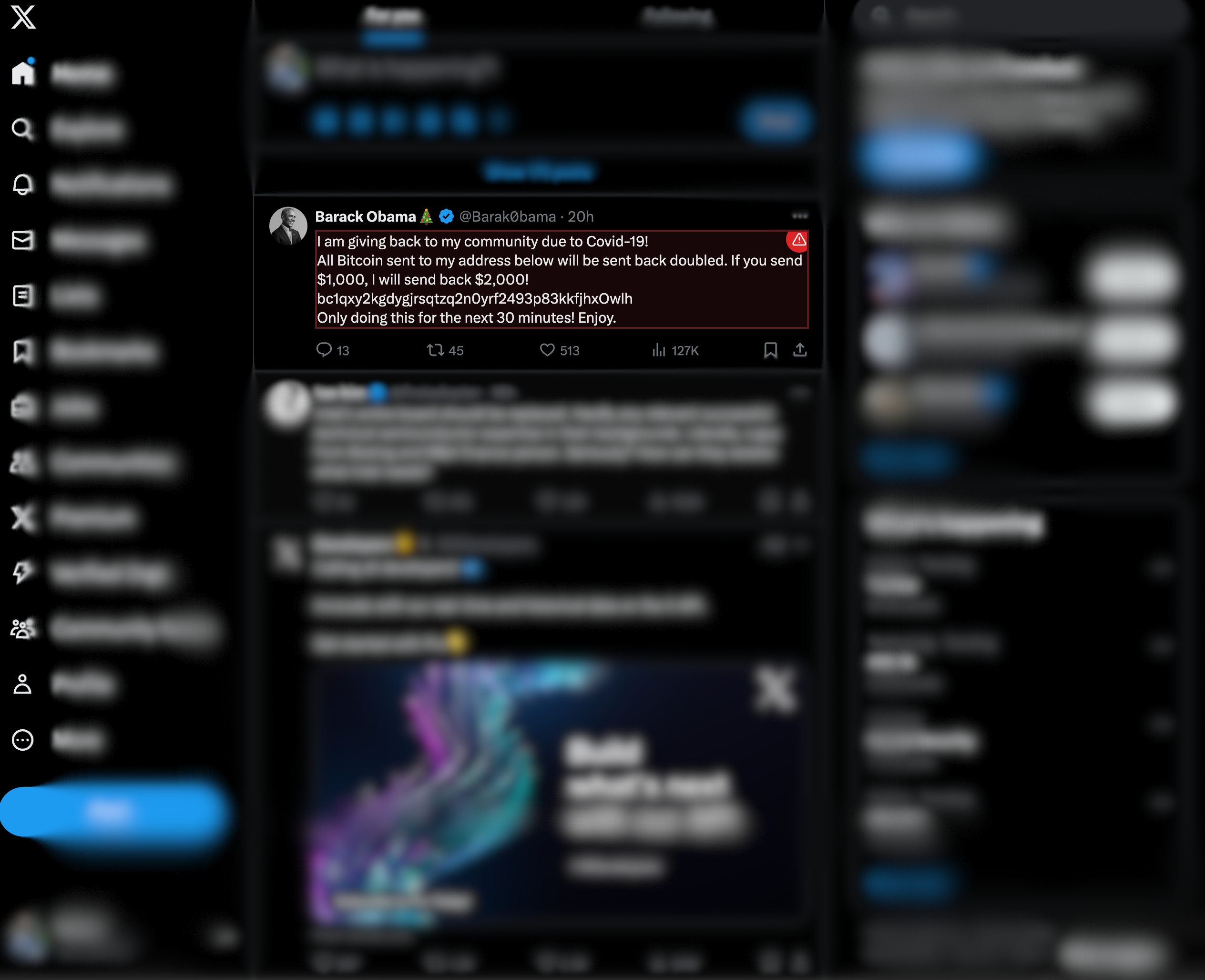
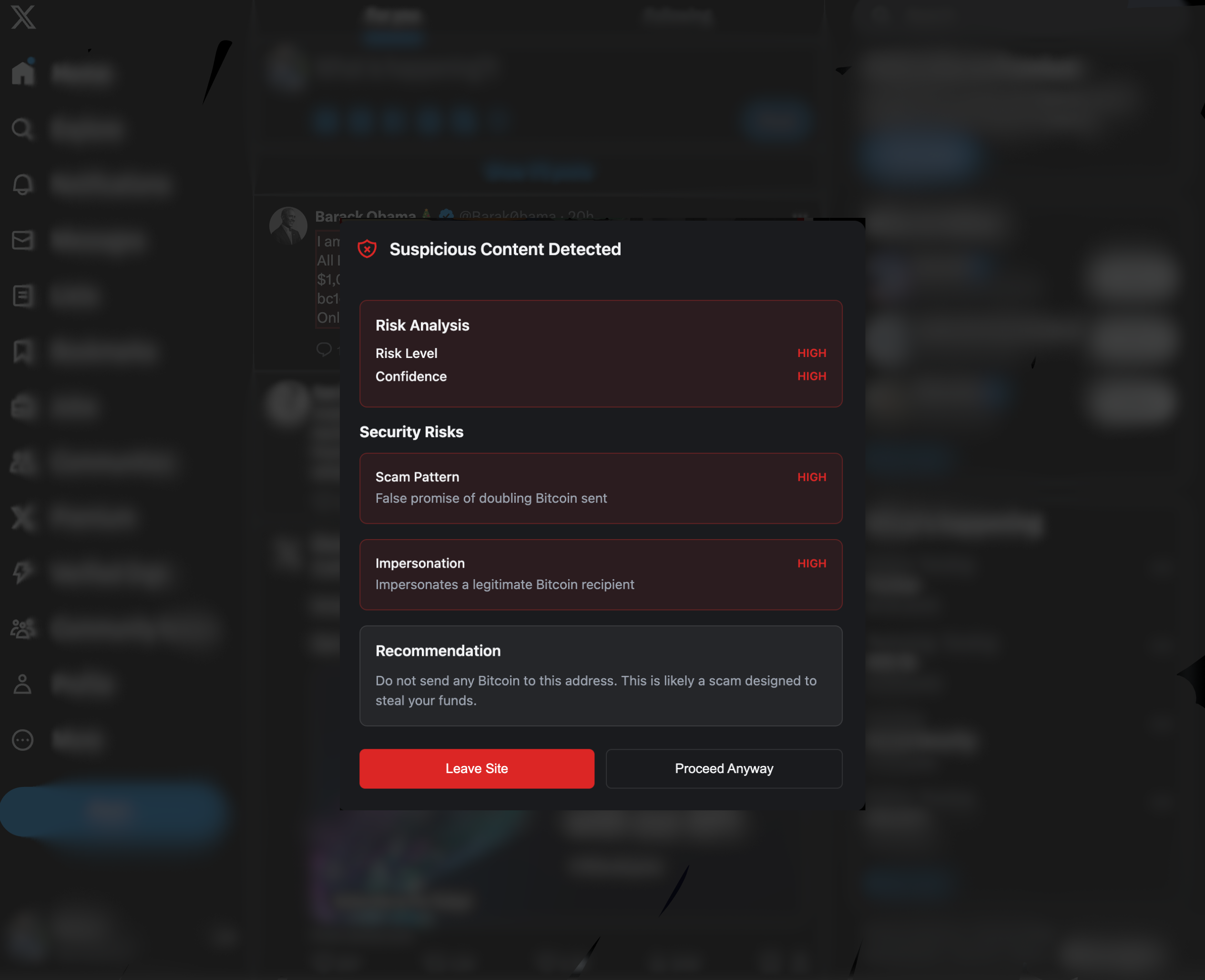
BrowserSentinel acts as a comprehensive security companion in your browser. It analyzes domains to detect potential phishing attempts and examines webpage content for suspicious patterns. The extension also monitors user-generated content across various platforms, with special attention to context-specific threats on social media sites.
What sets BrowserSentinel apart is its educational approach. Rather than simply blocking threats, it helps users understand why certain content might be dangerous. The extension automatically detects the user's browser language and provides all analyses and explanations in their preferred language using Chrome's Translation API. This combination of protection and education helps users develop better security awareness over time.
How we built it
We developed BrowserSentinel using Chrome's newest built-in AI capabilities, specifically leveraging the Prompt API for content analysis and the Translation API for multilingual support. The extension combines traditional security algorithms with AI analysis - traditional methods handle tasks like domain verification, while AI excels at understanding context and identifying subtle patterns in content.
To ensure thorough testing, we created a comprehensive testing environment that can safely simulate various security threats. This includes tools for generating mock phishing websites and sample malicious emails, enabling robust testing without exposure to actual harmful content.
Challenges we ran into
Making AI responses consistent and reliable proved challenging, requiring careful prompt engineering and robust error handling. The built-in AI showed worse performance and significantly higher latency compared to remote AI models, which affected the user experience and highlighted the need for further optimisations. We also struggled initially with finding the right balance in our user interface - we needed to communicate security risks clearly without overwhelming users with technical details. The multilingual support presented its own challenges, particularly in maintaining the accuracy of security explanations across different languages.
Accomplishments that we're proud of
We successfully created a security tool that prioritizes both protection and privacy - something we believe is increasingly rare in today's landscape. Our educational approach to security warnings has received positive feedback, with users appreciating the clear explanations of potential threats. We're also proud of our testing environment, which makes it easier for both us and other developers to validate security tools safely.
What we learned
This project taught us valuable lessons about balancing different approaches to security. We learned that while AI is powerful, combining it with traditional methods often produces better results. We also gained deep insights into prompt engineering and error handling for AI systems. Perhaps most importantly, we learned how to communicate complex security concepts to users in an understandable way.
What's next for BrowserSentinel
We plan to expand BrowserSentinel's capabilities while maintaining our commitment to privacy-first security. Future improvements include enhanced detection of emerging threat patterns, more sophisticated content analysis, and broader platform-specific protections. As part of refining the AI, we aim to further evaluate and optimise prompts to improve response quality and performance, addressing the challenges experienced with the built-in model. We're also exploring ways to make our educational components even more effective, possibly including interactive elements that help users better understand online security risks.
Built With
- chrome
- gemini-nano
- prompt-api
- translation-api
- typescript
- vuejs


Log in or sign up for Devpost to join the conversation.