-
-

Gregory, your Browser Buddy
-
-

Inspiration
We’ve all been there — reading documentation, tutorials, or articles online and realizing we’ve just reread the same paragraph three times without actually absorbing it. As a team of developers and students constantly juggling new frameworks and APIs, we wanted a tool that could help us retain and understand information more efficiently. That’s how Browser Buddy was born — an AI-powered copilot for your web browsing and learning sessions.
What it does
Browser Buddy transforms the way you read online.
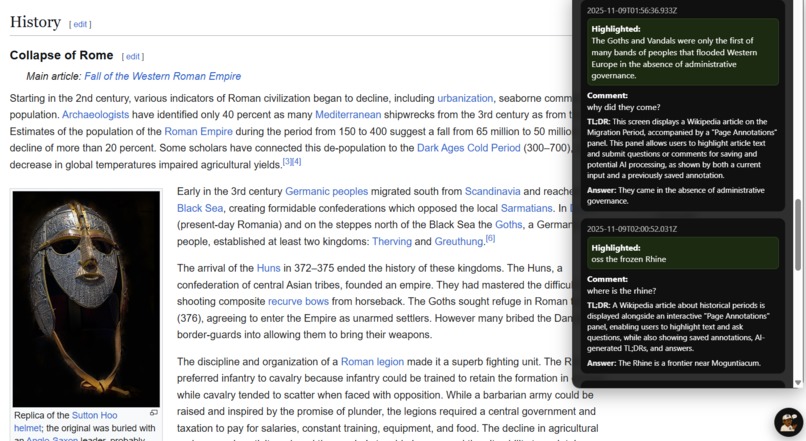
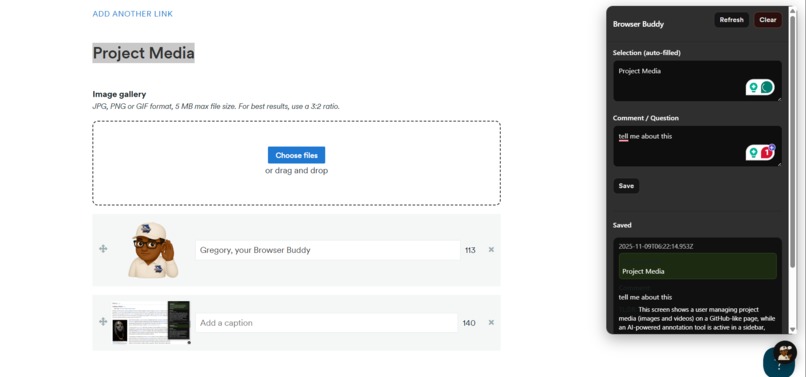
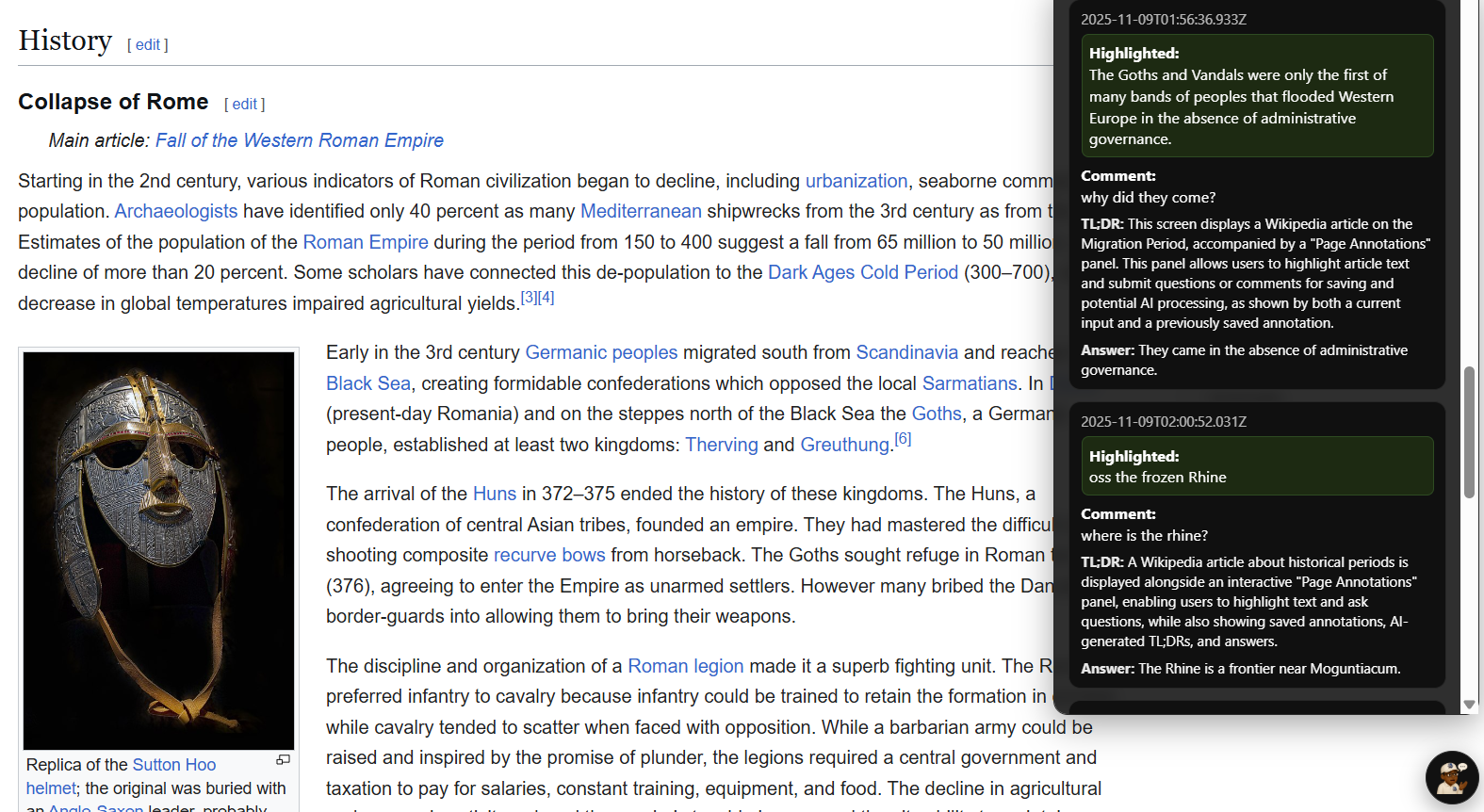
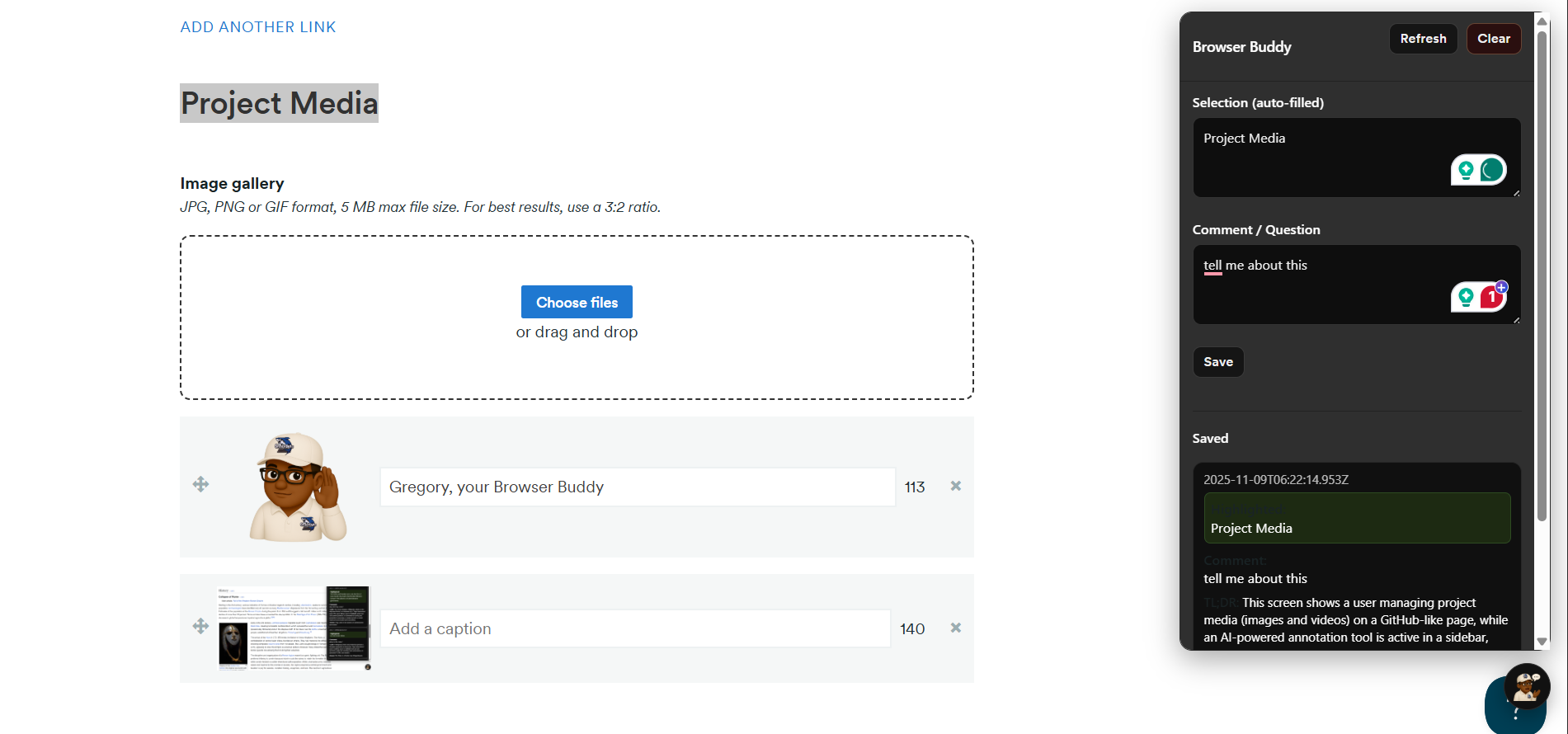
🖱️ Highlight any text on a webpage.
🚀 Send it instantly to our FastAPI backend.
🤖 Gemini AI processes your highlight, answers any questions, and returns a structured JSON response — summaries, explanations, or insights (which can be viewed even after a page refresh!).
🕓 History panel lets you revisit past highlights and outputs anytime.
It’s like having a personal research assistant living inside your browser.
How we built it
Frontend: Chrome Extension built with HTML, CSS, and JavaScript.
Backend: FastAPI (Python) to handle highlight data and communicate with Gemini.
AI Integration: Gemini API for text analysis and response generation.
Storage: Browser local storage for saving highlight history and outputs.
Design: Simple, minimal sidebar interface for easy access and clean interaction and handcrafted avatar.
Challenges we ran into
Keeping highlighted text visible and consistent across page reloads or DOM changes.
Handling dynamic DOM elements — highlights disappearing or shifting as pages updated.
Managing asynchronous messaging between content scripts, background scripts, and FastAPI.
Ensuring smooth UX without blocking the user’s normal browsing flow.
Accomplishments that we're proud of
Built a fully working end-to-end system connecting Chrome, FastAPI, and Gemini.
Made highlights persist and display dynamically on complex web pages.
Delivered real-time AI summaries in JSON format with almost no delay.
Created a functional and visually clean MVP that genuinely makes learning online easier.
What we learned
How to manage DOM manipulation safely without breaking page layouts.
Handling event listeners and content scripts efficiently in Chrome extensions.
Structuring FastAPI endpoints for real-time text analysis.
The importance of caching and data persistence in small productivity tools.
What's next for Browser Buddy
☁️ Cloud sync and user accounts for multi-device history.
📄 Support for PDFs and offline pages.
🎯 Custom AI modes — summarize, explain, or simplify.
🧩 Integration with tools like Notion or Obsidian for long-term note storage.
Built With
- chromeextension
- fastapi
- gemini
- html/css
- javascript
- localstorage
- storage


Log in or sign up for Devpost to join the conversation.