-
-
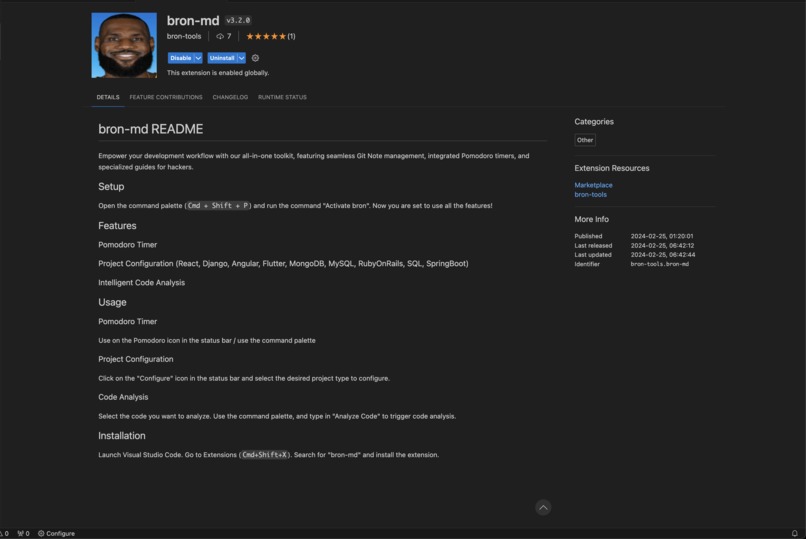
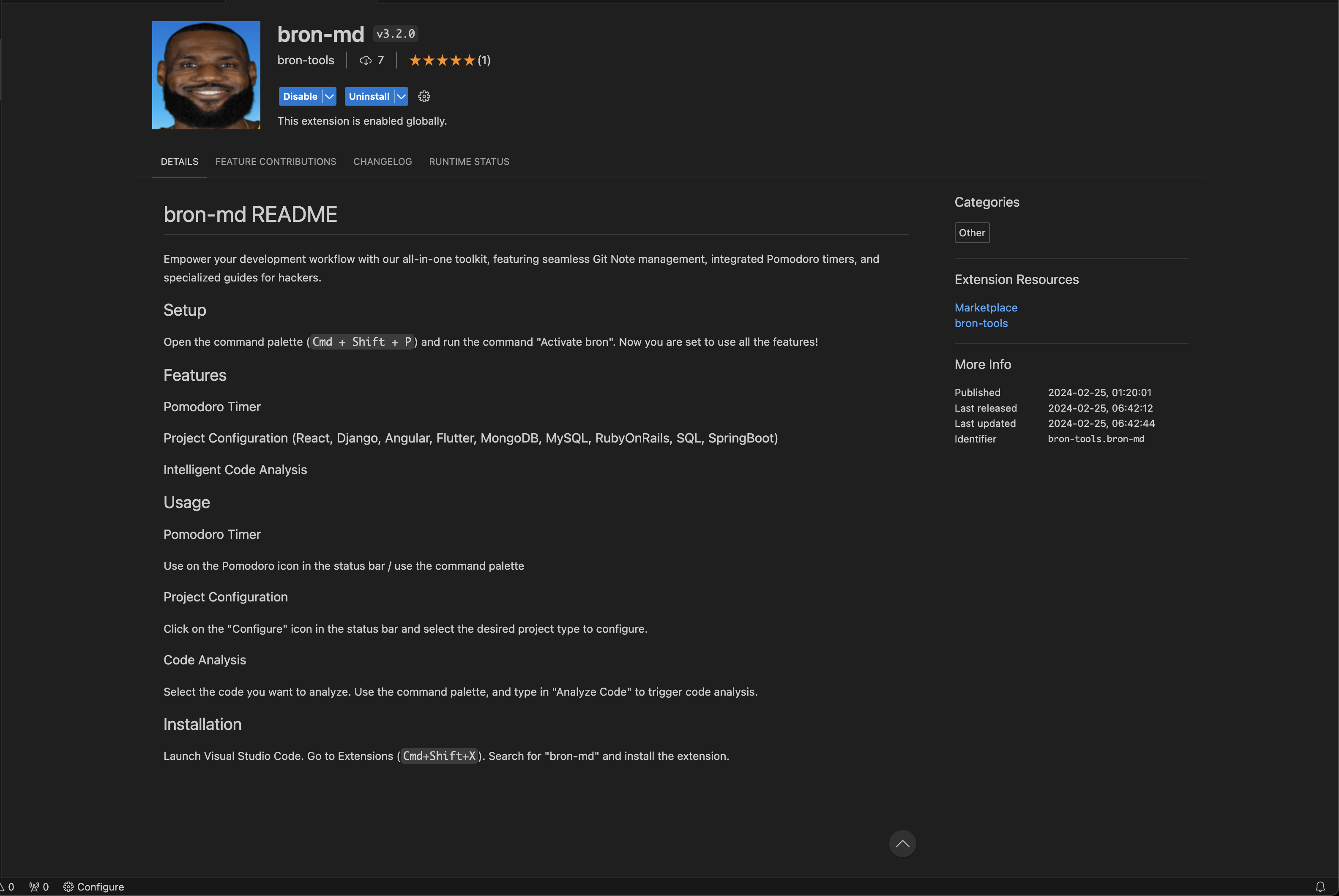
the visual studio code extension
-

lebron

About BronTools!
Inspiration
Our journey began with a simple realization: as developers, we often find ourselves buried in a myriad of tools and extensions that, while powerful, can disjoint our workflow. The spark for our idea came from a desire to streamline this chaos into a cohesive, efficient experience. We envisioned a unified toolkit that not only simplifies task management and timekeeping but also serves as a hub for technical resources and guidance. Our aim was to integrate these elements seamlessly within the developers' preferred sanctuary: Visual Studio Code.
What We Learned
Embarking on this project, we dove headfirst into the vast ocean of VSCode extensions. We honed our Bash scripting skills to surgical precision and delved into the subtle art of integrating disparate functionalities into one unified interface. Along this journey, we embraced the importance of a user-centric design, ensuring that our toolkit wasn't just powerful but intuitive and a genuine pleasure to use. This project became as much about learning to craft an outstanding user experience as it was about coding.
How We Built It
Our project stands on the shoulders of three robust pillars:
Git Task Manager: At its core, a sophisticated Bash script that listens to the heartbeat of the developer's current Git branch. This script doesn't just automate task list creation; it manages the tasks, keeping track of progress and ensuring that no thread of thought is lost in the switch between branches. It's the silent guardian of the developer's workflow. More importantly, it helps developers plan what to implement, as opposed to view what is already implemented!
Pomodoro Timer Extension: This extension is the epitome of integrating productivity techniques into the development environment. It's not just a timer; it's a companion that guides the developer through focused sprints and restful breaks, ensuring that the marathon of coding is run at a record pace without burning out.
Hacker's Guide Extension: This extension is akin to having a seasoned hacker looking over your shoulder, offering curated guides, best practices, and resources. Whether it's a nudge in the right direction or a deep dive into cybersecurity, this extension is the Swiss Army knife for hacking technologies.
Getting these components together, we used the VSCode API to bind them to the editor, Bash scripting to make the magic happen behind the scenes, and Git hooks to ensure that the developer's workflow was uninterrupted and fluid, and finally the OpenAI API for our integrated seamless developer feedback system.
Specifically for the Best Developer Track (WARP)
Our toolkit is a perfect candidate for the Best Developer Tool by Warp, as we crafted this to enhance the developer experience at every stage of the development lifecycle. It aligns seamlessly with the vision of creating a more fluid and intuitive environment for developers to create, modify, and test their software.
Eligibility: Our hack stands as a testament to the improvement of the developer experience. By automating mundane tasks, integrating time management directly into the IDE, and providing on-demand guides for advanced hacking techniques, an on-demand AI for developer feedback during coding sessions, our toolkit elevates the development process, allowing developers to focus on what they do best: coding.
Wow Factor: What sets our toolkit apart is its synergy with the developer's daily routines. By incorporating widely-adopted methodologies such as the Pomodoro Technique, along with context-sensitive assistance for development tasks, and most importantly, developer feedback straight integrated in VSCode using AI, our toolkit delivers a unique blend of productivity and educational tools directly within the development ecosystem of VSCode.
Technical Difficulty: The technical complexities of our project lie in the integration of different technologies into a single, unified VSCode extension. From Git hooks and Bash scripting to creating a responsive UI for the Pomodoro timer without overloading the developer with unnecessary graphical elements, our project tackles complex problems with sophisticated, yet elegant solutions.
Originality: Our toolkit isn't just another set of tools; it's a harmonious orchestration of features designed to fit into the developer's existing workflow. The idea of a context-aware task manager that adapts to the current Git branch is a novel approach that bridges the gap between code management and task tracking.
Design: We've adhered to a design philosophy that prioritizes functionality and usability over unnecessary visual flair. The interface is sleek, unobtrusive, and intuitive, ensuring that developers of all levels can harness its full potential without a steep learning curve. Our commitment to design excellence extends to all aspects of UI/UX, ensuring that every interaction with our toolkit feels natural and enhances the overall development experience.
Challenges Faced
The road was not without its bumps. Crafting a solution that felt native on any operating system presented a considerable challenge, particularly when dealing with the idiosyncrasies of file paths and system commands. The Git Task Manager demanded cross-platform finesse to ensure it was a reliable ally regardless of the environment. Designing an intuitive Pomodoro Timer interface tested our UX skills, and the Hacker's Guide demanded not just technical knowledge, but the ability to present it in an accessible, engaging way. Every hurdle was a lesson, and every lesson made our project stronger.
Check us out at https://marketplace.visualstudio.com/items?itemName=bron-tools.bron-md
Built With
- bash
- gpt4
- openai
- typescript
- visual-studio-api
- vscode
- webview-api

Log in or sign up for Devpost to join the conversation.