-
-
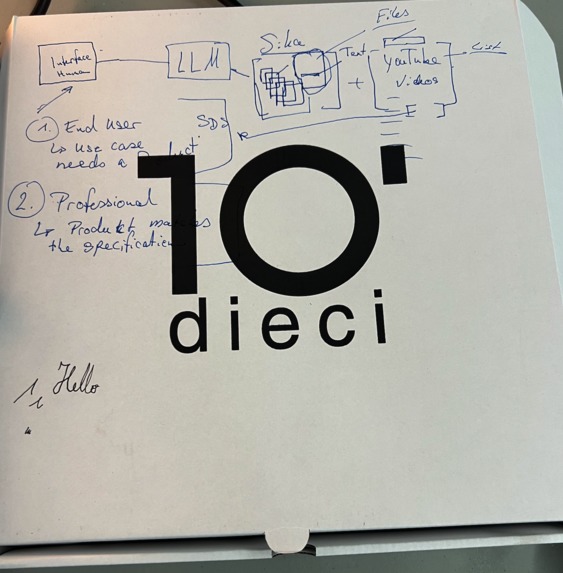
first ideation
-

the broccoli team
-
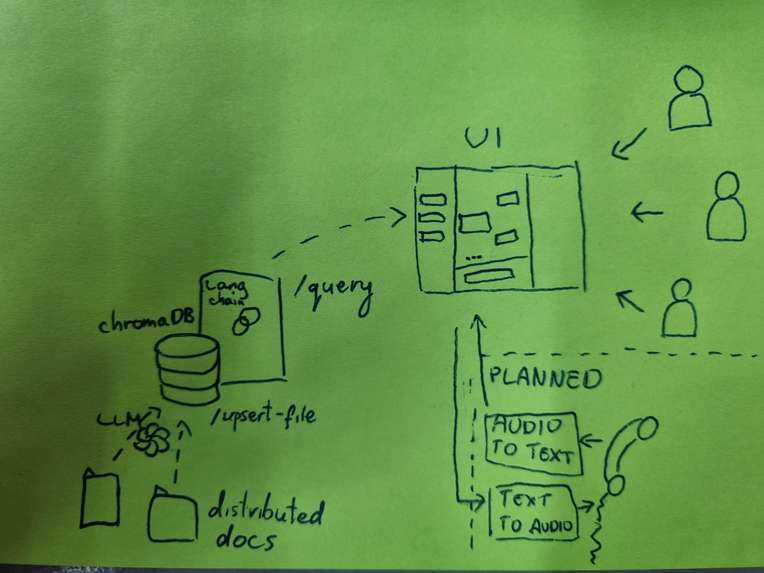
flow diagram
-
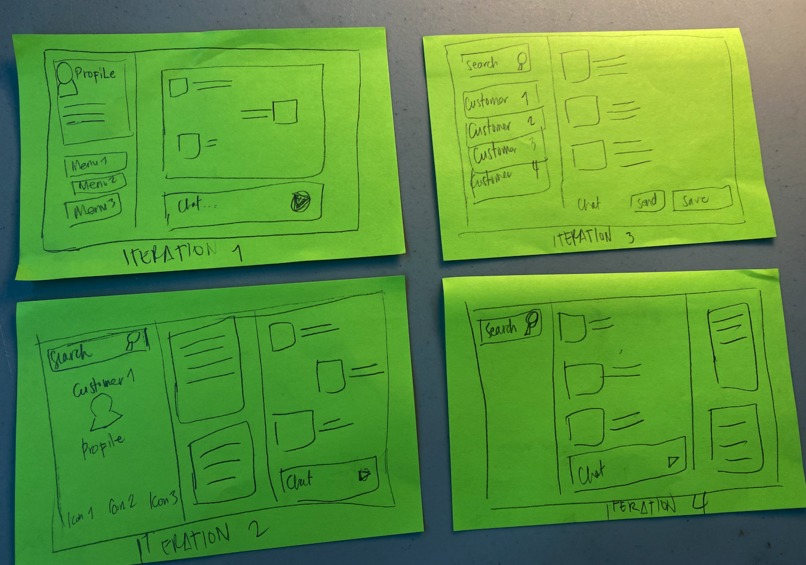
paper prototypes
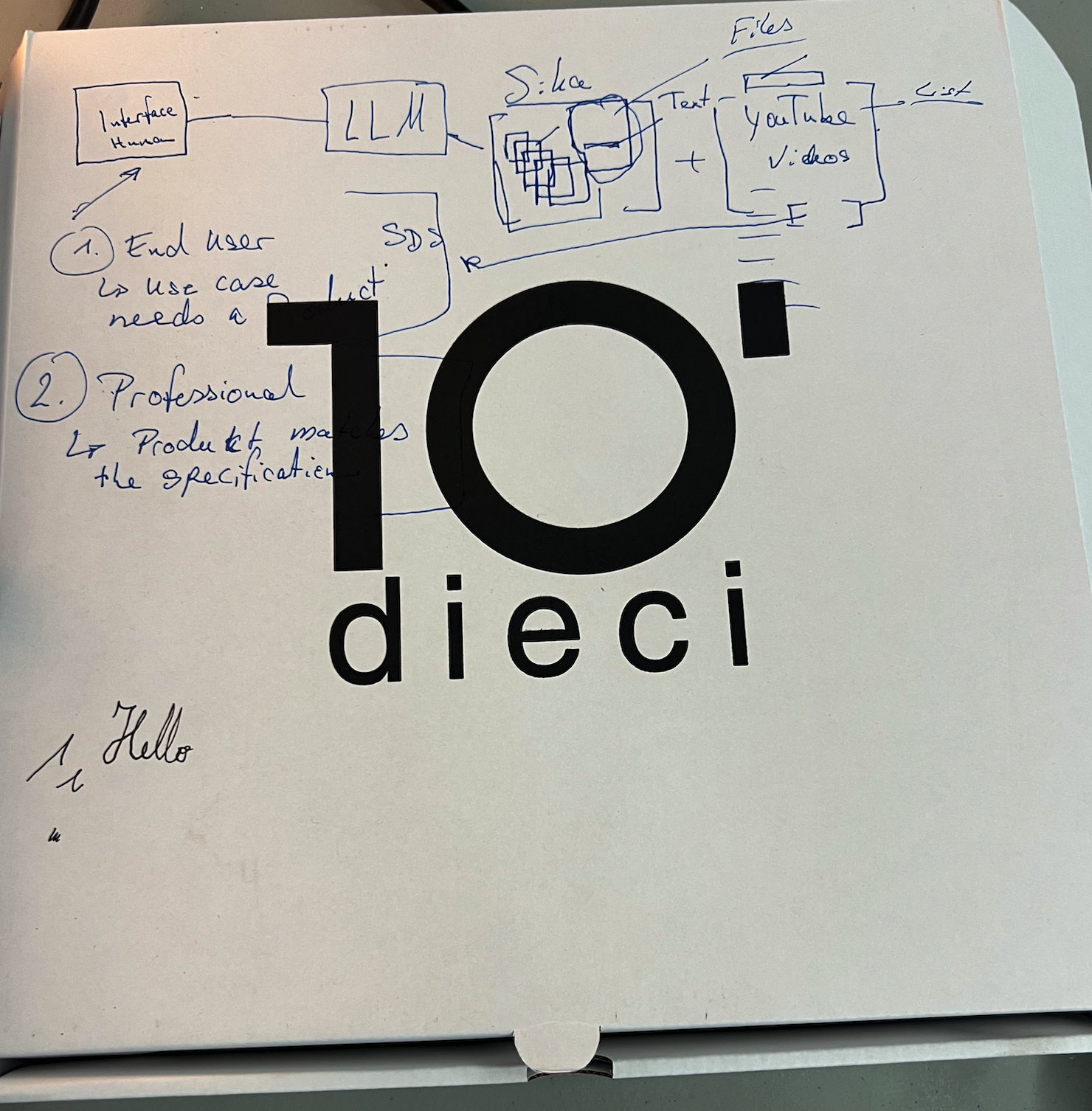

Inspiration
Imagine a wallet hidden in the large pool filled with thousands of small balls. Actually it happened during this event to one of our team members. We were seeking it tirelessly, being unsure whether it is hidden there or somewhere else, like on a bench outside of the building. Finally we found it in the middle of a pool, and this is how the "Seeker" (pronounciation: [see-kuh]) term has been coined for out solution. Now, the idea is that Seeker will avoid Sika people wasting time on looking for the "wallet in a pool" by leveraging recent LLM advancements.
What it does
Seeker can index any documents: pdf, doc, xls and enable Sika people: e.g. customers / sales and other personas to effectively look for the piece of information they're looking for. Through our conversations with Sika we learned what are the current pain points and we were trying to address these in preparing the solution.
How we built it
frontend
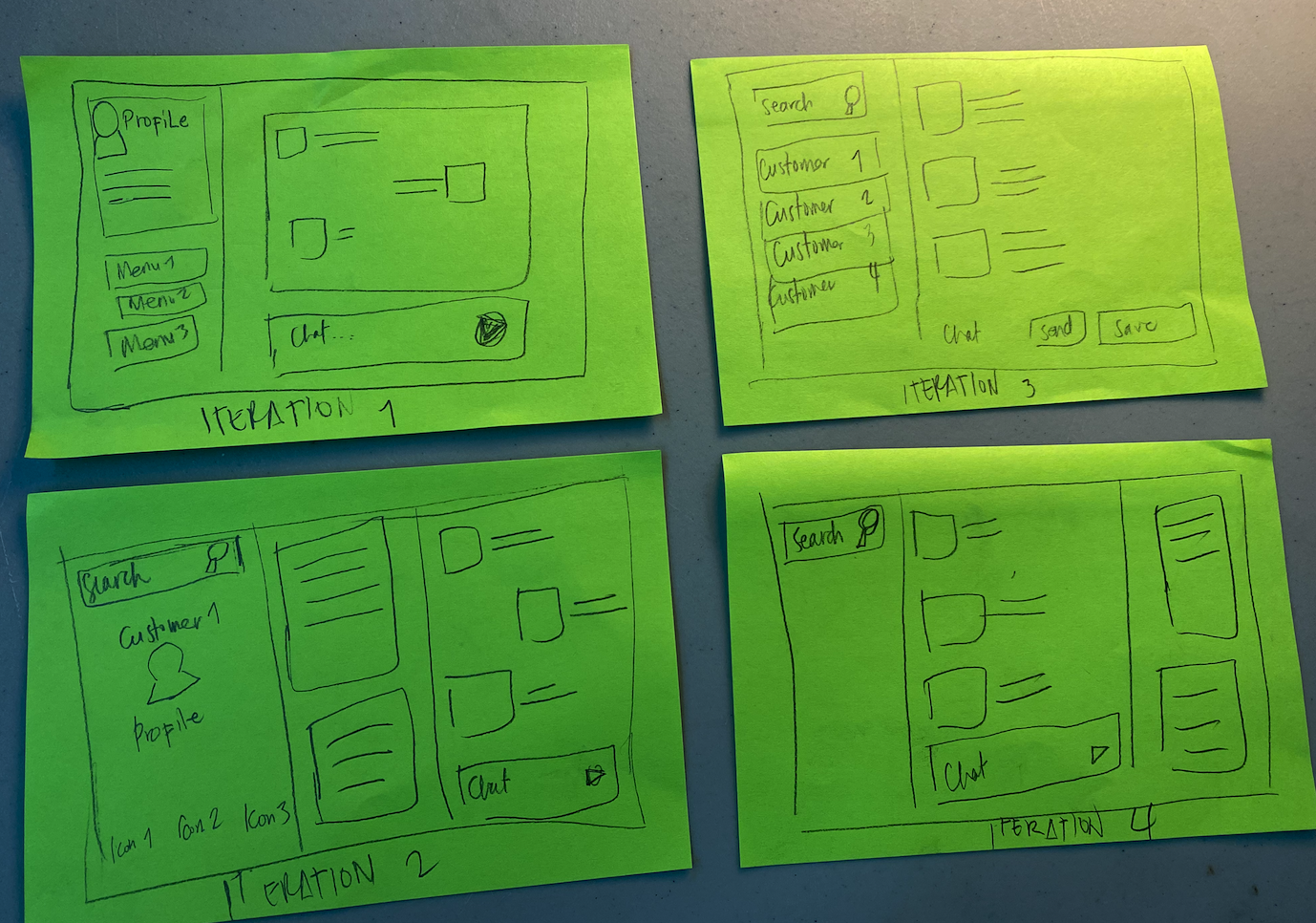
We leveraged BetterChatGpt - an opensource project that customizes the chatbot experience similar to chat gpt.
The frontend can be launched locally using:
npm run dev
backend
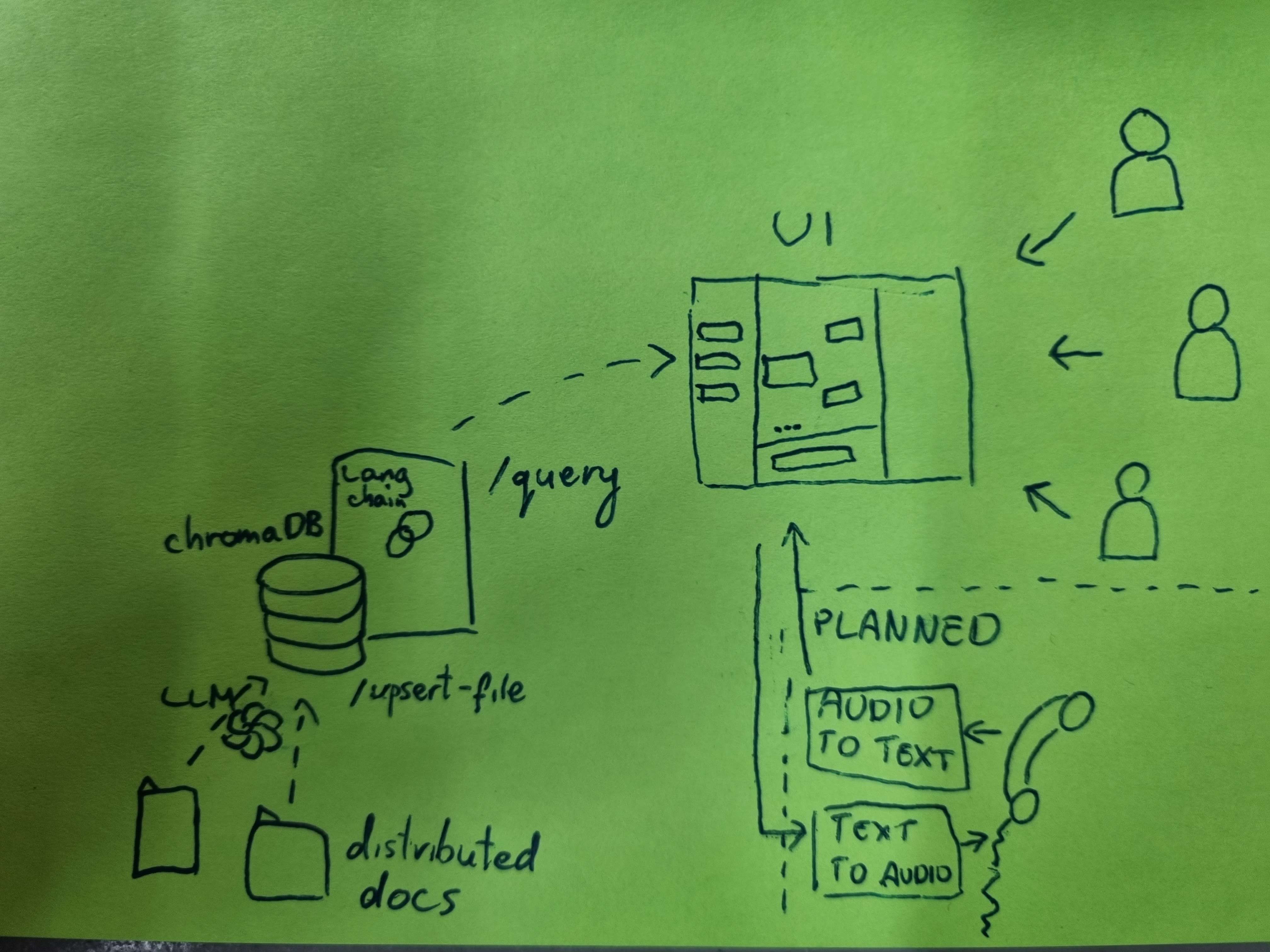
We integrated an open source ChatGPTRetrievalPlugin to easily manage the knowledge hidden in the documents provided by sika. The ChatGPTRetrievalPlugin have a support for many different databases. We picked up chromadb as it was possible to host the database in-memory, but for the production-ready product one has to re-evaluate what is the best solution in regards to the database selection. We used open sourced langchain library to build a retrieval tool that allow sika customers and employees for a seamless experience in retrieving the needed information.
The backend consists of two parts: the chat gpt retrieval plugin is dockerized and can be launched using
docker build -t retrieval .
docker run -p 8080:8080 retrieval &
After the retrieval plugin is up, the following script can be used to populate the database with vectorized data:
python upsert_docs.py
alternatively we can go to fastapi dashboard to upsert documents manually by entering the page (assuming the server is hosted locally):
http://localhost:8080/docs
The second part - rest api based on langchain agent can be launched using
uvicorn app:app --host=0.0.0.0 --port=5000 &
ML/AI
We built the LLM part of the solution by using our personal credentials to access GPT-3.5-turbo API. LLM is used to index chunked documents and to control the chatbot agent.
Challenges we ran into
We started by trying to set-up vertex ai using credits received from google but we ran into a configuration issue (the way of passing credentials was not simple) so we decided to set-up azure open ai by spending microsoft azure granted credits. Unfortunately the process of requesting the access to azure openai requires providing a lot of very specific details like address of a HQ company. Finally we decided to use our private OpenAI credentials.
Accomplishments that we're proud of
- we delivered a MVP we identified,
- we successfully leveraged the available open source libraries and solutions and built the MVP on base of available tools,
- we found the wallet in the pool full of balls,
- we also found the 2Fr coin, a plastic duck, a bottle of water and parts of tofu(?).
What we learned
team work is super important: team can deliver more than individuals working separately. We felt it especially on the last hours when we were pushing our limits through keeping up together.
What's next for broccolis
We would love to develop the product further: e.g. we could leverage knowledge graphs for better knowledge representation. The other potential direction is to integrate a voice-to-text, and voice sync in order to simplify the interface.
Built With
- docker
- gpt
- langchain
- python
- typescript


Log in or sign up for Devpost to join the conversation.