-
-
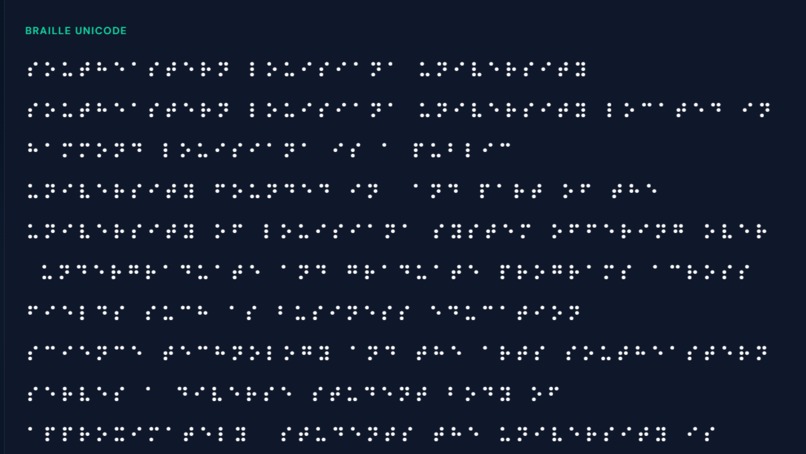
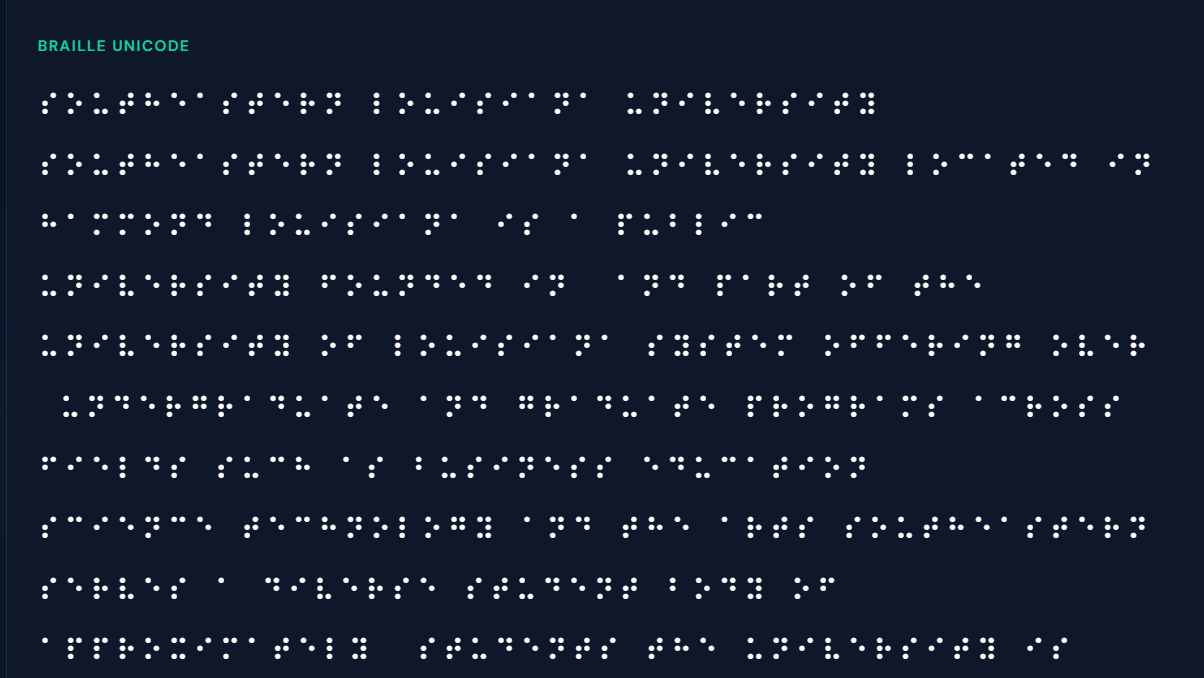
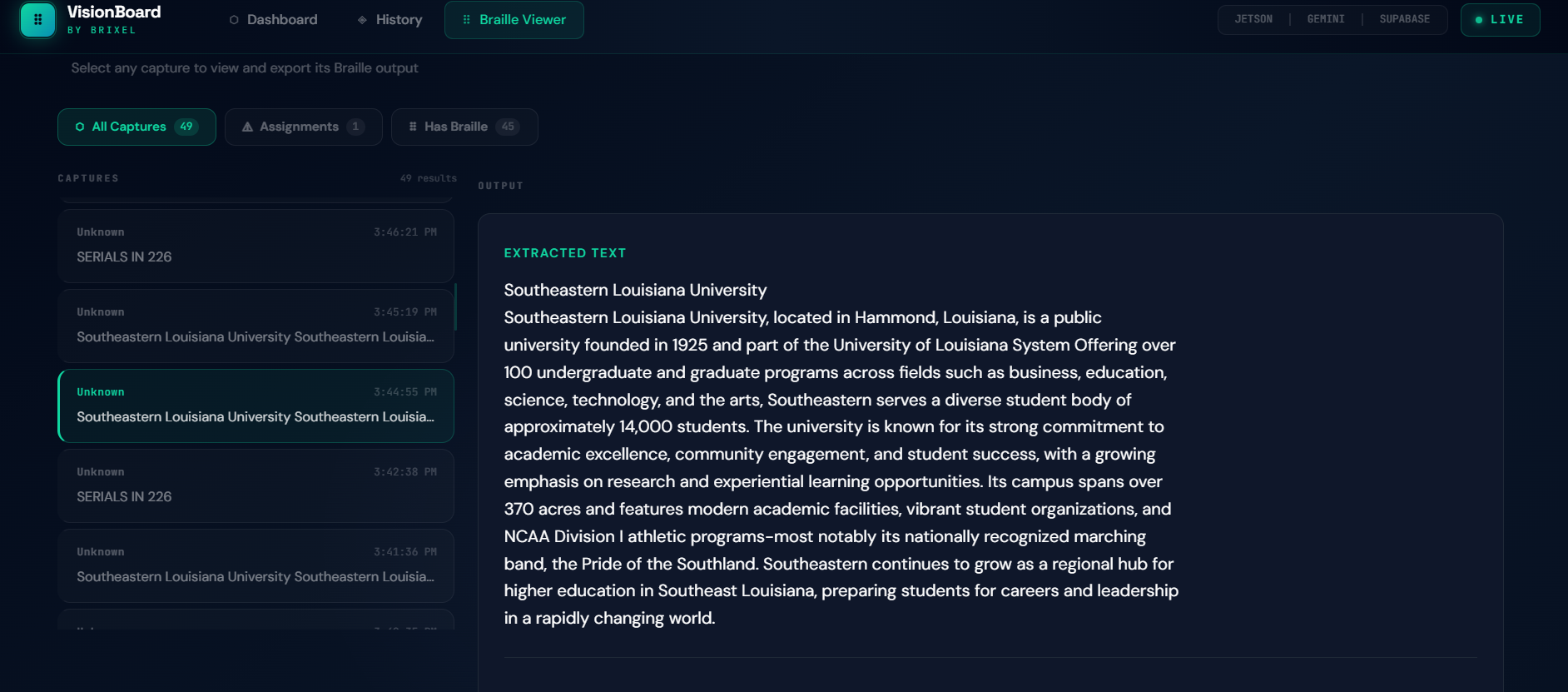
Braille Unicode Conversion
-
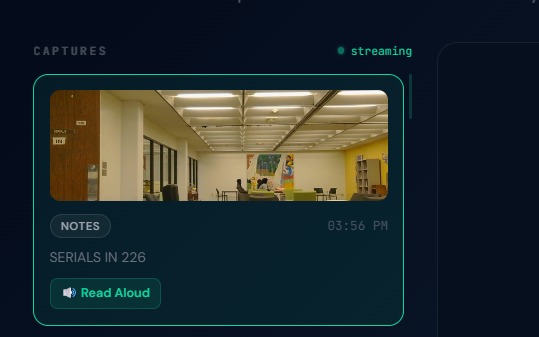
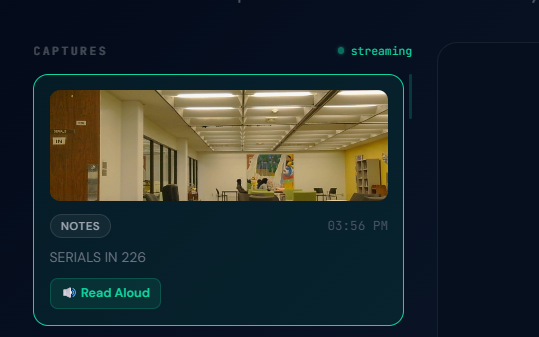
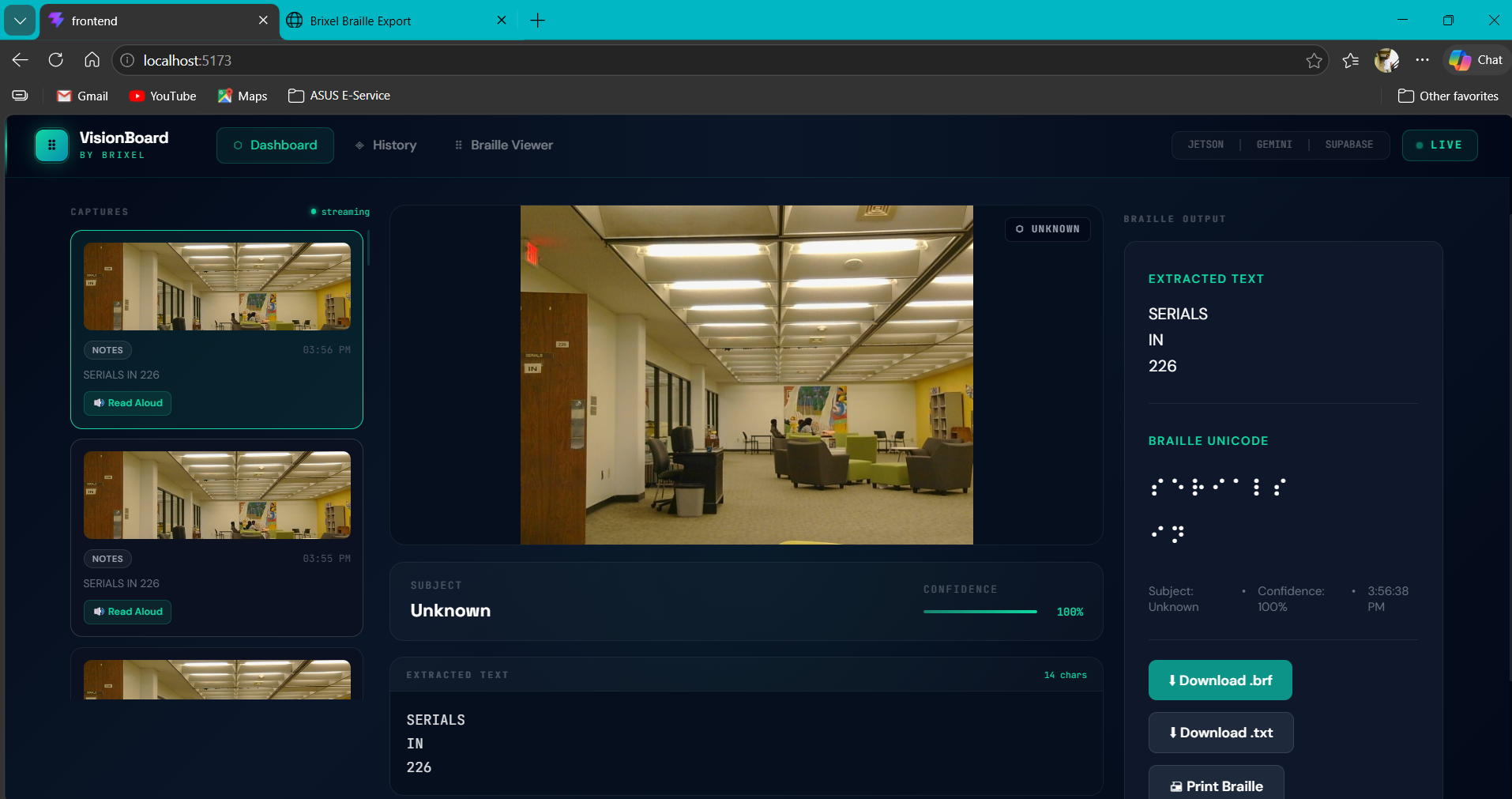
Live Dashboard with speaking features
-
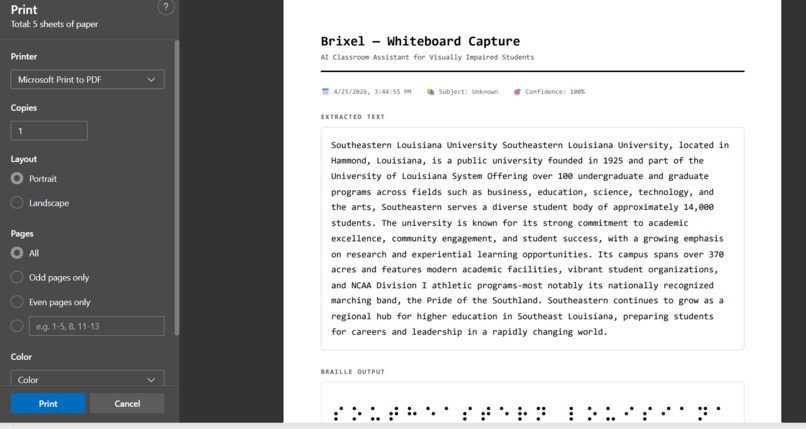
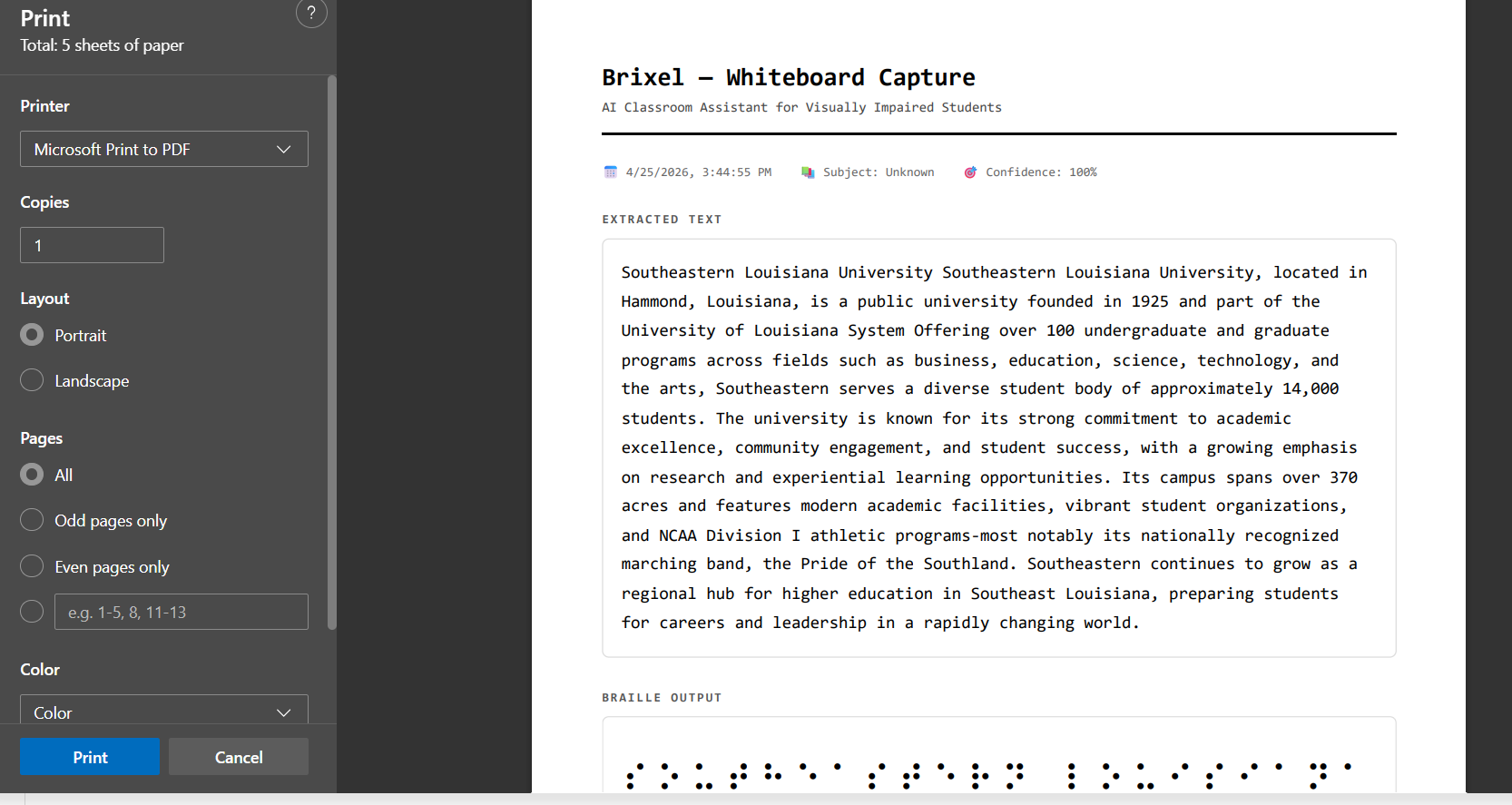
Printable Format
-
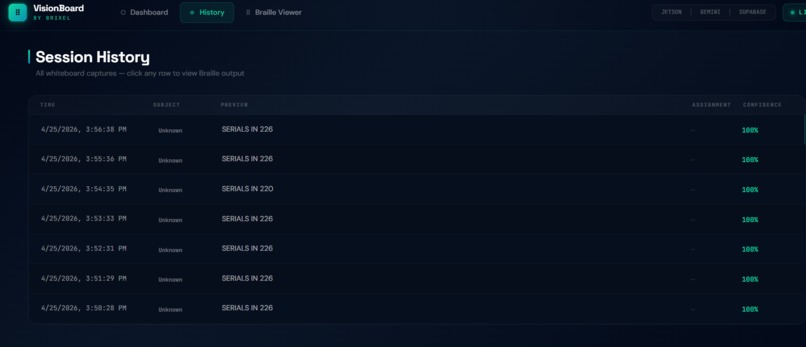
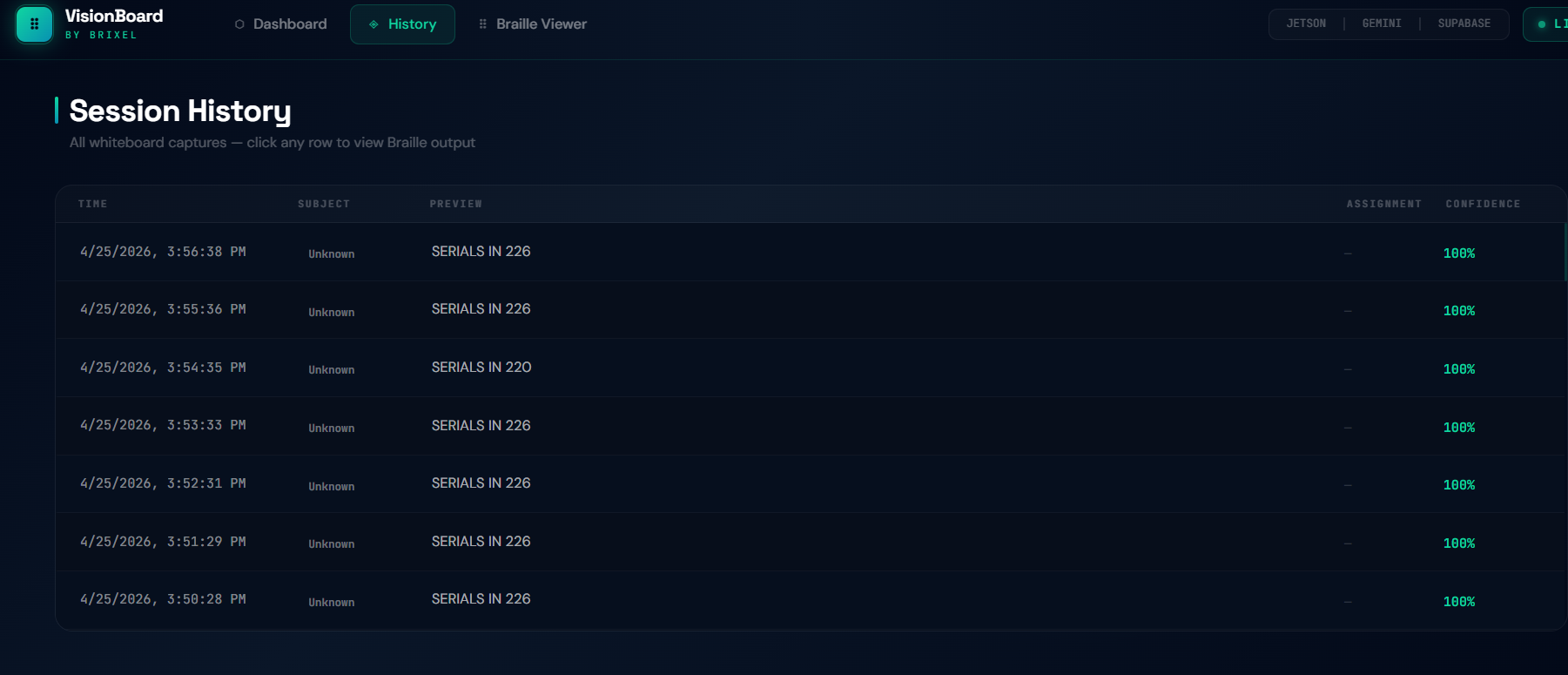
Session History
-
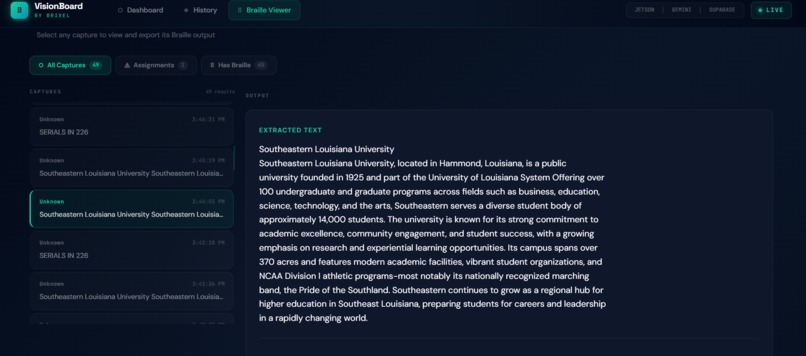
Text extracted from Image
-
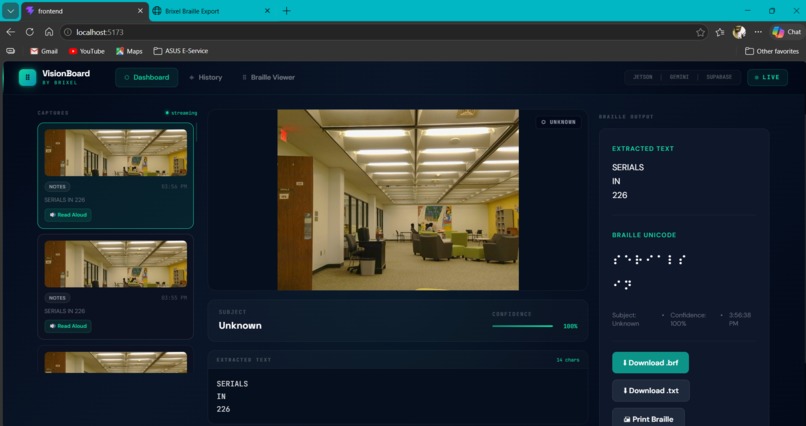
Live Dashboard
Inspiration
It started with a number that stopped us cold. 253 million people worldwide live with visual impairment. Of those, 19 million are children. According to UNESCO, 90% of visually impaired children in low and middle income countries receive no formal education at all. But even in countries with strong accessibility laws, we found a specific gap nobody was solving: the whiteboard. Teachers use whiteboards as their primary teaching surface in 83% of classroom lessons globally. Every equation, every diagram, every assignment posted at the end of class is spontaneous, handwritten, temporary, and completely invisible to a visually impaired student. Screen readers cannot read a whiteboard. OCR phone apps require the student to actively point and tap, disrupting their learning. Human aides cost $25,000 to $45,000 per year and only 17% of qualifying students actually receive one. We asked: what if the device did all the work so the student could just learn?
What it does
Brixel is a portable AI powered classroom companion that makes the whiteboard fully accessible in real time. It runs passively with zero effort from the student. A Jetson Nano with a Logitech webcam captures whiteboard content, extracts text using Google Cloud Vision API, and pushes everything to Supabase. On the frontend, the React dashboard picks up new captures instantly, converts the extracted text to Grade 2 Braille Unicode using an npm Braille conversion package, and reads the content aloud using the Web Speech API directly in the browser. The entire pipeline completes in under 3 seconds. Three output channels, simultaneously:
- Spoken audio played directly in the browser using the Web Speech API
- Grade 2 Braille in Unicode converted on the client side using an npm Braille library
- Printable BRF files for Braille embossers so students can physically read their classroom content
How we built it
Hardware: Jetson Nano as the edge compute brain, Logitech webcam for continuous whiteboard monitoring, HC-SR04 ultrasonic sensor for proximity detection, PWM vibration motor for haptic feedback when new content arrives, powered by a portable powerbank. Backend (Python on Jetson Nano):
- OpenCV captures and preprocesses frames from the webcam
- Google Cloud Vision API extracts text from the captured image
- Extracted text and the captured image push to Supabase via Flask API
The Jetson handles only capture and OCR, keeping the edge device lightweight and focused. Frontend (React 18 with TypeScript):
- Supabase real time subscriptions deliver new captures to the dashboard instantly
- An npm Braille conversion package converts extracted text to Grade 2 Braille Unicode on the client side
- The Web Speech API reads the extracted text aloud directly in the browser
- BRF files are generated for download and printing on standard Braille embossers
- Three dashboard views: Live Dashboard, Session History (searchable and filterable), and Braille Export (download BRF, export PDF, one click print)
Database: Supabase (PostgreSQL) with real time subscriptions, row level security, and storage buckets for captured images and BRF files.
Challenges we ran into
- Camera configuration on Jetson Nano was harder than expected. Getting the correct resolution, focus settings, and full field of view required significant trial and error with OpenCV pipelines
- Supabase storage and RLS policies blocked our image uploads initially. We had to configure both table level and storage level row level security policies separately to allow the anon key to write data
- Google Cloud credentials on ARM architecture required careful dependency management on the Jetson, especially with numpy, OpenCV, and the Vision API client library
- Braille accuracy in the browser was critical. We tested multiple npm packages to ensure the Grade 2 contracted Braille output was correct and usable, not just a simple character mapping
- Keeping latency under 3 seconds end to end meant optimizing every step: image capture, API call, Supabase sync, and frontend rendering of Braille and speech simultaneously
Accomplishments that we're proud of
- Built a fully functional end to end pipeline from physical camera capture to spoken audio and printable Braille in under 3 seconds
- Total hardware cost is under $200, compared to $25,000+ per year for a human aide
- The student does absolutely nothing. The device is entirely passive. This is the core design principle and we maintained it through every decision
- Braille conversion and text to speech run entirely in the browser, making the frontend self contained and accessible from any device
- BRF export means the Braille output is not just digital but physically printable on any standard Braille embosser
What we learned
- Edge computing on constrained hardware like the Jetson Nano requires careful dependency management and optimization at every layer
- Real time systems have no room for "good enough." Every millisecond in the pipeline matters when a teacher is about to erase the board
- The Web Speech API and modern npm ecosystem make it possible to handle accessibility features like text to speech and Braille conversion entirely on the client side without needing server infrastructure
- Accessibility is not a feature. It is a right. Building for visually impaired users changed how we think about every interface decision
What's next for Brixel
- Multilingual support expanding Braille conversion and speech to 40+ languages
- Pilot program across 10 schools in 3 countries to measure real world impact on comprehension and Braille literacy
- IEP documentation integration so every capture serves as compliance documentation for Individualized Education Programs
- Open source hardware design for NGO deployment in low and middle income countries where human aides are not funded at all
Built With
- flask
- google-cloud-vision-api
- google-web-speech-api
- jetson-nano
- opencv
- postgresql
- python
- react
- supabase
- tailwind-css
- typescript
- vite
- webcam


Log in or sign up for Devpost to join the conversation.