Inspiration
This problem applies to most people but, for us specifically, we got tired of seeing hundreds of unread emails in our inbox and not knowing whether we were missing anything important. With the advent of generative AI, solving this problem suddenly became tractable which led us to harness the power of LLMs to make processing these thousands of daily emails much more manageable.
What it does
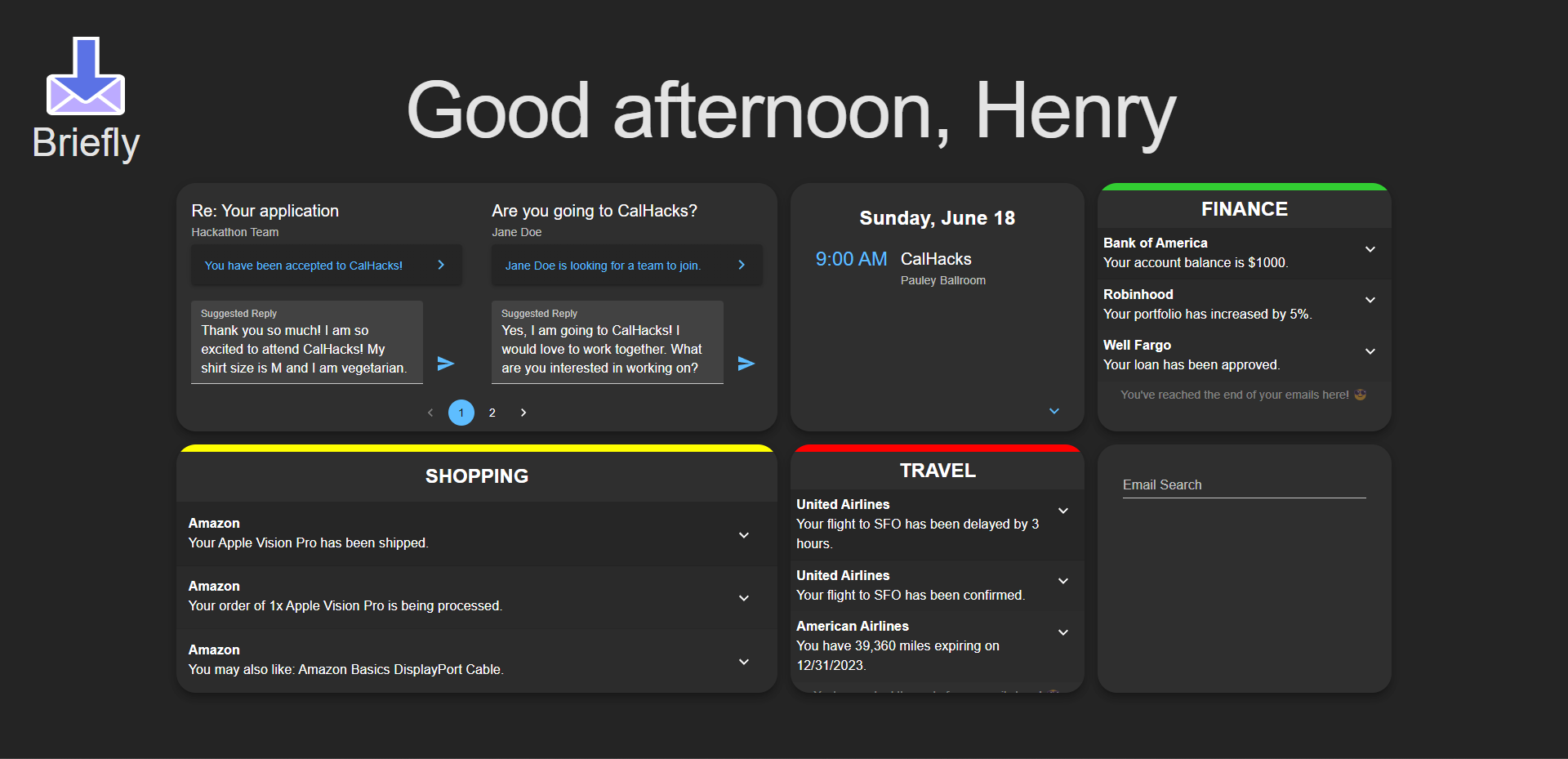
Briefly is a web app that intelligently personalizes your morning briefing. It does this by categorizing your emails, providing intelligent responses to queries about your emails in a chatbot interface, aggregating other useful information such as calendar and social media, and modifying the widget sizes and layout based on relevance, significance, and other features deemed important by GPT-4.
How we built it
Backend Email Scraping: We use the gmail API to retrieve new emails from the gmail server (with the initialization retrieval having 100 emails) and store following information: subject, sender, date, and email body. This email data was embedded using the OpenAI text-embedding-ada-002 model and stored on pinecone.
Email Categorization: Upon initialization, we retrieve the newest 100 emails from the database and default to 9 preset categories to sort emails into. Then, for each of these 100 emails we assign each email to one of the preexisting categories or assign it to a new category (where this decision is made by the gpt-4 chat completion model). Finally, we parse these emails into a preset format to be read by the frontend.
Email chat-bot: Upon entering a query on the frontend, the frontend input is embedded again using the text-embedding-ada-002 model and the vector database is queried for the closest 10 email embeddings to the input embedding. We then set the closest email embedding information as context and the actual email body as the question/query and feed that into a gpt-3.5-turbo model to generate a response which we then display to the user.
Challenges we ran into
Using mindsdb's gmail and calendar integration was quite tough especially because there was some error during setup that we were struggling with (and were later resolved by a bug fix by one of the developers). Additionally, creating effective and targeted prompts when performing email categorization and using the email chat assistant also proved to be interesting challenges.
Accomplishments that we're proud of
Our chatbot was decently useful and accurate in its responses to various prompts (given email context) which is something we're quite proud of. Additionally, our front-end UI is quite intuitive and easy to interact with, which was something else we were proud of.
What we learned
Not only did we learn how to integrate generative AI within our applications to boost its intelligence and ease of use, but we also had hands on experience using commercial applications of generative AI that already exist on the market (primarily due to our experimentation with and use of mindsdb).
What's next for Briefly - Your friendly email assistant!
Integrating the chatbot assistant and categorization tool with other datasources beyond email and gcalender (i.e. reddit, twitter, weather data, news).
Built With
- fastapi
- google-gmail-oauth
- javascript
- materials-ui
- openai
- python
- react

Log in or sign up for Devpost to join the conversation.