-
-
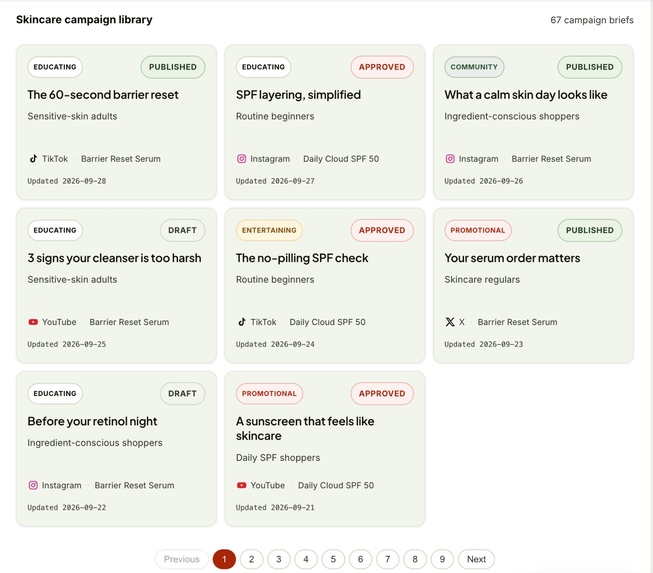
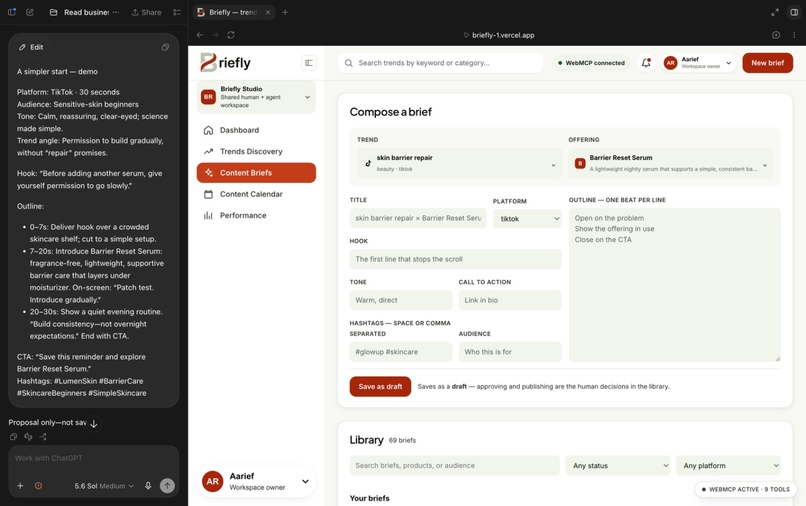
Turn a rising trend into a structured, on-brand content brief ready for review.
-
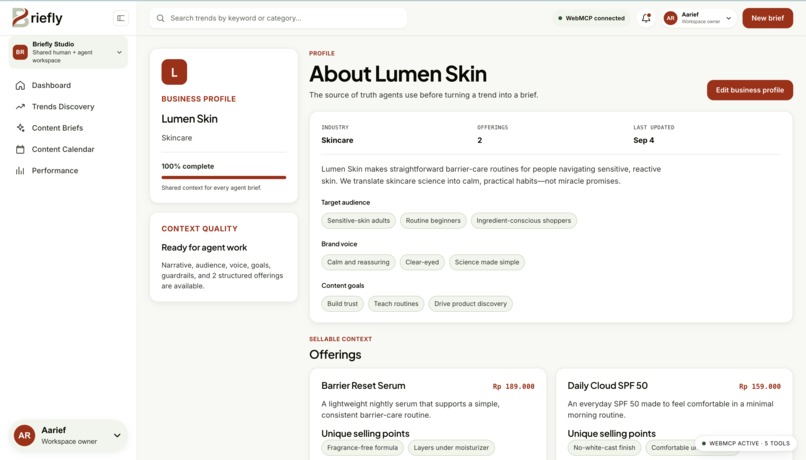
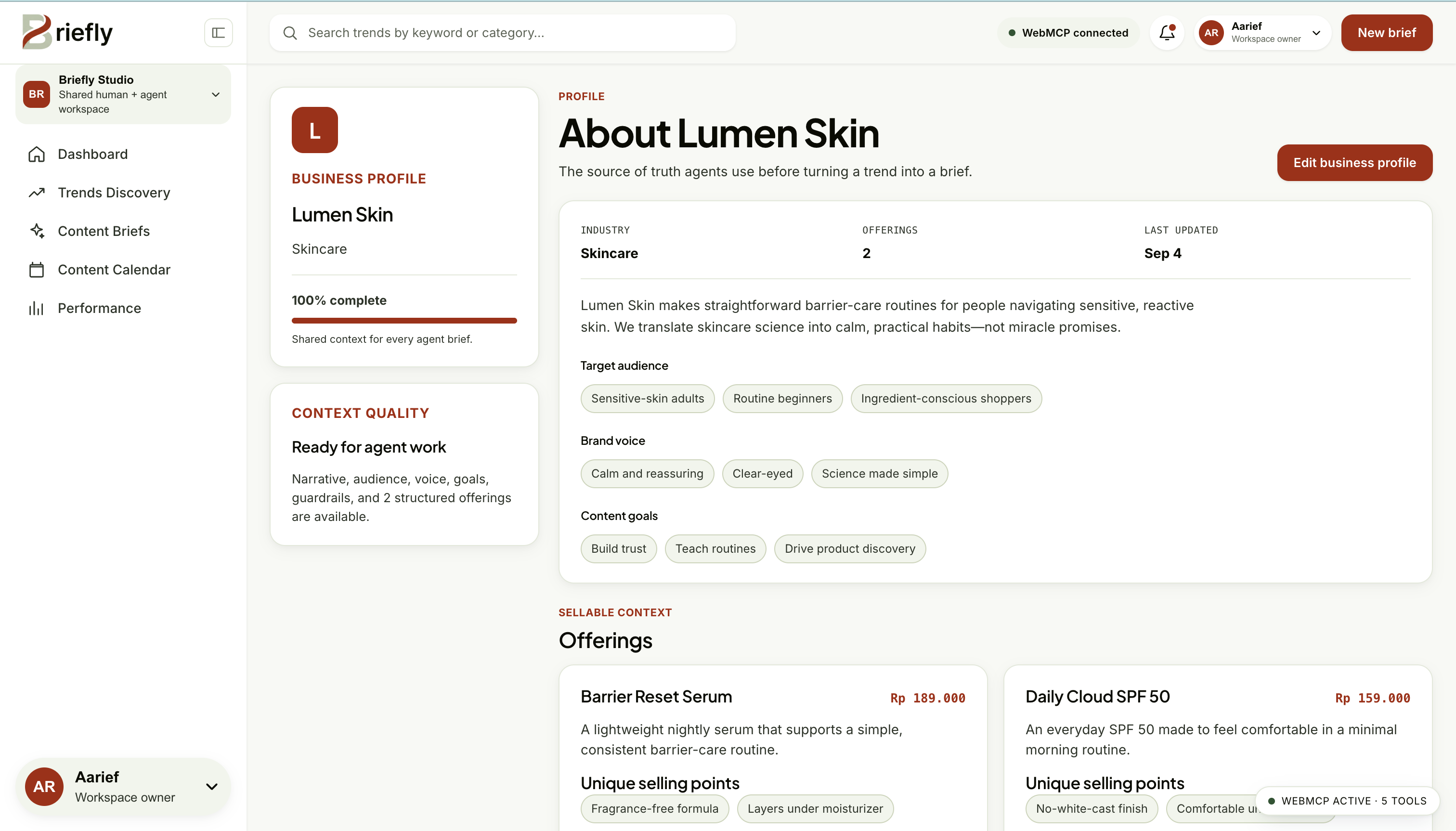
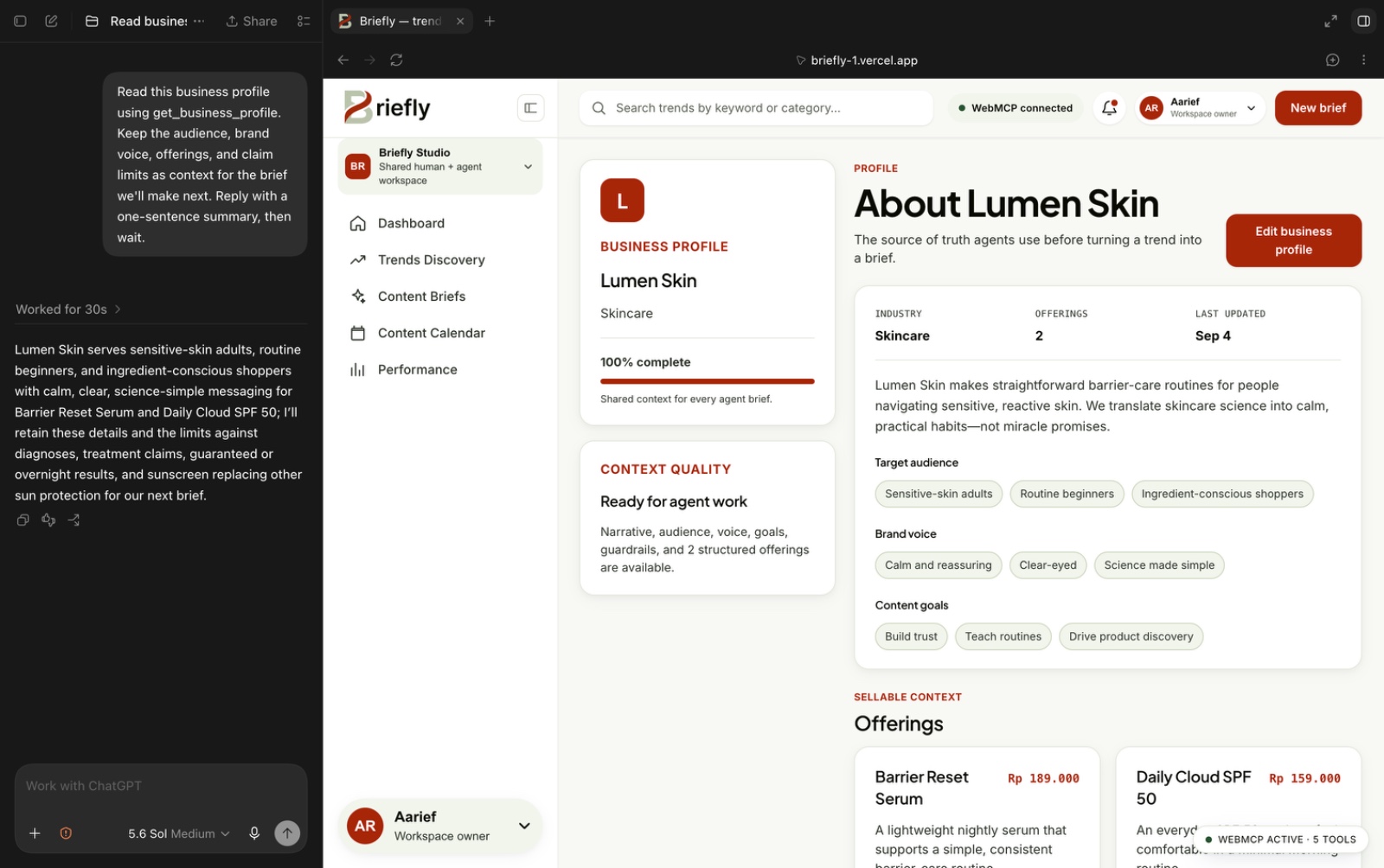
Give agents your audience, brand voice, offerings, and claim guardrails to guide every brief.
-
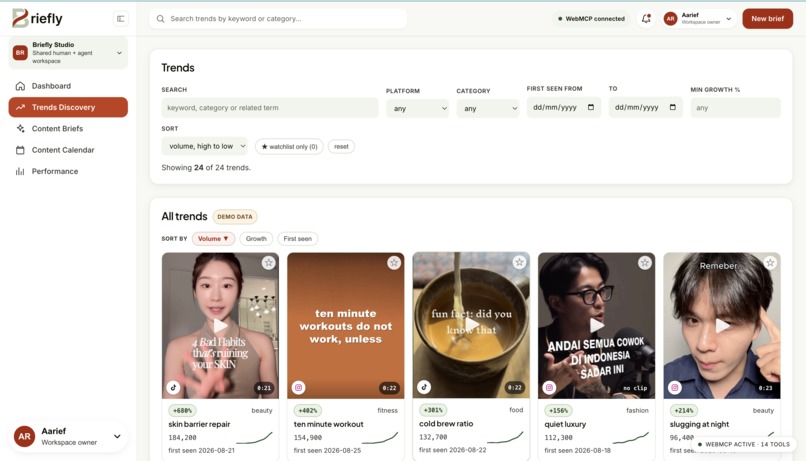
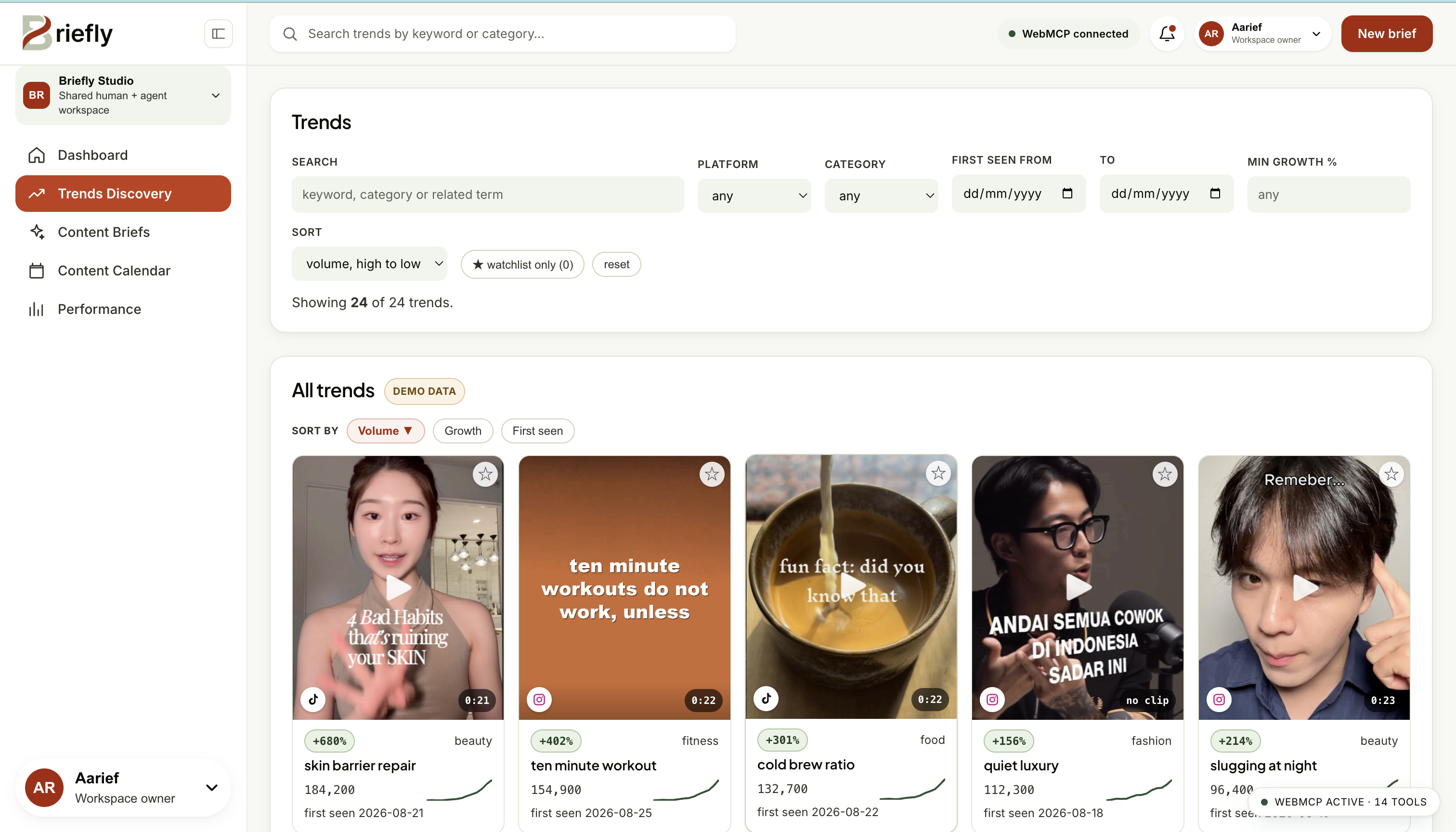
Explore trend signals, growth charts, and sample content to find your next angle.
-
Review the draft and approve it when it’s ready—AI assists, you decide.
-
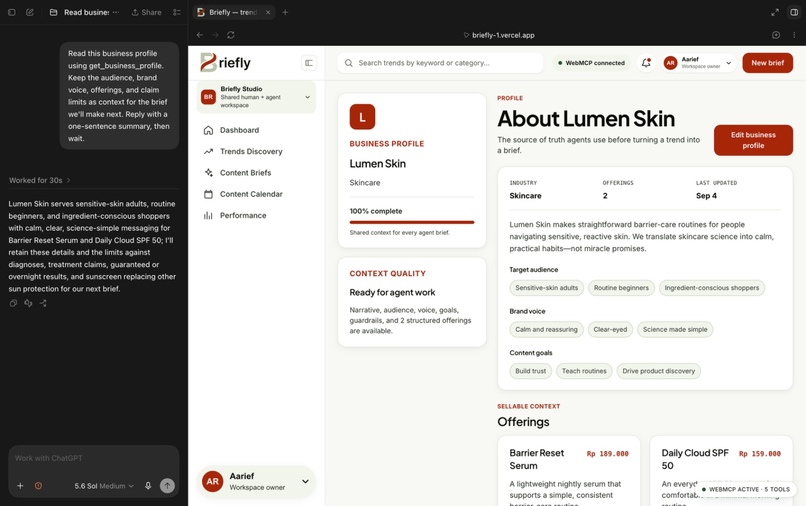
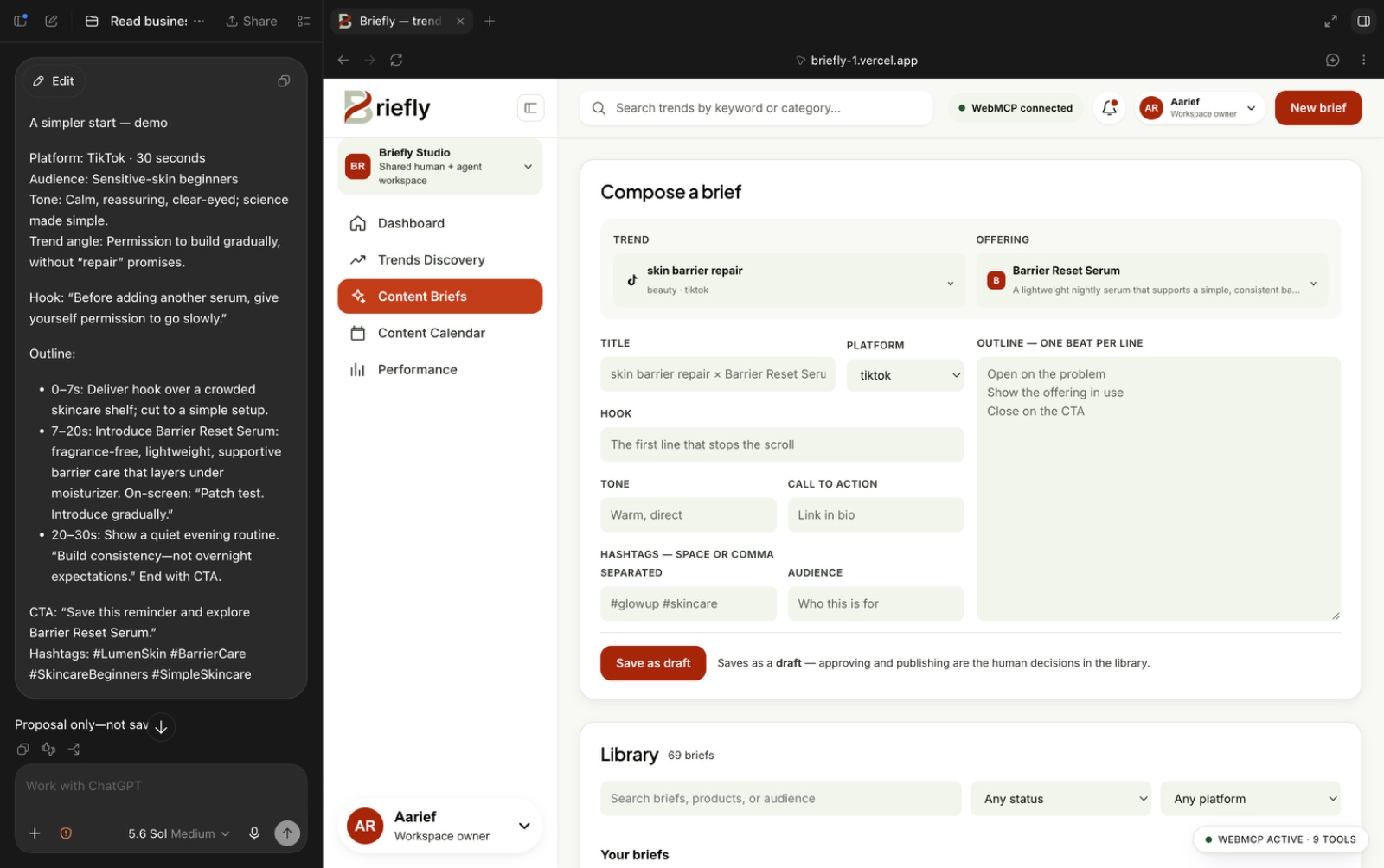
Selecting a trend and offering makes the relevant tools available for agents to compose and save a brief.
Inspiration
A trending keyword is easy to find. A useful content brief is harder. You need the source material, the right audience, the product you actually want to sell, and a clear list of what the business can and cannot claim.
We kept thinking about the annoying part of this workflow: why do we still copy a trend from one dashboard, open the product notes somewhere else, explain all of it again in a chat, then copy the answer back into a document? Every move loses a little context.
So we built Briefly around one idea. What if the agent works in the same workspace as the person, understands what they are looking at right now, and writes the result back into the actual workflow?
What it does
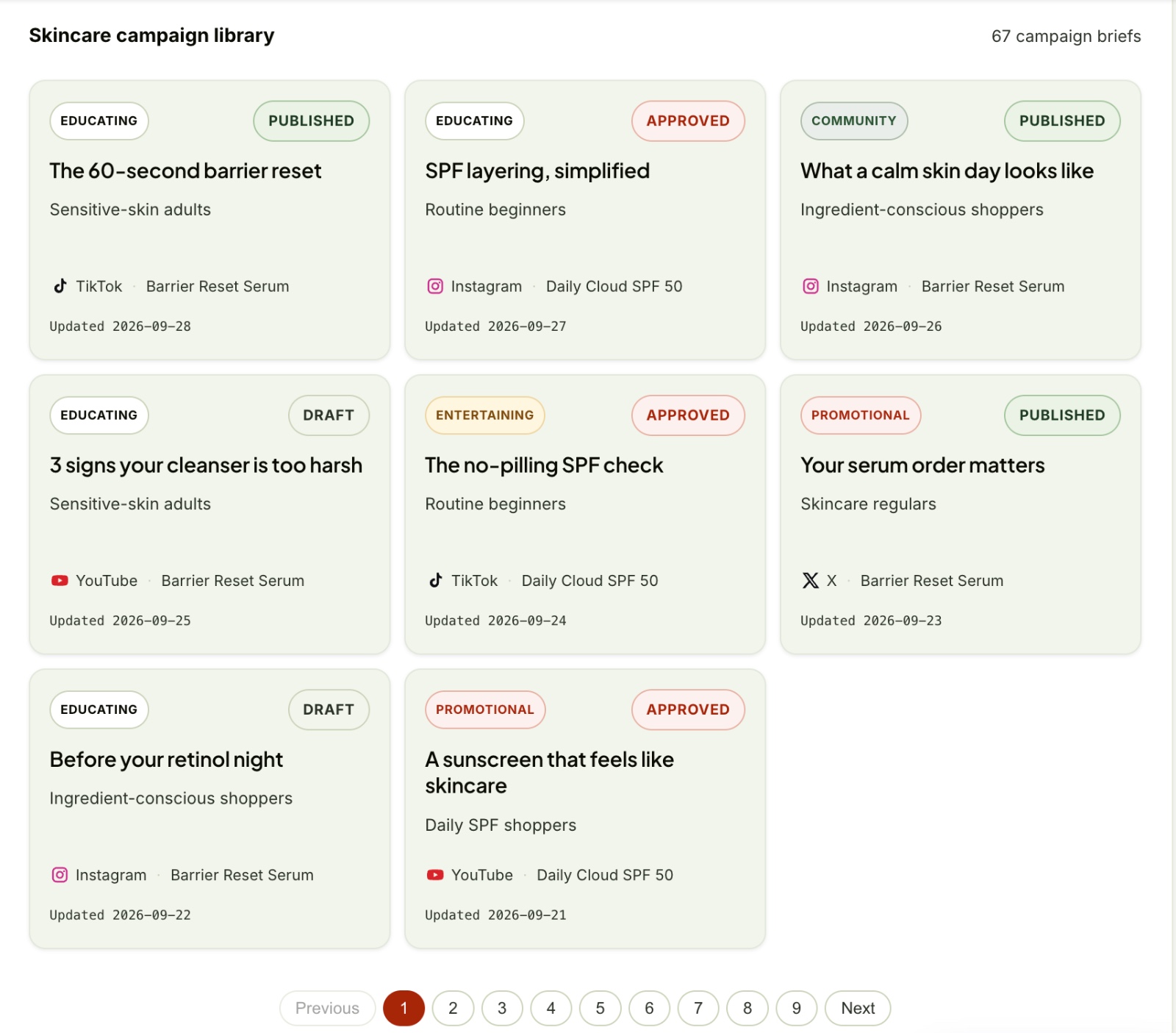
Briefly puts trend discovery, business context, content briefs, a calendar, and performance examples in one browser workspace.
The flow is simple. A person opens a trend, reads its source material, and chooses a business offering. Once both are selected, the agent can read the full context and write a draft into the brief library. The person can inspect the draft, create their own version in the composer, change its workflow status, or schedule it on the local calendar.
This is where WebMCP matters. Briefly does not give the agent one giant static
list of tools. Its tool surface changes with the interface. Open a trend and
the detail tools appear. Open the business-profile editor and the editing tools
appear. Select both a trend and an offering and get_brief_context,
generate_brief, and save_brief become available. Remove either selection
and those tools disappear again.
There are 37 tool definitions in the app, but they are not exposed all at once. The point is not the number. The point is that the right tool appears when the person and the agent have enough context to use it.
The current prototype uses seeded trend and performance data. It does not fetch live social metrics, prove engagement growth, or publish anything to a social platform. A "published" status in Briefly is local planning state, not a real network post. Saved briefs can be inspected and moved through the workflow, but their content cannot yet be edited in place from the library.
How we built it
The frontend is built with React 19, TypeScript, and Vite. We kept the runtime small: React + React DOM are the only runtime packages. Browser-local stores hold the briefs, business profile, watchlist, calendar, and tool traces.
WebMCP tools register through document.modelContext.registerTool. Their
lifecycle follows the same React route and selection state that controls the
interface. The human controls and agent tools call the same store functions, so
when the agent navigates or saves a draft, the person sees it happen on screen.
We also built a local console bridge that exposes the same schemas and executor functions in browsers without native WebMCP support. It is useful for development and inspection, but we do not treat bridge access as proof of a native WebMCP flow.
Two optional Vercel endpoints use Gemini for trend analysis and draft
generation. The core agent flow does not depend on them. A connected agent can
read the context, write the brief itself, and save the draft through
save_brief.
The interface uses CSS custom properties with warm off-white surfaces and oxidized-iron accents. We added committed checks for tool contracts, surface changes, important UI states, and the production build.
Challenges we ran into
The hardest part was not registering a tool. It was deciding when that tool should exist.
A static catalog looked complete, but in practice it gave the agent actions that could not succeed yet. Briefly had to track the route, the open trend, the selected offering, and whether an editor was open. That is what made the tool surface feel connected to the product instead of attached on top of it.
Host compatibility was another real problem. Some WebMCP hosts support tool registration but do not provide the event-listener methods the inspector first expected. We changed the inspector so native registration stays intact while its discovery view can fall back to the local registry.
We also had to be strict about what this prototype proves. Seeded metrics are not customer results. Local workflow state is not social publishing. The optional deployed model endpoints still need repair and a full retest, and some captured cover images still need documented permission or replacement. Hiding those limitations would make the demo sound stronger, but the product less trustworthy.
Accomplishments that we're proud of
We are proud that the demo is not just a chat response beside a dashboard. The agent can navigate the same workspace, read the selected context, and leave a real draft inside the library for the person to review.
The app now has 37 state-dependent tool definitions across eight tested surface states. It covers discovery, business context, brief creation, scheduling, performance, and the trace log. Human controls and agent calls share the same stores, so the two paths do not quietly create different versions of the app.
We are also proud of the less visible work. generate_brief returns an unsaved
draft. save_brief always creates a draft. Tool calls receive trace IDs, and
the agent can inspect the same trace log shown to the person. The tool-contract
suite currently passes 51 checks, including invalid inputs, refusal paths,
idempotent operations, and recovery actions.
What we learned
More tools do not automatically make a better agent experience. Sometimes the best tool is the one that stays hidden until the context is ready.
We learned that human and agent parity also goes both ways. If the person can add something to a watchlist, stop a video, correct a calendar entry, or inspect a failed action, the agent needs a safe way to do that too. Creation alone is not enough. The agent needs to read, undo, and recover.
We also learned to separate saving from deciding. save_brief creates a draft,
but another tool can still move its local status forward. That means Briefly is
not a human-only approval system yet. Being precise about that distinction is
important, especially in a demo where a local "published" label can easily be
mistaken for a real post.
What's next for Briefly
First, we want to replace the seeded trend data with a transparent source of real data and test whether Briefly actually saves time for content teams.
Second, we want to add authentication, shared persistence, and proper review permissions so a team can see who changed a brief and who approved it.
Third, we need to finish the unglamorous but necessary work: repair and retest the deployed Gemini endpoints, resolve or replace the cover images with missing permissions, and test the full workflow across more native WebMCP hosts.
The bigger goal is still the same. We want the agent to understand the work that is already happening on screen, help at the right moment, and leave something useful behind when the conversation ends.
Built With
- css3
- gemini-api
- html5
- javascript
- localstorage
- model-context-protocol
- react
- typescript
- vercel
- vite
- webmcp

Log in or sign up for Devpost to join the conversation.