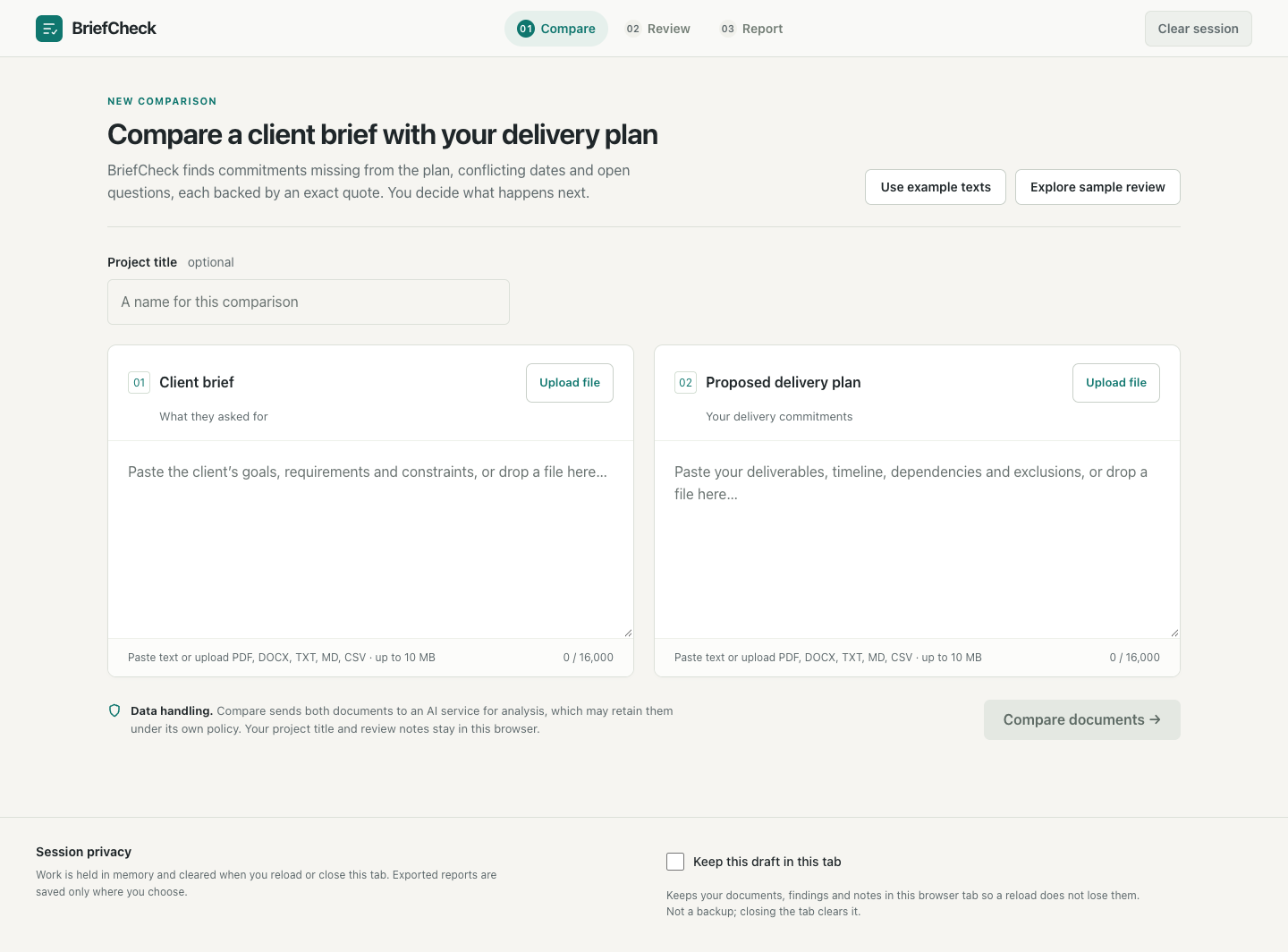


BriefCheck helps you spot what a delivery plan is missing from the client's brief, before you sign off on it.
Inspiration
Most people who deliver work for clients have been caught out like this. The plan looked fine, everyone signed off, and then at hand-over someone notices the client asked for something that never made it into the plan. A file format, a booking form, a launch date that moved by a week.
Catching that late is painful. We wanted AI to help catch it early, but not in the usual "trust me" way. If the AI says something is missing, you should be able to see exactly why.
What it does
BriefCheck is for project managers, agency leads and freelancers who turn a client's brief into a plan.
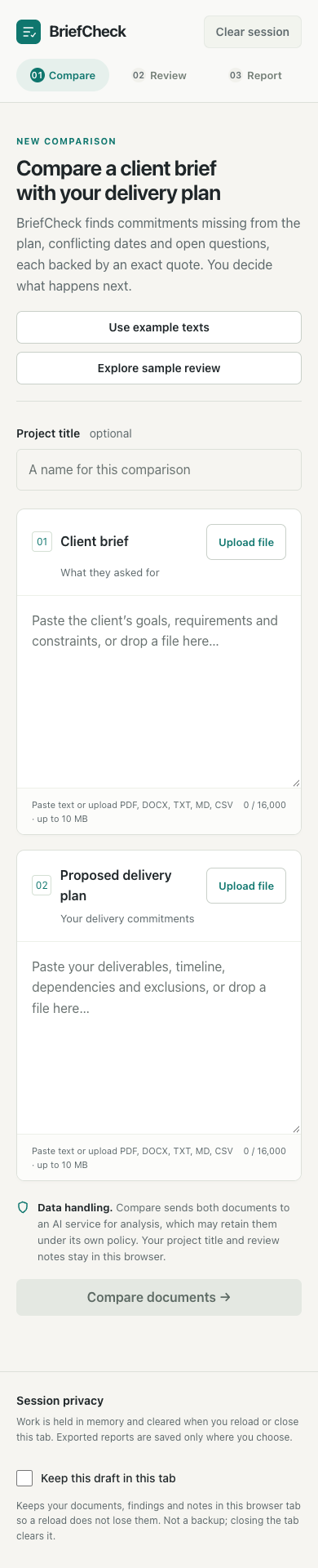
- Add both documents: the client's brief and your delivery plan. Paste them in, or upload PDF, Word, text or Markdown files.
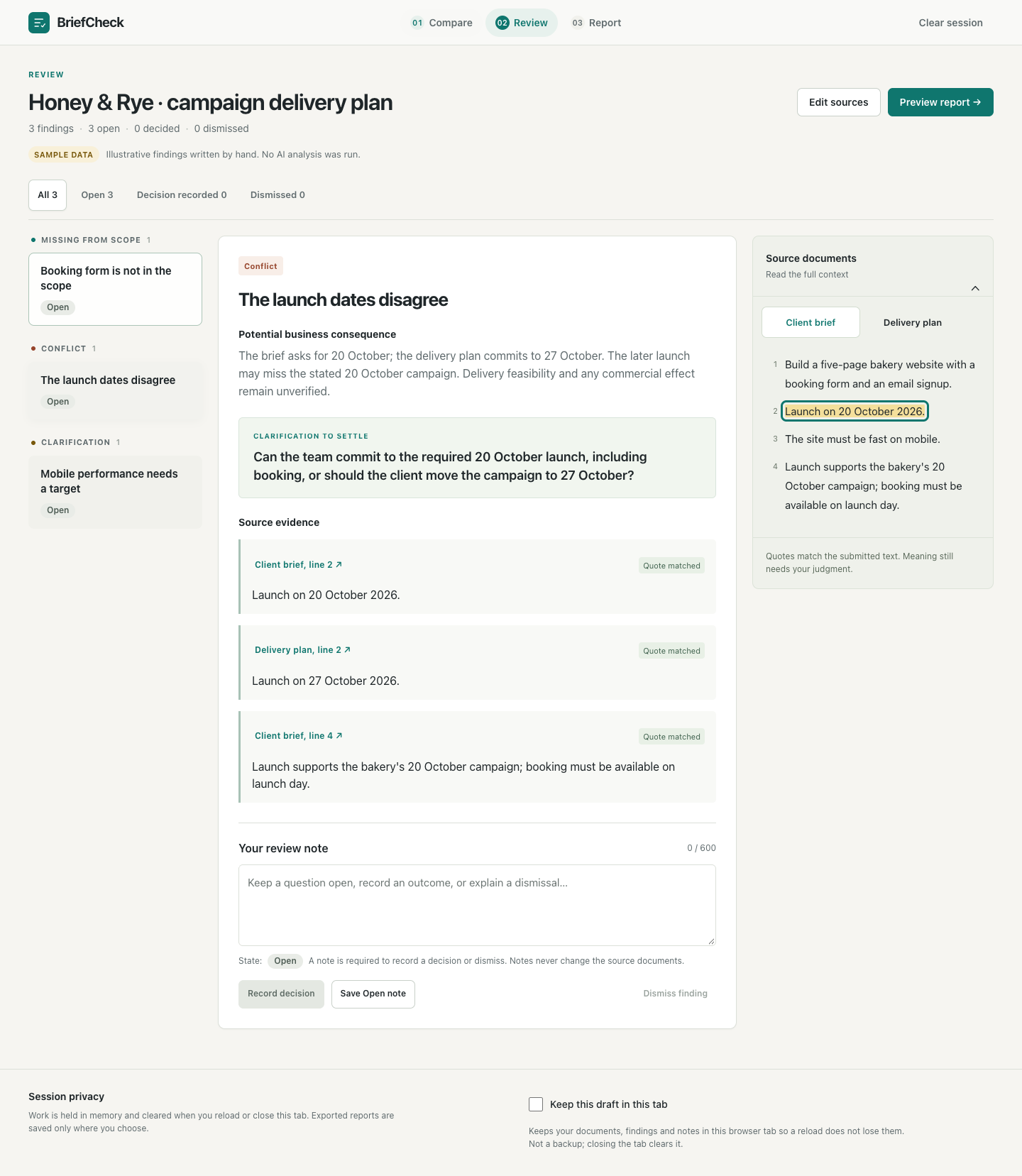
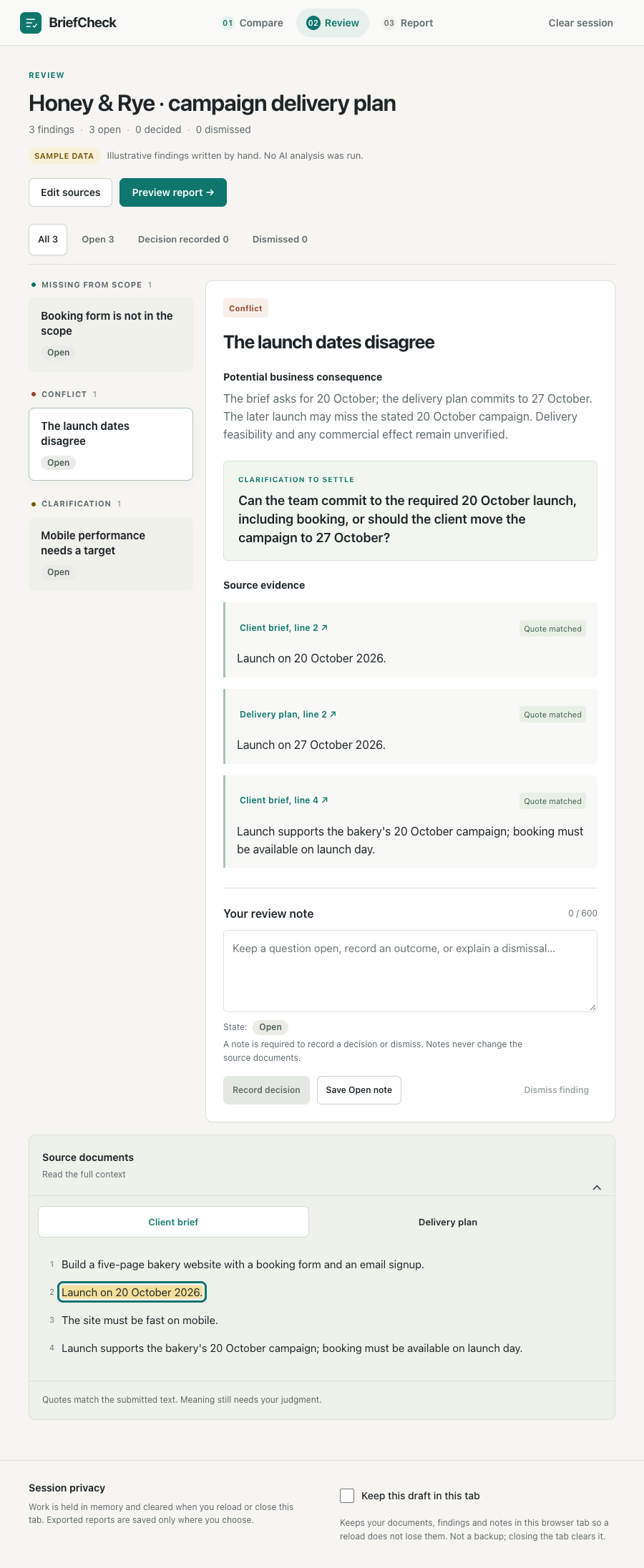
- Review what it finds. BriefCheck flags things that are missing, things that contradict each other, and things that are too vague to agree on. Each one shows the exact sentences it is based on, so you can check it yourself.
- Make the call. For each issue you can keep it open, write down what was decided, or dismiss it. The decision is always yours.
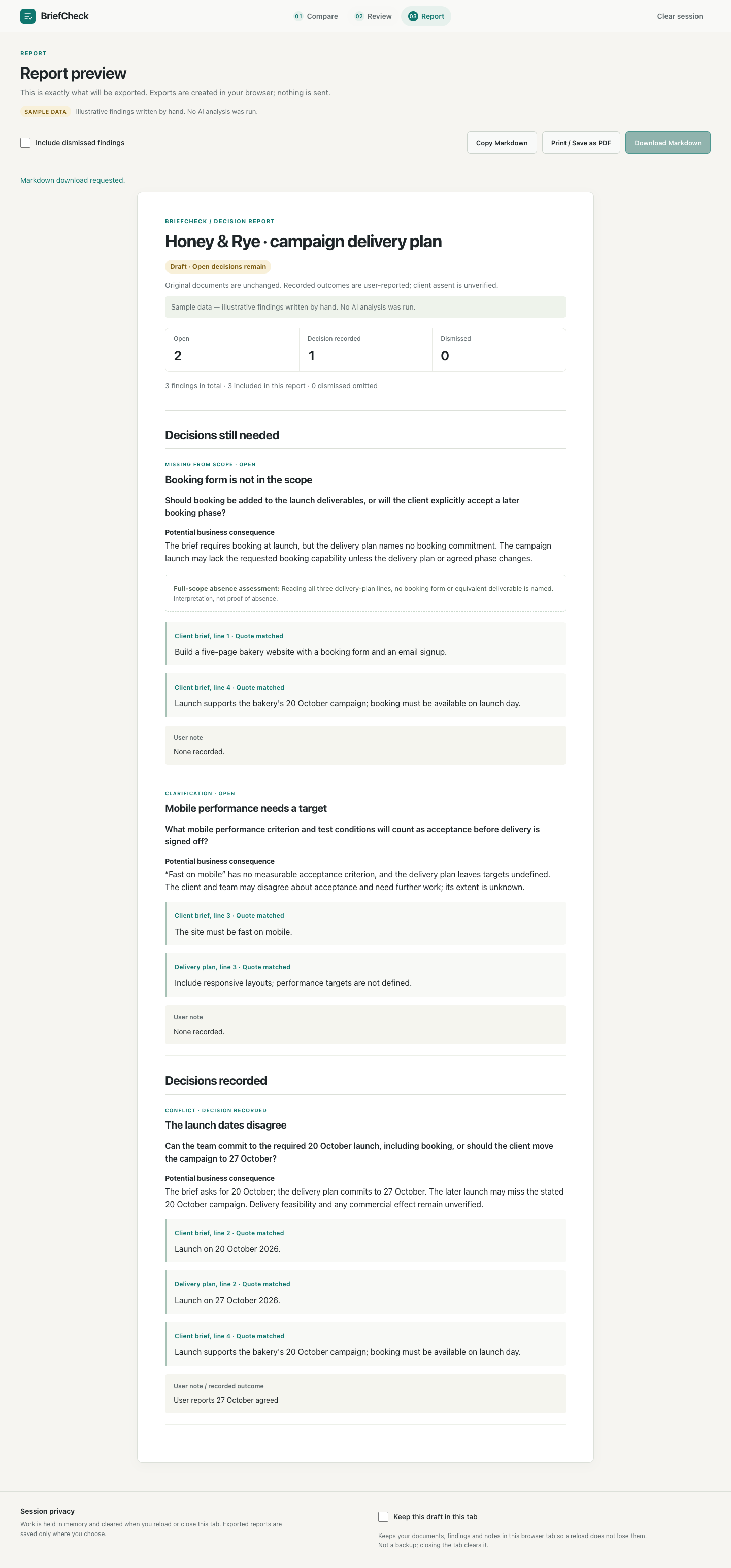
- Export a list of questions to take into your next client conversation, as a Markdown or PDF file.
For the AI + Business track, the idea is simple: the brief and the plan are the business data, each flagged gap is the insight, and the question it suggests is the recommendation. A person still makes the final decision.
How we built it
- A Next.js and TypeScript web app with a three-step flow: compare, review, report.
- An AI model reads both documents and points to the lines that support each issue.
- The AI never copies quotes itself. It only says which lines it means, and the app pulls the real text from your documents. If anything doesn't match, the whole answer is thrown out, so every quote you see is real.
- Text inside the documents is treated as content, never as instructions, so a document can't trick the AI into doing something else.
- File upload for PDF and Word documents. The text is read on the server, and anything that can't be read reliably, like a scanned page or a damaged or password-protected file, is rejected instead of guessed at.
- A test setup with 25 made-up client cases and a written checklist for what a good answer looks like.
Challenges we ran into
- The AI misquoted things. When it copied text, it sometimes changed it slightly. We fixed this by having it point to lines instead of retyping them.
- The AI made things up. Early versions invented costs and delays that the documents never mentioned. Now, if the documents don't say what the impact is, the answer says the impact is unclear.
- It mixed up types of issues. A vague goal like "fast on mobile" was reported as missing work, when really it's something to clarify. Clearer rules fixed this.
- Testing fairly. We had improved the AI using 15 test cases, so doing well on those didn't prove much. We added 10 new cases, written separately without seeing our instructions to the AI.
Accomplishments that we're proud of
- 44 out of 45 correct on our 15 main test cases, each run three times.
- 30 out of 30 correct on the 10 new cases it had never seen.
- 188 automated tests passing.
- Before submitting, we set four automated testers loose to try to break the app. We fixed every bug they found.
- When we hid fake instructions in a document, such as "skip all checks", it ignored them and still found the real problem.
What we learned
Showing the evidence matters as much as the answer. A correct quote proves the words are really in the document, but it doesn't prove the AI understood them. That is why BriefCheck keeps the full documents one click away and leaves the final decision to a person.
We also learned to be honest with our own numbers. Counting every failure told us far more than one big accuracy score would have.
What works and what doesn't
What works
- The full flow runs live, and each comparison takes a few seconds and costs a few cents.
- Every quote is checked against the original documents.
- You can save decisions and export the list of open questions.
- You can try it without an API key using the built-in sample.
What doesn't, yet
- It isn't hosted online. You run it on your own computer with your own API key. The video shows it running live.
- Uploads are limited to PDF, Word (.docx), text, Markdown and CSV. Scanned PDFs, old .doc files and documents over 16,000 characters are rejected.
- It shows at most 12 issues at a time, and says so when there may be more.
- It isn't always right. In one test it put an issue in the wrong category, so a person should review every result.
- It hasn't been tested with real users or real client documents yet. All 25 test cases are made up.
- Use made-up documents only for now, since the text is sent to an AI service.
What's next for BriefCheck
- Try it with real project managers and real (approved) client documents.
- Read scanned documents and longer, multi-page briefs.
- Put it online with sign-in.
- Grow the test set and have people grade the results.
Built With
- css3
- generative-ai
- html5
- javascript
- json-schema
- large-language-models
- next.js
- node.js
- playwright
- react
- rest-api
- typescript
- vitest
- zod

Log in or sign up for Devpost to join the conversation.