Inspiration
Schools send a constant stream of flyers, permission slips, fee reminders and policy emails, almost always in dense English. For families who speak another language, have limited literacy, or are simply juggling work and kids, these notices are easy to misread or miss. The cost is real: missed deadlines, unclaimed lunch benefits, skipped conferences, and students left out of field trips.
Translation tools exist, but they translate words. They don't tell a parent what to do, by when, and how to answer. I wanted to build the missing step: turning a notice into action.
What it does
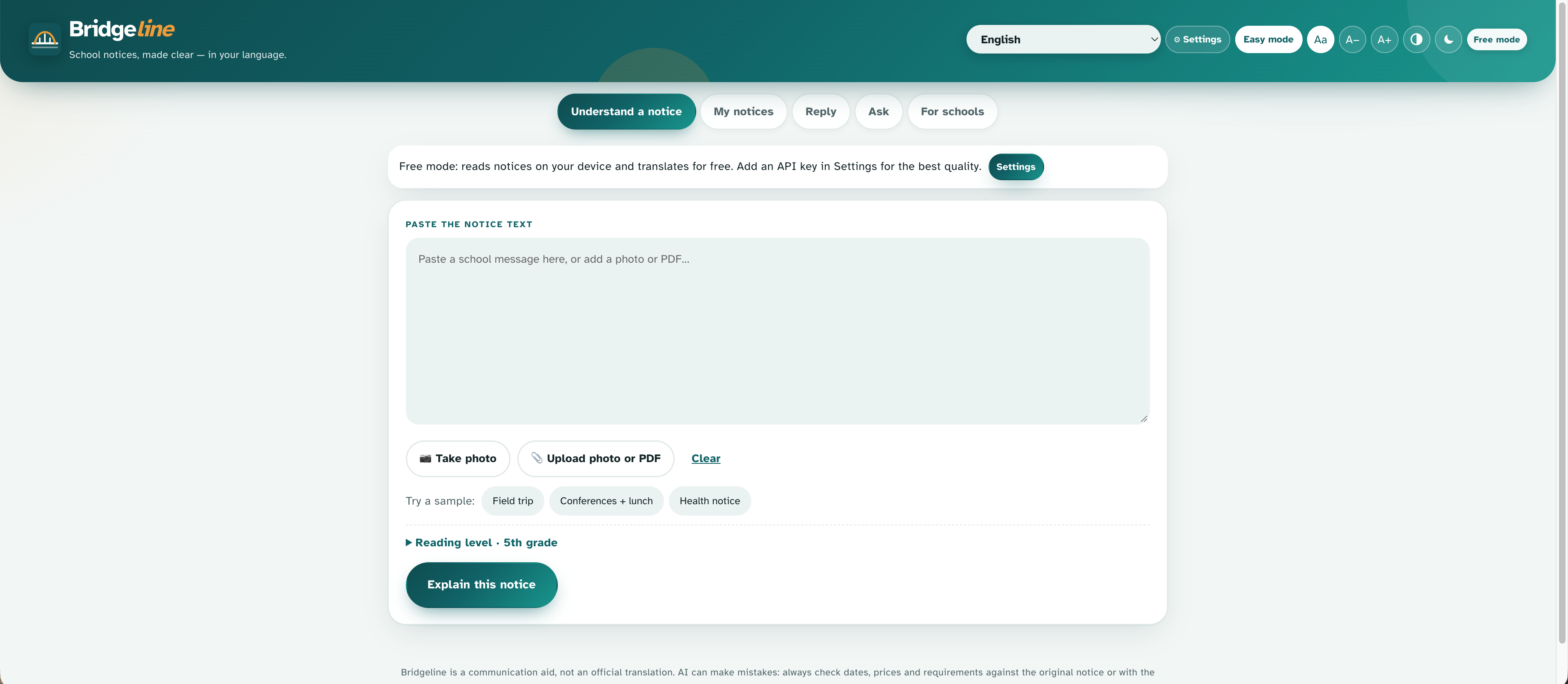
A parent pastes a school notice or snaps a photo, and Bridgeline gives them:
- A plain-language summary at a 3rd, 5th or 8th-grade reading level, in 26 languages
- A checklist of actions with deadlines, plus dates, costs, things to bring, and who to contact
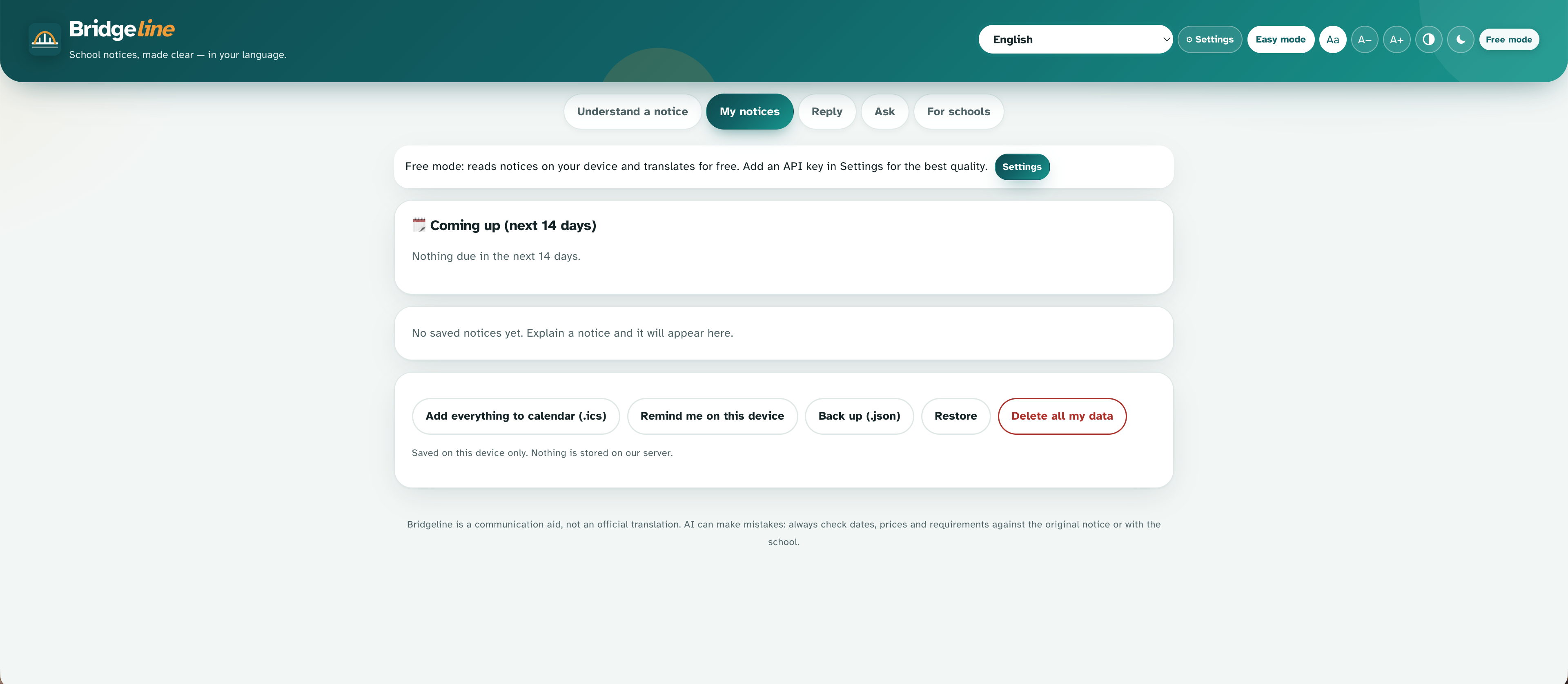
- One-tap calendar reminders (.ics and Google Calendar)
- Read-aloud audio and voice input for low-literacy users
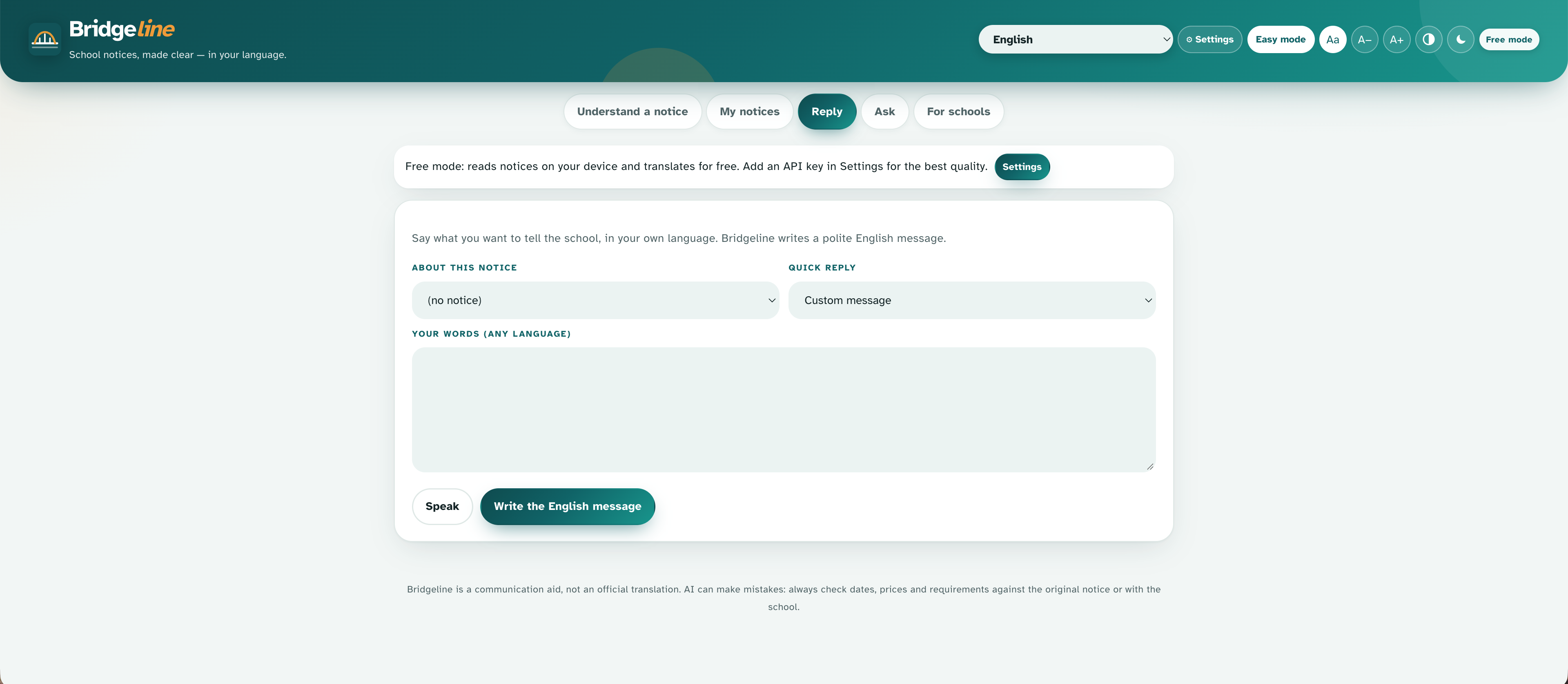
- A reply helper that turns the parent's own words into a polite English message, with a back-translation so they can check it
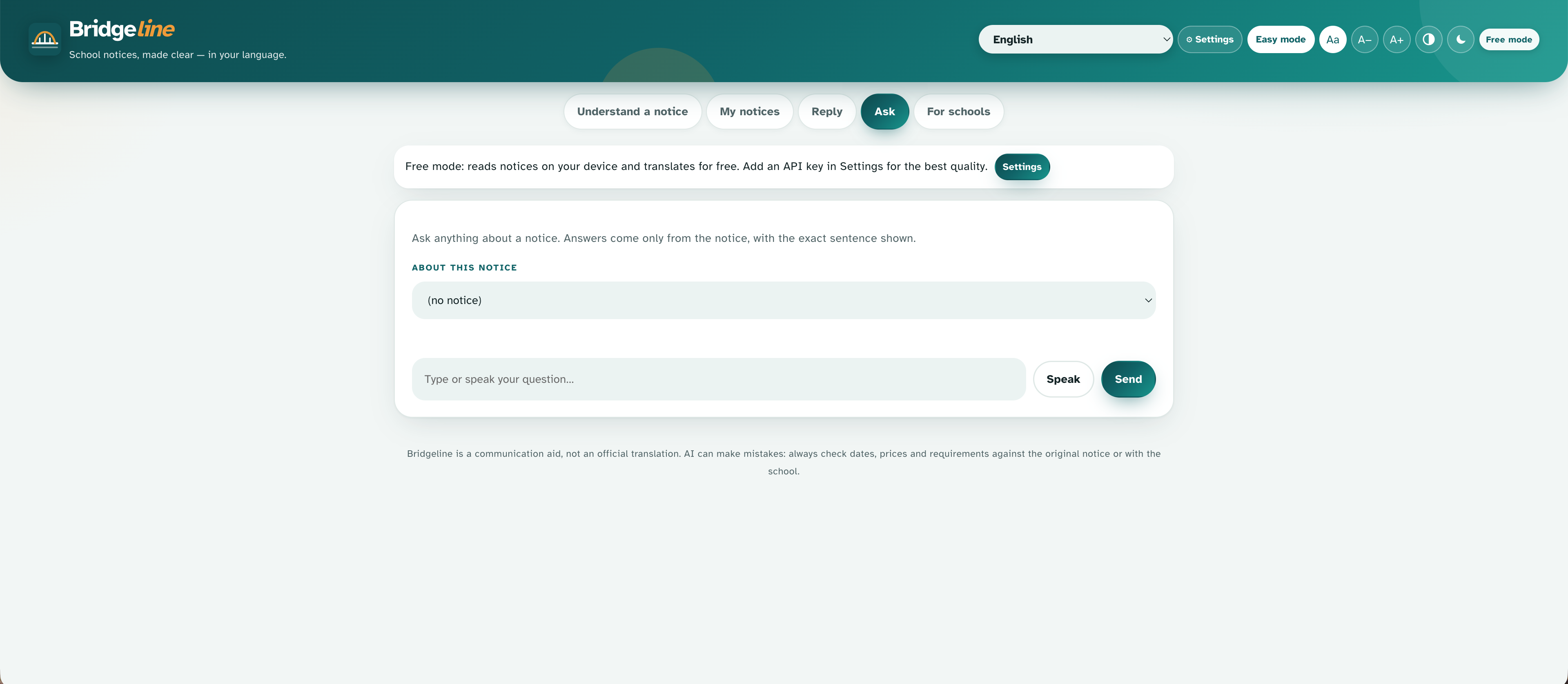
- Ask-the-notice Q&A that answers only from the notice and shows the exact sentence it used
- Easy mode, a big, simple view with just the summary, a Listen button and the to-do list
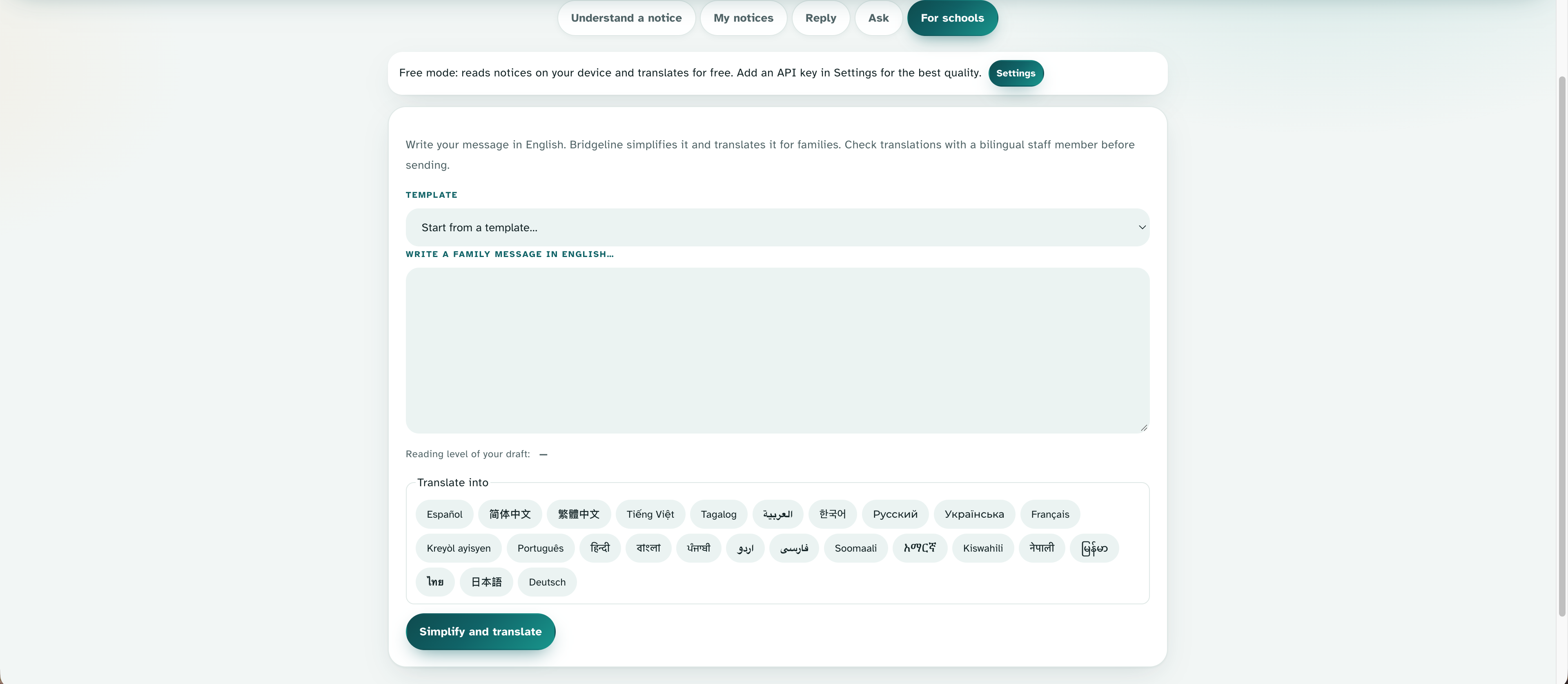
There is also a teacher side: a Clarity Score (0-100) with 8 transparent checks, 8 ready-made templates, a message simplifier and translator, a text-message version, and a printable multilingual flyer, so notices are clearer before they are even sent.
It works free, with no account and no key. An optional AI mode, using your own key or a server key, gives higher-quality understanding and translation.
How I built it
Bridgeline is a vanilla JavaScript progressive web app with no framework and no third-party packages. One shared engine runs both in the browser and in an optional zero-dependency Node.js server, so the whole app can be hosted on GitHub Pages.
- Free mode: a rule-based analyzer extracts dates, times, money, actions, contacts and school jargon. Translation first tries the browser's built-in on-device Translator API, then falls back to the free MyMemory service.
- AI mode: the notice goes to the Claude API, and the reply is validated against a strict schema before anything is shown.
- Privacy layer: emails, phone numbers, ID numbers and listed names are replaced with reversible tokens before any text leaves the device, then restored in the result. Notices are stored only in the user's browser, with no database and no accounts.
- Prompt-injection defense: the model is told to treat the notice as untrusted data and never follow instructions inside it.
- Readability scoring uses the Flesch-Kincaid grade level:
$$ 0.39\left(\frac{\text{words}}{\text{sentences}}\right) + 11.8\left(\frac{\text{syllables}}{\text{words}}\right) - 15.59 $$
- Accessibility: Montserrat typography, an easy-reading font option, high-contrast and dark modes, right-to-left layout, and keyboard and screen-reader support.
- Testing: 37 automated tests, including a mock of the AI provider so the full AI code path is tested without a key, and browser smoke tests.
Claude was used as a coding assistant for part of the build, and it powers the optional AI mode at runtime. The design decisions, testing and deployment are ours, and Tesseract.js provides optional in-browser OCR.
Challenges I ran into
- Making it work for free. Our first design needed a server and an API key, which a static site can't safely hold. I rebuilt it so the engine runs entirely in the browser, with free translation and an optional bring-your-own-key AI mode.
- Translation that doesn't leak private details. Free translation services are external, so I mask private information before sending anything and restore it afterwards.
- A slow on-device translator. The browser translator could hang while downloading language models. I now use it only when the language is already installed, with timeouts and remembered failures, and fall back to the online service.
- Deployment surprises. A real deployment showed that some static uploads drop subfolders, so I merged all scripts into a single file and added an on-screen message that names any file that fails to load.
- Teaching a rule-based analyzer the difference between an action and information. "Buses return by 2:30 PM" is not a to-do, and "Parent-Teacher" is not a person's name.
Accomplishments that I'm proud of
- A complete, working flow that needs no key, no account and no server
- Support for 26 languages and an interface in five of them, including right-to-left Arabic
- A teacher-side Clarity Score that makes notices better before they reach families
- Privacy by design: reversible redaction, prompt-injection defense, and local-only storage
- Honest design: the original always sits beside the summary, machine translation is labeled, and the app prompts families to double-check with the school
What I learned
- Clear communication matters as much as translation: families need actions and deadlines, not just converted words.
- Privacy has to be designed in from the start, especially when text goes to outside services.
- Real deployment finds problems that tests don't, so I added checks that fail loudly and explain themselves.
- Accessibility choices such as read-aloud, an easy mode and a legible font are core features for the people this is built for.
What's next for Bridgeline
- Pilot with one teacher and bilingual families, and fix what they find
- Test translation quality with native speakers in each language, and add human review for high-stakes notices
- Opt-in encrypted push reminders
- Integration with school messaging systems
- A school-wide dashboard for teachers and administrators
Built With
- accessibility
- anthropic
- claude-api
- css3
- docker
- github
- github-actions
- html5
- icalendar
- javascript
- large-language-models
- localstorage
- montserrat
- mymemory-api
- natural-language-processing
- node-test-runner
- node.js
- ocr
- playwright
- progressive-web-app
- prompt-engineering
- service-worker
- tesseract.js
- translation-api
- web-speech-api

