-
-
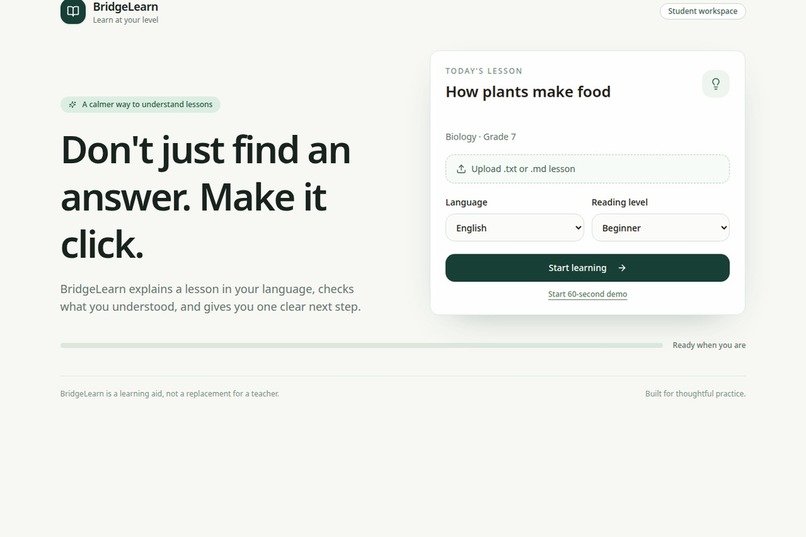
dashboard
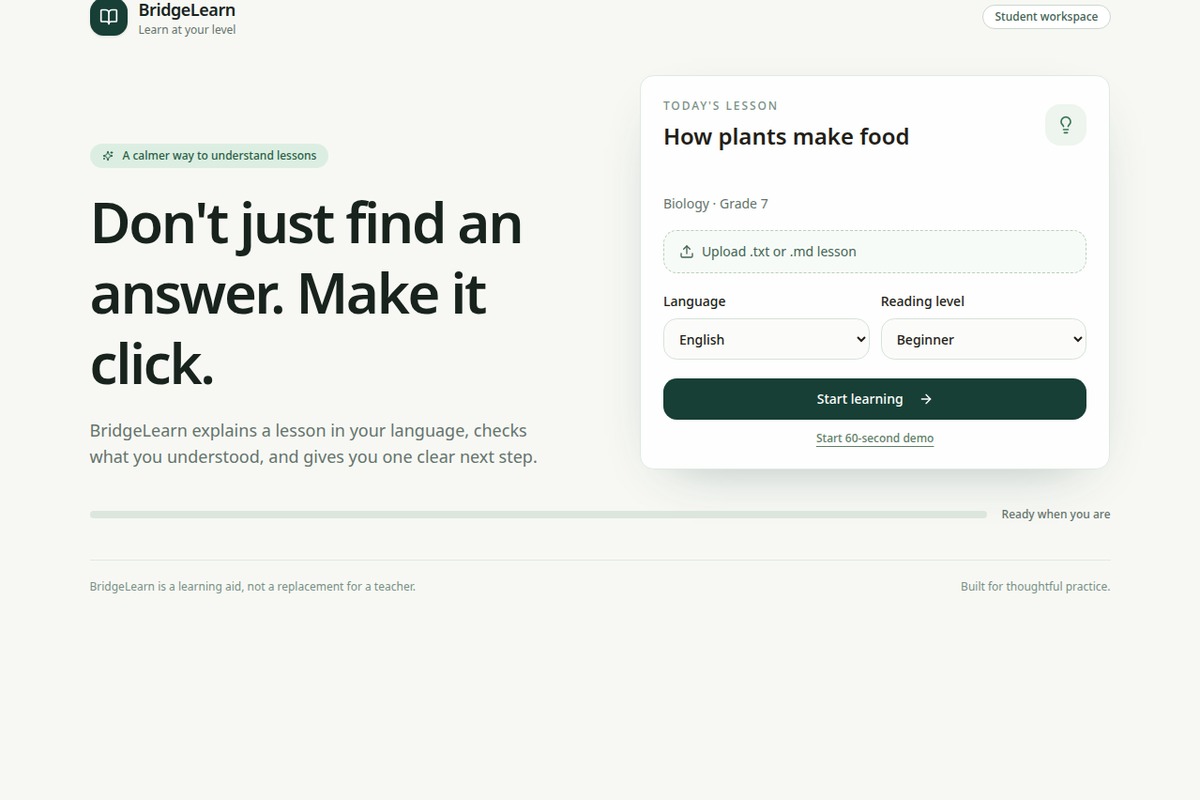
We built BridgeLearn to make studying feel less frustrating and more personal.
Many students can read a lesson but still struggle when the explanation is too difficult, too long, or not available in the language they are most comfortable with. We wanted to build a learning tool that does more than provide an answer. It should help students understand the idea, check their understanding, and know what to practice next.
BridgeLearn is an AI learning companion. A student can choose a lesson, select English or Hindi, and choose a reading level. BridgeLearn explains the lesson, shows the supporting source passage, answers questions based on the lesson, and creates a short quiz. When a student makes a mistake, the app identifies the weak concept and recommends a focused practice activity.
How we built it
We built the project as a React and TypeScript web application with a simple mobile-friendly interface. The backend uses typed procedures for the learning features. AI requests are made on the server so that credentials are not exposed in the browser.
The main learning flow is:
- Select or upload a lesson.
- Choose a language and reading level.
- Read a simple explanation.
- Ask a question using the lesson context.
- Complete a short quiz.
- Receive feedback and a next practice step.
The current MVP supports .txt and .md lesson uploads. It also includes a seeded Biology lesson so that the main demo remains reliable even if an AI request is slow or unavailable.
What we learned
We learned that a useful AI education product is not only about generating text. The surrounding learning flow is equally important. Source passages make answers easier to trust, structured quiz responses make the experience more consistent, and weak-concept feedback makes a wrong answer more useful.
We also learned to keep the first version focused. Instead of building many unfinished features, we concentrated on one complete loop: understand, ask, check, identify, and practice.
Challenges we faced
One challenge was making AI responses predictable enough for a real product. We used structured responses and validation so that incomplete quiz questions or empty explanations do not break the interface.
Another challenge was handling failures. AI requests can be slow or unavailable, so we added loading states and fallback demo content. This keeps the core experience usable during a presentation.
We also had to balance simplicity with accessibility. We chose readable text, clear controls, English and Hindi support, a beginner reading level, and a mobile-friendly layout.
What we would build next
The next version would support PDF text extraction, saved learning history, more subjects, voice input, and teacher or mentor summaries. We would also test BridgeLearn with students and teachers to measure whether the practice recommendations actually improve understanding.
BridgeLearn is designed as a learning aid, not a replacement for a teacher. Its goal is to help students take the next step when they feel stuck.
Technology and assistance disclosure
We used React, TypeScript, Tailwind CSS, Node/Express, tRPC, and a server-side LLM integration.
AI tools were used for brainstorming, selected coding assistance, debugging, and voice narration. The team reviewed, integrated, tested, and validated the final implementation.
Target user
The primary user is a secondary-school or early-college student who needs help understanding a lesson. The first demo persona should be specific: for example, a multilingual student learning introductory biology through a phone with intermittent connectivity.
A secondary user is a teacher, volunteer, or peer mentor who needs a quick, privacy-conscious view of common misunderstandings rather than a transcript of every student conversation.
Core experience
1. The student uploads a lesson excerpt, image, or PDF.
2. BridgeLearn extracts the relevant content and generates a concise explanation at the selected reading level and language.
3. The student asks a question by typing or speaking.
4. The system answers using the uploaded source, highlights the supporting passage, and says when the source is insufficient.
5. BridgeLearn asks one diagnostic question instead of immediately giving the answer.
6. It creates a three-question practice check and explains the student’s mistake without shaming them.
7. It recommends the next five-minute activity and records progress locally or in a minimal account.
The differentiator
The differentiator is the learning loop, not the chat interface. BridgeLearn combines source-grounded explanation, adaptive questioning, practice, and progress evidence in one short workflow. The demo should show that the system changes its explanation after detecting a misconception.
A strong additional differentiator is low-bandwidth and multilingual design. The app can cache a lesson, keep the core text experience lightweight, and offer language and reading-level controls. These choices make the social-impact claim visible in the product rather than leaving it in the description.
Built With
- express.js
- llm
- manus-webdev
- node.js
- react
- react-query
- server-side
- tailwind-css
- trpc
- typescript
- vitest
- zod


Log in or sign up for Devpost to join the conversation.