-
-
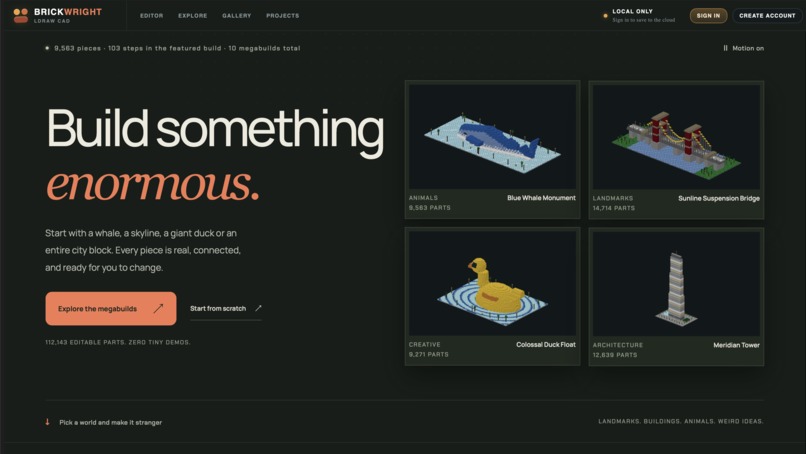
Landing page
-
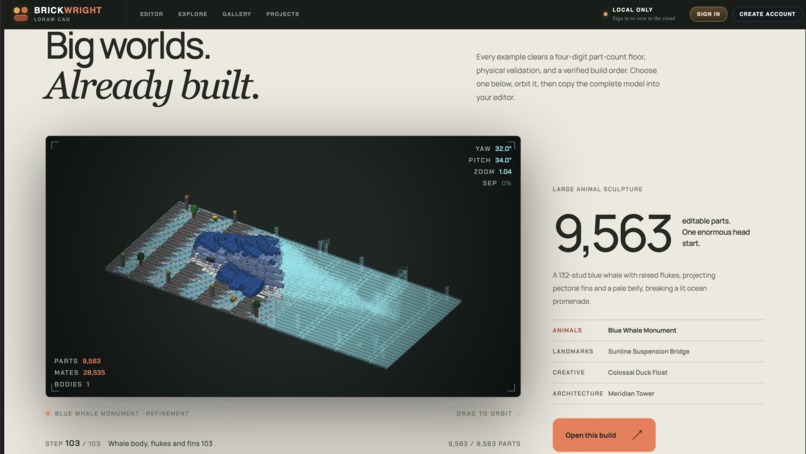
Vibecode a LEGO set
-
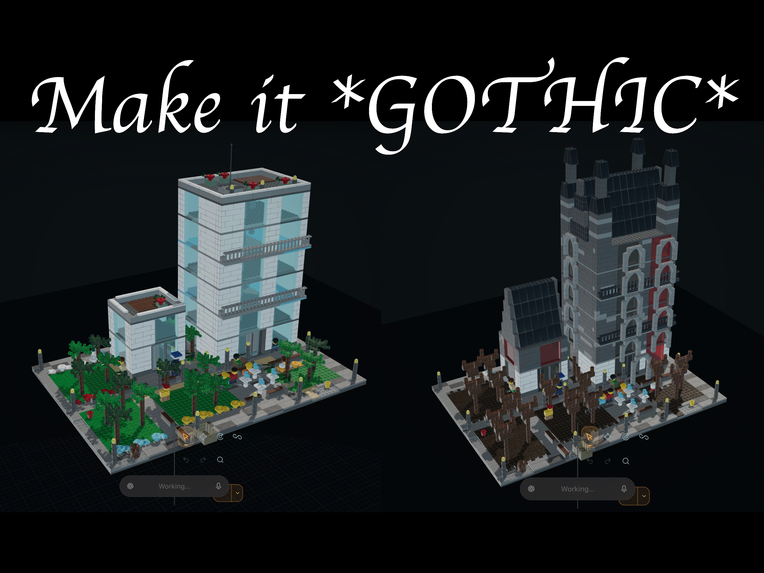
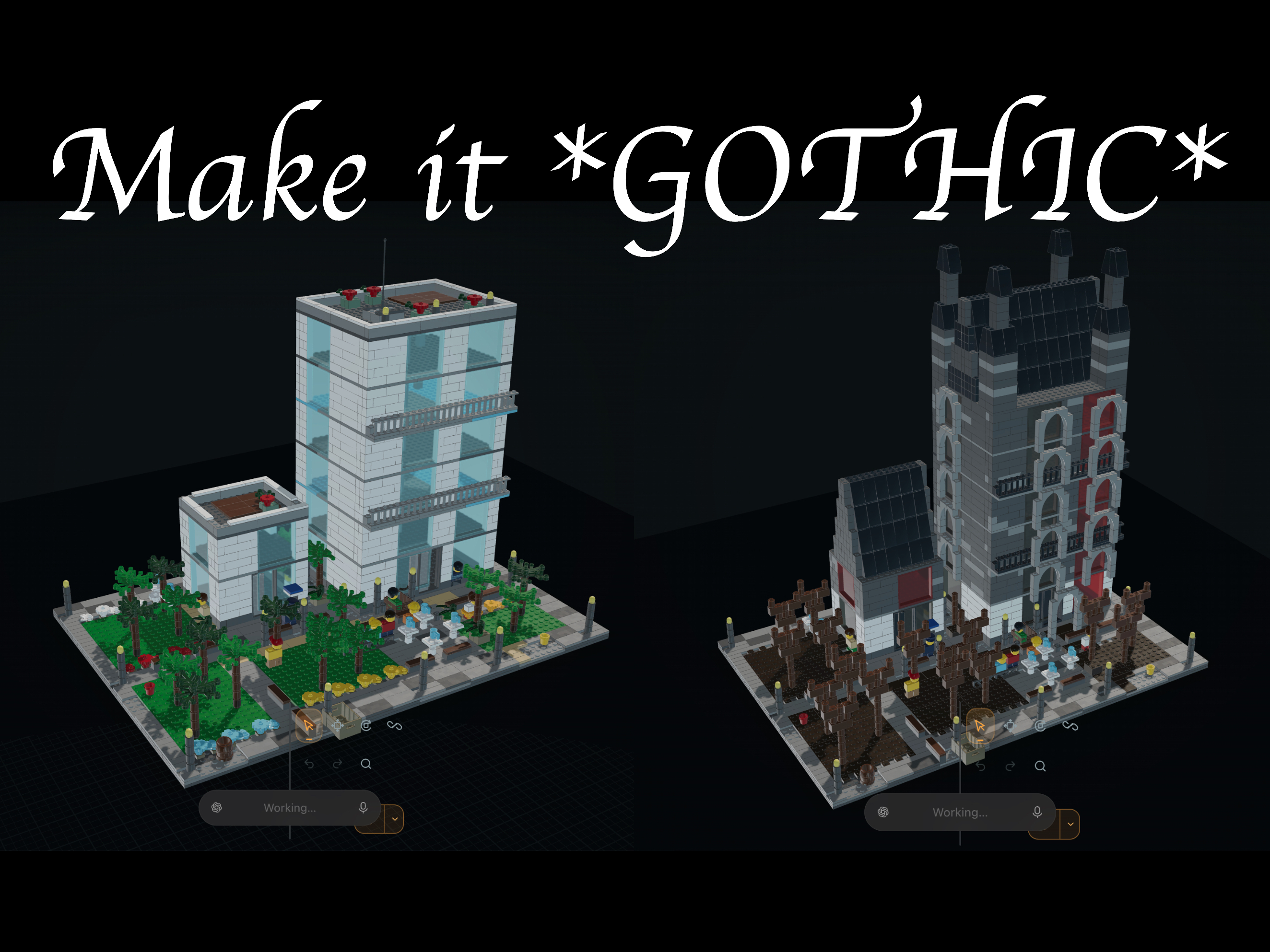
Transform any build
-
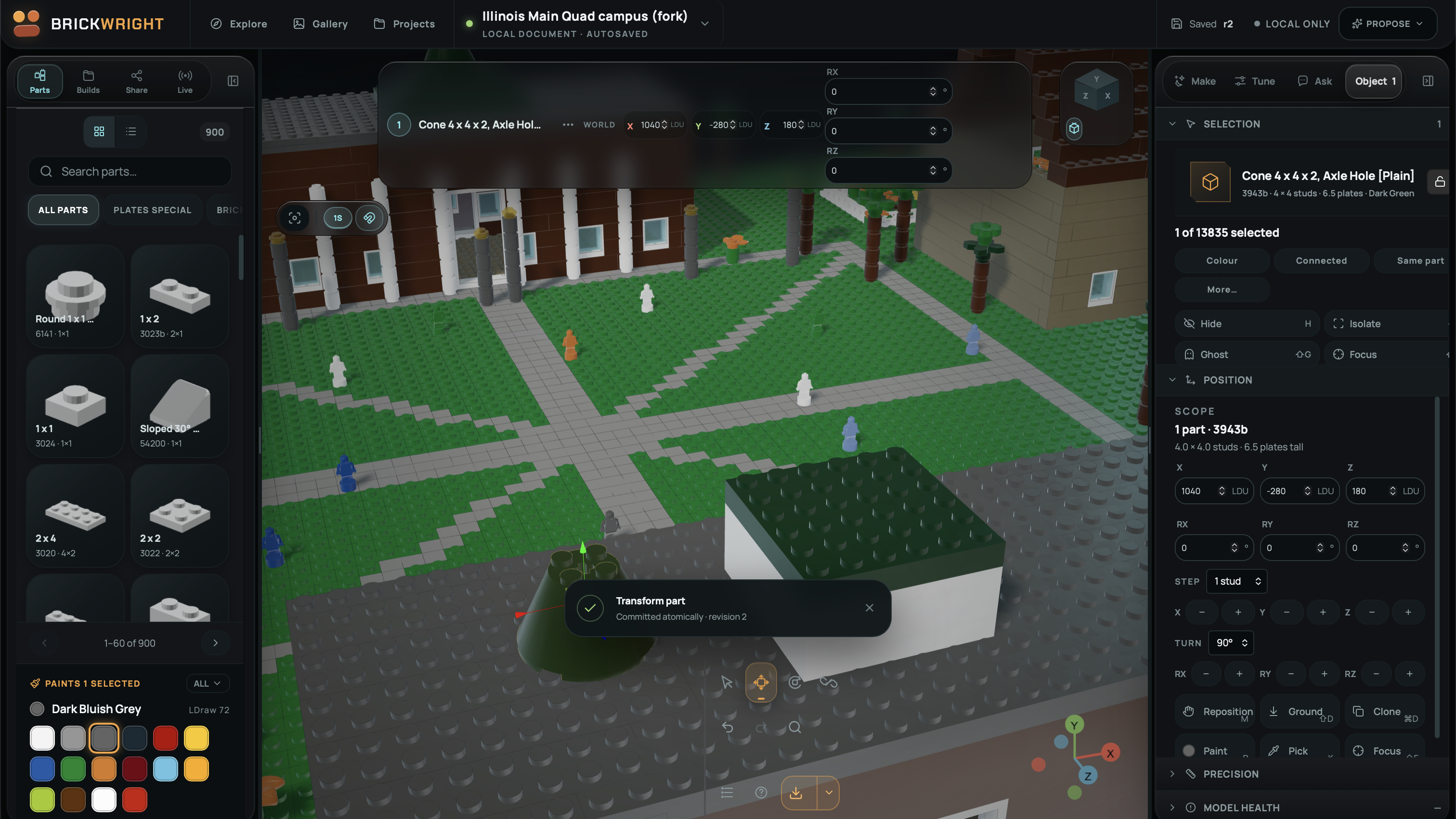
View some of the awesome builds created by webmcp agents
-
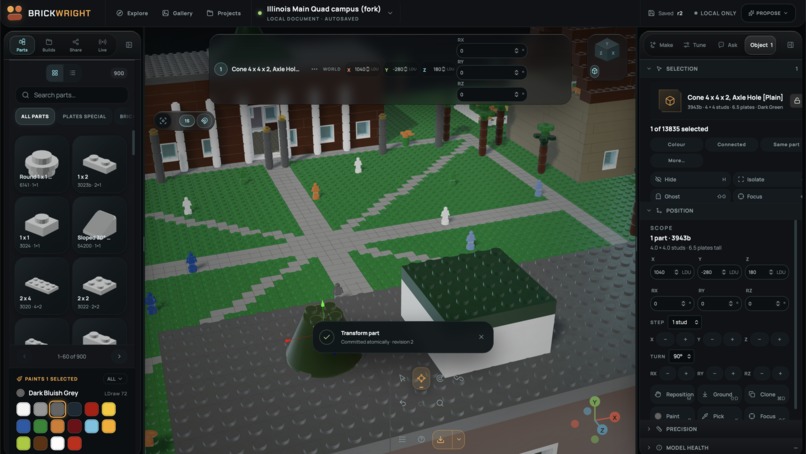
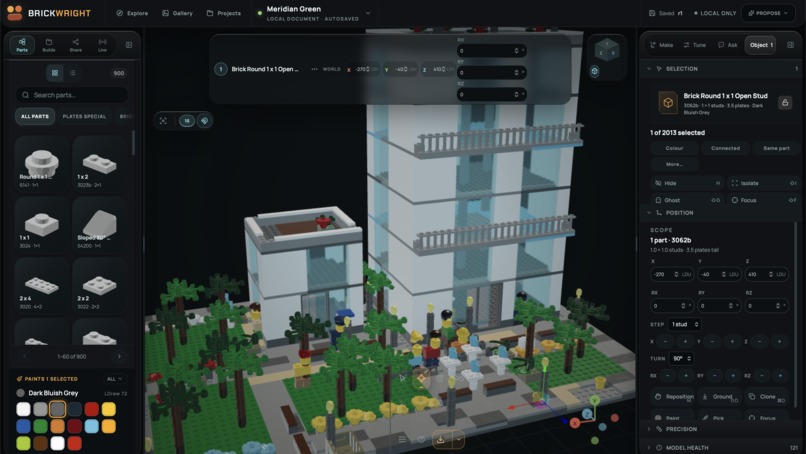
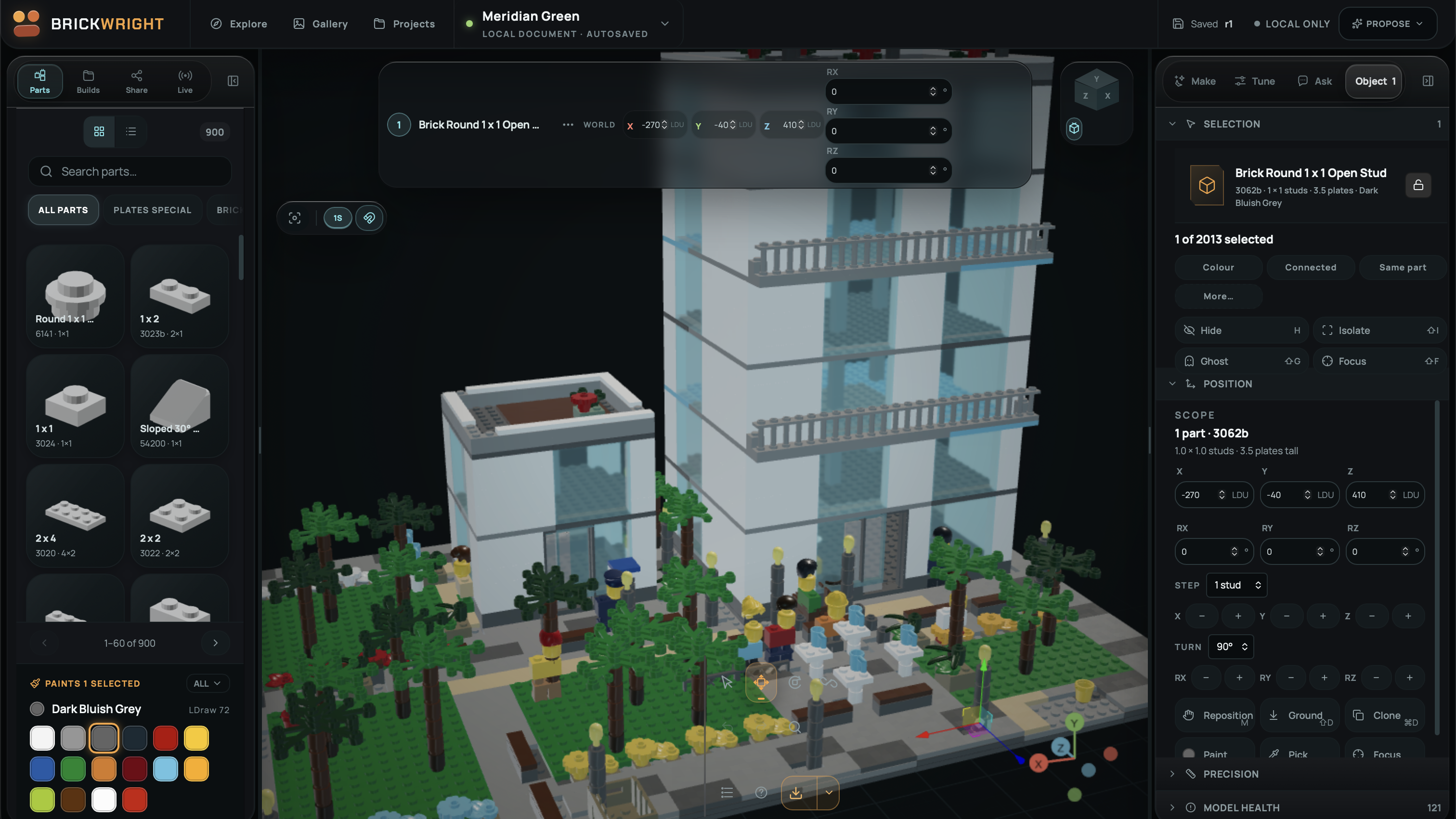
Manual mode allows independently moving pieces
-
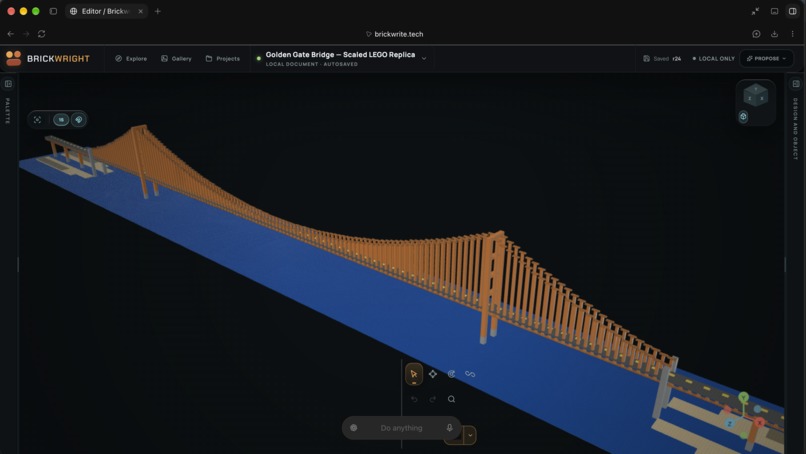
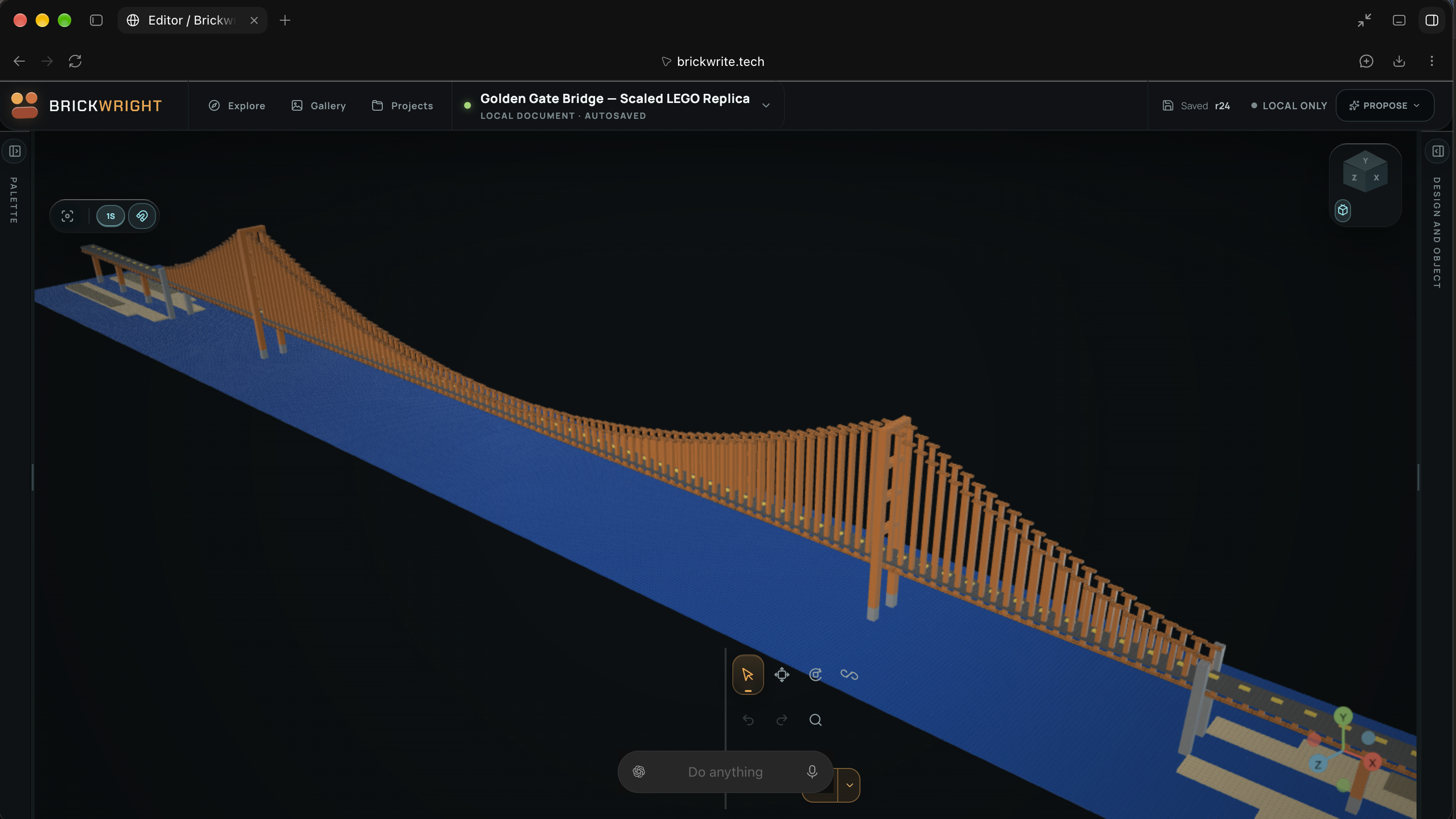
Building a 1:1 replica of the Golden Gate Bridge from scratch
Inspiration
Ever wanted to vibecode LEGOs? BrickWrite lets you do just that!
I built BrickWrite because I wanted an AI design partner that could actually build beside me inside the same creative tool. Most AI design experiences stop at AI, words, or Computer Use in different softwares, which means the human still has to reconstruct every useful idea by hand. Brick building makes that limitation very obvious because a roof needs real pieces, real orientations, and real connection points that physically make sense.
That challenge led to the question behind the entire project: what would happen if a person and an agent could work on the same creative object, using the same tools and sharing the same consequences? I wanted to preserve the satisfying parts of building, including choosing shapes, testing ideas, and refining the silhouette, while giving the agent responsibility for repetitive geometry and technical checking. The idea is basically (\text{human creativity} + \text{agent assistance} = \text{one editable model}), with both sides working on the same object.
What it does
BrickWrite is a browser-based 3D CAD workspace where people can design editable brick models using real parts and real connection data. Builders can search the catalog, place pieces, connect assemblies, recolor parts, move structures, organize subassemblies, inspect issues, and undo changes through one shared editing system.
The agent works inside that same workspace through WebMCP, which gives it direct access to structured information about the current model. It can inspect the document, read the current selection, search the catalog, check connection possibilities, propose edits, validate geometry, and apply eligible changes when Build mode is enabled.
The collaboration loop feels much closer to building with a partner than asking a chatbot for instructions. A builder can shape most of a model by hand, ask for help with a roof or repeating structure, review the proposed geometry directly in context, and then continue editing normally. Proposed changes can appear as translucent ghost geometry before they become part of the document, which makes reviewing agent work feel immediate and visual.
Every change still belongs to the same editable model and the same history. Human edits and agent edits flow through the same command system, so undo, protections, revision checks, and document state stay consistent across both kinds of interaction. When the document changes while the agent is planning, revision checks can reject stale work before newer edits get overwritten.
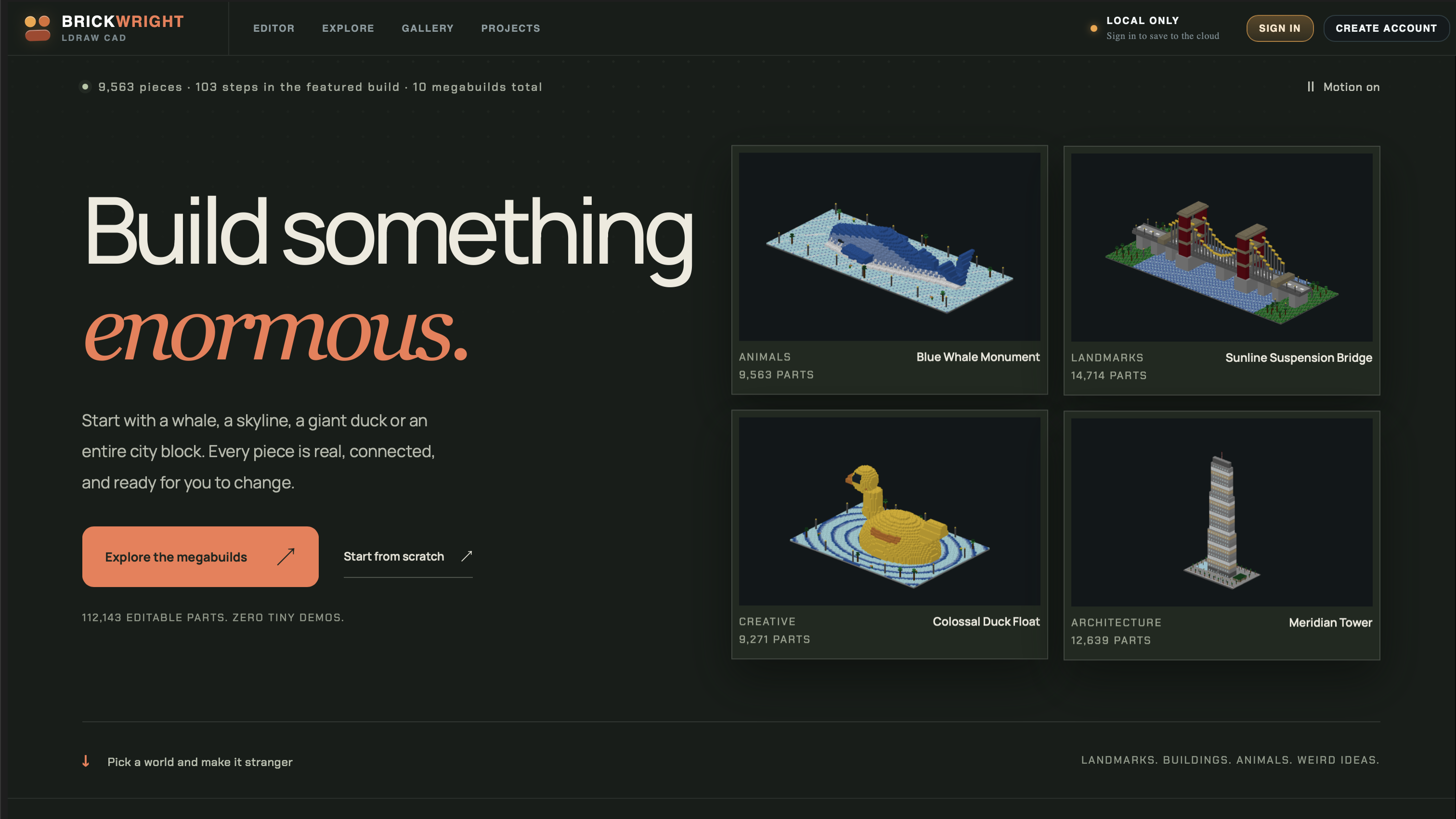
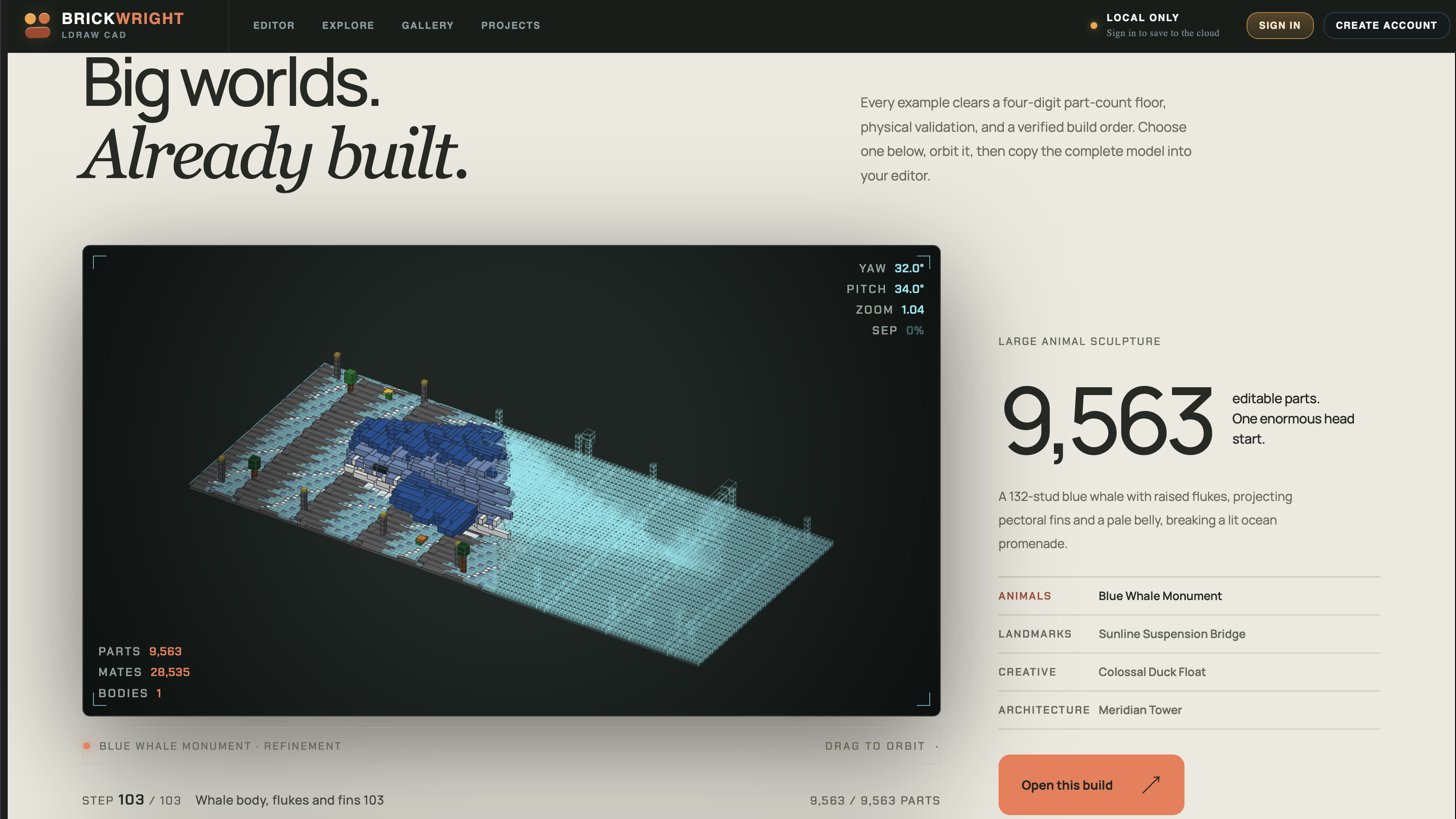
BrickWrite also gives completed work somewhere useful to go after the design process ends. Builders can export LDraw models, bills of materials, project archives, and printable build guides, while ten editable demo builds help people explore the editor without starting from an empty canvas.
Why WebMCP fits the project
3D editing is a rough environment for automation based only on screenshots and pixel coordinates. An image can show where a brick appears on screen, yet it leaves out important information such as part identity, connector frames, protection state, document revision, and the exact operation that would preserve the model correctly.
WebMCP lets BrickWrite expose those meanings directly through structured browser tools. Instead of teaching an assistant where a button happens to appear, the application exposes named capabilities with typed inputs, structured results, and clear failure states. The agent gets precise application state while the builder keeps the visual, hands-on interface that makes 3D design enjoyable.
The part I find most exciting is that the assistant becomes a second operator of the same application rather than a separate service living beside it. A person can make a careful local adjustment while the agent handles repetitive work, and both changes become part of one document history with the same protections and revision checks.
How I implemented WebMCP
1. Discovery begins as soon as the site opens and gives agents immediate orientation. The file src/webmcp/site.ts registers five site-level tools on every route: brickwright_overview, brickwright_navigate, brickwright_tools_list, brickwright_demos_list, and brickwright_autonomy. An agent arriving at the homepage can understand the product, discover available capabilities, and navigate into the editor without guessing its way through the visual interface.
2. The browser receives real tool registrations with executable handlers for every supported operation. The file src/webmcp/register.ts sends tool descriptors through document.modelContext.registerTool(...), including names, descriptions, input schemas, and the code that runs each operation. The registrar supports both synchronous and promise-based host implementations, while window.brickwright.invoke(...) provides a development bridge for browsers that lack native WebMCP support.
3. The tool contract and the application share the same vocabulary. CAD operation schemas live in src/webmcp/contract.ts, where Zod definitions generate the advertised JSON Schema and validate incoming requests against the same definitions. Tools including workspace_get, catalog_search, capabilities_search, and capabilities_help let the agent discover state and supported actions before it tries to change anything.
4. Previewing geometry and committing geometry remain separate operations throughout the entire editing workflow. Inside src/webmcp/adapter.ts, build_preflight validates an operation batch against the current document and creates a visible proposal while leaving the committed model unchanged. The proposal_create tool exposes the same preview behavior, while build_apply commits an eligible proposal atomically in Build mode through the shared CAD command path.
5. The available tool inventory changes with the collaboration mode selected by the builder. Inspect mode exposes document reads, Propose mode adds preview capabilities, and Build mode adds direct document writes through the supported editing paths. Mode-scoped registrations use an AbortController, which clears the previous tool inventory before registering the replacement set whenever the builder changes modes.
6. The agent can verify both structure and visual output afterward. The validate_model tool exposes model health, while render_capture returns live rendered pixels together with document and camera metadata. An agent can combine exact structural information with the actual rendered result, while tool-profile hashes and catalog versions help detect changes in the surface used during planning.
A representative interaction starts with brickwright_overview, continues through brickwright_navigate and workspace_get, then searches catalog_search with requireGeometry: true before calling build_preflight using the current expectedRevision. The builder reviews the ghost proposal inside the viewport, and Build mode can commit an eligible proposal through build_apply while preserving the same shared history used by manual editing.
How it is built
BrickWrite uses TypeScript, React, Vite, Three.js, and React Three Fiber for the browser application and interactive 3D workspace. The CAD document remains independent from the renderer, so positions, orientations, part identities, connections, constraints, and transactions live as application data while the viewport simply renders that state.
Real LDraw geometry and LDCad connection metadata provide the foundation for placement and connectivity throughout the editor. The catalog distinguishes between parts with usable geometry and identities that are only searchable, which prevents the application from silently substituting made-up meshes. Missing geometry returns GEOMETRY_UNAVAILABLE, while collision checks combine a broad phase with mesh-level confirmation and surface uncertainty where the available data leaves room for ambiguity.
Cloud project features use Convex and Hexclave, while the frontend runs on Cloudflare Pages and server-side assistant routes run on Vercel. The WebMCP CAD surface stays separate from those model-provider routes, which allows an external browser agent to operate the local document through the page tools while the built-in assistant remains one optional collaboration path.
Challenges I ran into
The hardest part was deciding what an agent needs to understand before any editing capability becomes safe, predictable, and genuinely useful. Exposing a function is easy compared with defining the state, revision information, geometry rules, and recovery guidance that let an agent call that function responsibly.
Discovery became one of the most useful lessons during development because a powerful editor-only tool surface still leaves an agent stranded when it first reaches the homepage. The small site-level host solves that first-contact problem, and a dedicated browser acceptance suite checks that the registration path works from the beginning of the experience.
Keeping previews, commits, undo, and concurrent human edits consistent created a separate set of difficult design choices. Every proposal needs a known base revision, and every commit has to respect protections, locks, collisions, and the shared document history before it changes the model. Building the integration around one command bus helped keep those behaviors consistent for both manual and agent-driven editing.
Geometric honesty also required more care than I expected when I began the project. A catalog identity can exist without usable mesh data, a visually plausible arrangement can still have invalid connections, and a computed structural check remains different from a physical load test. BrickWrite surfaces those distinctions directly because accurate uncertainty is more useful than confident guessing inside a CAD tool.
Accomplishments I am proud of
I am proud that WebMCP reaches into the real product instead of sitting beside it as a separate demonstration layer. Discovery, navigation, selection, catalog intelligence, proposal generation, model validation, editing, rendering, and export all connect to the same application state that the human builder uses.
The interaction that best captures the project is also one of the simplest experiences in the entire editor. An agent can leave an idea behind as editable geometry in the builder's workspace, and the builder can inspect it, revise it, reject it, or continue shaping the model by hand.
That shared ownership matters because the creative object remains something the person can understand, edit, and steer throughout the entire process. The agent helps with the work while the builder keeps control over the model, the decisions, and the direction of the design.
What I learned
Building for agents pushed me to make the application more explicit and dependable for people at the same time. Clear capability boundaries, useful error messages, reversible transactions, visible state, and reliable revision handling all improve the human experience even before an agent enters the workflow.
I also learned to think about agent integration as a product contract rather than a thin API wrapper. Discovery has to come before execution, proposed work needs a different path from committed work, and verification belongs directly inside the workflow instead of appearing only in the demo explanation.
Codex was part of my development workflow for implementation, debugging, testing, and iteration throughout the project. I still grounded the project description in the repository and checked actual application behavior, because generated code alone gives weak evidence about whether a complex interactive system behaves correctly.
What's next
I want to expand the placeable geometry catalog, improve guidance for complicated connections and mechanisms, and make the human-agent review loop feel even more immediate during active building. I also want broader native-client interoperability testing and more physical builds that can be compared against the structural and geometric checks performed inside the editor.
The larger goal is to make AI collaboration feel like building with a capable partner while keeping the creative decisions firmly in the builder's hands. BrickWrite should make ambitious brick design easier to explore without taking away the part people actually enjoy, which is shaping the model and deciding what it becomes.
Built With
- cloudflare-pages
- convex
- hexclave
- indexeddb
- ldcad
- ldraw
- openai-codex
- playwright
- react
- react-three-fiber
- three.js
- typescript
- vercel
- vite
- vitest
- webmcp
- zod