Inspiration
Every LEGO box at home ends up as one big pile. Kids (and adults) stare at it and ask the same thing: what can I build with this? I wanted my Spectacles to answer that question on the spot, and then do the thing a paper manual never could: show the next step on the table, on top of the real bricks.
What it does
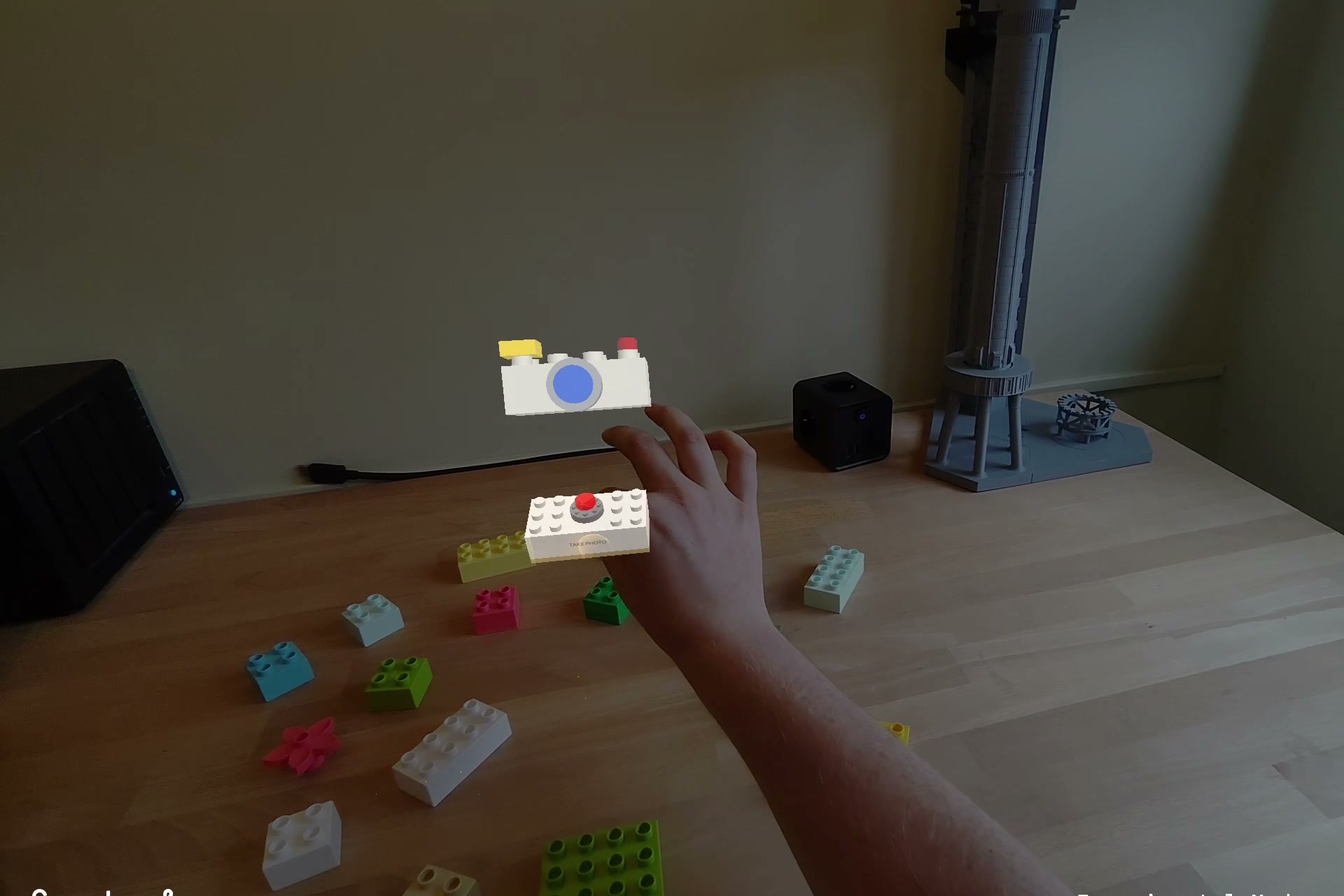
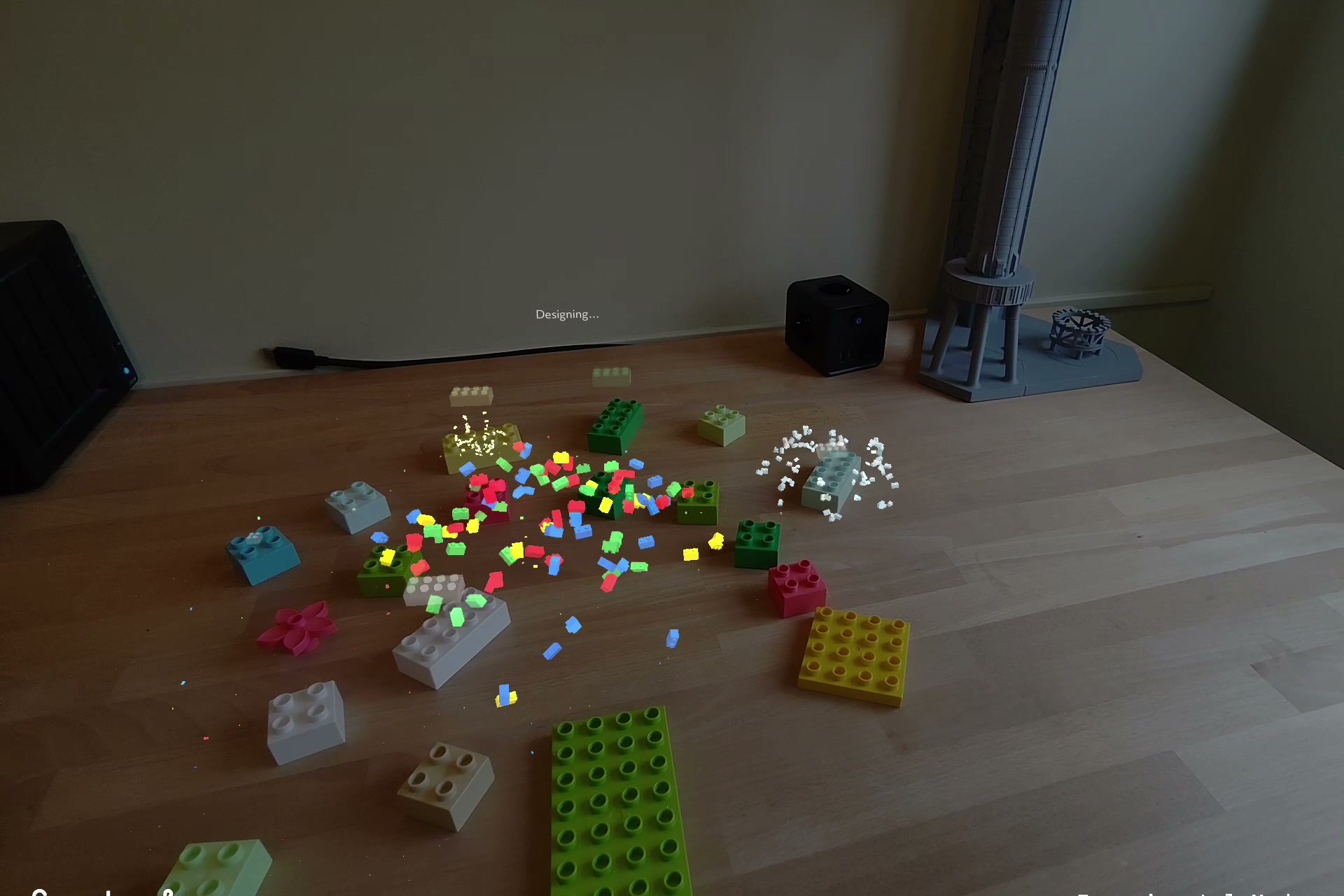
- Photo. A brick-built camera icon hovers over a LEGO-style TAKE PHOTO button. Press it with a finger (or pinch), a 3-2-1 countdown, and the glasses photograph your pile.
- Design. The photo goes to a small laptop backend. Gemini 4 Argon inventories every brick (colour, footprint, height, count, bounding boxes) and then designs one recognisable figure from exactly those pieces, with 1-3 bricks per step and a one-line instruction a kid understands. A validator checks the stud grid (every brick supported, no overlaps, no part used twice) and sends problems back to Argon to repair.
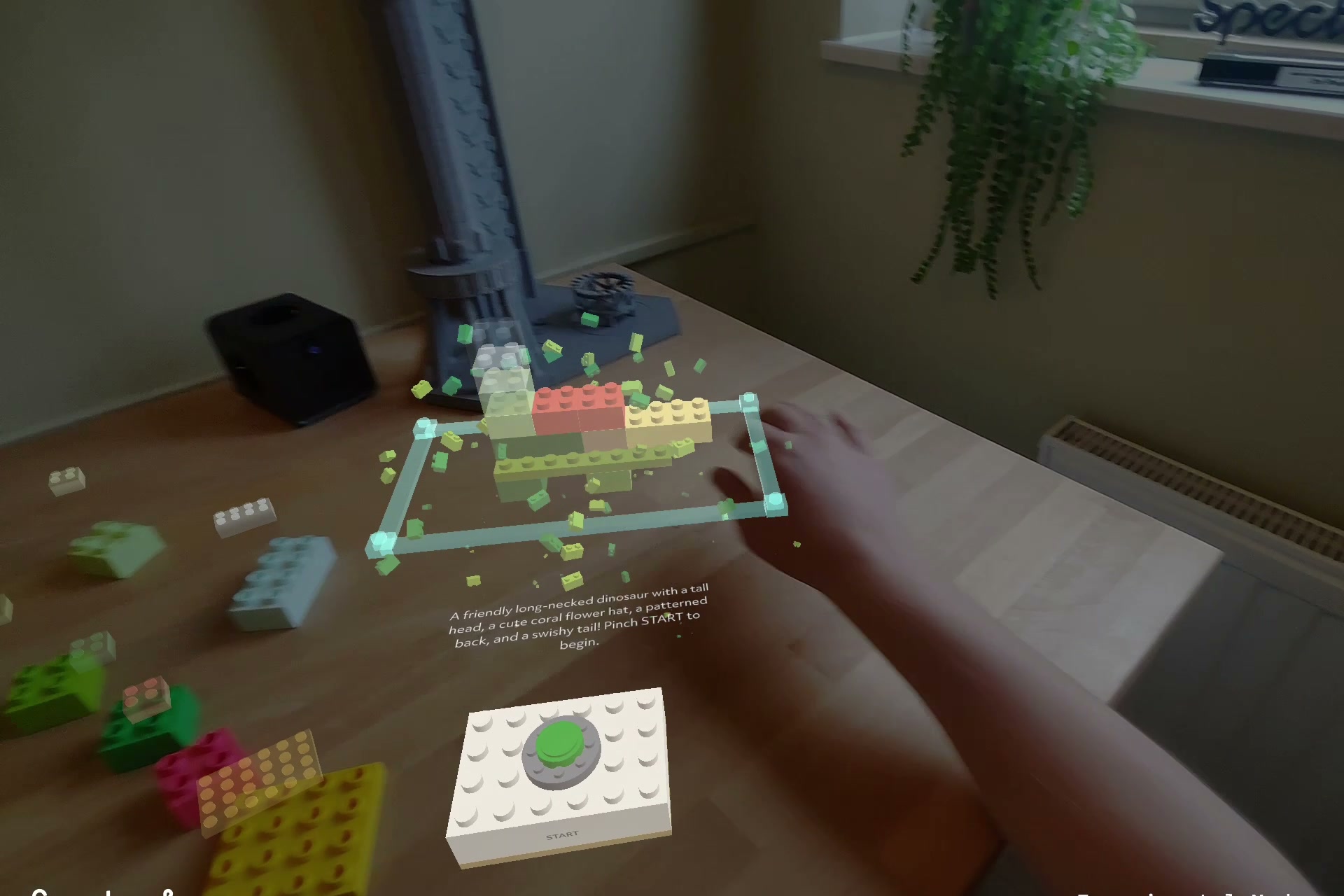
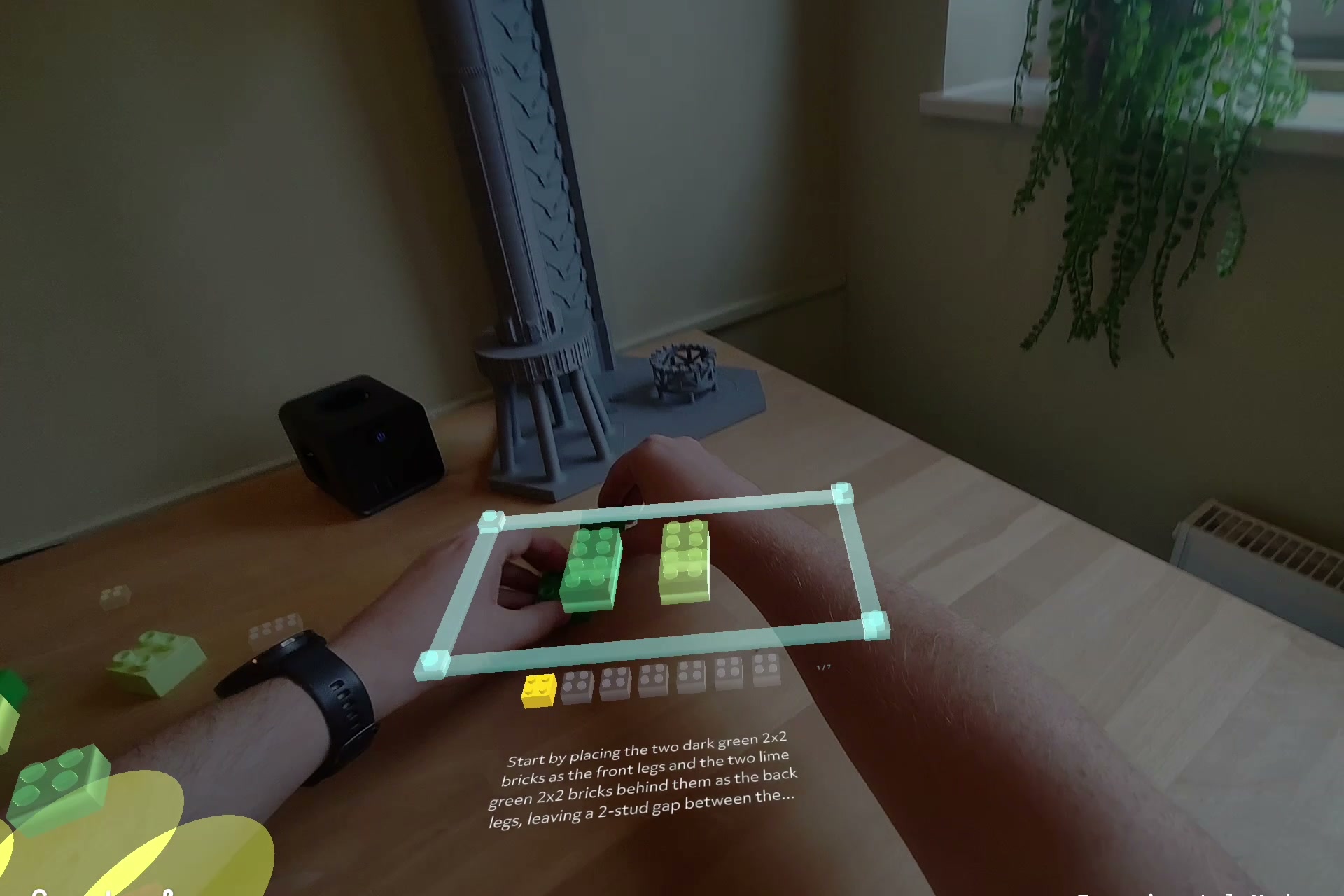
- Place. Press your hand on the table where you want to build. A glowing border sized to the footprint appears with the finished model solid inside it. The instruction text, a progress row of mini bricks and the START / NEXT / BACK buttons lie flat on the table in front, so nothing stands between you and the build.
- Build. Each step's pieces drop in as glowing ghosts. On the real pile, the bricks you need right now get a halo and brighten; the rest dim. Press NEXT like a real button: your index finger pushes the cap down. Placed pieces become depth-only occluders, so the far border bar hides behind your real bricks as it should.
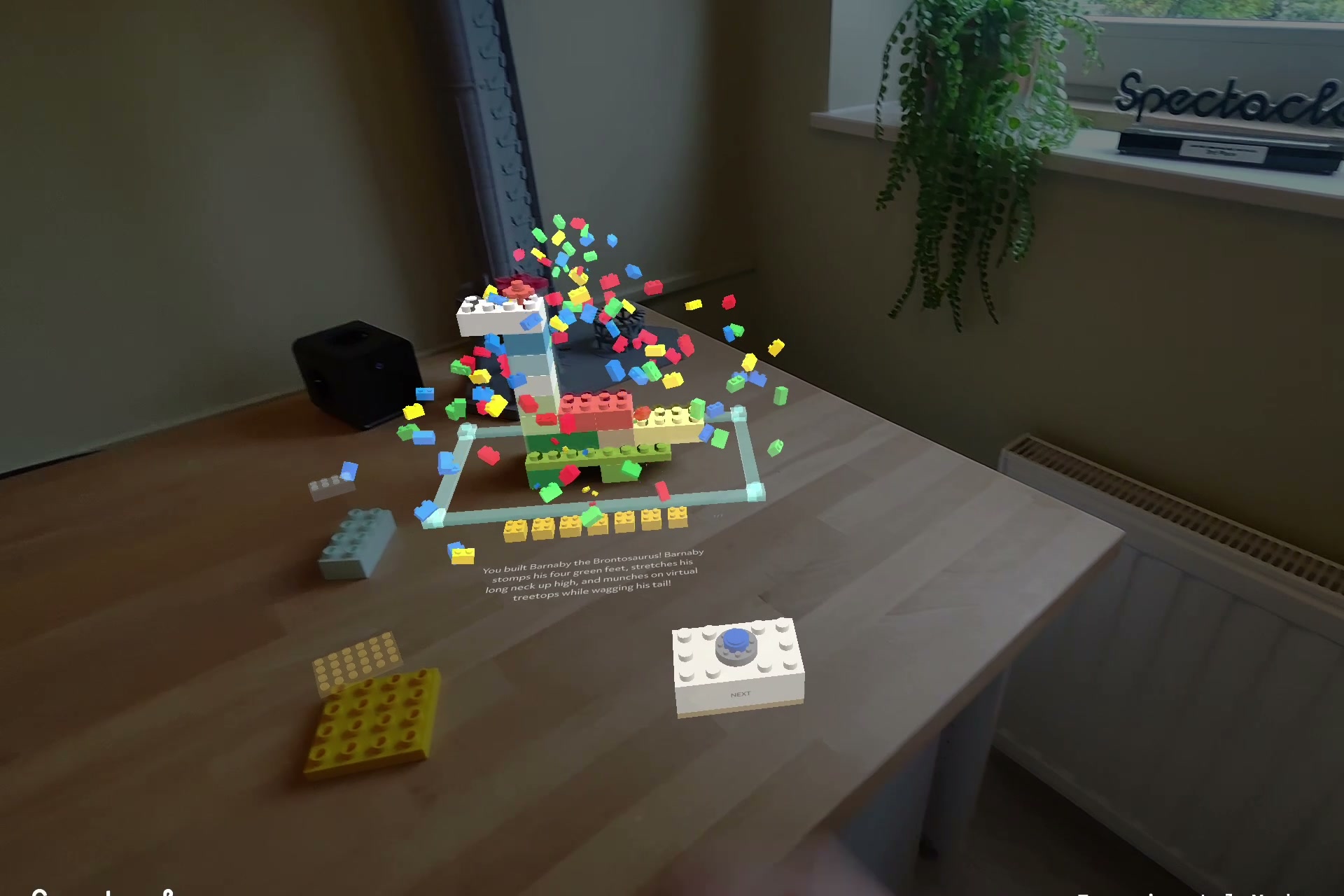
- Finale. A burst, the model's name, and after a few seconds the hologram and the UI fade away. What is left on the table is your build.
How we built it
- Lens (Spectacles, Lens Studio, TypeScript): everything you see is procedural. Bricks, buttons, the step row and the camera icon are MeshBuilder meshes generated from stud counts in centimetres, shaded by two custom Code Node shaders (a hologram/solid brick shader and an instanced mini-brick particle shader for the scan cloud and bursts). Hand placement uses the SurfacePlacement package, rethemed all-white with a brick lattice and a fill-up progress disc. Buttons are SIK Interactables plus our own finger press: index-tip tracking in button-local space, armed from above, held for a beat, with a cooldown.
- Backend (Node, Express, Vite/React): two Argon calls with JSON schemas (inventory, design), a repair loop driven by the validator, saved runs for offline testing, a mock mode for the editor and a Cloudflare tunnel to the glasses.
- CLAD: the lens was written and iterated by the AI inside Lens Studio through its MCP tools. The loop was: edit TypeScript, recompile, refresh the preview, read the lens log, take screenshots of the preview and look at them, fix, repeat. An editor simulation mode plants the table, replays a saved Argon run, and even pokes the buttons with a fake fingertip so the whole flow proves itself in the log before a build goes to the glasses. I tested on the device and fed back what felt wrong; most fixes were on the glasses within minutes.
Challenges we ran into
- Additive display. Dark panels are invisible on Spectacles. Every UI element became bright glass or white, and the instruction panel was dropped for plain text.
- Occlusion without depth. A hologram border drawn through the real bricks looks wrong. The fix was to give every placed piece an invisible depth-only twin, so the real build hides what is behind it.
- Table height. The placement plane sits at the hand joints, about a centimetre above the table, so the build area floated. A fingertip-based correction picked the wrong hand on device. A plain configurable drop won.
Accomplishments that we're proud of
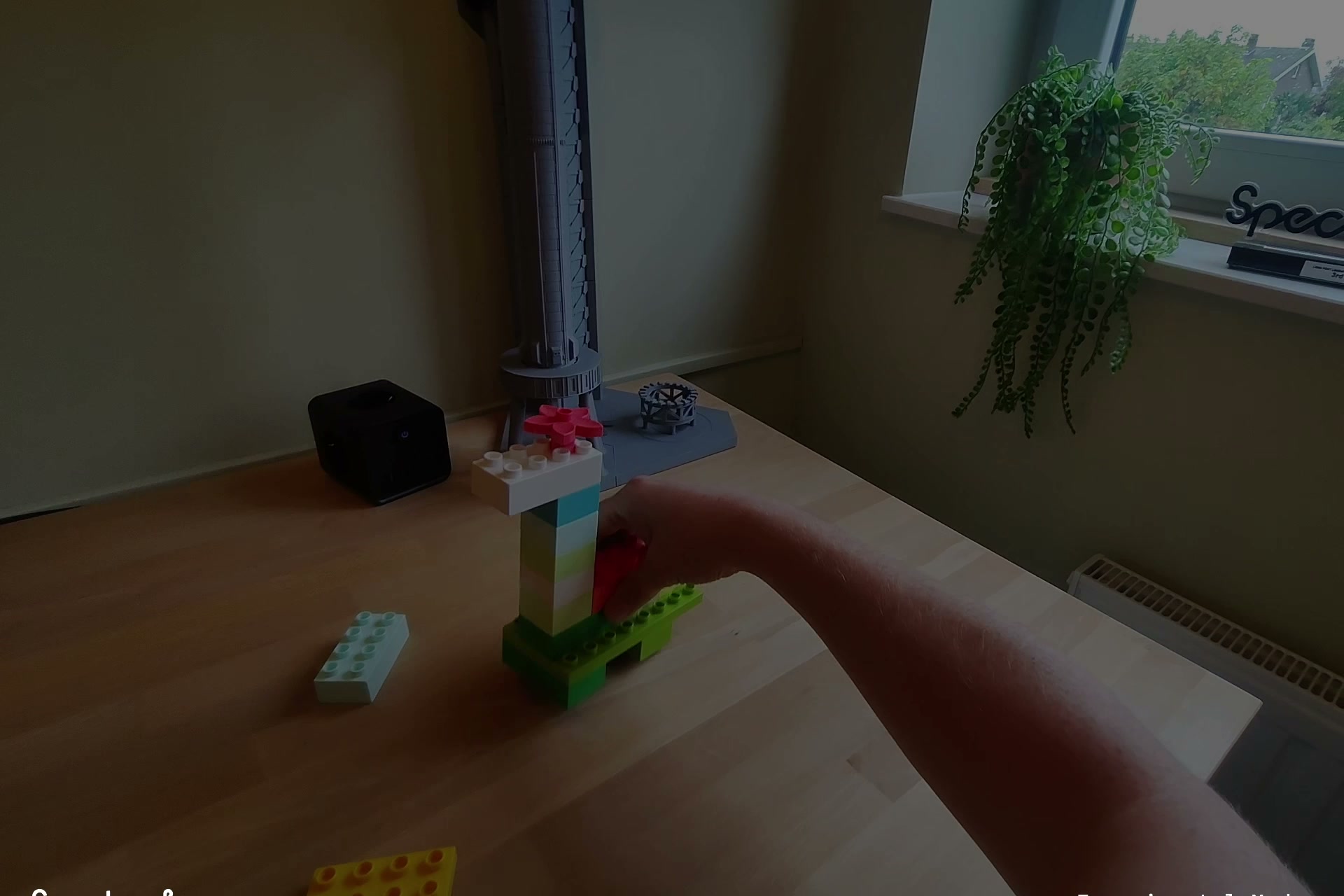
A pile of DUPLO became a dinosaur, with steps that physically stand up, and the whole experience lives on the table instead of in a floating panel. The buttons feel like LEGO. And the lens was built by an AI that verified its own work with screenshots and logs before every build went to the glasses.
What we learned
Design for the surface, not the air: flat UI on the table beats anything leaning toward the user. Physical-feeling interaction needs grace: a press must be armed, held and cooled down or it fires when a hand sweeps by. And a closed loop (compile, run, screenshot, read logs) is what makes agentic lens development actually work.
What's next for BrickSight
Per-step photo checks (Argon looks at your build after each step and nudges you if a brick is off), themes you can speak ("make it a rocket"), LEGO System scale next to DUPLO, and a two-player mode where two pairs of Spectacles build the same model together.
Read more: https://pavlo-stijn.dev/blog/posts/brick-builder-gemini-argon-on-spectacles.html
Built With
- camera-module
- clad
- cloudflare-tunnel
- express.js
- gemini-4-argon
- glsl
- google-genai
- hand-tracking
- internet-module
- lens-studio
- meshbuilder
- node.js
- react
- spectacles
- spectacles-interaction-kit
- surface-placement
- typescript
- vite

Log in or sign up for Devpost to join the conversation.