-
-
-
-

Overall Pipeline
-
Part Search and Live Pricing Pipeline
-
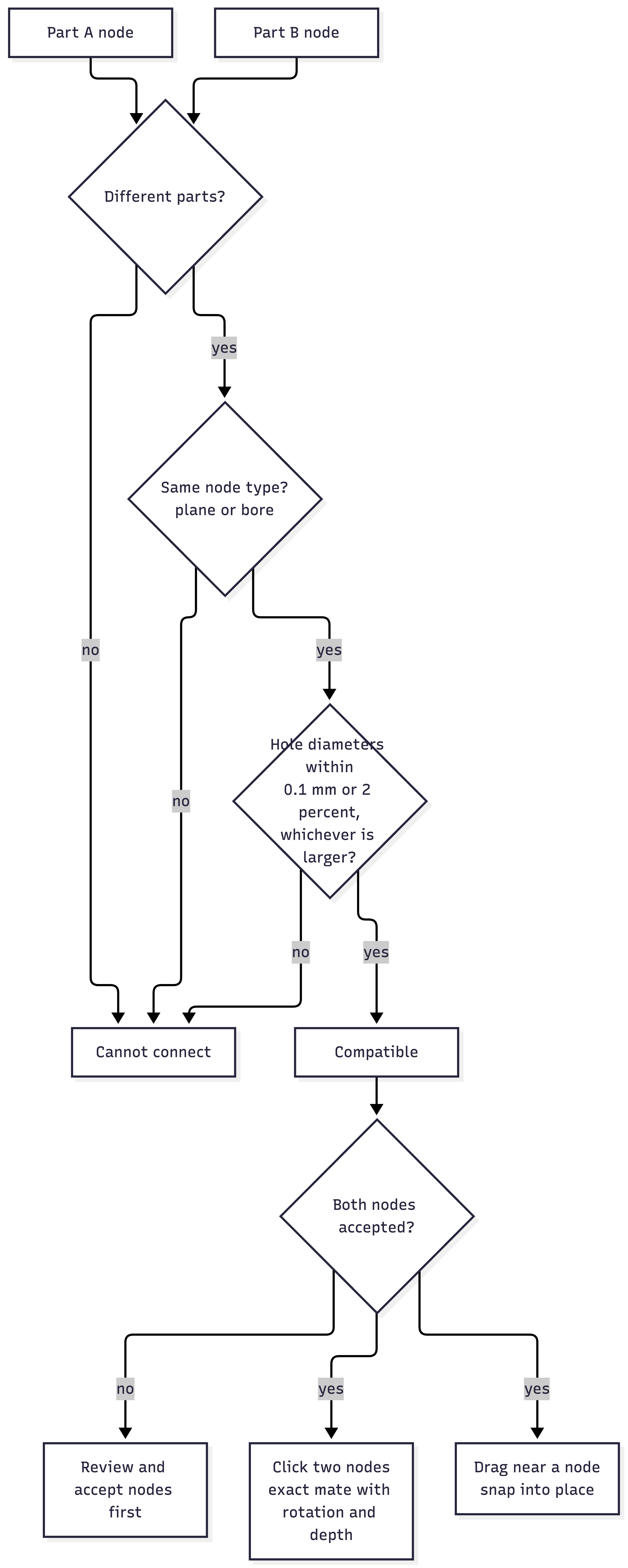
Compatibility Check for Attachment Nodes
-

Inspiration
Building a robot from off-the-shelf parts means betting money on specs you cannot check until the box arrives. A bracket with the wrong hole spacing or a part that costs twice as much at another seller can cost a team its deadline or their budget. Plenty of people never start because they cannot see the total cost up front.
We've all been part of competitive robotics teams, and we have lived this ourselves. We have waited on shipments from overseas, spent money on parts that did not fit, and reordered with a deadline closing in. One order showed up days before a competition, and we had no way to know whether the part would line up with the rest of the robot. We spent the night test fitting it by hand, and if it had not worked, there was no time to order another.
What it does
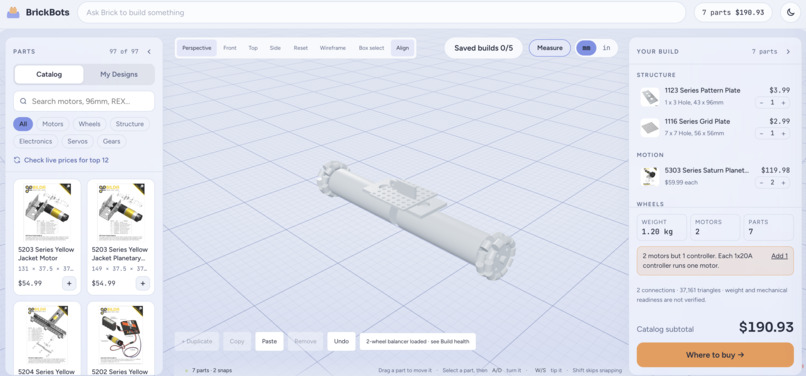
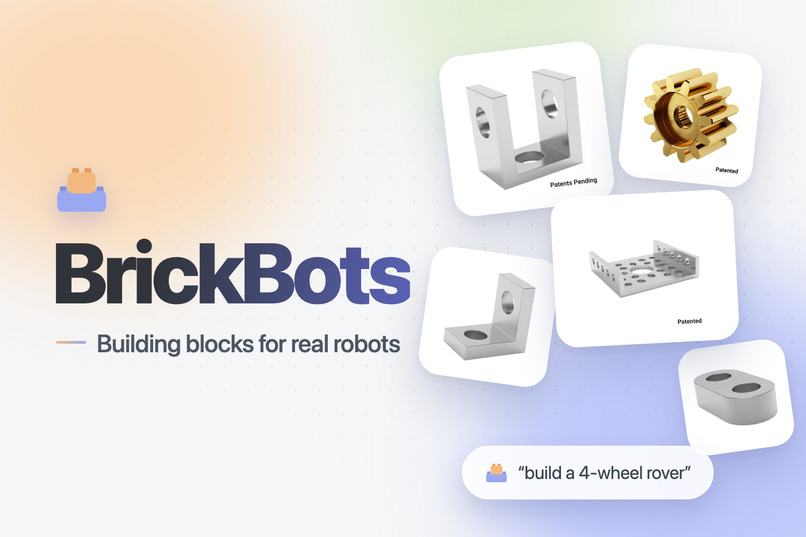
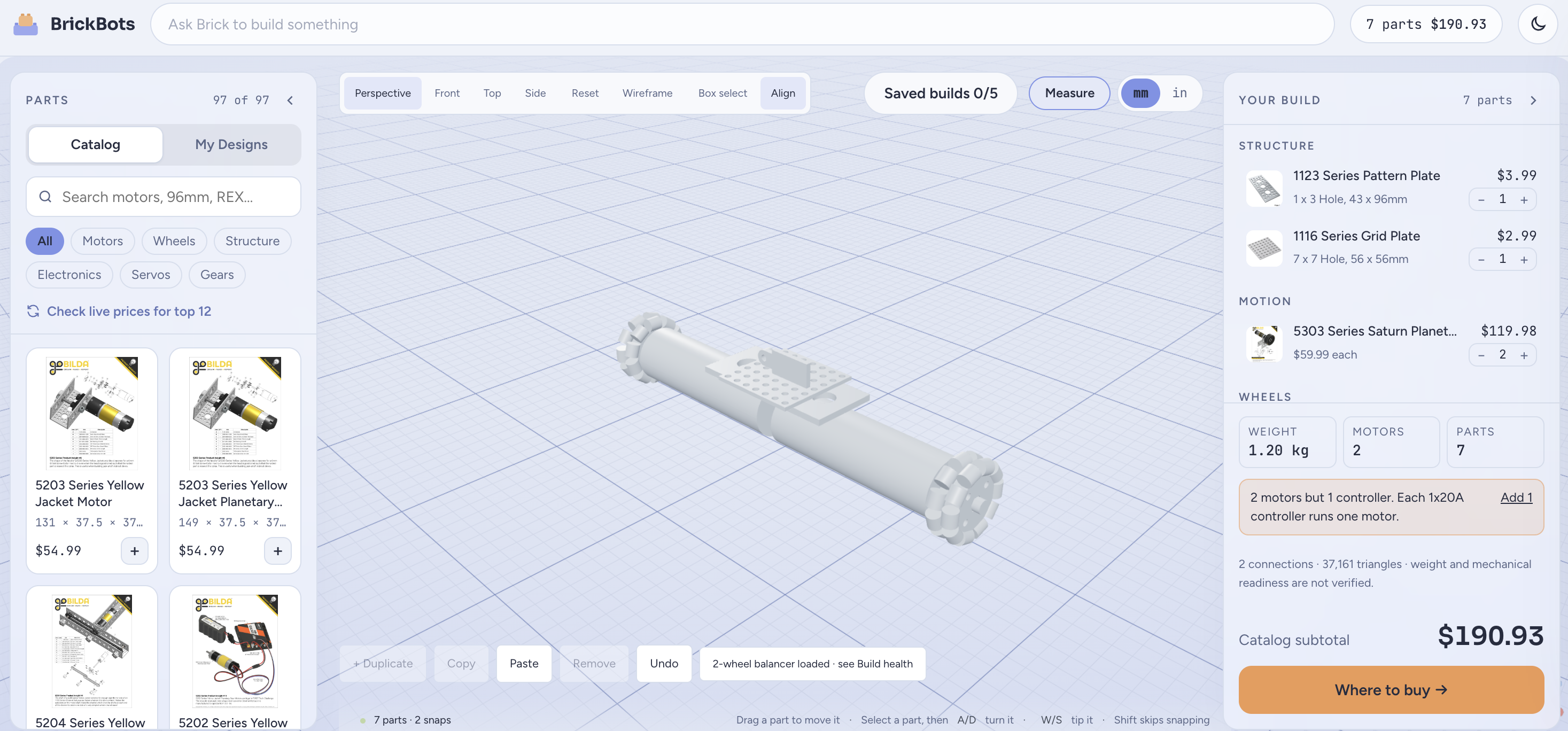
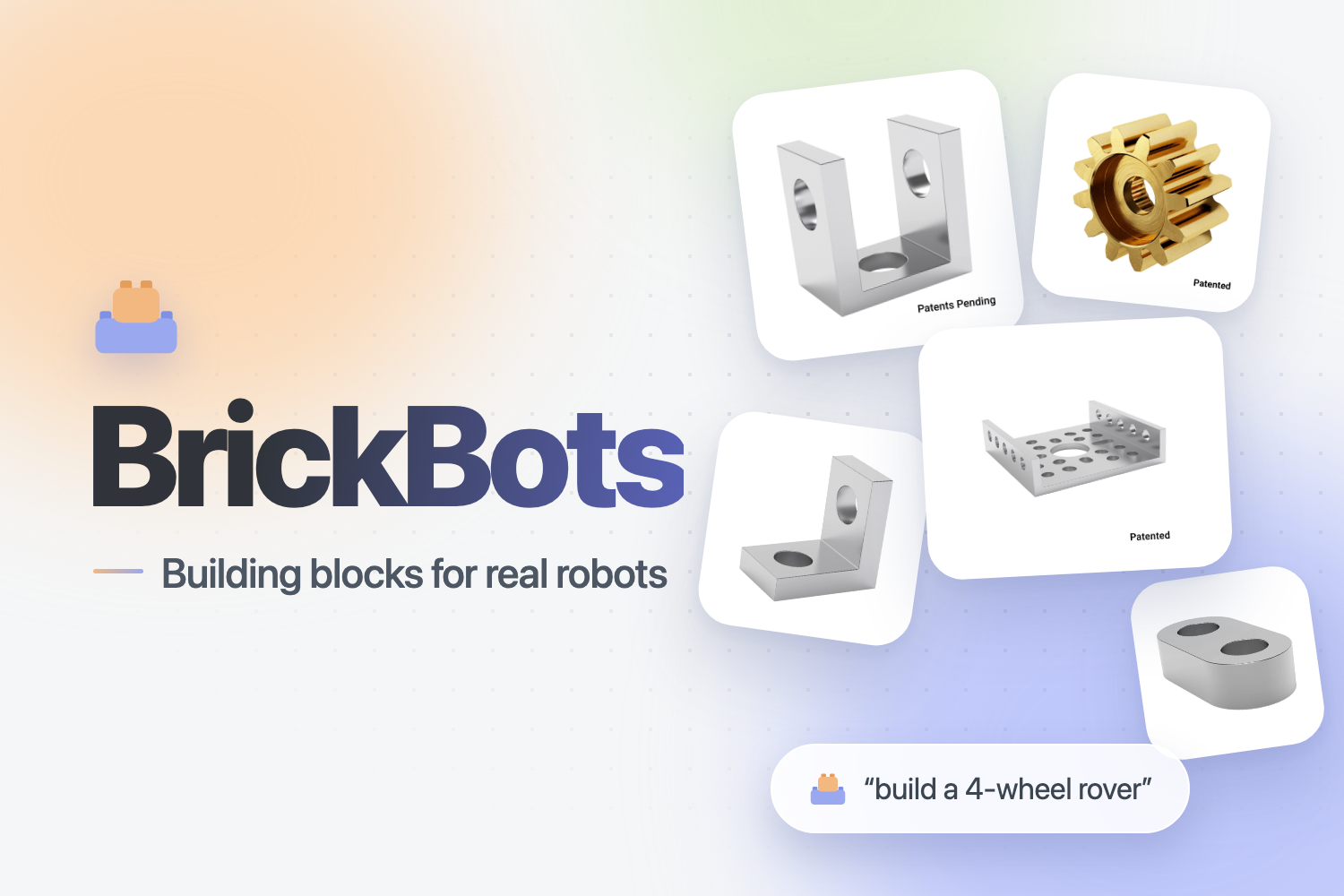
BrickBots lets you plan and assemble a robot from real parts in your browser. Describe what you want to build, and it finds the parts, shows them in 3D, and tells you what the whole build costs before you buy anything.
Real parts in a 3D model. The workspace uses actual manufacturer CAD, so what you assemble on screen matches the dimensions of what you will hold in your hands. The catalog covers about 91 goBILDA parts plus parts from other sellers such as an SG90 servo and a TT motor.
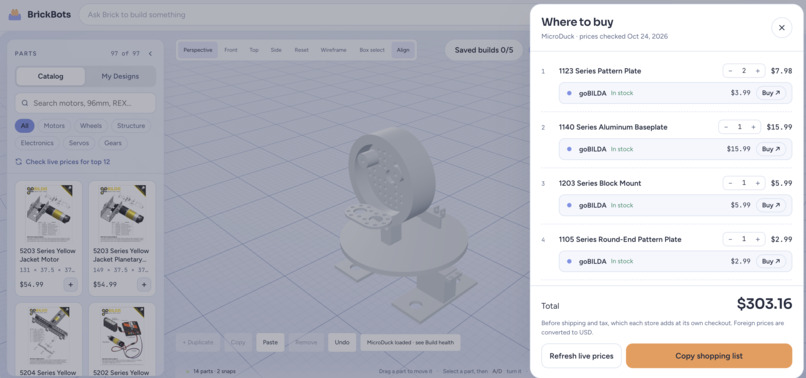
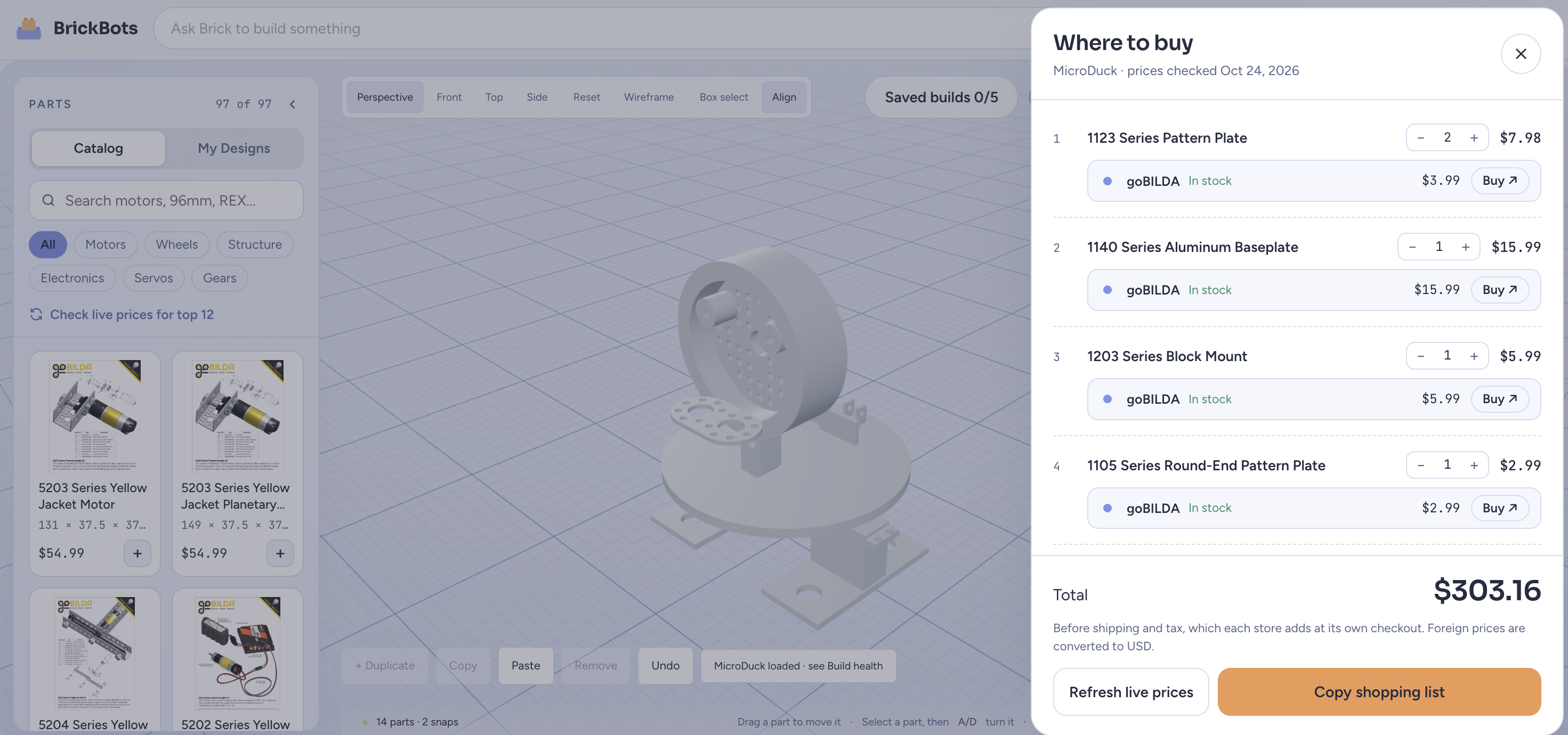
Real, accurate prices. Live prices and stock come from multiple retailers and are cached, so you see where each part is available and what it costs right now. A "where to buy" receipt totals the whole build, so you can plan around a budget and compare sellers before you order.
Easy assembly with attachment nodes and snapping. BrickBots reads each part's original geometry to find its real mounting points. Click two compatible nodes and the parts connect exactly, including rotation and depth. Drag a part near a matching node and it snaps into place.
AI-assisted building. Ask for something like "three 20 mm cubes in an L shape." One model proposes the parts and layout, and a second model reviews it independently. The build is added to your workspace only if every model loads and the arrangement passes review. An approved build is a single undo step.
How we built it
BrickBots has three pipelines that meet in a 3D workspace, with AI layered on top. The diagrams in our gallery show each one.
Tech stack
| Layer | Technology |
|---|---|
| Frontend | React 19, TypeScript, Vite |
| 3D rendering | Three.js, React Three Fiber, drei, three-mesh-bvh |
| CAD parsing | OpenCascade (occt-import-js) in WebAssembly |
| Geometry analysis | Python, FastAPI |
| Backend | Convex |
| AI | Bitdeer, Gemini, Anthropic Claude |
| Data | Context.dev, Apify, goBILDA published CAD |
| Validation and tests | Zod, Vitest, Python unittest |
Part Search and Live Pricing Pipeline
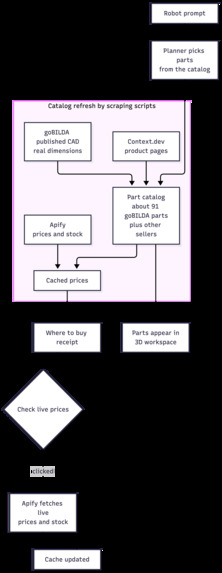
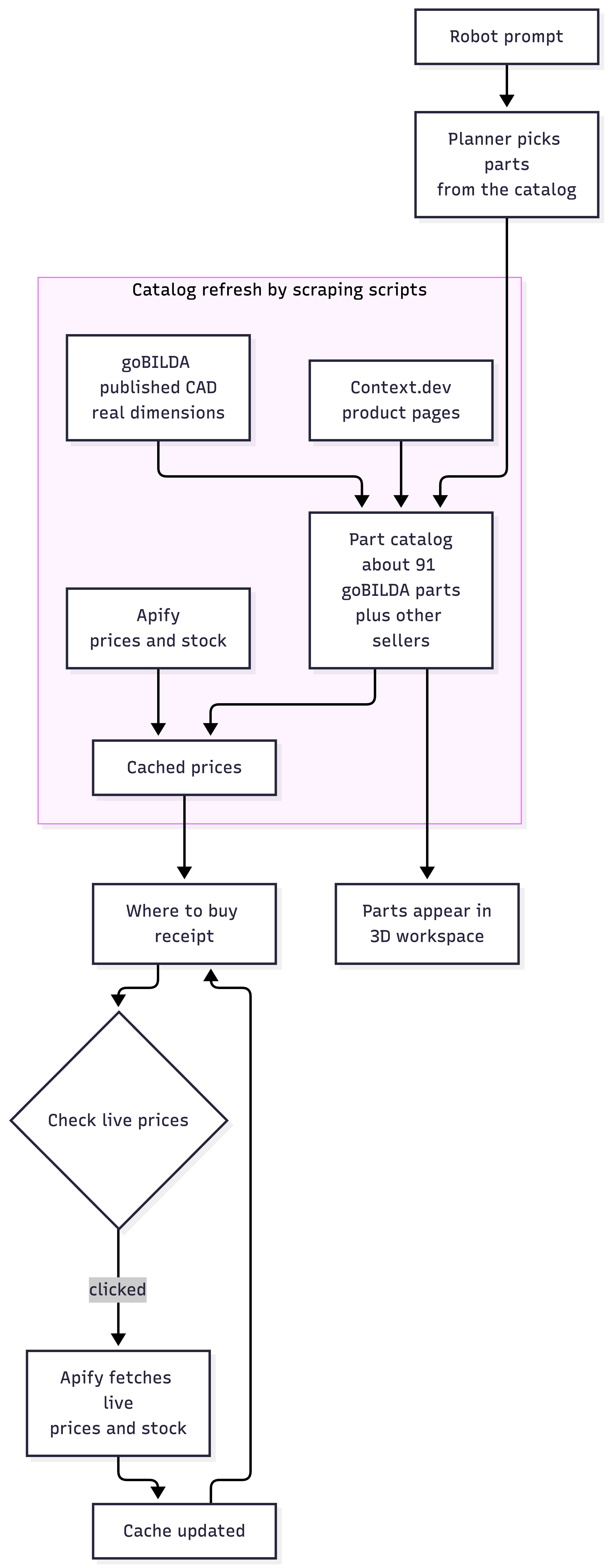
Scraping scripts fill our part catalog. Context.dev collects product pages, Apify collects live prices and stock across sellers, and goBILDA's published CAD files supply real dimensions. Prices are cached, and the "Check live prices" button refreshes them on demand so the "where to buy" receipt reflects what parts cost right now.
3D CAD Pipeline
STEP files are parsed by OpenCascade compiled to WebAssembly and run in a disposable web worker, so heavy CAD work never freezes the interface. Parts render with React Three Fiber, and users can orbit, pan, zoom, and drag them with collision handling. The app never silently rescales or recenters a model, and it labels any data that is unverified or of unknown scale.
Node Compatibility Pipeline
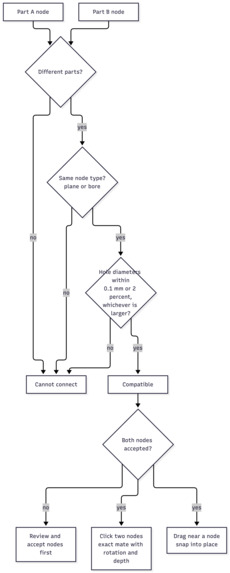
A local FastAPI service reads the original B-Rep geometry from each STEP file, finds planes and bore openings, and turns them into attachment nodes. GLB files get lower-confidence nodes derived from triangles. Two nodes are compatible when their types match and their hole diameters agree within 0.1 mm or 2% of the diameter, whichever is larger. Bitdeer suggests nodes and mate pairs, and every suggestion is revalidated locally before it can be used.
AI-Assisted Building
Gemini proposes a part inventory and layout from a prompt. The build is staged, and Claude reviews it independently while local rules check it. The build is added only if every model loads and the arrangement passes review. A failure never leaves a partial assembly behind, and an approved build is a single undo step. The AI cannot invent coordinates or approve nodes on its own.
Saving workspaces
Convex stores saved workspaces, including the original files, node reviews, transforms, and mates. Each workspace is identified by a random capability token in the browser's localStorage, and concurrent saves are rejected so one tab never overwrites another tab's work.
Challenges we ran into
Stopping physically invalid placements. Early builds looked right but were wrong: parts intersected each other, and parts snapped onto holes that were already occupied or facing the wrong way. We added BVH-accelerated collision detection on the tessellated meshes, hole-occupancy tracking so a fastener hole can only be used once, and normal-orientation validation so paired surfaces must face each other with compatible axes. A snap only succeeds when the geometry is genuinely clear and correctly aligned.
Missing dimensions in the catalog. Many scraped parts had no real measurements, which stalled placement and degraded CAD fidelity. Instead of blocking on a complete scrape, we added a size-estimation fallback that infers approximate bounding boxes from part category and context. Estimated parts are treated as provisional, placement is best-effort, and the pipeline upgrades to real geometry automatically once actual dimensions are scraped.
Keeping AI-supported builds under 30 seconds. Planning a full assembly meant searching the whole 91-part catalog, and exact part selection ran expensive geometric matching on every candidate, so builds took far too long for a live experience. We parallelized candidate search across parts, pruned the candidate pool before exact matching so the solver only touched plausible parts, and added deadline-aware fallback builds. Even when the full solver cannot finish inside $t < 30$ s, the system returns a best-effort complete assembly instead of nothing. User can choose to wait longer for a more accurate build.
Accomplishments that we're proud of
- A snapping interface that feels easy to use. Parts snap together with a drag or two clicks, and every component works together in one browser tab, from the catalog and 3D workspace to pricing and saved builds.
- 3D model generation from a 2D image. BrickBots reads a flat image, builds a 3D model from it, and identifies the attachment nodes on that model, so a part that has no CAD file can still be placed and connected in the workspace.
- Attachment nodes built from real STEP geometry, so parts connect with exact rotation and depth
- An AI build pipeline where one model proposes, another reviews, and nothing is added unless it passes, with a single undo for an approved build
What we learned
- Solving real problems takes research and time. We spent hours finding the best way to attack this problem while keeping it user-friendly and accessible. Along the way we learned a lot about CAD formats, tessellation tolerances, running WebAssembly in web workers, and, most importantly, pipelining AI output through rules that can be checked. We learned not to take raw model output on faith and so every AI suggestion in BrickBots is validated against locally measured CAD geometry before a human approves it. AI proposes, geometry verifies, people decide.
What's next for BrickBots
- We want compatibility checking and correction based on node location, seeing the smaller details and how they fit together. We also want to make larger products easy to build: we see our design advancing toward prototyping bigger projects. That's why we want step-by-step build instructions generated from the final mate list, and image-to-3D so a photo of a part can enter the workspace directly. In our future, every build adds to a database of measured parts, verified connections, and successful assemblies, a knowledge base that makes the next build faster.


Log in or sign up for Devpost to join the conversation.