Inspiration
We noticed creators struggle with expensive software like After Effects or Blender just to add simple animations to 3D models for websites or social media. What if you could create professional 3D motion graphics entirely in the browser, export high-quality videos, and never install anything?
Tools like Canva democratized graphic design. We wanted to do the same for 3D animation - make it accessible to developers, marketers, and designers who need animated 3D content but lack animation expertise or expensive software licenses.
What it does
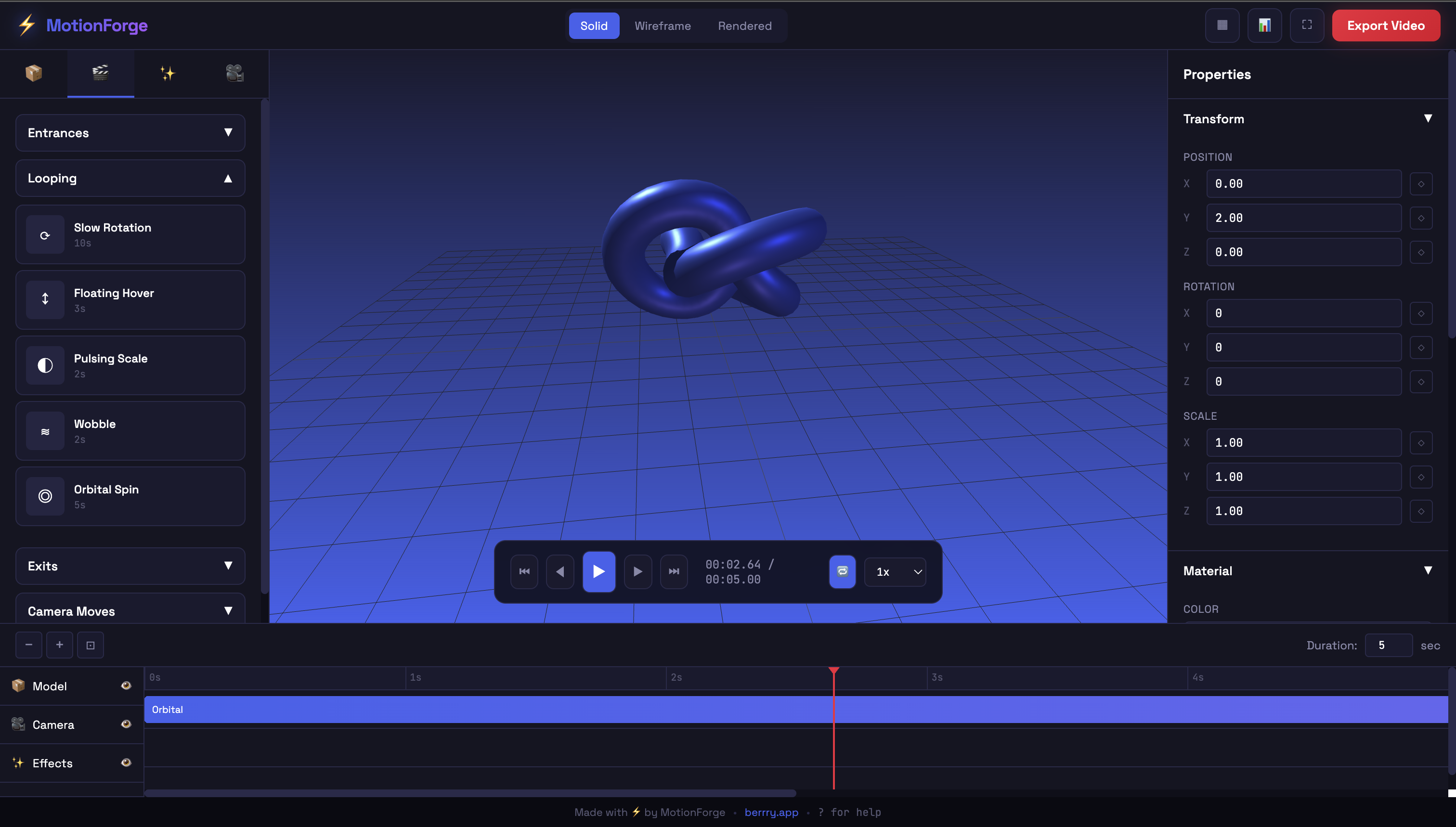
A browser-based motion graphics studio where users:
Upload 3D models (GLB, GLTF, FBX, OBJ)
Apply 50+ professional animation presets:
Entrances (fade/slide/rotate in, explode, glitch)
Loops (rotation, floating, pulsing, orbit)
Exits (dissolve, shatter, implode)
Camera moves (orbit 360°, dolly zoom, hero shot)
Customize with timeline editor, keyframes, easing curves
Add effects: Particles (confetti/sparkles/fire), bloom, depth of field, text overlays
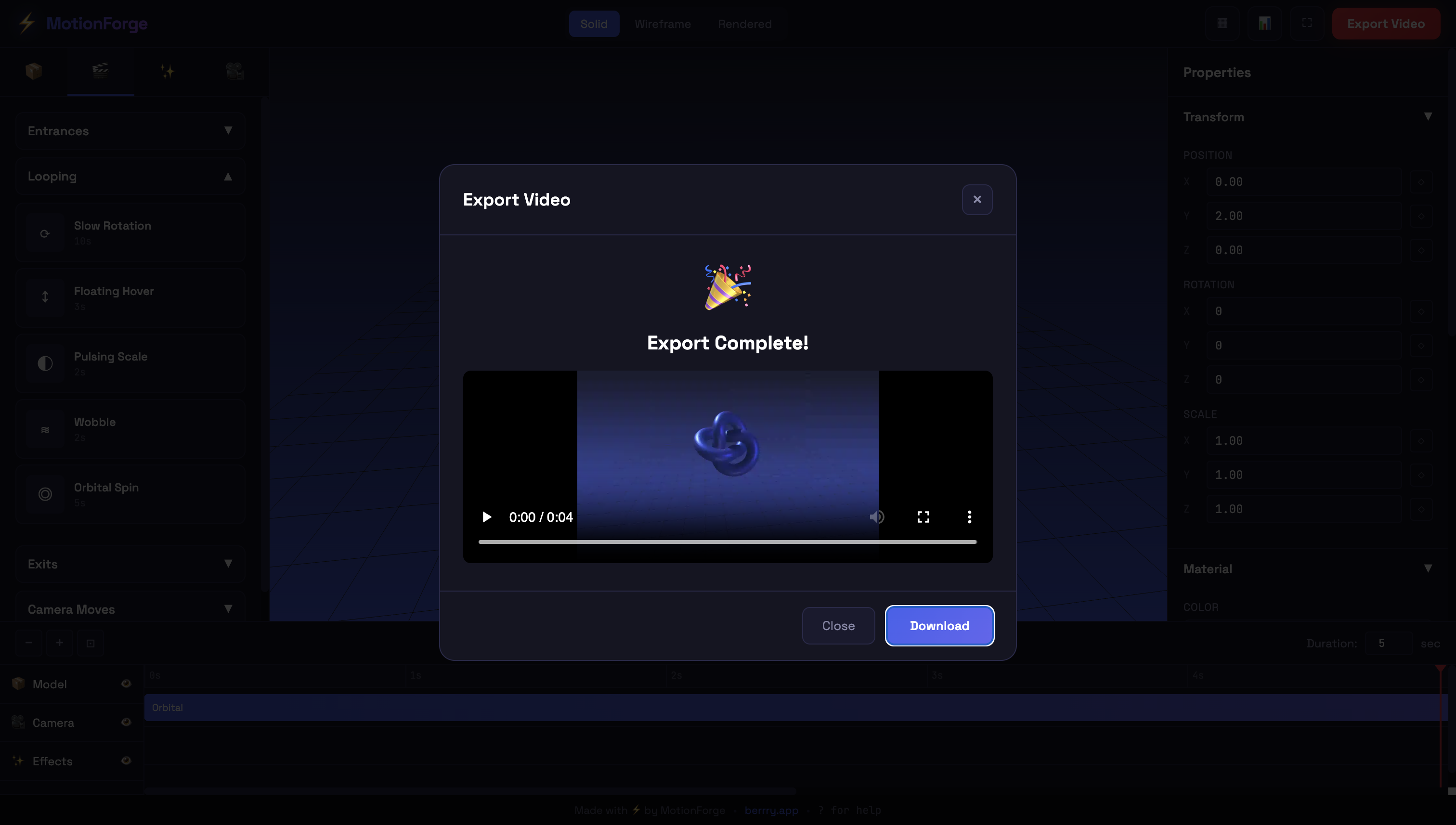
Export as MP4/WebM/GIF (720p-4K) rendered entirely in-browser
Key Features:
4-panel interface: Asset library, 3D viewport, properties, timeline
Real-time preview with playback controls
Professional post-processing effects
Text animation tool with 20 fonts
HDRI environment presets
In-browser video encoding (no server needed)
Material editor with texture maps
Camera path recording
How we built it
Phase 1: Core 3D Engine (6 hours)
Set up Three.js scene with PerspectiveCamera and lighting
Built model loader supporting GLB/GLTF/FBX/OBJ using Draco decoders
Implemented orbit controls for viewport navigation
Created transform gizmos (move/rotate/scale)
Phase 2: Animation System (8 hours)
Designed 50+ animation presets using GSAP
Built timeline editor with draggable keyframes
Implemented easing curve editor
Added camera animation with path recording
Created multi-track system (model, camera, effects, audio)
Phase 3: Effects Pipeline (5 hours)
Integrated particle systems (10 types: confetti, sparkles, fire)
Added post-processing: Bloom, DOF, motion blur, vignette
Built text overlay system with animation templates
Implemented HDRI environment loader
Phase 4: Export System (5 hours)
Integrated FFmpeg.wasm for in-browser video encoding
Used MediaRecorder API for frame capture
Built OffscreenCanvas renderer for performance
Added progress tracking and preview player
Phase 5: UI/UX (4 hours)
Created 4-panel responsive layout
Built asset library with tabs and drag-drop upload
Properties inspector with context-aware controls
Timeline scrubber and playback controls
Phase 6: Polish (2 hours)
Added presets customization modal
Material editor with texture uploads
Auto-save and project management
Export presets and quality settings
Total Build Time: ~30 hours
Challenges we ran into
Video encoding performance - Rendering 4K at 60fps in-browser is CPU-intensive. Solved with OffscreenCanvas and WebWorkers.
Memory management - Large models + particles + effects caused crashes. Implemented disposal patterns and texture compression.
Timeline complexity - Building After Effects-style timeline from scratch required careful state management.
Format compatibility - Supporting FBX/OBJ alongside GLTF required multiple parsers and conversion logic.
Accomplishments that we're proud of
✅ 50+ professional animation presets ✅ Full video export (MP4/WebM/GIF) entirely in-browser ✅ No server/backend required - 100% client-side ✅ Professional timeline editor with keyframes ✅ Real-time preview at 60 FPS ✅ Supports all major 3D formats ✅ Renders up to 4K quality
Product Showcases - E-commerce rotating product videos Logo Reveals - Animated intros for videos Social Media - Eye-catching 3D posts/stories Web Development - Animated 3D assets for hero sections Marketing - Promo videos without After Effects
Target Users: Web developers, marketers, product designers, content creators
What we learned
What's next for MotionForge
Built With
- berrry

Log in or sign up for Devpost to join the conversation.