-
-
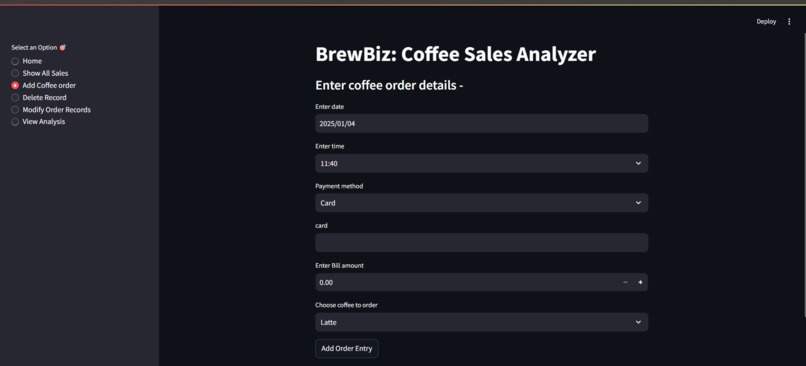
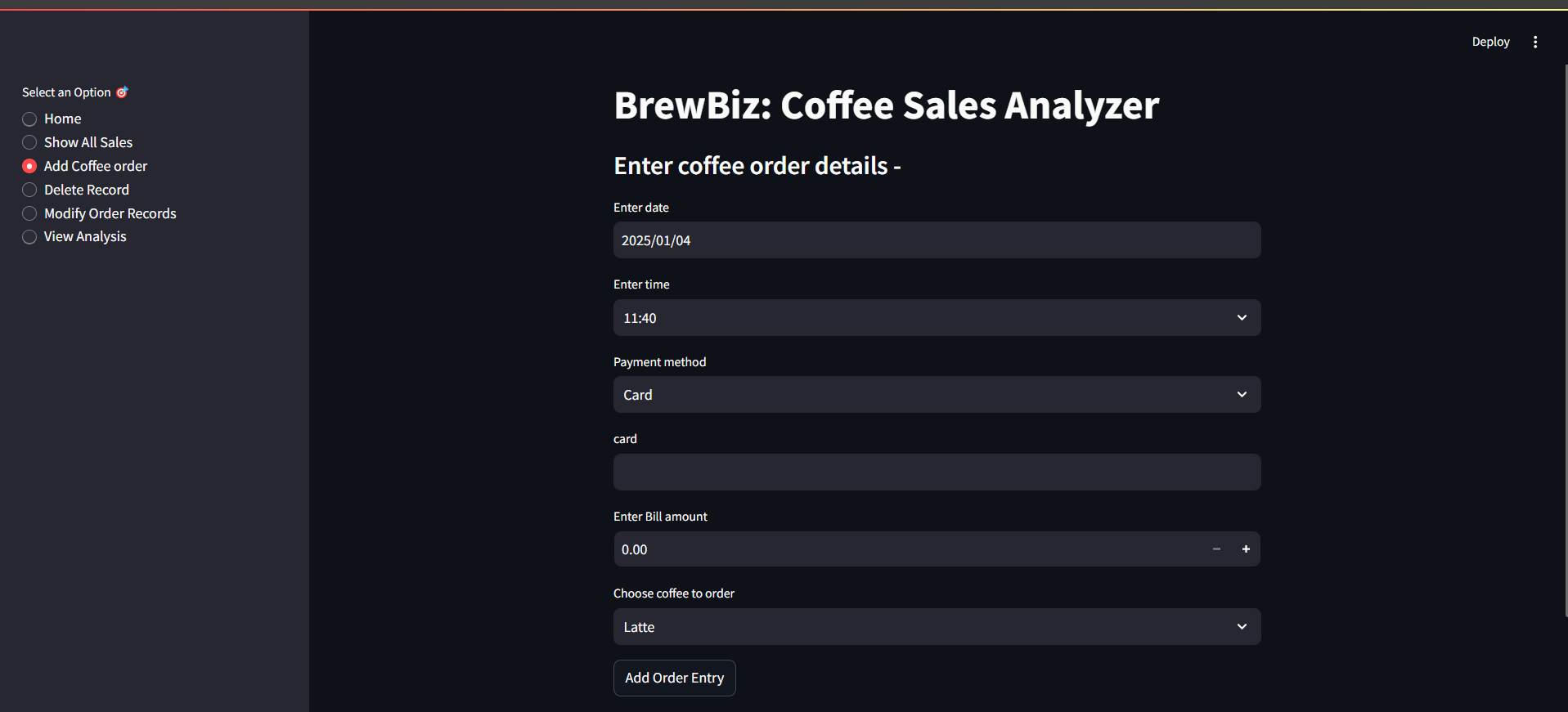
Add Sales Record
-
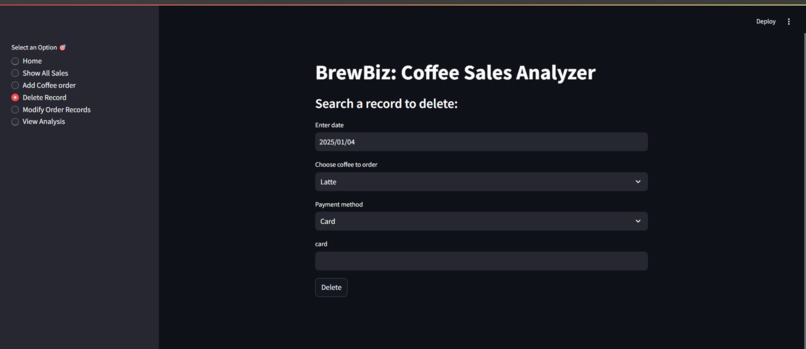
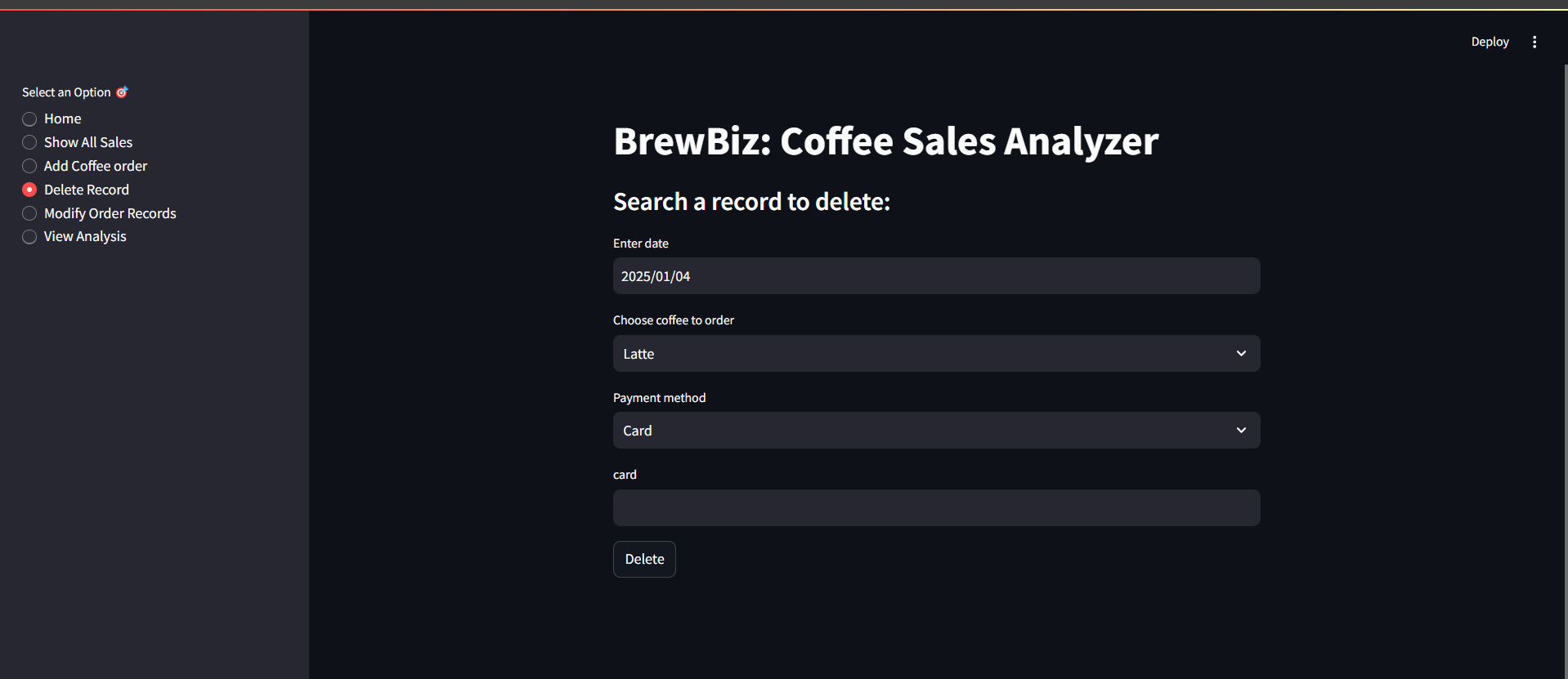
Delete Sales Record
-
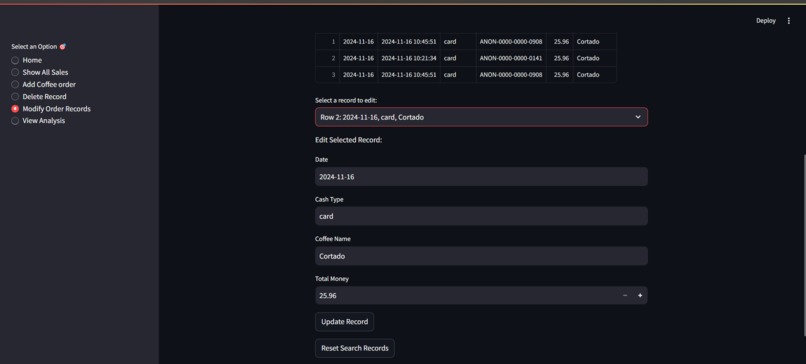
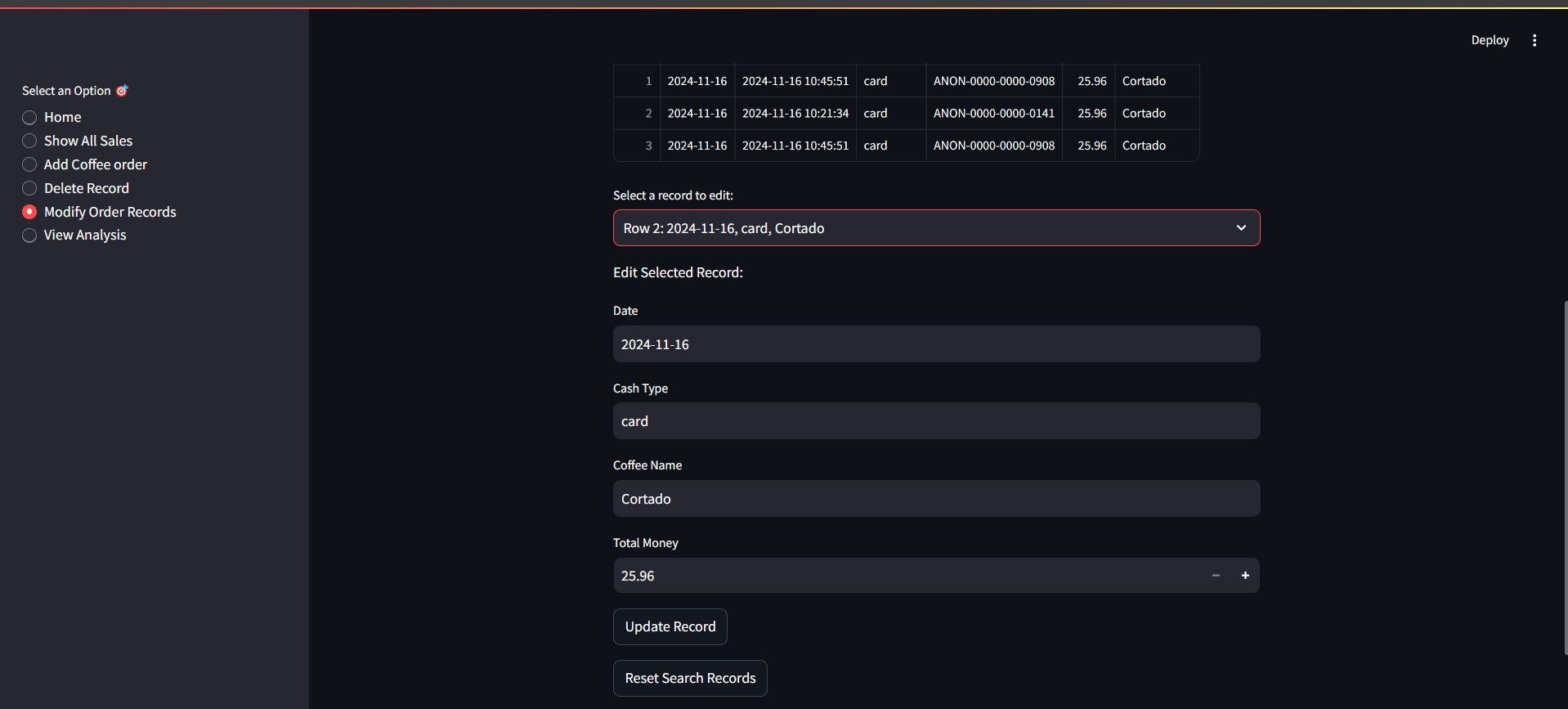
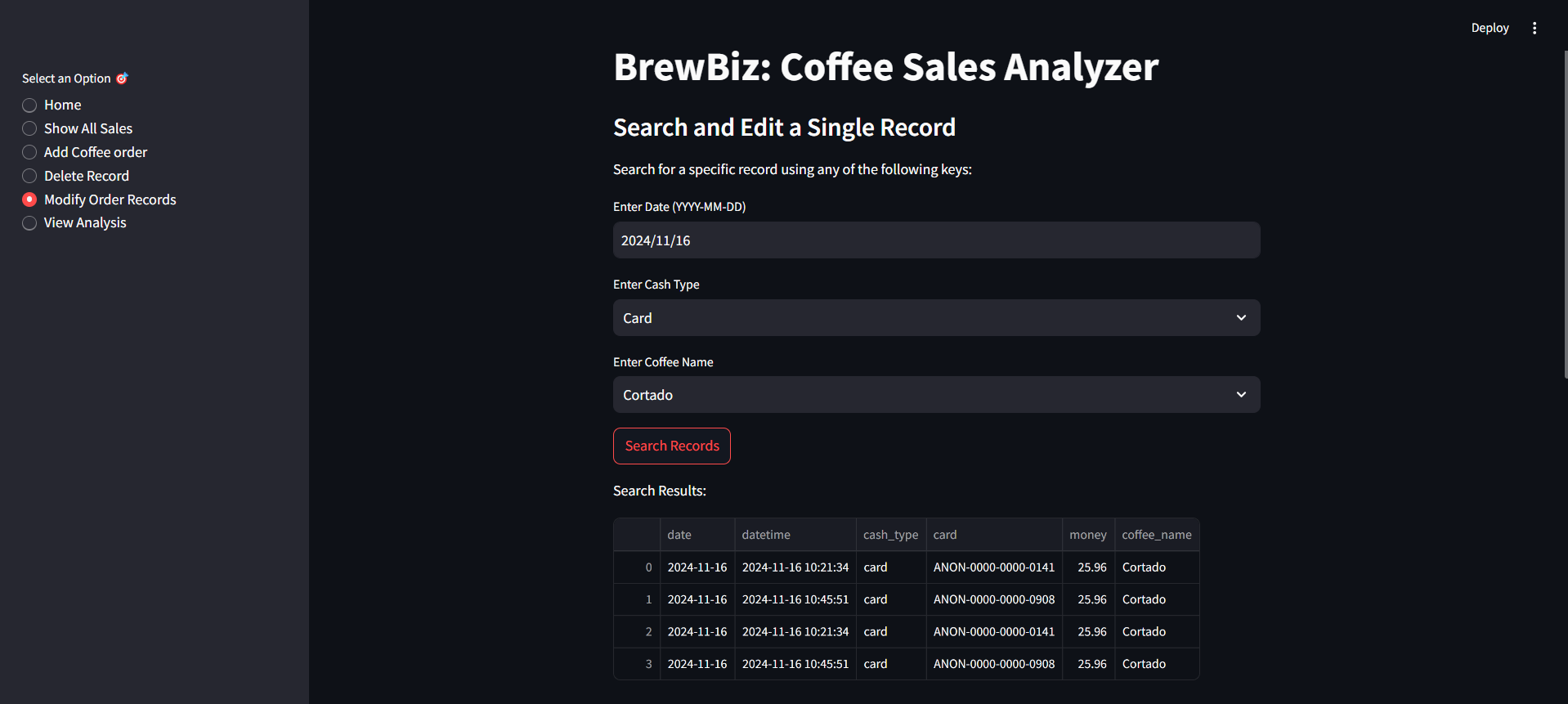
Modify Sales Record -2
-
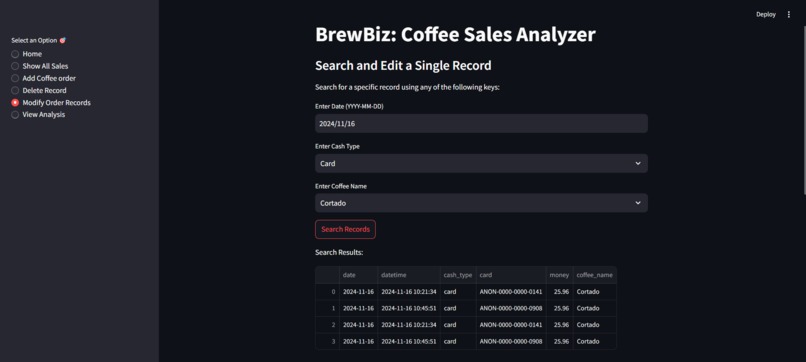
Modify Sales Record -1
-
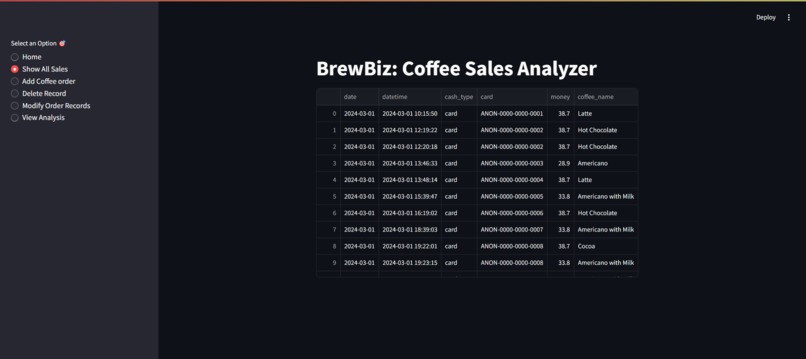
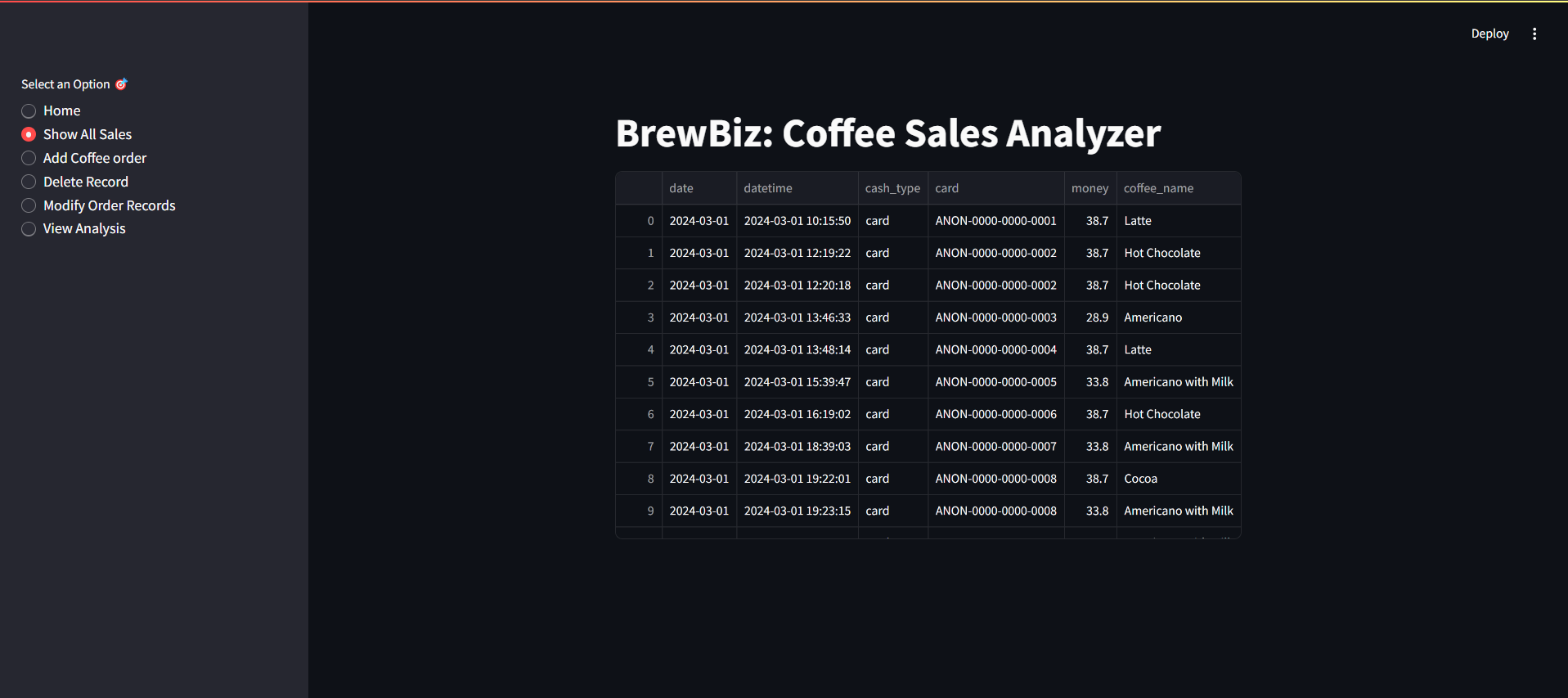
Display all sales records
-
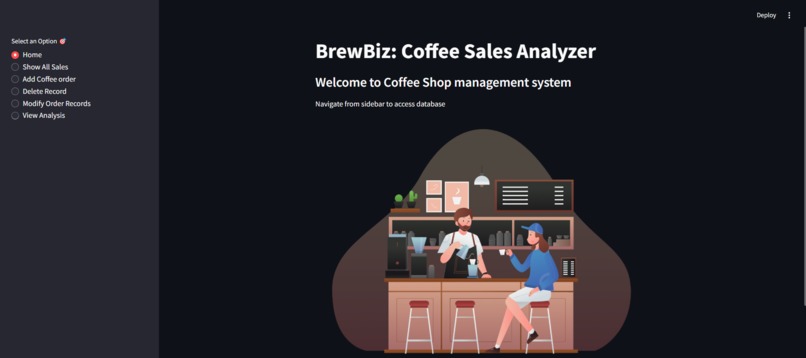
Home page
-
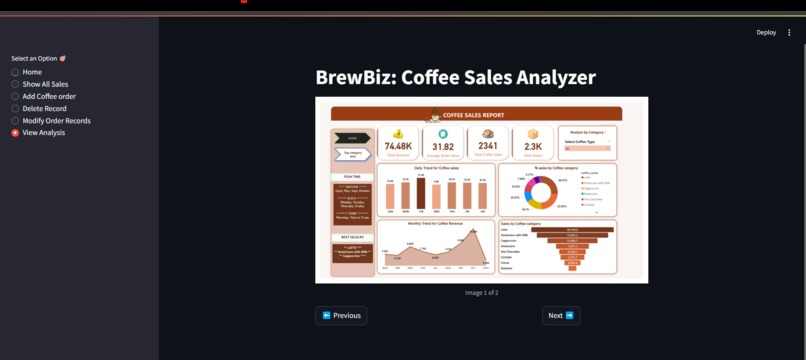
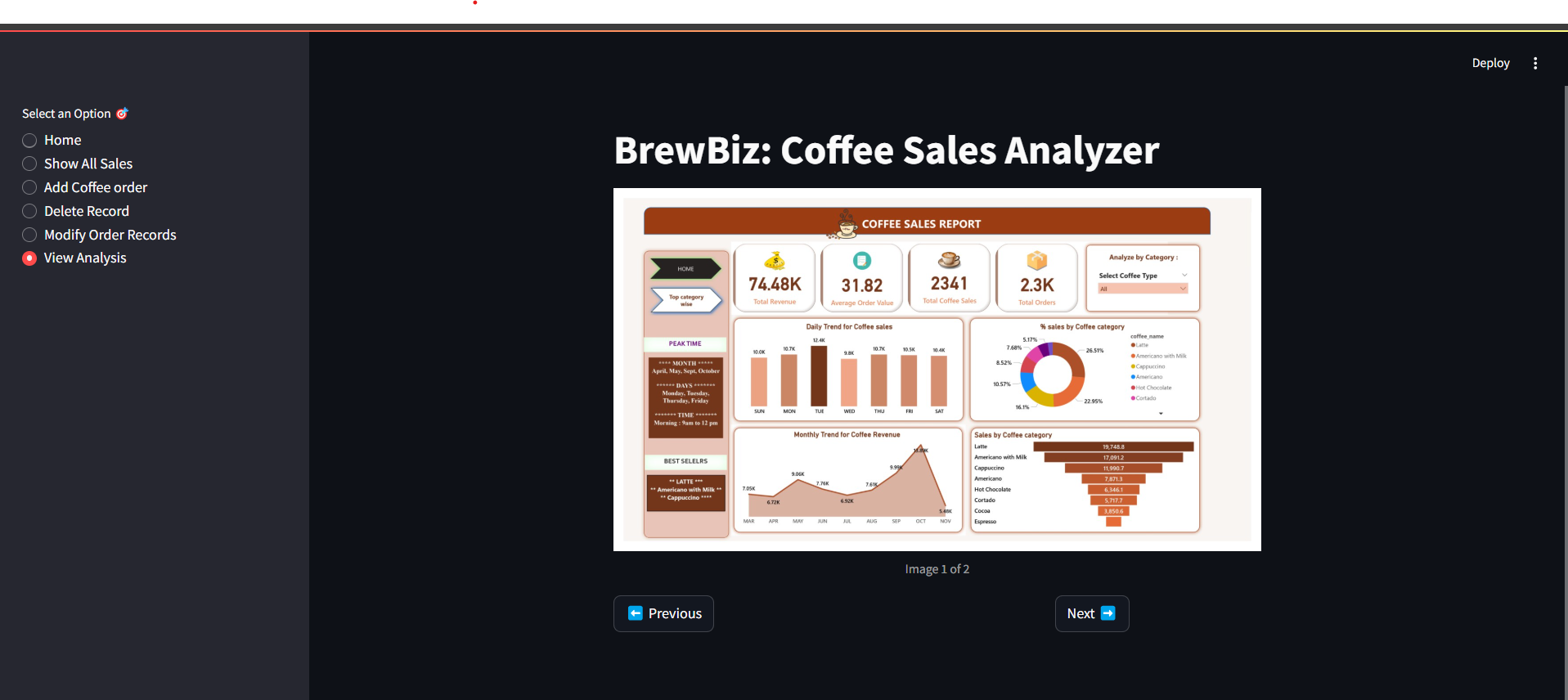
Sales Dashboard
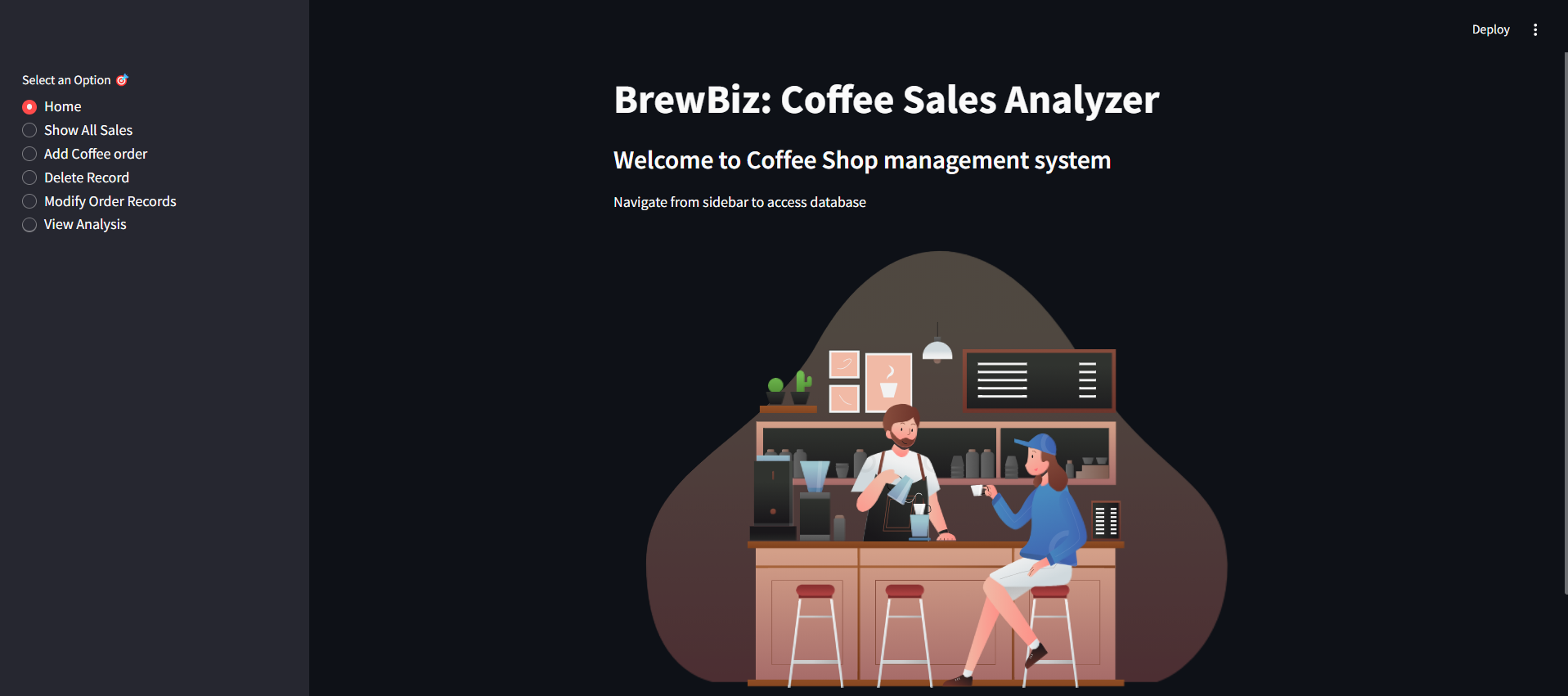
BrewSalesManager: Coffee Sales Tracker and Analyzer
Inspiration
BrewSalesManager was created to address the need for an efficient and interactive system to track and analyze coffee sales. Business owners and managers require effective tools to monitor sales data, make informed decisions, manage inventory, and optimize their operations. This project aims to provide not just a sales tracker but also insightful analytics to empower businesses with data-driven decisions.
What it does
BrewSalesManager is a comprehensive coffee sales tracking and analysis tool. It allows users to:
- View, add, modify, and delete coffee sales records.
- Track essential details like sale dates, payment methods (cash or card), coffee types, and total amounts.
- Analyze sales data through dynamic Power BI dashboards to gain insights such as sales trends, popular coffee types, payment methods along with monthly and weekly sales.
The app offers a user-friendly interface built with Streamlit and integrates with a SQL Server management studio database for data management.
How I built it
We utilized a combination of technologies to build BrewSalesManager:
- Code Optimization: Microsoft Copilot assisted with code development, helping speed up the process and optimize CRUD operations with SQL queries.
- Backend: SQL Server Management Studio (SSMS) was used to store and manage coffee sales data. SQL queries were used to track and retrieve sales records.
- Data Analysis: Microsoft Power BI Desktop was used to clean the data and create interactive dashboards for visualization.
- Frontend: Streamlit was chosen as the frontend framework for creating a dynamic and intuitive user interface to interact with the backend database.
- Python Libraries: Various libraries like pyodbc, pandas, requests, and streamlit_lottie were used to enhance functionality.
Challenges I ran into
Building BrewSalesManager posed several challenges:
- Copilot’s Learning Curve: Initially, understanding how to get the best suggestions from Copilot took time, but it later became invaluable in optimizing code.
- Database Integration: Ensuring smooth integration between Streamlit and SSMS for querying and updating the database was challenging, especially when handling connection issues and SQL queries.
- UI Design: Creating a responsive and user-friendly UI with Streamlit had a learning curve. Over time, the layout was refined to be intuitive.
- Power BI Integration: Extracting, transforming, and formatting the data for Power BI dashboards required overcoming data compatibility issues to ensure meaningful visualizations.
- Handling Dynamic Data: Managing large datasets in real-time required optimization to maintain smooth performance.
Accomplishments that I'm proud of
- Successfully integrated a robust backend with SSMS Server and Streamlit, providing seamless data flow and a functional UI for sales management.
- Created dynamic and insightful Power BI dashboards that allow users to visualize sales trends and other key metrics.
- Developed an application that combines backend data management, real-time analytics, and a user-friendly frontend.
- Leveraged Copilot’s AI-driven suggestions to significantly reduce development time and improve CRUD operations.
What I learned
- I learned to leverage the AI-powered tool, Copilot, which accelerates project development by suggesting optimizations, generating boilerplate code, and assisting with complex queries, thereby enhancing efficiency and code quality.
- The importance of integrating multiple technologies to create a seamless user experience.
- How to effectively use Power BI Desktop to create insightful dashboards that help in data analysis.
- The benefits of using AI tools like Copilot to speed up development and optimize code.
- Streamlit’s power in creating dynamic, interactive web apps with minimal code.
- How to manage and query large datasets in SQL Server for real-time operations.
What's next for BrewSalesManager
- Power BI Integration: Future iterations could embed Power BI dashboards directly within the Streamlit app for a more seamless user experience.
- Azure Cloud Integration: Hosting the app and database on Azure could provide scalability and real-time data updates, improving performance.
- Advanced Analytics: Incorporating predictive analytics could help businesses forecast sales trends and optimize inventory management.
- Expanding Beyond Coffee Shops: The app's functionality could be extended to other industries, offering businesses in different sectors a tool to manage sales and optimize operations.


Log in or sign up for Devpost to join the conversation.