-
-
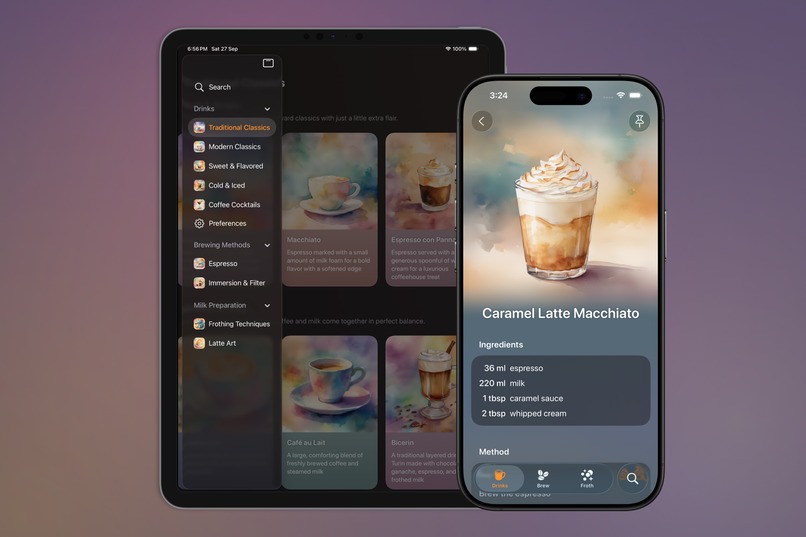
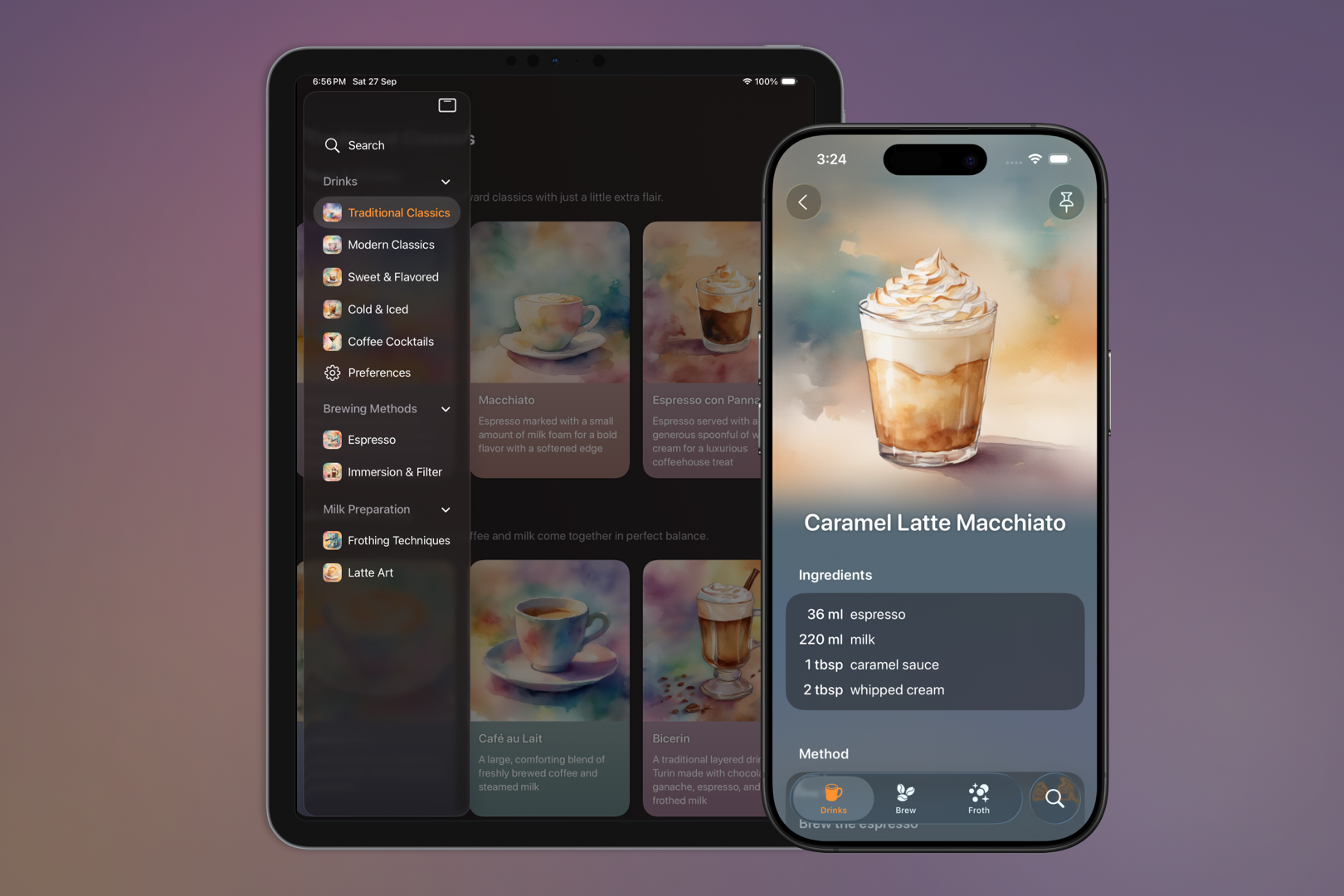
Traditional Classics list on iPad with Caramel Latte Macchiato recipe on iPhone
-
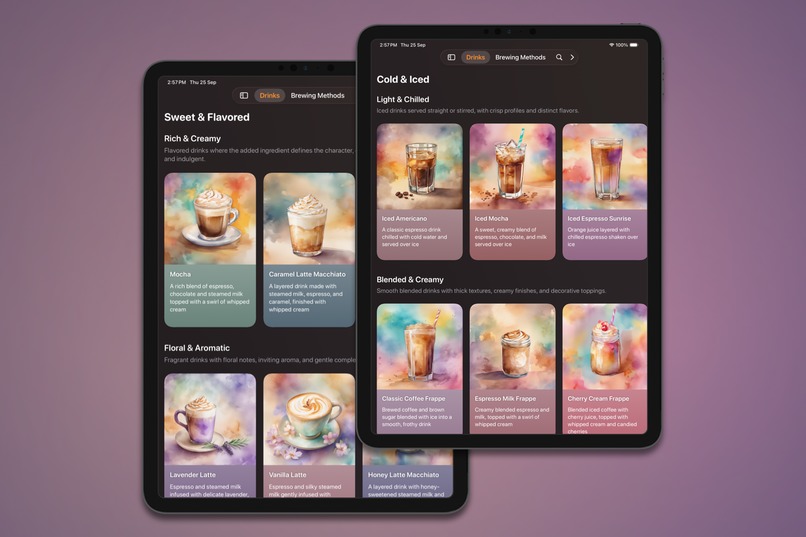
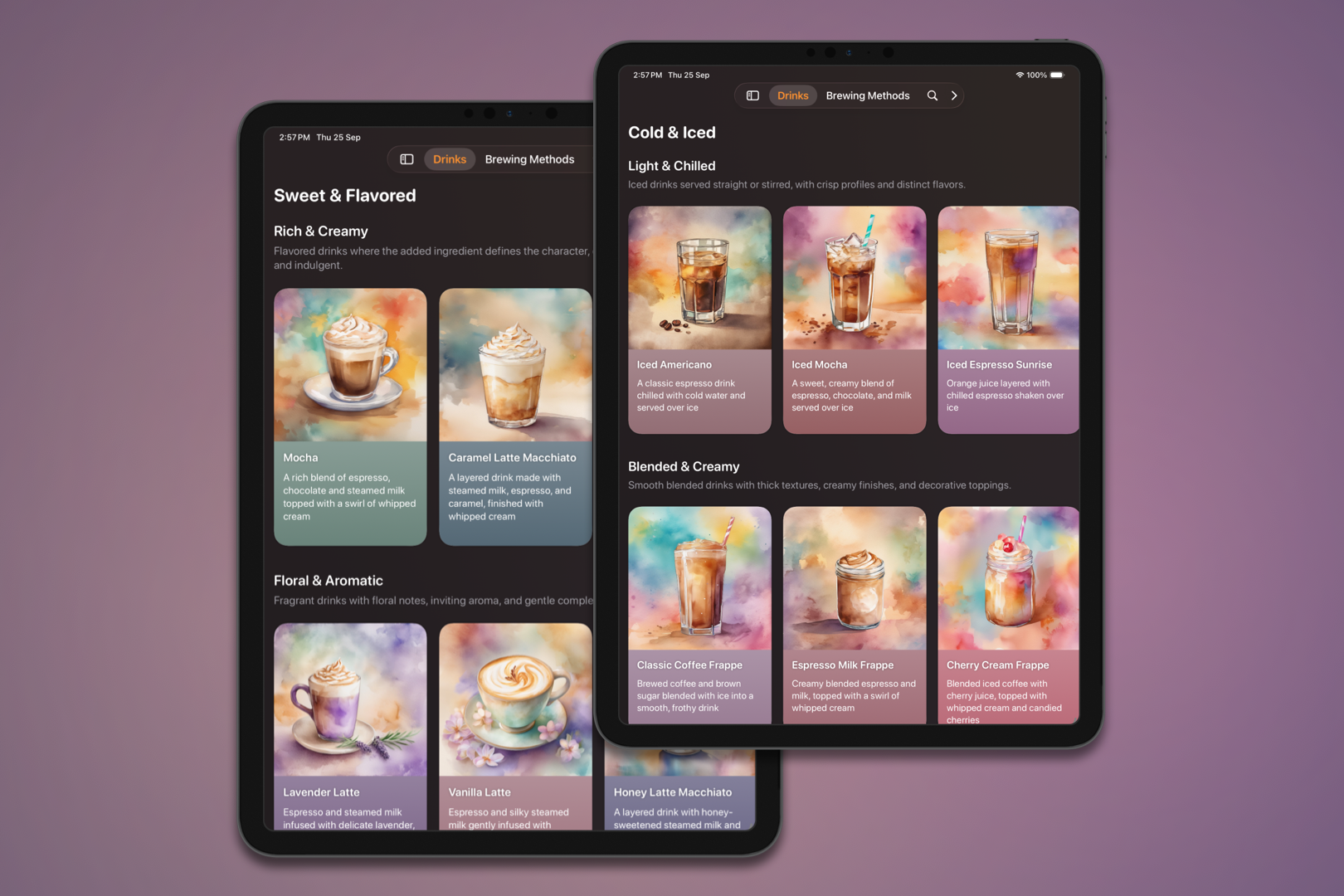
Sweet & Flavored and Light & Chilled recipe collections on iPad
-
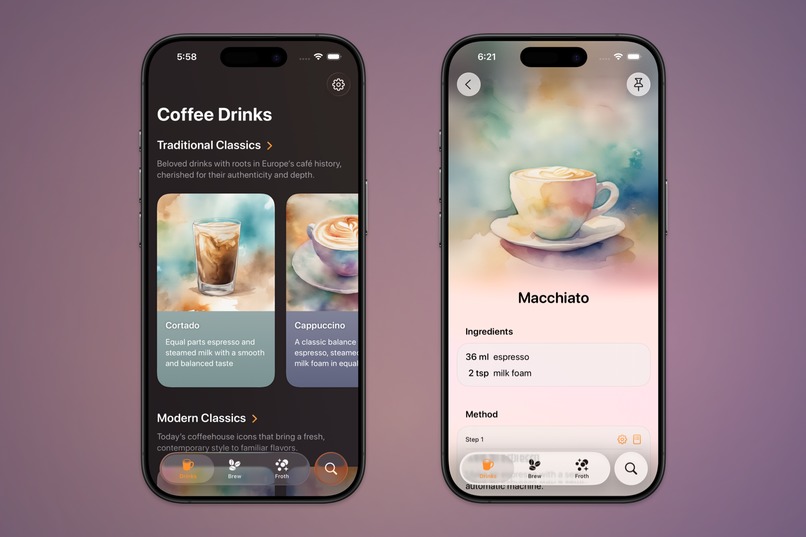
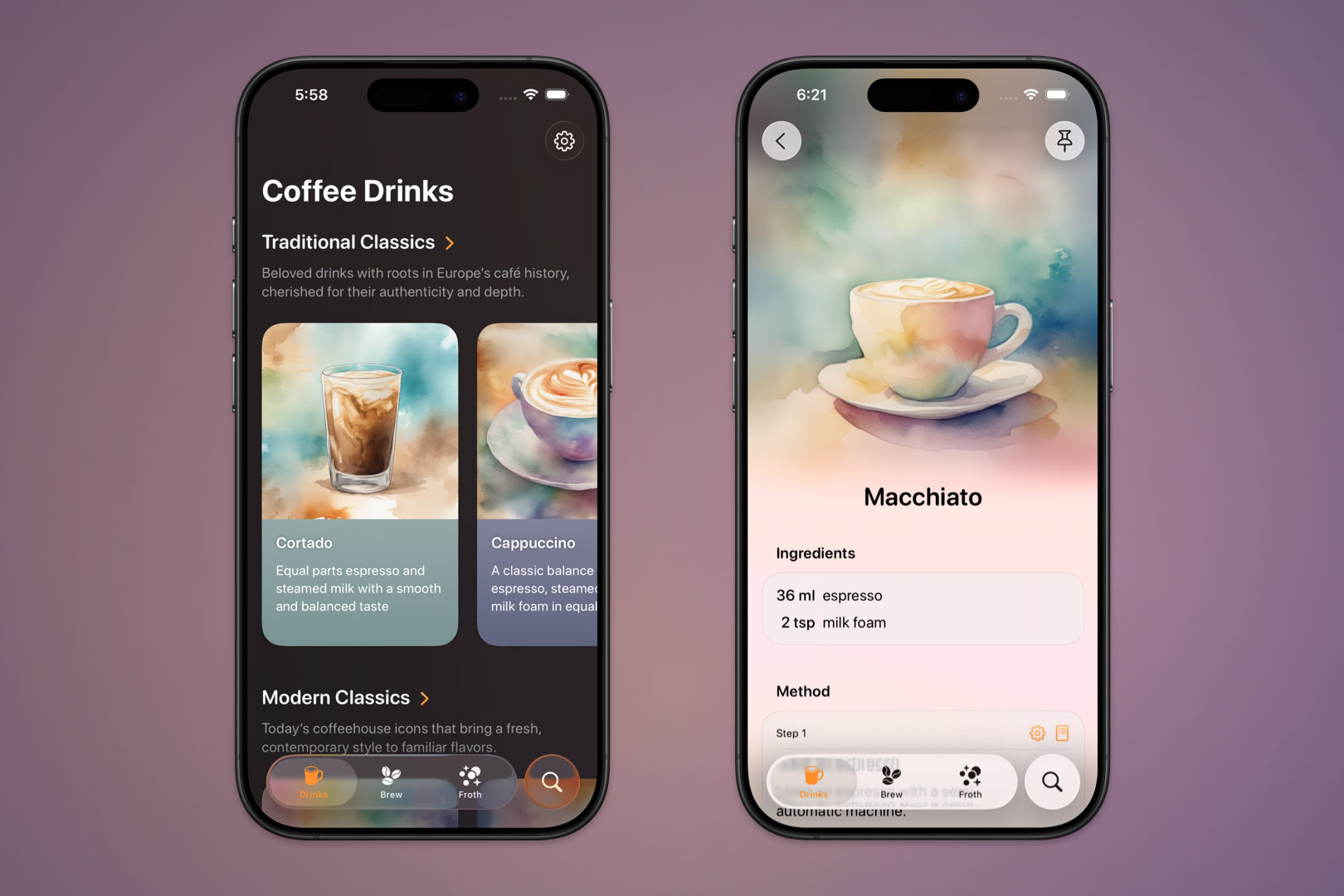
Coffee Drinks overview and Macchiato recipe on iPhone
-
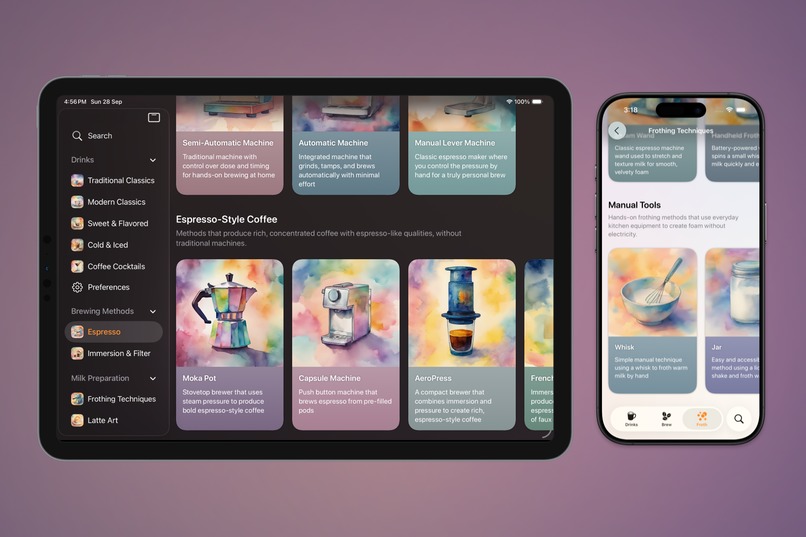
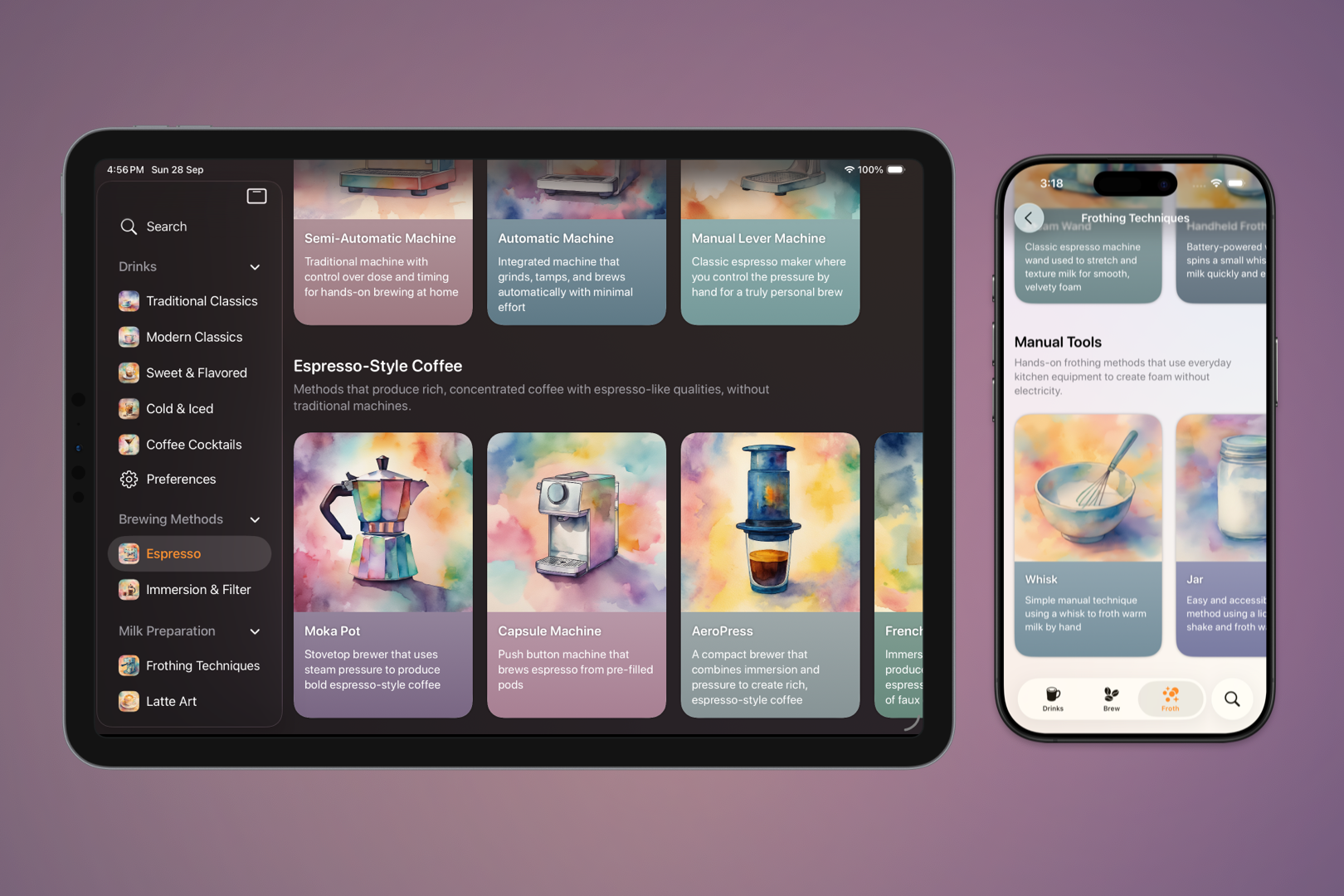
Espresso brewing methods on iPad and milk frothing techniques on iPhone
-
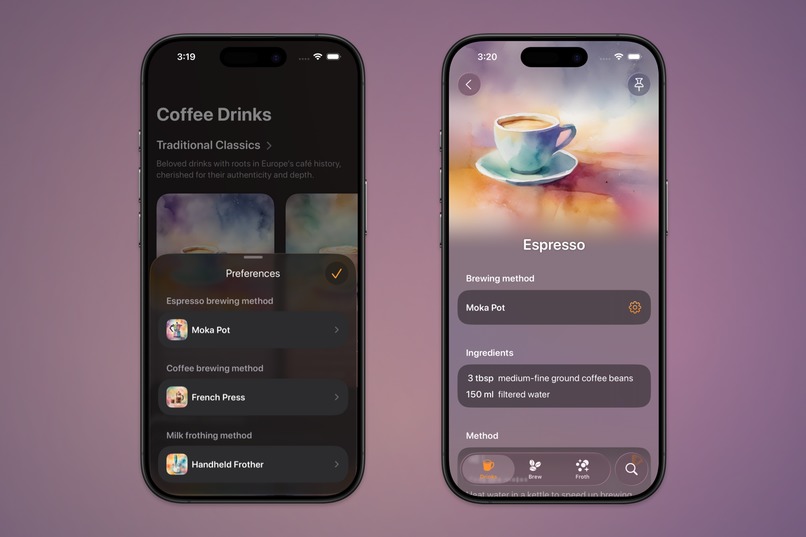
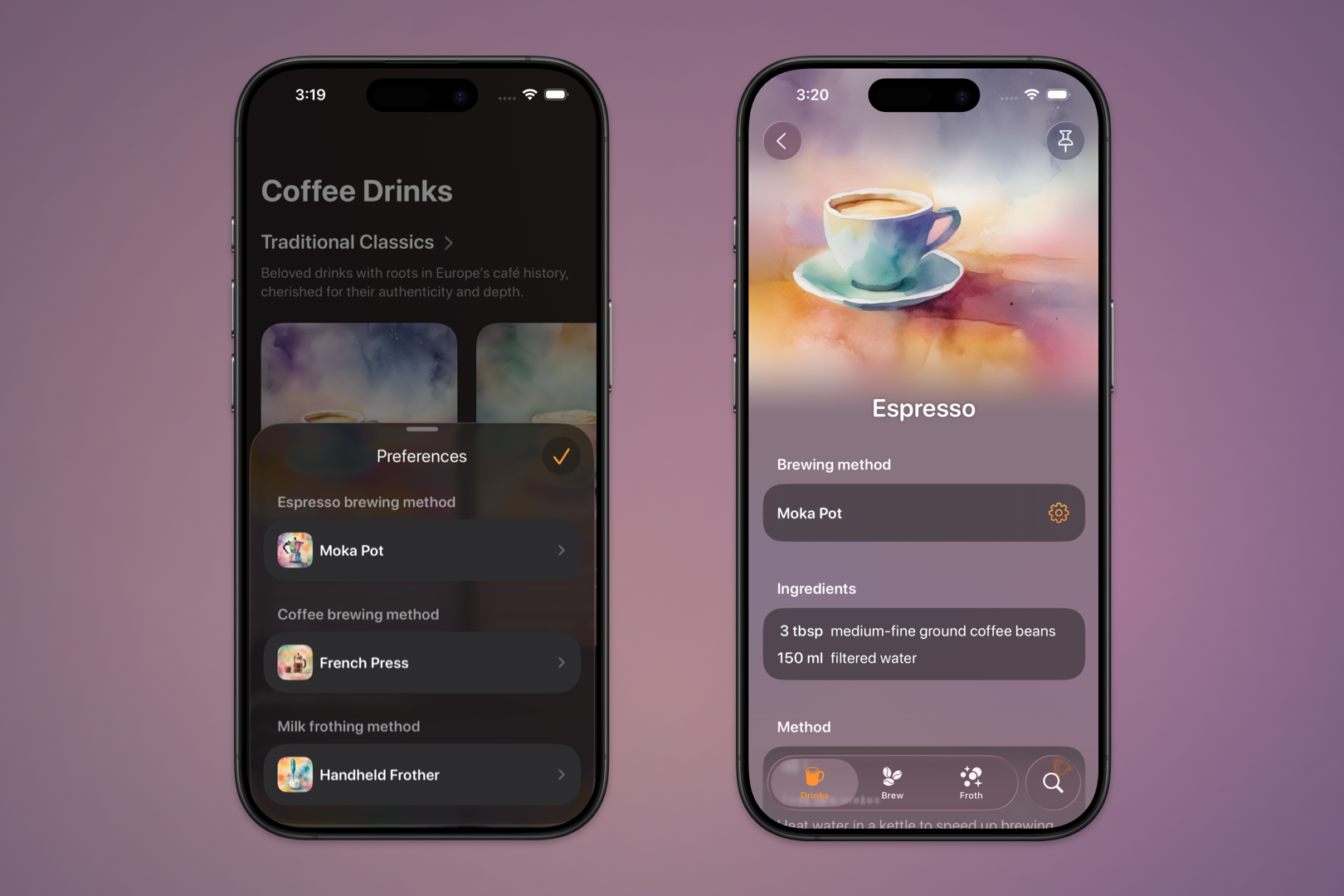
Preferences sheet and Espresso recipe on iPhone
Inspiration
In New Zealand, we are lucky to have delicious coffee everywhere: cafés, bakeries, pubs, restaurants, gas stations, craft markets. Like for many people all over the world, coffee is a part of our daily routine. The morning stop on the way to work, a catch-up with a friend, the pause that makes a busy afternoon feel a little lighter.
But what if you can't make it to your favorite café? Maybe you are tired, the weather keeps you home, it isn't affordable to go out, or you simply want to try something new.
Making coffee at home should feel just as enjoyable. Yet online recipes are often confusing, buried under ads and long stories, and written as if everyone owns professional equipment.
That's why I created Breve. With a large collection of clear, beautifully illustrated recipes tailored to the tools you have on hand, Breve makes it easy to enjoy café-style coffee in your own kitchen.
What it does
Breve is your personalized guide for making coffee drinks at home. Whether you are a coffee enthusiast with an espresso machine or a curious beginner with only the basics or even no equipment at all, Breve helps you choose the preparation method that works for you.
Breve adapts every recipe to your preferred setup and brings detailed instructions for making espresso, preparing brewed coffee, and frothing milk directly into the recipe steps for quick reference.
With coffee drink categories to match every taste, brewing timers that keep you on track, and latte art tutorials for when you are ready to try something new, Breve turns coffee making into a creative, accessible, and fun experience.
How I built it
I designed and built Breve fully in SwiftUI to create a slick and modern iOS experience. I started the project right after WWDC, inspired by the new Liquid Glass design system. My goal was to craft a colorful interface where pastel watercolor illustrations flow into the background, allowing the Liquid Glass controls to truly shine.
I made use of many of the new iOS 26 APIs. For example, I found creative ways to apply the background extension effect to recipe header images, integrated AlarmKit for brewing timers, and used the tab view bottom accessory to display a live countdown right in the app.
In the meantime I was also working on the content of the app. My partner and I tried every drink ourselves, which meant a lot of coffee over the past few months. Alongside that, I spent a lot of time creating the watercolor illustrations that give Breve its distinctive look. Using a mix of AI and graphic design tools, I experimented with colors and textures until I found a style that felt both vibrant and light.
All the recipes and guides are stored on a server, which allows me to add new content at any time. The app fetches this data whenever there is a network connection and then caches it on the device, so Breve can be used seamlessly offline.
Challenges I ran into
One of the challenges was keeping scrolling smooth with all the graphic effects in the recipe views. I solved this by applying drawingGroup() to certain elements, which composites them into an offscreen image before display. This significantly improved performance and made the scrolling feel much more responsive.
Another challenge was properly supporting the iPad layout with a sidebar adaptable tab view. On larger screens I moved the drink sections into separate tabs to make the best use of the space and make it easier to glance through the recipe collections. Ensuring the app seamlessly transitions between wide and narrow states when the window is resized, while preserving the current selection, was not easy. Integrating this logic into state restoration added another layer of complexity, but after covering all the edge cases and thoroughly testing, the layout now delivers a smooth and consistent experience across devices, window sizes and screen orientations.
I also integrated system frameworks to make Breve feel deeply connected to iOS. AlarmKit powers the brewing timers, and Core Spotlight lets people find recipes directly from device-wide search. The lack of documentation and the inconsistencies between how these frameworks were described and how they actually behaved made this process more involved than expected. Once I completed the integrations, I wrote detailed blog posts so other developers could benefit from my experience.
Accomplishments that I'm proud of
One of the things I’m happiest about is the reaction people have when they first see Breve. The colorful watercolor style, the fluid layout, and the Liquid Glass design often get an immediate "wow, that looks so pretty", which is exactly the kind of delight I wanted to create.
I’m also proud that the app looks just as good with Dynamic Type enabled, all the way up to the largest accessibility text sizes. Breve isn't only beautiful at a glance, it's designed to stay beautiful and usable for everyone.
What I learned
Building Breve gave me the chance to dive into the latest iOS 26 APIs and apply them in a real project. I learned how to take these frameworks beyond the basic examples and make them work seamlessly within a complex app.
I also learned a lot about coffee along the way. Testing every recipe, exploring different brewing methods, and translating those experiences into clear guides gave me a whole new appreciation for the craft of making coffee.
What's next for Breve
Now that Breve is published, I'm focusing on collecting feedback from users and integrating it into future updates. I plan to add more advanced brewing techniques that allow greater customization of each setup, along with more guidance for beginners.
I'll also continue expanding the recipe collection with seasonal drinks and other variations, and I’m exploring personalized recipe recommendations powered by Apple Intelligence.


Log in or sign up for Devpost to join the conversation.