-
-
Requirements/Planning Phase1
-
Requirements/Planning Phase2
Inspiration
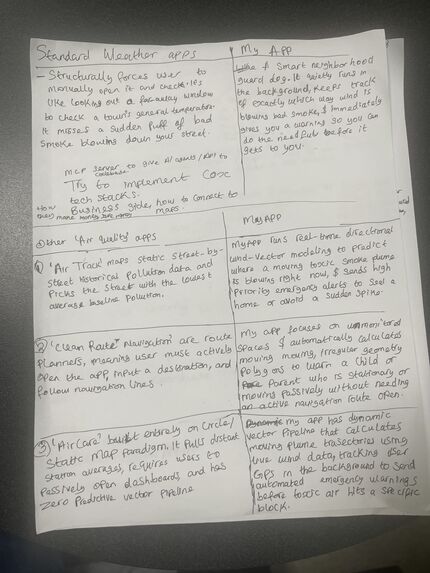
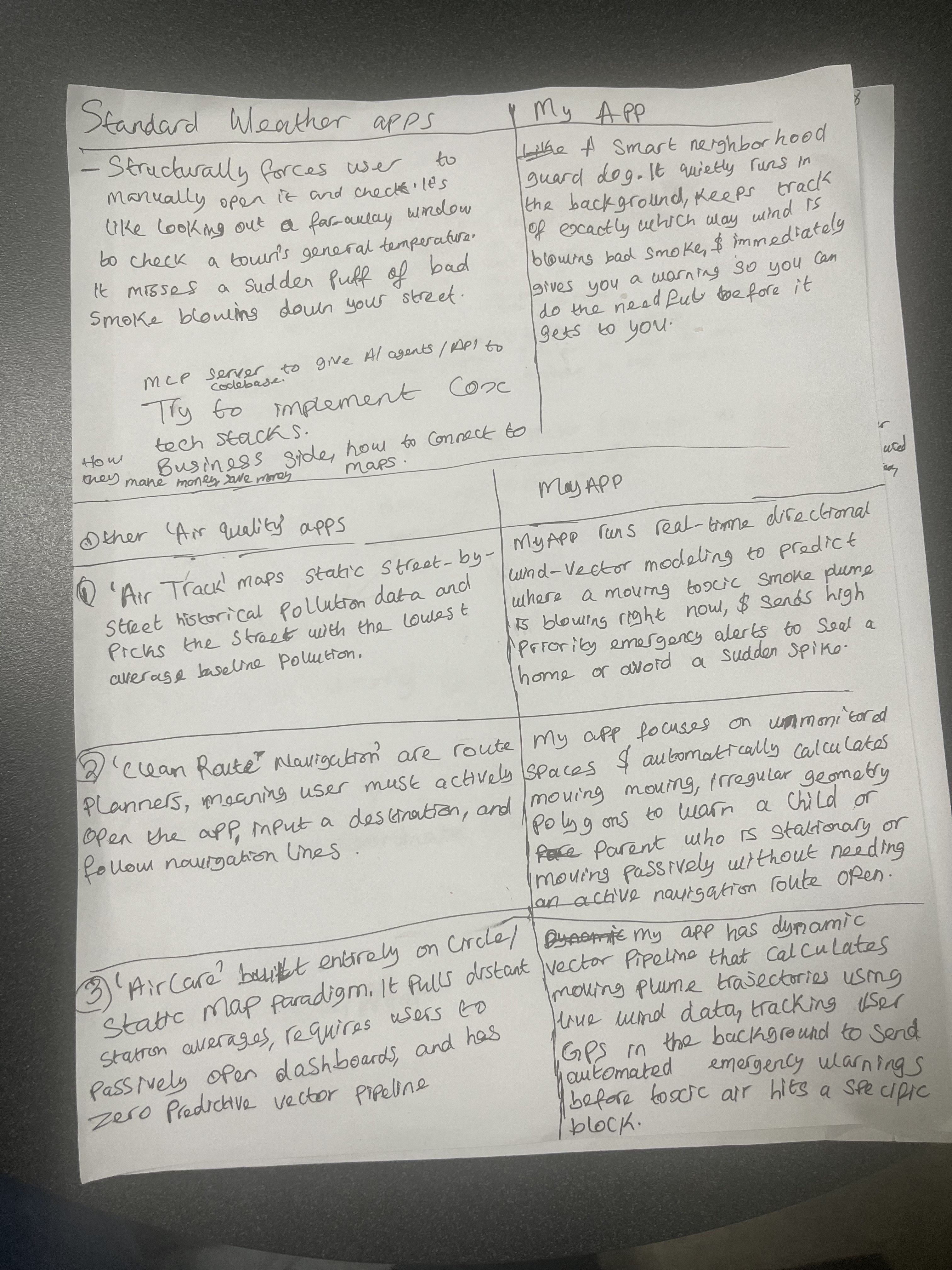
The problem we are solving: standard weather apps report one city-wide air quality number. That number can hide a street-level cloud of pollution blowing toward a home, a school or a playground, and for a child with asthma that cloud can be the trigger for an attack.
I had asthma as a kid, and I had asthma attacks often, most likely caused by air pollution. Breezy is the warning I wish my family had had.
The numbers behind it (AAFA, Asthma Health Outcomes; AAFA, Asthma Facts):
- 9 to 11 people die of asthma every day in the U.S.
- Roughly 11.2 million people have an asthma attack every year in the U.S.
- The American Lung Association notes that most of these deaths are preventable with early intervention, proper medication and environmental avoidance (ALA report).
Those people are not just numbers. They are people whose families and loved ones were affected.
PM2.5 means inhalable particles in the air. They travel deep into the airways and lungs and cause irritation and inflammation, and high exposure can trigger an asthma attack.
This fits the track as an everyday friction: the daily, repetitive stress of wondering whether the air outside is safe for a child.
What it does
Breezy warns asthma-sensitive families when a street-level pollution plume is heading toward their block.
Who it serves
- Children with asthma and their families, and elderly people.
- People like me: someone who grew up with asthma attacks and wanted an early warning.
- Families living next to highways or industrial zones, where air quality can change from one street to the next. This is who we designed for.
How it works for the user
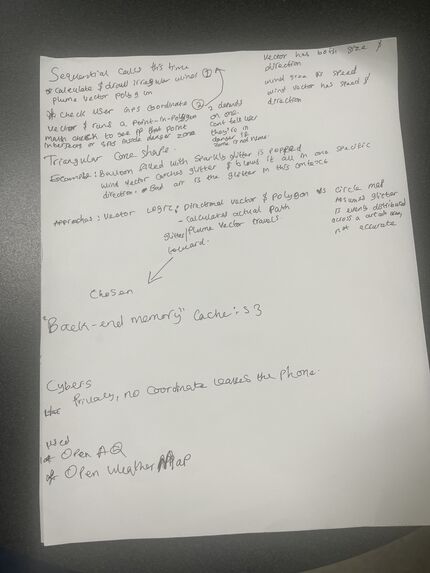
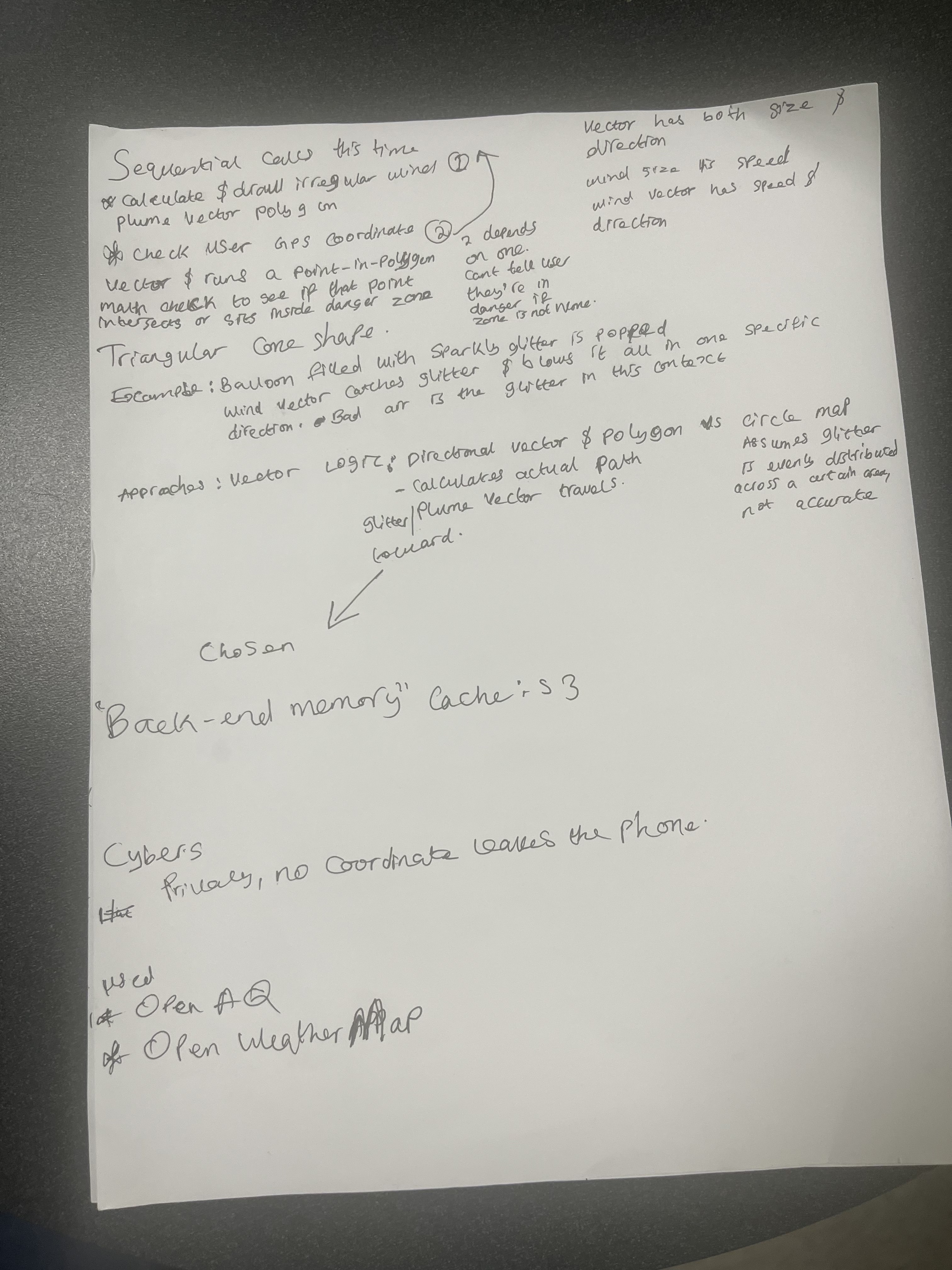
- A cloud job reads PM2.5 sensor data and wind data every 5 minutes and builds a plume shape for each sensor above the threshold.
- The app downloads that file, tracks your location on the phone, and checks on the phone whether you are inside a plume.
- If you are, it sends a lock-screen alert, or plays a recorded voice warning if headphones are connected.
- If the data is older than 10 minutes, the app shows "Stale / Unverified" and never "safe".
Privacy by design: there is no account and no login. Your location is used only on the phone, and the only network request our app code makes is for the public plume file.
An honest limit: the sensor readings we saw were 17 to over 100 minutes old, so Breezy does not claim real-time air quality. The app shows the age of the newest reading. Live Atlanta PM2.5 in every check was about 0.2 to 7.7 µg/m³, far below our threshold, so real data shows no plumes. The demo uses a demo mode that is labeled DEMO on screen.
How we built it
We followed a spec-driven flow (requirements, design, tasks, then implementation), working with Claude as our AI coding assistant. Every claim in the project had to be backed by a source or a measurement we ran.
Pipeline (Python, AWS):
- AWS Lambda runs every 5 minutes through Amazon EventBridge. It pulls PM2.5 readings from OpenAQ v3 and wind from OpenWeatherMap, drops bad sensors (negative values, readings above 500 µg/m³, sensors silent for more than 120 minutes), and builds plume polygons with Shapely.
- It writes one file,
plumes.json, to Amazon S3, with agenerated_attimestamp. If any step fails, nothing is published, so the file's timestamp ages honestly and the app can tell.
The plume model is a labeled illustration, not a validated dispersion model. A sensor with
$$PM_{2.5} \ge 35.5\ \mu g/m^3$$
(the EPA "Unhealthy for Sensitive Groups" lower bound) produces a wedge whose apex is the sensor. The wedge opens in the downwind direction
$$\beta = (\theta_{\text{from}} + 180^\circ) \bmod 360^\circ,$$
with half-angle $30^\circ$ and length
$$L = \max\left(L_{\min},\; v \cdot t_h\right), \qquad L_{\min} = 300\ \text{m},\quad t_h = 600\ \text{s},$$
where $v$ is the wind speed in m/s. In calm wind ($v < 0.5$ m/s) it is a circle of radius $L_{\min}$. The $30^\circ$, $600$ s and $300$ m values are our own assumptions, set in one config file.
Mobile app: React Native 0.86 with Expo SDK 57 and TypeScript, as a development build. It uses expo-location and expo-task-manager for background location, local notifications, expo-audio for bundled voice clips (generated once with ElevenLabs), AsyncStorage for on-device storage, and a small iOS module in Swift that we wrote to read the current audio route and detect headphones.
Testing: 39 pipeline tests (pytest) and 55 app tests (Jest) pass, and we tested on a physical iPhone.
Challenges we ran into
- Sensor freshness. The sensors report about hourly, not live. We changed our wording, and the app shows the reading's age.
- No real plumes to show. Atlanta's air was clean on every check. We built a labeled demo mode instead of faking data.
- Free Apple developer account. It cannot sign the Push Notifications entitlement. Breezy only needs local notifications, so we wrote a small plugin that removes that entitlement at build time.
- Wind direction convention. We verified that our direction handling matches a trusted source (the iPhone Weather app, SSW).
- An API key that returned HTTP 401. We traced it to the key, not the code, and fixed it.
- Audio that was silent. The clip made no sound on the speaker, wired or Bluetooth in our first test. We added a diagnostic, replaced the audio file, and it played on the speaker. Bluetooth was silent until we added 1.5 seconds of silence at the start of the clip, after which it played.
- Background limits on iOS. We tested rather than assumed: a background task on a locked phone could fetch the plume file over HTTPS, post a notification and read the headphone state.
Accomplishments that we're proud of
Everything here we ran ourselves.
- The pipeline is deployed and live: OpenAQ and OpenWeatherMap data in,
plumes.jsonout over HTTPS every 5 minutes. - The app runs on a real iPhone and shows live data, an alert in demo mode, and a lock-screen notification.
- A background task runs on a locked phone and, from inside it, fetches the plume file, posts a notification and reads the headphone state.
- The recorded warning plays on the phone speaker and on Bluetooth headphones.
- Location never leaves the phone, and a failed pipeline cannot show a false "safe".
- Every unverified item is listed openly in the README.
What we learned
- Real sensor data has gaps, and honest labeling matters more than a bigger claim.
- Testing on a physical phone found problems that unit tests could not: signing limits, audio routing and background behavior.
- Writing the spec first, and refusing unbacked claims, kept a 24 to 36 hour project honest.
- Device behavior has to be measured: we did not assume that background fetch, notifications or audio would work, and we recorded what did.
What's next for Breezy
Not yet verified (we will test these next):
- A full real alert for a user inside a plume while the phone is locked, including starting audio from the background and the all-clear.
- Wired headphones with the final clip.
- The "Stale / Unverified" state in real use.
Stretch goals from our plan: Detour routing around an active plume, and battery logic that uses the accelerometer. Neither is started.
Also: Two more recorded clips are in the app but not connected to any trigger, and the plume model's numbers need review against a validated dispersion model before anyone relies on them.
Built With
- amazon-web-services
- expo-framework
- openaq-api
- openweather-api
- python
- react-native


Log in or sign up for Devpost to join the conversation.