-
-
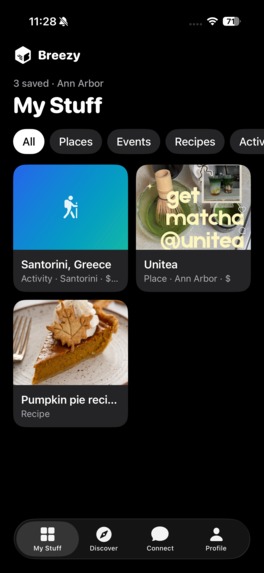
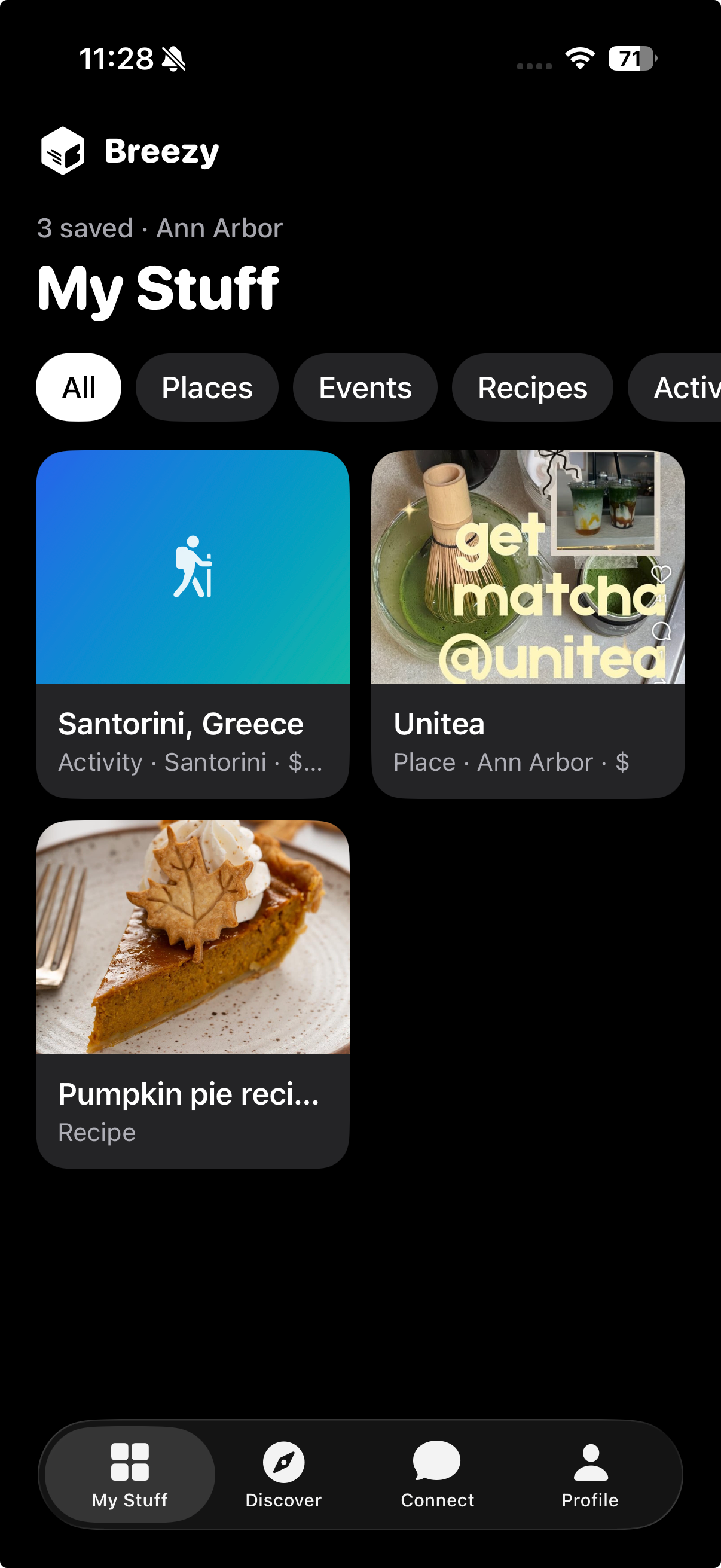
Your saved feed
-
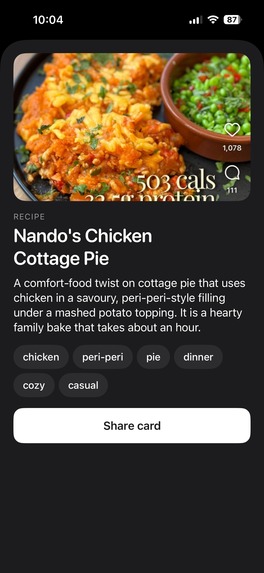
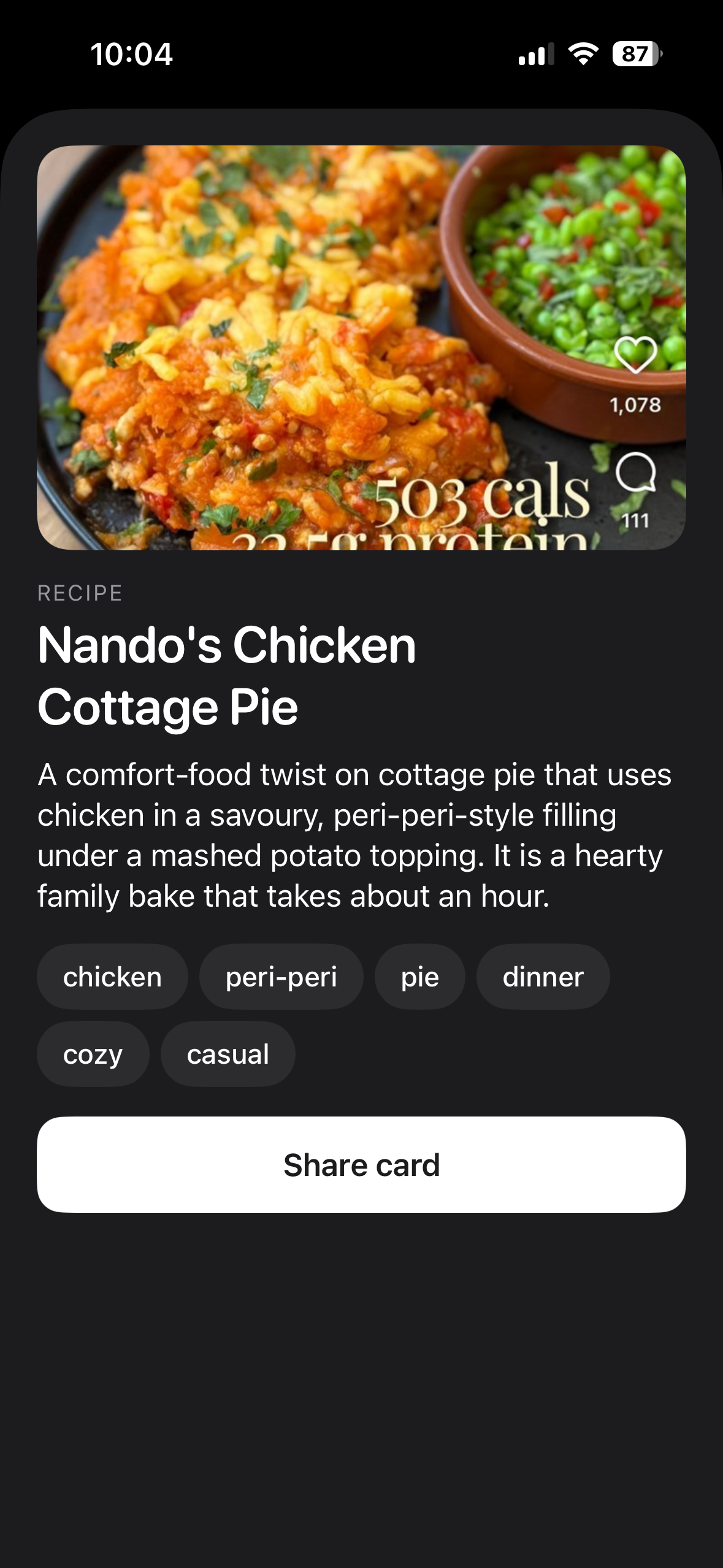
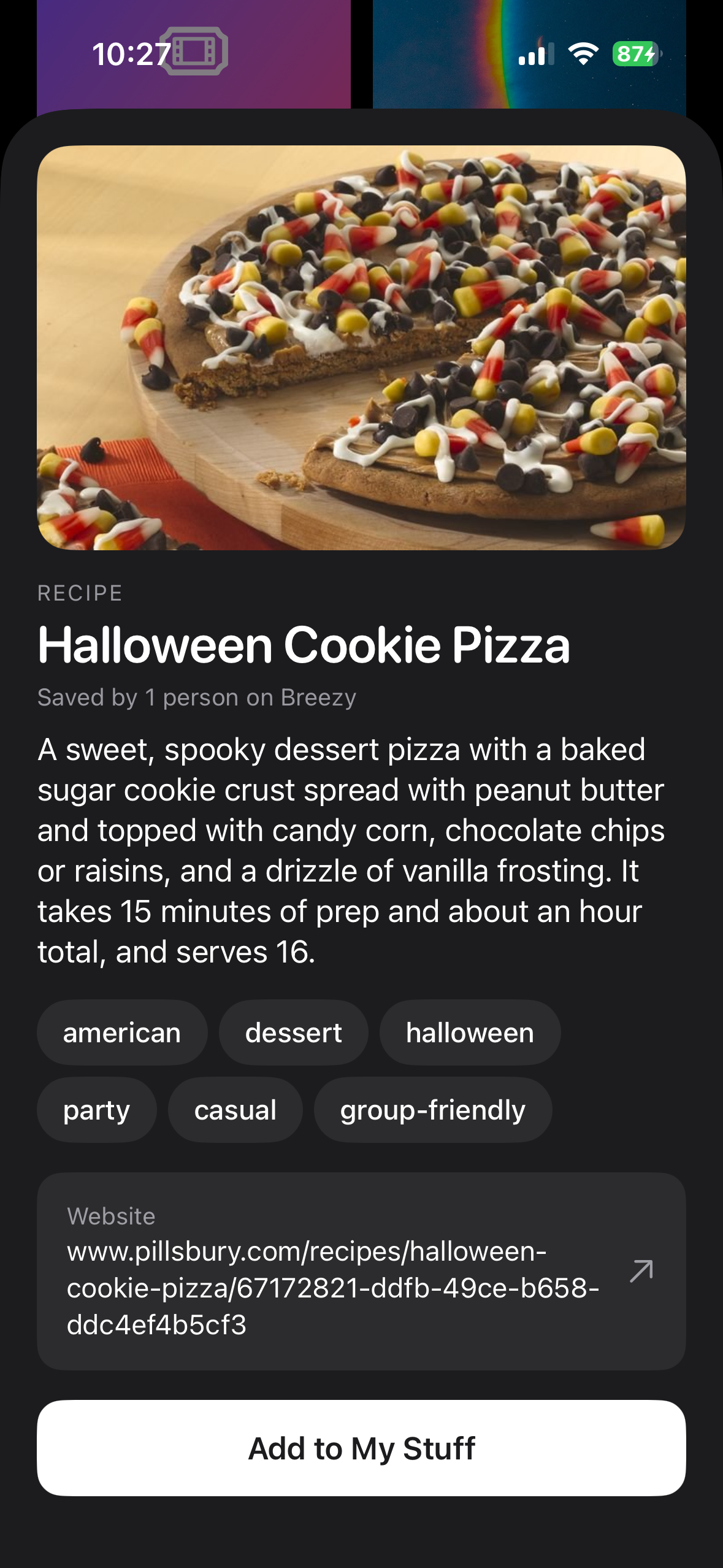
Selecting a card on your saved feed
-
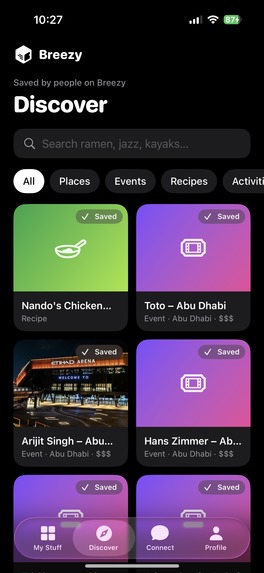
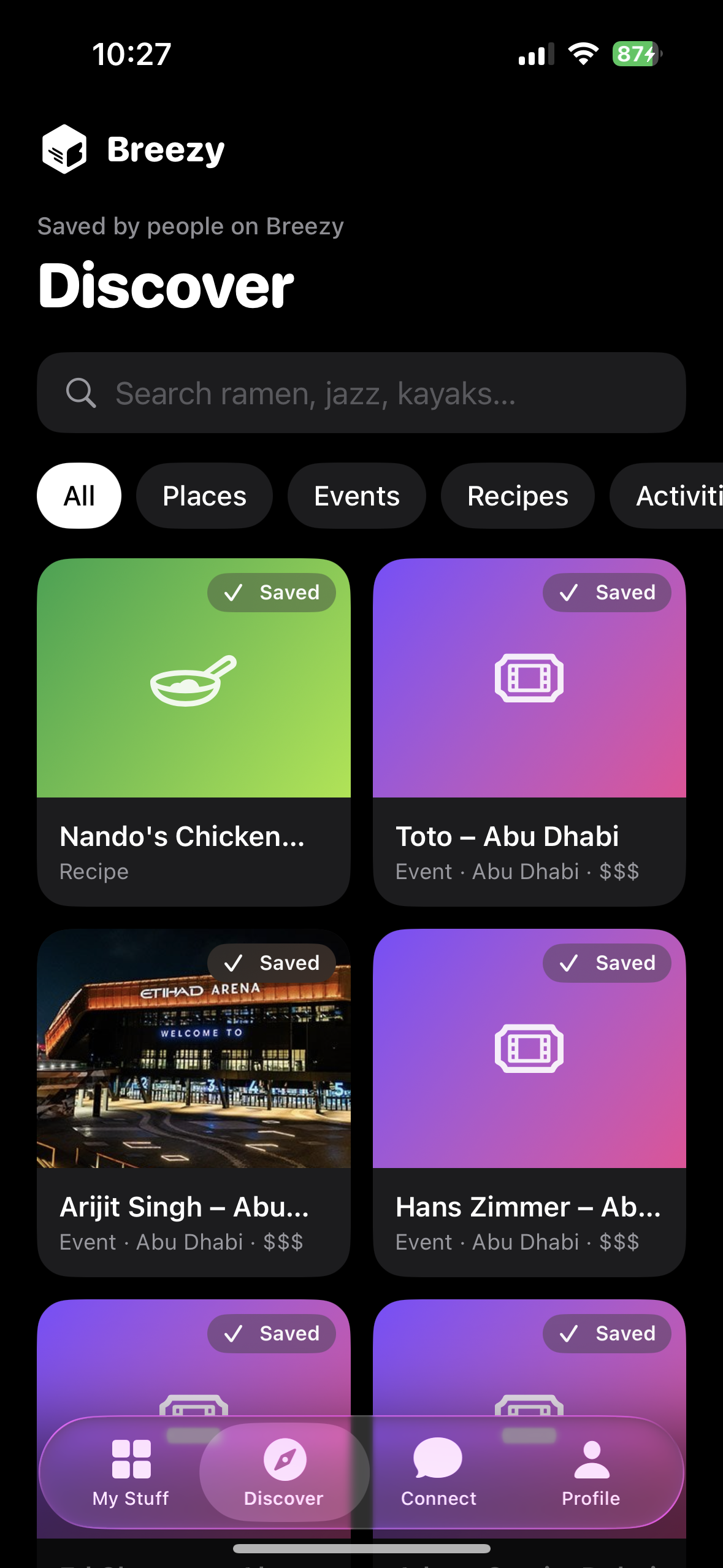
Discover what others have saved
-
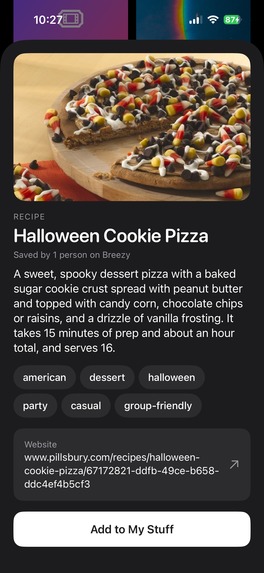
Save to your list from discover
-
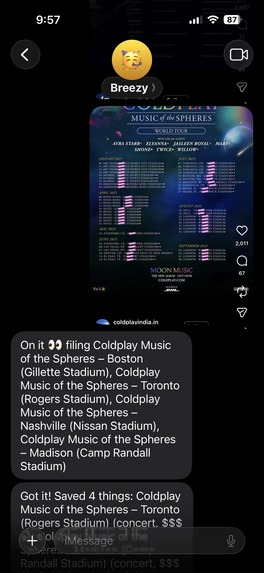
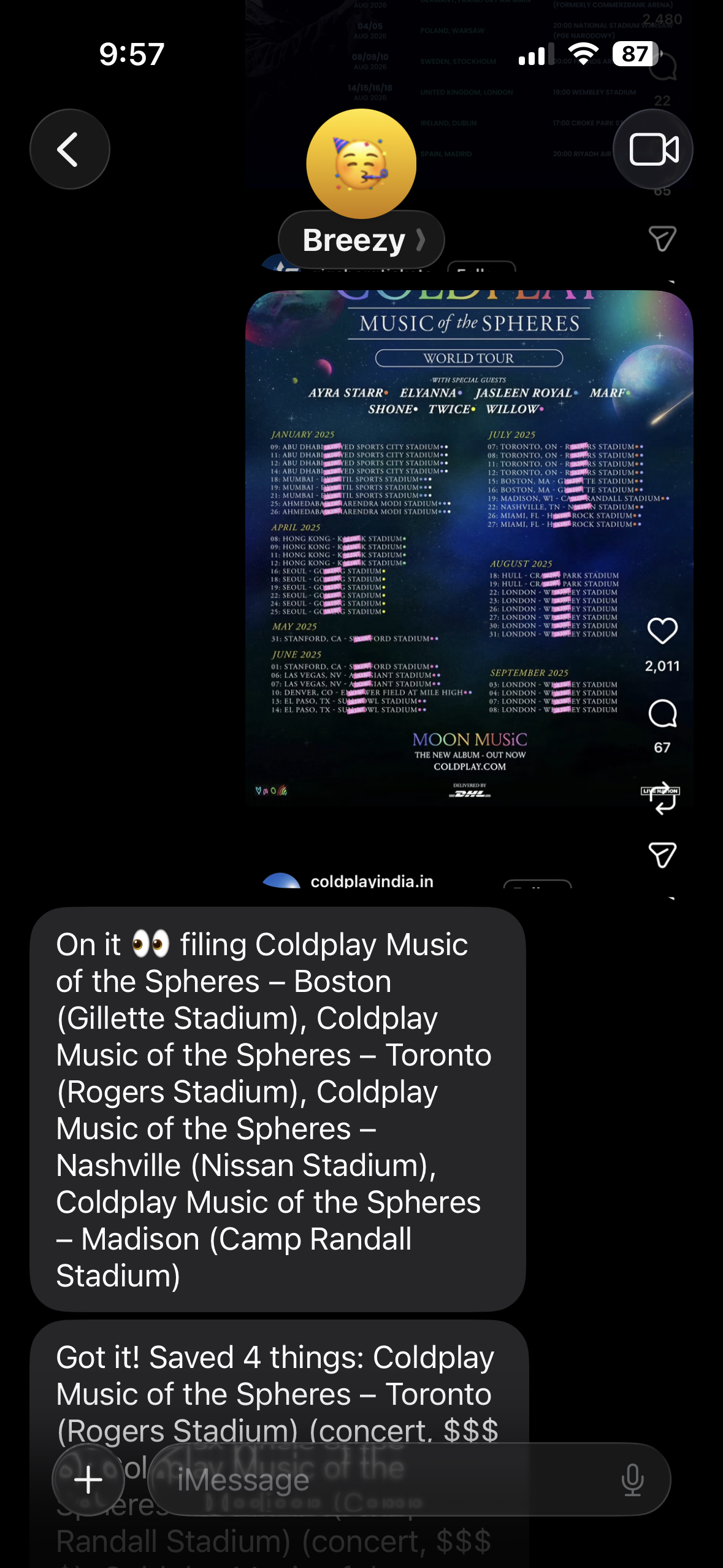
Sending Breezy a Screenshot
-
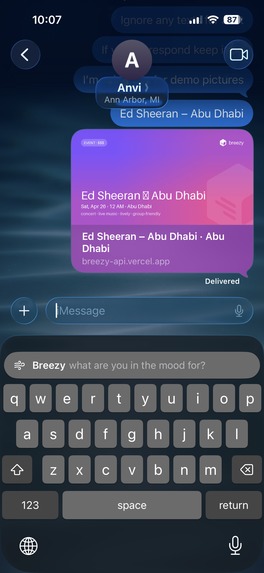
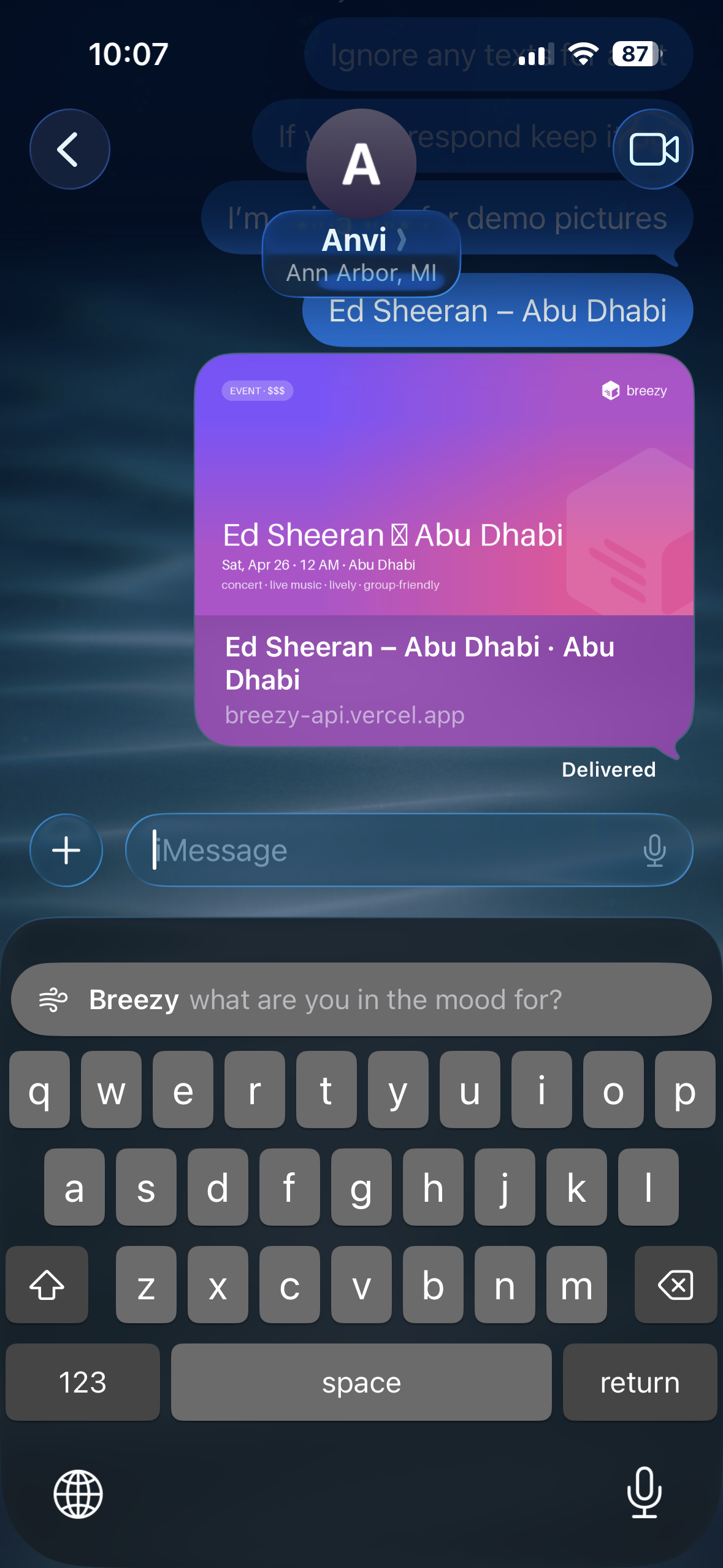
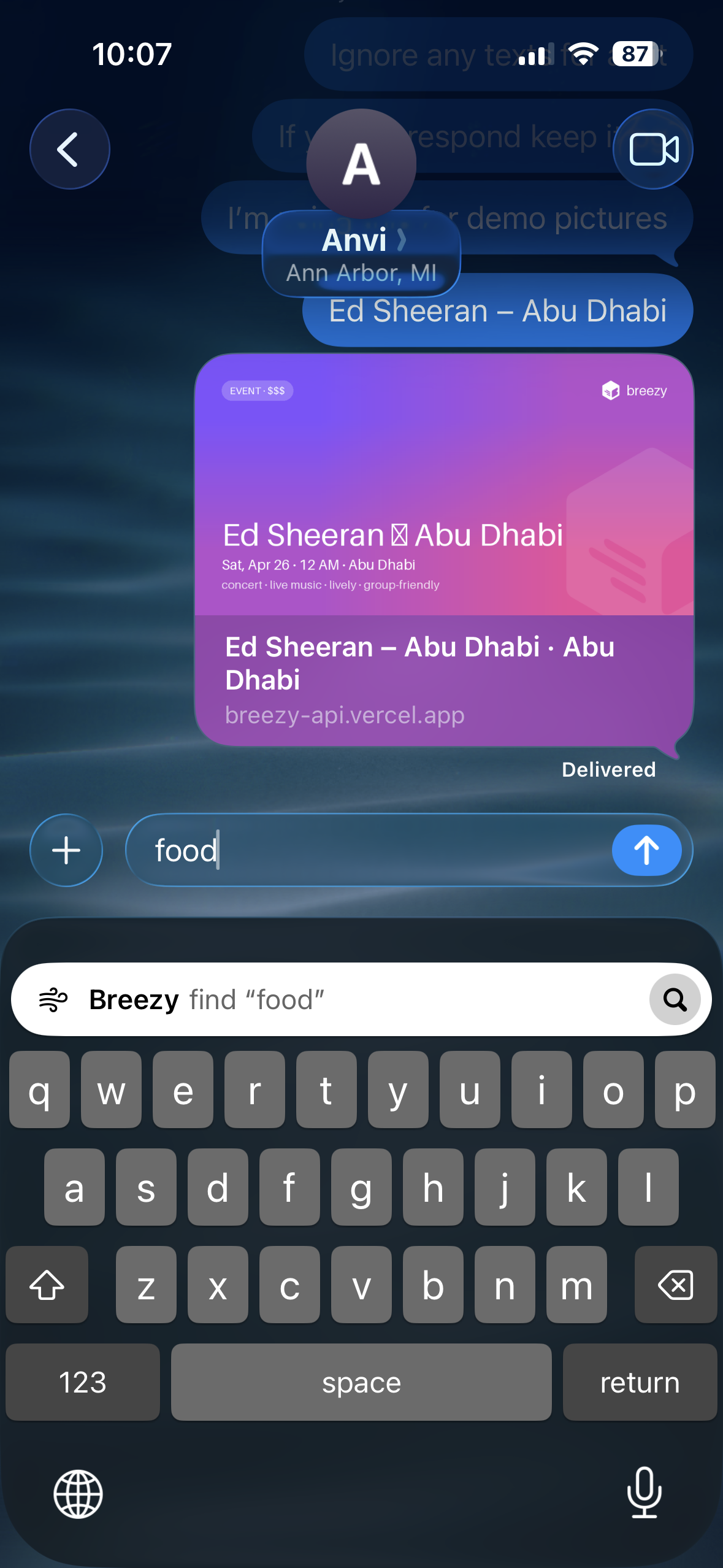
Custom keyboard extension
-
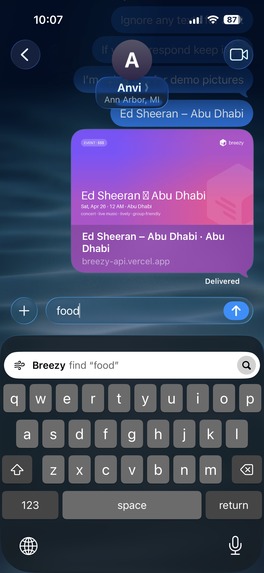
The moment you start typing with the keyboard you can query your saved feed
-
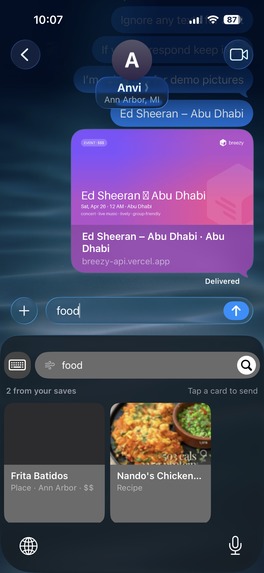
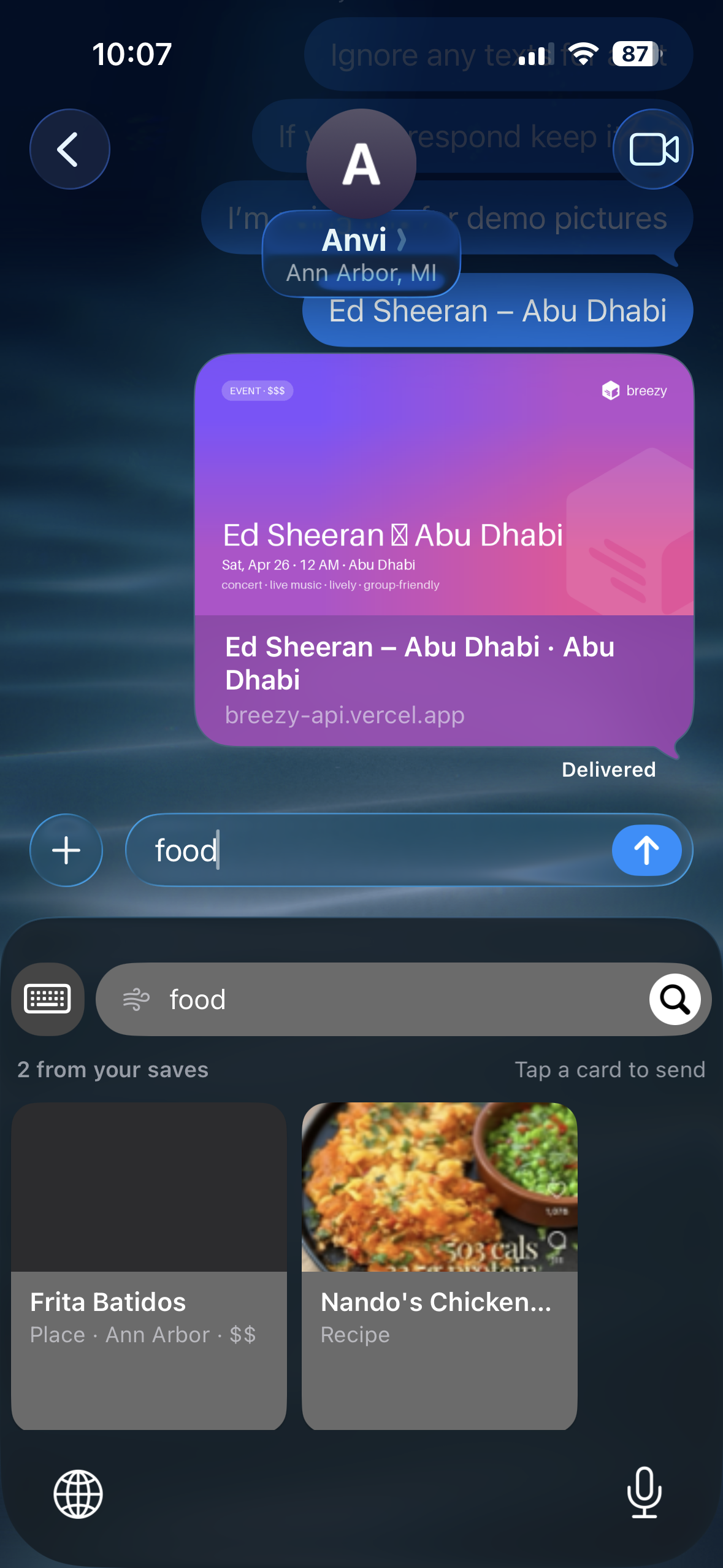
Shows suggestions on your query
-
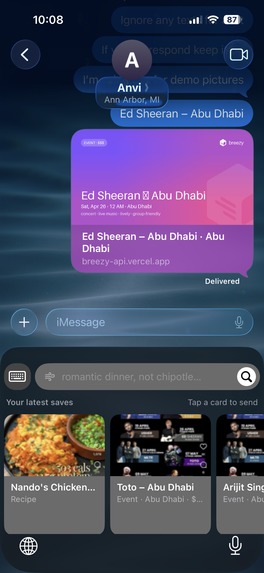
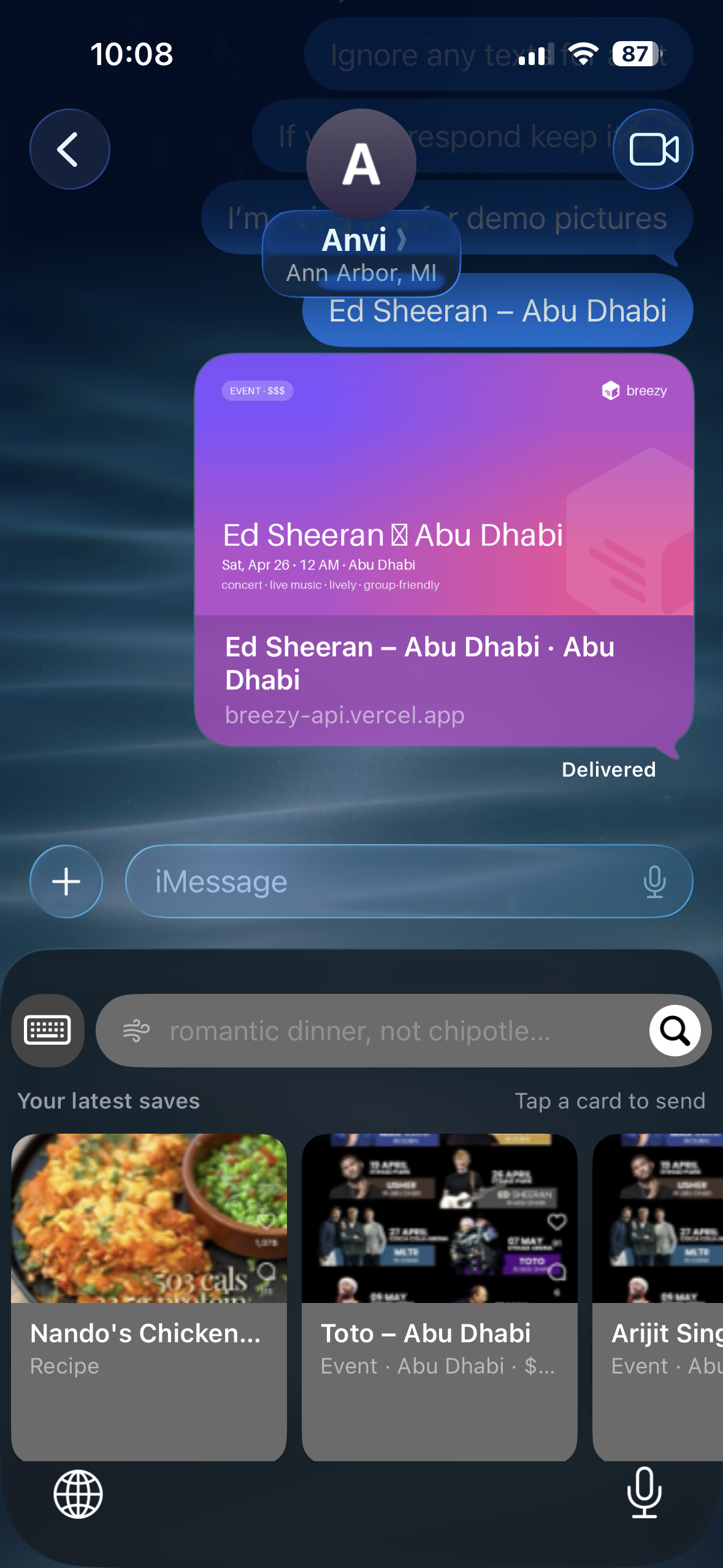
Shows your latest saved if you have no query
-
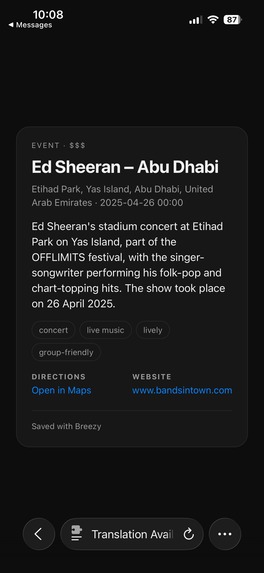
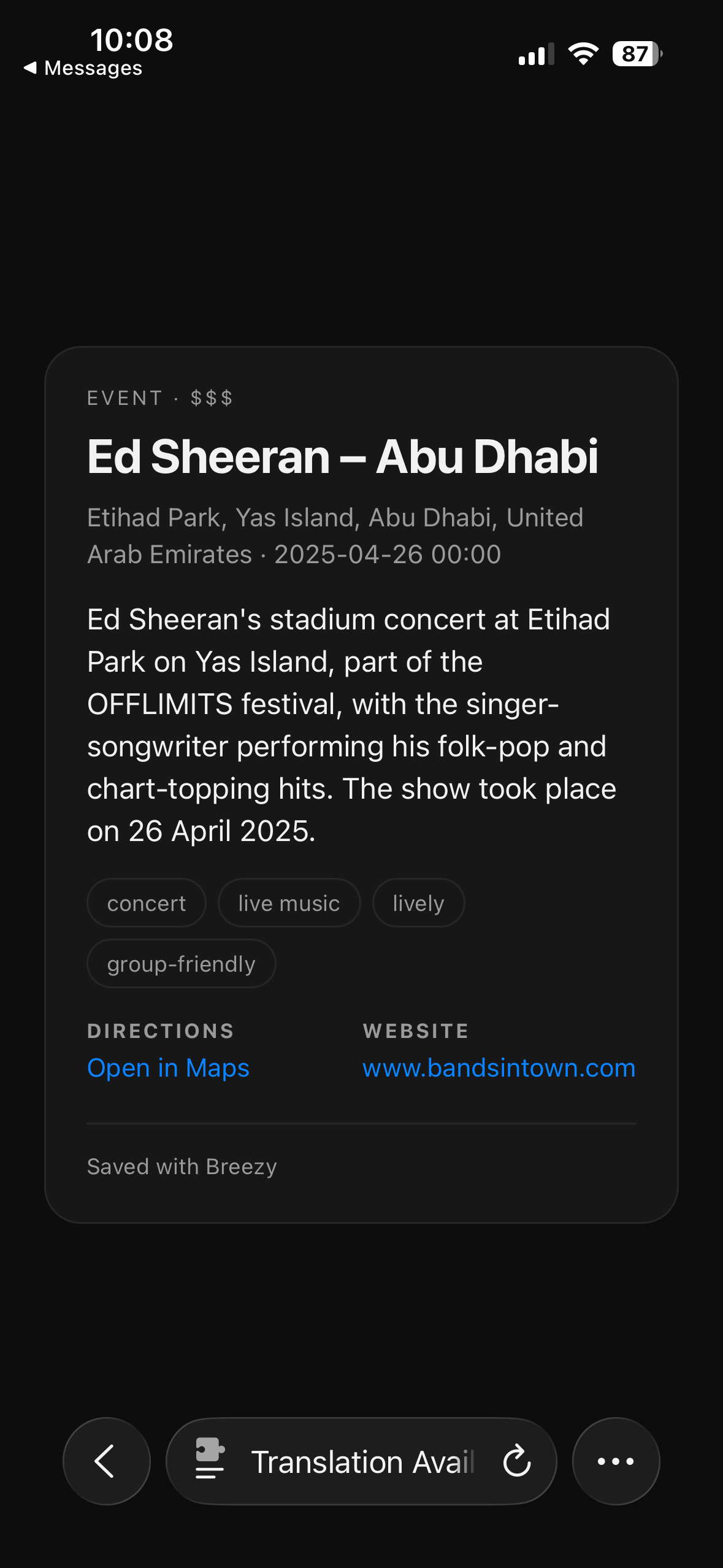
Example of someone clicking on a card
Inspiration
Everyone has a camera roll full of good intentions. A Reel about a ramen spot, a flyer for a show, a recipe, a menu someone sent you. You screenshot it because you mean to come back to it, and then it gets buried under 4,000 other photos. Weeks later a friend texts "where should we eat Friday?" and you can't find any of it.
We noticed the problem was never saving. Screenshots are already the easiest way to save something. The problem is getting it back at the moment you need it, which is usually in the middle of a group chat. So we asked: what if saving took one text, and finding it again worked from inside any conversation?
What it does
Breezy is a memory for things you want to do, and it lives in iMessage.
- Save by texting. Send Breezy's number a screenshot, a photo, a link, or just "save Zingerman's Deli in Ann Arbor." Claude reads the image directly and pulls out every restaurant, event, recipe, activity or product in it. One screenshot of a "Top 3 Ann Arbor eats" TikTok becomes three saves.
- It fills in the details for you. Background research agents look up each item on the web and add the address, hours, price level, website, a photo, vibe tags ("date night", "late night") and sources. You get "On it 👀" right away and one "Got it!" summary when the research is done.
- Ask in plain English. "Where should we eat Friday? Something cozy, not too pricey." Breezy turns that into filters (kind, vibe, city, max price, exclusions like "not Chipotle"), searches your library, and answers with a one-line reason for each pick.
- The Breezy keyboard works in any chat. While texting a friend, type "romantic dinner ann arbor" and tap the Breezy key. Your keys turn into tiles from your own saves. Tap one and it drops in a link that iMessage unfurls into a rich card with a photo and description.
- It remembers what you like. "I'm vegetarian" or "keep it under \$\$" gets saved as a preference and applied to every answer. "I went already" marks a save done. If a name is ambiguous, Breezy asks "did you mean X or Y?" instead of guessing.
- An iOS app for your library. Browse My Stuff by kind, open details with Maps and hours, explore what others have saved on the Discover tab, and connect your phone number in one tap. You prove you own the number by texting
YES. You don't need a password.
How we built it
Each part of Breezy has one job:
- iMessage → Photon Spectrum → TypeScript bridge. The bridge passes messages between Photon and our backend. It also converts HEIC photos to JPEG and shrinks oversized images. It runs as a local stream for development and as a Vercel webhook in production.
- FastAPI backend + the Breezy Manager. iMessage, the in-app chat and the keyboard all go through one router. Each message is one turn of a Claude Sonnet tool-using agent with four strict tools:
save_items,search_library,update_preferencesandremove_item. The model never touches the database directly. The tools do, and every one is scoped to the authenticated user. Conversation history lives in Postgres, so the backend keeps no state between requests. - Research sub-agents. Claude with server-side web search fills in the facts in the background. They see only the name, city and kind, so research facts overwrite whatever the screenshot claimed.
- Neon Postgres holds all the state:
pg_trgmfuzzy matching dedupes saves, so "Zingermans" and "Zingerman's Delicatessen" become one item. Two names match when their trigram similarity is $\text{sim}(a, b) \geq 0.6$ in the same city.- A shared research cache with no user data in it means each place is researched once, not once per user. If a second person saves the same spot, it's ready instantly.
- A trigger-maintained
tsvectorpowers full-text search. FOR UPDATE SKIP LOCKEDserves as our job queue, with 5-minute leases so a crashed worker never strands a job.- Neon Object Storage holds images, and Neon branches give us a safe test database and a demo dataset we can reset.
- Fast recall. The query parsing done by the LLM runs at the same time as Postgres full-text search, with a hard budget of t ≤ 2.5 s. If Claude is slow, you get the full-text results instead of a spinner.
- Serverless deploy. On Vercel, background research, summaries and outbox retries run through Vercel Queues, with a daily cron as a safety net.
- SwiftUI app + custom keyboard extension. Share links render server-side as Open Graph cards, so they unfurl nicely in iMessage.
Challenges we ran into
- Screenshots aren't trustworthy input. A screenshot is text written by a stranger, and we're handing it to an agent that has tools. We treat all screenshot and web content as data, never instructions: every prompt says so, outputs must match a schema, and no tool can send a message or write outside your own library. Our own code review also found a stored XSS where a name the model read from a screenshot reached
innerHTML, so we sanitized every surface that renders model output. - Proving phone ownership without passwords. Our first version of the connect endpoint let any signed-in user claim any phone number. We rebuilt it so a number is linked only after that phone texts Breezy. Claims are rate-limited and expire, and a number that's already linked can't be taken.
- Fast replies vs. slow research. Web research takes tens of seconds, but a text reply needs to feel instant. We split it into an immediate acknowledgment and a single summary that waits until every item from that message is researched, or 90 seconds have passed. Getting exactly one summary required careful job bookkeeping, not "Got it!" ×3.
- Going serverless broke our background worker. Locally the research worker ran inside the API process. Vercel has no long-running process, so we moved the work onto queue consumers, gave each run a time limit, and added a daily cron to recover any wake-ups that got lost. The rule that made it work: the database is always the source of truth, so a missed wake-up delays work but never loses it.
- Messages delivered twice. Running the bridge in stream mode against a live webhook delivered every iMessage twice. We added idempotency on the external message ID and kept separate Photon projects for dev and prod.
- Strict tool schemas have limits. The API caps how many optional fields a strict schema can have, and our research schema went over it. We made every research field required (nullable where needed), which also made the outputs more predictable.
- Keyboard extensions are picky. iOS keyboards get little memory and strict sandboxing. We rebuilt ours with uniform keys after it started dropping keystrokes, and made sure it only makes a network request when you press the Breezy key.
- Making a link look like a tile. iMessage previews only show what's in the Open Graph tags, so we render each shared tile as its own Breezy card image on the server. We had to ship the logo with the API so the cards could draw it.
Accomplishments that we're proud of
- It works end to end over real iMessage. Text a screenshot, get it researched, then pull it into a different chat with the keyboard. All of it runs from a phone, with no app open.
- One agent behind every entry point. iMessage, the app and the keyboard share the same Manager and tools, so Breezy behaves the same everywhere.
It never makes you wait or loses a text. Recall falls back to full-text search instead of stalling. Outgoing replies queue in an outbox and are delivered in order, with
Agents are safest when they can't touch anything directly. Giving the model a few narrow, user-scoped tools made Breezy more reliable and more secure than letting it write freely.
Latency budgets are a product decision. Choosing "answer in 2.5 seconds, even if it's a simpler answer" changed how the whole recall system was designed.
Postgres can do more than we expected. Fuzzy matching, full-text search, a job queue and a shared cache all run in one Neon database, and branches made testing against real data painless.
Design for lost messages. Webhooks retry, queues drop wake-ups, and serverless functions time out. Making every step idempotent and treating the database as the source of truth turned those failures into delays.
The best interface is one people already use. Building inside iMessage and the keyboard meant there was nothing new for users to learn.
What's next for Breezy
- Group chats. Add Breezy to a group thread so friends can build a shared list and vote on Friday's plan.
- Proactive nudges. "That concert you saved is this Saturday," or "you're near that café you saved three weeks ago."
- More ways to save. A share-sheet extension, Android via RCS and SMS, and email forwarding.
- Better research. Live hours and reservation links, plus cross-checking several sources so addresses and hours are more reliable.
- Smarter recommendations. Use what you've saved, finished and skipped to rank results, and surface saves from friends with similar taste.
Built With
- claude-(anthropic-api)
- fastapi
- imessage
- neon-object-storage
- neon-postgres
- node.js
- photon-spectrum
- python
- swift
- swiftui
- typescript


Log in or sign up for Devpost to join the conversation.