-
-
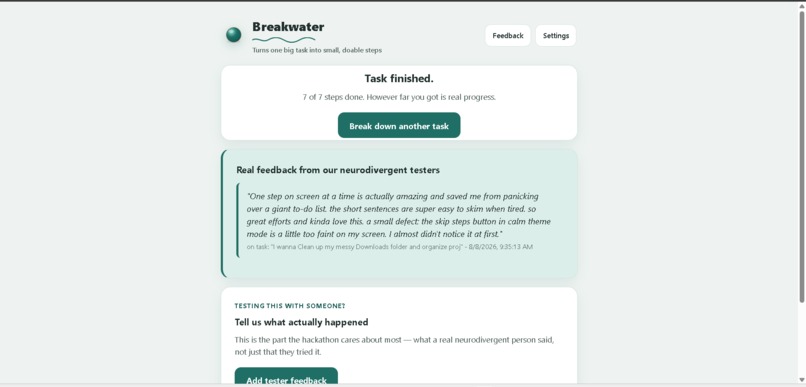
ND User Feedback
-
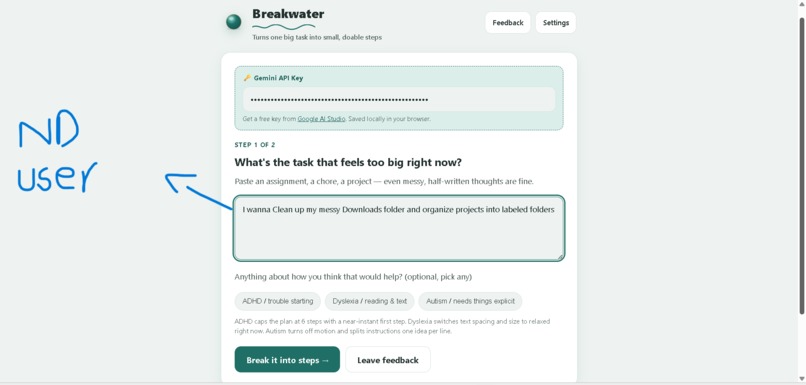
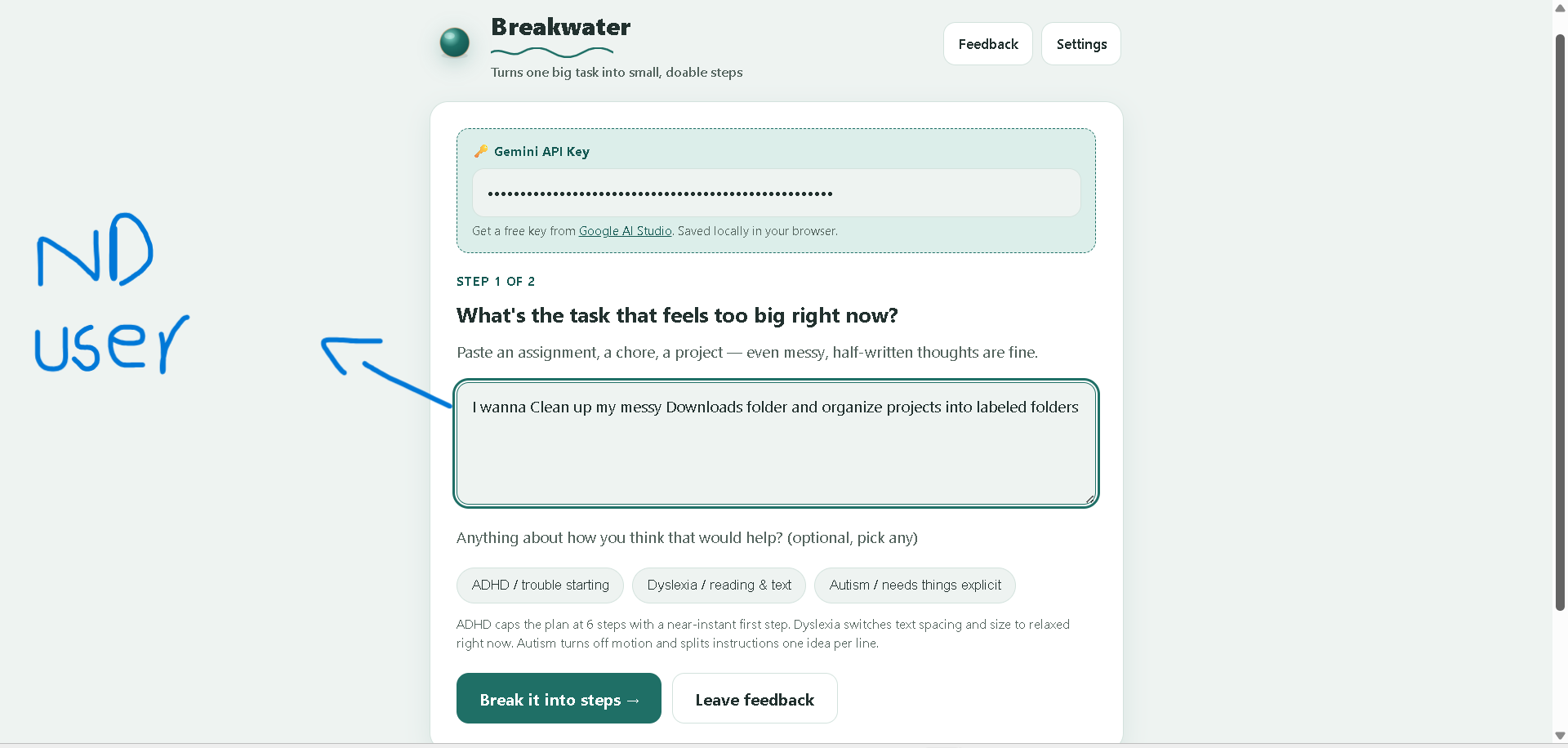
ND user (Task given)
-
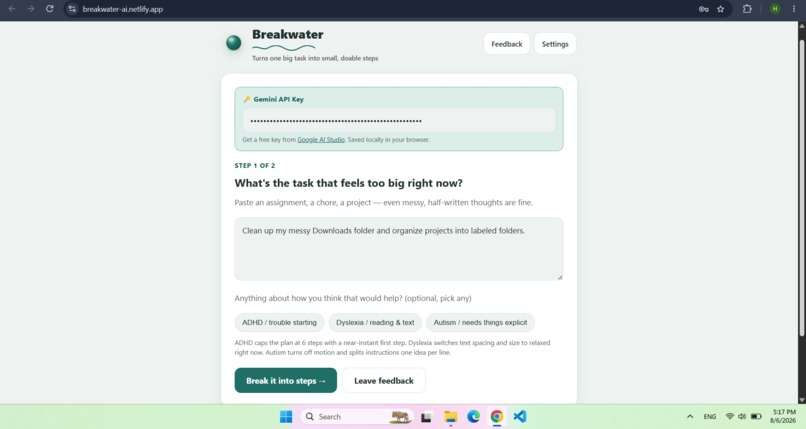
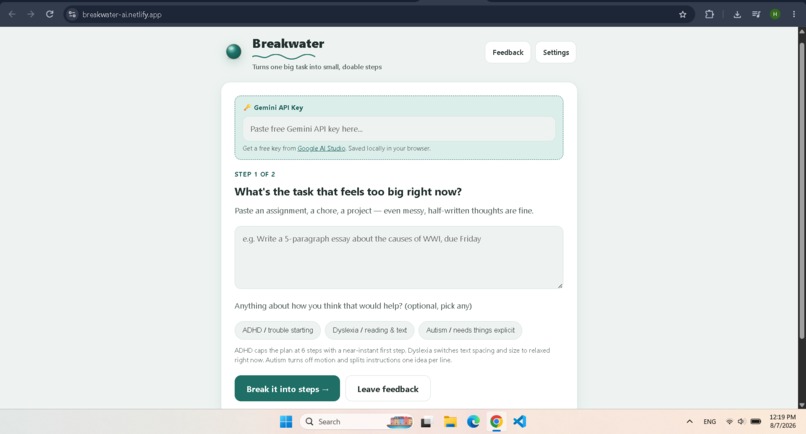
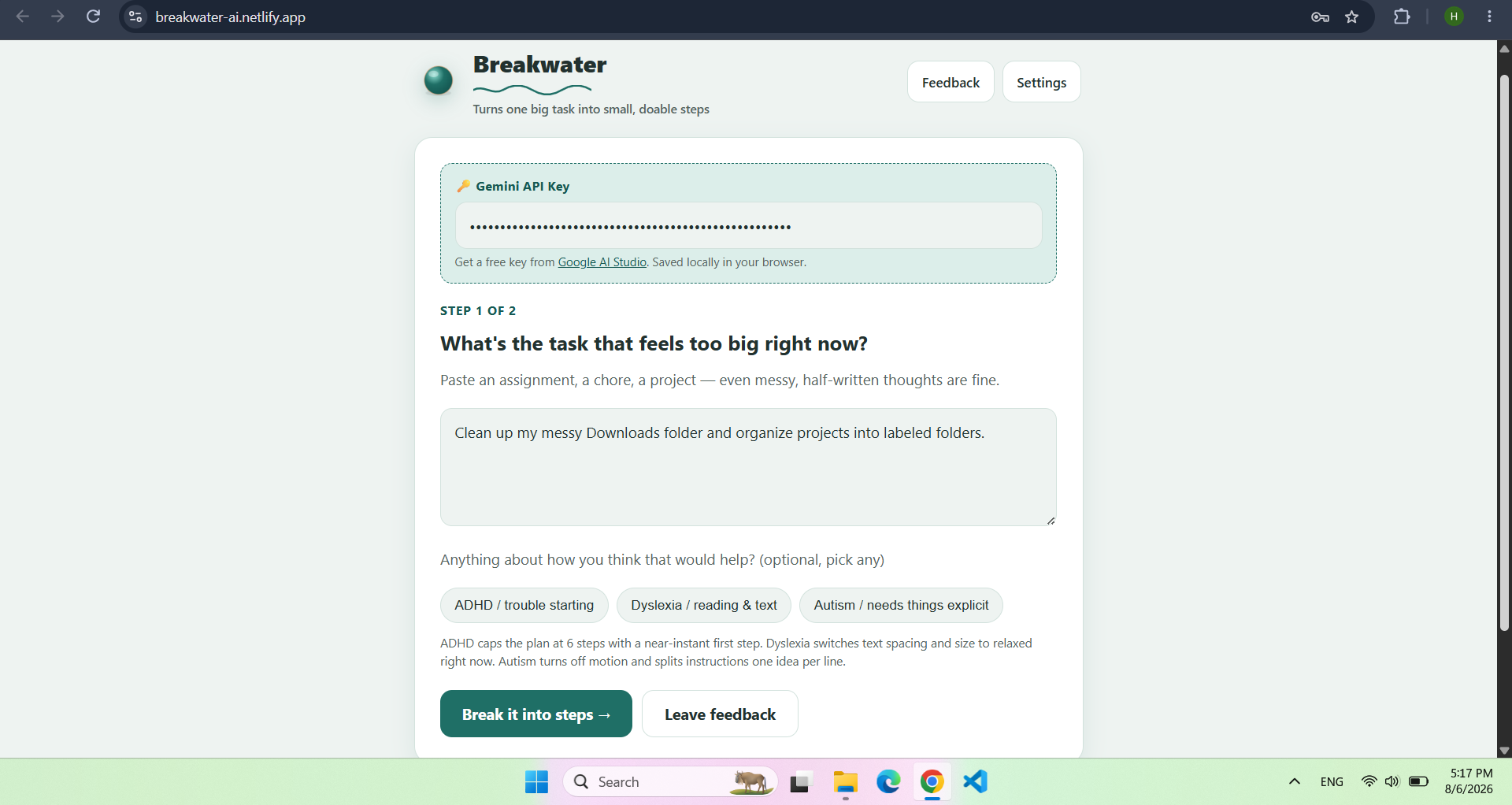
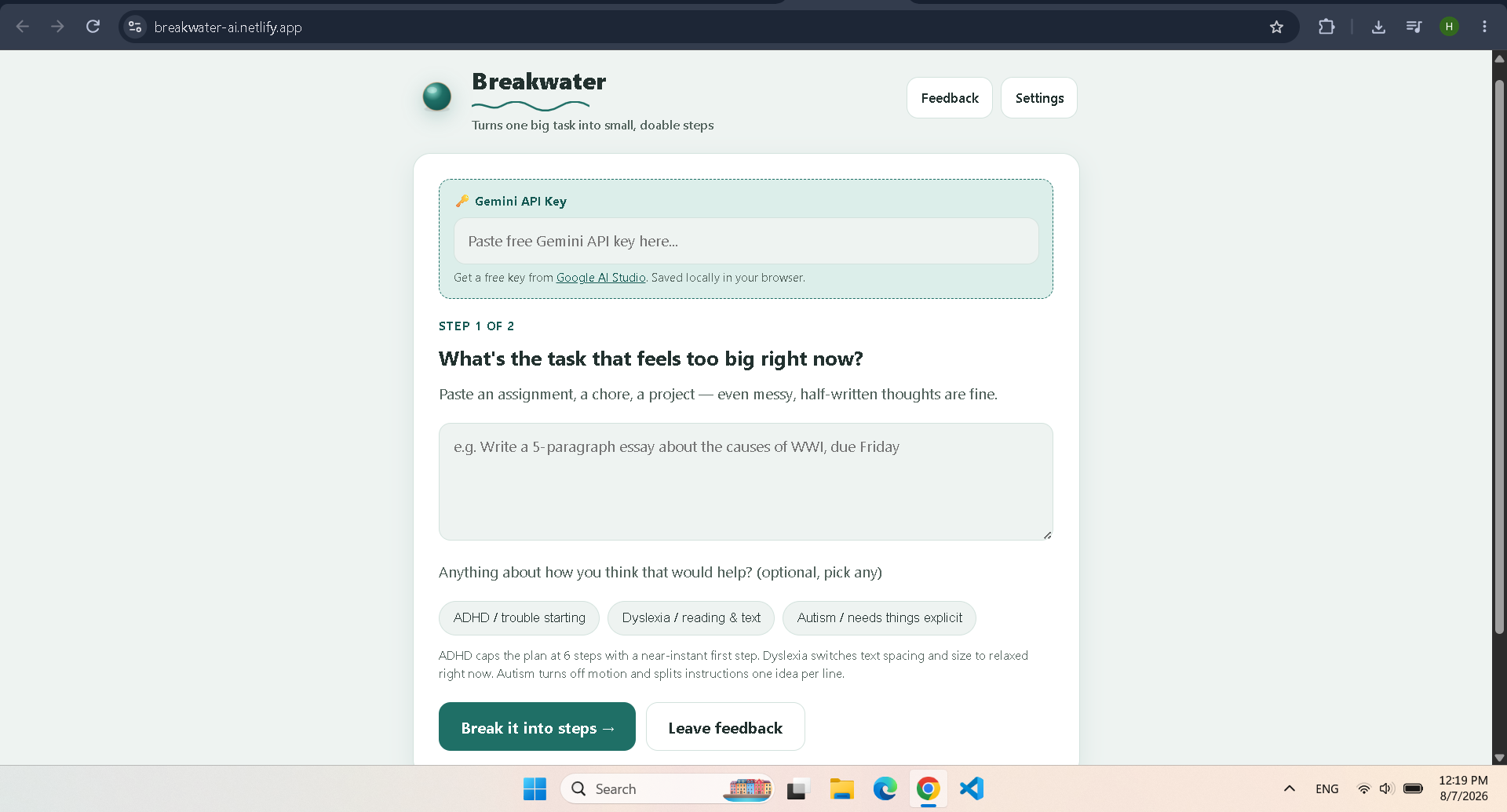
Interface with task and API entered
-
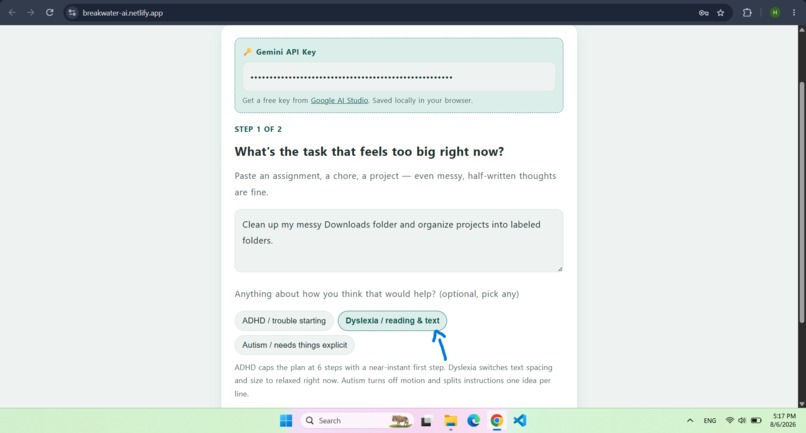
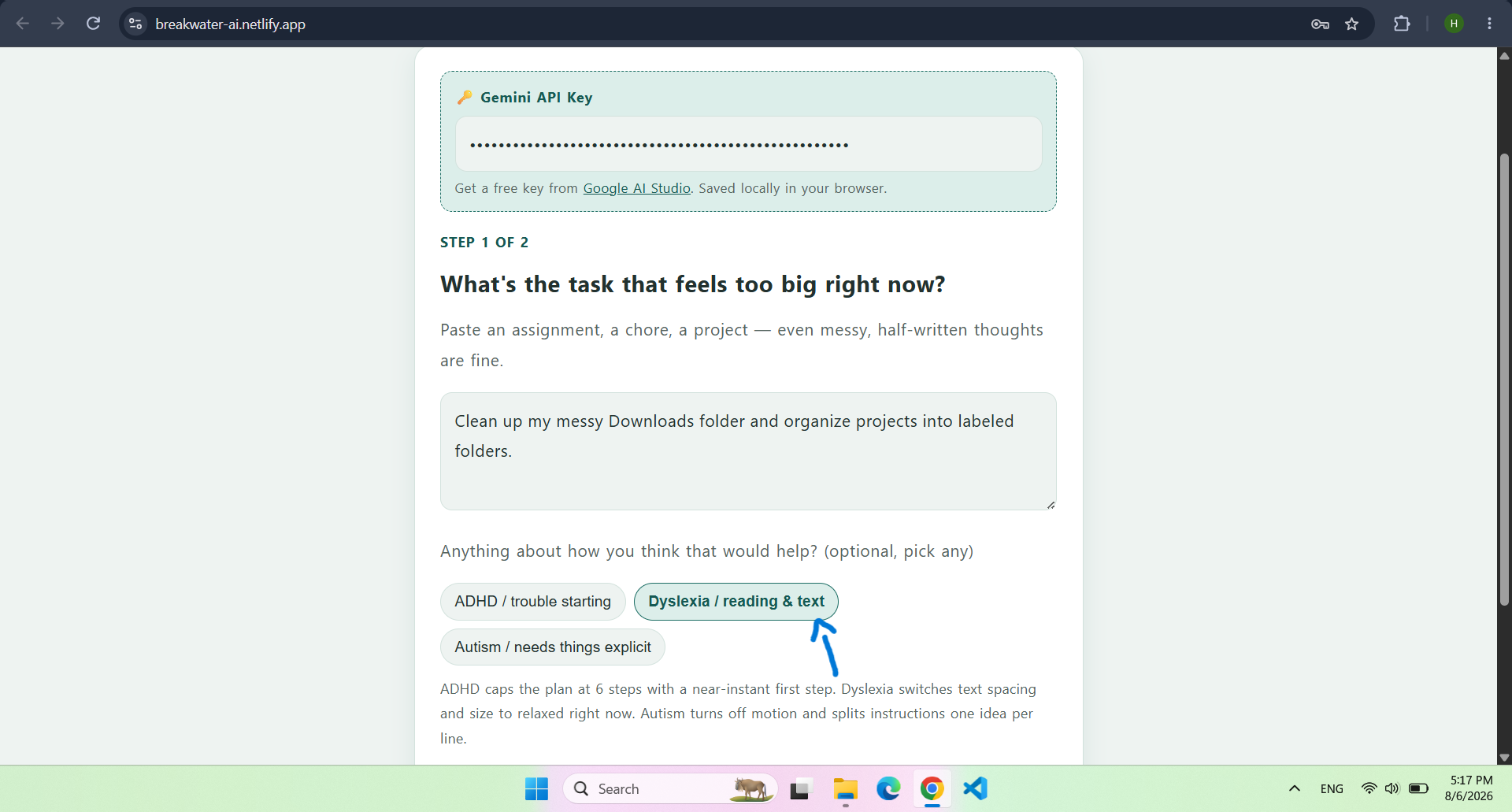
Dyslexia option selected and text relaxed
-
ND user using
-
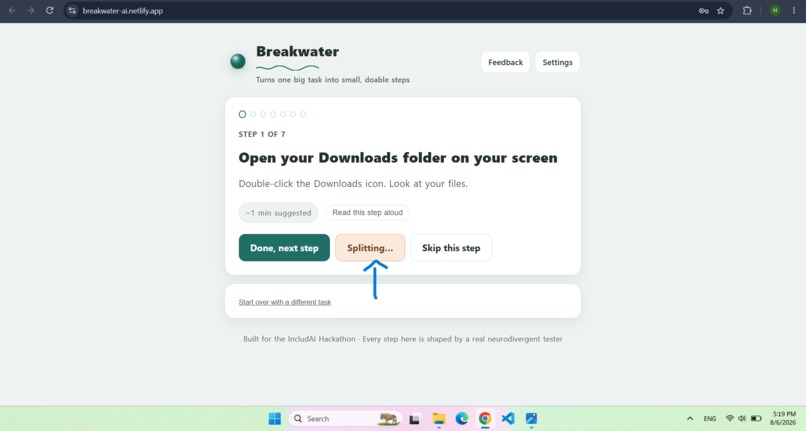
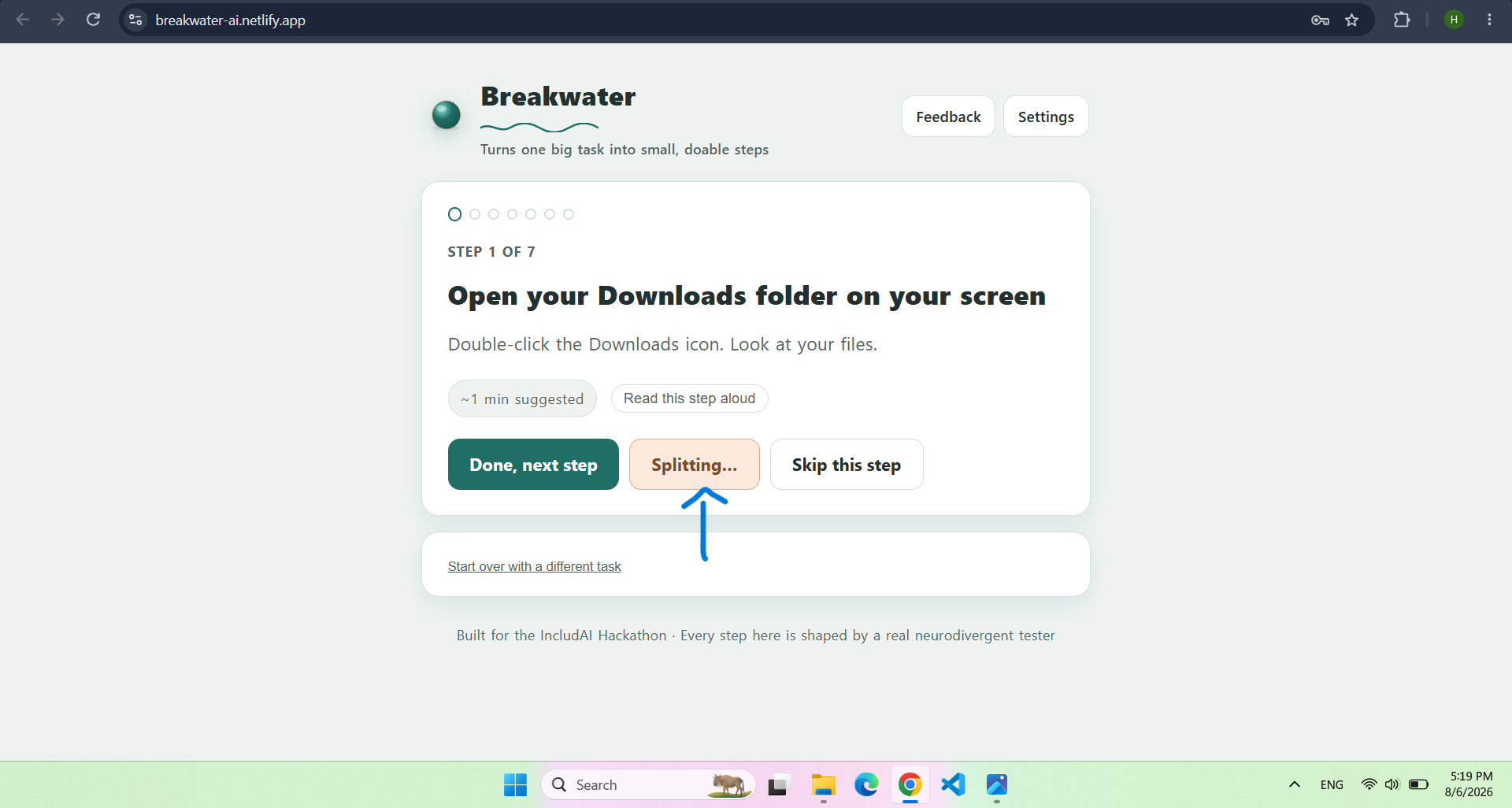
Steps split to understand better
-
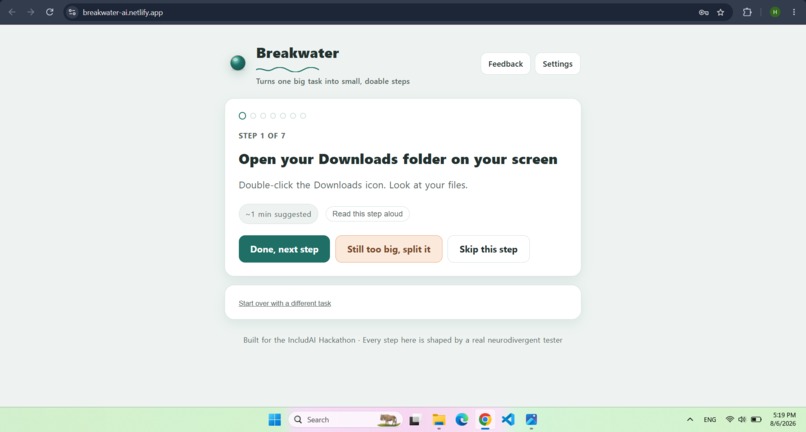
Steps generated
-
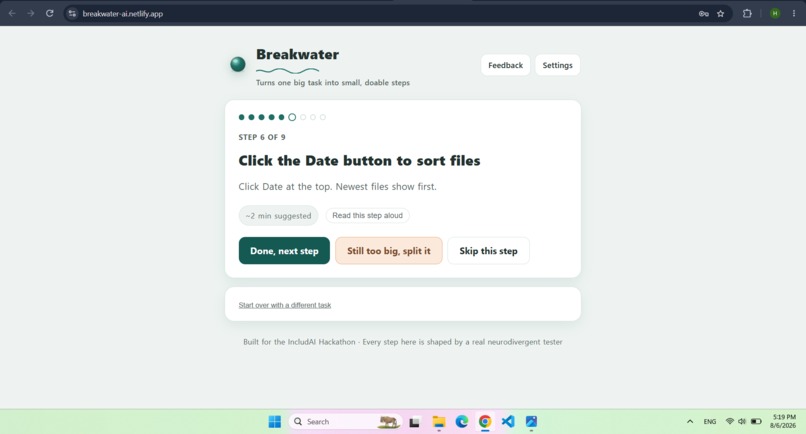
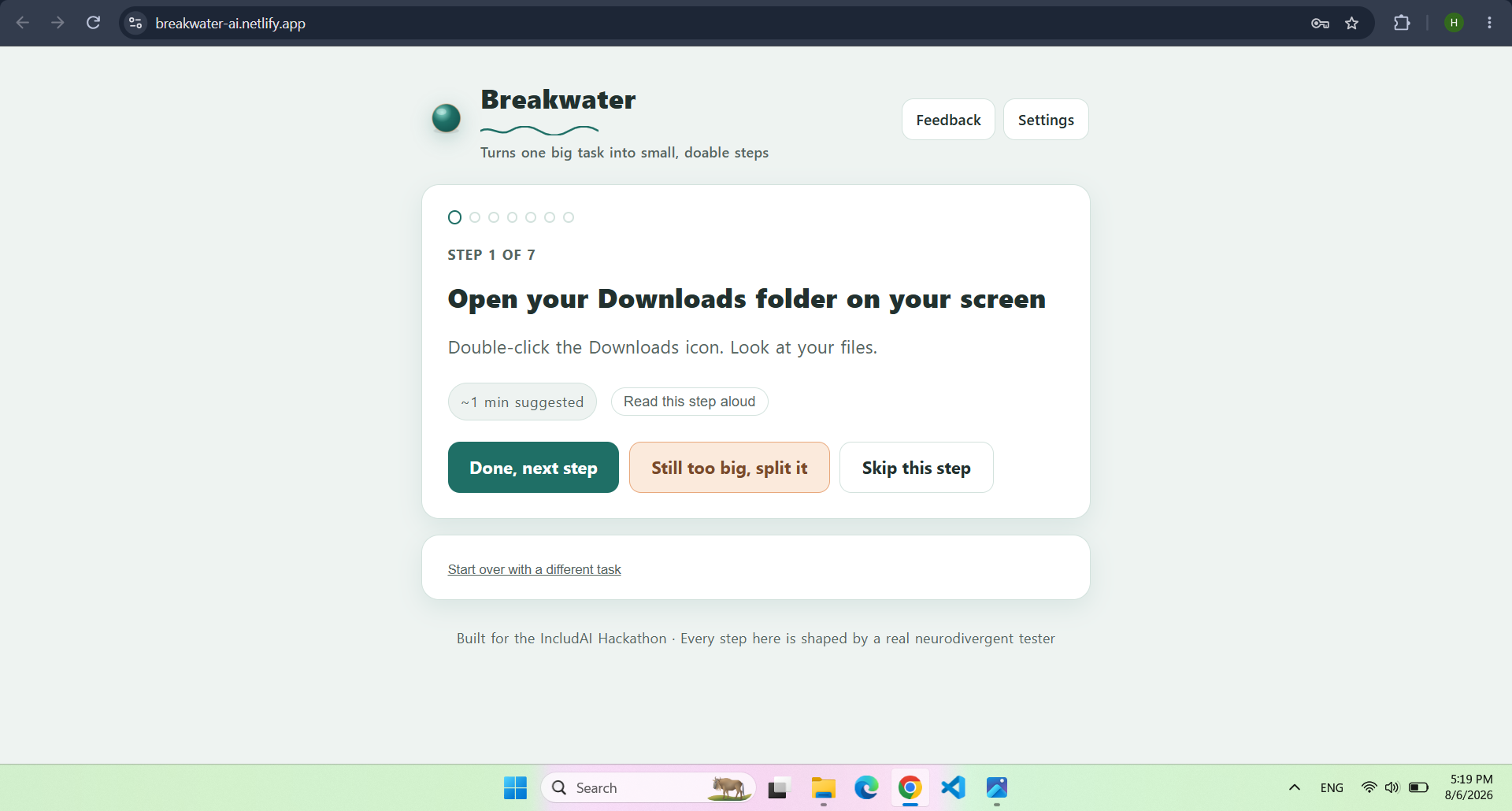
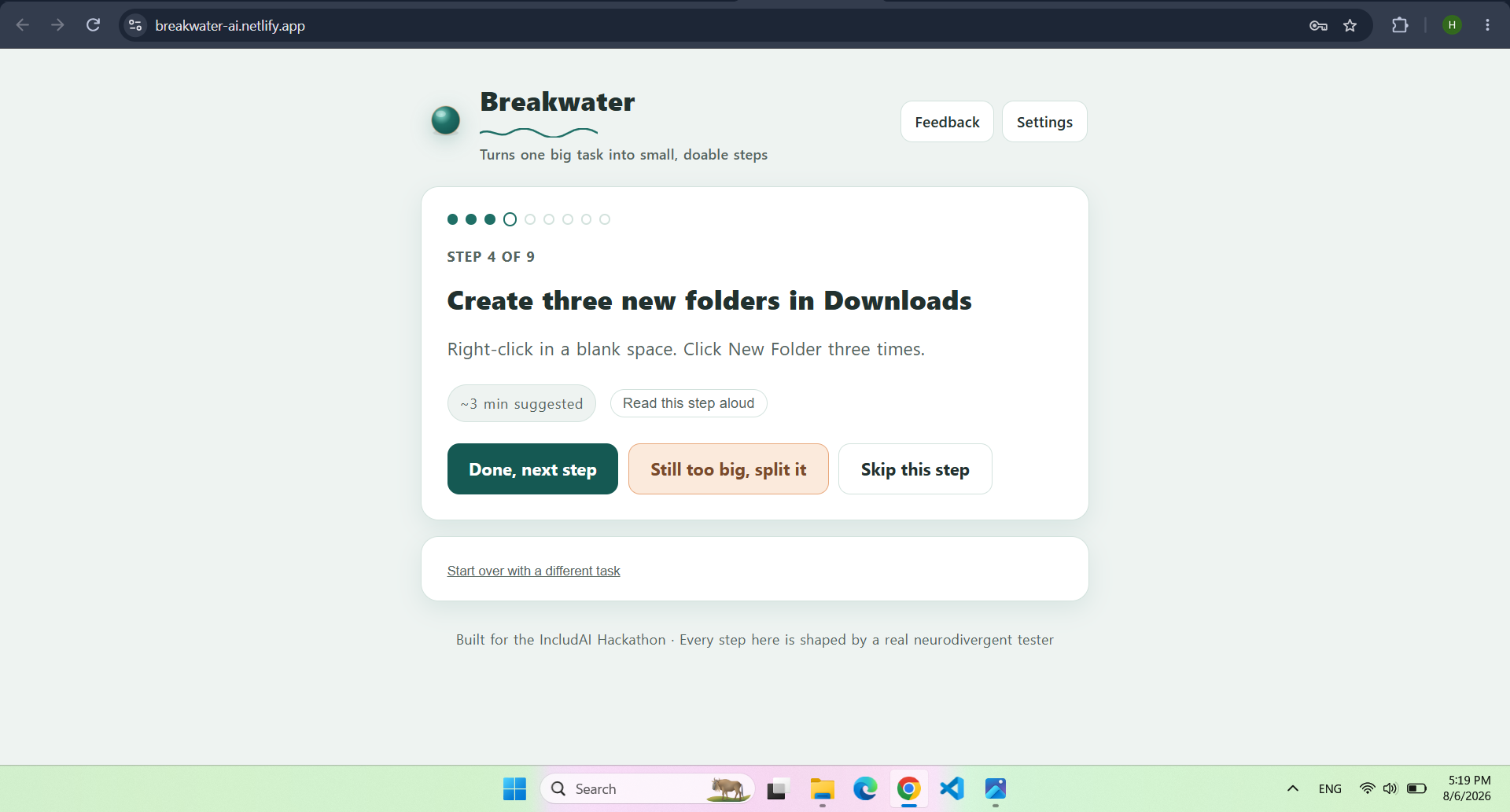
Normal flow
-
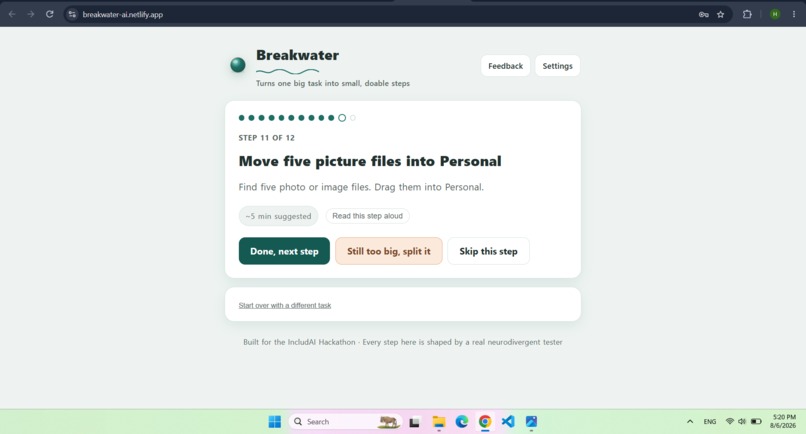
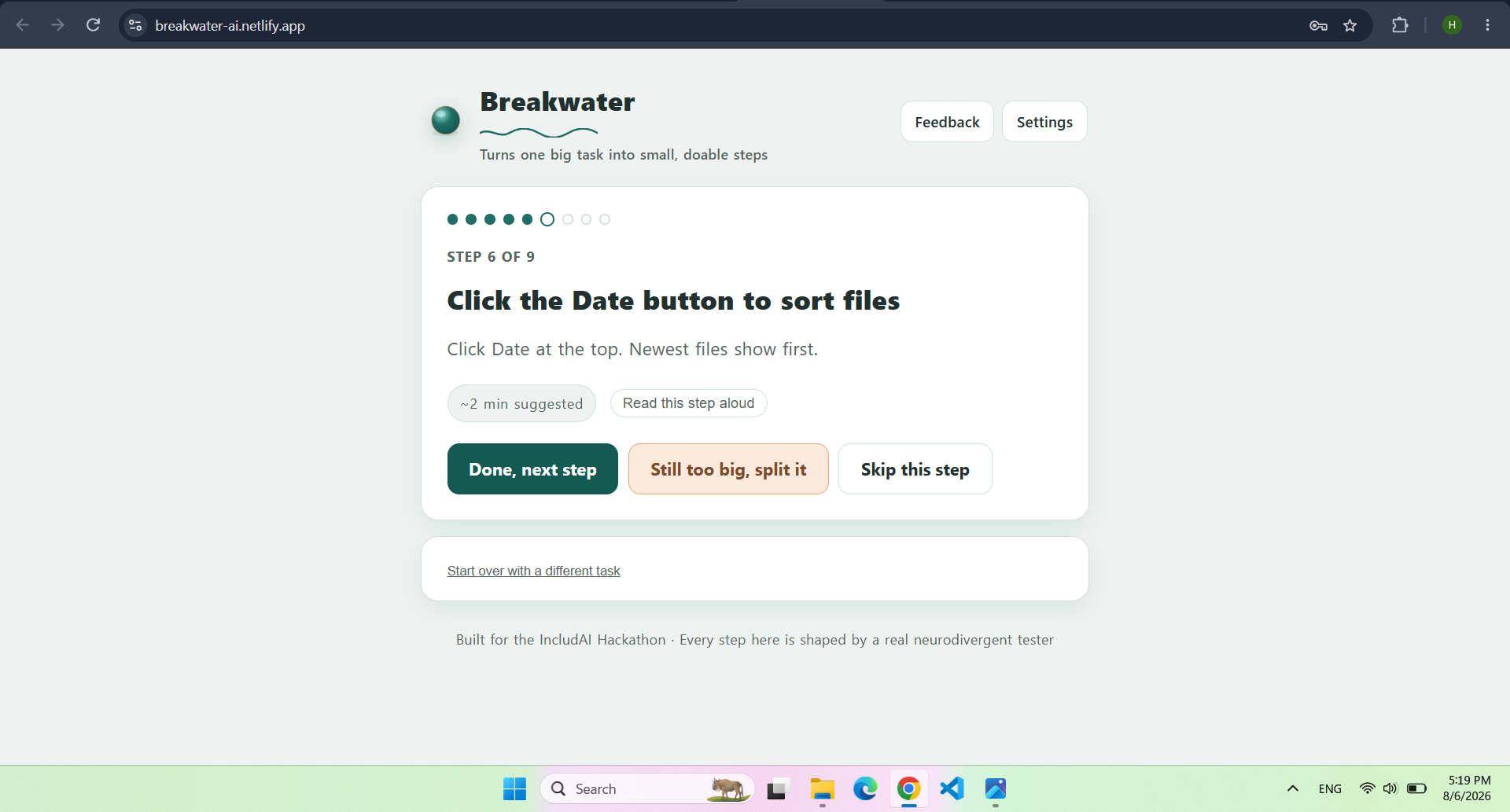
Normal Flow
-
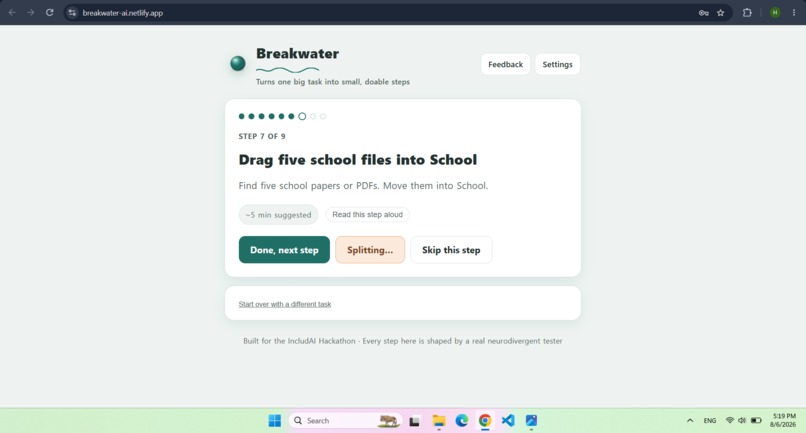
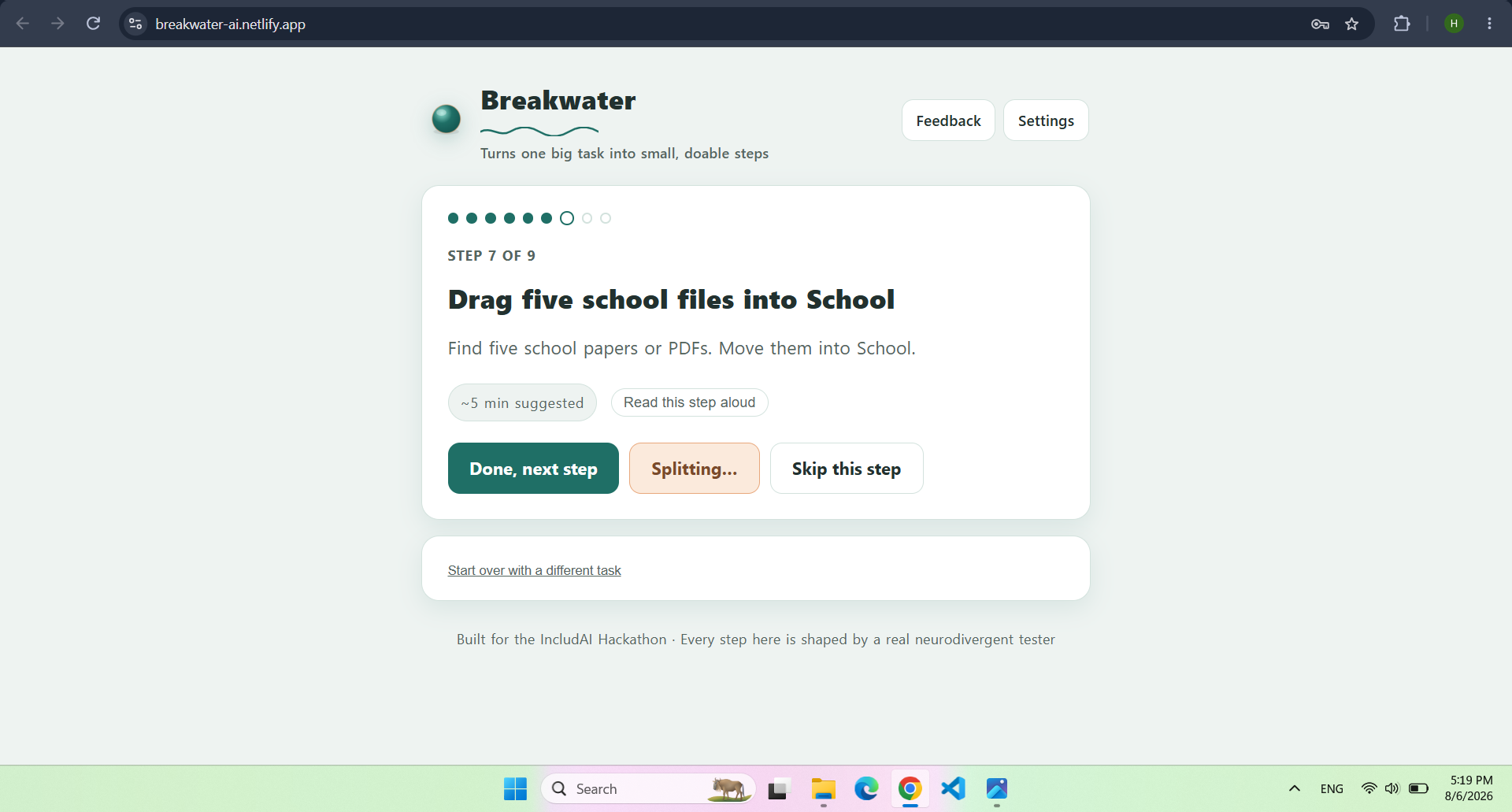
Splitting Steps
-
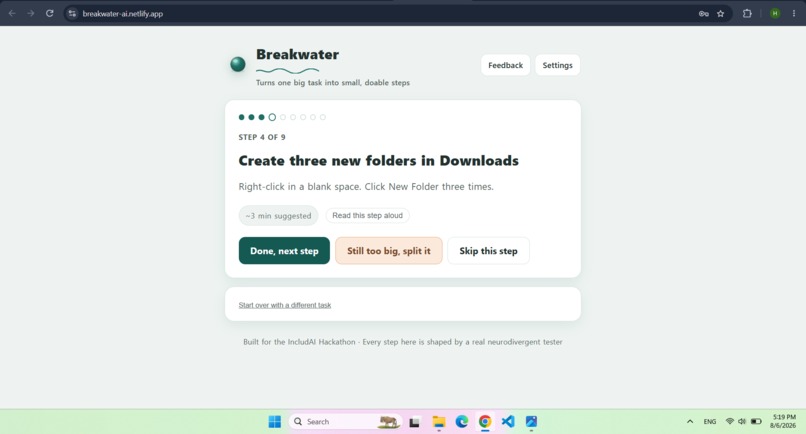
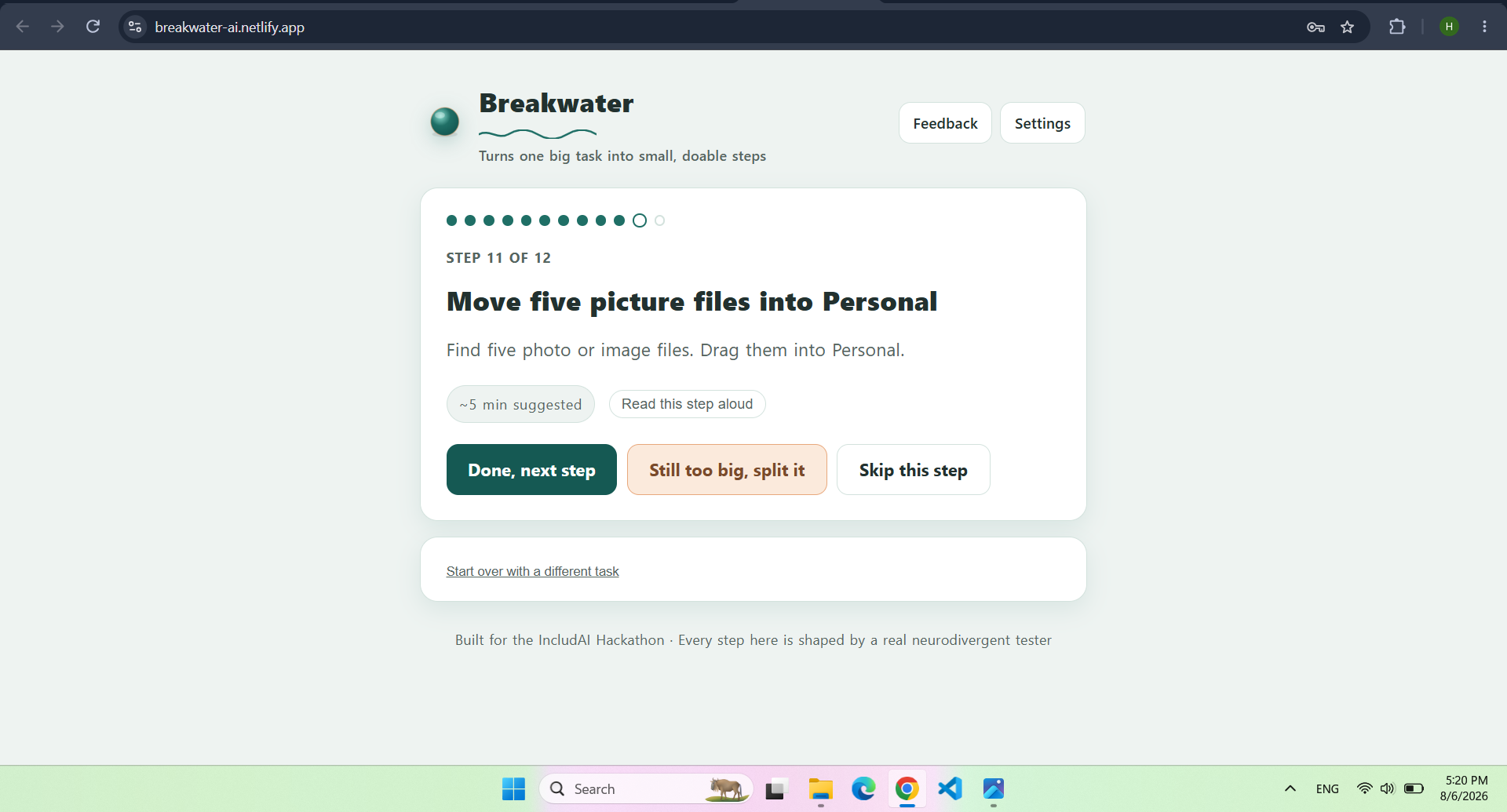
Normal flow
-
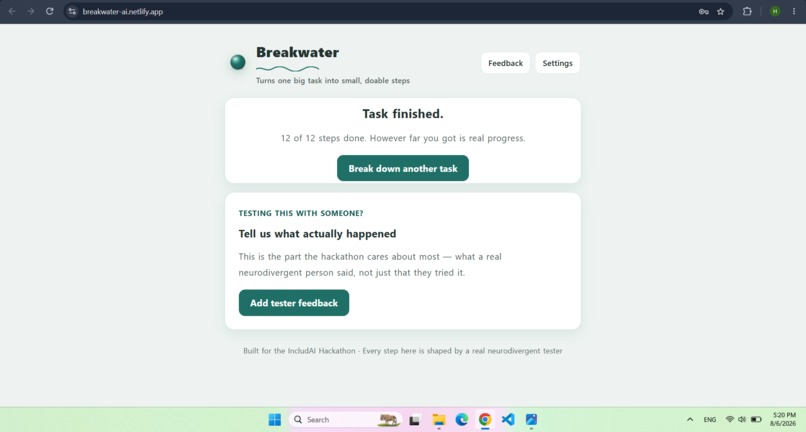
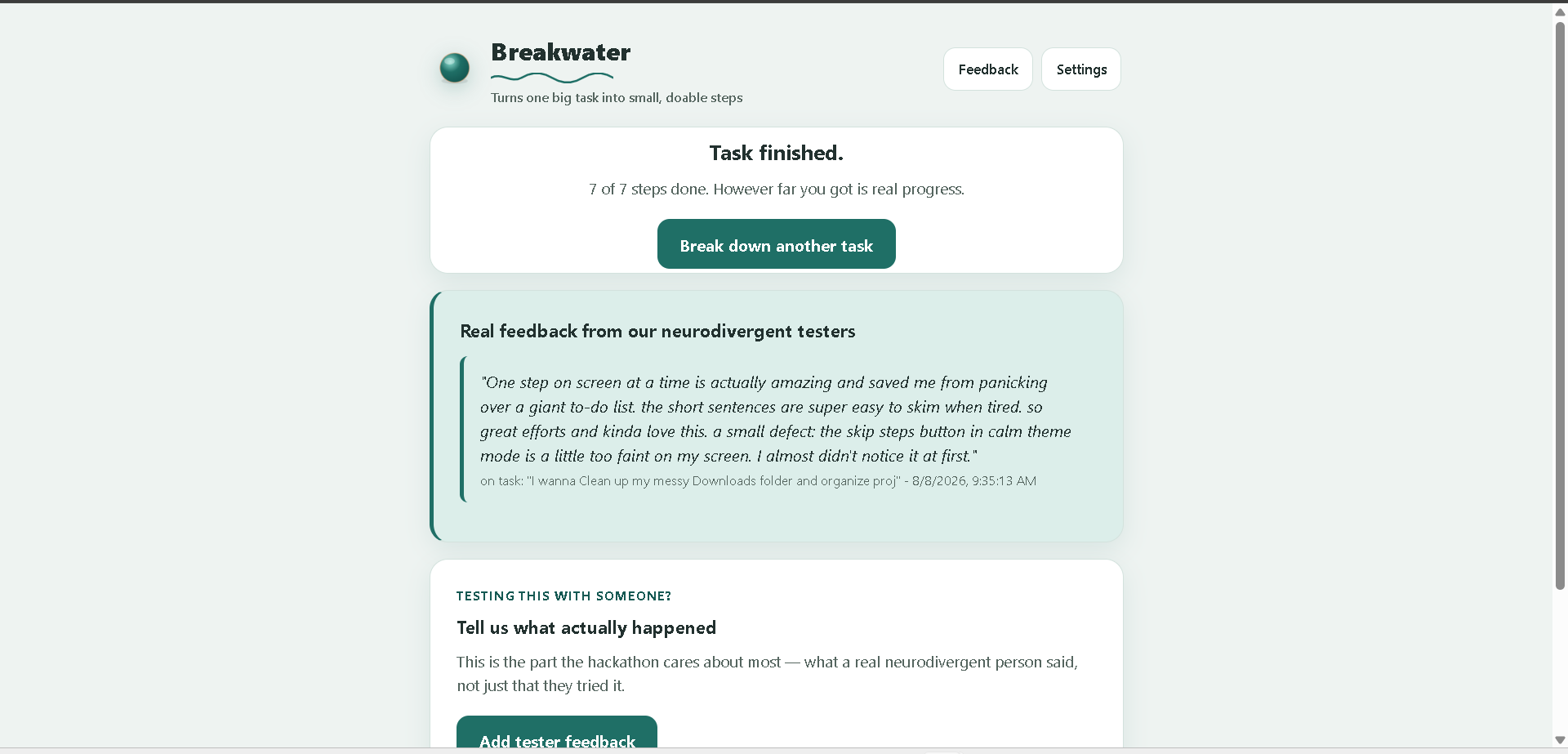
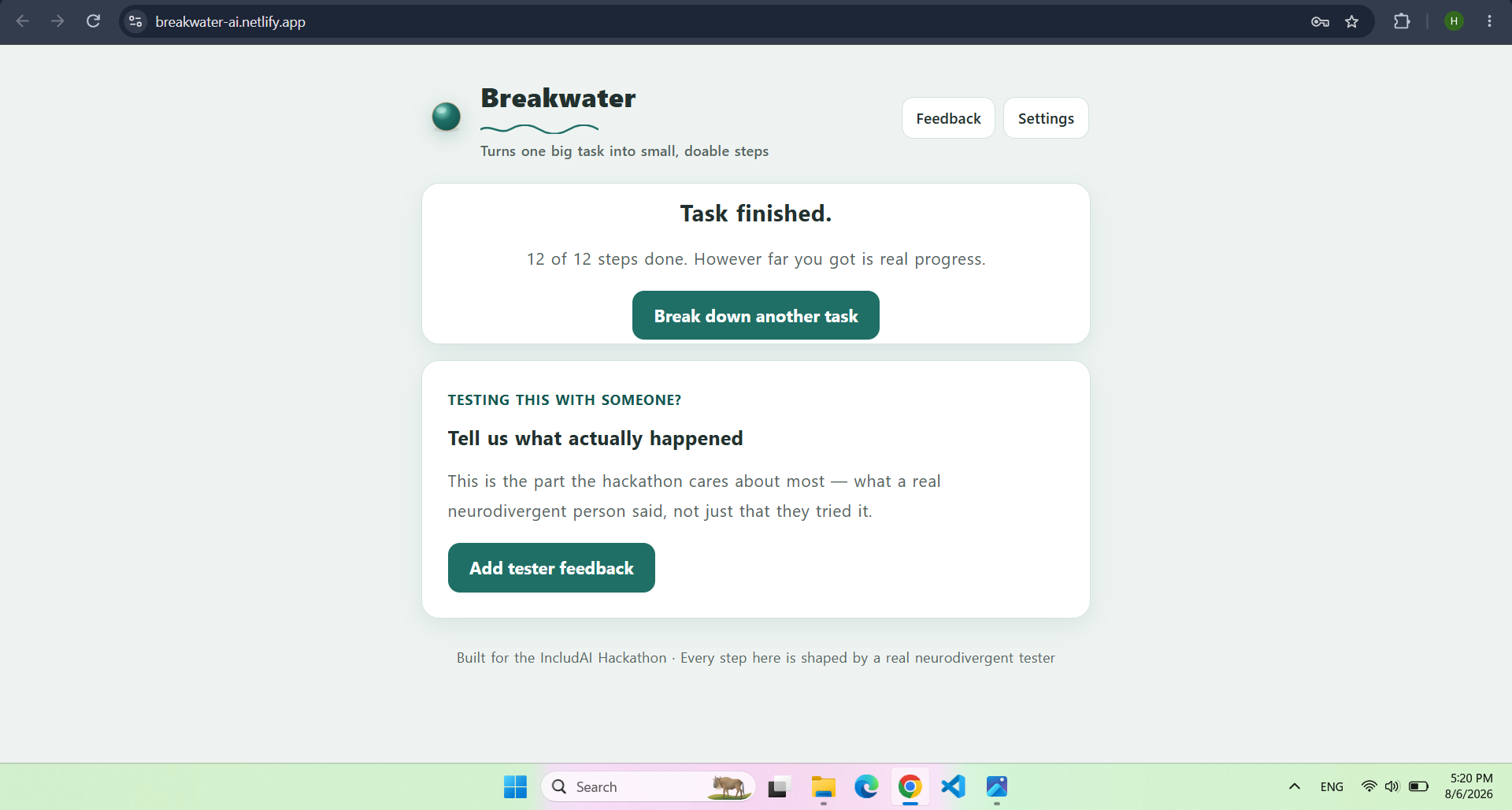
Task Finished Interface
-
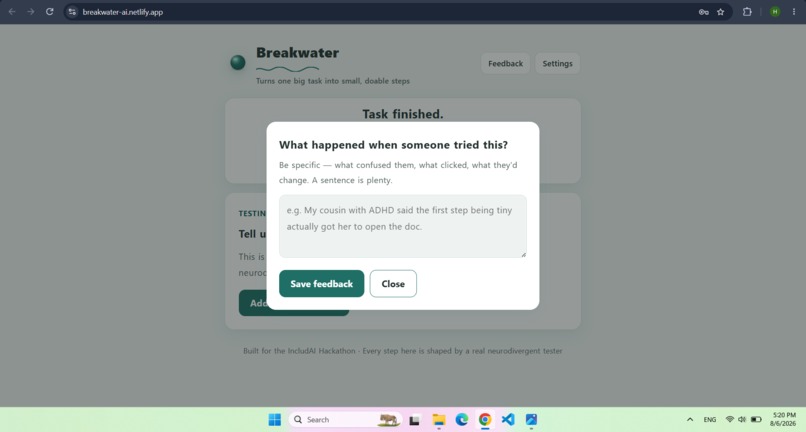
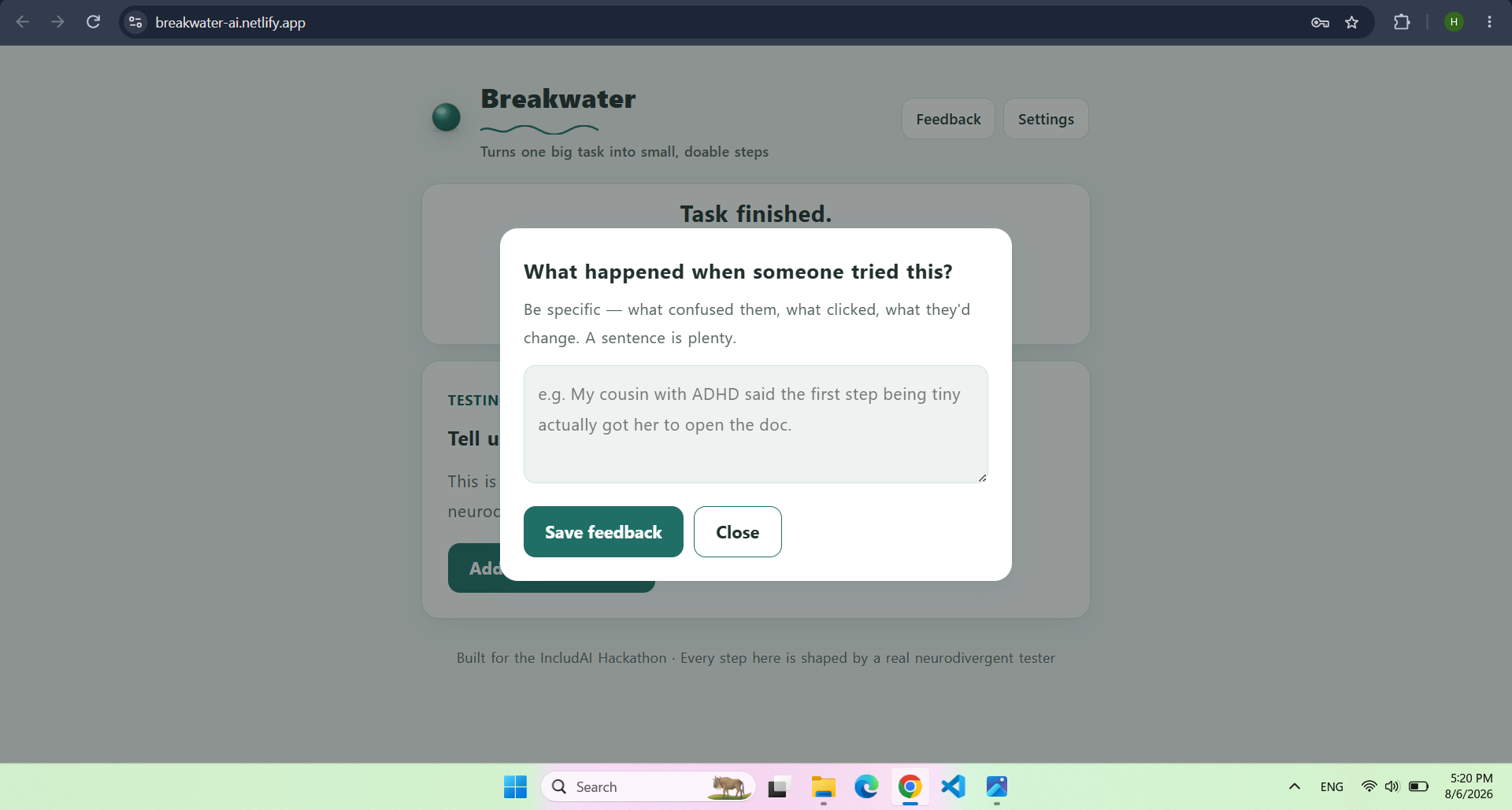
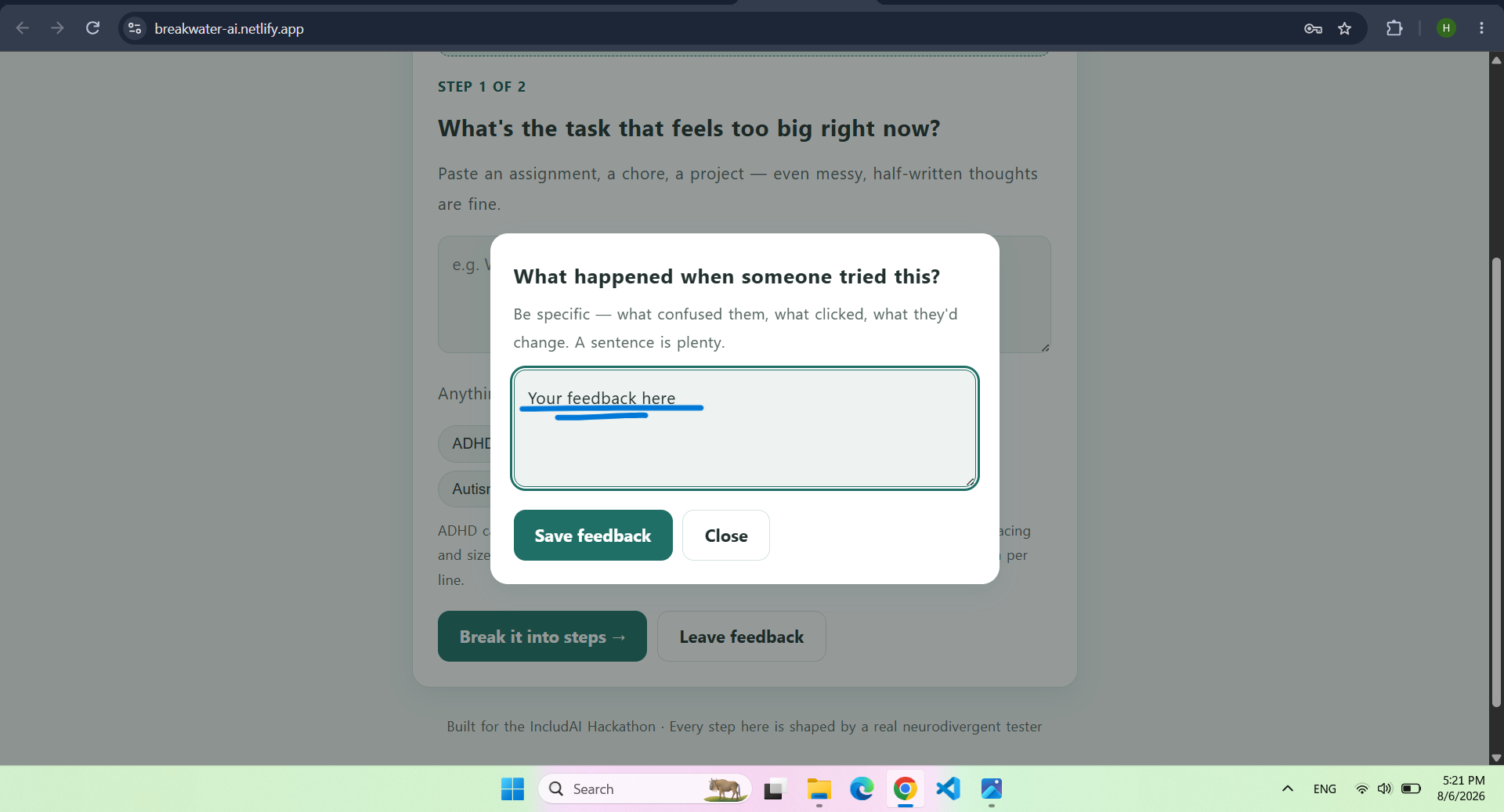
Feedback Interface
-
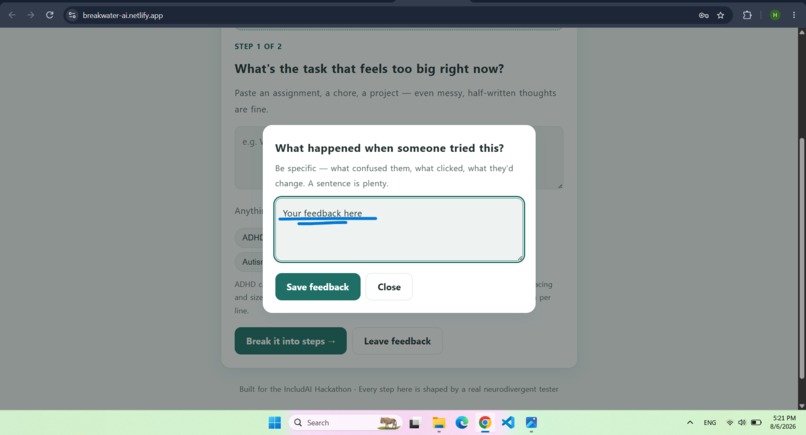
Feedback Field
-
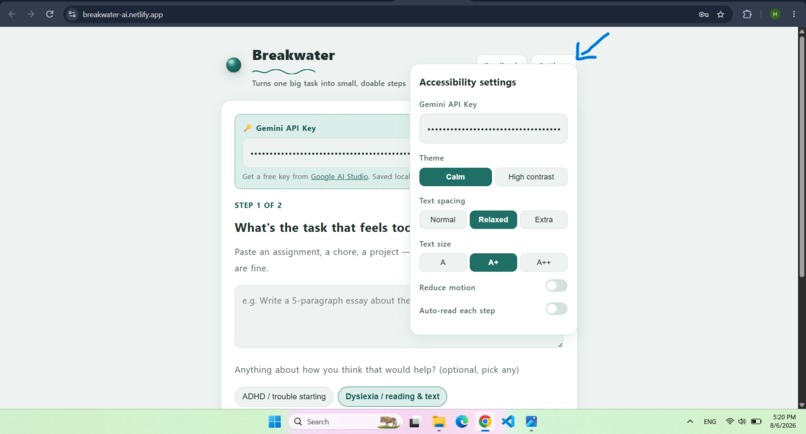
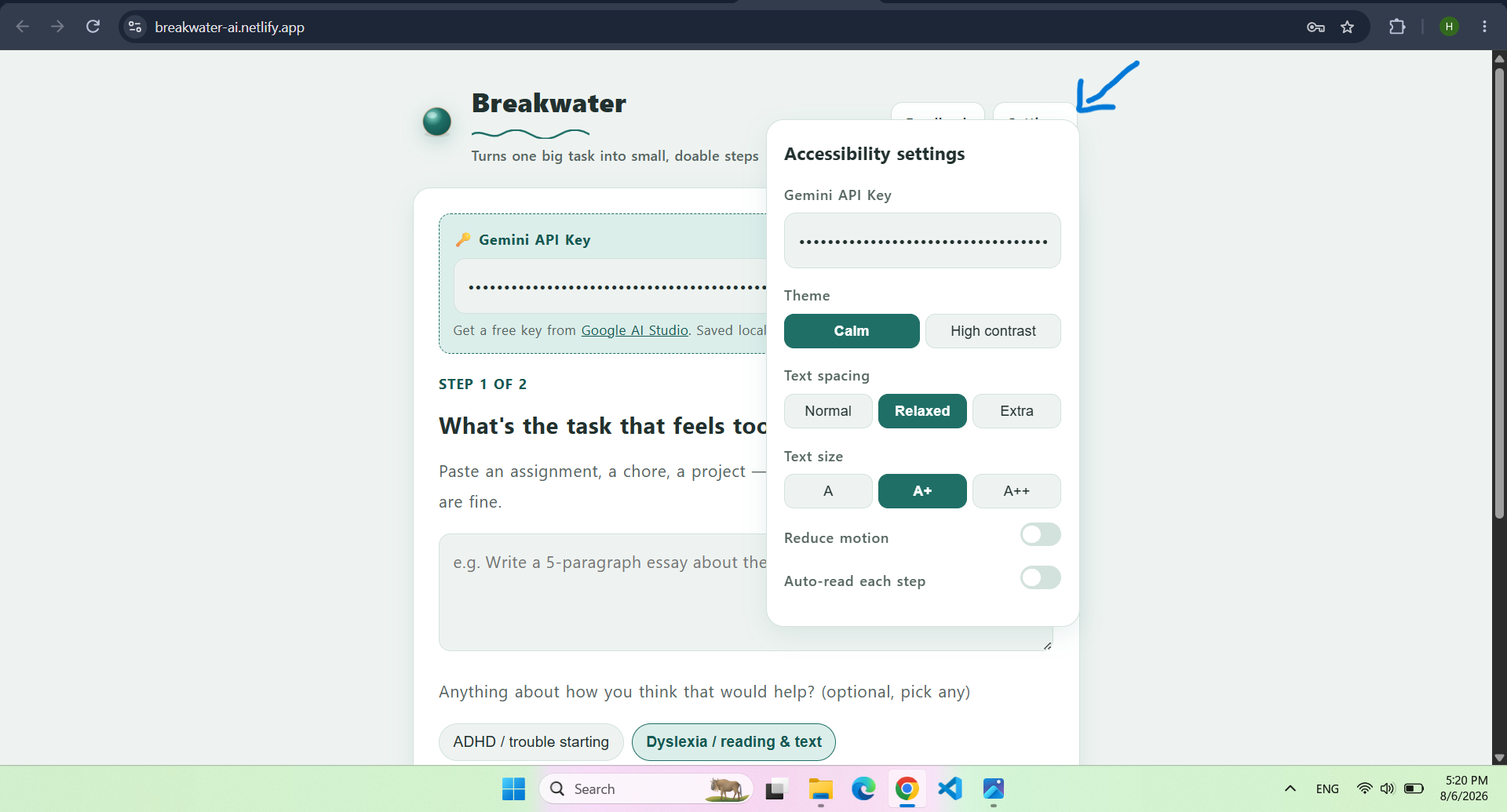
Settings of the app
Inspiration
A blank assignment or a messy room doesn't feel hard because the work itself is hard — it feels hard because there's no obvious first move, and that gap is where a lot of people, especially those with ADHD, get stuck for hours before they've done anything at all. Occupational therapists already treat this by hand: sitting with someone and manually breaking a task into tiny, concrete steps. We wanted to know if AI could do that same job, on demand, for anyone, at 11pm before a deadline — not a generic to-do list, but steps small enough that starting stops being the hard part.
What it does
Breakwater takes any task someone is avoiding — an essay, a chore, an email they're dreading — and an AI breaks it into 4 to 6 tiny, concrete steps shown one at a time, so nothing overwhelming is ever fully visible at once. If a step still feels too big, one click ("Still too big, split it") sends just that step back to the AI to be broken down further, in real time, based on the person's own reaction — that adaptive loop is the core of the tool, not the first list it generates.
It also adjusts itself for how someone thinks: selecting ADHD caps the whole plan at 6 steps with a near-instant first step; selecting Dyslexia switches text spacing and size to relaxed immediately; selecting Autism turns off motion and formats instructions one idea per line instead of a run-on paragraph. These aren't cosmetic labels — each one changes something real and visible the moment it's clicked.
One tester put it better than our own pitch deck could: "One step on screen at a time is actually amazing and saved me from panicking over a giant to-do list. The short sentences are super easy to skim when tired." That's the exact effect we were building for — not just fewer steps, but steps you can still parse when you're too tired or overwhelmed to read a paragraph.
There's also a built-in feedback box that saves directly into the app, so real tester reactions are collected in one place instead of scattered across texts and screenshots — it's how we caught the issue described below.
How we built it
A single self-contained HTML/CSS/JS file — no framework, no build step — so it can run and be shared as one file. Task breakdown and step re-splitting are powered by the Gemini API, with prompts engineered specifically per neurodivergent profile (hard numeric caps rather than vague suggestions, since AI models follow enforceable constraints far more reliably than soft hints). Read-aloud uses the browser's native Web Speech API. Accessibility settings (contrast, text spacing/size, motion) are built on CSS custom properties so every part of the interface responds to one shared design-token system rather than being patched screen by screen. Try the app now: link
Challenges we ran into
Getting the three accessibility profiles to feel actually different, not just labeled differently, was the biggest one — early on, selecting ADHD vs. Dyslexia vs. Autism only changed a sentence in the AI's instructions, which the model didn't always honor consistently. We fixed this by pairing stricter, numeric AI constraints (a hard 6-step cap, not "try to keep it short") with deterministic UI changes that don't depend on the AI at all — spacing and motion changes fire instantly on click, whether or not the AI cooperates.
We also learned the hard way that "AI-powered" and "one-click shareable" pull against each other: the easiest hosting path for a non-technical tester isn't always compatible with calling an external AI API, and we had to work through where those two requirements actually meet.
The most useful challenge, though, came directly from testing: our first tester told us the "Skip this step" button in the calm color theme was so low-contrast it was "a little too faint" and he almost didn't notice it was clickable at all. That's a real accessibility failure hiding inside a feature meant to reduce friction — a button someone can't see isn't actually optional, it's just broken. We fixed the contrast the same day.
Accomplishments that we're proud of
- An adaptive re-planning loop, not a static one-shot list — the AI responds to the student's own "this is still too much" in real time.
- Accessibility that does something, not accessibility as a checkbox: each profile option produces an immediate, visible, testable difference.
- Getting feedback that actually changed the product within the same day, not after the hackathon: a real tester told us "one step at a time" genuinely stopped him from panicking over a full to-do list.
What we learned
Executive dysfunction tools work best when they remove decisions, not when they add structure — the biggest lever in this app isn't the AI's cleverness, it's making the first step small enough that there's nothing left to decide. Our tester's comment about skimming short sentences "when tired" reframed how we think about our own accessibility settings too: dyslexia-friendly spacing and short sentences aren't only for dyslexia, they're for anyone whose attention or energy is already spent — which describes most people staring down a task they've been avoiding. We also learned that a real tester will catch things you'll never catch yourself, no matter how many times you personally click through your own app — the faint skip button had been sitting in front of us the whole build and we never saw it as a problem until someone who actually needed the app pointed it out.
What's next for Breakwater
- Let the app learn a person's own pacing over multiple sessions instead of guessing fresh every time.
- A lightweight browser extension that can offer to break down a task the moment someone opens something like Google Classroom or a blank document.
- A real accessibility review with an occupational therapist, not just self-testing.
- Support for more languages, since literal, low-jargon phrasing matters even more in translation.
- Run a full contrast audit across every theme, not just the one bug we happened to catch — if one tester found this in ten minutes, there are almost certainly others.
Built With
- accessbility
- aria
- claude
- client-side-rendering
- css3
- gemini-api
- html5
- javascript
- no-frameworks
- prompt-engineering
- ux-research
- web-speech-api

Log in or sign up for Devpost to join the conversation.