-
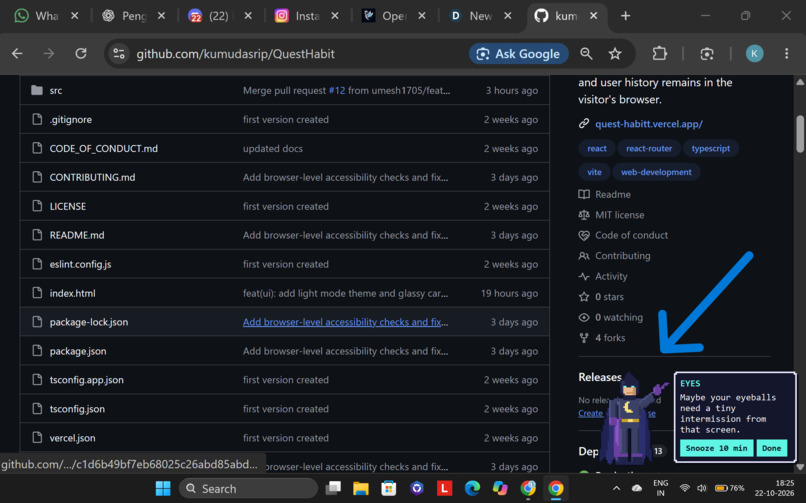
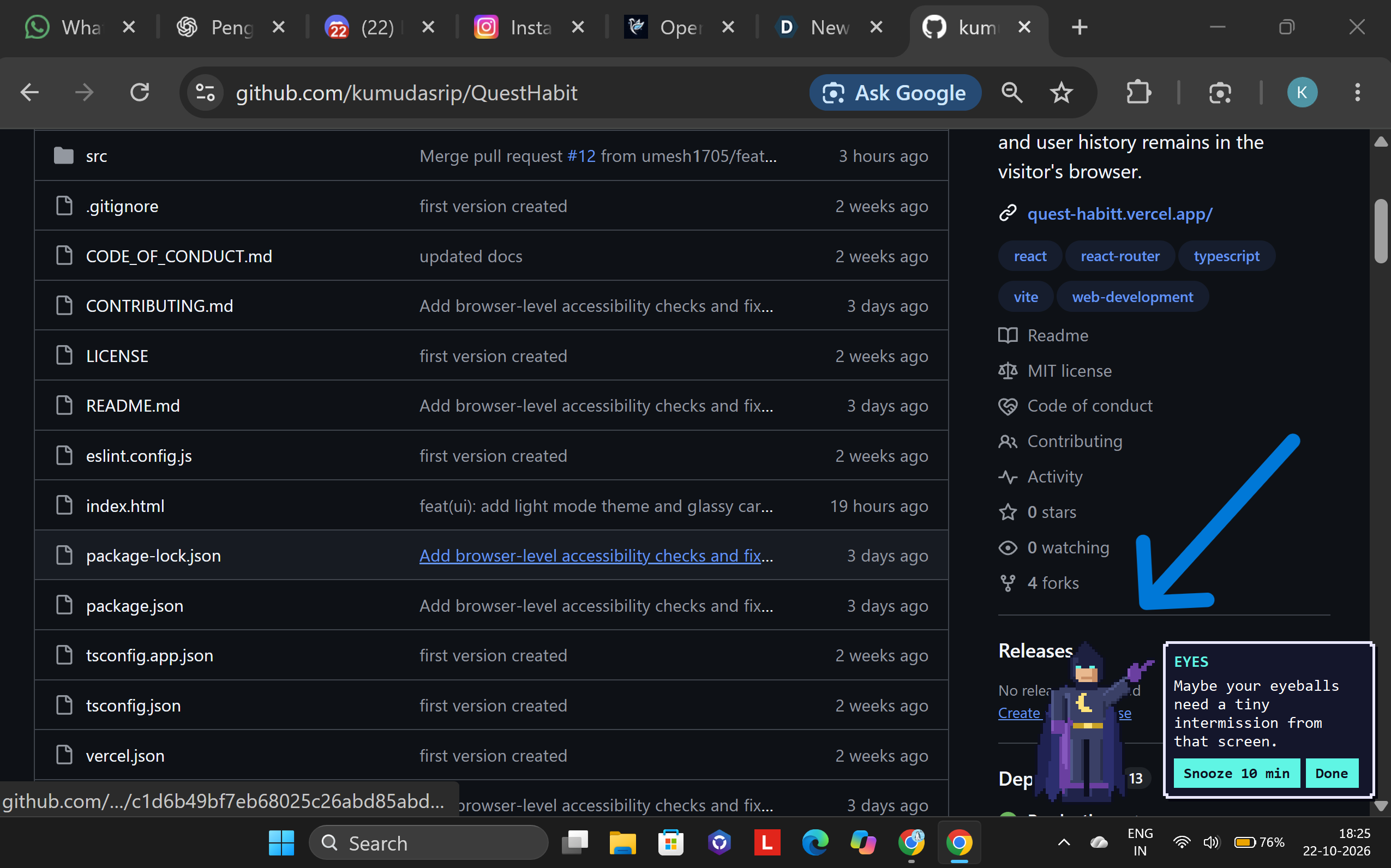
eye rest reminder 1
-
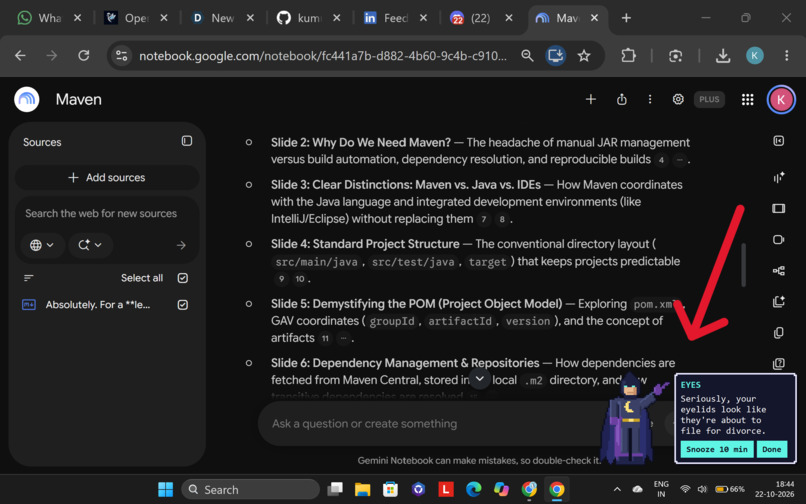
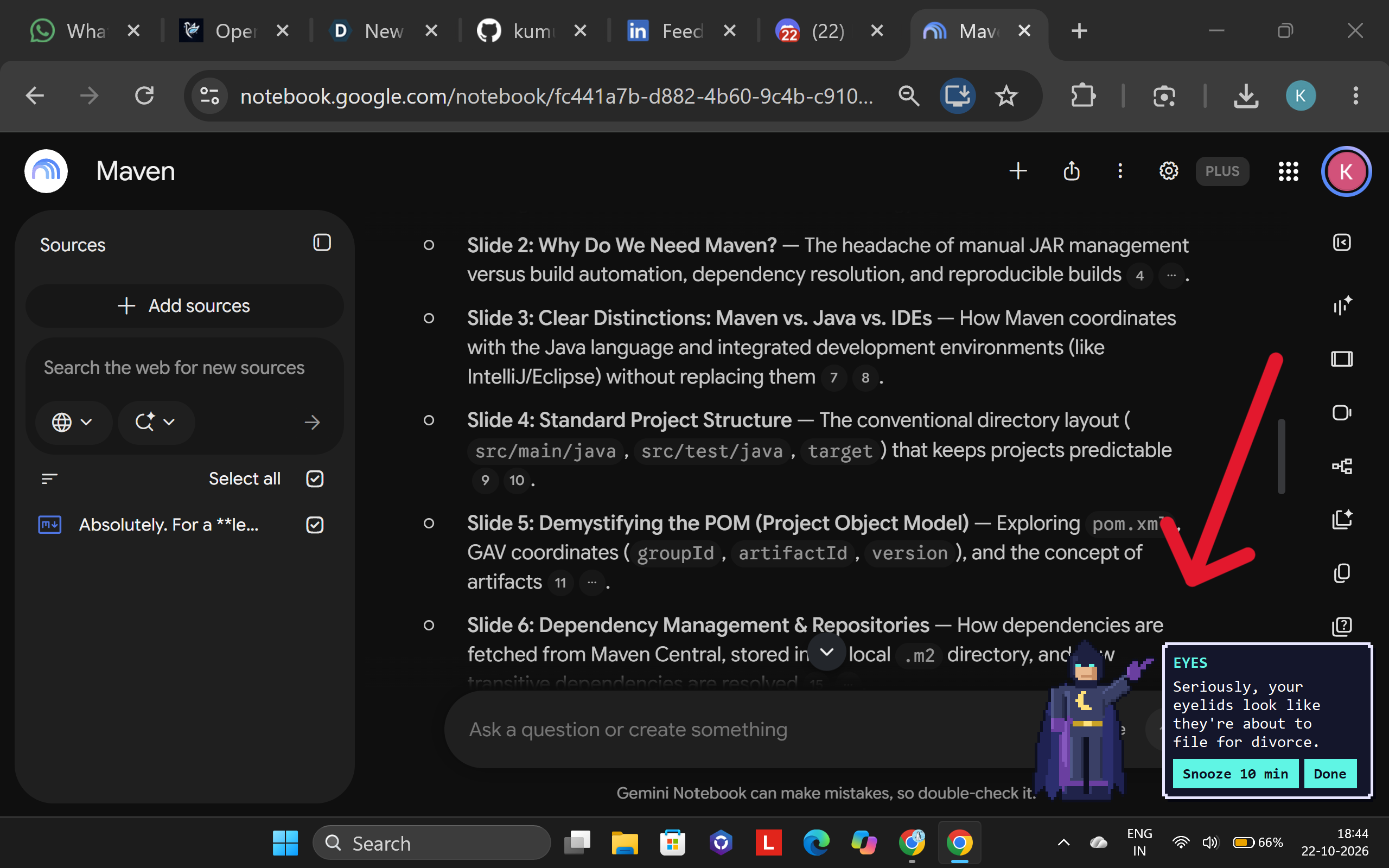
eye rest reminder 2
-
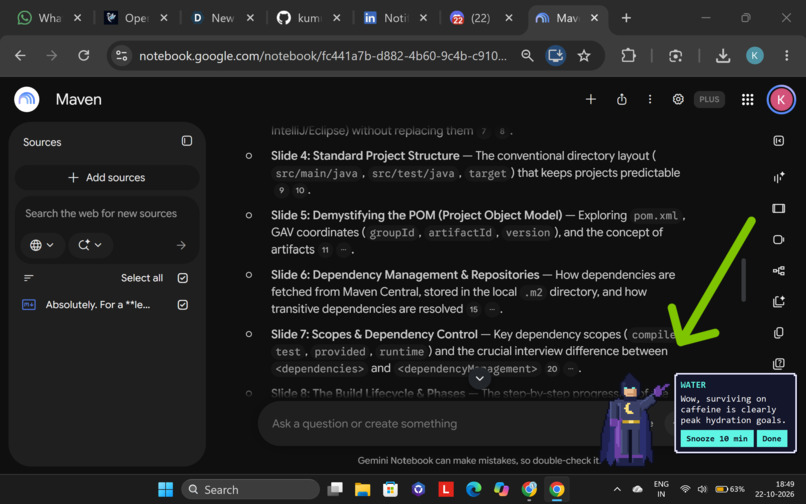
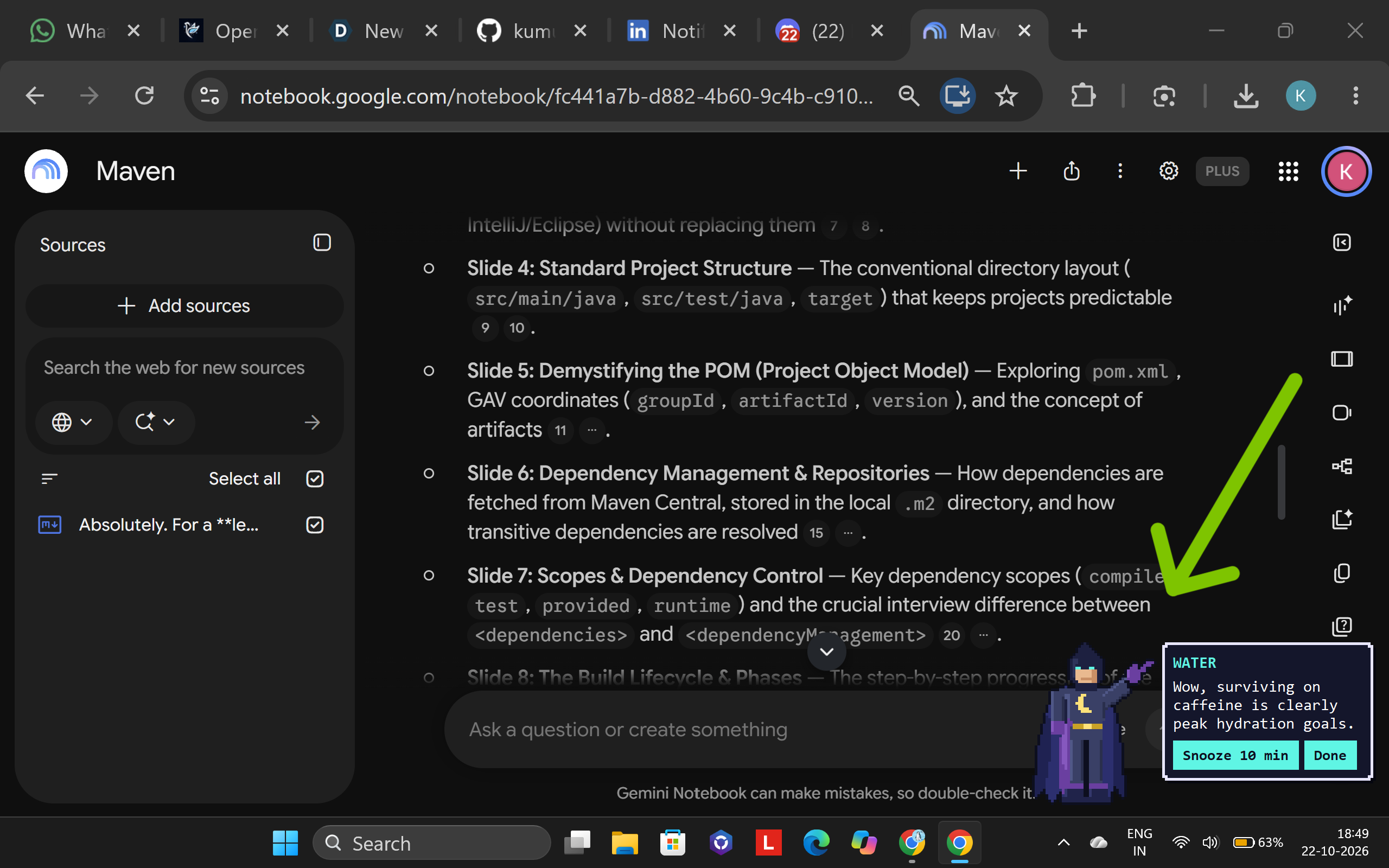
water reminder
-
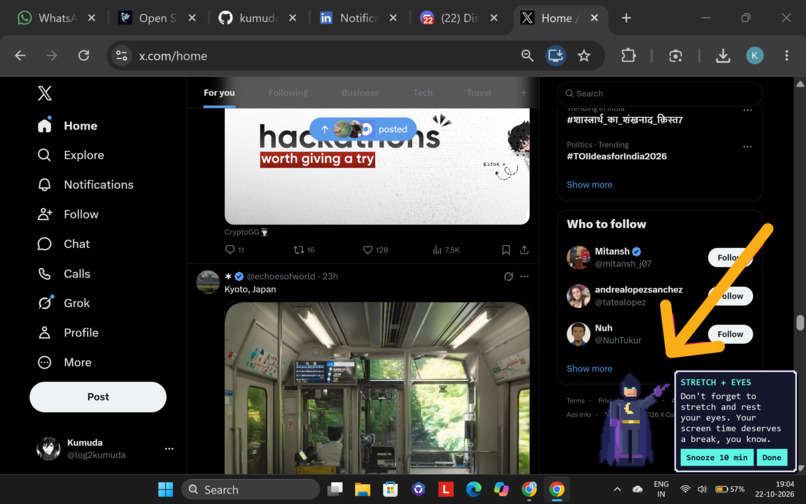
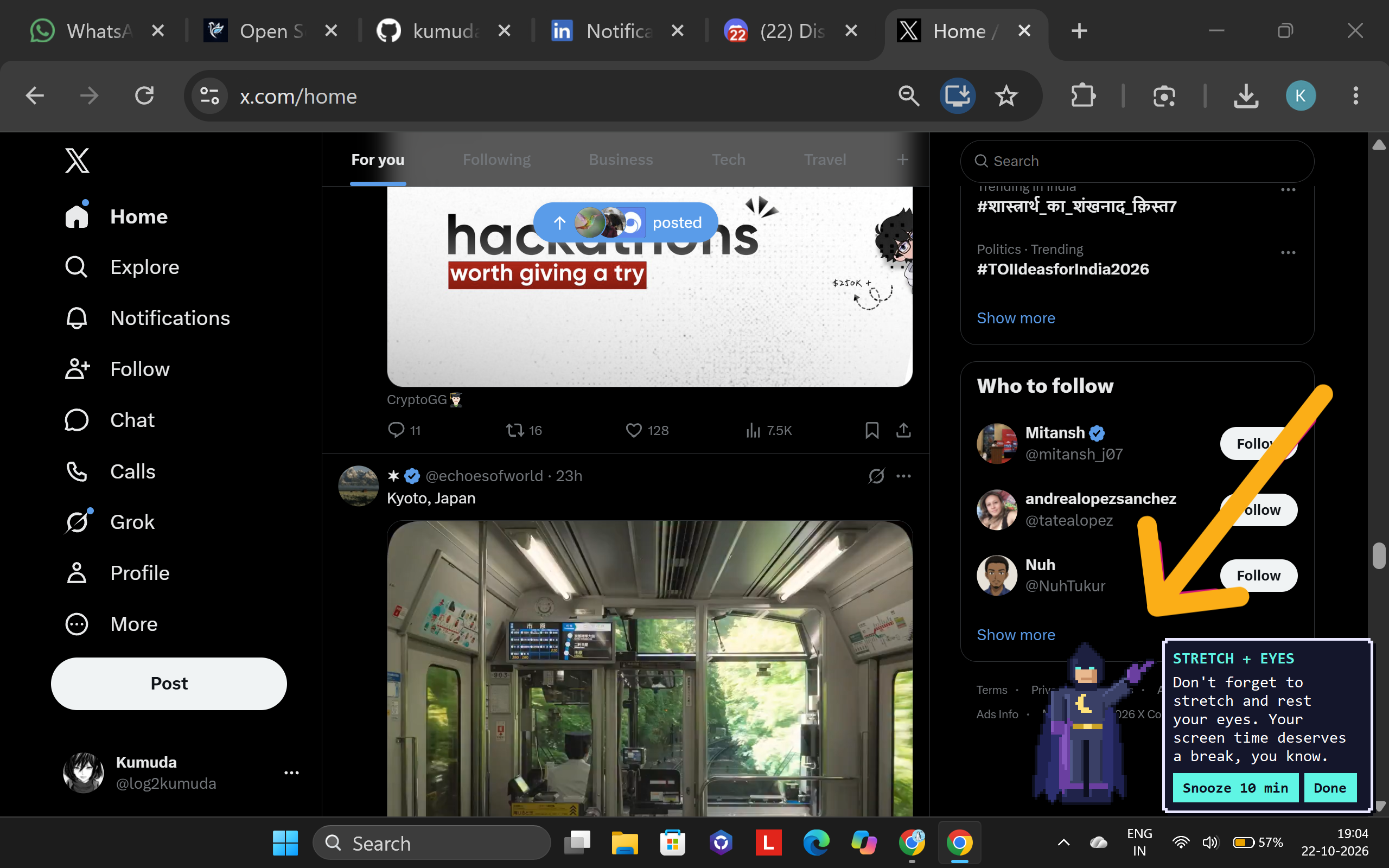
stretch+eye rest reminder
Inspiration
Taskforge asks to pick one person and one barrier. My person is a student who studies or codes at a laptop for hours and forgets to look away from the screen, drink water or stretch. The barrier is that break reminders are annoying to set up and easy to ignore. Most reminder apps want you to work through settings screens, send the same notification every time until you stop reading it, and pop up at bad moments, like in the middle of a call.
I also wanted something small that runs quietly on my own laptop and does a tiny job so I don't have to.
What it does
Break Buddy is a Windows tray app that reminds you to take breaks, and it is set up by typing one sentence. For example:
"remind me to drink water every 45 min, rest my eyes every 20, stretch every hour, nothing before 9am or after 8pm, sarcastic friend tone"
A local Gemma model turns that sentence into a config file, and it shows me what it understood before anything is saved. After that, a pixel-art hero pops up in the corner of the screen, points at an RPG-style message box, and types out a fresh message in the tone I picked. For example: "Seriously, your eyelids look like they're about to file for divorce."
It also pays attention to what I'm doing:
- It reads the active window title, locally, and the model labels it as coding, video, meeting, documents, browsing, social or other.
- It holds reminders back during Zoom, Google Meet, Teams and Webex calls, and gives me one combined popup when the call ends.
- Reminders that come due together share a single popup instead of stacking up.
- After two hours of continuous screen time, it suggests a proper break. Five idle minutes resets the counter.
- Every popup has Snooze and Done buttons, and a tray icon lets me pause, resume or quit.
- It starts with Windows and runs with no console window.
The change for the user:
- Before: configure timers in a settings screen, get the same notification every time, get interrupted mid-call.
- After: one typed sentence to set up, a message that is different every time, silence during meetings, and one popup instead of three.
I have been running it on my own laptop since 22 October, and it starts by itself when I turn the laptop on.
How we built it
I built this solo, in Python, with everything running locally:
- Ollama runs
gemma4:e4bon my laptop. - Pydantic validates the model's structured JSON output.
- tkinter draws the popups.
- pystray gives the tray icon.
- pygetwindow reads the active window title.
- Pillow draws the hero sprite.
The model has three jobs:
- Setup. The typed sentence goes in with a JSON schema (temperature 0, thinking off). The result is validated, retried if broken, and shown to me for a yes or no before saving.
- Labeling windows. Every 15 seconds the app reads the window title and the model puts it in a category. Each new title is labeled once and cached. Fixed patterns for real meeting windows run first, because interrupting a call is worse than missing a reminder.
- Writing messages. A short prompt with the personality and the task. The prompt only gets the category and the minutes at the computer, never the window title.
A scheduler per reminder feeds a waiting list. A dispatcher holds reminders during meetings and batches the ones due together into one popup. A Windows idle-time check tells the app when I'm away.
The popup is a borderless window with a see-through background. The hero is drawn entirely in code, as rectangles and polygons on a 50 by 64 grid with an automatic outline pass, and then zoomed so the pixels stay sharp. The message types itself out while the hero bobs up and down.
I also benchmarked three models on the app's own jobs (10 setup sentences, 36 window titles, 5 messages each, on my laptop):
| Model | Setup: perfect parses | Window labels | Messages that follow the rules | Cold start | Memory loaded |
|---|---|---|---|---|---|
| gemma4:e4b | 9/10 | 97% | 100% | 5.8 s | 3.3 GB |
| gemma4:26b | 10/10 | 97% | 100% | 64.7 s | 18.3 GB |
| qwen3.6:35b | 10/10 | 92% | 80% | 25.7 s | 23.3 GB |
AI assistance and pre-existing work:
- I built this with Claude as a helping hand to debug a few errors.
- The AI inside the app is Gemma 4, running locally through Ollama.
- There was no pre-existing code. I wrote it from scratch in October 2026, and the hero sprite is drawn by my own script.
- The same project is also entered in the Hacktoberfest Open-Source AI Challenge Week 3 on DEV.
- All screenshots are from my own laptop and my own use. No one else's data is shown.
Challenges we ran into
- The vision idea failed. The model called a receipt a "Starbucks receipt for 12.5 USD", and a plain white image with the text "HELLO 12345" an abstract painting. The command line gave the same answer, and I never found the cause. After a few days I stopped debugging and switched to text only.
- The model ignored my tone. I typed "sarcastic friend" and the config said "friendly". My schema had a default value that the small model copied. Making the field required, with an example, fixed it.
- My meeting test was wrong, not the model. I tested with a file called "Zoom meeting.txt", which the model correctly labeled as not a meeting. A real Google Meet call worked, and I added fixed patterns for real meeting windows as a safety net.
- The watcher labeled its own popups as things I was doing, so it now ignores them.
- Popups overlapped on my high-DPI screen because I had guessed their height. Now each popup is measured and stacked properly.
- After a meeting, the held-back reminders fired all at once. Now they share one popup.
Accomplishments that we're proud of
- It runs on my own laptop every day, starts with Windows, and reminders arrive on their own.
- Setting it up takes one typed sentence, and changing the personality takes one more.
- It stayed silent during a real Google Meet call.
- I benchmarked three models with real numbers. The small
gemma4:e4bmatched the 26B model on window labels (97% each) and message quality (100%), using 3.3 GB instead of 18.3 GB and a 6 second cold start instead of 65. - All three models labeled all seven meeting titles correctly on their own, so the safety patterns are insurance.
- The hero is generated by code, with no image files downloaded.
- This was my first time using open-weight models locally, and I went from nothing to a working app with a measured comparison.
What we learned
- Structured output makes a small local model dependable, but a default value in the schema can quietly override what the user typed.
- Test your tests: my first meeting test failed because the test was wrong, not the model.
- Measure instead of assuming bigger is better. The 35B model labeled fewer windows correctly than the small one, and one of its messages ignored the instruction.
- A small model will sometimes misread a number (it read "every 90 minutes" as 15), so a confirmation step before saving is worth having.
- Know when to drop an idea. The vision idea cost me time, and switching to text only got me a working project.
What's next for Break Buddy
Limitations today:
- It is Windows only, and it needs Ollama and a model download of about 10 GB.
- So far only I have used it, on one laptop. It has not been tested with screen readers or by other users, and the popup is visual, with a system beep.
- Meeting detection relies on window titles. The patterns cover Zoom, Meet, Teams and Webex, and Zoom's home screen also holds reminders back.
- The small model can misread an unusual title or number, which is why setup asks before saving.
Next steps:
- Test it with other students and add accessibility options, like larger text, high contrast and a spoken reminder.
- Make it adapt to me: if I keep snoozing one reminder, change its timing or tone.
- Add a one-click installer so Python isn't needed.
- Support Mac and Linux, and add more meeting apps.


Log in or sign up for Devpost to join the conversation.