-
-
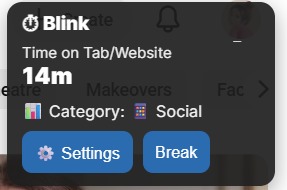
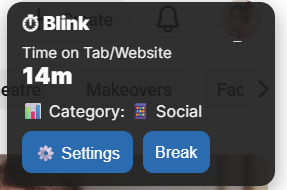
When the user first opens the extension, this pops up.
-
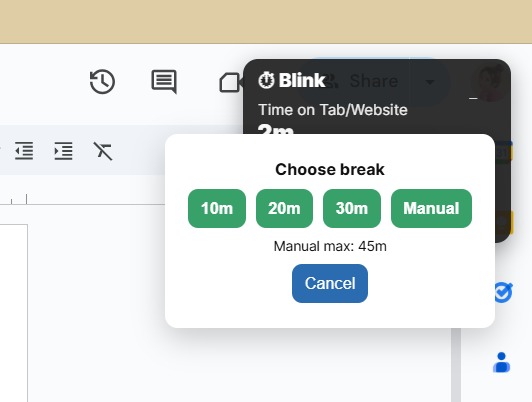
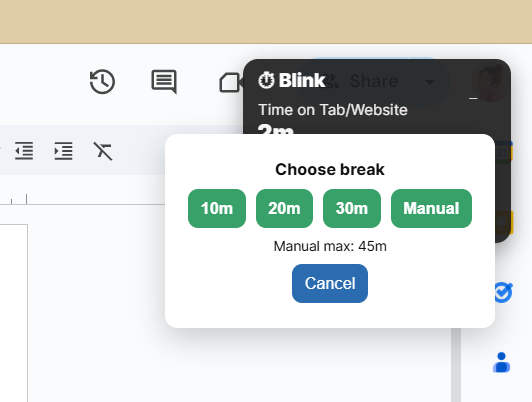
When the user clicks on the break feature, this comes up.
-
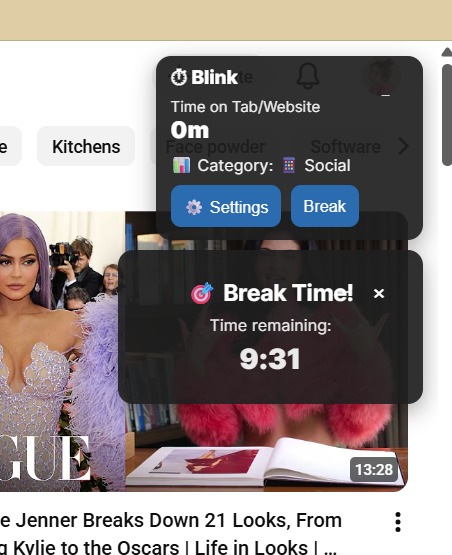
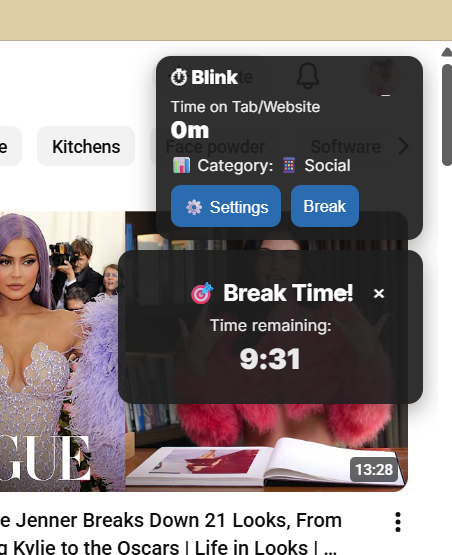
Once the user starts the break, there is a countdown timer.
-
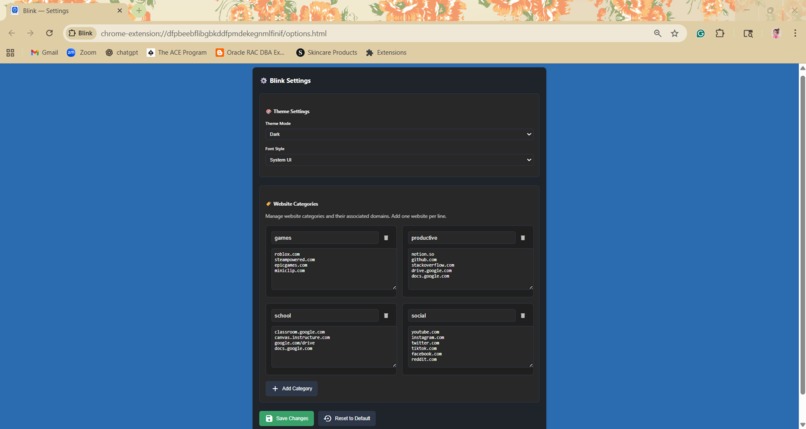
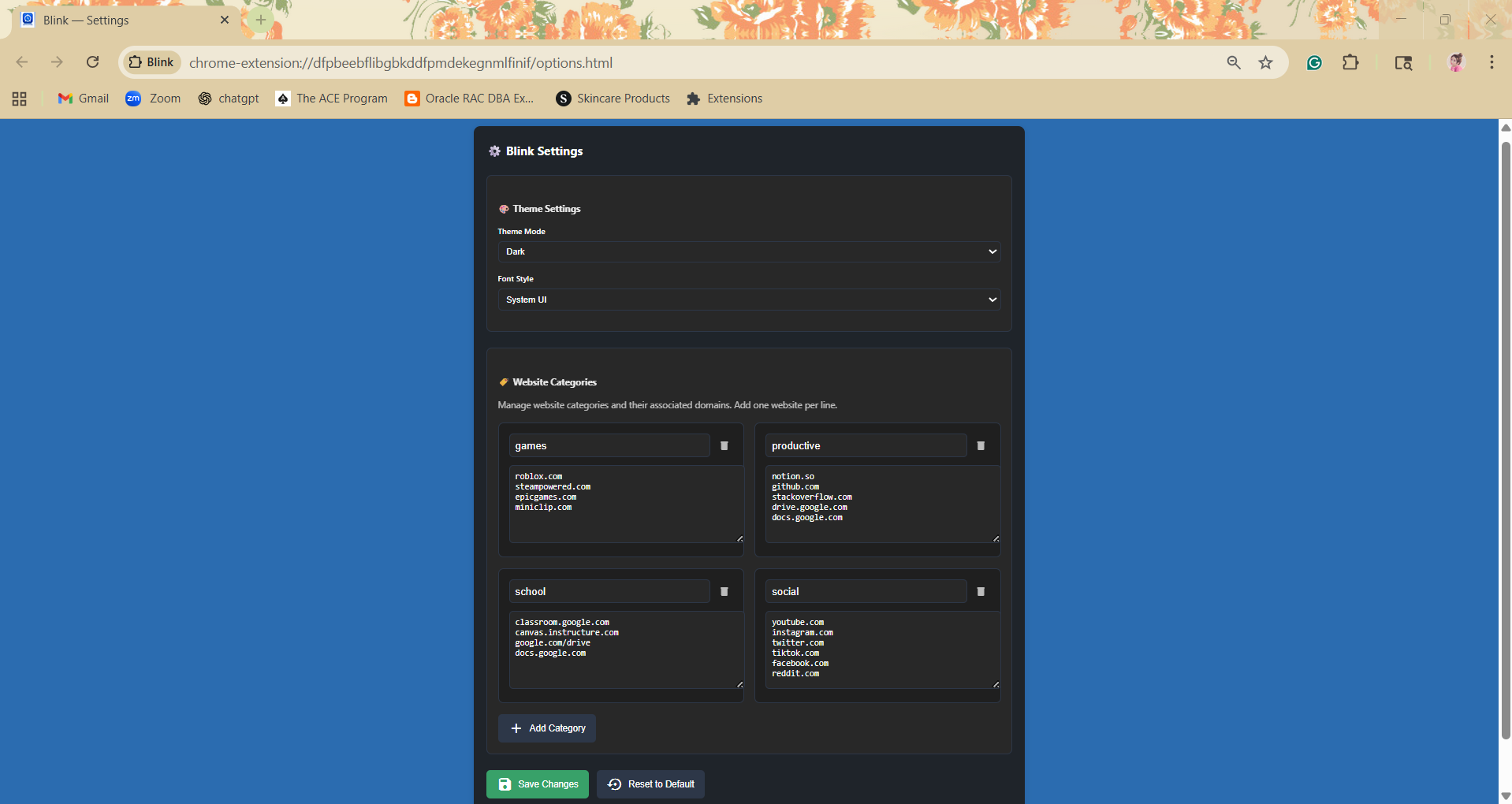
The user can personalize the extension using these settings.
-
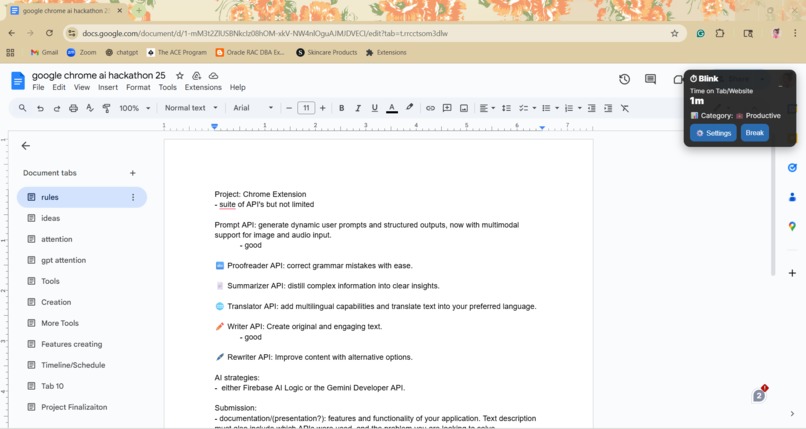
This is the overall look of the extension on the screen once the user opens it.

Inspiration
We noticed that people often spend hours online without realizing how much time they’ve invested, leading to laziness and decreased productivity. The idea for Blink came from the simple concept that sometimes all it takes is a single moment—a blink—to remind yourself to pause and reset. We wanted to create a tool that encourages healthy digital habits without being intrusive.
What it does
Blink helps users stay mindful of their time online. It tracks how long you spend on different websites, categorizes them (productive, social, school, entertainment, etc.), and displays a floating timer so you always know how much time has passed. When you’ve been online for too long, Blink gently reminds you to take a break.
How we built it
We built Blink using JavaScript, HTML, and CSS, powered by Google Chrome’s Extension APIs. The Tabs API allowed us to detect active websites, while the Storage API let us save preferences and track browsing time across sessions. Using runtime messaging, we enabled smooth communication between the background service worker, popup interface, and content scripts. The floating UI was injected dynamically into web pages and designed to be fully draggable, minimal, and theme-responsive.
Challenges we ran into
One of the main challenges was managing consistent data across multiple tabs and sessions while ensuring that updates didn’t interfere with other websites. There was a point where the theme that we selected for our chrome extension would leak into the UI of other tabs that we had open. We also had to carefully design the floating timer so that it wouldn’t block page content, which meant that we had to figure out how to layer and drag it. We also spent a lot of time refining the interface to have the right balance between minimalistic and informational.
Accomplishments that we're proud of
We’re proud of creating a fully functional Chrome extension from scratch in a short amount of time. The final version of Blink is both technically solid and visually appealing, featuring a clean floating interface, customizable themes, and an effective timer system. We’re especially proud of the way that users can make Blink their own, and it feels smooth and intentional.
What we learned
We learned how to integrate multiple Chrome APIs cohesively and manage asynchronous data flows effectively. We also gained a deeper understanding of how to optimize browser extensions for user experience, especially in how subtle visual details—like animations, transitions, or color shifts—can make a big difference in user experience and engagement.
What's next for Blink
Moving forward, we plan to add AI-powered categorization that automatically classifies websites by their productivity level, reducing manual setup. We also aim to build a dashboard that visualizes time spent online with weekly trends and goal tracking. In future updates, Blink could offer smart break recommendations based on personal patterns, helping users balance focus and rest more naturally. Ultimately, our vision is for Blink to become a digital wellness companion.
Built With
- chrome
- chrome.idle
- chrome.notifications
- chrome.runtime
- chrome.scripting
- chrome.storage
- chrome.tabs
- chrome.windows
- css
- html
- javascript
- json
- visual-studio

Log in or sign up for Devpost to join the conversation.