-
-
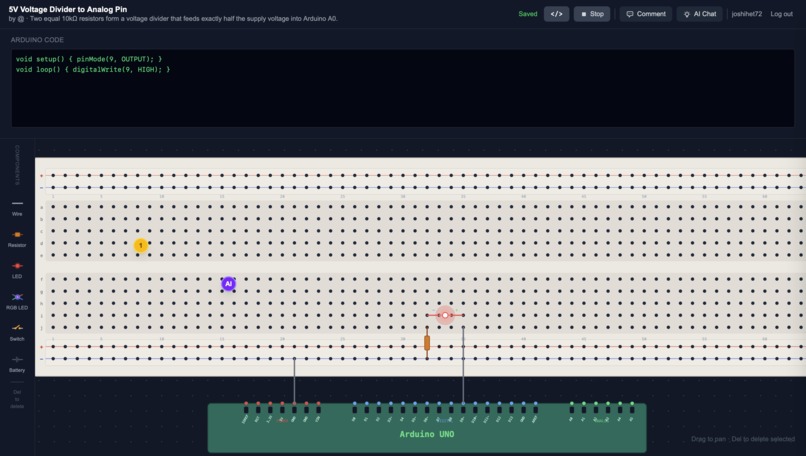
Circuit Simulation Page
-
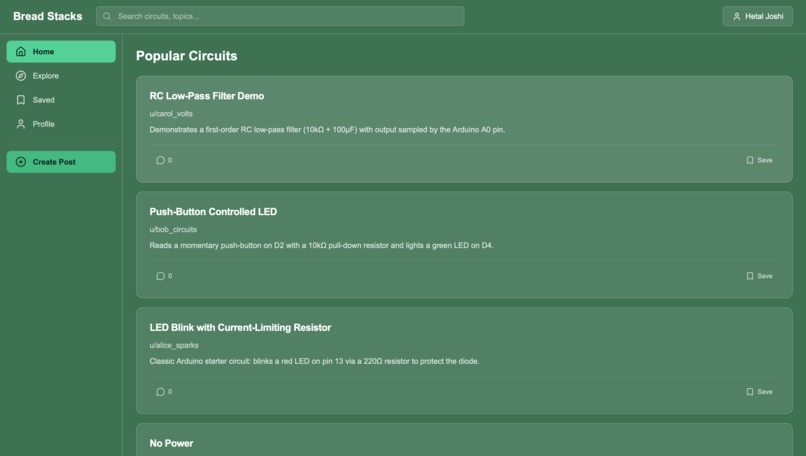
Home Page
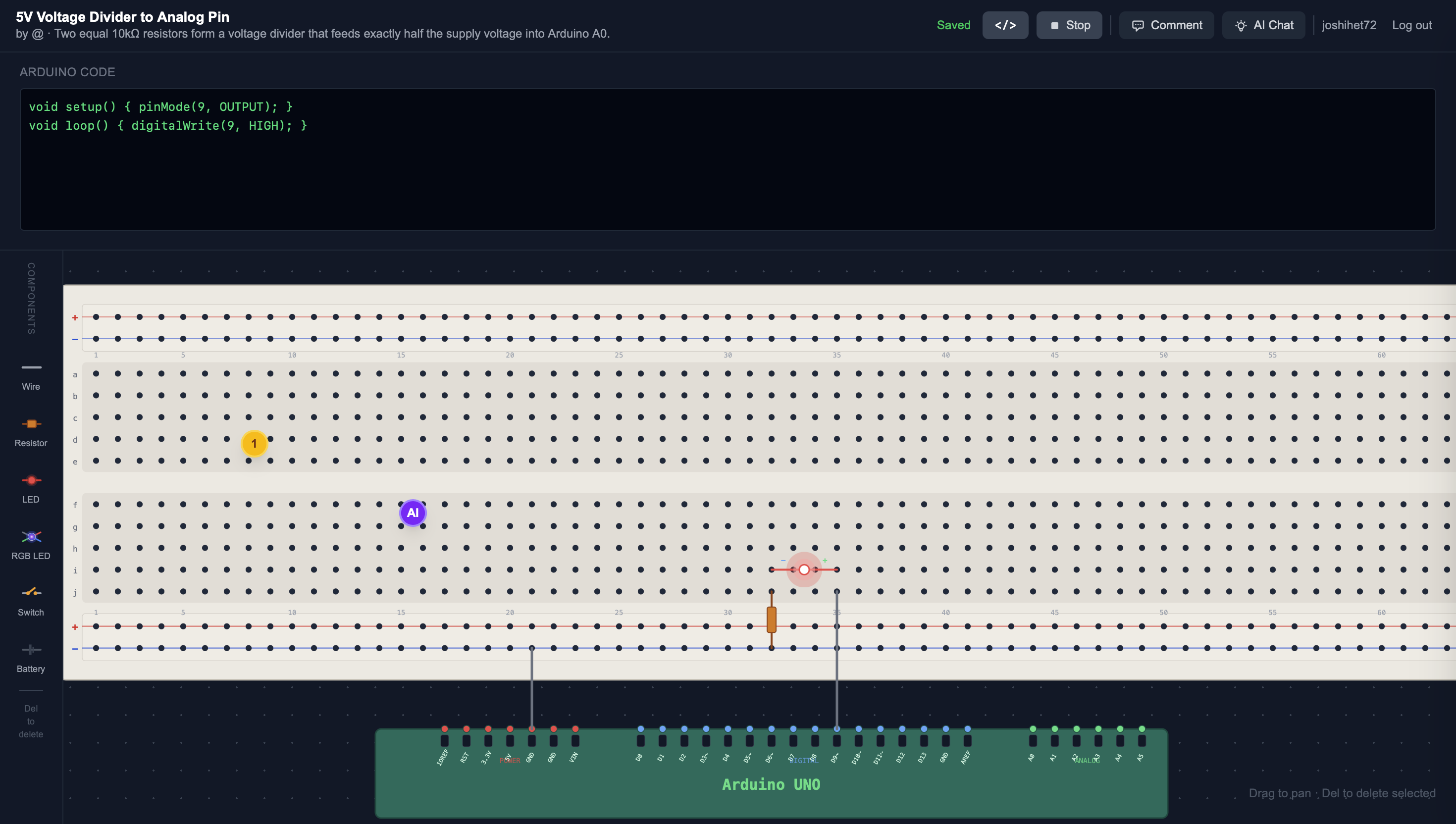
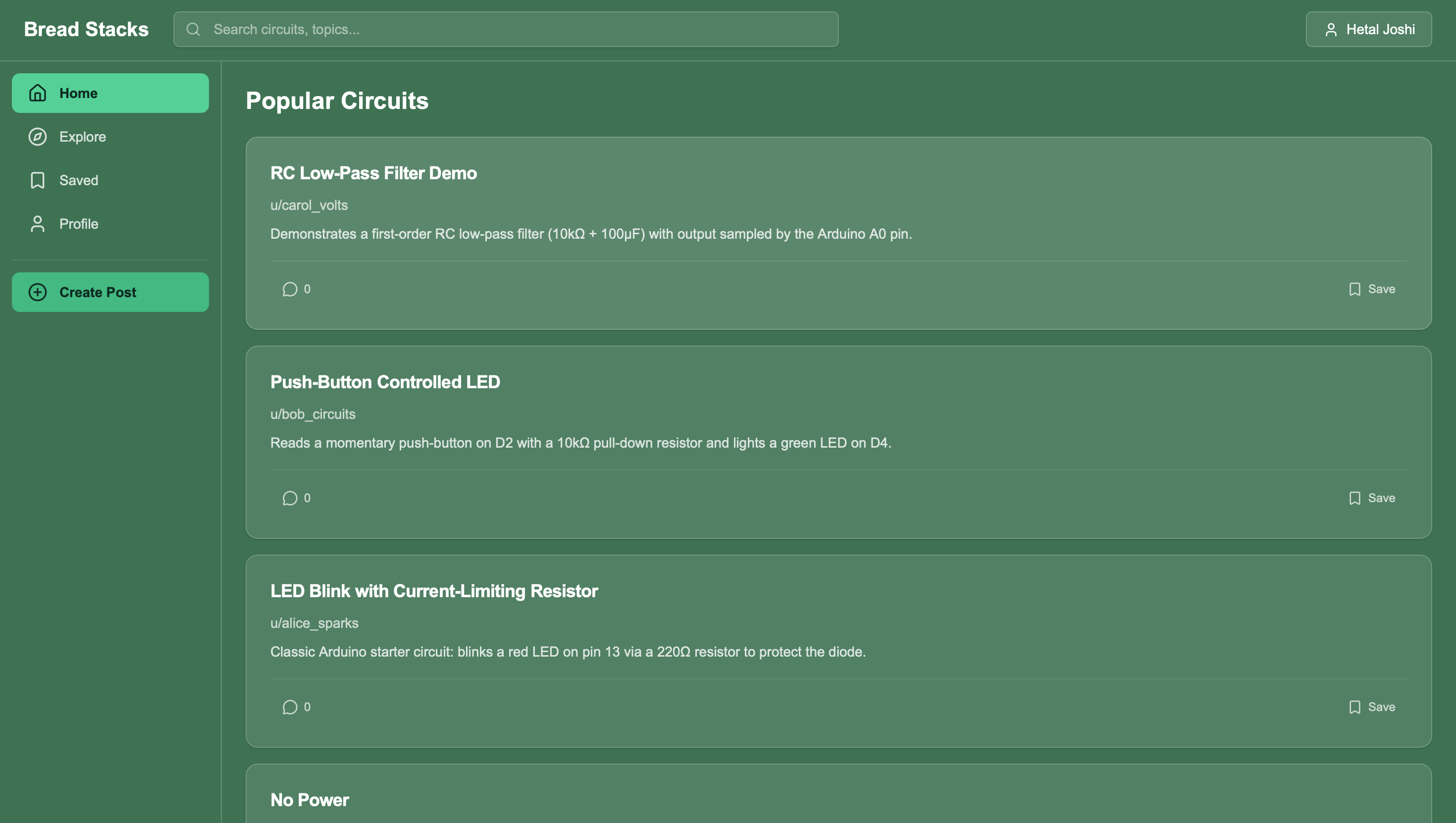
BreadStacks
Inspiration
Learning electronics for the first time can be frustrating. Beginners often build circuits on breadboards only to discover that the circuit does not work, but they have no idea why. Debugging hardware is very different from debugging software because mistakes are often invisible, such as incorrect wiring, reversed components, or missing connections.
We wanted to build a system that combines the collaborative knowledge of platforms like Stack Overflow with the power of modern AI. The idea was simple: what if beginners could upload their circuit and receive instant feedback from both AI and the community?
This idea became BreadStacks, an interactive platform that allows users to visualize circuits digitally and receive contextual feedback directly on the circuit itself.
What It Does
BreadStacks aims to make electronics learning more collaborative and approachable. Instead of spending hours trying to debug a circuit alone, users can:
- Visualize their circuit digitally
- Receive AI-powered feedback
- Collaborate with others who can annotate the circuit directly
By combining AI assistance with community knowledge, BreadStacks helps beginners learn electronics faster and with less frustration.
How We Built It
System Architecture
The platform follows a simple pipeline:
User Circuit
     ↓
Circuit JSON Representation
     ↓
Interactive 2D Canvas
     ↓
AI Analysis + Community Feedback
Each layer builds on the previous one to turn a physical circuit into something that can be analyzed and discussed online.
Circuit Representation
Instead of storing circuits as images, BreadStacks represents them using a structured JSON format. This allows the system to programmatically analyze circuits and render them dynamically.
{
  "hardware": {
    "components": [
      {
        "id": "wire_1",
        "type": "wire",
        "start": { "pin": "5V" },
        "end": { "row": "d", "col": 20 }
      }
    ]
  }
}
This structure enables several key features:
- Dynamic rendering of circuits
- Electrical connectivity analysis
- Precise placement of comments and feedback
- Easy modification and versioning of circuits
Interactive Circuit Canvas
We built a top-down interactive circuit canvas that allows users to visualize breadboard circuits digitally. The canvas includes:
- Breadboard layout visualization
- Arduino pin mapping
- Component rendering (wires, resistors, LEDs, etc.)
- Screen-coordinate comment placement
- Interactive editing of circuits
Instead of static diagrams, circuits become interactive whiteboards where users and AI can collaborate.
AI Circuit Analysis
BreadStacks includes an AI system that analyzes circuit configurations and suggests potential issues. If a circuit configuration implies unsafe current levels or missing components, the AI can flag the issue and provide guidance.
Community Debugging Layer
Inspired by Stack Overflow, BreadStacks allows users to leave comments directly on the circuit canvas. Instead of long forum threads, users can place comments exactly where the issue occurs.
"This LED might be reversed, the cathode should connect to ground."
Because comments are attached to screen coordinates, users can immediately see where the issue is located.
Challenges We Ran Into
Representing Breadboards Digitally
Breadboards contain hidden electrical connections that are not obvious visually. Accurately modeling these internal connections was one of the biggest challenges. We solved this by modeling the breadboard as a graph structure, where each connection point represents a node and wires create edges between nodes.
Designing a Flexible Circuit Format
Circuits can be built in many different ways, so our data model needed to support a wide variety of components and connections. The JSON representation had to be flexible enough to represent wires, resistors, LEDs, power sources, and microcontroller pins, while still being simple enough to analyze programmatically.
Building an Interactive Canvas
Rendering circuits dynamically while maintaining performance required careful design. We needed to efficiently translate circuit coordinates into screen positions while keeping the interface responsive.
Bridging Hardware and AI
Unlike many AI applications, hardware debugging involves physical constraints and electrical rules. We needed to design systems that combine rule-based checks with AI reasoning to generate useful feedback.
Accomplishments We're Proud Of
One of the things we are most proud of is successfully building a system that bridges the gap between physical electronics and digital collaboration. Hardware projects are often difficult to debug remotely, but BreadStacks turns a physical circuit into an interactive digital workspace where problems can be identified and discussed visually.
We are also proud of designing a structured JSON representation of breadboard circuits. Instead of treating circuits as static images, our system models each component, connection, and pin programmatically. This allows circuits to be dynamically rendered, analyzed by AI, and annotated by users directly on the canvas.
What We Learned
During the hackathon, we learned a lot about the challenges of building tools that bridge physical hardware and digital software. Some of the key things we learned include:
- Designing an interactive breadboard visualization system
- Structuring circuits as machine-readable data models
- Using AI models to reason about hardware setups
- Building systems where AI and human feedback complement each other
- Creating scalable APIs that can support real-time interaction
We also learned how important good abstractions are when representing physical systems digitally.
What's Next for BreadStacks
We have many ideas for expanding BreadStacks:
- Automatic circuit recognition from photos
- Real-time circuit simulation
- Support for additional hardware platforms
- Advanced AI-based debugging suggestions
Our long-term goal is to build a platform that becomes the go-to place for learning and debugging circuits online.

Log in or sign up for Devpost to join the conversation.