-
-
VSHacks!!!
-
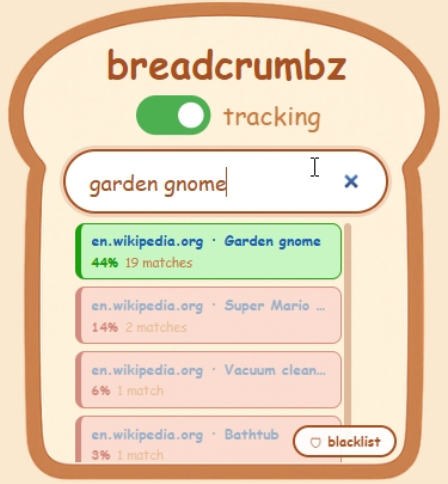
breadcrumbz in use
-
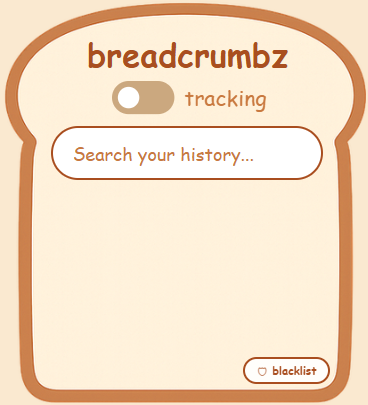
tracking off
-
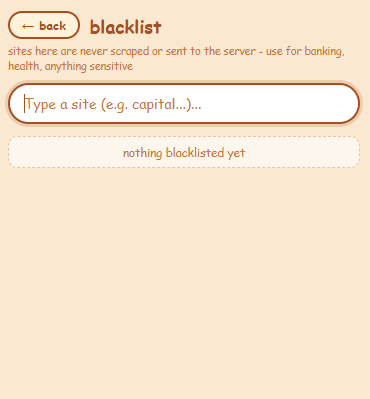
blacklist page
Inspiration
Our inspiration for this project came from a problem that we have all faced before - struggling to find some website that you just NEED to find - whether it be because it has important files, a funny meme to show a friend, or just because you really, really, really want to. We thought this could be a great idea for a theme such as automation - especially when you look at how breadcrumbz gives a unique and never-before-seen experience to users. Never has such a tool been created with the amount of ease of access and intuitiveness before!
What it does
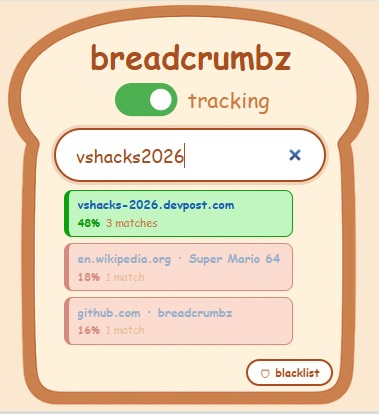
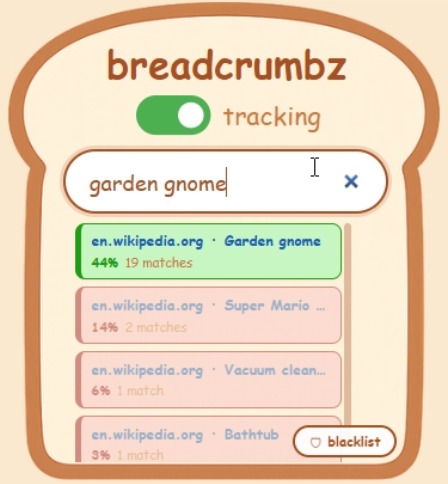
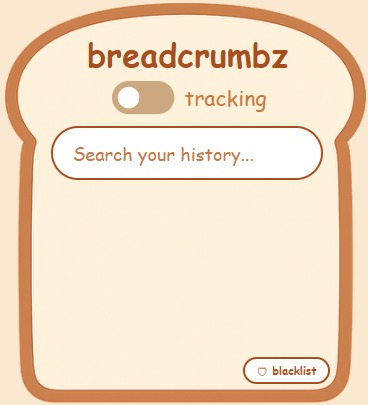
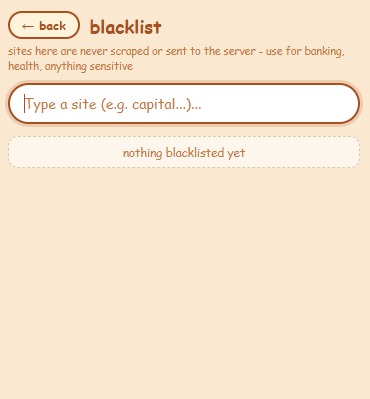
readcrumbz has two parts: frontend and backend. The frontend is a browser extension that scrapes the full text of every webpage you open and sends it to our backend server. The popup gives you full control: a toggle to pause all scraping, and a blacklist that blocks any site from ever being scraped - a serious privacy boost for sensitive pages like banking, finance, or government sites. It's all wrapped in a polished, seamless UI, including the search system. The backend turns raw scraped text - unusable junk - into searchable data. First, a basic filter strips filler words like "the" and "and." Then KeyBERT, an imported ML model, combs through what's left and identifies keywords: the words critical to the text's meaning. "Vacuum cleaners are cool" reduces to "vacuum" and "cool." These keywords go into our database, each tied to its source URL. Search is where it comes together. People remember the gist of things, not keywords - so we use the Gemini API to bridge that gap. We feed Gemini our keyword list plus your search query, and it matches them by context. A query like "a github repo where someone warned people not to steal their code" resolves to keywords like "github" and "code" - reliably surfacing the right link in the top three results, ranked from most to least confident.
How we built it
We built breadcrumbz from the ground up, starting with the backend keywording algorithms. We sorted our tasks by priority, or by how important it was to the project. The list was something like keywording backend, ai agent specialization + tuning, server connection, frontend web extension information scraping, extension search bar functionality, extension blacklist functionality, extension search result sorting & color grading, and finally, extension UI + color scheme. We split our group of three based on our previous experience. Andriy, who had experience with backend development and server startups, lead the backend side of things, while Sebastian, who had experience with UI and frontend user endpoints took charge of the frontend development. Finally, Ryan, our all-rounder, bounced between backend and frontend, designing custom ui and playing a major role in the extension functionality.
Challenges we ran into
The major timesink in our project was just tuning the database to give good keywords of websites. It would save dates and other junk that was technically in the website the user visited, but obviously wouldn't remember. It also had a particular affection for the Wikipedia for garden gnomes, and if it was in the database, would show that to the user regardless of what they searched. Because of these peculiarities, we had to spent quite a bit of time just tuning and training the database. On the frontend, everything went pretty smoothly, two members of our team had experience using HTML and were able to get it working pretty quickly.
Accomplishments that we're proud of
We are proud of the fact that we were able to divide this big project into manageable segments, proud of our capability to learn new syntax and libraries like fastapi, uvicorn, and more, and proud of the fact that after so many trials and tribulations, it actually works like we envisioned.
What we learned
Among our findings we realized that although sometimes quite dull, older models running natively can absolutely be the best fit for many situations, rather than just sending every query to some API. We also learned about the importance of documentation, since you're not always there to explain your code to your peers.
What's next for breadcrumbz
The future of breadcrumbz would hopefully consist of some optimization and investment into better models (hopefully straying away from Gemini API and using something native that's just smart enough to get the job done). We'd refurbish the UI, add better security, and most importantly, work on the scalability of our project - taking it from a working demo to a publicly available tool for anyone to use.
Built With
- fastapi
- geminiapi
- javascript
- keybert
- python
- sqlite


Log in or sign up for Devpost to join the conversation.