-
-

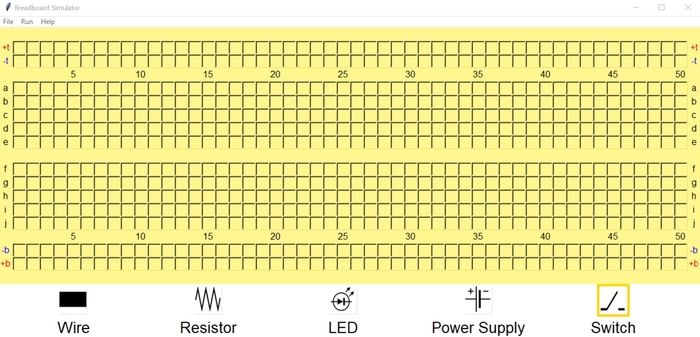
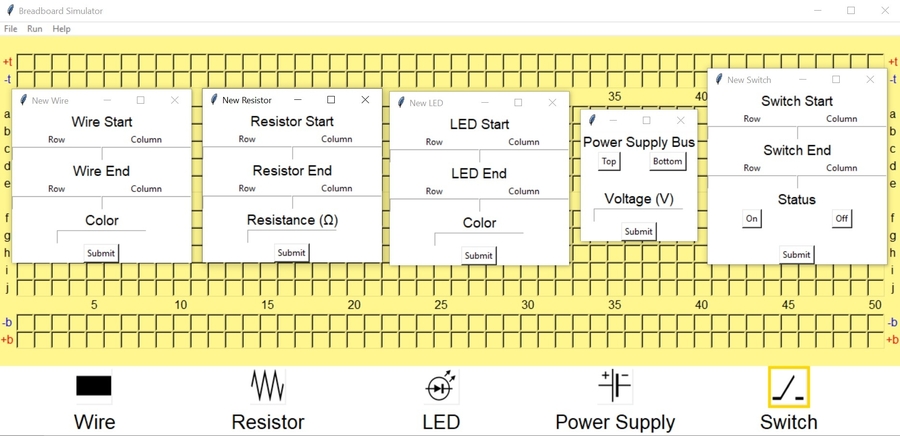
Main Breadboard Screen
-
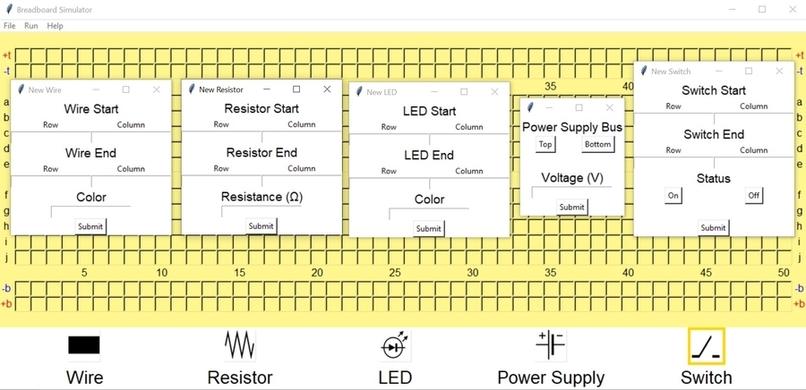
Screens for Adding Components
-
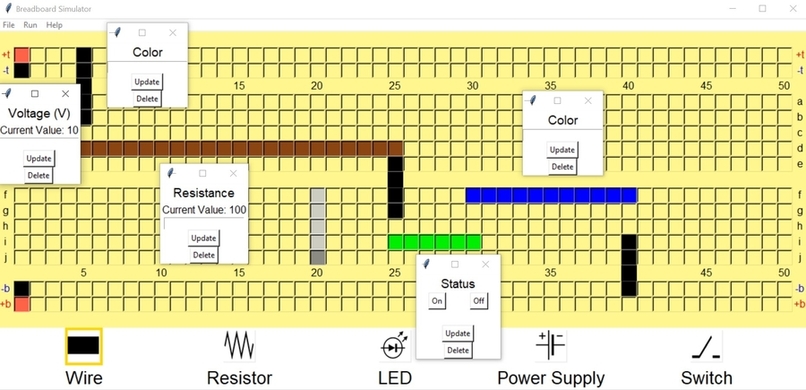
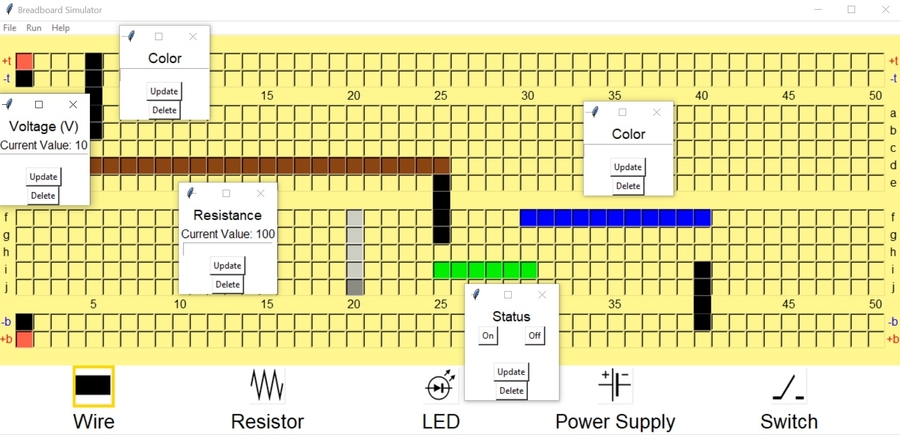
Screens for Editing Components
-
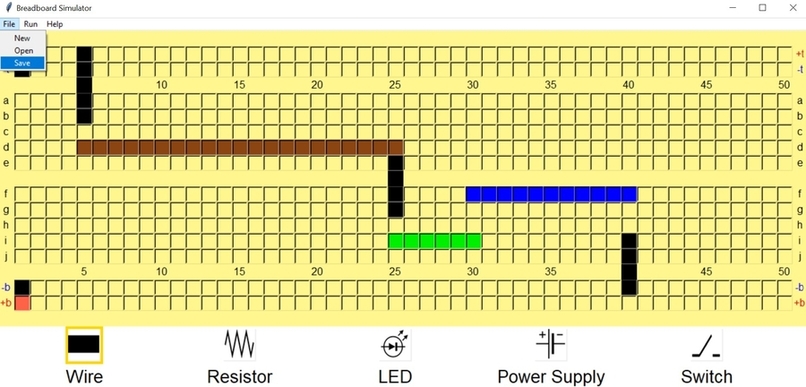
Basic Circuit

Inspiration
This application was based on a real breadboard. When we have free time, we like to experiment with circuits and since we could not find an online simulator, we decided to make our own. Additionally, breadboards are extremely fun to play and experiment with so we wanted to share the experience with others. Also, this allows you to learn how to use a breadboard without needing a physical one, which would be helpful during this time when everybody is home.
What it does
This application simulates a real life breadboard. You can add wires, resisters, LEDs, power supplies, and a switch to the breadboard to complete circuit. You can edit the components by clicking on one of their ends. Once you have created a circuit, press the run button to see it come to life! Once you are done with the circuit, you can press the save button to save it on your computer. Later, opening the file in the simulator will bring up the same circuit you were working on.
How I built it
This application was built using python and that tkinter graphics library. It is made up of 11 python scripts, and each plays a crucial part in the simulator. The main script, simulator.py, is where most of the action happens. It holds a breadboard object which contains all he holes, arrays of all the components on the breadboard, a menubar for operations like opening and saving files, and it runs the simulation. Other scripts contain the specific functions for the electrical components, the holes, and each group of holes.
Challenges I ran into
Getting this application working was definitely not easy. We experienced difficulties with saving and opening files. We had many different class all talking to each other, and thinking about all of that was difficult. We also tried to implement a Breadth First Search algorithm for our simulation, but it proved to be too difficult with the time we had.
Accomplishments that I'm proud of
One accomplishment is saving the state of the circuit in a save file and reading and restoring the state later on. Since the simulator involved lots of lists and specific connections, we spent a lot of time finding the optimal format for the data. This was really fun to play around with and is one of our most favorite parts of this project.
What I learned
Working on this application has taught me a lot of new things. One is the Breadth First Search algorithm discussed in a previous section. I also gained more experience with python, especially using the tkinter graphics library and processing different kinds of data.
What's next for Breadboard Simulator
In the near future, we plan to add more components like buttons and capacitors. We also plan to improve the graphics by switching to a more modern graphics library, which will drastically improve the UI and performance. We will also implement our Breadth First Search simulation.





Log in or sign up for Devpost to join the conversation.