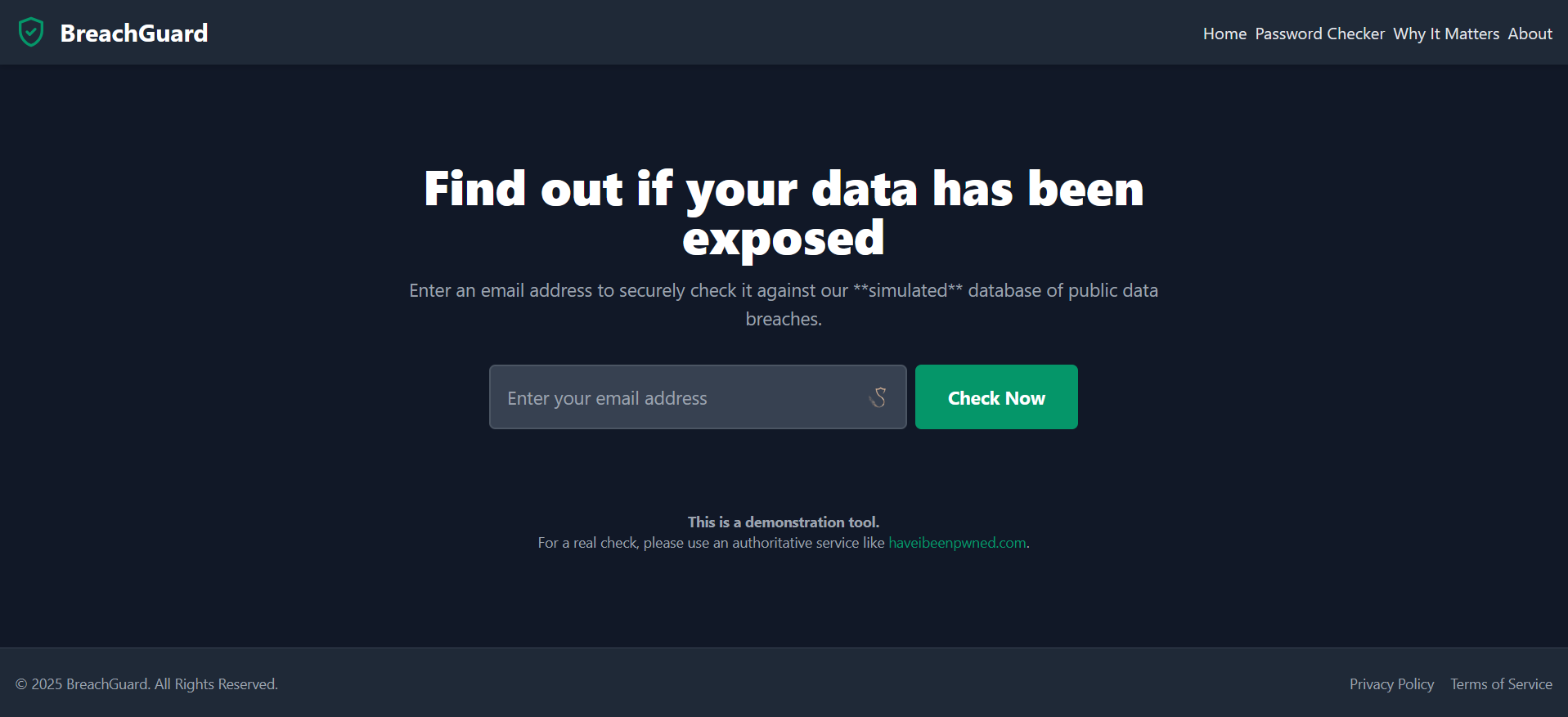
🛡️ BreachGuard – Privacy-First Educational Cybersecurity Toolkit
💡 Inspiration
Our inspiration came from essential public cybersecurity tools like haveibeenpwned.com.
While these services are invaluable, many users don't fully understand the "why" behind the "what".
We wanted to create a single, safe and educational space where non-technical users could:
- Check for breaches (simulated).
- Learn why strong passwords matter.
- Understand what to do next after a breach.
Our goal: A privacy-first, all-in-one educational toolkit that requires no installation and inspires better security habits.
🚀 What it does
BreachGuard is a complete, client-side security suite contained entirely within a single HTML file.
It offers three core tools:
🔍 Breach Checker
- Simulates checking an email address against a database of data breaches.
- Demonstrates how breach-checking services work.
- Simulates checking an email address against a database of data breaches.
🔑 Password Strength Analyzer
- Real-time, color-coded feedback on password strength.
- Checklist for creating stronger, more resilient passwords.
- Real-time, color-coded feedback on password strength.
📚 Educational Hub
- Easy-to-read sections like "Why Breaches Matter", a transparent "About" page, and clear "Privacy Policy" & "Terms of Service" to build user trust.
Privacy First: No data ever leaves the user's browser.
🛠️ How we built it
- HTML5 – Semantic elements for accessibility and clear structure.
- Tailwind CSS – Utility-first, responsive design + minimal custom CSS for animations and styles.
- Vanilla JavaScript (ES6+) –
- SPA navigation logic (show/hide sections).
- Breach checker with mock database (JS object).
- Simulated API delay (
setTimeout). - Real-time password strength analysis.
- SPA navigation logic (show/hide sections).
📄 Single-file design: Entire app in one index.html — portable & lightweight.
🏃♂️ Challenges we ran into
- Backend Simulation – Creating a believable breach-checker without a real database.
- Built mock database in JS.
- Added fake network delay for realism.
- Added disclaimers to clarify it's a simulation.
- Built mock database in JS.
- Information Architecture – Multiple tools + educational content in one page.
- Designed intuitive header/footer navigation.
- Managed section display logic in JavaScript.
- Designed intuitive header/footer navigation.
✨ Accomplishments we’re proud of
- Single HTML File, Multiple Tools – Fully functional multi-tool suite, portable and privacy-first.
- Clean & Professional UI/UX – Cohesive design despite multiple features.
- Instant Visual Feedback – The password checker’s real-time feedback is highly effective for user education.
🧠 What we learned
- Privacy-First Development – Client-side design can still deliver rich functionality.
- Vanilla JS SPA – Framework-free single-page applications are possible and performant.
- Cybersecurity Education – Breaking down complex topics for general users is both challenging and rewarding.
⏭️ What’s next for BreachGuard
- 🔐 Secure Password Generator – Generate strong, random passwords instantly.
- 📨 Phishing Quiz – Interactive “spot the fake email” game.
- 🔒 2FA Explainer – Interactive guide to Two-Factor Authentication.
- 📂 Expanded Mock Database – More varied simulated breach records.

Log in or sign up for Devpost to join the conversation.