-
-
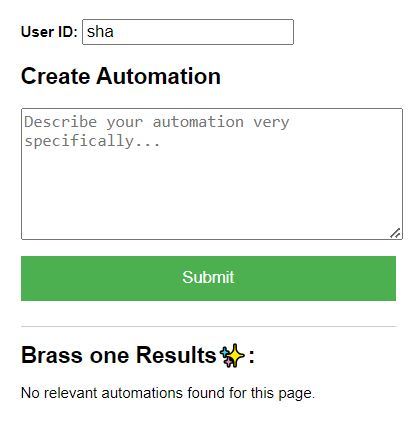
Brass One Extension
-
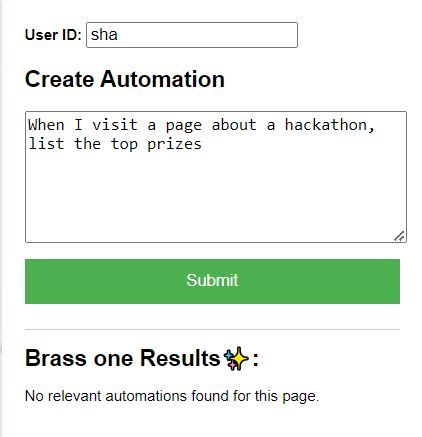
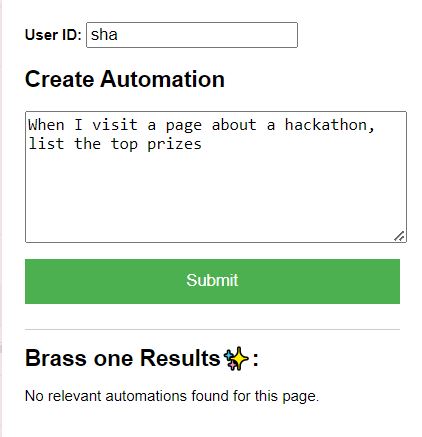
Adding a Automation
-
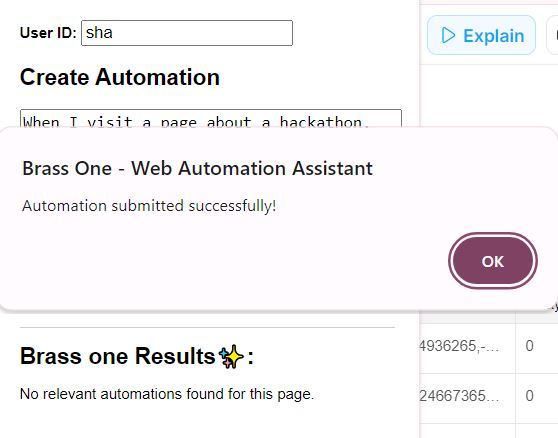
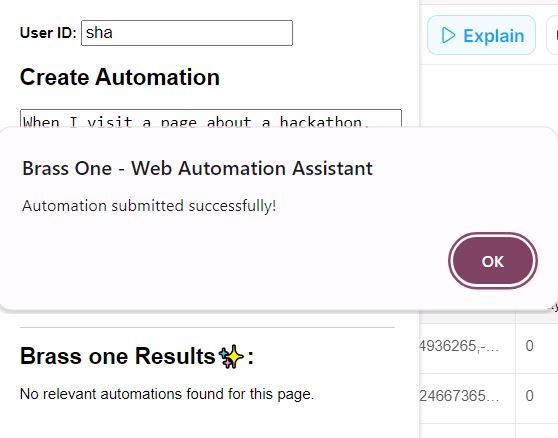
Successful Automation Submission
-
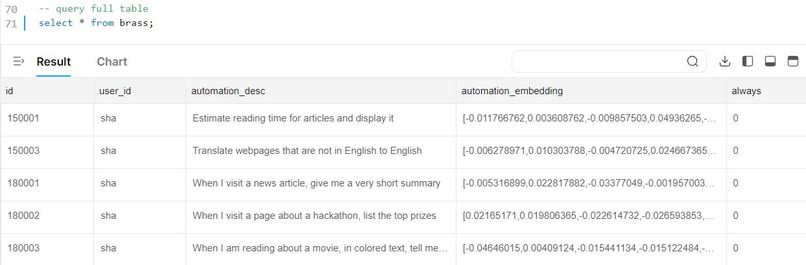
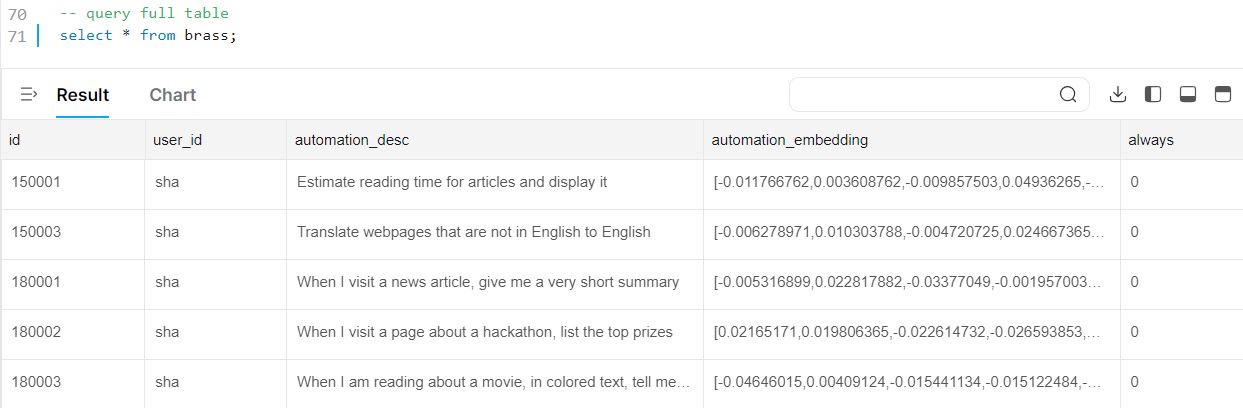
Managing Automations in TiDB
-
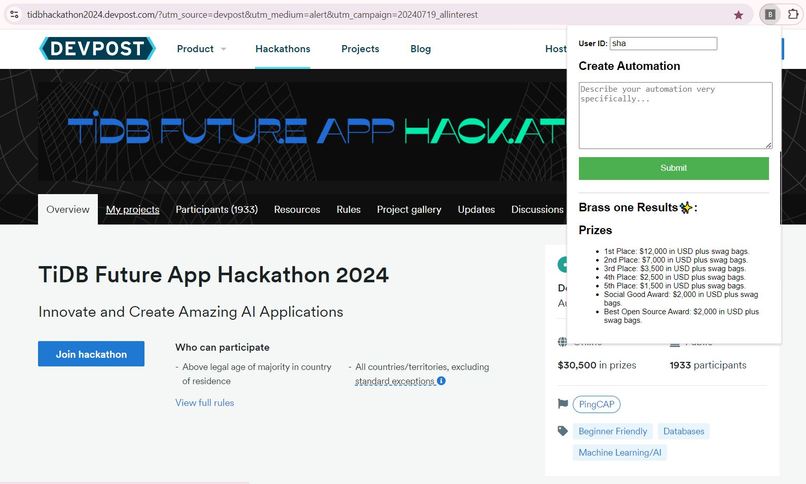
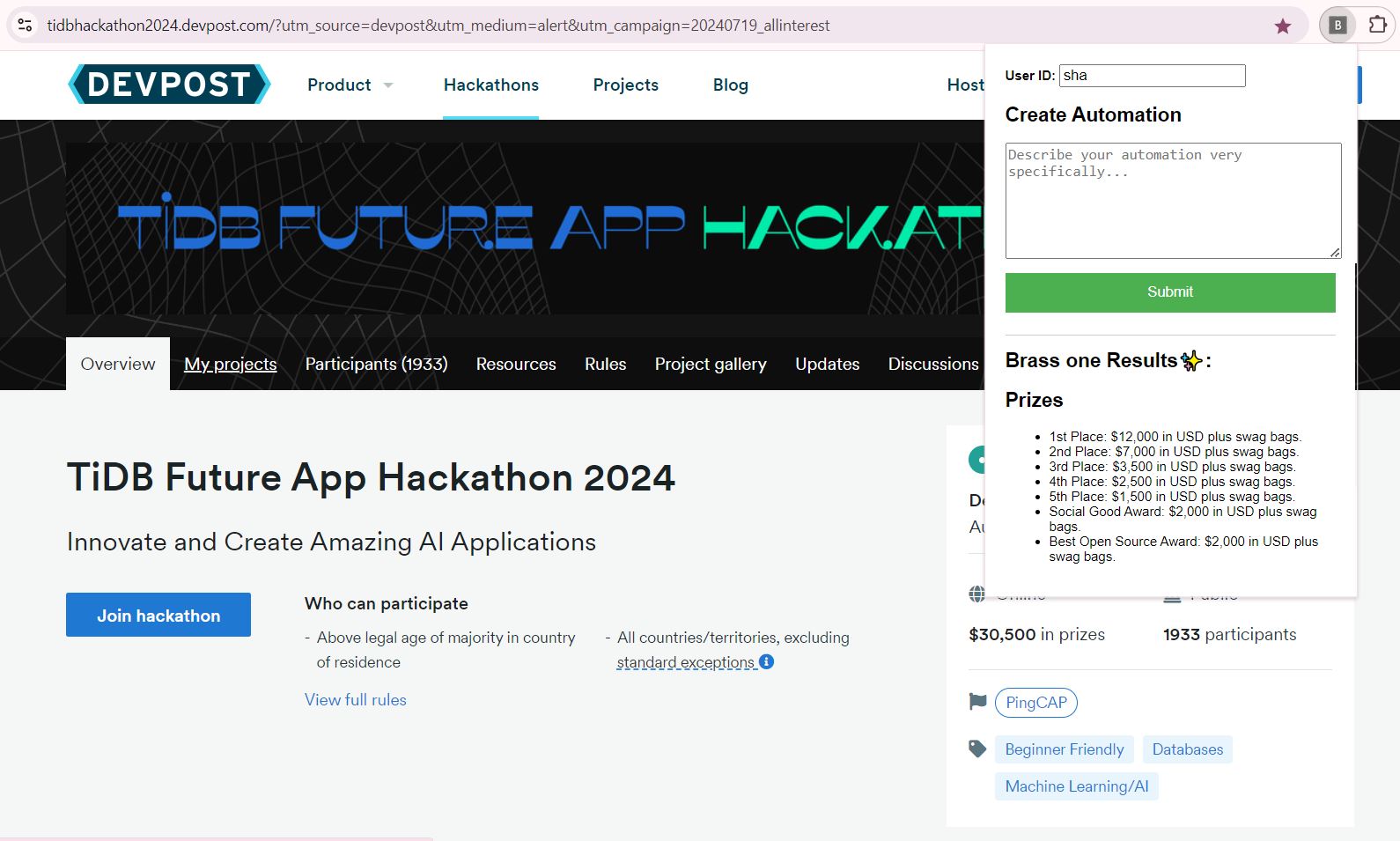
Automation in Action
-
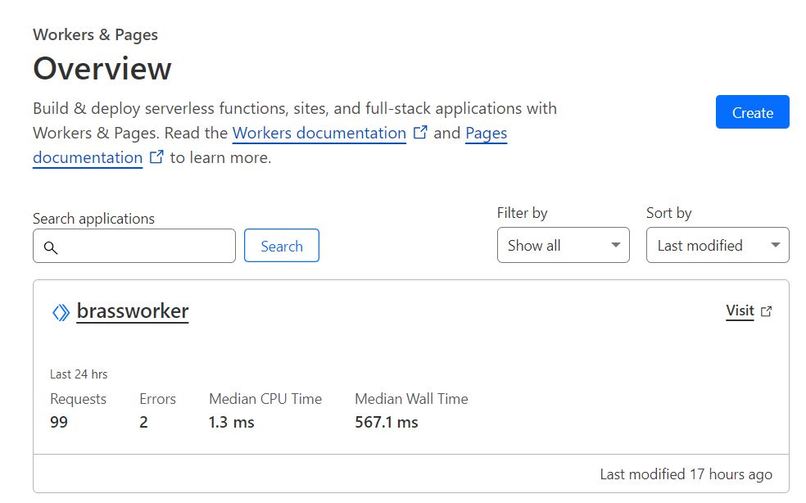
Cloudflare Worker for Backend
-
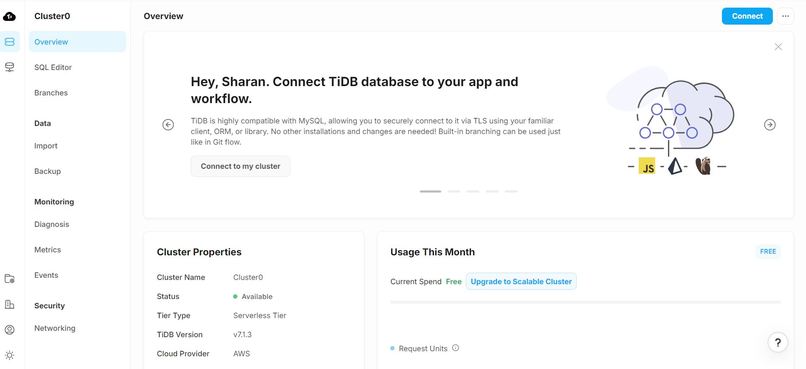
TiDB Cluster
-
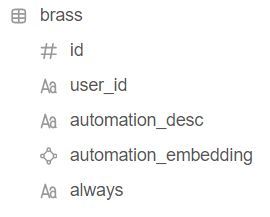
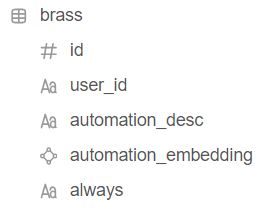
TiDB Table Schema
-
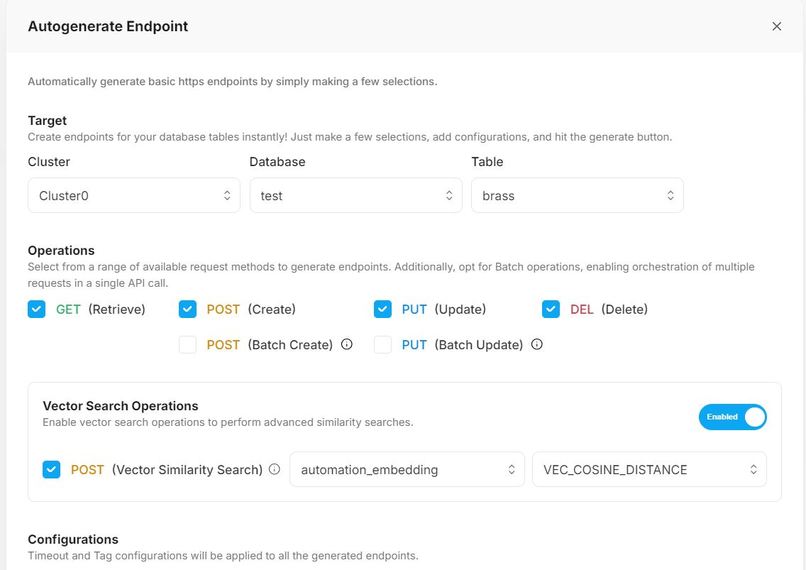
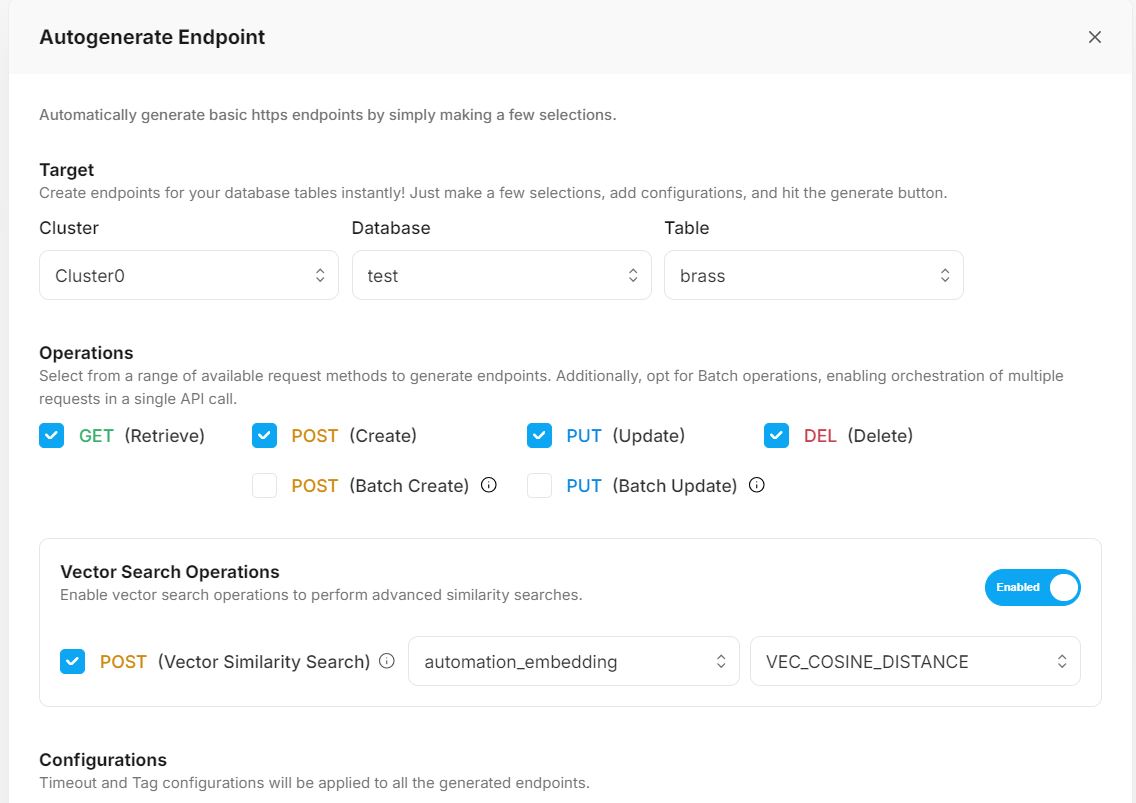
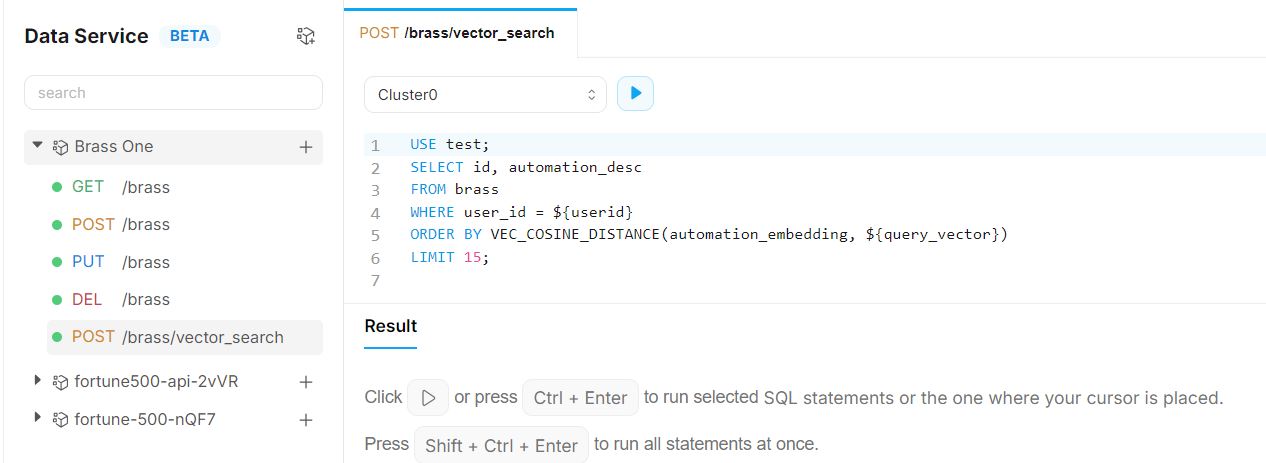
Setting TiDB Data Service Endpoints
-
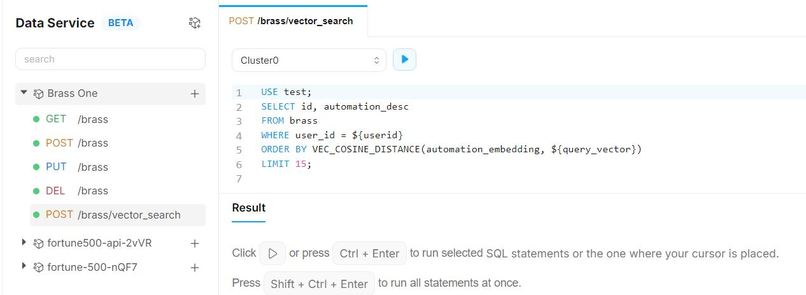
TiDB Data Service and Vector Search Features in Use
-
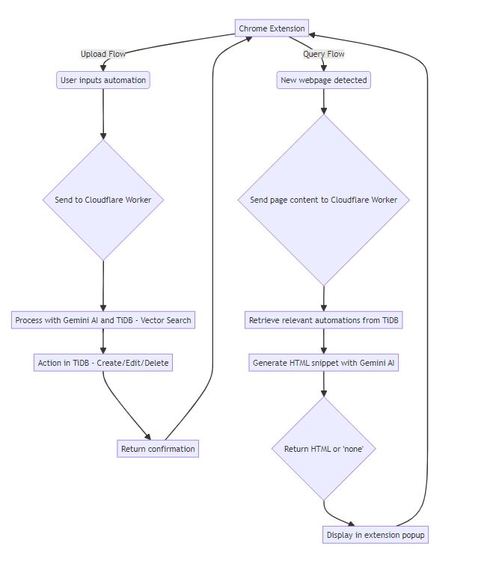
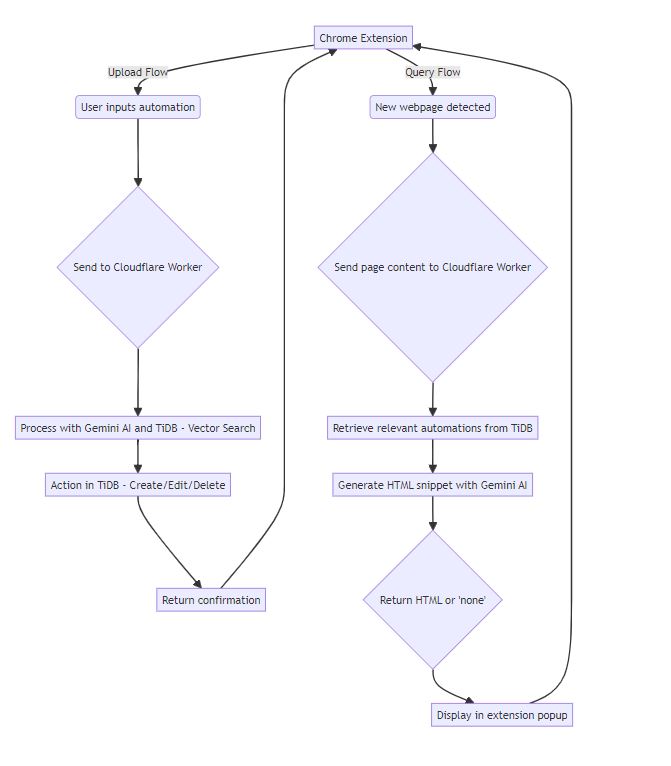
Logic Flow
-

Extension Published Successfully

Inspiration and What it does
We started with a vision to create an intelligent, adaptive web automation tool that could understand and enhance users' browsing experiences. Our goal was to leverage cutting-edge AI to provide smart, context-aware automations.
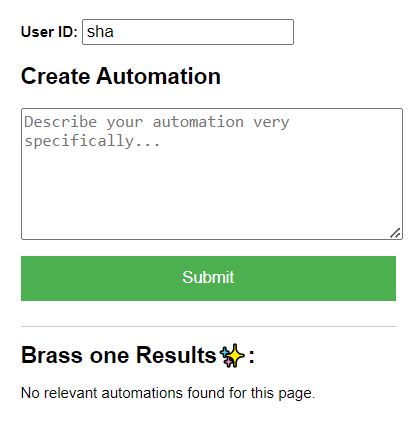
We have built an autonomous web assistant that knows your web reading preferences and generates HTML snippets accordingly. To use it you can simply open the extension when you want to create a new kind of automation. These automations could be things like:
- When I visit a news article, give me a summary
- Estimate reading time for articles and display it
- When I visit a careers page, highlight jobs related to computer science
- When I visit a Hackathon page, list the top prizes
Once automations like these have been submitted, whenever you visit a website, the AI assistant (chrome extension) will search (vector search) for automations that may apply and accordingly display helpful HTML snippets in the extension. The extension will automatically open when needed! This way, you can setup automations to gain massive productivity boosts!
How we built it
Technology Stack:
Database: TiDB Cloud for vector search and data storage
Frontend: Chrome Extension (HTML, CSS, JavaScript)
Backend: Cloudflare Workers (JavaScript)
AI Processing: Google's Generative AI (Gemini)
We built the extension using manifest v3, focusing on a clean, intuitive user interface. The extension consists of:
- A popup for user interactions and displaying automation results
- A background script for handling page processing and communication with the backend
- Content scripts for interacting with web pages
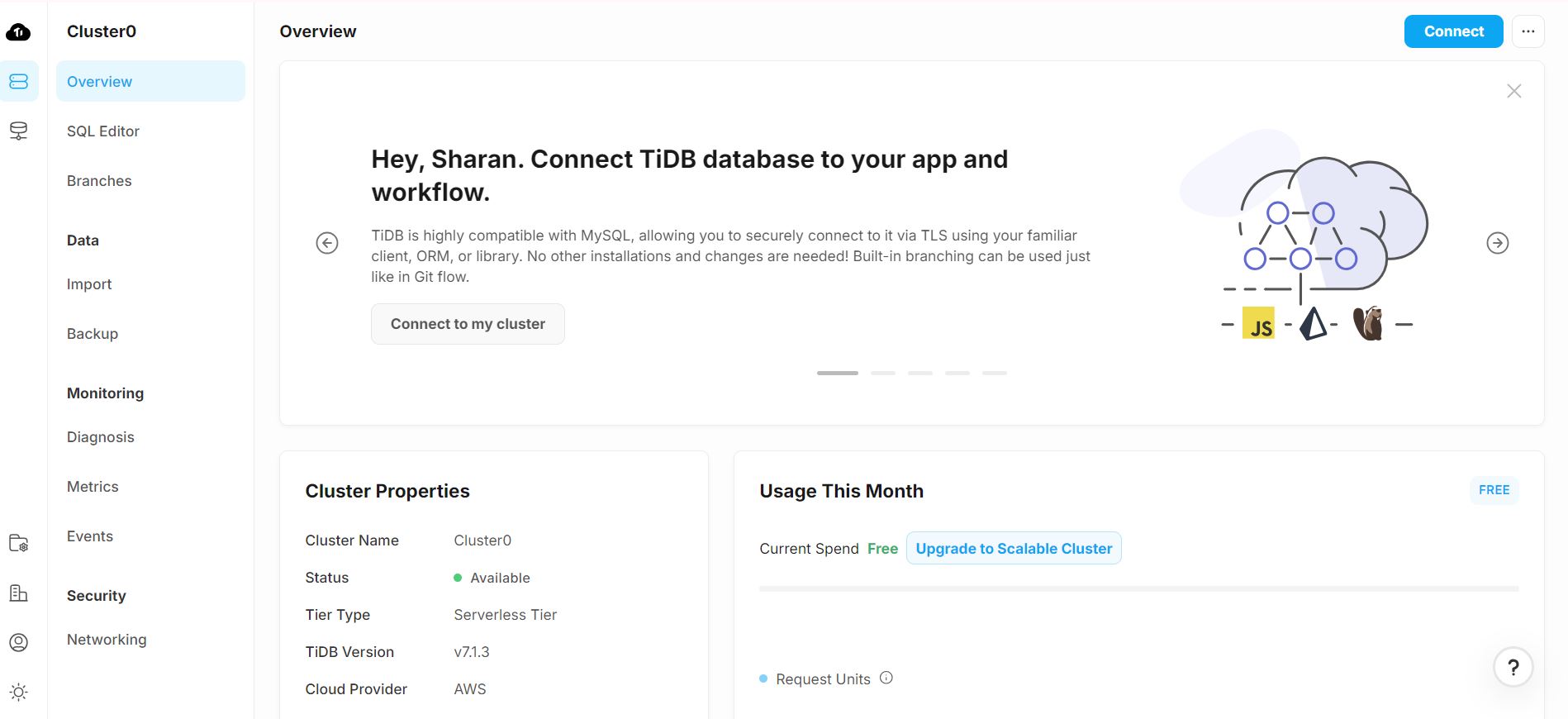
We implemented TiDB Cloud as our vector database, allowing us to:
- Manage Data Clusters
- Store and retrieve automation rules efficiently
- Perform similarity searches based on page content and user preferences
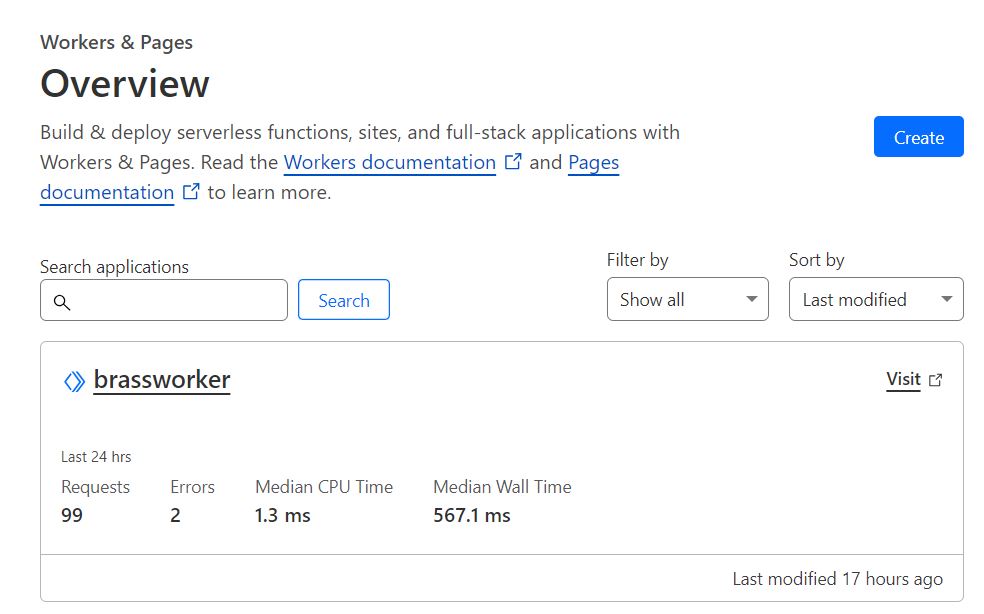
The Cloudflare Worker handles:
- Processing requests from the extension
- Communicating with the AI model
- Interacting with the TiDB database
We integrated Google's Generative AI (Gemini) to:
- Generate text embeddings for efficient similarity search
- Analyze web page content and user inputs
- Create and modify automation rules intelligently
Logic Flow Diagram
TiDB commands used: Link
TiDB Data Service Endpoint Queries: Link
Local Installation Steps
The extension can also be used locally by following these steps:
- Download this repository (https://github.com/Sharan-Babu/BrassOne) and remember the location of the 'Extension' folder
- Visit chrome://extensions/
- Switch on developer mode at top right
- Click 'load unpacked'
- Select the 'Extension' folder. That's it! Your extension is now ready to use.
Challenges we ran into and What we learned
This was the first time our team built a Chrome Extension. We learned about what goes into making one and how to architect our system. For example, since chrome extensions run in a sandboxed environment within the browser, they have restrictions like being only able to make HTTP requests and not direct database connections. This is where we learned TiDB Data Service could help us since it enables us to directly interact with our tables through a HTTPS endpoint. Moreover, the AutoGenerate endpoint feature within Data Service made the whole job of creating and managing these endpoints even more easier.
Accomplishments that we're proud of
We are happy that we were able to build a performant and helpful AI based chrome extension using TiDB - Clusters, Data Service, Vector Search and Gemini - Embeddings and Flash LLM.
What's next for Brass One - Web Automations
Brass One could extend to take actions on the web autonomously in the future. Develop cross-browser compatibility for wider accessibility.
Useful Reference Links
1) Intro to TiDB and underlying mechanisms - The first links you should visit if you have never worked with TiDB. : TiDB dev guide overview, TiDB Bookshop Schema example
2) Creating a TiDB serverless cluster - Setting a serverless cluster in TiDB
3) Connect to your serverless cluster - Connect to TiDB cluster, Serverless Drivers
4) AI-assisted SQL Editor and TiDB Chatbot! - Ctrl + I on windows - TiDB SQL AI Assistant, TiDB AI Chatbot
5) Vector Search on TiDB - Vector Search overview, PingCap AI, TiDB Vector Search
TiDB Vector Search (beta) provides an advanced search solution for performing semantic similarity searches across various data types, including documents, images, audio, and video. This feature enables developers to easily build scalable applications with generative artificial intelligence (AI) capabilities using familiar MySQL skills.
Note TiDB Vector Search is currently in beta and only available for TiDB Serverless clusters.
6) Types and Syntax - TiDB Vector Data Types, TiDB Vector Search Index
Note Currently Vector data types cannot store double-precision floating numbers. This will be supported in future release.
7) TiDB Cloud Data Service - TiDB Cloud Data Service
TiDB Cloud Data Service (beta) is a fully managed low-code backend-as-a-service solution that simplifies backend application development, empowering developers to rapidly build highly scalable, secure, data- driven applications. You'll need to set up a server-side component to handle this, as Chrome extensions can't directly connect to databases. Data Service enables you to access TiDB Cloud data via an HTTPS request using a custom API endpoint.
8) Sample Applications - TiDB Past Hackathon Projects, TiDB GPT App
9) Embeddings - Google AI Embeddings, Embeddings Document Search
10) Cloudflare Worker Wrangler Docs - Wrangler Docs
11) Other resources - Link
Special thanks to the TiDB team for the clear documentation and super-helpful tools like the AI-SQL Editor which make development so much faster!
Built With
- chrome
- cloudflare
- gemini-api
- llms
- tidb


Log in or sign up for Devpost to join the conversation.