-
-
BrandGuard UI
Inspiration
Brand mistakes are expensive. A single off-brand color can cost $50,000 to fix post-launch. Design teams spend 10+ hours per week manually checking brand compliance—and still miss issues. We saw this problem firsthand: fragmented tools, slow workflows, and no automation.
We built BrandGuard AI to solve this. Instead of spending hours checking colors, fonts, and accessibility, designers should get instant compliance with one click. We wanted to catch mistakes before they cost money.
What it does
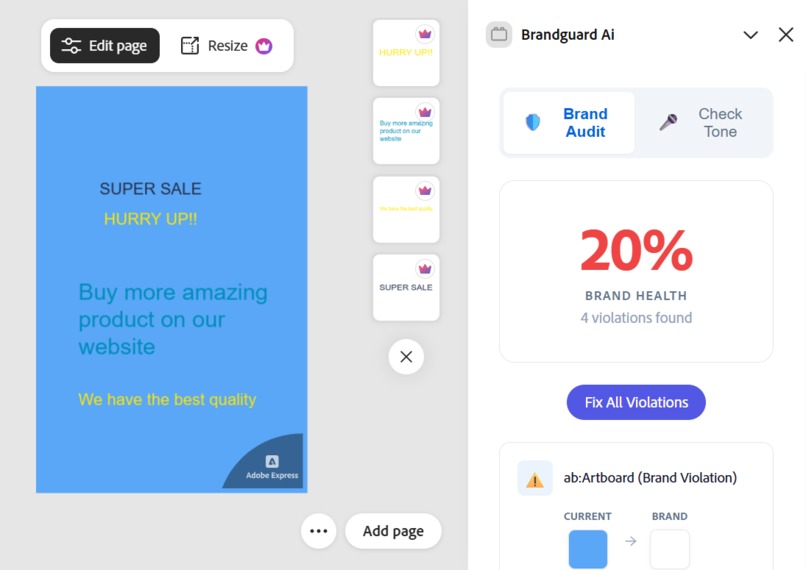
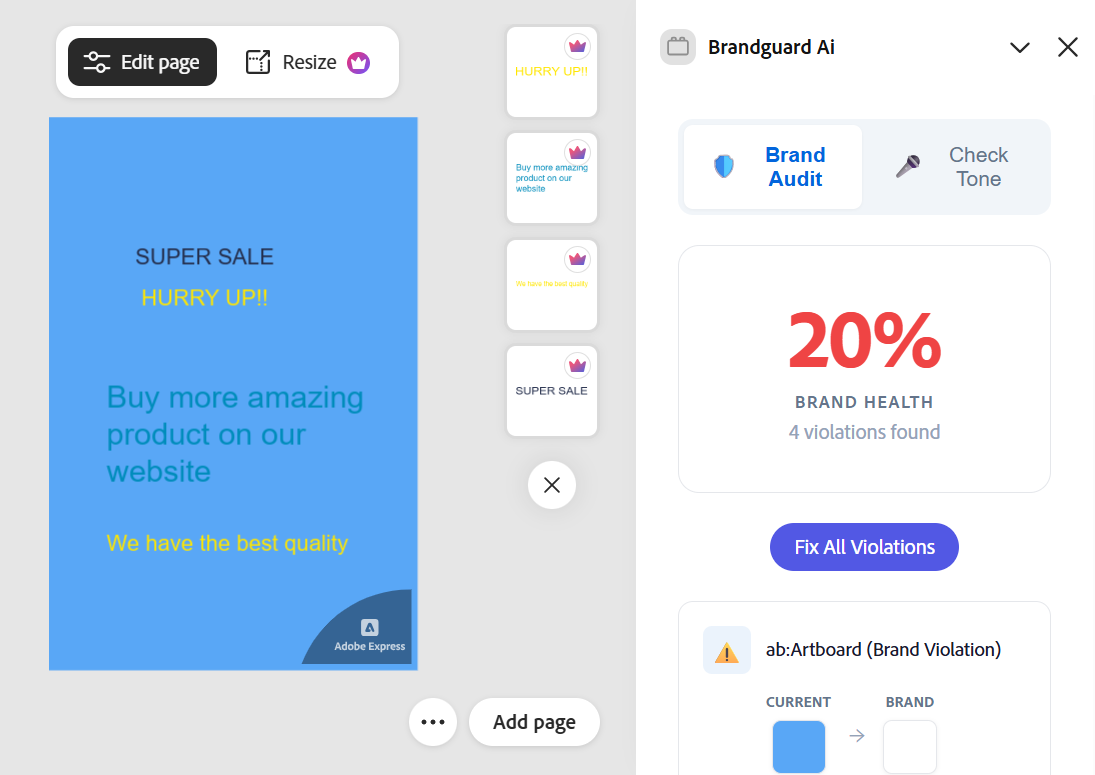
BrandGuard AI checks Adobe Express designs for brand compliance and accessibility issues. It audits colors, fonts, and contrast ratios against brand kit rules and WCAG standards. It provides clear violation explanations, supports one-click fixes, highlights unfixable contrast cases, analyzes brand voice using AI, and supports multiple brand kits.
How we built it
We built BrandGuard AI in structured phases over six weeks.
Phase 1: Core Brand Audit
We created a document scanning system that inspects all elements, extracts colors and fonts, validates them against brand rules, and calculates WCAG contrast ratios.
Phase 2: One-Click Fixes
We designed a smart fixing system that selects WCAG-compliant brand colors while preserving the original design aesthetics and handling unfixable cases.
Phase 3: AI Brand Voice Analysis
We integrated Google Gemini API through Azure Functions to analyze text against brand voice standards, generate alignment scores, and suggest rewrites with graceful failure handling.
Phase 4: Brand Kit Management
We built a visual brand kit creator allowing designers to define typography rules, color palettes, and permissions without needing technical knowledge. Multiple brand kits are supported.
Phase 5: Polish & Production
We finalized the experience with detailed violation cards, undo/redo support, unfixable contrast warnings, robust error handling, and full TypeScript type safety.
Challenges we ran into
Background Color Detection
Determining the correct background color was difficult due to nested containers and transparency. We solved this by traversing container hierarchies to find the effective background.
Font PostScript Name Mapping
Adobe Express uses PostScript font names while brand kits use family names. We built a normalization system to correctly map fonts and styles.
Color Normalization
Design colors appeared in multiple formats. We normalized all formats into a single consistent representation for reliable comparison.
AI API Rate Limiting
External AI APIs could fail during demos. We implemented backup strategies, graceful error handling, and safe fallback states.
Real-Time Document Updates
After fixes, audit results could become outdated. We ensured the document re-audits itself after every change.
Unfixable Contrast Cases
Some brand colors cannot meet WCAG requirements. We introduced unfixable warnings that explain the limitation, suggest alternatives, and prevent invalid fixes.
Accomplishments that we're proud of
- 300x faster than manual brand checks (10 hours → 30 seconds)
- 100% WCAG compliance detection (AA and AAA)
- Zero false positives in color matching
- Unlimited multi-brand support
- Production-ready system with full TypeScript coverage
What we learned
We learned how to work with Adobe Express dual-runtime architecture, combining UI Runtime and Document Sandbox communication. We gained deep understanding of WCAG accessibility standards and contrast calculations. We learned how to integrate production AI systems with proper prompt design, error handling, and fallback strategies. We implemented color distance algorithms for accurate brand color matching. We also learned how to design secure, scalable serverless backends using Azure Functions.
Design-wise, we learned the importance of non-destructive workflows, clear visual feedback, accessibility-first design, and enterprise-level scalability.
What's next for Untitled
We envision BrandGuard AI becoming the standard for brand compliance in design tools. Future plans include exporting compliance reports, enabling team collaboration, supporting brand guideline versioning, integrating with design systems, and using AI to generate brand guidelines automatically.
BrandGuard AI started from a real problem: expensive brand mistakes. Over six weeks, it evolved into a production-ready add-on that saves time, money, and ensures every design is accessible and on-brand.
One click. Zero mistakes. Infinite confidence.
Built With
- adobe-express-sdk
- azure-functions
- google-gemini-api
- javascript
- node.js
- python
- react
- typescript
- webpack

Log in or sign up for Devpost to join the conversation.