-
-
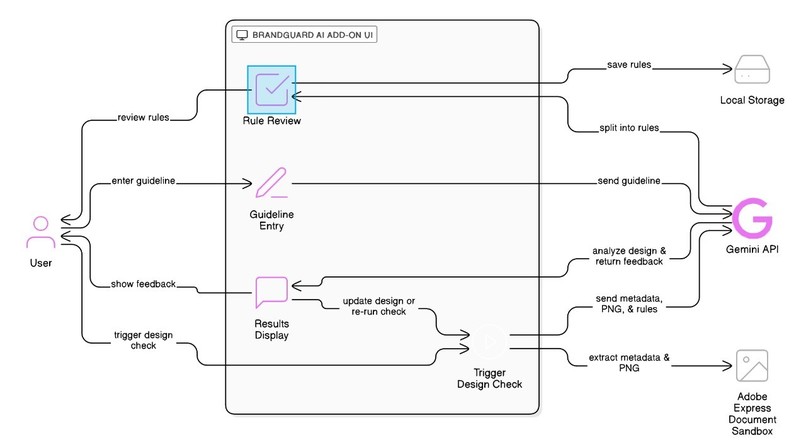
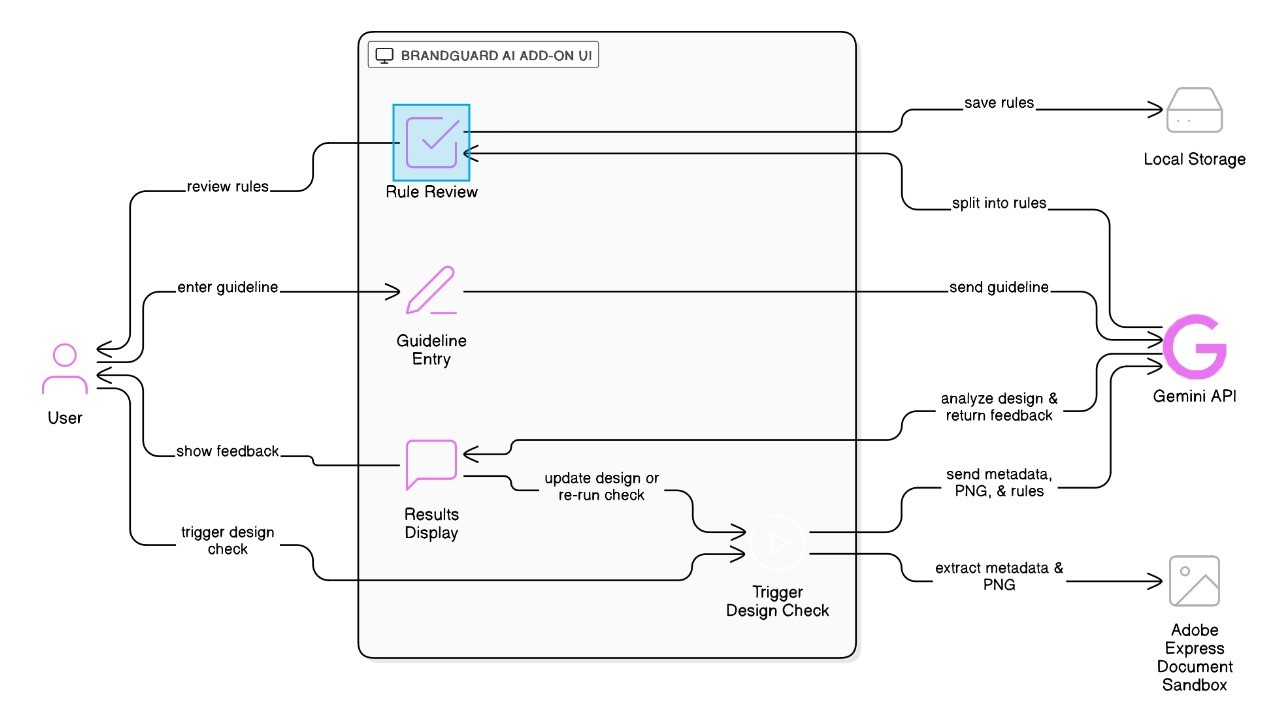
Work flow
Inspiration
Have you ever finished a design, only to realize later that you used the wrong logo or an off-brand color? We have—and so have many designers and marketers we know. That “oops” moment inspired us to create BrandGuard AI. We wanted to build something that quietly watches your back, making sure every Adobe Express design stays true to your brand, without slowing down your creative flow.
What We Learned
Building this add-on was a deep dive into both the creative and technical sides of design. We learned:
- How to extend Adobe Express with custom add-ons and work with its evolving SDKs.
- The challenges of teaching an AI to “see” brand elements the way a human does.
- The importance of feedback that’s helpful, not annoying—because nobody wants a nagging robot!
- The current limitations of the platform, especially when it comes to supporting video content.
We also discovered how crucial it is to make technology feel like a creative partner, not a gatekeeper.
How We Built It
We started by talking to real users—designers, brand managers, and even a few “accidental” marketers. Their stories shaped our feature list. Next, we sketched wireframes and mapped out the user journey.
On the technical side:
- We used the Adobe Express Add-On SDK to integrate directly into the design workflow.
- Our add-on lets users add, edit, and manage their own brand guidelines (like logo usage, color, and font rules).
- We extract detailed metadata and a PNG preview of the current design page using the document sandbox.
- When users want to check their work, we send the design data and selected guidelines to Google Gemini (an AI model).
- Gemini reviews the design and guidelines, then returns a Markdown table of any violations (or “No violations found” if all is well).
- The results are shown in a clear, human-friendly format, helping users quickly spot and fix issues.
- All guidelines and selections are saved in Adobe Express’s client storage, so users don’t lose their work.
Challenges We Faced
- API Surprises: We appreciated Adobe Express APIs, though understanding metadata like colors in RGB was tricky. It challenged us to find creative solutions.
- AI “Vision”: Training the AI to recognize subtle differences in logos and colors was harder than we thought. We spent a lot of time curating our dataset and prompts.
- User Experience: We wanted feedback to be helpful, not disruptive. It took several iterations (and lots of user feedback) to get it right.
- Markdown Parsing: Parsing the AI’s Markdown output and displaying it as a readable table in the UI was trickier than expected.
- Video Support: We wanted BrandGuard AI to help with video content as well, but due to current platform and API limitations, we were not able to make it work for video. This is an area we hope to explore in the future as the platform evolves.
Final Thoughts
Building BrandGuard AI was both a technical challenge and a creative adventure. We’re proud of how it turned out—and even prouder of what we learned along the way. Our hope is that BrandGuard AI will help every designer feel more confident, creative, and, most importantly, on-brand.
Built With
- adobe-express-sdk
- google-gemini-api
- react
- typescript

Log in or sign up for Devpost to join the conversation.