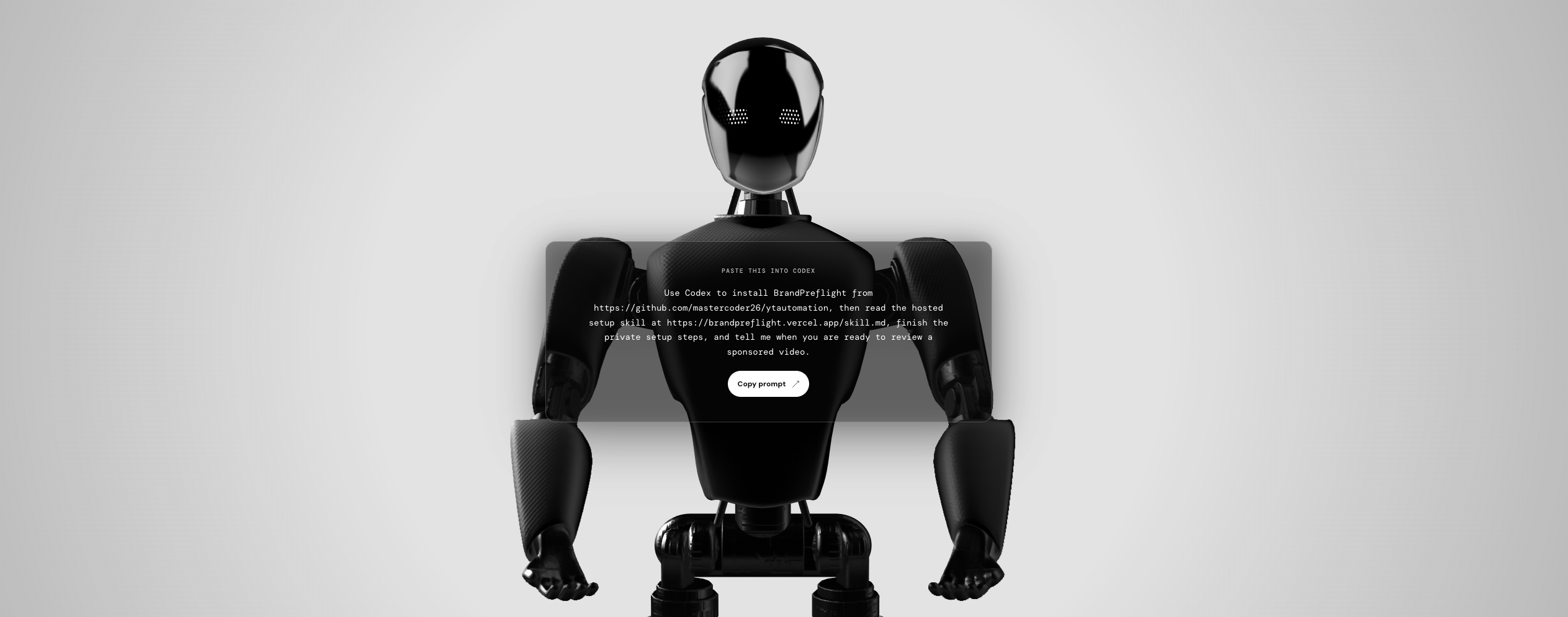
BrandPreflight
Review a finished sponsored video against its campaign brief and get a timestamped, evidence-backed readiness report before delivery.
Live setup site | Source code and run instructions
Inspiration
The edit is locked, the upload is scheduled, and then the final questions begin. Was the sponsorship disclosed clearly? Did the creator use the approved claim? Was the promo code shown correctly? Did captions cover a required logo?
Answering those questions often means scrubbing through the video while cross-referencing a dense campaign brief. It is repetitive creator work at the exact point when a small oversight can cause another review cycle, another export, or a delayed post.
We built BrandPreflight to automate that last manual comparison. It gives creators and editors a practical preflight before a sponsored video leaves their hands, while there is still time to fix it.
What it does
BrandPreflight turns a campaign brief and finished video into a scored, actionable review.
A creator opens the setup site, selects their coding agent, and copies one prompt. The agent installs the BrandPreflight skill and CLI, completes the local setup, and asks for only two inputs: the campaign brief and the finished video.
The agent extracts requirements from the brief and uses its video-review capability to inspect captions, transcript segments, and timestamped frames. It checks for disclosures, approved and prohibited claims, branding, calls to action, promo codes, and exact wording. It returns findings in a strict format with a requirement ID, status, evidence source, time range, observation, and confidence.
BrandPreflight validates the findings against the known campaign requirements and evidence contract. It then applies a deterministic scoring model, produces a 0 to 100 Campaign Readiness Score and verdict, and saves a signed local report. The report shows what passed, what needs attention, what could not be verified, and a recommended edit for each missed or at-risk item.
The result is a real working output, not a generated summary. Each run creates a review ID, a deterministic score and verdict, a signed report, and a command that opens the results in a local browser.
How we built it
We built the working implementation during the hackathon window, starting with executable tests for the evidence and scoring contracts. The core is written in TypeScript as a local-first CLI. It also includes an MCP server implementation for structured agent integrations, plus a Vite and React setup site that generates prompts for Codex, Claude Code, Cursor, and other coding agents.
The architecture separates observation from authority. The agent reads the brief, watches the video, and proposes evidence. BrandPreflight owns schema validation, requirement weighting, score calculation, verdict rules, and report signing. Required items carry more weight, and missing required disclosures or prohibited-claim violations can block a ready verdict. The same validated findings always produce the same score.
We also built an optional prepared-media pipeline for stronger artifact-bound review. It records the campaign digest, video duration, transcript, sampled frame timestamps, and processing completeness in a signed local manifest. In that path, BrandPreflight can reject transcript evidence that does not appear in the cited segment and visual evidence that does not overlap a sampled frame.
For teams that enable the prepared-media path, PDF and media processing can run in constrained Docker or Podman containers with networking disabled, restricted filesystem access, and resource limits. The simple Watch-based workflow remains available for creators who want the smallest setup.
The project includes unit, integration, and end-to-end tests across scoring, file boundaries, MCP tools, the CLI workflow, and the report viewer. Our final verification ran 88 tests successfully with 96.69 percent line coverage and 80.78 percent branch coverage.
Challenges we ran into
The hardest problem was making AI useful without letting it certify its own work. A model can find a disclosure or describe a logo, but a plausible observation is not a score. We designed a strict handoff in which the agent supplies evidence and limitations, while BrandPreflight calculates the result in code.
We also had to represent uncertainty honestly. In the Watch-based workflow, the agent must mark unsupported requirements as not_verifiable and record incomplete coverage as a limitation. The optional prepared-media pipeline adds technical checks against signed transcript, frame, and processing data. Keeping those guarantees distinct made the product more honest and easier to audit.
Finally, campaign PDFs, transcripts, captions, filenames, and text inside video frames are untrusted input. We treat them as data rather than instructions, validate model-produced fields, restrict imported file paths, and isolate native processing when the containerized path is enabled.
Accomplishments that we're proud of
We are proud that BrandPreflight works from setup to report. A creator can begin with one prompt, provide a real brief and video, receive a scored review, and open a local results screen that points to the next edit.
We are also proud of the line between AI judgment and deterministic scoring. The model never supplies the score. BrandPreflight turns its observations into a repeatable result with a clear record of the requirements, cited time ranges, limitations, and recommended changes.
Most of all, we automated an overlooked piece of creator busywork. BrandPreflight does not promise perfect compliance or replace human approval. It gives creators and editors a repeatable, structured review before delivery, without requiring them to upload the raw video to a BrandPreflight service.
What we learned
A score alone does not create confidence. A useful review must let someone trace a result back to the brief, inspect the cited moment, understand any gaps, and know what to change next.
We also learned that honest uncertainty is a product feature. An inconclusive finding can be more valuable than an optimistic guess because it tells the creator exactly where a human check is still needed.
Finally, automation only helps when it is easy to start. The copyable setup prompt became a core part of the product because it hides installation details and keeps the creator focused on the brief, the video, and the result.
What's next for BrandPreflight
Next, we want to add OCR for on-screen disclosures, promo codes, and approved text, along with broader checks for logo placement and duration. We also plan to support background processing for longer videos and focused re-checks after a creator makes an edit.
After that, we want to test BrandPreflight with more creators, editors, and brand teams. Their real review patterns will help us improve requirement extraction and recommendations while preserving the local-first, evidence-driven foundation.
Built With
- docker
- ffmpeg
- ffprobe
- mcp
- node.js
- pdf-parsing
- typescript
- vercel
- vitest
- whisper.cpp
- zod


Log in or sign up for Devpost to join the conversation.