-
-
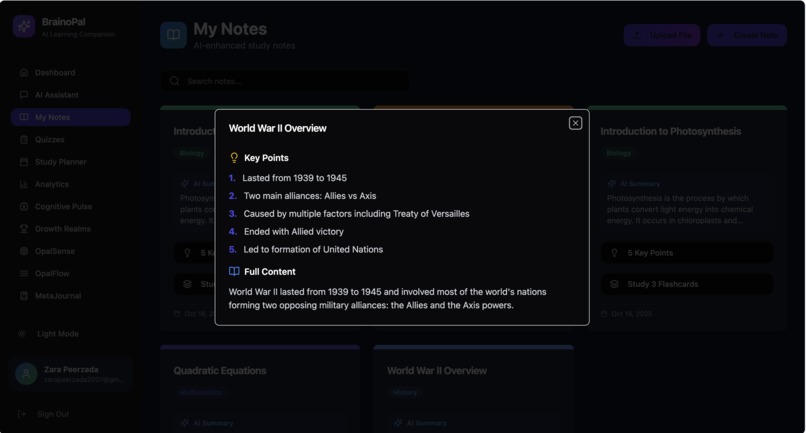
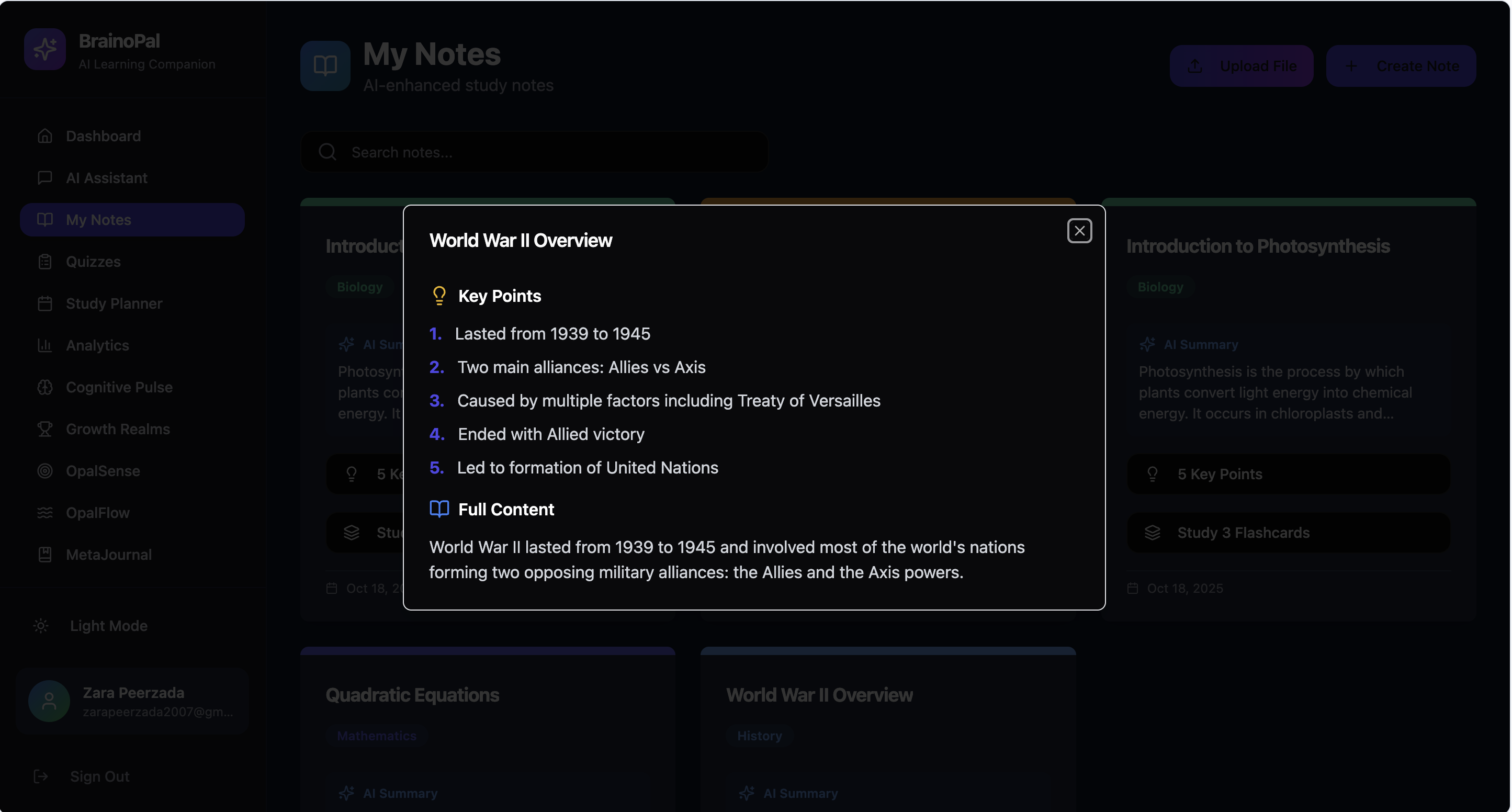
“Access key points and highlights from your studies for quick, efficient review.”
-
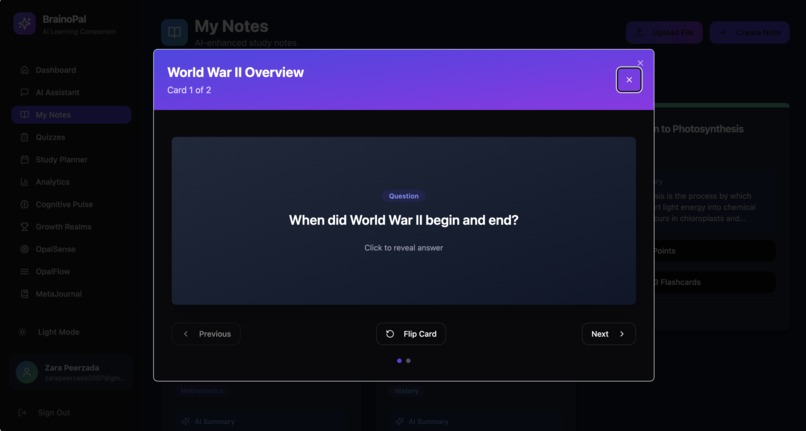
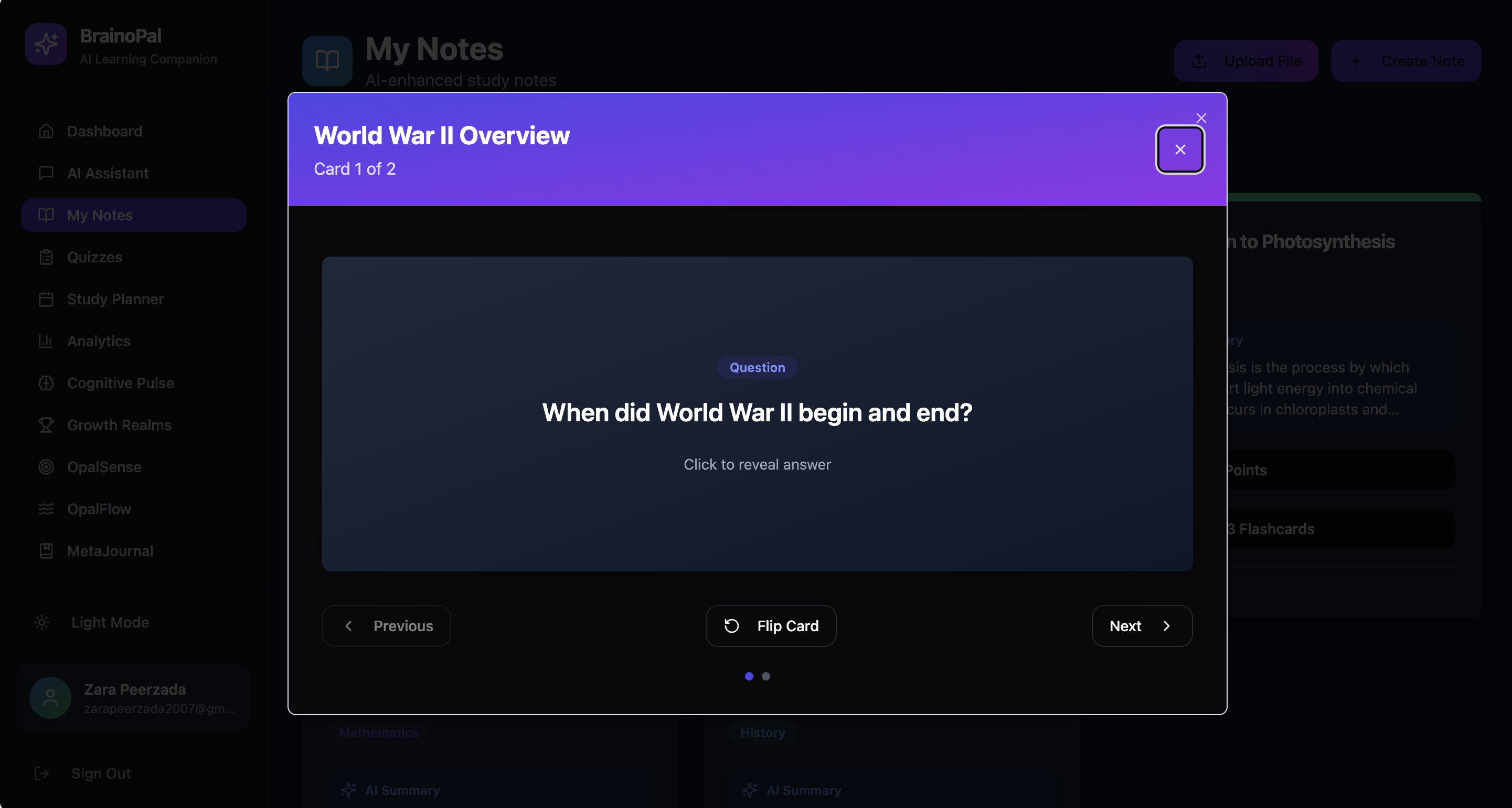
“Create and review flashcards or upload images to reinforce memory and retention.”
-
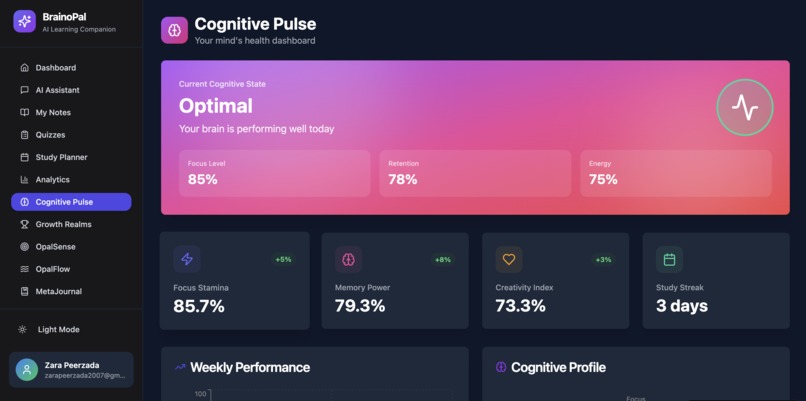
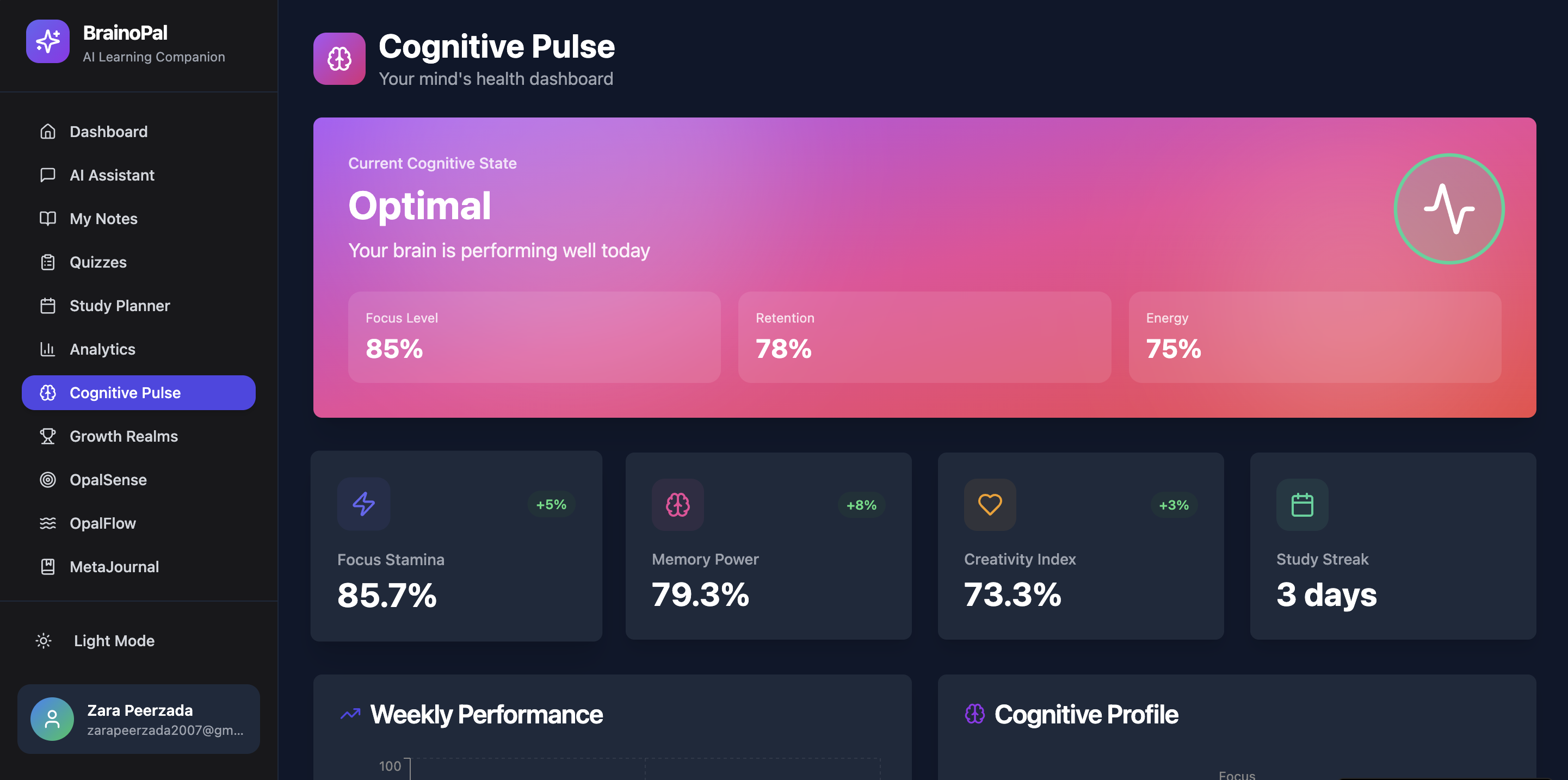
“Analyze your cognitive performance, study trends, and track progress over time.”
-
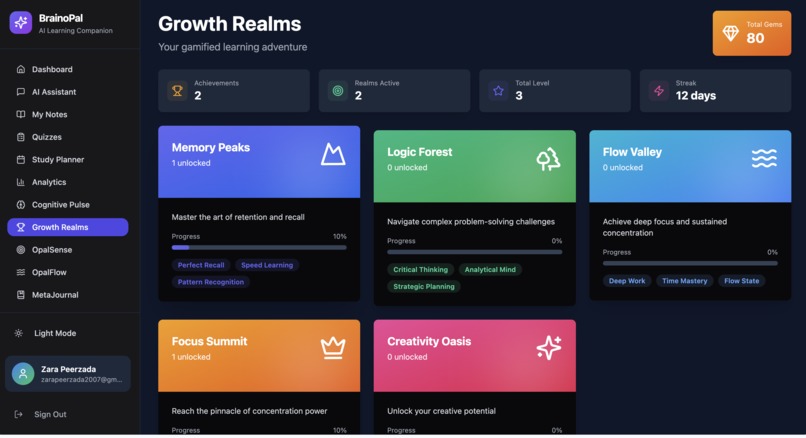
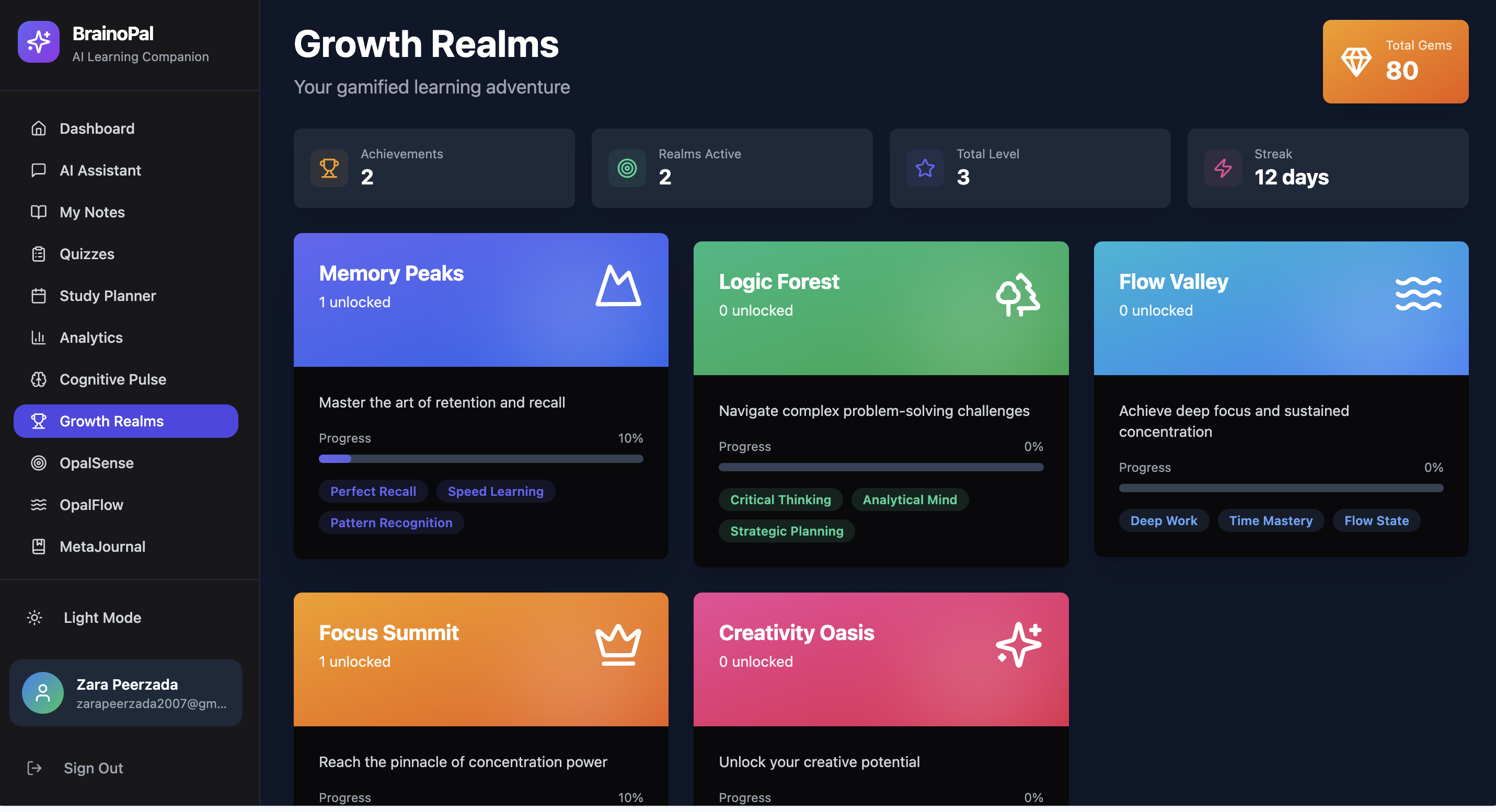
“Track your achievements, earn points and badges as you learn and grow.”
-
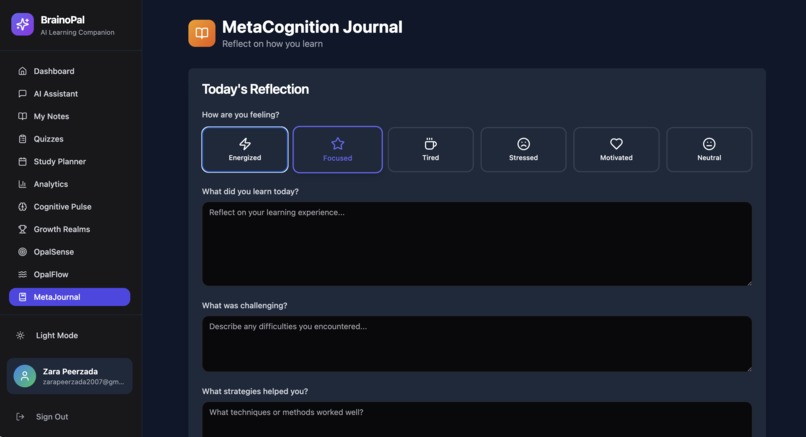
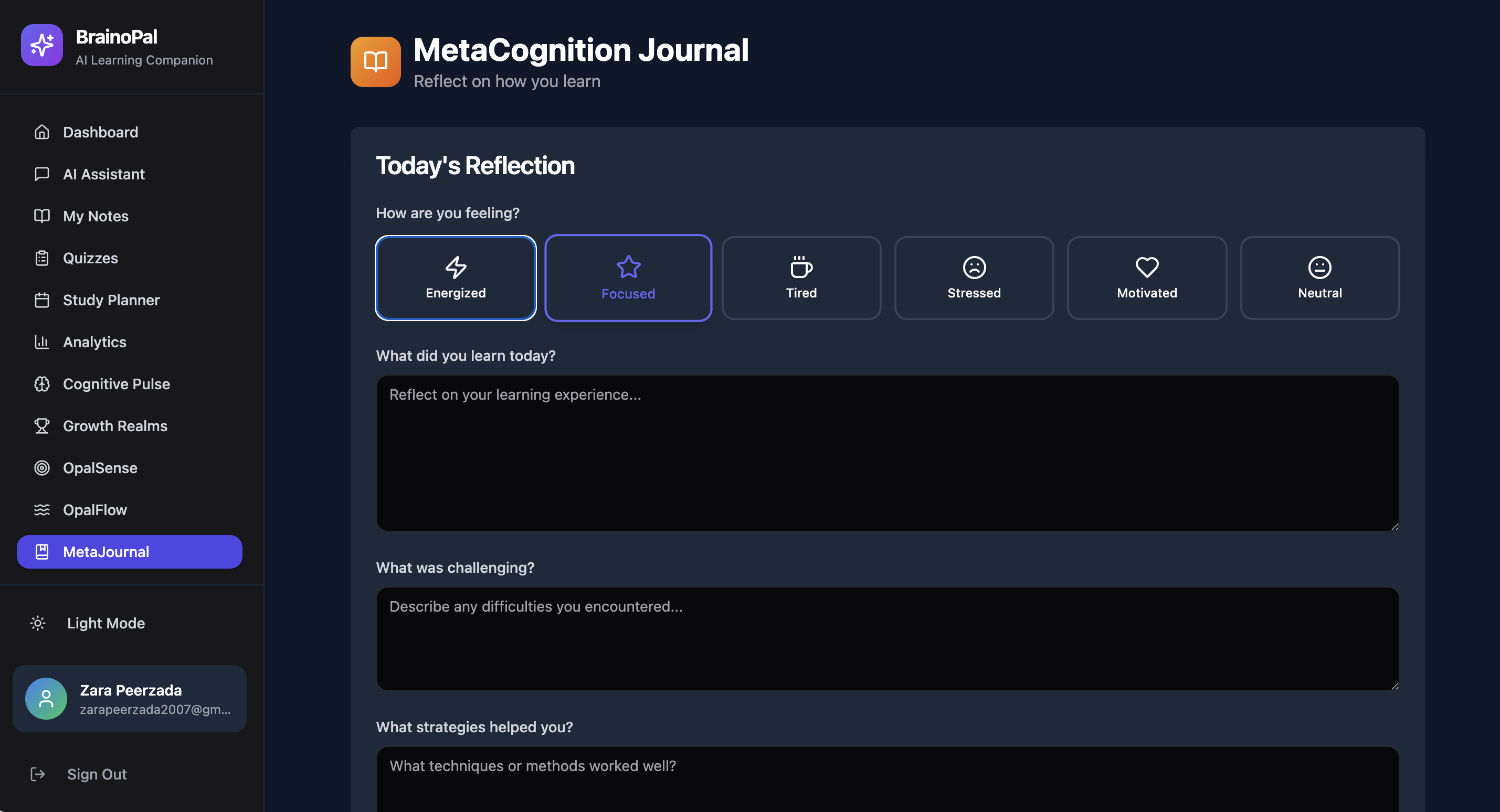
“Journal daily insights: what you learned, how you feel, and plan follow-up revisions.”
-
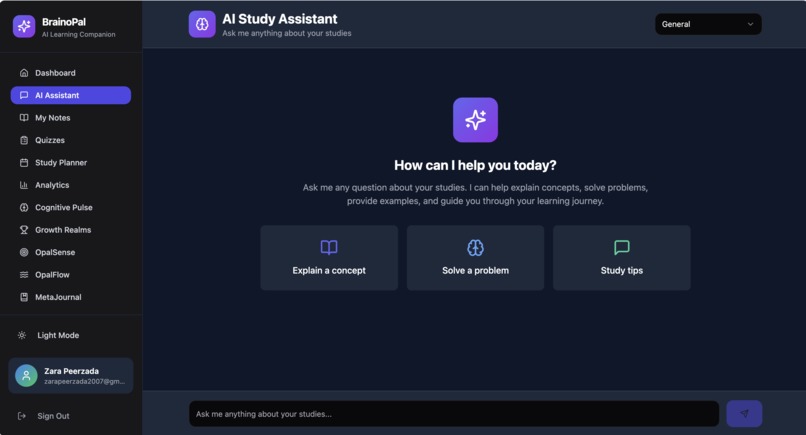
“Journal what you learned, track feelings, plan revisions, and get AI guidance for growth.”
-
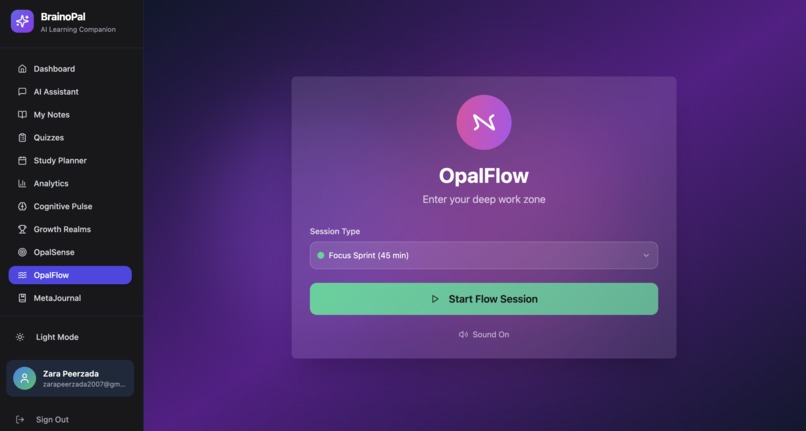
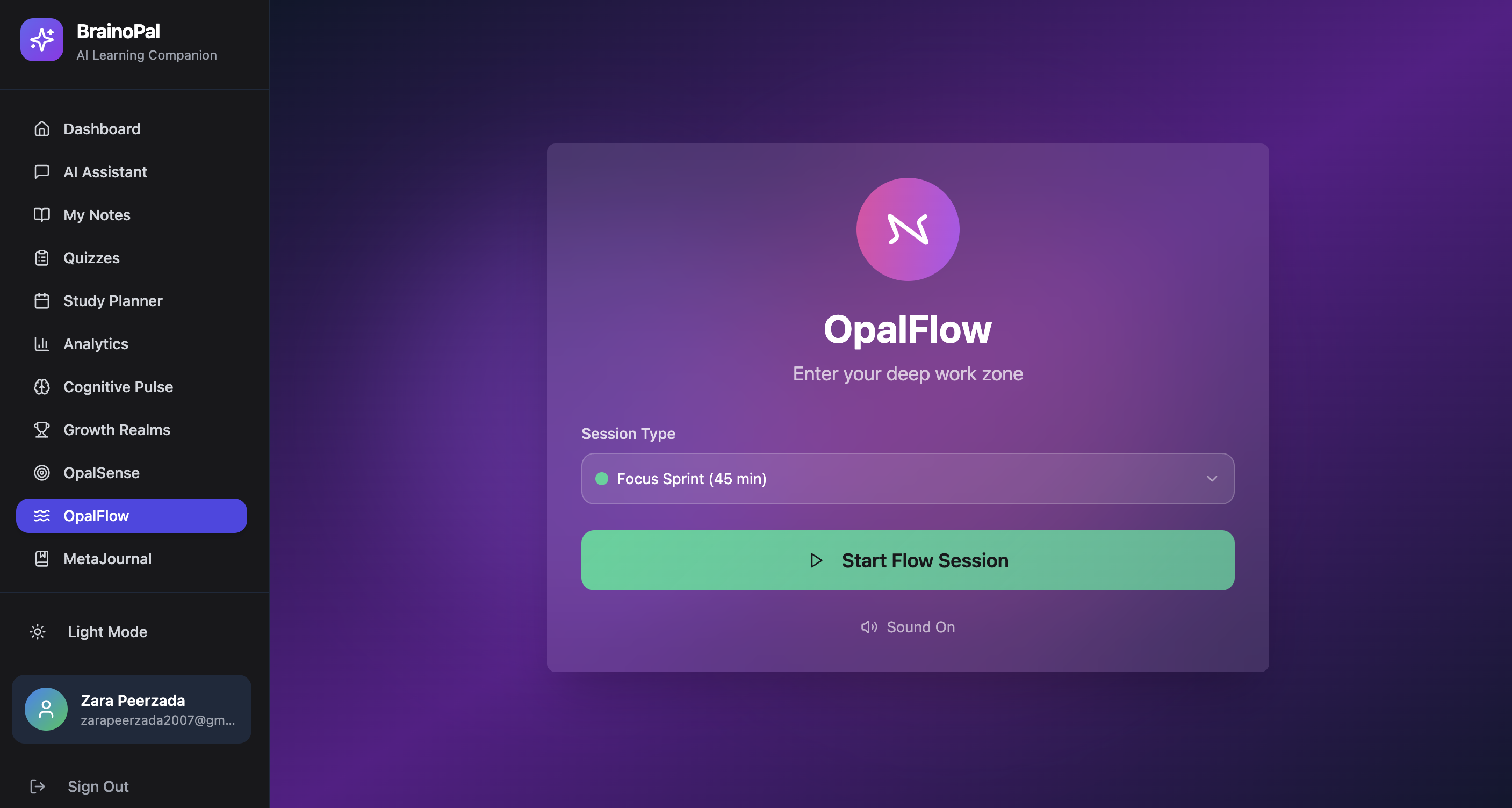
“Use focused work timers: 90 min for deep work, 30 min for quick revision sessions.”
-
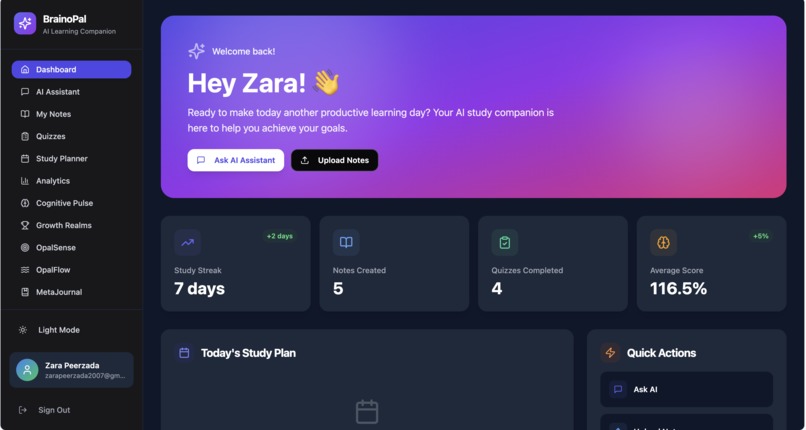
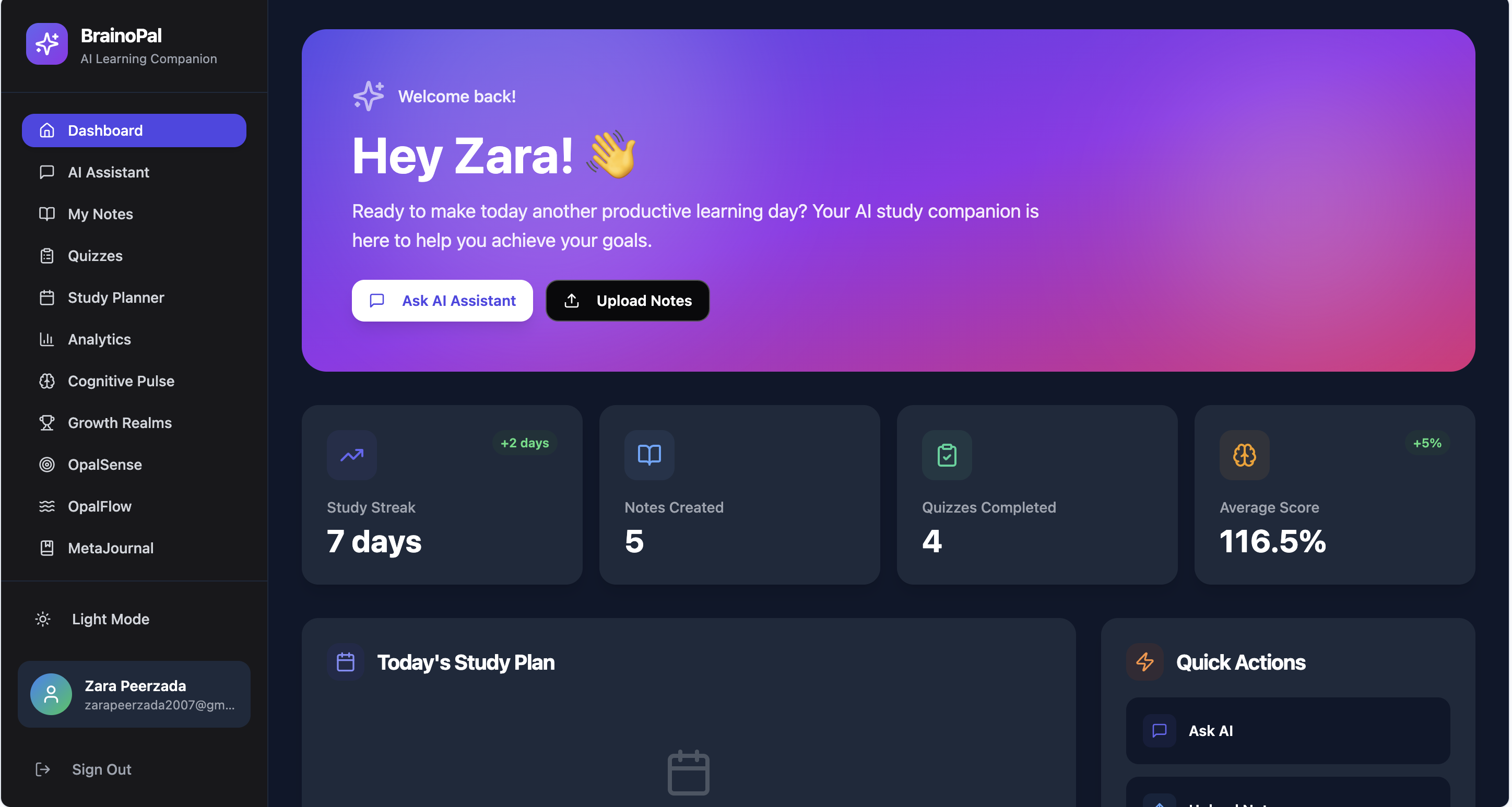
“View your learning overview, progress stats, upcoming sessions, and AI insights at a glance.”
BrainOpal
Tagline: “Unlock your brain’s full potential with AI-powered personalized learning and cognitive enhancement.”
Overview
BrainOpal is an intelligent, AI-driven learning and cognitive enhancement app designed to help students and learners study smarter, retain knowledge effectively, and improve cognitive skills. Leveraging Claude AI, BrainOpal offers personalized study plans, interactive learning tools, cognitive exercises, and insightful analytics in a sleek, modern interface.
**Features
- AI-Powered Q&A Chatbot
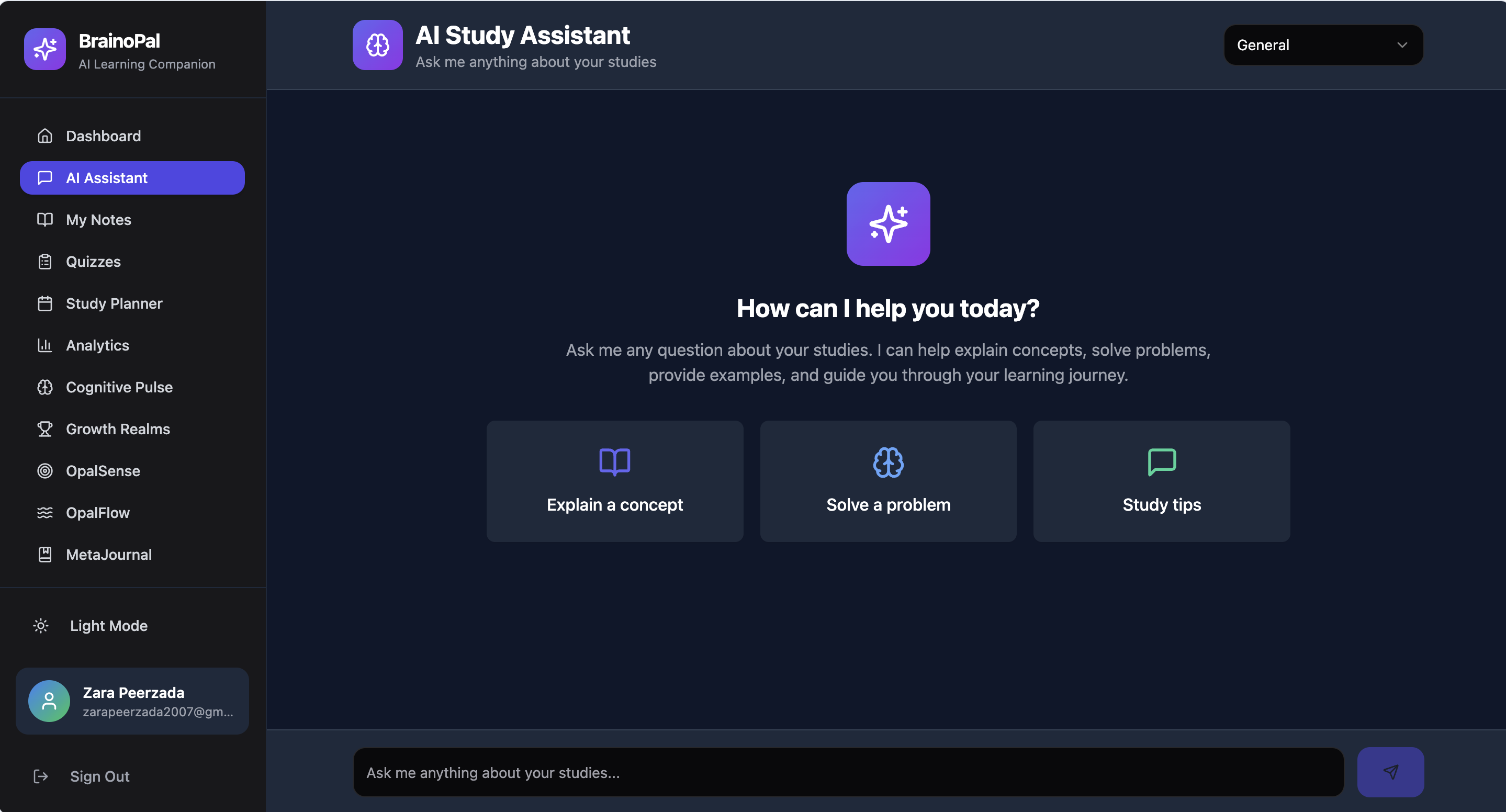
Ask questions in natural language and receive detailed, step-by-step answers.
Supports text, diagrams, and examples.
UI/UX: Clean chat interface with color-coded responses and optional voice input.
- Personalized Summaries & Notes
Upload PDFs, lecture notes, or textbooks.
Claude generates concise summaries, key highlights, and flashcards.
UI/UX: Card-based summaries with collapsible sections, tags, and dark/light mode.
- Dynamic Quiz & Practice Generator
AI generates quizzes, flashcards, and exercises based on studied topics.
Adaptive difficulty based on performance.
UI/UX: Interactive quiz cards with progress bars, visual hints, and gamified achievements.
- Smart Study Planner & Productivity Tools
Personalized daily/weekly study schedules.
Sends reminders and optimizes sessions for maximum efficiency.
UI/UX: Drag-and-drop calendar blocks, color-coded subjects, AI suggestions as tooltips.
- Collaborative Group Study & Mentorship
Share notes, summaries, and questions with peers.
Real-time AI-assisted discussion and collaborative exercises.
UI/UX: Split-screen interface: shared notes on one side, AI chat on the other.
- AI Insights & Analytics Dashboard
Tracks learning patterns, identifies weak areas, and recommends next steps.
Visualizes progress with graphs, charts, and achievement badges.
UI/UX: Interactive, customizable dashboard widgets with clean, modern visuals.
- Cognitive Enhancement Tools
Brain training exercises: memory, focus, problem-solving, and logic puzzles.
Adaptive difficulty based on performance.
UI/UX: Gamified interface with levels, badges, and performance tracking.
- Smart Notifications & Reminders
Alerts for deadlines, study recommendations, and performance trends.
AI-powered suggestions to optimize learning schedules.
How Claude AI is Used
Natural Language Understanding: Answers questions, summarizes text, generates quizzes.
Adaptive Learning: Provides personalized recommendations based on user activity and performance.
Collaboration Assistance: Facilitates group discussions and peer learning.
Tech Stack
Frontend: ReactJS / Flutter (mobile)
Backend: Node.js / Python Flask
AI Integration: Claude API
Database: MongoDB / PostgreSQL
Hosting: AWS / Firebase
Getting Started Prerequisites
Node.js / Python installed
Access to Claude AI API key
MongoDB / PostgreSQL instance
Installation
Clone the repo:
git clone https://github.com/yourusername/BrainOpal.git
Navigate to the project directory:
cd BrainOpal
Install dependencies:
npm install # frontend pip install -r requirements.txt # backend
Configure .env with API keys and database credentials.
Run the application:
npm start # frontend python app.py # backend
Usage
Open the app on your browser or mobile device.
Upload study materials or enter questions in the AI chat.
Generate summaries, quizzes, and cognitive exercises.
Track your progress on the dashboard and collaborate with peers.**

Log in or sign up for Devpost to join the conversation.