Inspiration
We were inspired by the multiplayer Japanese Arcade game "Bishi Bashi" which consists of mini-games, where each player uses a set of three large buttons (red, blue and green). Having large and colourful buttons made it look cute and enticed people to play it. The mini-games also made use of only 3 buttons which made it easy for players to understand the controls and subsequently play it.
Another inspiration for us was from the book "Shikake: The Japanese Art of Shaping Behaviour" in that book, the author talks about many different common items or places like a trash bin or roadside curb are modified to nudge people into acting in the desired way. An example is a trash bin with a basketball hoop and 2 displays beside it. One display was used to track the highest score of the month while the other displayed the score of the current player. It made people want to throw rubbish into the bin as every trash item would increase the score by one .
What it does
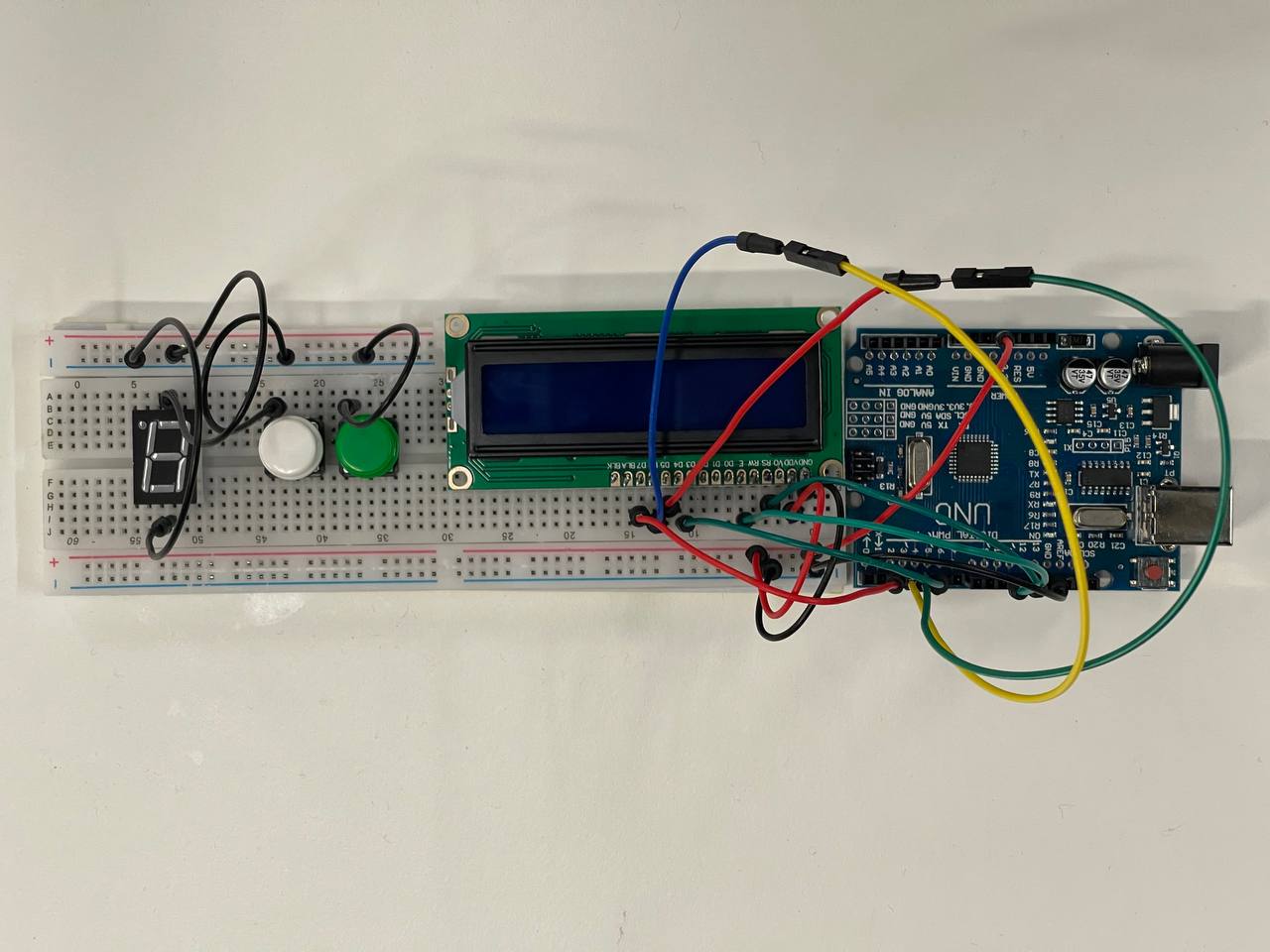
The 16*2 LCD display shows short-answer questions that help players get to know each other better in order to promote social connections. A 7-segment display will countdown from 9 to 0 and players have to answer as many questions about each other as possible.
How we built it
We used TinkerCAD to model the wiring for each component ensuring the code and wiring worked correctly. We subsequently connected a 7-segment display, 16*2 LCD display and 2 push buttons to an Arduino UNO which we uploaded the program onto.
Challenges we ran into
We wanted to implement several mini-games but could not do so due to the tech specs of the Arduino UNO.
Accomplishments that we're proud of
We were able to make a proof-of-concept prototype with questions displayed despite the short time constraints.
What we learned
We learned to mix ideas from seemingly different aspects of life (games and common spaces) to promote social connections between people.
What's next for Brainfrog
Implement more mini-games and make a container to conceal the wiring within. Improve the UI of the project.

Log in or sign up for Devpost to join the conversation.