-
-
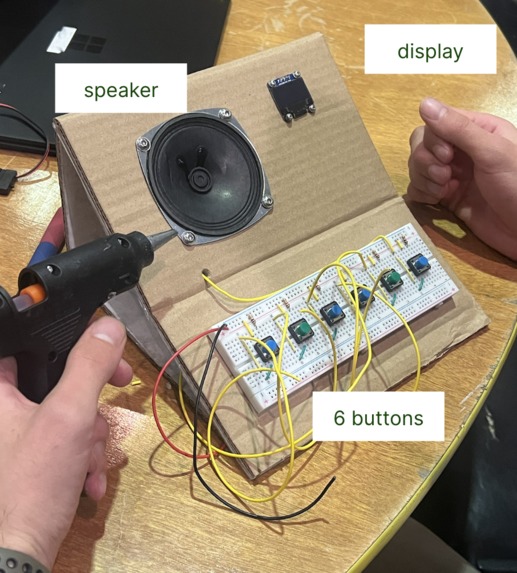
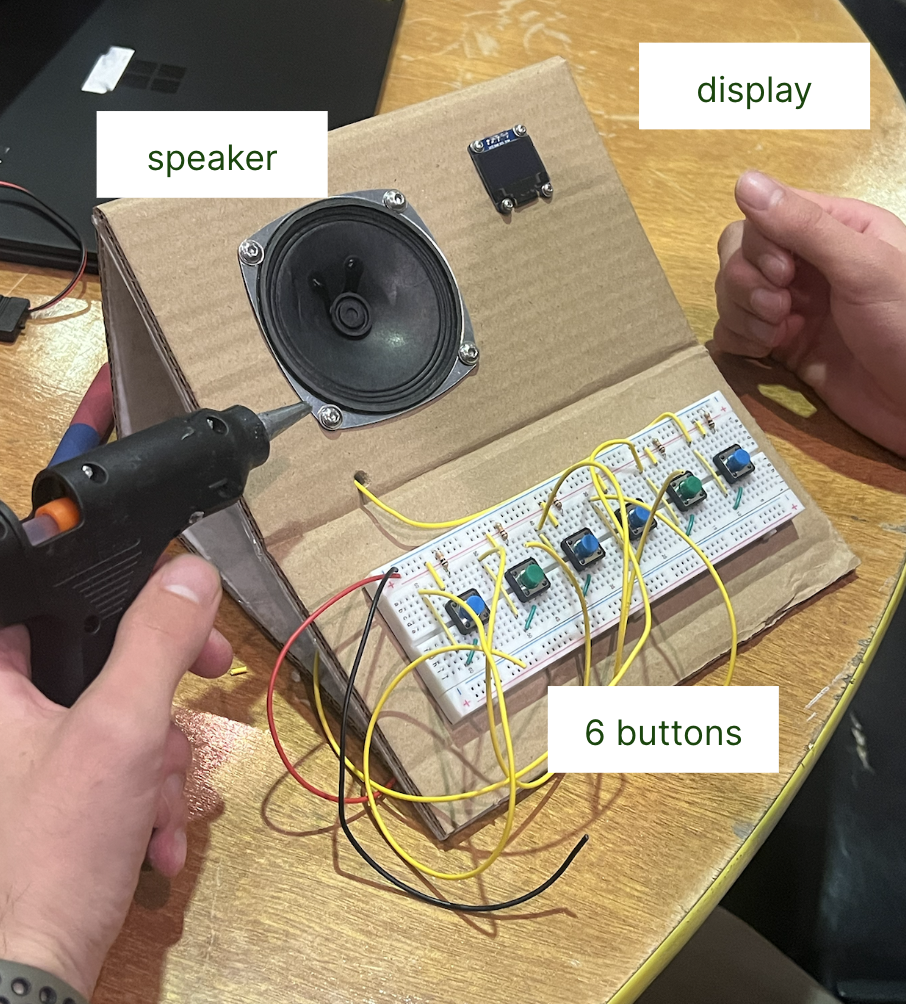
finalized, fully-integrated product
-
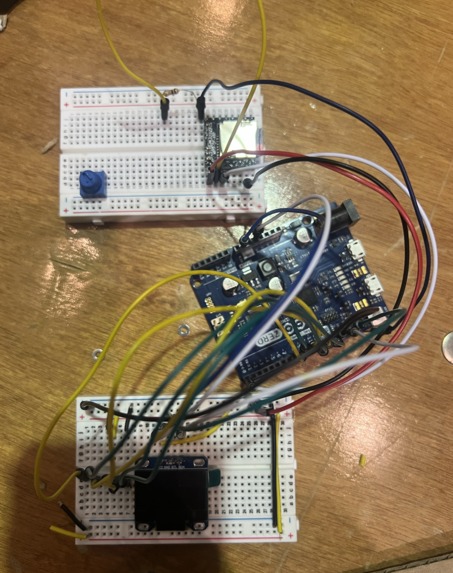
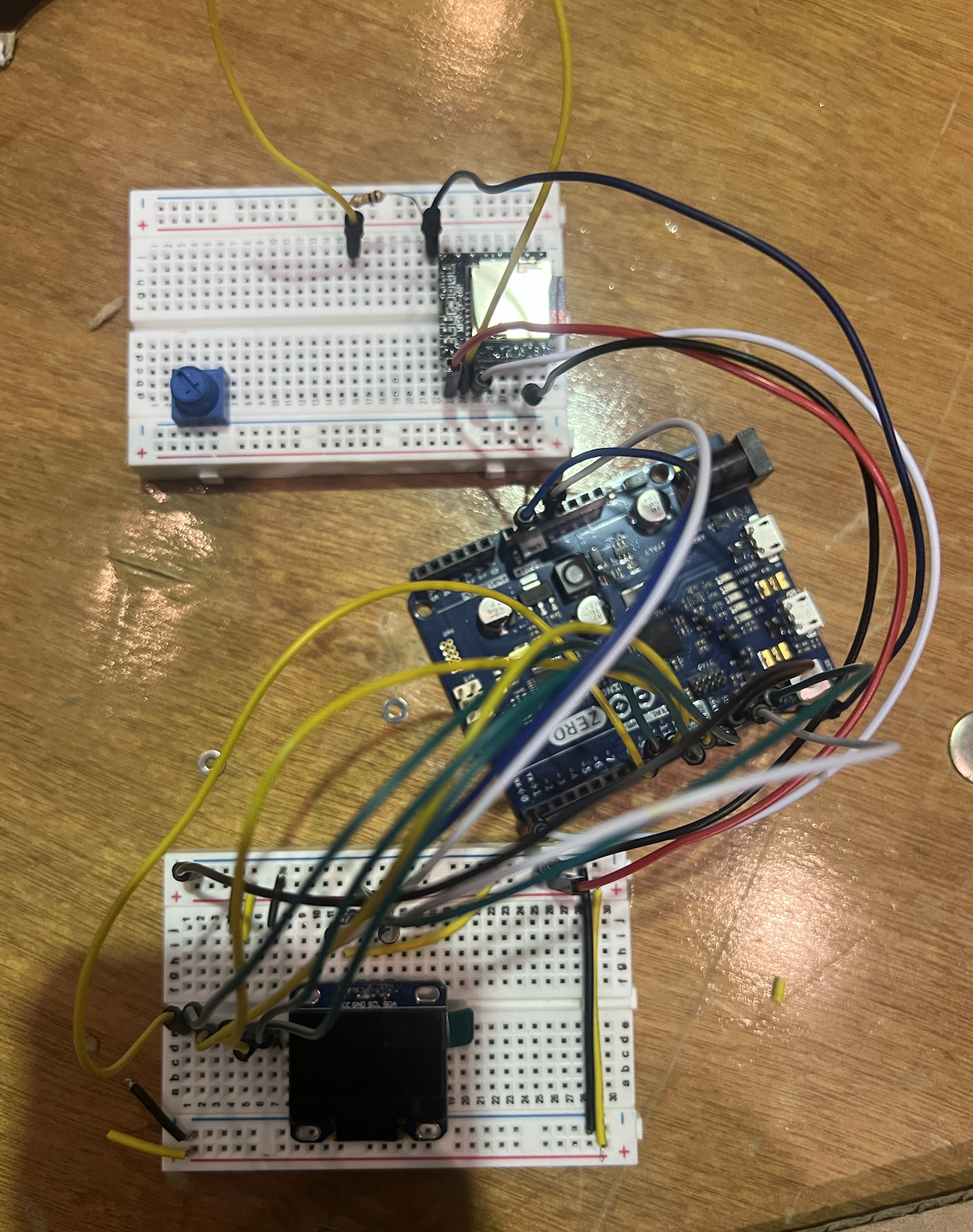
driver, arduino, display
-
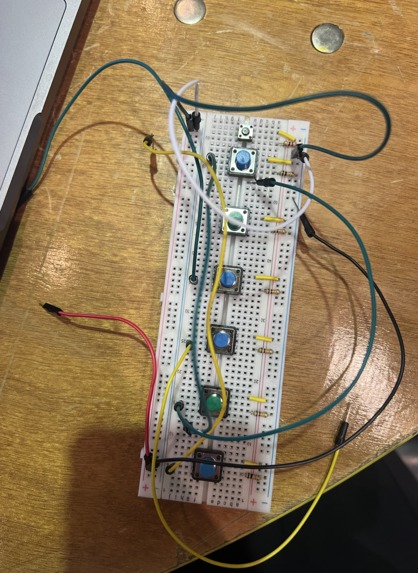
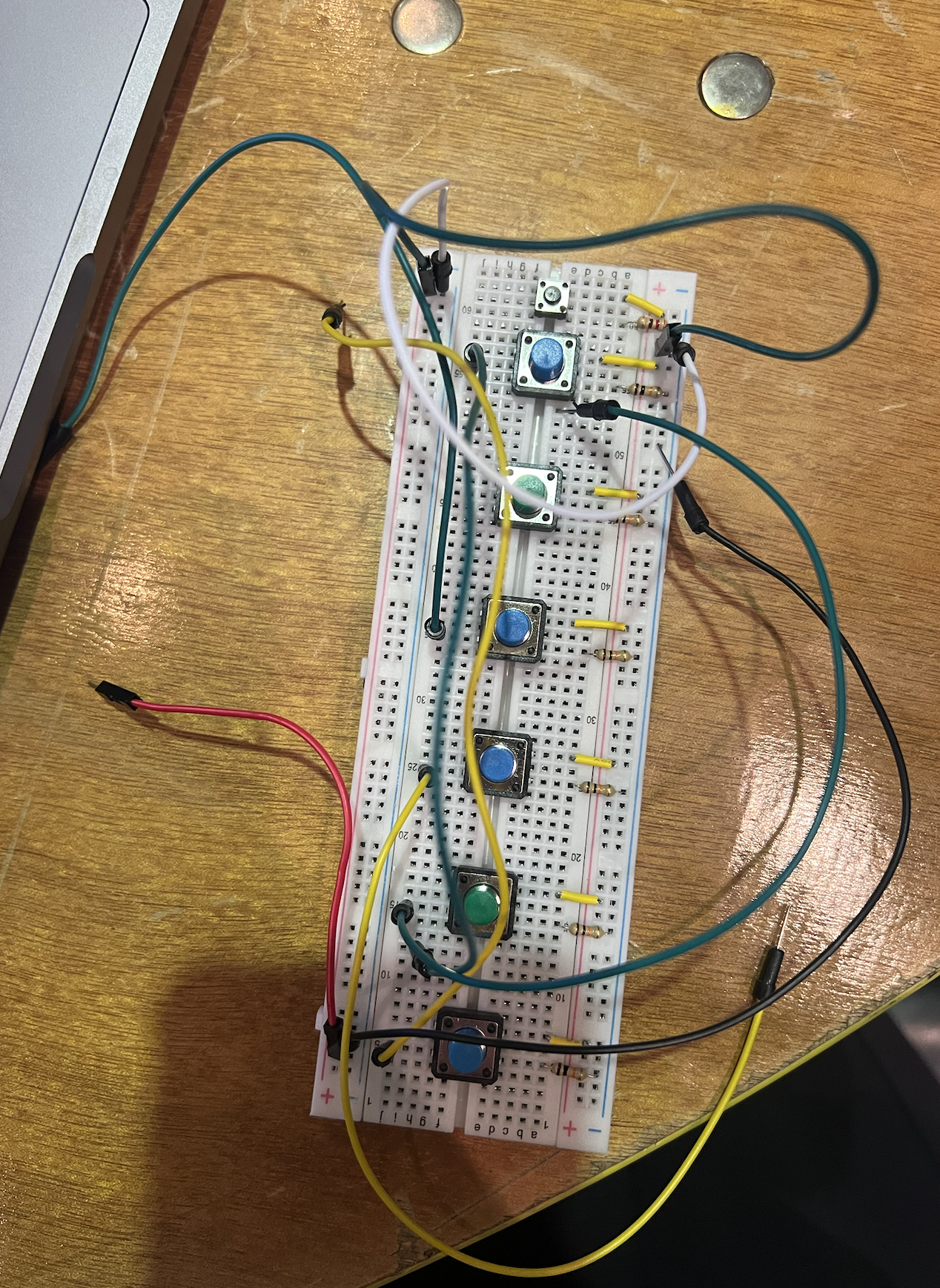
six-button keyboard
Inspiration
Our inspiration for this product originated from one of our team members, who has poor eyesight. While modern technology offers solutions like glasses and contacts, we couldn't help but notice the gap for blind individuals who can't read or see letters, and the limited aids/resources available for them. Our mission? Create a product to empower blind individuals, helping them learn Braille and read with confidence.
What it does
Braille is a tactile writing system using raised dots arranged in two columns of three dots each. We created a six-button keyboard so blind individuals can press different combinations of buttons and automatically receive audio feedback on what letter they type. With enough practice, they will master Braille and master the various combinations of letters in a hands-on and engaging way.
How we built it
We first put six buttons the breadboard and linked them to an Arduino, using the IDE to confirm that it was responding each time a button was pressed. Then we used a series of if-else statements to associate different combinations of buttons to alphabet letters. We imported the AdaFruit GFX and audio library to display the letters on the screen and play an audio pronunciation of the corresponding letter.
Challenges we ran into
We ran into two primary challenges: the first being that we couldn't get the displays to activate even if though the code compiled so we used three different displays before we got one to work (this was the first time any of our team members worked with displays). The second problem was that we initially developed audio software on an Arduino Nano which was incompatible with the software needed for an Arduino Zero (the microcontroller we were working on) so we had to go through intensive debugging to integrate the two.
Accomplishments that we're proud of
software debugging (displays), addition of various libraries in Arduino
What we learned
connecting displays to Arduino, playing audio and connecting speakers to Arduino, using Arduino Uno
What's next for Brailliance
To improve our product, we aim to incorporate audio instructions guiding users to press specific buttons. Additionally, we plan to offer compliments or constructive feedback based on whether they correctly input the Braille letter or not. This way, our product can be more like a virtual teacher.

Log in or sign up for Devpost to join the conversation.