-
-
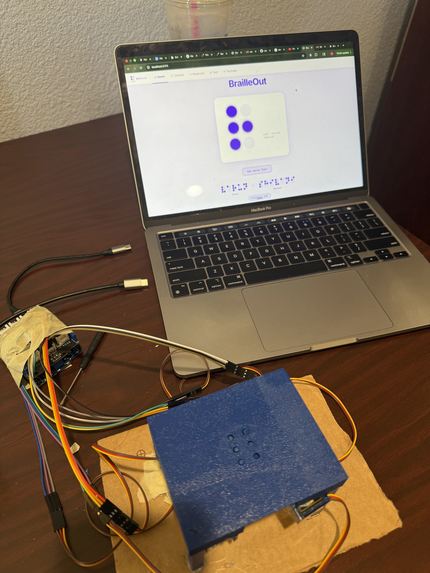
Braille Table and Website
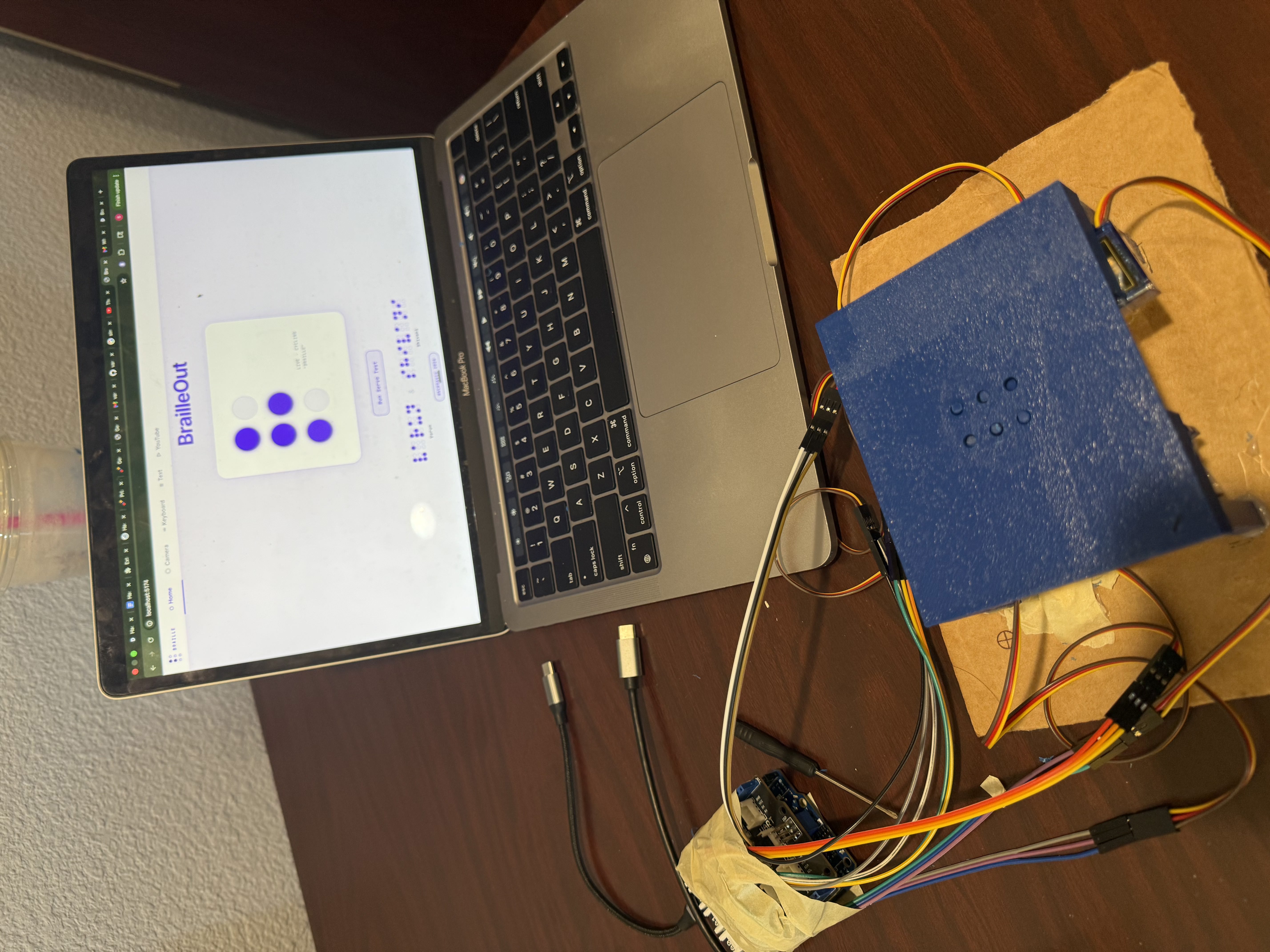
Inspiration
Over 253 million people worldwide live with visual impairment, yet fewer than 10% of blind individuals ever learn to read Braille. The reason isn't lack of interest , it's simply lack of access. A commercial Braille display costs between $1,500 and $5,000, which is a price range not many can afford.
We asked ourselves this: what if we could build one for $30 that is also easily portable?
What It Does
BrailleOut is an AI-powered + hardware Braille display that converts any text — physical or digital — into real physical Braille instantly.
- Point a webcam at any printed text (a book, a document, a label)
- Or paste any digital text directly into the app
- BrailleOut's AI pipeline reads, cleans, and converts it
- Six servo motors physically raise and lower pins in a 3D printed Braille table
- Press a key to advance letter by letter — no screen, no audio, just touch
How We Built It
We built BrailleOut as a full hardware and software stack in 24 hours.
Hardware:
- 3D printed housing with 6 pin channels in a 2×3 Braille cell grid
- 6 SG90 micro servo motors controlling individual Braille dot pins
- Arduino receiving serial commands and controlling servo PWM signals
Software Pipeline:
- Google Gemini Vision API — reads text from webcam images with far greater accuracy than traditional OCR on real-world documents
- Claude AI (Anthropic) — cleans and simplifies the extracted text, fixing errors and making complex language more readable
- Braille Lookup Table — maps every letter to its standard Grade 1 Braille dot pattern (dots 1–6 in a 2×3 grid)
- Arduino Serial Bridge — sends a 6-character binary string (e.g.
101010) to the Arduino for each letter, triggering the correct servo movements
The math behind one Braille cell:
With 6 binary dot positions, there are $2^6 = 64$ possible combinations — enough to encode the full alphabet, numbers, punctuation, and contractions in standard Braille.
Challenges We Faced
The mechanical problem was the hardest part. Converting a servo's rotational motion into vertical pin movement required careful design — each servo arm tip is fixed to the bottom of a pin so that rotating 5° lifts the pin exactly 2mm above the housing surface, the minimum height detectable by a fingertip. Getting all six pins to move cleanly and consistently took significant iteration on the placement of the motors under the Braille table. Additionally, we had only one opportunity to 3D print and we received our servo motors later than expected (6pm), so we were crunched for time and resources. We also had a limited number of jumper wires so our implementation isn't the cleanest, but it is still functional.
Real-world OCR on physical documents is messier than expected. Using Gemini Vision and adding Claude as a cleanup layer made the pipeline dramatically more robust on real-world text.
What We Learned
- Hardware components and how to wire together multiple components into a working product.
- Mechanical design is just as hard as software, small tolerances in a 3D print can make or break a physical interaction
- Assistive technology doesn't have to be expensive to be powerful
What's Next for BrailleOut
- Wireless connectivity so any phone can send text to the device
- Support for Grade 2 Braille contractions for faster reading
- Working on tweaking the model so that it can pick up any text from any text in the real world


Log in or sign up for Devpost to join the conversation.