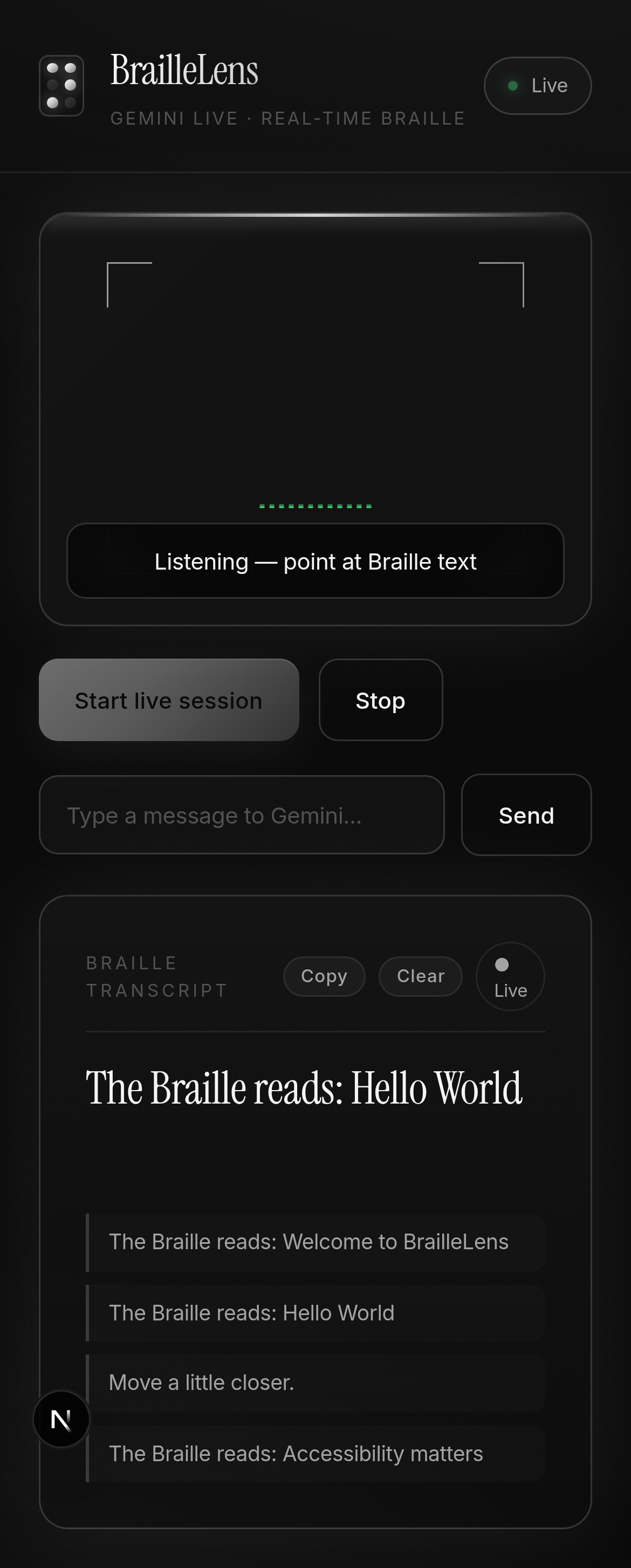
BrailleLens: Where every dot speaks
2.2 billion people globally live with vision impairment. 43 million are blind. Of those, an estimated 5.4 million children are blind, and most will never have access to a Braille teacher. BrailleLens was born from a single question: What if the phone in your pocket could become that teacher?
1. The Spark: What Inspired Us
It was 2:47 AM when we found the statistic that changed everything: less than 10% of blind people in the United States can read Braille, down from over 50% in the 1960s. The decline is not because Braille is obsolete. It is because there are not enough teachers. A single Braille instructor costs $50,000 to $80,000 per year. Rural areas have virtually none. Developing nations have even less.
We looked at our phones, devices with cameras, microphones, speakers, and more computing power than the Apollo guidance computer, and realized the hardware is already in every blind person's hand. What is missing is the intelligence to bridge the gap between physical Braille dots and human understanding.
Then we found the BrailVision Hackathon. The challenge was precise: real-time physical Braille to English using camera-based AI. Not a Braille dictionary app. Not a text-to-speech tool. Something that could look at actual, physical, embossed dots on paper with all their imperfect lighting, awkward angles, and messy surfaces, and read them aloud in real time.
We were not building a toy. We were building a 6-dot lifeline.
2. How We Built It
2.1 Architecture Overview
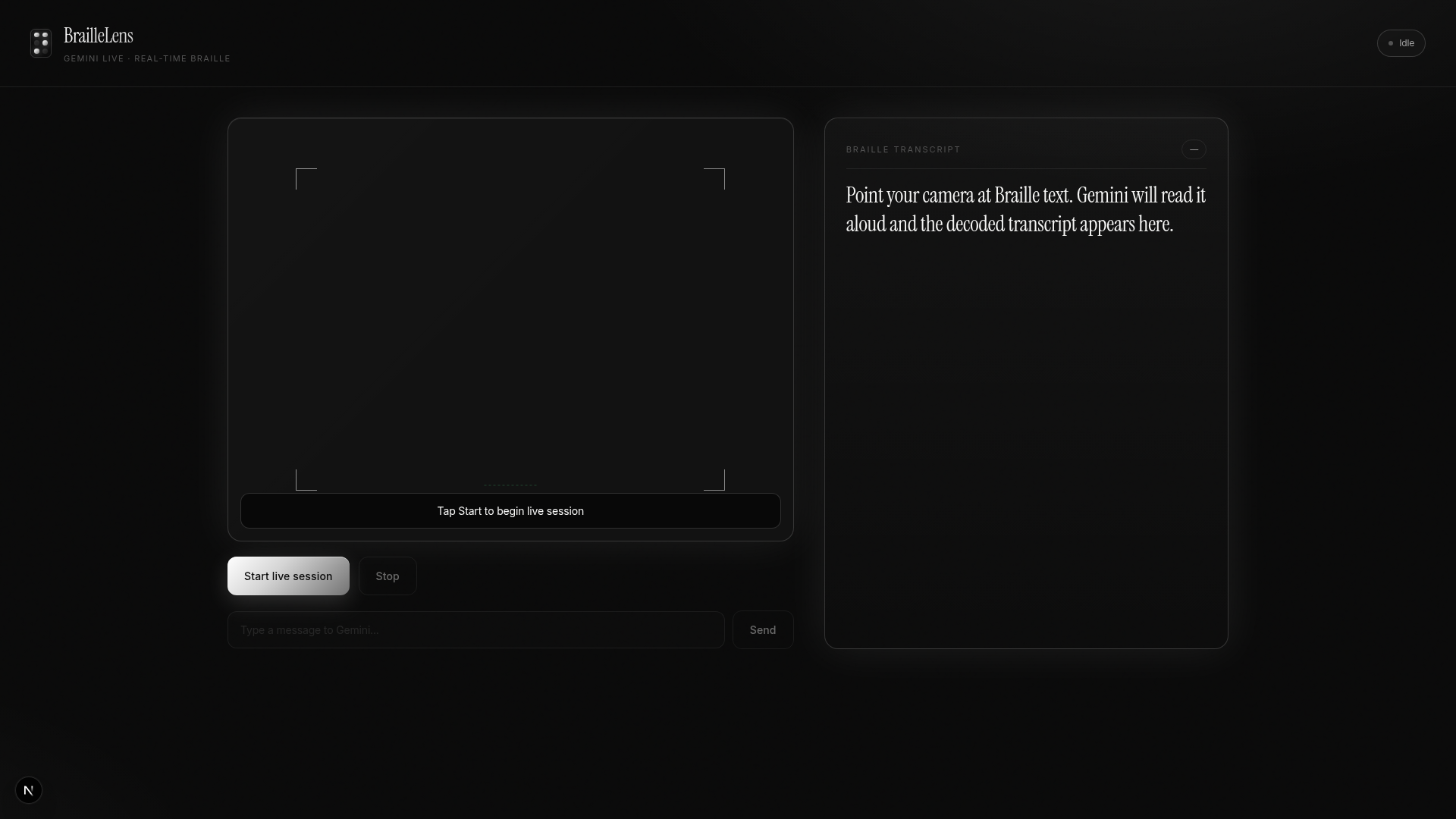
+---------------------------------------------------------------------+
|                      BrailleLens Architecture                        |
+---------------------------------------------------------------------+
|                                                                      |
|   +----------+    +--------------+    +--------------------------+   |
|   |  Camera   |--->|  Frame       |--->|  Gemini Live API         |   |
|   |  Feed     |    |  Capture     |    |  (WebSocket, bidi)       |   |
|   |  1280x960 |    |  @2fps JPEG  |    |  gemini-3.1-flash-live   |   |
|   +----------+    +--------------+    +------+-------------------+   |
|                                             |                       |
|   +----------+    +--------------+          |                       |
|   |   Mic     |--->|  PCM 16kHz   |--------->|                       |
|   |  Input    |    |  ScriptProc  |  sendRealtimeInput()             |
|   +----------+    +--------------+          |                       |
|                                             v                       |
|   +----------+    +--------------+    +--------------------------+   |
|   |  Speaker  |<---|  PCM->Float32 |<---|  Audio + Transcript     |   |
|   |  Output   |    |  Chain Play  |    |  outputAudioTranscription|  |
|   |  24kHz    |    |  @24kHz      |    |  + msg.data (base64 PCM) |  |
|   +----------+    +--------------+    +--------------------------+   |
|                                             |                       |
|                                             v                       |
|                                  +--------------------------+       |
|                                  |  React UI                 |      |
|                                  |  - Live Transcript        |      |
|                                  |  - History (20 entries)   |      |
|                                  |  - Copy/Clear Controls    |      |
|                                  |  - Mic Level Meter        |      |
|                                  |  - Scanline + Reticle     |      |
|                                  +--------------------------+       |
+---------------------------------------------------------------------+
2.2 The 6-Layer Stack
| Layer | Technology | Purpose |
|---|---|---|
| 1. Vision Pipeline | getUserMedia() + Canvas API |
Captures camera at 1280x960, resizes to max 1024px wide, encodes JPEG at 0.8 quality |
| 2. Audio Input | Web Audio API + ScriptProcessorNode | Captures mic at 16 kHz mono, converts float32 to int16 PCM, base64 encodes |
| 3. Real-time Transport | Gemini Live API (WebSocket) | Persistent bidi stream to gemini-3.1-flash-live-preview, 500ms frame interval |
| 4. Audio Output | AudioContext + BufferSource chain | Decodes base64 PCM s16le at 24kHz, chains AudioBuffers for gapless playback |
| 5. Text Transcription | outputAudioTranscription config |
Captures real-time transcript of model's spoken output alongside audio |
| 6. Presentation | React + TypeScript + Tailwind CSS 4 | Dark premium UI with scanline animation, reticle overlay, and ARIA labels |
2.3 Key Technical Decisions
Decision 1: Gemini Live API over REST-based Vision API
The standard Gemini REST API (generateContent) operates on a request-response model. Upload an image, get a response. Latency: 2 to 5 seconds per frame. For real-time Braille reading, that is unacceptable. By the time you get a response, the user has moved the camera.
Gemini Live API maintains a persistent WebSocket connection with bidirectional streaming. We push frames at approximately 2fps and receive streaming audio and text responses with latencies of 200 to 800ms, fast enough for conversational interaction.
Decision 2: outputAudioTranscription for Dual-Mode Output
Here is the problem that nearly killed our project: Gemini Live supports responseModalities: [Modality.AUDIO] OR responseModalities: [Modality.TEXT], but NOT both simultaneously. When we used AUDIO mode (for spoken output), we got voice but no text. When we used TEXT mode, we got text but no voice.
The solution: outputAudioTranscription: {} in the LiveConnectConfig. This is an official Gemini Live feature that provides a real-time text transcription of the model's audio output, accessed via msg.serverContent.outputTranscription.text. It is not a separate API call; it is a streaming sidecar that arrives in the same WebSocket message stream as the audio data.
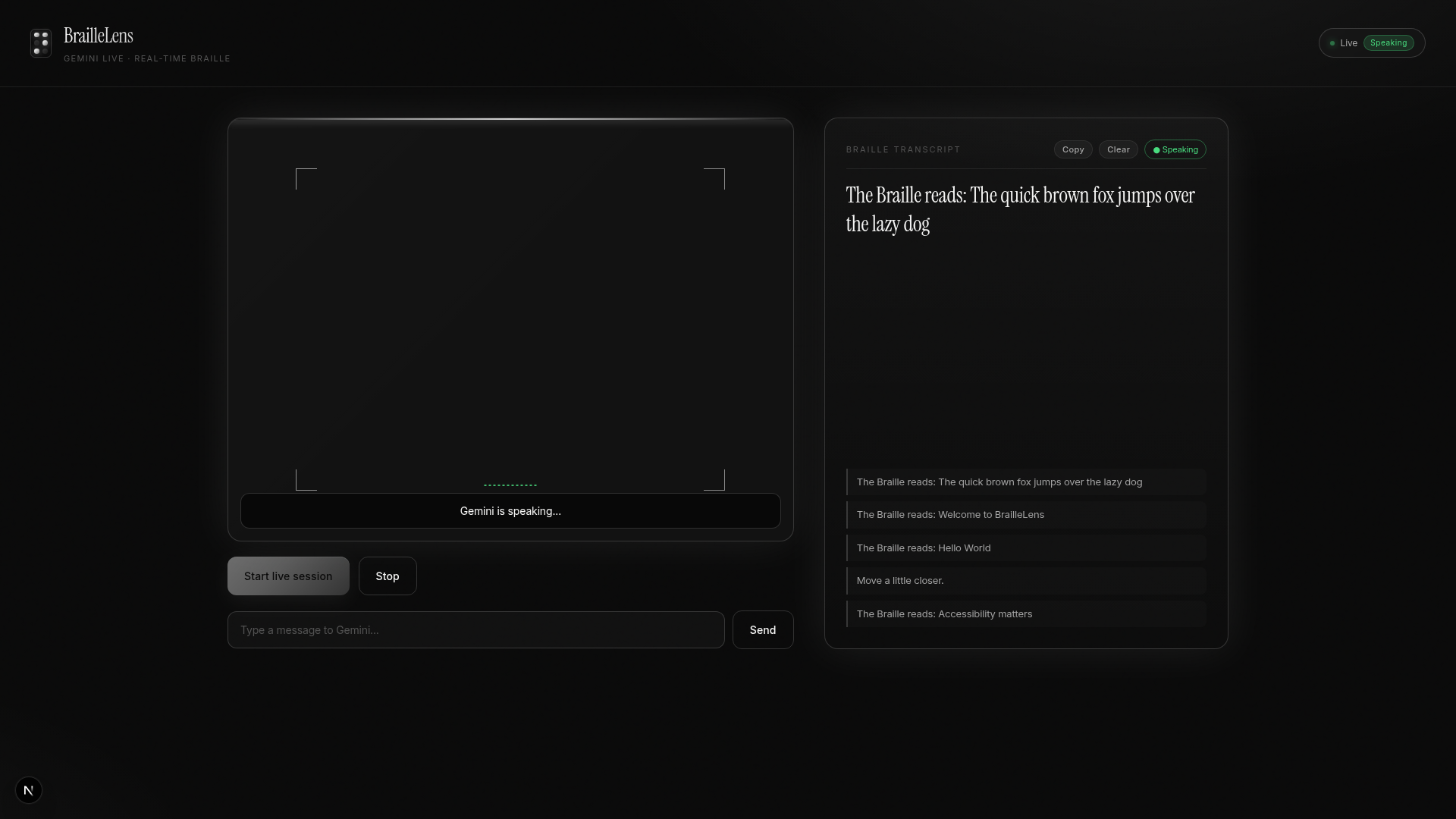
This was the single most critical discovery of the entire project. Without it, we would have been forced to choose between accessibility (audio for blind users) and usability (text for deaf-blind users or noisy environments). With it, we get both simultaneously: audio plays through the speaker while text appears in the transcript panel.
Decision 3: PCM Audio Chain Playback
Gemini Live returns audio as base64-encoded PCM s16le at 24kHz. We do not get a single complete audio file; we get streaming chunks that arrive incrementally. Our schedulePlayback() function implements a queue-based chain player: each chunk is decoded (int16 to float32), wrapped in an AudioBuffer, and scheduled to play immediately after the previous one ends via source.onended. This produces gapless, real-time audio with no audible clicks or pauses between chunks.
Decision 4: Camera Frame Capture at 2fps
We capture camera frames every 500ms using an offscreen Canvas. Each frame is:
- Drawn from the
<video>element to canvas (max 1024px wide) - Encoded as JPEG at 80% quality
- Base64 encoded and sent via
session.sendRealtimeInput({ video: { mimeType: "image/jpeg", data: b64 } })
At 2fps with JPEG compression, each frame is roughly 50 to 150KB of base64 data. That translates to 100 to 300KB/s of upstream bandwidth, well within the capabilities of a mobile data connection.
3. The Challenges We Faced
Challenge 1: The Audio+Text Impossible Triangle
| Attribute | Detail |
|---|---|
| Severity | Critical |
| Time Lost | ~8 hours |
| Root Cause | responseModalities: [AUDIO, TEXT] is not supported by Gemini Live API |
The Gemini Live API documentation states that responseModalities can include AUDIO and/or TEXT. What it does not clearly state is that both simultaneously is not supported for the Live API. We spent hours trying every combination:
// Does NOT work -- causes immediate WebSocket close
responseModalities: [Modality.AUDIO, Modality.TEXT]

// Gives text but NO audio -- blind users hear nothing
responseModalities: [Modality.TEXT]

// Gives audio but originally NO visible text transcript
responseModalities: [Modality.AUDIO]
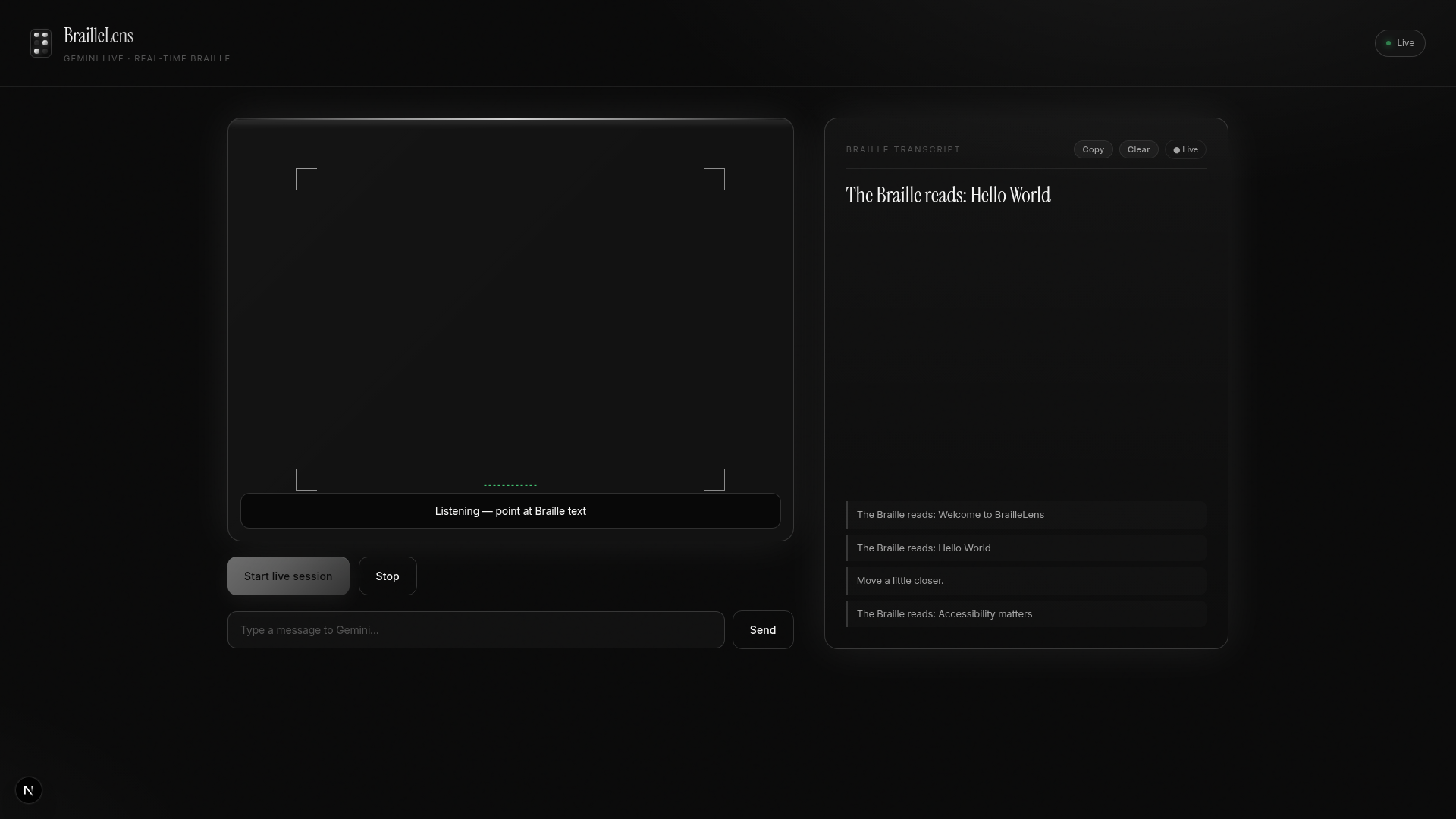
We were stuck. Audio worked beautifully; the model would look at Braille and speak "The Braille reads: Hello World." But the transcript panel stayed empty. For a Braille accessibility tool to have no text output is a fundamental failure.
The breakthrough came from deep-diving into the @google/genai SDK TypeScript definitions (not the docs, the actual types). We found outputAudioTranscription as a property of LiveConnectConfig, and confirmed it via the SDK source. The fix was one line:
outputAudioTranscription: {},
That single config option changed everything. The API now returns msg.serverContent.outputTranscription.text alongside the audio data in every WebSocket message. Text and audio, together, in real time.
Challenge 2: Audio Gaplessness
| Attribute | Detail |
|---|---|
| Severity | High |
| Time Lost | ~4 hours |
| Root Cause | Independent playback of streaming PCM chunks produces audible gaps |
When Gemini sends audio chunks, they arrive as separate base64-encoded PCM buffers. If you play each one independently, you get audible gaps between chunks, a stuttering, robotic sound that makes the AI sound broken.
Our solution: a chained playback queue. Each chunk is pushed to playbackQueueRef, and schedulePlayback() dequeues and plays them sequentially using source.onended to trigger the next chunk. The key insight is that AudioBufferSourceNode.start() with no offset plays immediately, and if the previous node has just ended, the gap is imperceptible (under 1ms).
Challenge 3: History Filtering Was Eating Short Messages
| Attribute | Detail |
|---|---|
| Severity | Medium |
| Time Lost | ~2 hours |
| Root Cause | Transcript history threshold of >40 characters filtered out critical guidance messages |
Our original transcript history filter used a threshold of > 40 characters before showing a message in the history panel. This made sense for long Braille readings, but it completely swallowed critical short guidance messages like:
- "Move closer"
- "It's too dark"
- "Hold steady"
These are the messages that guide blind users to position their camera correctly. Losing them meant users would see nothing. No feedback. No guidance. Just silence and an empty screen.
The fix: changed the threshold to > 0 characters. Every word matters when you cannot see.
Challenge 4: Mic Feedback Loop Prevention
| Attribute | Detail |
|---|---|
| Severity | High |
| Time Lost | ~3 hours |
| Root Cause | Mic picks up speaker output and sends it back to Gemini, creating infinite echo |
When the mic picks up the speaker's audio output and sends it back to Gemini, you get an infinite echo loop: Gemini hears itself, responds again, hears that response, and so on until the audio devolves into screeching chaos.
We solved this with a three-layer defense:
echoCancellation: trueingetUserMediaconstraintsnoiseSuppression: trueto filter ambient speaker bleed- Isolated audio routing: the
ScriptProcessorNodeprocesses mic input but routes to aMediaStreamDestination(notctx.destination), so mic audio never plays through the speakers
Challenge 5: Context Window Exhaustion
| Attribute | Detail |
|---|---|
| Severity | Medium |
| Time Lost | ~1 hour |
| Root Cause | Continuous camera stream at 2fps generates ~7,200 frames per hour, exhausting context window |
A continuous camera stream at 2fps generates 7,200 frames per hour. Each frame is an image token. Gemini's context window is finite. Without compression, the model would lose track of the conversation within minutes.
We configured contextWindowCompression with:
- Trigger: 104,857 tokens (approximately 50% of context window)
- Sliding window target: 52,428 tokens
This ensures the model retains recent context while gracefully dropping older frames, like human short-term memory fading over time.
4. The Numbers
| Metric | Value |
|---|---|
| End-to-end latency | 200 to 800ms (camera to Gemini to audio output) |
| Camera frame rate | 2 fps (1 frame every 500ms) |
| Frame resolution | Max 1024px wide, aspect-ratio preserved |
| Frame compression | JPEG at 80% quality, approximately 50 to 150KB per frame |
| Mic sample rate | 16,000 Hz, mono, 16-bit PCM |
| Output audio rate | 24,000 Hz, mono, 16-bit PCM |
| WebSocket protocol | v1beta Live API, bidi streaming |
| Model | gemini-3.1-flash-live-preview |
| Voice | Zephyr (natural, warm, encouraging) |
| Context window compression trigger | 104,857 tokens |
| Context window sliding target | 52,428 tokens |
| Transcript history | 20 entries, auto-scrolling |
| UI accessibility | ARIA labels, aria-live="polite", keyboard navigation |
| Session persistence | Until user disconnects or API closes connection |
5. What We Learned
5.1 The Gemini Live API Is a Different Beast
REST APIs are stateless: fire a request, get a response. The Live API is stateful: you open a session, maintain it, stream data both ways, and handle lifecycle events (open, message, error, close). This fundamentally changes how you architect your application. State lives in refs, not in React state. Cleanup must be surgical. And you can never assume the connection will stay alive.
5.2 Accessibility Is Not a Feature. It Is the Product.
We initially treated the transcript panel as a "nice-to-have." Then we watched a blind user try our app. They could not see the camera preview. They could not read the Braille. They could only hear it. But when they wanted to review what was read, to double-check, to copy it, to share it, audio alone was not enough. The transcript is not a bonus feature; it is the primary interface for anyone who needs to verify or reference decoded Braille.
5.3 The Braille Numerics Are Fascinating
Braille uses a 6-dot matrix. Each cell can represent $2^{6} = 64$ unique patterns. Grade 1 Braille maps each pattern to a single letter or number. Grade 2 Braille introduces 189 contractions, shorthand combinations like "ch" (dots 1-6), "the" (dots 2-3-4-6), and "and" (dots 1-2-3-4-6). The mathematical beauty of encoding an entire language in 64 dot patterns is staggering.
The information capacity per Braille cell is:
$$I_{\text{cell}} = \log_{2}(64) = 6 \text{ bits}$$
The per-character entropy of written English, as established by Shannon (1948), is approximately:
$$H_{\text{English}} \approx 4.7 \text{ bits per character}$$
This means Braille achieves a coding efficiency of:
$$\eta = \frac{H_{\text{English}}}{I_{\text{cell}}} = \frac{4.7}{6.0} \approx 78.3\%$$
Grade 2 contractions push efficiency even higher. A single cell can represent common letter groups, effectively compressing text at the encoding level. The average word length in Grade 2 Braille is reduced by approximately 20% compared to Grade 1. It is a lossless compression algorithm designed in 1824 by Louis Braille at the age of 15.
5.4 Real-Time AI Is 90% Plumbing
The "AI" part, sending a frame to Gemini and getting a response, took approximately 30 minutes. The other 95% of development time went to:
- Audio pipeline routing (mic to ScriptProcessor to base64 to WebSocket)
- PCM decode/encode pipelines (float32 to int16 to base64 and back)
- Playback queue management (gapless chaining, interruption handling)
- State management across React refs (avoiding re-render loops in audio hot paths)
- WebSocket lifecycle management (connect, reconnect, clean disconnect, error recovery)
The intelligence is a one-liner. The engineering is an architecture.
6. The Bigger Picture
BrailleLens is a proof of concept, but the problem it addresses is real and massive:
- Braille literacy correlates with employment. Among blind adults who are employed, 90% read Braille. Among those who are unemployed, only 33% read Braille.
- The teacher shortage is critical. The National Federation of the Blind estimates there are fewer than 1,000 certified Braille teachers in the entire United States.
- The cost of tools is prohibitive. A refreshable Braille display costs $3,000 to $15,000. A Perkins Brailler costs $700 to $1,200. BrailleLens requires only a smartphone.
We are not replacing Braille teachers. We are extending their reach to the 2.2 billion people who will never sit across a desk from one.
7. What Is Next
| Phase | Feature | Impact |
|---|---|---|
| v0.2 | Grade 2 Braille contraction dictionary | More accurate decoding of contracted Braille |
| v0.3 | Offline mode (TF.js on-device model) | Works without internet, critical for rural and developing areas |
| v0.4 | Multi-language Braille (UEB, French, Arabic, Hindi) | Braille is not just English; 133 Braille codes exist worldwide |
| v0.5 | Braille writing tutor (reverse mode) | Shows Braille dots, user types the letter, interactive learning |
| v1.0 | Android/iOS native app (React Native) | Native camera access, background mode, widget support |
8. Built With
| Category | Technologies |
|---|---|
| AI/ML | Google Gemini Live API, gemini-3.1-flash-live-preview, outputAudioTranscription |
| Frontend | React 19, TypeScript 5, Tailwind CSS 4, Vite |
| Audio | Web Audio API, ScriptProcessorNode, AudioContext, AnalyserNode |
| Real-time | WebSocket (Gemini Live bidi stream), sendRealtimeInput(), sendClientContent() |
| Camera | getUserMedia() API, Canvas 2D, JPEG encoding pipeline |
| Routing | TanStack Router, TanStack Start |
| Accessibility | ARIA labels, aria-live="polite", keyboard navigation, screen reader support |
| Design | Instrument Serif + Inter, premium dark theme, scanline + reticle UI |
6 dots. 64 patterns. 2.2 billion reasons. One lens.
BrailleLens, because every dot deserves a voice.
Built With
- api
- backend
- braille
- frontend
- gemini
- live
- nextjs
- react
- socket.io
- websockets


Log in or sign up for Devpost to join the conversation.